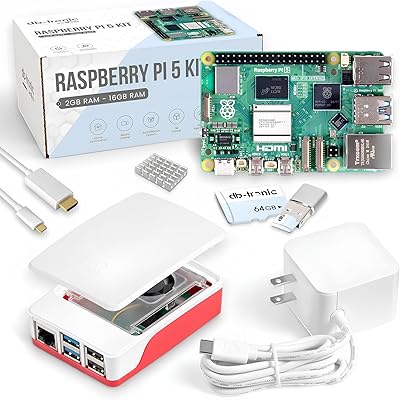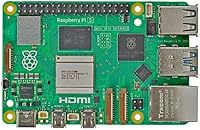
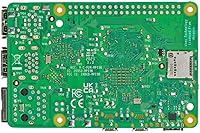
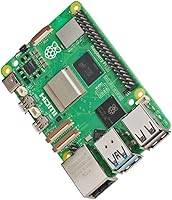
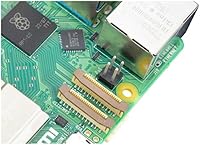
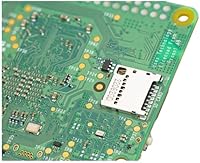
Overview

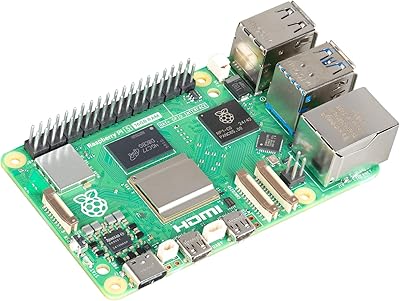
The Raspberry Pi 5 4GB isn't just a modest refresh — it's the most substantial upgrade the Foundation has delivered in years. Where previous generations iterated carefully, this single-board computer arrives with a Cortex-A76 processor that makes the Pi 4 feel noticeably sluggish by comparison. The Raspberry Pi Foundation has always targeted students, makers, and budget-conscious developers, and this board sits comfortably in the mid-range tier where buyers expect capable daily-driver performance without enterprise pricing. Since its release in late 2023, it has built a strong community following fast — forums, project logs, and builds featuring it multiplied almost immediately.

Features & Benefits

The raw CPU performance difference is the first thing you notice. Running a desktop session on this single-board computer feels far more responsive — tabs load, scripts compile, and multitasking no longer triggers that familiar hesitation from older boards. The VideoCore VII GPU adds proper Vulkan 1.2 support, which matters most for emulation and casual desktop compositing rather than serious gaming. What really changes daily workflows, though, is the PCIe 2.0 interface: pair it with an M.2 SSD and boot times drop to seconds. Dual 4Kp60 Micro HDMI outputs make it surprisingly viable for media center setups. USB 3.0 ports handle fast drives without throttling, and the retained 40-pin GPIO header means your existing HATs still work without modification.

Best For

If you're upgrading from a Pi 3 or Pi 4, the performance headroom here will feel like a genuine relief. This mini PC board earns its place most naturally in home lab builds — think Pi-hole, lightweight NAS, or a small network monitor — where the improved CPU and fast storage really pull their weight. Students and educators get a capable Linux desktop that handles real coursework without constant frustration. Retro gaming and emulation enthusiasts who hit a ceiling on older boards will appreciate what the extra processing muscle unlocks. IoT and embedded developers also benefit from true USB 3.0 throughput and the PCIe lane for prototyping more demanding peripherals. The 4GB RAM variant hits a practical sweet spot for most of these scenarios.

User Feedback

With a 4.8-star average from over 1,100 buyers, this single-board computer has clearly resonated. The most consistent praise centers on SSD-backed boot speeds and a noticeably smoother desktop experience compared to what most owners were running before. Thermal management with a proper case gets positive mentions too. The honest caveats are worth flagging: the board draws more power than its predecessor, and a reliable 5A USB-C supply is not optional — it's required. Passive cooling struggles under sustained CPU load, so budget for an active cooler. Several buyers also note that the real-world cost climbs once you add power supply, cooling, and a case. That said, the depth of community documentation frequently earns its own praise as a confidence builder.

Pros

  • The CPU uplift over the Pi 4 is immediately noticeable in everyday tasks like compiling code and multitasking.
  • Pairing the Pi 5 4GB with an M.2 SSD via the PCIe interface produces boot times that feel closer to a desktop PC.
  • Dual 4Kp60 Micro HDMI outputs with HDR support make this single-board computer a capable media center option.
  • Backward-compatible 40-pin GPIO header means existing HATs and accessories carry over without rewiring.
  • USB 3.0 ports deliver real throughput for external drives and demanding peripherals simultaneously.
  • Bluetooth 5.0 and dual-band Wi-Fi handle everyday wireless peripherals and network tasks reliably.
  • A massive, well-documented community makes troubleshooting and project inspiration genuinely accessible.
  • The VideoCore VII GPU with Vulkan 1.2 support meaningfully improves emulation and desktop graphics over older generations.
  • Gigabit Ethernet provides a solid wired option for network-critical deployments where Wi-Fi is not ideal.

Cons

  • A proper 5A USB-C power supply is non-negotiable — reusing an older 3A adapter will trigger throttling and warnings.
  • Passive cooling is not sufficient under sustained load; an active cooler is a required additional purchase.
  • The total real-world cost climbs noticeably once you add a power supply, cooler, and case to the board price.
  • No storage is included — buyers must supply their own microSD card or invest in the SSD adapter separately.
  • The 4GB RAM ceiling can become a bottleneck in memory-intensive workflows before the CPU runs out of capacity.
  • Some older community tutorials and guides are outdated or inaccurate for the Pi 5 hardware specifically.
  • Only four USB ports total limits complex peripheral setups without adding a hub.
  • True beginners without prior Linux or single-board computer experience face a steeper learning curve than expected.

Ratings

The scores you see here were generated by AI after analyzing thousands of verified buyer reviews for the Raspberry Pi 5 4GB worldwide, with spam, bot activity, and incentivized feedback actively filtered out. The result is an honest snapshot of where this single-board computer genuinely excels and where real users have run into friction. Both the highlights and the frustrations are reflected transparently so you can make a confident, informed decision.

CPU Performance
93%
Upgraders from the Pi 4 consistently report the difference as immediately noticeable — compiling code, running a desktop environment, and handling multiple processes simultaneously no longer feels like a negotiation. The Cortex-A76 architecture handles workloads that would have throttled older boards without hesitation.
A handful of more demanding users pushing containerized services or complex machine learning tasks note that 4GB of RAM becomes the bottleneck before the CPU does, which can blunt the performance gains in memory-intensive scenarios.
Storage & Boot Speed
91%
Buyers who paired this mini PC board with an M.2 SSD via the PCIe interface report boot times that feel closer to a proper desktop than a hobbyist board. The difference compared to a microSD card is dramatic enough that most users who try it never go back.
The M.2 SSD functionality requires a separate HAT or adapter that adds cost and setup complexity. Out of the box, you are still reliant on a microSD card, and not all buyers realize the extra hardware purchase is necessary to unlock this capability.
Value for Money
78%
22%
The board itself sits at a reasonable price for the performance tier it occupies, and for buyers who already own a compatible power supply and cooling solution from a previous Pi build, the value proposition is strong. The processing uplift per dollar spent is hard to argue with.
First-time buyers frequently underestimate the total outlay. A proper 5A USB-C power supply, an active cooler, and a case can add a significant percentage on top of the board price, making the real-world cost noticeably higher than the headline figure suggests.
Thermal Management
67%
33%
With a quality case that includes a heatsink or active fan, the Pi 5 4GB maintains stable temperatures even under sustained workloads. Users running home automation hubs or lightweight servers with proper cooling report no throttling issues during long uptime sessions.
Without dedicated cooling, the board runs warm under load and will throttle — this is the most consistent complaint in user reviews. The chip draws more power than its predecessor, and passive cooling alone is simply not sufficient for anything beyond light, intermittent tasks.
GPU & Graphics Capability
74%
26%
The VideoCore VII GPU with Vulkan 1.2 support is a genuine step forward for this class of hardware. Users running retro emulation at higher resolutions and those using the board as a lightweight media center note smoother playback and fewer graphical glitches compared to older Pi generations.
Expectations need to stay realistic — this is still a budget-tier GPU by any modern standard. Users hoping to run demanding 3D applications or newer emulation targets at full speed will find the graphics ceiling arrives sooner than the CPU ceiling does.
Connectivity & Wireless
88%
Dual-band Wi-Fi performs reliably across the home lab and workshop environments where most buyers deploy this board. Bluetooth 5.0 handles keyboards, mice, and audio peripherals without the pairing instability some users experienced on earlier Pi hardware.
A small number of users in dense wireless environments or at longer ranges report that the onboard antenna is not particularly strong. For network-critical deployments, most experienced users default to the Gigabit Ethernet port anyway, which performs without complaint.
USB & Peripheral Support
86%
Having two USB 3.0 ports makes a practical difference when transferring large files or running an external SSD alongside other peripherals. Users building NAS-style setups or connecting multiple devices simultaneously appreciate that throughput no longer feels artificially capped.
With only four total USB ports — two at 3.0 speed and two at 2.0 — users with more complex peripheral setups will reach for a hub quickly. This is a physical board size constraint rather than an oversight, but it is worth factoring into your planning.
GPIO & Hardware Compatibility
92%
The fully backward-compatible 40-pin GPIO header is a significant practical win. Makers with existing HATs, sensor arrays, or custom boards built for previous Pi generations can slot them straight onto the Pi 5 4GB without rewiring or modification in the vast majority of cases.
A small subset of HATs that rely on timing-sensitive or power-specific behaviors from older chips have reported minor compatibility quirks. These are edge cases rather than the norm, but users with specialized hardware should verify compatibility before assuming a clean swap.
Power Requirements
58%
42%
The USB-C connector with Power Delivery support is a modern, sensible choice, and users who invest in the official or a high-quality third-party 5A supply report stable operation with no undervoltage warnings even during peak workloads.
The higher power draw compared to the Pi 4 is the single most cited practical frustration. Buyers who reuse older 3A supplies will encounter throttling and warning indicators. It is a non-negotiable requirement that catches a surprising number of people off guard.
Documentation & Community Support
94%
The Raspberry Pi ecosystem has decades of accumulated community knowledge, and the Pi 5 4GB slotted into it quickly. New users frequently highlight the quality of official documentation and the volume of community tutorials as a major confidence booster when troubleshooting.
Because the Pi 5 introduced genuinely new hardware — particularly the PCIe interface and updated power architecture — some older community guides are outdated or partially inaccurate for this generation. Users need to verify that tutorials are specifically written for the Pi 5 before following them closely.
Physical Size & Form Factor
89%
The familiar credit-card footprint makes this mini PC board easy to integrate into enclosures, mounts, and custom builds without redesigning around new dimensions. The weight of under two ounces keeps it practical for portable and embedded deployments alike.
The compact size, while a feature for most use cases, does mean heat dissipates less naturally than on a larger board. It also constrains the power delivery design, which is part of why the cooling and power supply requirements are non-negotiable for sustained use.
Operating System & Software Ecosystem
87%
Raspberry Pi OS has matured substantially and runs noticeably better on this hardware than previous generations. Third-party distros including Ubuntu, Debian variants, and specialized media OS options are well-supported, giving users meaningful flexibility in how they configure their setup.
A few niche use cases — particularly certain real-time OS deployments and some legacy software stacks — require workarounds or are not yet fully optimized for the Cortex-A76 architecture. Most mainstream users will never encounter this, but embedded developers should check compatibility early.
Out-of-Box Experience
63%
37%
Experienced Pi users and those who research before buying tend to rate the setup experience positively. The board itself is well-manufactured and arrives ready to configure, and the documentation for initial setup is thorough and clearly written.
True beginners who expect a plug-and-play computing experience are often caught off guard by what is not included. No power supply, no storage, no case — the board alone cannot do anything until you source the surrounding ecosystem, and that reality is not always clearly communicated at point of sale.
Upgrade Value from Previous Pi Generations
91%
Users coming from a Pi 3 or Pi 4 consistently describe the upgrade as immediately worthwhile. The performance headroom for everyday tasks — running a desktop, hosting a small service, or handling a home automation stack — is meaningfully larger, and existing accessories largely transfer over.
Buyers upgrading specifically from the Pi 4 8GB model may find the jump less dramatic on the RAM side, and the additional accessories needed (new power supply, potentially new cooler) slightly dilute the overall upgrade value compared to a fresh build from scratch.

Suitable for:

The Raspberry Pi 5 4GB is the natural next step for makers, hobbyists, and tinkerers who have been pushing older Pi boards to their limits and want real headroom without moving to a full desktop. Students and educators will find it capable enough for genuine Linux-based coursework, coding projects, and programming education without the cost barrier of conventional hardware. Home lab enthusiasts running Pi-hole, lightweight NAS setups, network monitors, or home automation stacks will appreciate how much more breathing room this single-board computer offers compared to its predecessors. Retro gaming and emulation fans who found the Pi 4 struggling with more demanding systems will notice a meaningful improvement here. Developers prototyping IoT or embedded applications also benefit from the real USB 3.0 throughput and PCIe lane, which open up peripheral options that simply were not practical on earlier boards. Existing Pi users with a library of HATs and accessories will be relieved that backward GPIO compatibility means most of their hardware investments carry forward cleanly.

Not suitable for:

Buyers expecting a complete, ready-to-use computer out of the box will quickly run into frustration — the Raspberry Pi 5 4GB ships as a bare board, and you will need to source a 5A USB-C power supply, a cooling solution, storage, and likely a case before it does anything at all. That accessory overhead is a real cost that can surprise first-time buyers who only see the board price. Users who need passive, silent operation for an always-on deployment will find that the board runs too warm under load to rely on passive cooling alone — an active cooler is essentially mandatory for sustained workloads. Anyone expecting Windows compatibility or a smooth transition from a conventional PC environment will find the Linux-only ecosystem a steep adjustment. Power users who need to run memory-intensive workloads — containerized services, heavier development environments, or more demanding data processing — may find the 4GB RAM ceiling arrives before they expect it, and should consider whether the 8GB variant better fits their needs. Finally, buyers with no interest in tinkering, configuring, or troubleshooting at a system level will find this mini PC board demands more hands-on engagement than a consumer appliance ever would.

Specifications

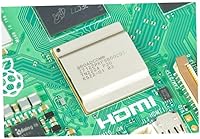
  • Processor: Powered by a Broadcom BCM2712 quad-core Cortex-A76 CPU running at 2.4GHz, delivering roughly three times the processing throughput of the previous generation.
  • RAM: Equipped with 4GB of LPDDR4X-4267 SDRAM, providing sufficient memory for desktop use, lightweight server workloads, and most maker and automation projects.
  • GPU: The VideoCore VII GPU supports OpenGL ES 3.1 and Vulkan 1.2, enabling smoother desktop compositing, improved emulation performance, and basic multimedia acceleration.
  • Storage: Features a microSD card slot with high-speed SDR104 mode support, plus a PCIe 2.0 x1 interface that allows connection of an M.2 SSD via a compatible HAT or adapter.
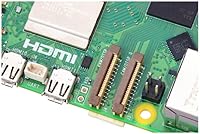
  • Display Output: Dual Micro HDMI ports support simultaneous output at up to 4Kp60 with HDR, making dual-monitor or 4K media center configurations possible without additional adapters.
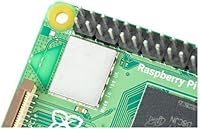
  • Wireless: Onboard dual-band 802.11ac Wi-Fi covers both 2.4GHz and 5GHz bands, paired with Bluetooth 5.0 and Bluetooth Low Energy for reliable wireless peripheral and accessory connectivity.
  • Ethernet: A full Gigabit Ethernet port provides wired network connectivity suited to home lab, server, and network appliance deployments where consistent throughput is required.
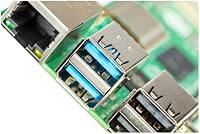
  • USB Ports: Includes two USB 3.0 ports capable of 5Gbps transfer speeds alongside two USB 2.0 ports, supporting simultaneous connection of multiple peripherals and external storage devices.
  • GPIO Header: The standard 40-pin GPIO header is fully backward compatible with HATs and expansion boards designed for previous Raspberry Pi generations.
  • Power Input: Requires a 5V/5A DC supply delivered via USB-C with Power Delivery support; using an underpowered supply will result in throttling and low-voltage warnings.
  • Dimensions: The board measures 3.35 x 2.2 x 0.67 inches, maintaining the familiar credit-card footprint that fits standard Raspberry Pi enclosures and mounting solutions.
  • Weight: At 1.76 ounces, the board is light enough for portable, embedded, and ceiling or wall-mounted deployments without structural concerns.
  • Operating System: Officially supported on Raspberry Pi OS and compatible with a wide range of Linux distributions including Ubuntu and various third-party Debian-based images.
  • Video Decode: Hardware-accelerated 4Kp60 HEVC decoding is supported, reducing CPU load during high-resolution video playback in compatible media applications.
  • Release Date: First made available in November 2023, with broad retail and community adoption establishing quickly in the months following launch.
  • Model Number: The official Raspberry Pi model identifier for this variant is SC1111, corresponding specifically to the 4GB RAM configuration.

Related Reviews
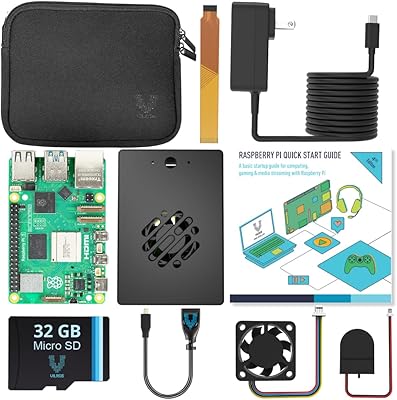
Vilros Raspberry Pi 5 Starter Kit 4GB
86%
94%
Build Quality
91%
Cooling Performance
88%
Ease of Setup
90%
Included Accessories
85%
Performance under Load
More
SunFounder Pironman 5-MAX Raspberry Pi 5 Case
85%
94%
Cooling Performance
90%
Build Quality
72%
Ease of Setup
85%
NVMe SSD Installation
88%
System Monitoring Display
More
Raspberry Pi 5 (16GB)
85%
93%
CPU Performance
91%
RAM & Multitasking
62%
Thermal Management
88%
Connectivity
86%
USB & Peripheral Support
More
RasTech Raspberry Pi 5 8GB Kit
84%
93%
CPU Performance
91%
Power Supply Compatibility
72%
Thermal Management
84%
Value for Money
88%
PCIe Expandability
More
CanaKit Raspberry Pi 4 4GB Basic Kit
82%
83%
Value for Money
92%
Power Supply Quality
91%
PiSwitch Convenience
74%
Thermal Management
79%
Board Performance
More
Vilros Raspberry Pi 5 8GB Starter Kit
80%
93%
Ease of Setup
89%
Thermal Performance
91%
Build Quality
67%
Value for Money
88%
Cooling System Design
More
Vilros Raspberry Pi 4 4GB Starter Kit
81%
91%
Build Quality
88%
Thermal Management
84%
Ease of Setup
86%
Performance
89%
Power Supply Quality
More
ELECROW CrowPi 1 Raspberry Pi 5 8GB Kit
84%
88%
Ease of Use for Beginners
91%
Educational Value
84%
Build Quality and Durability
87%
Step-by-Step Programming Lessons
70%
Setup and Installation
More
Raspberry Pi 5 8GB Starter Kit 64GB Edition
87%
88%
Performance
91%
Setup and Installation
83%
Cooling Efficiency
87%
Build Quality
92%
Value for Money
More
CanaKit Raspberry Pi 5 Starter Kit PRO (8GB RAM, 128GB)
87%
94%
Ease of Assembly
91%
Cooling Performance
93%
Processing Power & Speed
78%
Value for Money
96%
Multitasking Capability
More

FAQ

The board ships on its own — there is no power supply, microSD card, case, or cooling solution included. At minimum you will need a 5A USB-C power supply and a microSD card with an OS image to boot. A case and active cooler are strongly recommended before running anything beyond a quick test.

In most cases, yes. The 40-pin GPIO header is fully backward compatible with HATs designed for previous Pi generations. A small number of HATs with very specific power or timing dependencies have reported minor quirks, so if you have a specialized or older expansion board it is worth checking the community forums before assuming a straight swap.

If your existing supply outputs less than 5A, you will likely see low-voltage warnings and the board will throttle its performance to compensate. The Raspberry Pi 5 4GB draws meaningfully more power than earlier models, so a proper 5A supply with USB-C Power Delivery support is not optional for reliable operation — it is a baseline requirement.

Passive cooling is adequate for very light or intermittent tasks, but under sustained CPU load the board runs warm and will throttle without active cooling. If you plan to run a server, emulation, or anything that keeps the processor busy for extended periods, budget for an active cooler or a case with a built-in fan from the start.

The difference is noticeable from the first boot. General desktop responsiveness, compile times, and multitasking all feel significantly snappier. Users who pair this single-board computer with an M.2 SSD report the biggest gains, with boot times dropping to just a few seconds — a dramatic change from microSD card performance.

Not directly out of the box — you will need a separate M.2 HAT or adapter that connects via the onboard PCIe 2.0 interface. Once you have that adapter, the speed improvement over microSD is substantial enough that most users who try it do not go back. Just factor the adapter cost into your budget when planning the build.

No. This mini PC board runs Linux-based operating systems only. Raspberry Pi OS is the official and most widely supported option, but Ubuntu and several other Linux distributions are also well-supported. If you need a Windows environment, this is not the right hardware platform.

For the majority of use cases — home automation, lightweight servers, desktop browsing, coding projects, and emulation — 4GB is comfortably sufficient. If you are planning to run containerized services, heavier development environments, or want long-term headroom for more demanding workloads, the 8GB variant is worth considering. For most buyers, 4GB hits a practical sweet spot.

You will need two Micro HDMI to HDMI cables or adapters, since the board uses Micro HDMI connectors rather than the full-size HDMI ports most monitors expect. Both outputs support up to 4Kp60 with HDR, so a genuine dual-4K setup is possible with the right display hardware.

It is one of the strongest aspects of the entire Pi ecosystem. Official documentation from the Raspberry Pi Foundation is thorough and well-maintained, and the community has produced an enormous volume of tutorials, project guides, and troubleshooting resources. New users consistently cite this support network as a major reason the learning curve feels manageable, even for complete beginners.