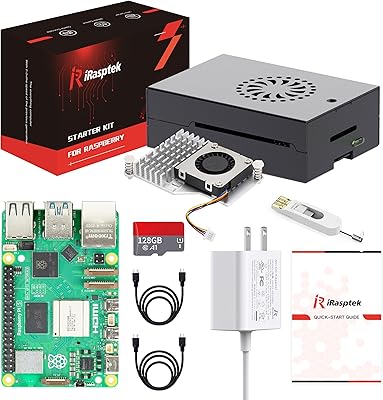
Raspberry Pi 5 (16GB)
Overview
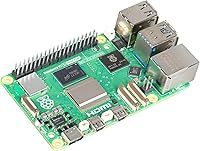
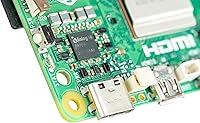
The Raspberry Pi 5 (16GB) is the most capable board the foundation has ever shipped, and the 16GB memory tier — arriving in January 2025 — finally gives power users and developers the headroom they have been asking for. Previous generations topped out at 8GB, which was fine for light workloads but started feeling tight once you added browser tabs, containers, or serious data processing. This board sits at the upper end of the single-board computer market, competing with alternatives like the Rock 5 and Orange Pi 5, yet it brings something those rivals struggle to match: the Raspberry Pi ecosystem — years of community support, polished OS images, and an enormous library of compatible accessories.
Features & Benefits
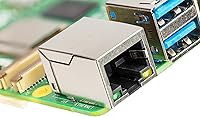
At the heart of this single-board computer is a quad-core Cortex-A76 processor clocked at 2.4GHz — the same architecture found in much pricier laptops a few years back. In practice, that means noticeably snappier compile times, smoother video playback, and desktop Linux sessions that don't feel like a compromise. Pair that with 16GB of fast LPDDR4X memory and you can run several Docker containers, a local language model, or a full development environment without constantly hitting swap. Connectivity covers the essentials well: dual-band Wi-Fi 5, Bluetooth 5.0 and BLE, Gigabit Ethernet, and a mix of USB 3.0 and 2.0 ports for virtually any peripheral you'd want to attach.
Best For
The Pi 5 16GB is a strong fit for anyone who has been bumping up against memory limits on older boards. Developers prototyping AI inference workloads or computer vision pipelines will appreciate the room to run heavier models without offloading everything to cloud instances. Home lab users can spin up multiple self-hosted services — Nextcloud, Home Assistant, a reverse proxy — on a single board without things grinding to a halt. Students working through embedded systems coursework get a genuinely capable Linux machine in a tiny package. And for retro gaming enthusiasts, the extra RAM makes demanding emulation targets like PS2 or GameCube far more accessible than they were on earlier Pi hardware.
User Feedback
With a 4.7-star average across more than 300 ratings, buyers are largely enthusiastic. The most consistent praise centers on the noticeable speed uplift over older Pi hardware and the stability of running a full Linux desktop with multiple applications open. That said, a few recurring gripes are worth knowing upfront: the board ships without a power supply, and the official 27W USB-C adapter is a separate purchase you really should not skip. Buyers running sustained workloads also recommend adding active cooling — without it, the board can throttle under extended stress. Crucially, nearly all critical feedback targets accessory ecosystem friction, not the board itself, which speaks well to the underlying hardware quality.
Pros
- The Cortex-A76 CPU delivers a substantial real-world speed boost over Pi 4 for compiling, multitasking, and running desktop Linux.
- 16GB of LPDDR4X RAM is genuinely rare at this form factor, enabling Docker stacks and dev environments that older boards could not sustain.
- The Raspberry Pi software ecosystem — polished OS images, community tutorials, HAT compatibility — is unmatched among SBC platforms.
- Dual-band Wi-Fi 5 and Gigabit Ethernet give flexible, reliable networking options for both headless and desktop deployments.
- The standard 40-pin GPIO header maintains full backward compatibility with the enormous library of existing Pi HATs and accessories.
- At under 50 grams and credit-card sized, this board fits into tight enclosures and low-power always-on deployments with ease.
- Buyers with 4GB or 8GB Pi boards report that swapping to the Pi 5 16GB resolves memory-related slowdowns almost immediately.
- A 4.7-star rating across hundreds of verified reviews reflects consistent real-world satisfaction with the core hardware.
Cons
- No power supply is included, and using an underpowered charger causes instability — the official 27W adapter is a separate, non-optional purchase.
- Active cooling is effectively required for sustained workloads, adding cost and complexity that the base price does not reflect.
- PoE+ support requires a separate HAT, which adds both expense and physical height to the board stack.
- New camera and display connector formats mean existing Pi 4 ribbon cables and some camera modules need replacement adapters.
- Onboard Wi-Fi signal degrades noticeably inside metal cases, making Ethernet the only reliable option in enclosed rack builds.
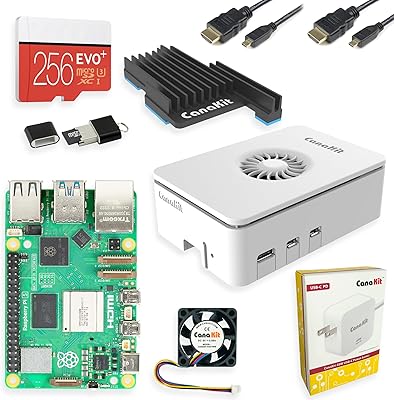
- The total cost of a complete, ready-to-use setup — board, PSU, cooler, case, storage — is considerably higher than the sticker price.
- Some cutting-edge Linux packages lag behind upstream Debian versions, occasionally requiring manual compilation for specialist tools.
- Beginners can struggle to distinguish current setup guides from outdated Pi 4 tutorials, adding friction to the initial configuration process.
Ratings
The Raspberry Pi 5 (16GB) has been put through its paces by hundreds of verified buyers worldwide, and our AI-driven scoring model has analyzed that feedback carefully — filtering out incentivized reviews and bot activity — to surface what real users actually experience. Scores reflect both the genuine strengths that make this board stand out in the single-board computer space and the friction points that prospective buyers deserve to know before committing. The result is a transparent, balanced picture of where this board excels and where it asks a little more of you.
CPU Performance
RAM & Multitasking
Thermal Management
Connectivity
USB & Peripheral Support
Value for Money
Build Quality & Form Factor
Software & OS Ecosystem
Power Efficiency
GPIO & Hardware Expandability
Setup & Ease of Use
Wireless Performance
Community & Support
Emulation & Gaming Performance
Suitable for:
The Raspberry Pi 5 (16GB) is purpose-built for users who have repeatedly hit the ceiling on lower-memory single-board computers and need a serious step up without abandoning the Pi ecosystem. Developers prototyping edge AI applications, computer vision pipelines, or running local language models will find that 16GB of fast RAM removes the constant juggling act of previous builds. Home lab enthusiasts who want to self-host a handful of services — think Nextcloud, Jellyfin, Home Assistant, and a reverse proxy all running simultaneously — will finally have the breathing room to do it cleanly on one board. Students and educators working through embedded systems, Linux administration, or advanced programming coursework get a genuinely capable machine that fits in a backpack and runs a full desktop environment without frustration. Retro gaming builders who have been waiting for stable PS2 or GameCube emulation on Pi hardware will also find this variant meaningfully more capable than the 4GB or 8GB options.
Not suitable for:
The Raspberry Pi 5 (16GB) is not the right choice for buyers expecting a ready-to-use computer straight out of the box — there is no power supply, no case, no cooling solution, and no storage included, meaning the true cost of a functional setup is noticeably higher than the board price alone suggests. Casual users who want a simple media player or a basic retro console and do not need 16GB of RAM would be better served saving money on a lower-memory variant, since the memory advantage only matters if your software stack actually uses it. Anyone intimidated by Linux configuration, manual OS flashing, or researching compatible accessories will likely find the setup process frustrating rather than rewarding. If your workload demands GPU-accelerated computing, Windows compatibility, or the kind of sustained performance you get from even a modest x86 mini PC, this board will disappoint — it is a capable ARM Linux machine, not a desktop replacement. Users who need PoE support should also factor in the additional HAT cost and increased board height before committing.
Specifications
- CPU: The board is powered by a Broadcom BCM2712 quad-core 64-bit Arm Cortex-A76 processor running at 2.4GHz, the same architecture class used in mid-range laptops of recent years.
- RAM: 16GB of LPDDR4X memory is soldered directly to the board, providing fast, low-latency access for multitasking, containerized workloads, and memory-intensive applications.
- L2 Cache: Each of the four CPU cores has a dedicated 512KB L2 cache to reduce latency on frequently accessed instruction sets.
- L3 Cache: A 2MB shared L3 cache is available across all cores, helping sustain throughput during parallel processing tasks.
- Wi-Fi: Dual-band 802.11ac (Wi-Fi 5) wireless is built in, supporting both 2.4GHz and 5GHz bands for flexible home and office network deployments.
- Bluetooth: Bluetooth 5.0 and Bluetooth Low Energy (BLE) are supported natively, enabling peripheral pairing and IoT sensor integrations without additional hardware.
- USB Ports: The board provides two USB 3.0 ports capable of simultaneous 5Gbps operation, plus two USB 2.0 ports for legacy peripherals and lower-bandwidth devices.
- Networking: A full Gigabit Ethernet port is included, with PoE+ support available when a compatible PoE+ HAT (sold separately) is attached.
- Dimensions: The board measures 3.55 × 2.76 × 1.18 inches, maintaining the standard Raspberry Pi footprint for compatibility with existing cases and mounting solutions.
- Weight: At 1.59 ounces, the board is light enough for embedded, wearable, and portable project enclosures without adding meaningful mass.
- Power Input: Power is supplied via USB-C, and a 27W USB-C power supply is officially recommended to ensure stable operation under peak CPU and peripheral load.
- Operating System: The board runs Linux natively, with Raspberry Pi OS as the primary supported distribution alongside a wide range of community-maintained alternatives including Ubuntu and Manjaro.
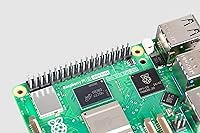
- Form Factor: The standard 40-pin GPIO header is present and fully backward-compatible with HATs and add-on boards designed for previous Raspberry Pi generations.
- Video Output: Two micro-HDMI ports support dual-display output at up to 4K resolution, allowing use as a lightweight desktop machine with multiple monitors.
- Storage Interface: A microSD card slot handles primary OS storage, and a PCIe 2.0 connector is available for NVMe SSD expansion via a compatible HAT.
- Camera & Display: Two MIPI CSI/DSI connectors support camera modules and official touchscreen displays, though Pi 4-era ribbon cables are not directly compatible and require updated replacements.
- Real-Time Clock: A dedicated RTC circuit is built into the board, allowing accurate timekeeping when a coin-cell battery backup (sold separately) is connected.
- Manufacturer: Designed and manufactured by Raspberry Pi Ltd, based in the United Kingdom, with the 16GB variant first made available in January 2025.
Related Reviews
CanaKit Raspberry Pi 5 Starter Kit MAX 16GB 256GB
SunFounder Pironman 5-MAX Raspberry Pi 5 Case
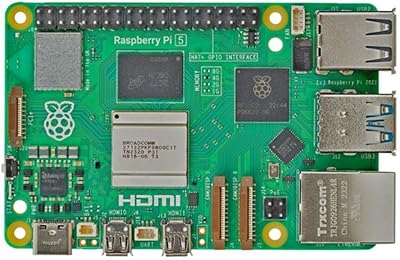
Raspberry Pi 5 4GB
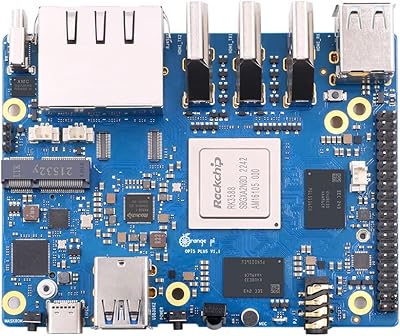
Orange Pi 5 Plus 16GB Single-Board Computer
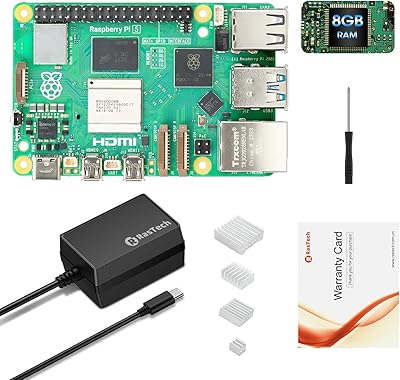
RasTech Raspberry Pi 5 8GB Kit
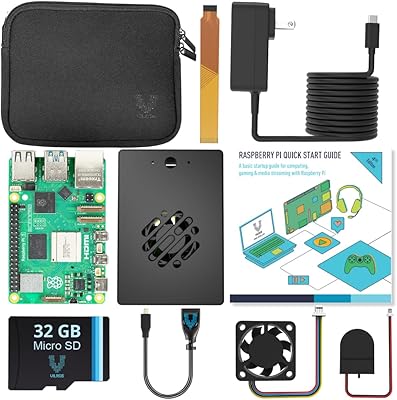
Vilros Raspberry Pi 5 4GB Starter Kit
Vilros Raspberry Pi 5 8GB Starter Kit
Raspberry Pi 5 8GB Starter Kit 64GB Edition
ELECROW CrowPi Pi 5 8GB Learning Kit