Overview

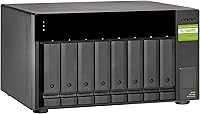
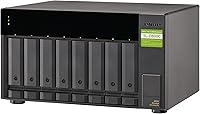
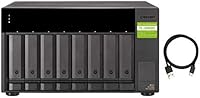
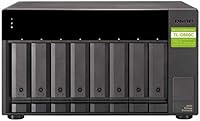
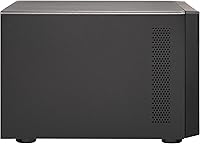
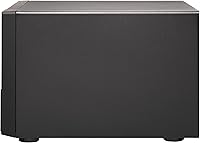
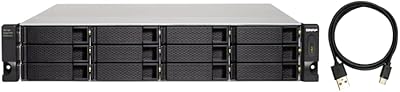
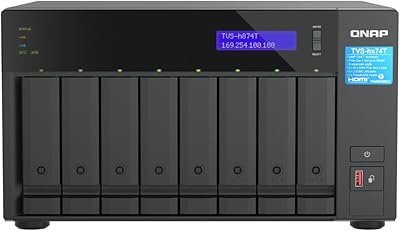
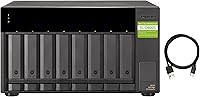
The QNAP TL-D800C 8-Bay JBOD Storage Enclosure is a desktop expansion unit built for power users and small businesses that have outgrown their existing storage without wanting to overhaul their entire setup. It connects via a single USB 3.2 Gen 2 Type-C port, which at 10Gbps delivers respectable throughput for a directly attached enclosure. The architecture is strictly JBOD — each drive you install appears as its own independent volume, not a pooled or redundant array. That distinction matters. If you pair it with a QNAP NAS, the drives cannot be merged into an existing storage pool; they form a separate one entirely. The unit ships diskless, so you will need to source your own 3.5-inch SATA drives.
Features & Benefits

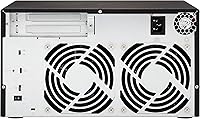
Eight bays accepting any standard 3.5-inch SATA drive means you can push theoretical capacity well past 100TB if you pair this JBOD enclosure with today's high-density disks. In practice, the interface tops out around 10Gbps, which is more than enough for sequential transfers with spinning hard drives but will not saturate SSDs. The internal 250W PSU is a genuine practical win — no external power brick, and sufficient headroom to spin up eight drives simultaneously. QNAP includes a USB Type-C to Type-A cable, so hosts without a native Type-C port are covered straight out of the box. Drive installation is tray-based and straightforward. The one real caveat: only one host can connect at a time.

Best For

This 8-bay expansion unit makes the most sense for a specific type of buyer. QNAP NAS owners who have filled every internal bay will find it a natural companion — just understand the separate-pool limitation before you commit. Video editors and photographers working off a Mac or Windows workstation will appreciate having up to eight independent drives accessible through a single cable for archiving large project files. Small businesses needing an affordable warm or cold storage tier, without the cost of a second full NAS, are a solid fit. IT administrators staging server backups locally will also find the direct-attached simplicity appealing. If you already have a pile of spare 3.5-inch drives, this enclosure gives them a tidy home.

User Feedback

Buyers who understood what they were purchasing before clicking tend to rate the TL-D800C quite well. Build quality feels solid, and plug-and-play recognition on both Mac and Windows is consistently praised. Fan noise under sustained load gets mentioned often enough to be worth noting — it is audible, and anyone in a quiet home office should factor that in. The pool-restriction issue is the single biggest source of negative reviews: buyers expecting to blend this unit's drives into an existing QNAP storage pool were caught off guard. Some users have also flagged firmware compatibility hiccups with certain QNAP models. At 3.8 stars across 85 ratings, the score reflects a capable, niche product that rewards informed buyers and frustrates those who skimmed the specs.

Pros

  • Eight 3.5-inch SATA bays offer serious long-term capacity headroom without replacing existing hardware.
  • The internal 250W PSU cleanly powers all eight drives with no external brick cluttering your desk.
  • Plug-and-play recognition on both Mac and Windows requires zero driver installation for most users.
  • USB Type-C to Type-A cable is included, so older workstations connect immediately out of the box.
  • Build quality is solid and dense — nothing about this JBOD enclosure feels cheap or temporary.
  • Sequential transfer speeds are more than adequate for archiving large video libraries and backup workloads.
  • Tray-based drive installation is clean and straightforward, even when populating all eight bays at once.
  • Works reliably as a standalone direct-attached storage unit entirely independent of any NAS ecosystem.
  • For buyers who already own idle 3.5-inch drives, this is one of the tidiest consolidation options available.

Cons

  • Drives cannot be merged into an existing QNAP NAS storage pool — a hard architectural restriction that surprises many buyers.
  • No RAID support whatsoever means zero built-in data redundancy across any of the eight bays.
  • Fan noise ramps up audibly under sustained heavy load, which is a genuine issue in quiet work environments.
  • Only one host can connect at a time, making multi-workstation sharing impossible without physically swapping cables.
  • Firmware compatibility issues between the TL-D800C and certain QTS versions have caused temporary recognition failures for some users.
  • The enclosure ships diskless, so the real total investment is substantially higher than the unit price alone.
  • At nearly 17 pounds empty, this is not a unit you will move or reposition casually once drives are installed.
  • Bundled documentation is thin and does not adequately explain the NAS pool restriction or firmware requirements.
  • USB 3.2 Gen 2 throughput becomes a bottleneck if SSDs are used or if workloads demand sustained high-bandwidth access.

Ratings

The QNAP TL-D800C 8-Bay JBOD Storage Enclosure scores below are generated by AI after systematically analyzing verified global user reviews, with spam, incentivized, and bot-flagged submissions actively filtered out before any scoring is applied. This enclosure draws a technically informed audience, and their feedback is specific — both the genuine strengths and the frustrating limitations are reflected in every score here. If you are evaluating this unit for storage expansion, these ratings should give you an honest picture of what real-world ownership actually looks like.
Build Quality
83%
Users consistently note that the chassis feels dense and well-assembled for a desktop unit — nothing rattles, drive trays slide in with satisfying resistance, and the overall fit is a step above most plastic-heavy competitors in this class. Several reviewers running it 24/7 in small office environments report no flex or degradation after extended use.
A handful of users found the drive tray locking mechanism less positive than expected, with occasional looseness after repeated insertions. The external finish also picks up fine scratches fairly easily, which bothers buyers who keep it on a visible desk.
Drive Compatibility
78%
22%
The eight SATA bays accept both 6Gb/s and 3Gb/s drives without adapter fussing, and users report successful installs with drives from WD, Seagate, and Toshiba at capacities up to 18TB and 20TB per slot. That flexibility makes it genuinely useful for people consolidating a mix of older and newer drives.
A few users encountered recognition issues with certain high-capacity CMR and SMR drive models depending on firmware version. There is no published official compatibility list that is regularly updated, which forces buyers to rely on community testing to confirm edge cases before committing.
USB 3.2 Gen 2 Throughput
74%
26%
For spinning hard drives, the 10Gbps interface is more than sufficient — sequential read speeds sit comfortably in the 180 to 230MB/s range in practice, which works well for archiving large video project folders or pulling backup images from a workstation. Most users doing media work find the bandwidth ceiling irrelevant for their actual use case.
The interface becomes a bottleneck if you load the bays with SSDs or plan any workload requiring simultaneous high-speed access across multiple drives. Users with more demanding throughput expectations, particularly those coming from Thunderbolt enclosures, tend to feel constrained by the single USB connection.
JBOD Architecture Clarity
51%
49%
For buyers who fully understood the JBOD-only design going in, the independent volume structure is actually a clean and predictable way to manage discrete storage pools — one drive per task, no array complexity, no rebuilds. IT administrators staging isolated backup targets tend to appreciate exactly this kind of simplicity.
This is the single biggest source of negative reviews across the board. A significant number of buyers expected RAID options or at minimum the ability to merge these drives into an existing QNAP NAS pool — neither is possible. The cannot-combine-with-existing-storage-pool restriction catches people off guard repeatedly, and the resulting frustration visibly drags the overall star rating down.
NAS Integration
57%
43%
When used alongside a compatible QNAP NAS, the enclosure is recognized quickly and functions reliably as a separate storage destination. For users who simply want overflow space that the NAS can see without extra configuration drama, the experience is largely straightforward once the pool-separation limitation is accepted.
The hard restriction preventing the TL-D800C drives from joining an existing NAS storage pool is not prominently communicated during purchase, and it creates real workflow problems for users who planned to extend their current volume. Some buyers also reported firmware-version-specific recognition bugs that required QNAP support intervention to resolve.
Setup & Ease of Use
81%
19%
On Mac and Windows hosts, most users describe the experience as plug-and-play in the truest sense — connect the cable, format the drives, and the system sees them immediately. No driver installation was needed for the majority of reviewers, which is a meaningful time-saver for people deploying this in a small business or studio environment.
Users connecting to a QNAP NAS for the first time sometimes hit a learning curve around QTS storage manager settings, particularly understanding why the new drives appear isolated from existing pools. The documentation bundled with the unit is minimal and does not walk through NAS-specific scenarios clearly.
Fan Noise
62%
38%
Under light to moderate loads the fan stays quiet enough that users in shared office spaces barely register it. Several reviewers running it overnight for large backup jobs noted that the acoustic profile during low-activity periods is genuinely unobtrusive.
Under sustained heavy read/write activity — the kind a video editor running long export jobs would generate — the fan ramps up audibly. Users working in quiet home offices or acoustically sensitive recording environments specifically flag this as a real-world annoyance that is easy to underestimate from a spec sheet alone.
Power Supply Design
86%
The internal 250W PSU eliminates the external brick that plagues many competing enclosures, which keeps cable runs cleaner and desk space tidier. Reviewers with all eight bays populated report no spin-up failures or power instability, suggesting the headroom is genuinely adequate for dense configurations.
The internal PSU also means the enclosure is heavier and bulkier than brick-powered alternatives. A small number of users in regions with voltage variability reported minor concerns, though no widespread PSU failure patterns appear in the reviewed feedback pool.
Cable & Connectivity
77%
23%
The included USB Type-C to Type-A cable is a thoughtful touch that immediately broadens compatibility to older workstations and servers without native Type-C ports. Users switching between a Mac laptop and a Windows desktop found the single cable swap simple enough for their workflow.
Only one host can connect at a time, with no built-in sharing or multi-host option. Users who initially hoped to switch the enclosure between machines quickly discovered that this requires physically swapping cables, which is clunky in multi-workstation environments and a genuine limitation compared to network-attached alternatives.
Value for Money
66%
34%
For a buyer who needs precisely what this unit delivers — eight independent JBOD bays, an internal PSU, and USB 3.2 Gen 2 connectivity — the pricing sits at a reasonable point for the QNAP ecosystem. Users who entered the purchase knowing the spec sheet tend to feel they received fair value relative to alternatives.
Buyers who expected RAID, pooling flexibility, or Thunderbolt-level throughput consistently feel the price is difficult to justify after the fact. When compared to budget DAS options that offer more configuration flexibility at a lower cost, the value proposition for uninformed buyers looks weak, and that perception is clearly visible across lower-rated reviews.
Capacity Potential
88%
Eight bays of 3.5-inch SATA headroom means serious long-term capacity growth without replacing the enclosure. Users pairing it with current high-density drives can build a substantial cold storage tier for a fraction of what an equivalent capacity NAS system would cost in hardware alone.
Capacity potential is only realized if buyers supply their own drives, and the diskless pricing can feel deceptive to first-time buyers who do not factor in the full cost of populating all eight bays. There is no bundled drive option, so the upfront total investment is considerably higher than the enclosure price alone suggests.
Physical Footprint
71%
29%
The desktop form factor is compact enough for most workstation setups, and the vertical orientation keeps it from dominating a desk surface. Users with limited rack space but a spare desk corner find it a practical fit for home lab and small office deployments.
At just under 17 pounds unloaded, the unit is noticeably heavy for a desktop enclosure — add eight populated 3.5-inch drives and moving it around becomes a deliberate undertaking. Users who expected something closer to the size and weight of a small external drive expressed genuine surprise when the unit arrived.
Firmware & Software Support
63%
37%
When connected to a reasonably current QNAP NAS running up-to-date QTS firmware, recognition and management are handled entirely within the existing interface with no additional software needed. Users who stay current with QNAP firmware releases report a largely stable experience over time.
Several reviewers encountered recognition failures or unexpected behavior after QTS firmware updates, with the enclosure temporarily dropping visibility until QNAP pushed a corrective patch. The dependence on QNAP firmware cycles for stability is a legitimate concern for users who cannot afford unplanned downtime in a production environment.
Documentation & Support
58%
42%
QNAP maintains an active community forum and a knowledge base where most common setup scenarios for the TL-D800C are covered by either official articles or experienced community members. Users who engage with those resources typically resolve their issues without formal support tickets.
The printed documentation shipped with the unit is widely considered inadequate for the target audience, particularly regarding NAS pool restrictions and firmware requirements. Several buyers report slow response times from QNAP official support channels when dealing with compatibility edge cases, which is frustrating for a product positioned at professional users.

Suitable for:

The QNAP TL-D800C 8-Bay JBOD Storage Enclosure is purpose-built for a specific kind of buyer, and if you fit the profile, it delivers exactly what it promises. QNAP NAS owners who have filled every internal bay and need additional storage without scrapping their current setup will find this a natural extension — just accept upfront that the drives will live in a separate pool, not alongside your existing volumes. Video editors and photographers working on long-term media archives off a Mac or Windows workstation are a strong fit too, since eight independent SATA bays connected over a single USB cable keeps things simple without requiring a full second NAS investment. Small businesses building a cold or warm backup tier on a budget, IT administrators who need a clean direct-attached staging shelf for server backups, and anyone sitting on a collection of idle 3.5-inch SATA drives looking for a sensible enclosure to house them will all find genuine value here. If your needs match any of those scenarios and you understand what JBOD means before you buy, this 8-bay expansion unit is a well-built, no-drama piece of hardware.
Not suitable for:

The QNAP TL-D800C 8-Bay JBOD Storage Enclosure is not the right tool for buyers expecting flexible storage configuration options. If you want RAID protection — mirroring, striping, or parity — look elsewhere entirely, because this unit does not support it in any form. QNAP NAS users who assumed they could fold these eight drives into an existing storage pool will be disappointed: that is architecturally impossible with this enclosure, and no firmware update will change it. Anyone needing Thunderbolt-level throughput for high-demand workloads like multi-stream 4K or large database access should also reconsider, since USB 3.2 Gen 2 at 10Gbps is a real ceiling that becomes a bottleneck under sustained heavy loads. If your workspace is acoustically sensitive — a home studio, a recording booth, or a quiet shared office — the fan noise under load is worth taking seriously before committing. And buyers who need to share the enclosure simultaneously between multiple hosts will find the single USB connection a hard limitation that no workaround solves.
Specifications

  • Brand & Model: Manufactured by QNAP under the model designation TL-D800C, released in April 2020.
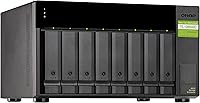
  • Drive Bays: Houses eight 3.5-inch SATA hard drives simultaneously, with no support for 2.5-inch drives without a separate adapter tray.
  • Drive Protocol: Compatible with SATA 6Gb/s and SATA 3Gb/s drives, covering the full range of current and legacy spinning hard drives.
  • Storage Configuration: Operates exclusively in JBOD mode, presenting each installed drive as a fully independent volume to the connected host.
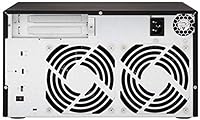
  • Host Interface: Connects to the host system via a single USB 3.2 Gen 2 Type-C port with a maximum theoretical bandwidth of 10Gbps.
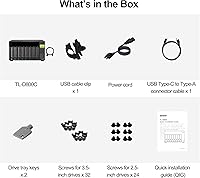
  • Included Cable: Ships with one USB Type-C to Type-A cable, enabling direct connection to hosts that lack a native Type-C port.
  • Power Supply: Integrates an internal 250W power supply unit, eliminating the need for an external power brick regardless of drive count.
  • Compatible OS: Fully supported on Windows and macOS; also compatible with QNAP NAS systems running QTS firmware.
  • Compatible Devices: Designed for use with QNAP NAS enclosures, desktop computers, laptops, and servers that expose a USB 3.2 host port.
  • NAS Pool Restriction: When connected to a QNAP NAS, drives in this enclosure must form a separate storage pool and cannot be merged with any existing pool or volume.
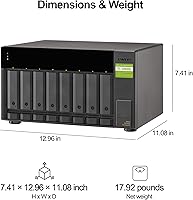
  • Dimensions: The unit measures 12.96 x 11.08 x 7.41 inches (LxWxH), making it a mid-sized desktop enclosure.
  • Weight: Weighs 16.76 pounds without drives installed; fully populated weight will increase significantly depending on drive models used.
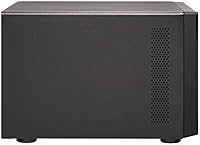
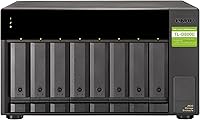
  • Color & Finish: Available in a matte black finish with no exposed ventilation grilles on the front face.
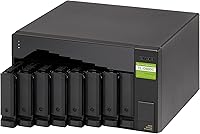
  • Drive Installation: Uses a tray-based system for drive insertion, with individual trays that slide into the chassis without requiring loose screws for standard 3.5-inch drives.
  • Host Connections: Supports one active host connection at a time; there is no multi-host or network sharing capability built into the hardware.
  • Market Rank: Ranked #36 in the Network Attached Storage Enclosures category on Amazon at the time of publication, with 85 verified ratings averaging 3.8 out of 5 stars.
  • Drives Included: Sold as a diskless unit; no hard drives are included in the package, and all eight bays must be populated by the buyer separately.
  • Warranty: QNAP typically provides a two-year limited hardware warranty on enclosures in this product line; buyers should confirm coverage details with regional QNAP support.

Related Reviews

QNAP TL-R1200C-RP 12-Bay Rackmount JBOD Storage Enclosure
84%
88%
Performance and Speed
91%
Reliability & Power Redundancy
85%
Storage Capacity
84%
Compatibility with QNAP NAS
82%
Ease of Setup
More
ICY DOCK ToughArmor MB998SP-B 8-Bay 2.5” SATA/SAS HDD/SSD Mobile Rack Enclosure for 5.25″ Bay
87%
91%
Performance
88%
Cooling Efficiency
89%
Build Quality
93%
Ease of Installation
72%
Noise Level
More
QNAP TVS-h874T-i9-64G 8-Bay NAS
83%
92%
Performance
68%
Setup/Installation
89%
Build Quality
85%
Software/Firmware Experience
80%
Usability/Ease of Use
More
QNAP TVS-h874 i7-32G 8-Bay NAS
80%
93%
Processing Performance
91%
Storage Flexibility
89%
ZFS & OS Reliability
84%
Networking Capability
88%
RAM & Virtualization Headroom
More
SilverStone RM22-308 2U 8-Bay Rackmount Storage Chassis
77%
92%
Build Quality
89%
Hot-Swap Reliability
84%
Cooling Performance
61%
Fan Noise
78%
Drive Compatibility
More
QNAP TR-004-44WD-US 4 Bay DAS with 12TB Storage
85%
87%
Performance
92%
Ease of Setup
84%
Build Quality
65%
Noise Level
90%
Data Redundancy (RAID 5)
More
QNAP TS-832PX-4G 8-Bay NAS with 10GbE SFP+ and 2.5GbE
85%
91%
Performance
94%
Network Connectivity
89%
Ease of Setup
85%
Expandability (RAM)
88%
Data Security (Encryption)
More
IO CREST 8-Bay Tool-Less SATA Hard Drive Enclosure, 22TB Capacity
86%
89%
Value for Money
93%
Ease of Installation
88%
Performance (Speed/Transfer Rate)
85%
Build Quality and Durability
90%
Cooling and Noise Management
More
IO CREST SY-ENC50129 8-Bay USB4 40Gbps SATA Enclosure
76%
88%
Build Quality
83%
Drive Compatibility
86%
USB4 Interface & Compatibility
71%
Real-World Transfer Speed
74%
Fan Noise & Thermal Management
More
IO CREST SY-ENC50119 8-Bay External HDD Enclosure
75%
83%
Build Quality
79%
Drive Compatibility
76%
Thermal Management
68%
Fan Noise
71%
USB 3.0 Transfer Performance
More

FAQ

Not in any officially supported way. The TL-D800C is designed primarily around QNAP ecosystem integration, and Synology NAS units do not expose USB ports for direct-attached storage expansion. On a standard Windows or Mac computer it works fine, but pairing it with a competing NAS brand is not a supported use case.

It is strictly JBOD, with no exceptions. Every drive you install appears as its own independent volume — there is no mirroring, striping, or parity configuration available at any level. If data redundancy matters to you, you will need to manage that at the software or OS level separately.

No, and this is the most important thing to understand before buying. The QNAP TL-D800C 8-Bay JBOD Storage Enclosure creates its own separate storage pool in QTS, completely isolated from any volumes or pools you already have on your NAS. You cannot blend these drives with your internal NAS drives into a single unified storage space.
That depends entirely on the drives you install. With eight bays and current high-density 3.5-inch SATA drives reaching 20TB or more per unit, you could theoretically push past 160TB of raw storage. Keep in mind this is JBOD, so that total is spread across eight separate independent volumes, not one combined pool.

For most users, no. The enclosure is recognized natively by both macOS and Windows as a USB storage device, and drives will appear in Disk Management or Disk Utility once formatted. The vast majority of reviewers describe the setup on these platforms as genuinely plug-and-play.

No. There is a single USB Type-C port, which means only one host can access the enclosure at any given time. If you need to move it between machines, you physically swap the cable. There is no built-in network sharing or multi-host capability of any kind.

At idle or light use it stays fairly quiet and fades into the background. Under sustained heavy read/write workloads — like a long backup job or large file transfer across all drives — the fan ramps up noticeably. If you work in a very quiet room or a recording environment, that is worth factoring into your decision before buying.

Any standard 3.5-inch SATA hard drive should work. Users have reported success with drives from WD, Seagate, and Toshiba across a range of capacities. There is no official compatibility list that is consistently updated, so checking QNAP community forums before committing to a specific high-capacity model is a sensible precaution.

Usually no, but it has happened. A handful of users have reported temporary recognition issues following certain QTS firmware updates, requiring either a rollback or a subsequent patch from QNAP to restore normal operation. Staying current with QNAP firmware and checking the release notes before updating a production system is good practice.

The internal 250W PSU handles eight populated drive bays without issue based on user feedback — spin-up failures from power shortage are not a commonly reported problem. The upside of the integrated design is cleaner cable management; the trade-off is that the unit is heavier than externally-powered alternatives and the PSU cannot be swapped out by the user if it ever fails.

Where to Buy