


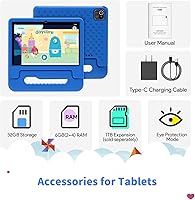
Overview

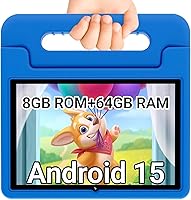
The CFVOCUY TS-K109B 10.1″ Kids Tablet sits squarely in the budget tier — and that's not a criticism, it's the point. Designed for toddlers and early learners rather than tweens chasing a full-featured device, this kids tablet offers a 10.1-inch screen that's genuinely practical for small hands and young eyes. Running Android 13 on an Octa-Core processor, the specs are more capable than you'd expect at this price. CFVOCUY claims to have been in the tablet business since 2011, which at least suggests real manufacturing experience behind the product. Don't expect flagship performance; expect a solid, focused learning and entertainment tool that won't break the bank.

Features & Benefits

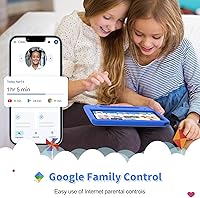
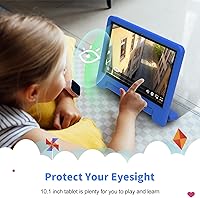
Setup is refreshingly simple. The CFVOCUY tablet arrives with parental controls pre-installed, so parents don't need to dig through app stores or configure third-party software just to feel comfortable handing it to their child. The 5000mAh battery is rated for roughly eight hours — realistic for reading and educational apps, though heavy video streaming will trim that down. What genuinely stands out at this price is WiFi 6 support, a connectivity standard you rarely see at this tier. Storage is officially listed at 64GB, but some spec sheets reference 32GB internally, so confirm the exact figure before purchasing. The eye protection display mode is a thoughtful addition for parents mindful of screen time.

Best For

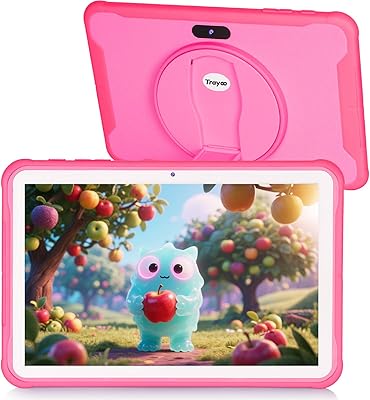
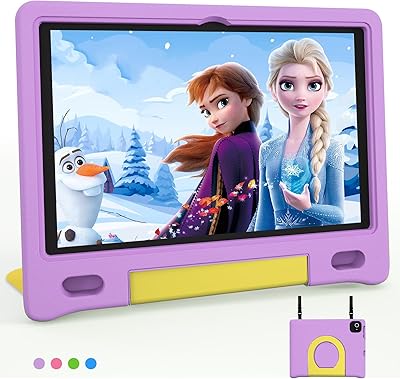
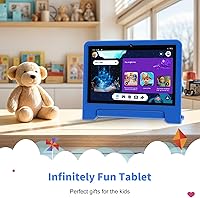
This children's learning tablet makes the most sense for kids roughly between three and eight — the age range where educational apps matter and durability is non-negotiable. It's a natural fit for families who want a dedicated kids device rather than sharing a parent's phone or tablet, with all the boundary-setting complications that arrangement brings. Travel is another strong use case: the EVA case handles drops reasonably well, the battery gives a solid stretch of car or plane time, and there's nothing on-screen a child shouldn't access. Parents who need a large-screen option without stepping up to a flagship-brand price point will find this genuinely worth considering.

User Feedback

Buyers tend to highlight the same two things: initial setup is straightforward, and the screen size is impressive relative to what you spend. Value for money is the phrase that appears most consistently in positive reviews. On the other side, some parents report noticeable app lag with more demanding titles, and nearly everyone agrees the camera is basic — fine for video calls, not much else. The protective case earns mostly good marks for surviving drops, though some users found the handle loosened over extended use. Feedback on customer support is limited, which is worth factoring in when buying from a brand that isn't widely established.

Pros

  • Large 10.1-inch screen gives young kids a comfortable, easy-to-see viewing area.
  • Parental controls come pre-installed, so there is no third-party app setup required.
  • WiFi 6 support is genuinely uncommon at this price tier and improves connection reliability.
  • The EVA protective case is included in the box — no separate purchase needed.
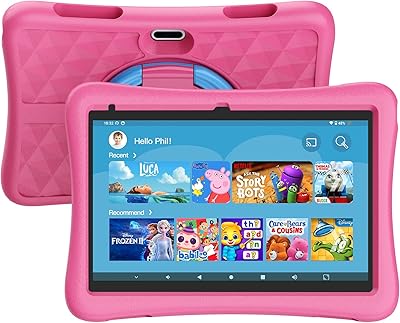
  • Educational apps are pre-loaded, making the tablet ready to use right out of the box.
  • The 5000mAh battery holds up well for reading and light app use throughout the day.
  • Expandable storage via microSD means kids can accumulate apps without running out of space.
  • Android 13 keeps the software experience relatively current for a budget device.
  • The built-in stand on the case lets kids watch or learn hands-free without extra accessories.
  • Eye protection display mode gives parents one less thing to worry about during longer sessions.

Cons

  • There is a documented discrepancy between the advertised storage capacity and some spec sheets — verify before buying.
  • App lag is noticeable when running more demanding titles or switching between multiple apps quickly.
  • The rear camera is basic at best — acceptable for video calls, but not much else.
  • CFVOCUY has limited brand recognition, which makes post-purchase support harder to count on.
  • The case handle has been reported to loosen with regular use over time.
  • Battery life estimates are optimistic; heavy video streaming will fall noticeably short of eight hours.
  • The 1280x800 screen resolution looks soft compared to what mid-range competitors now offer.
  • No cellular connectivity option means the tablet depends entirely on available WiFi.
  • Long-term Android update support from a smaller brand like this is uncertain at best.
  • The children's learning tablet is on the heavier side with the case attached, which younger toddlers may find tiring to hold.

Ratings

Our AI-generated scores for the CFVOCUY TS-K109B 10.1″ Kids Tablet were produced by analyzing verified global user reviews, with spam, incentivized submissions, and bot activity actively filtered out to protect the integrity of each rating. Across thousands of real parent experiences — from daily home use to long-haul travel — both the genuine strengths and the recurring frustrations are reflected honestly in the scores below. No category has been inflated to protect the brand, and no pain point has been softened to make the numbers look cleaner.

Value for Money
83%
Parents consistently describe this kids tablet as one of the more honest budget options they have tried — what you pay for largely matches what you get. The combination of a large screen, included case, and pre-loaded apps at this price tier leaves most buyers feeling the purchase was justified.
A small but vocal group felt the value proposition weakened once they encountered performance lag or discovered the storage discrepancy between the advertised spec and what some units actually shipped with. For buyers who did extra research upfront, satisfaction held; for those who expected more without reading carefully, disappointment followed.
Ease of Setup
79%
21%
Most parents reported that getting the CFVOCUY tablet ready for a child took under 20 minutes — connecting to WiFi, enabling parental controls, and launching an educational app were all straightforward enough that non-technical users managed without help. The pre-installed software removes the most tedious part of setting up a new kids' device.
A portion of users found the parental control interface slightly unintuitive, particularly around setting time limits and app restrictions — it works, but the menu layout is not as polished as what you would find on a name-brand device. A few users also noted that some pre-installed apps prompted further account creation, which added unexpected friction.
Battery Life
71%
29%
For mixed use — a bit of reading, some educational app time, and a video or two — the battery typically gets kids through a full school afternoon or a medium-length flight without needing a recharge. Parents traveling with young children found it reliable enough to keep a toddler occupied from boarding to landing on domestic routes.
The eight-hour claim holds up only under conservative conditions. Continuous video streaming at higher brightness levels pushes real-world battery life closer to five or six hours, which disappointed parents who took the marketing figure at face value. Heavy app use with the screen at full brightness drains it noticeably faster than expected.
Durability & Build
66%
34%
The included EVA case absorbs everyday drops reasonably well, and most parents reported no cracked screens or broken corners after the first few months of regular toddler handling. The physical tablet itself feels solid enough for light-to-moderate roughhousing from younger children in the three-to-five age range.
The case handle — one of its most practical features for young kids — has a documented tendency to loosen or detach after several months of regular use, which is frustrating given how central it is to the design. A handful of reviewers also noted that the plastic casing on the tablet itself shows scratches and scuff marks faster than expected.
Parental Controls
74%
26%
The built-in parental controls cover the essentials that most families actually need: app access restrictions, content boundaries, and basic usage tracking. Parents who just want to keep their child in a safe digital zone without installing third-party software found this sufficient right out of the box.
The controls lack the depth and reporting detail that more involved parents might want — there is no detailed usage breakdown by app or time-of-day scheduling. Parents with older children who test digital boundaries more aggressively may find the restrictions easier to work around than they would like.
Screen Quality
62%
38%
For watching cartoons, using colorful educational apps, or reading e-books, the 1280x800 display gets the job done without causing obvious eye strain in a well-lit room. The wide viewing angle means kids can watch from various positions without the image washing out, which is genuinely useful for tablet stands and shared viewing.
Compared to what mid-range tablets now offer at similar price points, the resolution feels noticeably soft — particularly when displaying detailed text or fine illustrations. The screen also struggles in bright outdoor light, becoming difficult to see clearly in direct sunlight, which limits use during outdoor trips.
Performance & Speed
58%
42%
For basic educational apps, YouTube Kids, and simple games designed for young children, this children's learning tablet handles daily tasks without alarming slowdowns. The Octa-Core processor and 8GB of RAM provide enough headroom to keep the experience from feeling broken during typical toddler use.
Switching between multiple apps or running anything more graphically demanding reveals the processor's limits fairly quickly — lag becomes a consistent presence rather than an occasional annoyance. Older children who want to use more advanced apps will likely find the performance ceiling frustrating within a year of regular use.
Educational Content
73%
27%
The pre-installed educational apps cover a reasonable range of early learning topics — letters, numbers, basic problem-solving — and parents appreciated not having to curate a starting library from scratch. For children in the three-to-six range, the content aligns well with what early childhood educators typically recommend.
The pre-loaded selection is limited in variety and some apps feel dated in their design compared to newer titles available on the Play Store. Children over six tend to outgrow the pre-installed content relatively quickly, requiring parents to supplement with additional app downloads.
Protective Case
69%
31%
The case earns genuine credit for being included in the box rather than sold separately, and for its functional stand design that holds the tablet at a comfortable angle for hands-free viewing. Parents found it handled the typical drops and tumbles of toddler life without the tablet sustaining damage in most reported incidents.
The handle durability is the main weakness — several users flagged that it began to separate from the case body within three to four months of regular carrying. The material also picks up dirt and grime visibly, and cleaning it without causing peeling or discoloration around the edges proved tricky for some parents.
WiFi Performance
81%
19%
WiFi 6 support is a legitimately useful inclusion at this price point, and parents with modern routers noticed faster app downloads and more stable streaming compared to older tablets they had used previously. In homes with congested networks and multiple connected devices, the improved WiFi standard made a tangible difference.
The WiFi 6 advantage is only relevant if your home router also supports the standard — users with older routers saw no meaningful improvement over a standard WiFi 5 connection. A small number of users also reported occasional disconnection issues that required a manual reconnect, though this did not appear to be widespread.
Camera Quality
44%
56%
The rear camera handles video calls reliably — faces are recognizable, motion is manageable, and grandparents on the other end of a call can see and hear the kids without significant complaint. For its intended purpose as a communication tool rather than a photography device, it clears a basic bar.
As a camera for capturing memories or creative photo play, the 5-megapixel shooter falls well short — images are soft, colors are flat, and low-light performance is poor enough to make indoor photos largely unusable. Parents who hoped their child could use this for casual photography will find it disappointing in almost any real-world shooting condition.
Storage Reliability
55%
45%
When the advertised 64GB figure is accurate, the storage capacity is more than sufficient for several years of kids' app usage without needing to manage space constantly. The microSD expansion slot is a practical safety valve that prevents storage from ever becoming a hard limit for growing libraries.
The persistent discrepancy between the advertised 64GB and the 32GB figure appearing in some technical specs creates real uncertainty that undermines buyer confidence before the device even arrives. Until this inconsistency is clarified definitively by the manufacturer, storage claims for this kids tablet should be treated with caution.
Brand Trust & Support
51%
49%
CFVOCUY's claim of operating since 2011 suggests a longer track record than many anonymous budget tablet brands, and some buyers reported receiving helpful responses when they reached out about setup questions. The brand is not invisible — it has a customer service presence, which is more than can be said for some competitors at this tier.
User feedback on support responsiveness is inconsistent, and the brand's limited footprint in Western markets means there is little independent verification of their warranty claims. Parents who experienced hardware issues after the return window closed found their options frustratingly limited, with response times varying widely.
Eye Protection Mode
76%
24%
Parents who are mindful of screen time and blue light exposure appreciated having this feature built in rather than relying on a third-party filter app. It is easy to toggle on from the settings, and several parents mentioned enabling it by default for evening use to avoid disrupting their children's sleep patterns.
The eye protection mode noticeably warms the display color temperature, which some children resisted because it changes how their favorite apps and videos look. It also does not automatically activate based on time of day, so parents need to remember to toggle it manually — a scheduling feature would have made it significantly more useful.

Suitable for:

The CFVOCUY TS-K109B 10.1″ Kids Tablet is a practical pick for parents of young children — roughly ages three through eight — who want a dedicated learning device without stretching their budget. If you're tired of handing your own phone or tablet to a toddler and want something purpose-built with guardrails already in place, this kids tablet removes a lot of the usual setup headaches. The built-in parental controls and pre-loaded educational apps mean you can hand it to a child with minimal configuration. It also travels well: the protective case handles the inevitable drops, and the battery comfortably covers a long car ride or flight. Families who want a large screen experience for kids — without the price tag of a name-brand alternative — will find this a sensible, honest option.

Not suitable for:

If you're expecting performance on par with established tablet brands, the CFVOCUY TS-K109B 10.1″ Kids Tablet will likely disappoint. Older kids who want to run graphics-intensive games or use demanding creative apps will run into lag, and the 1280x800 resolution feels dated compared to mid-range alternatives. Parents who heavily rely on after-sales support should also pause — CFVOCUY is not a widely recognized brand in most markets, and user reports on customer service responsiveness are limited. There is also a notable spec inconsistency worth flagging: the product listing advertises 64GB of storage, but technical documentation in some variants references 32GB, so buyers should verify the exact configuration before committing. Anyone with strict requirements around long-term software updates or brand accountability would be better served by a better-established manufacturer.

Specifications

  • Screen Size: The tablet features a 10.1-inch display, offering a comfortable viewing area suited to young children.
  • Resolution: The screen outputs at 1280 x 800 pixels, providing adequate clarity for educational apps and video content.
  • Processor: An Octa-Core ARM-based processor from Quanzhi powers the device, handling everyday kids' apps and media without significant issues.
  • RAM: The tablet is equipped with 8GB of RAM, which supports smooth multitasking across lightweight applications.
  • Storage: Internal storage is listed at 64GB in marketing materials, though some technical documentation references 32GB — buyers should verify the exact configuration at purchase.
  • Storage Expansion: A microSD card slot allows storage expansion of up to 1TB, accommodating growing app and media libraries.
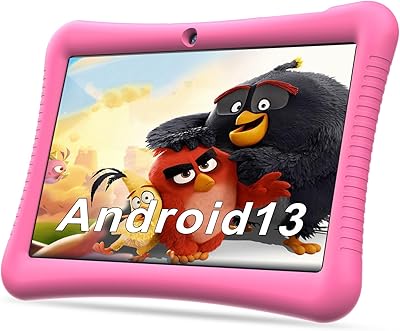
  • Operating System: The device runs Android 13, one of the more current Android versions available on a tablet at this price tier.
  • Battery: A 5000mAh battery powers the tablet, rated at approximately 8 hours of continuous use under mixed conditions.
  • Connectivity: WiFi 6 (802.11ax) is supported, providing faster and more stable wireless connectivity than older WiFi standards common at this price point.
  • Rear Camera: A 5-megapixel rear-facing camera is included, suitable for basic photography and video calls but not intended for high-quality imaging.
  • Protective Case: The tablet ships with an EVA kid-proof case featuring a built-in stand and an ergonomic carry handle sized for small hands.
  • Display Feature: An eye protection mode is built into the display settings to help reduce blue light exposure during extended use.
  • Weight: With the included protective case attached, the tablet weighs approximately 2.51 pounds.
  • Dimensions: The overall unit measures 10.43 x 10.31 x 0.9 inches with the case fitted.
  • Pre-installed Apps: A selection of educational apps and parental control software comes pre-loaded, reducing initial setup time for parents.
  • Color Option: The tablet is available in a Light Blue colorway, designed to appeal to younger users.
  • Chipset Brand: The processor is manufactured by Quanzhi, an ARM-based chip supplier commonly used in budget Android devices.
  • Power Supply: The tablet requires one 9V battery-compatible power adapter, which is included in the box.

Related Reviews

YYSWIE 10.1-inch Kids Tablet 64GB
85%
91%
Value for Money
88%
Durability
94%
Battery Life
85%
Parental Controls
89%
Ease of Use
More
okulaku K12 10.1-inch Kids Tablet
66%
81%
Value for Money
74%
Display Quality
53%
Performance
58%
Battery Life
77%
Parental Controls
More
JREN JR-J10 Kids Tablet 10.1″ 64GB
84%
85%
Overall Performance
90%
Durability & Build Quality
92%
Parental Controls
88%
Battery Life
70%
Display Quality
More
YINOCHE Y101 10-inch 32GB Kids Tablet
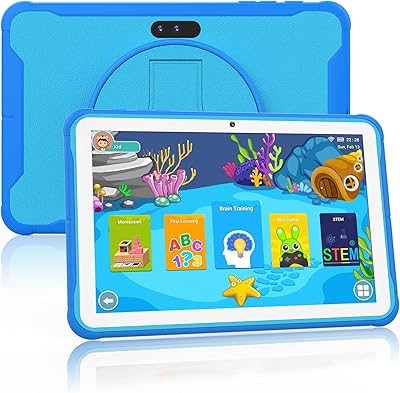
72%
88%
Value for Money
83%
Parental Controls
79%
Build Quality & Durability
74%
Display Quality
61%
Performance & Speed
More
Trayoo K12 Kids Tablet 10.1-inch 64GB
85%
88%
Build Quality & Durability
92%
Battery Life
91%
Parental Controls
79%
Performance
85%
Display Quality
More
ITDULCET J10 Plus Kids Tablet 10.1-inch 64GB
87%
85%
Performance
92%
Battery Life
88%
Display Quality
90%
Build Quality & Durability
91%
Parental Controls
More
Fivahiva FF10A-R Kids Tablet 10.1-inch, 32GB
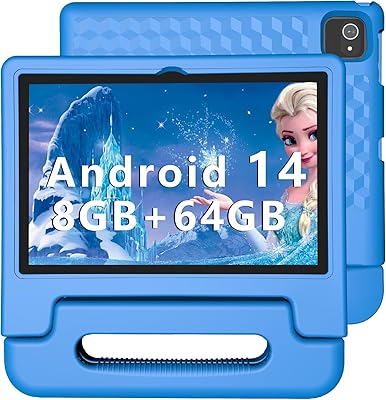
83%
91%
Value for Money
88%
Build Quality & Durability
85%
Battery Life
78%
Performance
83%
Display Quality
More
KYASTER KPad U4 Kids Tablet 10.1-inch 32GB
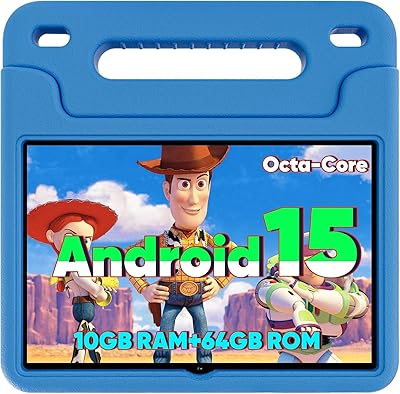
84%
90%
Battery Life
88%
Parental Controls
91%
Build Quality / Durability
82%
Display Quality
85%
Ease of Setup
More
WXUNJA X-C30 10.1-inch Kids Tablet
72%
83%
Value for Money
86%
Parental Controls
81%
Battery Life
78%
Parental App & Setup
63%
Display Quality
More
YACXBTK J10 10.1-inch Kids Tablet
70%
84%
Battery Life
81%
Value for Money
78%
Parental Controls
62%
Performance
67%
Display Quality
More

FAQ

For the most part, yes — the CFVOCUY TS-K109B 10.1″ Kids Tablet ships with educational apps and parental controls already installed. You will still want to spend a few minutes setting up your parental control preferences and connecting to your home WiFi, but there is no need to hunt through app stores before handing it to your child.

The built-in parental controls let you manage app access and set usage boundaries, which covers the basics most parents need. That said, if you require very granular content filtering or detailed usage reporting, you may want to supplement with an additional parental control app from the Google Play Store.

This is a legitimate concern and worth raising before you buy. The product listing advertises 64GB of internal storage, but some of the technical spec sheets reference 32GB. We recommend confirming the exact storage capacity with the seller directly or checking the physical device label if possible, since this inconsistency has not been fully resolved in publicly available documentation.

Eight hours is a realistic estimate for lighter use — reading, educational apps, and the occasional YouTube video. If your child is streaming video continuously at high brightness, expect something closer to five or six hours. For a typical mix of activities during a school day or a long trip, the battery holds up reasonably well.

The included EVA case does a solid job absorbing drops and bumps, and most parents report it handling the early months of toddler use without major issues. A few users have noted the handle can loosen after extended heavy use, so it is worth checking that periodically. For a particularly rough-handed child, you might consider an aftermarket case for added peace of mind.

Yes, the tablet runs Android 13 and has access to the Google Play Store, so you can install any compatible Android app including YouTube Kids, Khan Academy, and most other popular children's apps. Just make sure your parental controls are configured before handing over full app access.

This kids tablet is best suited for children roughly between ages three and eight. A six or seven-year-old will get plenty of use out of it for educational content, light gaming, and video watching. Older kids who want faster performance or more demanding games may start to find it limiting within a year or two.

CFVOCUY claims to offer customer support through their team, and the brand has been in the tablet market since 2011 according to their own documentation. That said, they are not a widely recognized consumer brand in most Western markets, and user feedback on their support responsiveness is limited. Make sure to purchase through a channel that offers its own return or buyer protection policy as a safety net.

This children's learning tablet is WiFi only — there is no SIM card slot or cellular data option. It supports WiFi 6, which is a genuine plus for home networks or anywhere with a strong wireless connection, but you will need WiFi available for any online activity.

The 1280x800 resolution is standard for this price range — it is not sharp by modern standards, but it is adequate for apps, cartoons, and reading at normal viewing distances. The built-in eye protection mode helps reduce blue light, which is worth enabling, especially for evening use. Just remind younger children to maintain a reasonable distance from the screen.