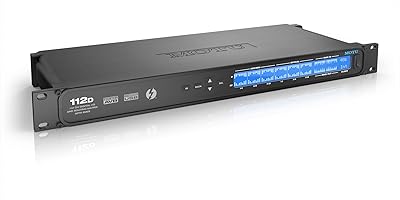
PreSonus Quantum 4848 Thunderbolt Audio Interface



Overview
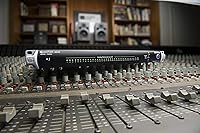
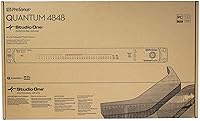
The PreSonus Quantum 4848 Thunderbolt Audio Interface is built for one purpose: professional-grade, high-density I/O in environments where channel count and conversion quality both matter. This is not a preamp unit — it ships with no mic inputs and no built-in gain staging. What it offers instead is 48 simultaneous channels of line-level I/O via DB25 connectors, plus the ability to stack up to four units for a massive 192x192 configuration. With 24-bit/192kHz resolution and a 120dB dynamic range, the conversion is genuinely transparent. Engineers who already own a console or a well-stocked preamp rack will immediately grasp what this Thunderbolt interface is designed to do.
Features & Benefits
The Thunderbolt connection is the backbone of the Quantum 4848's appeal — it keeps round-trip latency tight enough for real-time monitoring without buffer-induced headaches. All I/O runs through DB25 connectors, which integrators and studio techs will appreciate for clean, organized wiring into consoles and patch bays. The 120dB dynamic range gives the converters genuine headroom, handling transient-heavy material without compression or added coloration. Stack up to four units via Thunderbolt and you reach 192 simultaneous channels — a rare capability at this form factor. macOS compatibility and tight integration with PreSonus Studio One keep the software side predictable, though the platform exclusivity is worth confirming before you commit.
Best For
This high-channel-count converter is squarely aimed at professional studio environments where analog and digital worlds need to meet cleanly. If you are running a large-format console and need dense line-level routing without sacrificing conversion quality, this is a logical choice. Post-production facilities managing multiple stems or rooms will appreciate the low-latency, high-channel architecture. It also suits engineers scaling an existing PreSonus setup — the stackable design means extending what you have, not replacing it. One honest caveat: if you need built-in mic preamps, look elsewhere. This unit rewards those who already have their gain structure handled and simply need clean, transparent conversion at scale.
User Feedback
With 34 ratings and a 3.8 out of 5 score, the feedback pool is small but technically sharp — most reviewers clearly know what they purchased. Low-latency performance and stable Thunderbolt operation earn consistent praise, and several users call out converter quality as a genuine highlight. On the downside, the macOS-only restriction draws real frustration from Windows users who feel the limitation is not communicated clearly enough upfront. Setup complexity — particularly when daisy-chaining multiple units — surfaces as another friction point. A few reviewers also report driver hiccups over time. Overall, the picture is of a capable, well-built unit that rewards careful setup and punishes anyone who skips the documentation.
Pros
- 48 simultaneous channels of line-level I/O handles even the most demanding large-format studio setups.
- Thunderbolt connectivity keeps round-trip latency tight enough for real-time monitoring without audible delay.
- 120dB dynamic range delivers clean, transparent conversion with genuine headroom on transient-heavy material.
- Up to four units can be stacked via Thunderbolt, scaling the system to 192 simultaneous channels.
- 24-bit resolution at up to 192kHz supports high-resolution recording and mastering-grade workflows.
- DB25 connectors make integration with consoles, patch bays, and outboard gear organized and efficient.
- Studio One users get a tightly optimized software experience with minimal configuration friction.
- Professional reviewers consistently praise the stability of the Thunderbolt connection during long sessions.
- The 1U rackmount form factor keeps it compact relative to its channel count.
- Converter transparency means it stays out of the way sonically — no unwanted coloration added to the signal.
Cons
- macOS-only compatibility locks out Windows-based studios entirely, with no cross-platform support available.
- No built-in microphone preamps means this unit cannot function as a standalone recording interface.
- Setup complexity is steep, particularly when daisy-chaining multiple units for expanded channel counts.
- Driver issues have been flagged by some users over time, suggesting long-term reliability can be inconsistent.
- The small review sample of 34 ratings makes it harder to assess real-world reliability with confidence.
- DB25 wiring requires purpose-made cable looms that add to the total cost of ownership.
- Platform dependency on Thunderbolt means incompatibility with systems that lack a certified Thunderbolt port.
- Learning curve for first-time multi-unit configurations can lead to significant setup time before a session begins.
Ratings
The PreSonus Quantum 4848 Thunderbolt Audio Interface has been scored by our AI rating system after analyzing verified buyer reviews from professional audio communities worldwide, with spam, bot-generated, and incentivized submissions actively filtered out. The scores below reflect a candid synthesis of what working engineers and studio owners genuinely praise and where real frustrations consistently emerge. Both the strengths and the limitations are represented transparently so you can make a fully informed decision.
Conversion Quality
Latency Performance
Channel Count & I/O Density
macOS Compatibility
Build & Hardware Quality
Setup & Configuration
DAW Integration
Expandability
Value for Money
Driver Stability
Thunderbolt Connection Reliability
Documentation & Support
Form Factor & Rack Integration
Suitable for:
The PreSonus Quantum 4848 Thunderbolt Audio Interface is purpose-built for professional studio engineers and facilities that already have preamps, consoles, or outboard gear in place and simply need high-quality, high-density conversion to tie everything together. If you are running a large-format analog console and need a clean digital bridge with 48 channels of line-level I/O, this unit fits that role without compromise. Post-production houses managing complex multi-stem sessions will appreciate the low-latency Thunderbolt architecture, which keeps routing tight even under heavy track counts. Engineers working within the PreSonus ecosystem — particularly Studio One users — will find the integration straightforward and the workflow predictable. The stackable design also makes it a strong long-term investment for facilities that anticipate scaling up: four units linked via Thunderbolt delivers 192 simultaneous channels, which is a serious capability for a rackmount converter.
Not suitable for:
The PreSonus Quantum 4848 Thunderbolt Audio Interface is a poor fit for anyone expecting built-in microphone preamps — there are none, and that is a fundamental design choice, not an oversight. Home studio producers or solo musicians looking for an all-in-one recording solution will find it both over-specified and under-equipped for their needs. Windows users should walk away entirely: this unit is macOS-only, and reports of driver inconsistencies even on supported systems suggest that cross-platform flexibility is not on the roadmap. Buyers with limited technical experience should also be cautious — setting up a single unit demands familiarity with DB25 wiring and signal routing, and stacking multiple units adds significant complexity. If your setup does not already include a console or a dedicated preamp rack, this converter will leave you with a lot of channels and nothing useful to feed into them.
Specifications
- Interface Type: The Quantum 4848 is a Thunderbolt audio interface designed exclusively for line-level signal conversion with no built-in microphone preamps.
- Inputs/Outputs: It provides 48 simultaneous inputs and 48 simultaneous outputs, all accessible via DB25 connectors on the rear panel.
- Bit Depth: Audio is processed at 24-bit resolution, supporting professional recording and mastering-grade signal integrity.
- Sample Rate: Maximum supported sample rate is 192kHz, with standard operation also available at 44.1, 48, 88.2, 96, and 176.4kHz.
- Dynamic Range: Converters deliver a 120dB dynamic range, providing clean headroom for transient-heavy material without audible compression or coloration.
- Connectivity: Host connection is via Thunderbolt, enabling ultra-low-latency data transfer between the interface and the connected Mac computer.
- Expandability: Up to four units can be daisy-chained via Thunderbolt, scaling total I/O to 192 simultaneous inputs and outputs.
- Connector Type: All analog I/O is routed through DB25 multipin connectors, standard for integration with large-format consoles and professional patch bays.
- Form Factor: The unit ships in a 1U rackmount chassis, designed for installation in standard 19-inch equipment racks.
- Dimensions: Physical dimensions are 7 x 19 x 1.8 inches, fitting within a single rack unit space with standard depth.
- Weight: The unit weighs approximately 1 pound, making it lightweight relative to its channel count and rack form factor.
- OS Compatibility: The Quantum 4848 is officially supported on macOS only; Windows is not a supported operating system for this interface.
- DAW Integration: The interface is tightly optimized for use with PreSonus Studio One, though it is compatible with any Core Audio-compatible DAW on macOS.
- Channel Count: Native operation supports 48x48 channels, expandable to 192x192 when four units are stacked in a Thunderbolt chain.
- Model Number: The official model number is QUANTUM 4848, as designated by PreSonus in their professional audio interface lineup.
- Manufacturer: The Quantum 4848 is designed and manufactured by PreSonus Audio Electronics, a professional audio brand based in the United States.
- Availability Status: As of the most recent product data, the Quantum 4848 has not been discontinued by the manufacturer.
- Amazon Rating: The product holds a 3.8 out of 5 rating on Amazon, based on 34 customer ratings from verified purchasers.
Related Reviews
PreSonus Quantum 2626 Thunderbolt Audio Interface

PreSonus Quantum 26x32 Thunderbolt Audio Interface
PreSonus Quantum 2 Thunderbolt Audio Interface
Universal Audio Arrow Thunderbolt 3 Audio Interface

Universal Audio Apollo X16 Audio Interface
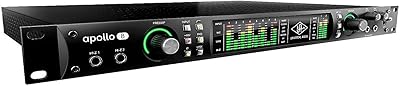
Universal Audio Apollo 8 QUAD Audio Interface
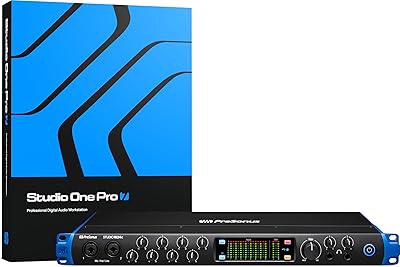
PreSonus Studio 1824c
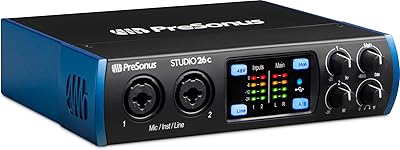
PreSonus Studio 26c USB Audio Interface
Steinberg AXR4T Thunderbolt Audio Interface