PowerColor Ducky One 2 SF Mechanical Keyboard
PowerColor Ducky One 2 SF Mechanical Keyboard — image 1
PowerColor Ducky One 2 SF Mechanical Keyboard — image 2
PowerColor Ducky One 2 SF Mechanical Keyboard — image 3
PowerColor Ducky One 2 SF Mechanical Keyboard — image 4
PowerColor Ducky One 2 SF Mechanical Keyboard — image 5
PowerColor Ducky One 2 SF Mechanical Keyboard — image 6
PowerColor Ducky One 2 SF Mechanical Keyboard — image 7
77%
23%

Overview

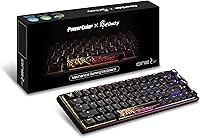
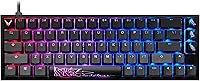
The PowerColor Ducky One 2 SF Mechanical Keyboard is one of the more unexpected peripheral collaborations in recent memory — a GPU brand partnering with Ducky, a name that keyboard enthusiasts genuinely respect. The result is a 65% compact board positioned at a reasonable mid-range price, built around Kailh Box Brown switches that provide a tactile typing bump without the sharp, divisive click of blue-style switches. A detachable USB-C cable adds practical longevity by reducing connector stress over time. This isn't trying to be a flagship — it's a focused, credible board that appeals to a specific kind of buyer who wants quality in a smaller package.

Features & Benefits

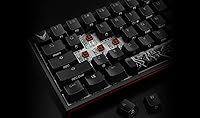
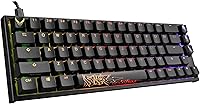
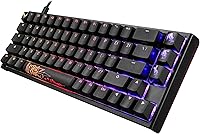
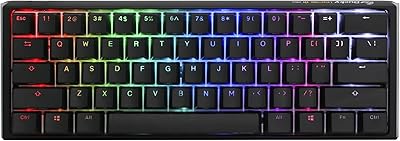
The 65% layout is the defining choice here. Dropping the numpad, function row, and most navigational keys keeps the footprint impressively small — you keep the arrow keys, which matters more than people expect. The Kailh Box Brown switches deserve a plain-language explanation: each keypress produces a noticeable tactile bump (a brief resistance before actuation) without the sharp click of blue-style switches. They're quieter in shared spaces, satisfying for long typing sessions, and hold up well thanks to the box-style housing that resists dust and moisture. N-Key Rollover ensures every simultaneous keypress registers accurately, and the per-key RGB lighting is bright and consistent across the board.

Best For

This 65% gaming keyboard makes the most sense for people who have already decided a smaller layout works for them. Gamers who prefer tactile over linear switches will feel right at home, and the quieter nature of Box Browns makes it workable in a home office without disturbing others. Keyboard hobbyists who want a legitimate Ducky board without paying full specialty retail prices may find the Ducky One 2 SF collab attractive. It's also a practical pick for anyone hauling gear to LAN events or switching between workstations. That said, if you regularly use the function row, rely on a numpad, or want dedicated remapping software, this layout falls short — you'll feel the constraints fast.

User Feedback

With a 4.4-star average across 126 ratings, reception has been positive, though the sample size is modest enough that you shouldn't treat it as definitive. Buyers tend to praise the tactile feel of the switches and the overall build quality, which holds up better than some expect at this price range. RGB lighting also draws consistent compliments — colors are vivid and illumination stays even across keys. On the flip side, some users flag concerns about keycap longevity, with legends showing wear faster than you'd hope, and the absence of remapping software is a recurring gripe. A few buyers note this is a niche collab, and reviews likely skew toward enthusiasts already fond of either brand.

Pros

  • Kailh Box Brown switches deliver satisfying tactile feedback without the noise of clicky alternatives.
  • The 65% layout keeps the desk footprint impressively small while retaining the arrow keys most users actually need.
  • N-Key Rollover registers every simultaneous keypress accurately, which matters in fast-paced competitive gaming.
  • The detachable USB-C cable reduces port wear over time and makes traveling with the board far more practical.
  • Per-key RGB lighting is bright and even across the board without looking garish or overdone.
  • Ducky's keyboard manufacturing reputation gives this collab more build credibility than its price point alone suggests.
  • Box-style switch housing resists dust and moisture, offering practical durability beyond standard open-housing switch designs.
  • A 4.4-star average reflects genuine buyer satisfaction with the core typing feel and overall construction quality.

Cons

  • No dedicated remapping or lighting software is included, limiting customization for users who want fine-grained control.
  • Keycap legends may show wear earlier than expected, which is a recurring concern among heavier daily typists.
  • The 65% layout carries a real adjustment period — switching from a full-size board can feel disorienting for weeks.
  • With only 126 ratings, the review pool is still thin and long-term durability data remains genuinely limited.
  • This compact mechanical board is wired-only, with no wireless option available for users who prefer a cable-free desk.
  • Function keys, numpad, and dedicated media controls are entirely absent — not remapped, simply gone.
  • The niche collab framing likely draws fans of both brands, which may skew reviews more positive than neutral buyers would rate it.
  • If keycaps prove to be ABS rather than PBT, expect a greasy shine to develop with extended use over time.

Ratings

Scores for the PowerColor Ducky One 2 SF Mechanical Keyboard were generated by our AI rating system after analyzing verified buyer reviews from global marketplaces, with spam, incentivized submissions, and bot-generated ratings actively filtered out. Our analysis surfaces both what users genuinely value and the recurring pain points that shape real-world satisfaction — giving you an honest picture before you commit. Ratings span twelve specific categories, from switch feel and build quality to software support and keycap durability, so you can quickly see where this compact board excels and where it may fall short of your expectations.

Switch Feel
86%
The Kailh Box Brown switches are a consistent highlight for buyers coming from membrane keyboards or looking to avoid the polarizing loudness of clicky alternatives. Users describe the tactile bump as satisfying without being fatiguing, making long gaming sessions and extended typing feel deliberate and controlled rather than mushy or overly stiff.
A minority of reviewers find the tactile bump less pronounced than expected after experience with other Brown-style switches, leaving them wanting either more resistance or a crisper actuation point. The box housing, while durable, can feel slightly stiffer than traditional open-housing Browns during the initial break-in period, which a small subset of buyers found off-putting.
Build Quality
83%
Most buyers are genuinely impressed by how solid the case feels — noticeably heavier and more substantial than comparably priced keyboards. Ducky's manufacturing track record carries through here: the plate feels rigid, there is minimal flex under firm typing, and the overall assembly is tight without rattling keycaps or wobbly stabilizers out of the box.
A handful of users report that stabilizers on larger keys like the spacebar and backspace can feel slightly inconsistent, which stands out given the otherwise solid construction. The case is plastic rather than aluminum, so while build quality punches above its price tier, it will not satisfy buyers expecting a metal-bodied or gasket-mounted board.
Value for Money
77%
23%
For buyers who know what they are getting — a legitimate Ducky-manufactured 65% with quality switches and per-key RGB — the pricing represents fair value within the mid-range segment. The collab puts this board in reach for enthusiasts who have been priced out of standard Ducky retail offerings without forcing them to compromise on switch quality or build integrity.
Buyers unfamiliar with the 65% format occasionally feel the value proposition collapses once they realize how many keys they have sacrificed, especially when no configuration software is included to ease the transition. At this price, several competitors offer comparable switch quality alongside a basic software utility, making this compact board feel slightly underserved from a feature-completeness standpoint.
RGB Lighting
79%
21%
The per-key RGB implementation is consistently praised for color accuracy and even illumination, with no obvious hot spots or dim corners across the board. For desk setups where ambient lighting matters, users find the preset effects — wave, reactive, and static modes among them — visually clean and well-executed for a keyboard in this price bracket.
Without companion software, you are locked into the preset effects stored on-board — there is no way to build custom color maps or sync lighting with other RGB peripherals on your desk. Some users also note that shine-through around the edges of certain keycap legends is slightly uneven, particularly at lower brightness settings.
Layout & Portability
74%
26%
The 65% footprint is genuinely practical for anyone with limited desk space or a habit of traveling with their setup — the board fits easily in most laptop bags alongside a laptop. Retaining the arrow keys is a frequently cited win; users who feared giving them up report the Ducky One 2 SF collab strikes a smarter balance than smaller 60% boards.
The absence of a function row and numpad is a real sticking point for users who did not fully consider the trade-offs before buying — several reviewers specifically miss F-keys for in-game hotkeys or spreadsheet shortcuts. The function-layer learning curve can take one to two weeks to feel natural, and some buyers never fully adapt, ultimately returning to a larger layout.
Typing Experience
84%
Writers, coders, and remote workers consistently report that the Box Browns provide a satisfying typing rhythm for long sessions without the wrist fatigue associated with heavier or linear switches. The compact layout keeps hands in a slightly more natural position by bringing the mouse closer, which several users credit with reducing shoulder strain during full workdays.
The board sits relatively flat with limited incline adjustment, which does not suit users with specific ergonomic preferences built around a steeper typing angle. A few buyers also note that without a bundled wrist rest, extended sessions place noticeable pressure on the wrists, particularly for those transitioning from cushioned or inclined full-size boards.
Gaming Performance
88%
Full N-Key Rollover means every simultaneous keypress during intense multi-key gameplay registers without ghosting or dropped inputs — competitive players in WASD-heavy games will notice and appreciate this immediately. The tactile feedback of Box Browns also aids rapid key control, giving a clear physical confirmation of actuation that linear switches simply cannot replicate.
The absence of dedicated macro keys or on-board macro programming is a limitation for MMO and RTS players who rely on complex ability rotations — there is no easy built-in workaround beyond third-party software. Players who strongly favor linear switches for rapid repeated keypresses may find the Box Brown tactile bump slightly interrupts their rhythm at very high actuation speeds.
Keycap Quality
61%
39%
The keycap legends are well-produced with solid RGB shine-through, and the profile feels comfortable for touch typists accustomed to Cherry-height keycaps. Standard MX-compatible stems mean upgrading to a premium aftermarket set is straightforward and inexpensive, which partially offsets concerns about the stock caps for enthusiasts willing to invest in a custom set.
The primary complaint centers on the plastic developing a greasy shine within a few months of heavy daily use, with legends fading noticeably faster than buyers expected at this price point. Several reviewers explicitly identify the keycaps as the single weakest component on an otherwise solid board and recommend immediate replacement for anyone typing heavily throughout the workday.
Cable & Connectivity
81%
19%
The detachable USB-C connection is one of the most practically useful design decisions on this compact board — replacing a damaged cable costs almost nothing, and users who travel between workstations can pack just the keyboard and use a spare cable at the destination. The connection is solid and stable during normal desktop use.
A small number of users report that the USB-C port at the keyboard end can feel slightly loose after extended use, occasionally causing intermittent connectivity in setups where the cable is frequently repositioned. The board is wired-only with no Bluetooth option, which is an increasingly noticeable omission as wireless mechanical keyboards become more common at comparable price points.
Noise Level
78%
22%
Box Brown switches are measurably quieter than clicky alternatives, and most users in home offices or shared apartment setups report that this 65% gaming keyboard does not generate the noise complaints that blue-switch boards routinely attract. The sound profile is a muted, mid-pitched thud that many users describe as pleasant rather than disruptive during long sessions.
The board lacks internal sound dampening foam, meaning bottoming out keys produces more resonance than users of pre-modded or foam-dampened alternatives would expect. In quiet recording environments or during video calls with a nearby microphone, the ambient key noise and case resonance is noticeable enough that sensitive buyers may want to budget for aftermarket dampening modifications.
Software & Customization
43%
57%
On-board memory retains the selected lighting mode without requiring software, and the function-layer shortcuts for cycling effects are intuitive once committed to memory — no driver conflicts or installation overhead to manage. Buyers who prefer a completely plug-and-play experience with zero software dependency will appreciate the simplicity of this approach.
The complete absence of dedicated configuration software is the most frequently cited disappointment across reviews — there is no supported way to remap keys, program macros, create per-key lighting profiles, or save multiple configurations without resorting to third-party tools. Competing keyboards at this price regularly include at least a basic utility, making this board feel behind the curve for customization-minded buyers.
Ease of Setup
91%
Most buyers have the keyboard functional within minutes — plug in the USB-C cable and it is immediately recognized by Windows and macOS without any driver installation required. Even first-time mechanical keyboard users report finding the basics intuitive from the start, with only the function-layer shortcuts requiring any deliberate memorization over the first few days.
The included documentation is minimal, meaning users unfamiliar with Ducky's built-in function-layer combinations for lighting or media controls need to locate a reference guide online independently. Buyers who expect a printed quick-start card covering all key combinations may find the first few days of exploring advanced features more time-consuming than anticipated.

Suitable for:

The PowerColor Ducky One 2 SF Mechanical Keyboard is a well-matched pick for gamers and typists who have consciously decided that a smaller layout works for their setup and want a board that doesn't sacrifice build quality to get there. If you spend long hours at a desk and prefer a switch that gives you a small physical bump confirming each keypress — without producing the sharp click that irritates coworkers or housemates — the Kailh Box Browns here strike that balance well. Keyboard enthusiasts who recognize the Ducky name will appreciate that this collab carries genuine manufacturing credibility rather than being a rebranded unknown. It also makes strong practical sense for anyone who travels with their gear: LAN party regulars, students moving between locations, and remote workers who hot-desk across offices will find the compact footprint and detachable USB-C cable genuinely useful day to day. If per-key RGB matters to you aesthetically, the implementation here delivers without compromising the board's understated, desk-friendly size.

Not suitable for:

The PowerColor Ducky One 2 SF Mechanical Keyboard will frustrate buyers who haven't fully thought through the real trade-offs of a 65% layout — and those trade-offs are significant. If you routinely reach for F-keys to trigger in-game macros, use a numpad for data entry, or depend on dedicated media controls, those keys simply do not exist here; you'll be navigating function-layer shortcuts more often than most people find comfortable. The board ships without proprietary remapping or lighting software, so anyone expecting a full configuration suite will be disappointed — customization is limited out of the box. Buyers who strongly prefer linear switches (smooth actuation with no bump) or loud clicky switches will find Box Browns an unsatisfying middle ground that fully satisfies neither preference. Finally, with only 126 ratings at the time of writing, long-term reliability data is still thin, so cautious buyers who want years of real-world feedback before committing may want to wait or look at more established models.

Specifications

  • Layout: 65% compact form factor with approximately 67 keys, retaining dedicated arrow keys but omitting the numpad, function row, and most of the navigation cluster.
  • Switch Type: Kailh Box Brown mechanical switches provide a tactile bump at the actuation point without producing a loud audible click.
  • Switch Housing: Box-style switch housing encloses the contact mechanism to resist dust and moisture ingress, improving durability over open-housing switch designs.
  • Actuation Force: Kailh Box Brown switches actuate at approximately 45 grams of force with a total key travel distance of 4mm.
  • Connectivity: Connects to the host device via a detachable USB-C cable; no Bluetooth or wireless mode is available.
  • Backlighting: Per-key RGB LEDs support multiple preset lighting effects and are designed to illuminate through the keycap legends.
  • Key Rollover: Full N-Key Rollover (NKRO) detects and transmits every simultaneous keypress independently, with no input blocking under any combination.
  • Dimensions: The board measures 12.8″ in length, 4.25″ in depth, and 1.57″ in height.
  • Weight: The keyboard weighs approximately 1.94 pounds, not including the detachable USB-C cable.
  • Power Source: Powered entirely through the USB connection to the host device; no batteries or external power adapter are required.
  • Compatibility: Compatible with Windows and macOS on both laptops and desktop PCs via USB, with no proprietary driver installation required.
  • Brand Origin: Co-developed by PowerColor, a GPU manufacturer, and Ducky, a well-regarded mechanical keyboard brand, as a joint collaboration product.
  • Model Number: The official Ducky model designation for this keyboard is DKON1967ST-KUSPDAZTKP.
  • Release Date: This keyboard was first made available for sale in December 2021.

Related Reviews
Ducky One 3 Mini 60% Mechanical Keyboard
81%
91%
Build Quality
88%
Typing Sound & Acoustics
86%
Switch Feel
93%
Hot-Swap Functionality
89%
Keycap Quality
More
Koolertron One-Handed Macro 23-Key Mechanical Keypad
76%
83%
Build Quality
88%
Switch Feel
91%
Programmability
51%
Configuration Software
89%
Onboard Memory
More
Vaydeer JP1011-C 9-Key Macro Mechanical Keypad
74%
84%
Key Feel & Tactility
61%
Software & Setup Experience
81%
Macro Functionality
89%
Portability & Form Factor
83%
Floating Window Interface
More
Koolertron 48-Key One-Handed Mechanical Keyboard
69%
83%
Key Feel & Switch Quality
78%
Programmability & Macro Power
44%
Configuration Software
71%
Build Quality & Materials
52%
Keycap Durability
More
Merdia Triple Mode 100-Key Wireless Mechanical Keyboard
74%
88%
Value for Money
84%
Wireless Connectivity
81%
Typing Experience
83%
Hot-Swap Functionality
67%
Build Quality
More
Satechi SM3 Full-Size Mechanical Keyboard

79%
91%
Build Quality
88%
Typing Experience
86%
Multi-Device Connectivity
89%
Mac Compatibility
83%
Battery Life
More
ALLIFE 2.4G Wireless Keyboard
85%
89%
Comfort & Ergonomics
94%
Battery Life
86%
Typing Experience
83%
Build Quality
88%
Design & Portability
More
Akko 5075B Plus 75% Mechanical Keyboard
80%
91%
Typing Feel
83%
Build Quality
78%
Wireless Reliability
93%
Value for Money
74%
Battery Life
More
Logitech MX Mechanical
81%
88%
Typing Feel & Switch Quality
91%
Noise Level
86%
Build Quality & Materials
93%
Battery Life
87%
Multi-Device Connectivity
More
Keychron C2 Full-Size Hot-Swap Mechanical Keyboard
75%
83%
Build Quality
81%
Switch Feel & Performance
88%
Hot-Swap Functionality
79%
Mac Compatibility
62%
Keycap Quality
More

FAQ

It connects via USB-C and is recognized as a standard input device on macOS without any driver installation. The keycaps are labeled for Windows, so the Windows key will function as the Command key — most users adjust to this quickly, and macOS lets you remap modifier keys in System Settings if needed.

Everything is controlled directly on the board through built-in key combinations — there is no companion software to download or install. This makes setup plug-and-play simple, but it also means you cannot build custom per-key color profiles or save complex lighting macros the way you could with software-driven boards. The preset effects are solid, but advanced customization is limited.

Tactile means you feel a small physical resistance bump partway through the keypress that tells you the key has registered — you don't have to press all the way down to actuate it. The Kailh Box Browns are considerably quieter than clicky switches like Blues; they produce a muted thud rather than a sharp click. In a shared office or living space, they're workable without being disruptive.

Yes, the switches use a standard MX-compatible stem, so most Cherry MX-profile aftermarket keycap sets will fit. The important caveat is that the 65% layout includes some non-standard key sizes — particularly on the right side of the bottom row — so confirm your target keycap kit explicitly supports 65% layouts before purchasing to avoid compatibility gaps.

The cable detaches from the keyboard via a standard USB-C port, and you can replace it with any USB-C cable you prefer. This is genuinely one of the more useful features on this compact mechanical board — if the stock cable gets damaged or you simply want a coiled or custom-length option, swapping it out costs almost nothing.

It is a genuine Ducky-manufactured board — the model number (DKON1967ST) follows Ducky's own naming convention, and the hardware reflects their standard construction quality. PowerColor's involvement is a co-branding arrangement aimed at their GPU enthusiast audience, but the keyboard itself is built to Ducky's specifications rather than being a third-party rebadge.

Realistically, expect one to two weeks before your muscle memory fully adjusts. The biggest friction points are instinctively reaching for the function row, numpad, or navigation keys that simply aren't there. If your daily workflow depends on those keys — spreadsheet entry, frequent F-key shortcuts — the transition will be genuinely frustrating and may not be worth it. If you use them occasionally, most people adapt without too much difficulty.

For most typing tasks, it makes no practical difference — you'd rarely press more than a few keys simultaneously in normal writing. Where NKRO is genuinely valuable is in fast-paced gaming, where pressing a movement key, modifier, and action key simultaneously is common and dropped inputs cost you directly. If gaming is part of your use case, it's a worthwhile feature; if not, it's simply harmless overhead.

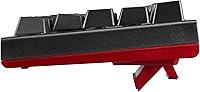
It handles extended typing reasonably well. Box Browns are a popular daily-typing switch precisely because the tactile feedback discourages unnecessary bottoming out, which reduces finger fatigue over time. The compact layout also brings your mouse closer, which can reduce shoulder strain. That said, ergonomics will still depend on your overall desk setup — the board itself doesn't include a wrist rest.

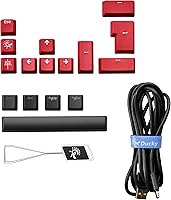
You'll typically find the keyboard, the detachable USB-C cable, and a basic keycap puller — standard for Ducky products. Setup is straightforward since it's plug-and-play, and the built-in lighting controls are accessible via the function layer once you learn the key combinations. Don't expect extras like spare switches or a switch puller, as collab editions like this generally ship lean.

Where to Buy