Overview

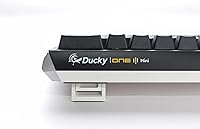
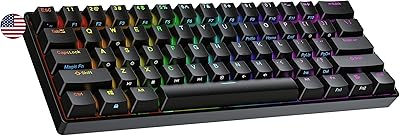
The Ducky One 3 Mini 60% Mechanical Keyboard is a compact board built for people who want a serious typing and gaming experience without a desk covered in keyboard. Ducky has earned genuine respect among enthusiasts for consistent build quality, and this model sits comfortably in their lineup as a mid-range option that punches above its price tier. What sets it apart from similarly priced competitors is the combination of hot-swap capability and built-in sound dampening — features that usually require either a pricier board or hands-on modding. That said, if you need wireless or a full-size layout, this compact Ducky board simply won't be for you.
Features & Benefits

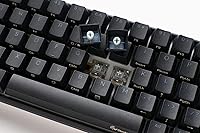
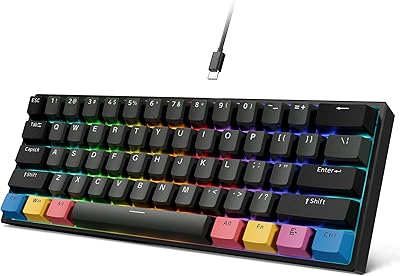
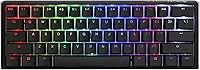
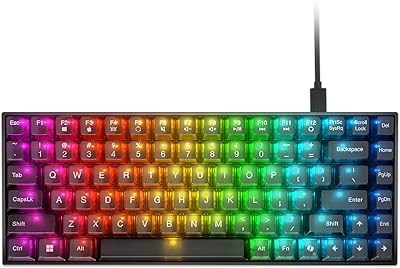
The headline feature of this 60% hot-swap keyboard is the dual-layer PCB paired with Kailh yellow sockets, which means swapping switches is a five-minute job with a puller — no soldering iron required. Underneath the keycaps, a combination of silicone and EVA foam dampens acoustics noticeably compared to a bare PCB; it's not whisper-quiet, but the improvement over a stock board is real and appreciated. Cherry MX Red switches feel light and responsive, a natural fit for fast gaming inputs. Thick triple-shot PBT keycaps resist shine and feel premium under the fingers, while per-key RGB is punchy and configurable without installing any additional software.

Best For

The One 3 Mini is an obvious pick for FPS and competitive gamers who want more mouse room on a tight desk — the 60% footprint frees up a surprising amount of space. It also suits switch hobbyists who want to try different linears or tactiles without committing to a soldering project. If you work or game in a shared space and find most mechanical keyboards too loud, the built-in dampening takes the edge off without extra parts. It is less ideal for anyone who regularly relies on a numpad, function row, or dedicated arrow keys, as 60% layouts demand a genuine adjustment period that not everyone is prepared for.

User Feedback

Owners consistently praise the typing sound and feel straight out of the box, with many noting it compares favorably to boards that cost considerably more after modding. The solid construction rarely draws complaints. On the critical side, the lack of wireless connectivity comes up regularly — it's wired-only in an era where Bluetooth options are increasingly common. A few buyers report minor stabilizer rattle on the spacebar from the factory, though most find it manageable. Ducky's software is also considered limited by enthusiast standards. What catches newcomers off guard positively is how well the RGB shine-through performs on PBT keycaps. Ducky's warranty support earns generally positive marks, though response times can vary.

Pros

  • Hot-swappable sockets let you change switches in minutes with no soldering required.
  • Factory sound dampening delivers a noticeably quieter typing experience compared to most stock boards.
  • Triple-shot PBT keycaps feel premium and hold up well over years of heavy use.
  • Cherry MX Red switches provide smooth, fast inputs well suited to gaming and rapid typing.
  • The 60% footprint frees up significant desk space, especially valuable for low-sensitivity mouse users.
  • Per-key RGB looks sharp and can be customized without installing additional software.
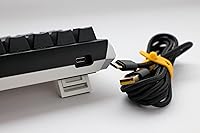
  • The braided USB-C cable is detachable, making it easy to replace or swap for a custom cable.
  • Ducky V2 stabilizers perform better than what most competing boards offer at a similar price.
  • N-key rollover ensures every keypress registers accurately even during intense gaming sessions.
  • The overall build feels solid and dense, with little flex or wobble during use.

Cons

  • No wireless or Bluetooth option limits flexibility for users who prefer a cable-free setup.
  • The 60% layout removes the numpad, function row, and arrow keys, requiring a genuine adjustment period.
  • Ducky's customization software is limited compared to what enthusiast-grade competitors offer.
  • Some units arrive with minor stabilizer rattle on the spacebar that needs lubing to fully resolve.
  • Mac compatibility requires manual remapping, as the board is configured for Windows out of the box.
  • RGB shine-through on PBT keycaps is good but not as vivid as on some ABS-keycap alternatives.
  • Only one switch option is included per listing variant, so choosing the wrong switch requires a swap from day one.
  • Customer support response times can be slow depending on region and purchase channel.

Ratings

The Ducky One 3 Mini 60% Mechanical Keyboard has been scored by our AI system after analyzing verified buyer reviews from multiple global markets, with spam, incentivized, and bot-generated feedback actively filtered out. The scores below reflect the honest consensus of real users — enthusiasts, competitive gamers, and daily typists alike — capturing both what this compact Ducky board genuinely excels at and where it falls short of expectations.
Build Quality
91%
Users consistently describe the chassis as dense and confidence-inspiring, with virtually no flex during intense typing or gaming sessions. Compared to similarly priced competitors, the One 3 Mini feels like it belongs in a higher price bracket, and that tactile reassurance shows up repeatedly in long-term ownership reviews.
A small but vocal subset of buyers received units with minor cosmetic inconsistencies — slight keycap alignment issues or uneven case seams — suggesting that quality control, while generally strong, is not perfectly uniform across every unit.
Typing Sound & Acoustics
88%
The dual-layer silicone and EVA foam dampening makes a genuinely audible difference compared to a bare PCB board. Office users and streamers appreciate that the typing noise is muted and thocky rather than sharp and echoey, without requiring any aftermarket modding.
The improvement is real but not dramatic enough to satisfy buyers expecting near-silent performance. Cherry MX Reds are still audible in quiet rooms, and the dampening does not compensate for the switch sound itself — only the case resonance.
Switch Feel
86%
Cherry MX Reds deliver a smooth, linear keystroke that feels consistent across every key, which is exactly what fast-paced gaming demands. Users moving up from membrane or budget mechanical boards notice the difference immediately, especially during extended gaming or typing sessions.
For enthusiasts already familiar with premium linear options like Gateron Oil Kings or Topre switches, the MX Reds can feel a touch scratchy and unremarkable. They are a solid choice, but not an exciting one for experienced switch collectors.
Hot-Swap Functionality
93%
The tool-free switch swapping is the feature that genuinely sets this 60% hot-swap keyboard apart at its price point. Enthusiasts love that they can install a completely different switch personality — tactile, clicky, or a heavier linear — in under ten minutes without touching a soldering iron.
The Kailh yellow sockets are reliable but not compatible with every switch on the market; three-pin switches require the side pins to be clipped before installation, which is a minor but occasionally overlooked extra step for newer buyers.
Keycap Quality
89%
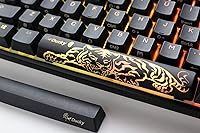
Triple-shot PBT keycaps age remarkably well — no shine, no legend fade, and a satisfying textured grip that feels noticeably more premium than the ABS keycaps found on many competing boards. RGB shine-through is better than most buyers expect from PBT, which is a recurring positive surprise.
The font choice on the legends divides opinion; some enthusiasts find it too gamer-leaning rather than clean and minimal. Aftermarket keycap sets also show through differently on this board due to the triple-shot construction, which is worth researching before buying a replacement set.
Value for Money
83%
For buyers who understand what hot-swap capability, PBT keycaps, and internal dampening actually cost when sourced separately, the One 3 Mini represents a genuinely competitive package. Enthusiast forums consistently position it as one of the better out-of-the-box experiences in its price tier.
Buyers comparing it purely on price to budget boards may feel the premium is hard to justify if they have no interest in switch swapping. The lack of wireless also stings at this price point, where some competitors have begun offering hybrid connectivity options.
RGB Lighting
81%
19%
Per-key RGB looks vivid and well-implemented, with a solid range of effects that can be cycled and adjusted directly on the board. The lighting is punchy enough to remain visible even in well-lit rooms, which is not always guaranteed on PBT-keycap boards.
The on-board RGB customization has limits; users who want precise per-key color mapping or animated profiles beyond the built-in presets will find the options restrictive. There is no companion app with a visual layout editor, which competing brands offer as standard.
Software & Customization
57%
43%
Basic remapping and macro assignment are possible through Ducky's on-board programming without any software at all, which is convenient for users who prefer a plug-and-play setup. The fact that no background software needs to run continuously is appreciated by performance-focused users.
Ducky's software ecosystem is genuinely behind the curve. Users who want a visual GUI for key remapping, detailed RGB control, or profile management find the experience frustrating compared to what Corsair iCUE or Razer Synapse provide. It remains the most common software-related complaint across buyer reviews.
Stabilizer Performance
74%
26%
The Ducky V2 stabilizers are a meaningful upgrade over the generic stabilizers found in most boards at this price, and the majority of buyers report a quiet, wobble-free spacebar experience straight out of the box. The improvement is noticeable when comparing side by side.
Enough units arrive with mild spacebar or shift key rattle that it comes up regularly in buyer discussions. It is fixable with a quick lube job, but the fact that it occasionally requires intervention on a new board is a fair criticism of factory consistency.
Layout Usability
69%
31%
For users already comfortable with 60% layouts, the One 3 Mini's key placement and layer logic feel familiar and well-thought-out. Gamers who primarily use WASD and surrounding keys report that the missing rows are rarely missed during actual play.
First-time 60% users frequently underestimate the adjustment period. Accessing arrow keys, function shortcuts, and the delete key through layered inputs takes genuine muscle memory rewiring, and some buyers return the board specifically because they cannot adapt comfortably.
Connectivity & Cable
76%
24%
The detachable braided USB-C cable is a thoughtful inclusion — it feels durable, routes cleanly, and is easy to replace with a custom or coiled cable if desired. The USB-C connector on the board itself is secure with no wobble even after months of plugging and unplugging.
The complete absence of wireless is the single most cited disappointment among buyers browsing in this price range. For users who want to keep a tidy desk or switch between a PC and a console controller setup, the wired-only design is a hard limitation with no workaround.
Ergonomics & Adjustability
78%
22%
Three tilt levels give enough range to accommodate most typing angles, and the low profile of the 60% layout naturally reduces wrist extension compared to full-size boards. The lightweight build also makes repositioning the board effortless during long sessions.
There are no integrated wrist rest options, and the three tilt positions — while useful — cover a fairly narrow range. Users with specific ergonomic needs or those accustomed to high-rise keyboards may find the adjustment options insufficient for comfortable all-day typing.
Durability & Longevity
87%
PBT keycaps, a solid case, and a hot-swap PCB built with quality sockets all point toward a board that should remain fully functional and good-looking years into ownership. Long-term owners on enthusiast forums regularly report that the board holds up well under daily use.
There are limited long-term data points given the board launched in 2022, and the Kailh hot-swap sockets can theoretically loosen over many swap cycles — a known characteristic of hot-swap designs generally, not unique to this board but worth noting for frequent switchers.
Out-of-Box Experience
82%
18%
Unboxing the One 3 Mini leaves a strong first impression; the packaging is clean, the included cable feels premium, and the board is ready to use immediately without software installation or driver setup. First-time Ducky buyers often comment that the product felt worth the purchase from the moment they opened the box.
The occasional unit with stabilizer rattle or minor cosmetic inconsistency does undercut what should be a flawless first impression at this price. A small percentage of buyers have to decide immediately whether to lube stabilizers or initiate a return, which is not the ideal start.

Suitable for:

The Ducky One 3 Mini 60% Mechanical Keyboard is a strong fit for competitive gamers and keyboard enthusiasts who want a compact, well-built board without diving into custom builds. If you play on a smaller desk and have ever felt cramped by a full-size or tenkeyless layout, the 60% footprint genuinely opens up mouse movement in a way that is hard to go back from. Switch hobbyists will especially appreciate the tool-free hot-swap support, which makes experimenting with different switches a low-commitment process rather than a weekend project. It also works well for users in shared spaces — offices, dorms, or bedrooms — where the factory sound dampening makes the typing experience noticeably quieter than a standard mechanical board without any extra modification. Buyers stepping up from an entry-level board will notice an immediate and meaningful difference in build quality, acoustics, and keycap texture.
Not suitable for:

The Ducky One 3 Mini 60% Mechanical Keyboard is not the right choice for anyone who relies on a numpad, dedicated function keys, or arrow keys in their daily workflow — the 60% layout omits all of these, and accessing them through layered shortcuts takes real adjustment time that some users never fully make peace with. If you primarily work from a laptop setup and want to go wireless, this board will disappoint you outright, as it is strictly wired with no Bluetooth option available. Mac users should also approach cautiously, since the board is optimized for PC and requires remapping work to function comfortably in macOS environments. Those who expect deep software customization comparable to brands like Corsair or Razer will find Ducky's software ecosystem limiting. And if you are particularly sensitive to any stabilizer noise, be aware that the spacebar may need minor tuning straight out of the box.
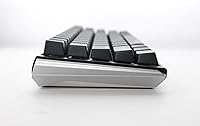
Specifications

  • Layout: 60% compact form factor with 61 keys, omitting the numpad, function row, and dedicated arrow keys.
  • Dimensions: The board measures 12.2″ in length, 4.33″ in width, and 1.57″ in height.
  • Weight: The keyboard weighs 1.31 pounds, making it lightweight enough to transport without much hassle.
  • Switch Type: Comes equipped with Cherry MX Red linear switches, offering smooth, low-actuation keystrokes with no tactile bump.
  • Switch Mounting: Dual-layer hot-swap PCB uses Kailh yellow sockets, allowing switch changes without soldering tools.
  • Keycaps: Triple-shot PBT keycaps provide a textured surface, accurate legends, and long-term resistance to shine and wear.
  • Sound Dampening: A dual-layer combination of silicone padding and EVA foam reduces resonance and lowers typing noise compared to a bare PCB.
  • Stabilizers: Ducky V2 stabilizers are pre-installed on larger keys to minimize wobble and improve consistency across the board.
  • Lighting: Per-key RGB backlighting supports multiple effects and can be customized directly on the keyboard without software.
  • Connectivity: Wired connection via detachable braided USB-C cable; no Bluetooth or wireless mode is available.
  • Rollover: Full N-key rollover ensures every simultaneous keypress is registered accurately with no ghosting.
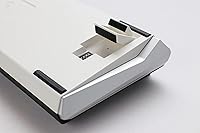
  • Tilt Adjustment: Three-level adjustable feet allow the user to set the keyboard angle to their preferred typing position.
  • Compatibility: Designed and optimized for PC use; Mac compatibility requires manual key remapping.
  • PCB Design: Improved dual-layer PCB layout includes a remapped macro layout and refined internal construction over earlier Ducky revisions.
  • Release Date: First made available in April 2022 as part of the Ducky One 3 series lineup.

Related Reviews
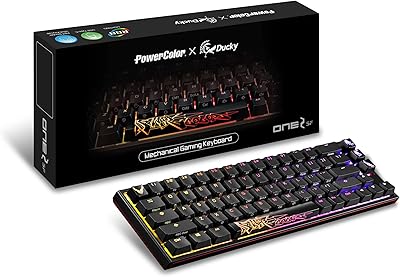
PowerColor Ducky One 2 SF RGB Mechanical Keyboard with Kailh Brown Switches
86%
90%
Performance for Gaming
85%
Typing Experience
92%
Build Quality
88%
Portability
80%
RGB Lighting Customization
More
Pauroty 60% Wireless Mechanical Keyboard
86%
88%
Connectivity Options
75%
Battery Life
93%
Portability
84%
Ergonomics
91%
RGB Customization
More
MOTOSPEED CK61 60% Mechanical Keyboard
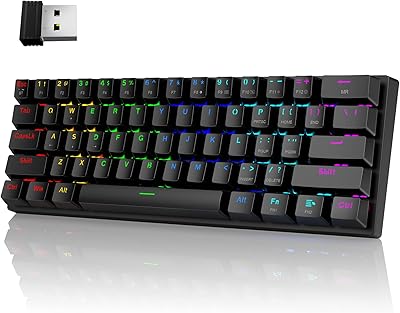
85%
89%
Typing Experience
92%
RGB Lighting Customization
85%
Build Quality
91%
Key Switch Smoothness
94%
Portability/Size
More
OHY XVX H61 60% Mechanical Keyboard
87%
87%
Build Quality
89%
Typing Experience
91%
Customization Options
85%
RGB Backlighting
92%
Ease of Setup
More
Koolertron One-Handed Macro 23-Key Mechanical Keypad
76%
83%
Build Quality
88%
Switch Feel
91%
Programmability
51%
Configuration Software
89%
Onboard Memory
More
Geeky GK61 60% Mechanical Gaming Keyboard
85%
88%
Build Quality
91%
Customizability
85%
RGB Lighting
90%
Portability
80%
Typing Experience
More
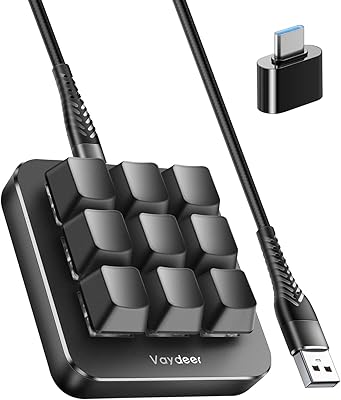
Vaydeer JP1011-C One-Handed Mechanical Keyboard
84%
88%
Value for Money
91%
Ease of Customization
95%
Portability and Size
85%
Gaming Performance
87%
Key Responsiveness
More
Koolertron 48-Key One-Handed Mechanical Keyboard
69%
83%
Key Feel & Switch Quality
78%
Programmability & Macro Power
44%
Configuration Software
71%
Build Quality & Materials
52%
Keycap Durability
More
Lenovo Legion K510 Mini Pro Wired Mechanical Gaming Keyboard
86%
88%
Overall Performance
90%
Build Quality
75%
RGB Lighting Customization
92%
Key Response and Feel
91%
Durability (Key Lifespan)
More
Ranked Nova N60 60% Hot Swappable Mechanical Gaming Keyboard
83%
91%
Customization Flexibility
86%
Build Quality
93%
RGB Lighting
88%
Ease of Use
65%
Keycap Quality
More

FAQ

Yes, the One 3 Mini handles RGB lighting and basic macro functions entirely on-board. You can cycle through lighting modes and adjust effects using key combinations without installing anything. That said, if you want deeper customization or saved profiles, Ducky does offer software, though it is considered limited compared to what brands like Corsair or Razer provide.

It genuinely depends on how ingrained your habits are. Most people adapt to the missing arrow keys and function row within a week or two of consistent use, since those inputs are accessed through a function layer. The bigger challenge is for users who rely on arrow keys frequently for text editing — that specific workflow takes the most time to rewire. If you are unsure, it is worth spending a few days with a 60% layout simulator before committing.

The hot-swap design exists precisely for this purpose, so yes, swapping switches is an intended and supported feature. You can install any MX-style switch that fits the Kailh yellow sockets. Just use a proper switch puller rather than pulling them out by hand to avoid bending pins.

It is genuinely noticeable when compared to a board with no internal dampening. The silicone and foam layers reduce the hollow, echo-y sound you often get from entry-level boards. That said, it is not silent — you will still clearly hear the switches themselves. Think of it as a meaningful improvement over stock, not a replacement for clicky-to-silent switch swaps.

It can work on Mac, but it is designed for Windows and does not natively map to macOS conventions. You would need to remap keys like the Windows key to Command and Alt to Option, either through the keyboard's on-board remapping or macOS system settings. It is manageable but adds a setup step that Mac-focused keyboards handle automatically.

The Ducky V2 stabilizers are better than average at stock, but some users do encounter minor spacebar rattle. If you are comfortable opening the board, lubing the stabilizers with something like Krytox 205g0 takes about 20 to 30 minutes and makes a clear difference. If you have never done it before, there are plenty of step-by-step video guides specific to this board.

Any standard USB-C cable with a Type-A or Type-C host end will work — the port is a conventional USB-C connector. Enthusiasts often swap in a coiled custom cable for aesthetics. Just make sure the cable supports data transfer, not just charging, to ensure full functionality.

Better than you might expect. Triple-shot PBT lets more light through than standard double-shot PBT, and many users are pleasantly surprised by how vivid the lighting looks. It will not match the glow of ABS-keycap boards, but it is solid for a board in this category.

Yes, though with a caveat. For gaming it is an excellent fit — fast linear switches, compact layout, and a solid build. For office typing, it depends heavily on your workflow. If you use spreadsheets, navigate with arrow keys often, or work in environments where clicking noise is a concern, the 60% layout and linear switches require some adjustment. In quieter offices, the internal dampening helps, but Cherry MX Reds are not the most discreet switch choice.

Ducky generally offers a one-year warranty on their keyboards, and the community's general experience with their support is positive, though response times can stretch depending on your region and where you purchased. Buying from an authorized retailer rather than a third-party marketplace listing tends to make warranty claims smoother. For common issues like stabilizer noise or keycap defects, Ducky has been known to send replacement parts rather than requiring a full return.

Where to Buy