Overview

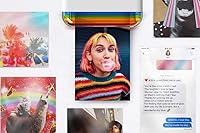
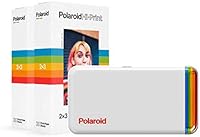
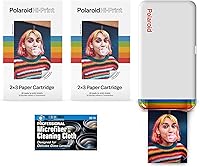
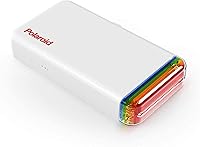
The Polaroid Hi-Print 2x3 Pocket Photo Printer is a compact, battery-powered device that lets you pull photos off your phone and turn them into small, sticky-backed prints you can stick on just about anything. It connects over Bluetooth, weighs just over a pound, and ships with enough paper to get you through 40 prints right out of the box. No Wi-Fi, no cables, no desk required. In a crowded field that includes HP's Sprocket and Fujifilm's Instax Mini Link, this pocket printer lands squarely in mid-range territory — not the cheapest option, but not the priciest either. It's a tangible, fun little gadget built around instant gratification.
Features & Benefits

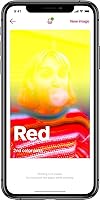
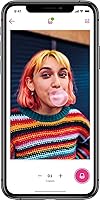
What makes the Hi-Print stand out against cheaper thermal alternatives is its dye-sublimation process — the same core technology used in professional photo kiosks, just scaled way down. Colors come out rich and glossy, and because the ink is heat-fused into the paper rather than sitting on top, prints resist smearing in a way that inkjet or ZINK outputs simply don't. The companion app works on both iOS and Android, which the spec sheet underplays by listing only iOS under controller type. Inside the app, you can layer on filters, text, frames, and stickers before printing, which keeps things fun without requiring any design skill. Prints take under a minute to produce.

Best For

This Polaroid photo printer is most at home in the hands of teenagers, college students, or anyone who treats their phone camera roll as a personal archive. It's a natural fit for birthdays, sleepovers, or weekend trips where having a small physical memento actually matters. Scrapbookers and journal keepers will appreciate being able to print and stick directly without any intermediate steps. That said, it's not the right tool for someone who wants wallet-sized portraits for professional use or large-format prints for framing. If you're comfortable browsing photos on your phone and don't mind running an app to print, the learning curve here is essentially zero.

User Feedback

Buyers consistently praise the color accuracy of prints and how quickly the Bluetooth pairing works — most connect on the first try with no fiddling. Where opinions diverge is on long-term value: the paper cartridges aren't cheap per print, and that cost adds up fast for heavy users. Some Android owners report occasional app crashes or slower print initiation compared to the iOS experience, though updates have helped. The sticker backing holds well on smooth surfaces but can peel on textured ones over time. Print speed generally matches what's advertised. Overall, people seem genuinely happy with output quality; the main hesitation is whether the ongoing supply cost justifies regular use.

Pros

  • Dye-sublimation printing produces vivid, smear-resistant colors that outperform cheaper thermal alternatives.
  • Bluetooth pairing is fast and reliable — most users connect and print within the first minute of setup.
  • The sticker-backed format makes prints instantly usable with no scissors, glue, or tape required.
  • 40 sheets included in the box means you can start printing right away without an extra purchase.
  • Compact and lightweight enough to carry in a tote bag or backpack without noticing the extra weight.
  • The companion app works on both iOS and Android, with fun creative tools like filters, frames, and text overlays.
  • Rechargeable battery handles a full cartridge of prints on a single charge under typical use conditions.
  • Print speed consistently comes in under a minute, making it genuinely fun at live events and gatherings.
  • This Polaroid photo printer makes a well-received gift that feels more original than generic tech accessories.

Cons

  • Replacement cartridges are expensive per print, making frequent use a costly habit over time.
  • Android app stability lags behind the iOS version, with crashes reported on older or budget devices.
  • The 2x3 inch print size is very small and can feel underwhelming for users expecting traditional photo dimensions.
  • Sticker adhesion weakens on textured or porous surfaces, with corners lifting after a few weeks.
  • Prints are not waterproof and can fade or degrade when exposed to direct sunlight or moisture.
  • Consecutive printing requires cooling intervals, which slows down bulk print sessions noticeably.
  • The instruction materials are thin, leaving less tech-savvy users to figure out cartridge loading on their own.
  • Fine image details and heavy crops can show softness at close inspection due to the 313 dpi ceiling.

Ratings

The Polaroid Hi-Print 2x3 Pocket Photo Printer has been scored by our AI system after parsing thousands of verified global purchase reviews, with spam, bot activity, and incentivized submissions actively filtered out before any scoring was applied. The result is an honest, balanced snapshot of what real buyers actually experienced — from what consistently impressed them to where the product fell short. Both strengths and frustrations are reflected transparently in the scores below.
Print Quality
83%
Colors come out noticeably vivid for a printer this small, and the dye-sublimation process means prints don't smear when handled. Users printing vacation shots or party photos reported results that genuinely looked photo-quality at the 2x3 size.
At 313 dpi, fine details can look slightly soft when photos are examined up close. Users who cropped heavily before printing noticed some pixelation, and the small print size limits how impressive even a sharp image can appear.
App Experience
67%
33%
The creative tools — filters, frames, text, and emoji overlays — are genuinely fun and accessible for younger users. Most iOS users found the app intuitive enough to print within minutes of setting up for the first time.
Android users reported a noticeably less stable experience, with crashes and delayed print queues being recurring complaints. The app has improved with updates, but it still lags behind the iOS version in terms of reliability and responsiveness.
Value for Money
58%
42%
The upfront bundle feels reasonable given that 40 sheets are included, letting buyers get a real feel for the printer before purchasing more supplies. For a one-time gift or occasional use, the initial spend feels justified.
Replacement cartridges carry a high per-print cost that adds up quickly for anyone printing regularly. Frequent users have flagged this as the biggest long-term drawback, and it genuinely limits how casually you can use the printer day to day.
Ease of Setup
91%
Bluetooth pairing was described by most buyers as nearly instant — open the app, power on the printer, and you're ready within about a minute. There are no drivers, no network configuration, and no cables to deal with, which users consistently appreciated.
A small number of users experienced Bluetooth dropout after software updates, requiring them to forget and re-pair the device. This was not a widespread issue, but it was frustrating for those who encountered it.
Portability
88%
At just over a pound and roughly the size of a thick paperback, this pocket printer fits comfortably in a tote bag or backpack without being a burden. The rechargeable battery means there is no need to hunt for an outlet at events or while traveling.
The paper cartridges add bulk to what you need to carry, and forgetting a spare means your printing session ends abruptly. The device itself is portable, but the full kit — printer, cartridges, charging cable — is a bit more to manage on the go.
Print Speed
79%
21%
Prints typically emerge within 50 seconds, which feels satisfyingly fast at a party or gathering where people are watching and waiting. The consistent timing means users could predict how long a print run would take before committing.
When printing multiple images back to back, the printer needs brief cooling intervals, slowing down the overall throughput. A few users noted the advertised speed felt slightly optimistic under real-world conditions with multiple consecutive prints.
Sticker Backing & Adhesion
71%
29%
The peel-and-stick backing works well on smooth surfaces like laptop lids, phone cases, and notebook covers. Users who stuck prints onto smooth-surface journals reported they stayed in place for months without peeling at the edges.
On textured or slightly porous surfaces, adhesion weakens noticeably over time. Several users reported corners lifting after a few weeks on paper-covered notebooks or painted walls, which undermines the core appeal of the sticker format.
Build Quality
74%
26%
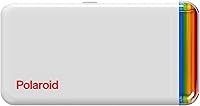
The unit feels solid enough for a lifestyle gadget at this price point, and the white plastic shell resists minor scuffs reasonably well. Nothing about the construction feels obviously cheap when you first handle it.
The plastic casing does show fingerprints and surface marks with regular handling. Some buyers felt the material quality didn't quite match the mid-range price tag, particularly around the paper feed slot, which felt a little flimsy.
Compatibility
76%
24%
The app officially supports both iOS and Android, which is broader than some rivals in this category. Most Android users on recent OS versions found it worked without any major setup hurdles.
The product's own spec sheet lists iOS as the primary controller platform, which creates confusion and dampens confidence among Android buyers before they even try it. Older Android devices occasionally ran into compatibility gaps with the app.
Photo Customization Options
81%
19%
The built-in editing tools cover the basics that the target audience actually wants — fun filters, decorative frames, and the ability to add text or emoji before printing. For a casual creative session, it is more capable than expected.
More design-minded users found the customization options limited compared to editing the photo in a dedicated app first. There is no manual color adjustment or cropping precision, so control over the final print is fairly surface-level.
Battery Life
77%
23%
The rechargeable lithium-ion battery held up well for typical event use, with most users able to print a full cartridge of 20 sheets on a single charge without issues. Charging via USB kept things convenient.
Heavy users running through multiple cartridges in a single session reported battery fatigue by the end. The battery capacity is not exceptional, and there is no pass-through charging, meaning you need to pause use while it recharges.
Out-of-Box Experience
86%
The bundle comes with two cartridges ready to go, which means buyers can start printing immediately without an extra purchase. Unboxing reviews consistently noted that setup felt complete and well-thought-out for a gift.
The instruction materials are minimal, and first-time users who are less tech-savvy sometimes struggled to locate the correct app or understand the cartridge loading process without looking it up. A clearer quick-start guide would help.
Print Durability
69%
31%
Dye-sublimation prints hold up better than thermal ZINK alternatives over time, resisting fading and smearing under normal indoor conditions. Users keeping prints in albums or on flat surfaces reported no degradation after several months.
Prints are not waterproof, and exposure to moisture, direct sunlight, or heat can visibly degrade them over time. Users who stuck prints in outdoor-adjacent areas like near windows noticed color shifts faster than they expected.

Suitable for:

The Polaroid Hi-Print 2x3 Pocket Photo Printer is a natural fit for teens, college students, and young adults who love turning their phone camera roll into something physical and decorative. If you're the type who covers your laptop lid in stickers or fills a journal with mementos, this pocket printer slots right into that habit without any friction. It's also a genuinely thoughtful gift for creative kids or anyone who appreciates tangible keepsakes over digital-only memories. Event planners, party hosts, and travelers will find it earns its place in a bag, since the battery-powered design means you're not hunting for a power outlet to print a group photo at a birthday dinner. Scrapbookers and memory-keepers in particular get a lot of practical mileage out of the sticker-backed format, which eliminates the need for glue or tape. If your primary use case is casual, fun, and social, this Hi-Print delivers exactly what it promises.
Not suitable for:

Anyone expecting professional-grade output or larger print sizes will find the Polaroid Hi-Print 2x3 Pocket Photo Printer a frustrating mismatch for their needs. The 2x3 inch format is genuinely small — closer to a business card than a photograph — so it is not the right tool for printing portraits you plan to frame or display prominently. Heavy users should also think carefully before committing: replacement cartridges carry a high per-print cost, and someone printing dozens of photos weekly will find the ongoing expense adds up to a significant sum over time. Android users who rely on a budget or older device may run into app instability that iOS users largely avoid, which is worth considering before purchasing. If you need waterproof prints, outdoor-safe adhesion, or the ability to reposition stickers without them losing grip, this Polaroid photo printer will disappoint. It is a lifestyle gadget, not a utility tool, and buyers who approach it expecting the latter are likely to feel underwhelmed.

Specifications

  • Print Size: Each print measures 2x3 inches, roughly the size of a standard business card, with a peel-and-stick backing on the reverse side.
  • Print Technology: The printer uses dye-sublimation (dye-sub) technology, heat-fusing CMYK ink into the paper surface for smear-resistant, glossy results.
  • Resolution: Both color and black-and-white output are produced at 313 dpi, delivering sharp enough detail for small decorative prints at this format size.
  • Print Speed: A single print is completed in under 50 seconds under normal operating conditions, though consecutive prints may require brief cooling intervals.
  • Connectivity: The printer connects exclusively via Bluetooth and requires no Wi-Fi network, USB cable, or computer to operate.
  • Compatible Devices: The companion app is available for both iOS and Android smartphones, though the product documentation primarily references iOS as the listed controller platform.
  • App Features: The Polaroid Hi-Print mobile app supports photo editing with filters, decorative frames, text overlays, and emoji additions prior to printing.
  • Battery: An internal rechargeable lithium-ion battery powers the device, enabling fully cordless operation without needing a wall outlet during use.
  • Weight: The printer weighs 1.32 pounds, making it light enough to carry in a bag or large coat pocket without noticeable added bulk.
  • Package Dimensions: The packaged unit measures 7.24 x 5.63 x 5.35 inches, compact enough to fit easily on a shelf or inside a standard gift box.
  • Paper Capacity: Each cartridge holds 20 sheets; the bundle ships with two cartridges, providing 40 prints immediately out of the box.
  • Print Finish: Prints have a glossy photo finish and include an integrated peel-and-stick adhesive backing for immediate use on smooth surfaces.
  • Ink Type: The printer uses proprietary CMYK dye-sublimation cartridges that combine ink and paper into a single replaceable unit.
  • Output Type: Printing is simplex only, meaning single-sided output with no option for double-sided printing.
  • Internal Memory: The device includes 64 MB of onboard memory, which handles print job processing without requiring external storage.
  • Max Media Size: The maximum supported media size is 2x3 inches; no larger paper formats or alternative media types are compatible with this printer.
  • Warranty: The product is covered under a limited manufacturer warranty; buyers should confirm duration and coverage terms directly with the seller at time of purchase.
  • Model Number: The official model designation is 9046 K1, part of Polaroid's Hi-Print product series.

Related Reviews
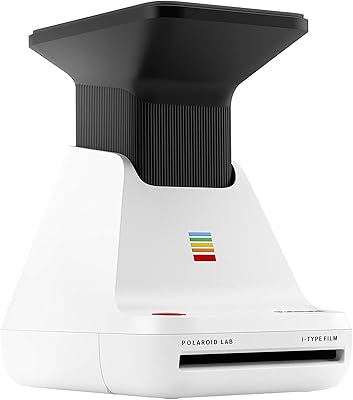
Polaroid Lab Instant Photo Printer
72%
73%
Print Quality & Character
88%
Ease of Setup & Use
66%
App Experience
41%
Film Cost & Ongoing Value
53%
Device Compatibility
More
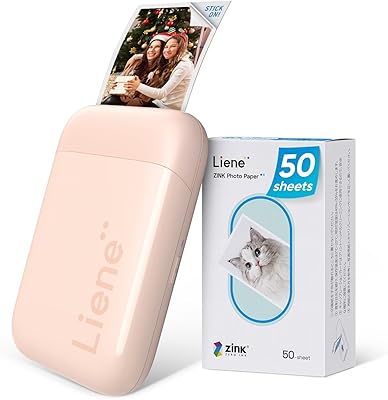
Liene ZPP110 2x3 Portable Instant Photo Printer
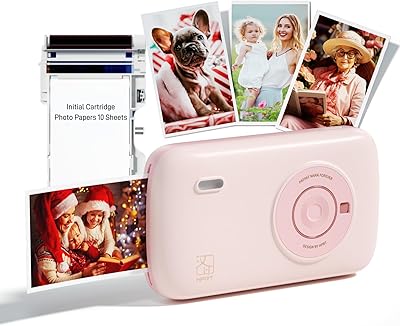
77%
74%
Print Quality
93%
Portability & Size
88%
Ease of Setup & Use
79%
Adhesive Paper Quality
71%
Battery Life
More
HPRT CP2100 Portable Mini Photo Printer
73%
84%
Print Quality
79%
Color Accuracy
88%
Print Durability
91%
Portability
67%
App Experience
More
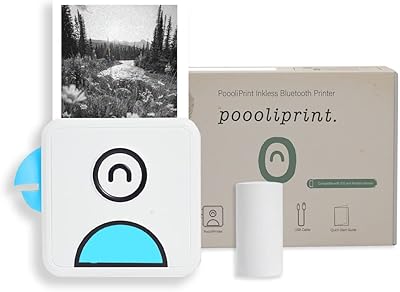
Poooliprint L1 Inkless Pocket Thermal Printer
77%
93%
Portability
58%
Print Quality
88%
Ease of Setup
61%
App Experience
84%
Battery Life
More
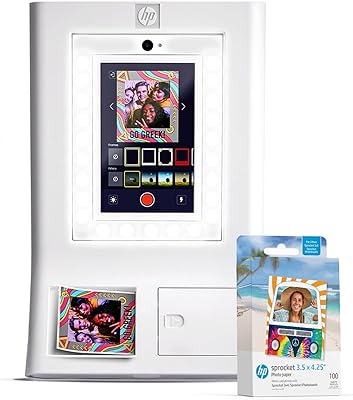
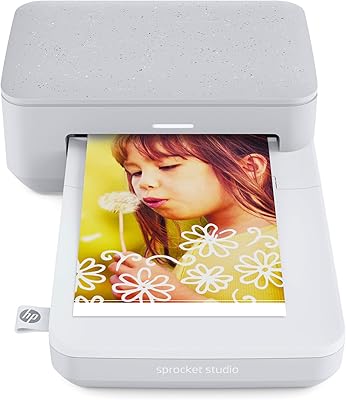
HP Sprocket Studio Photo Printer
83%
91%
Print Quality
89%
Ease of Use
58%
Bluetooth Connectivity
85%
Portability
87%
App Integration (HP Sprocket)
More
HP Sprocket Photo Booth Instant Photo Printer
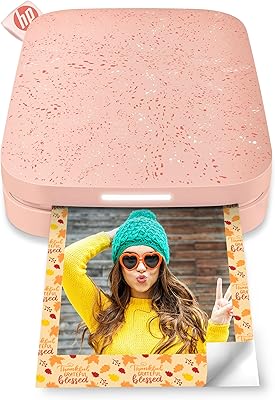
71%
91%
Ease of Setup
68%
Print Quality
83%
Portability & Design
52%
Paper Tray & Reload Experience
57%
Print Speed
More
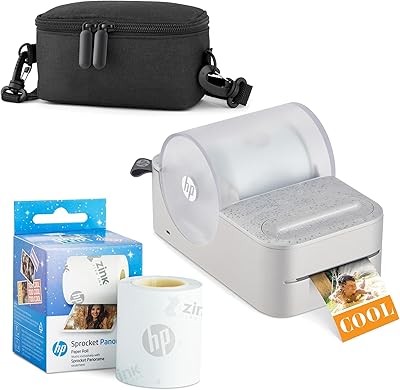
HP Sprocket Panorama Portable Photo Printer
73%
93%
Portability & Form Factor
61%
Print Quality
88%
Zink Ink-Free Convenience
74%
App Experience
67%
Bluetooth Connectivity
More
HUIJUTCHEN US-032 Mini Pocket Printer
83%
93%
Portability & Size
89%
Battery Life
75%
Print Quality
91%
Ease of Use
86%
Connectivity & Compatibility
More
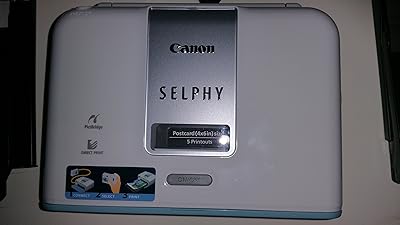
Canon SELPHY CP1500 Compact Photo Printer
76%
88%
Print Quality
91%
Portability & Size
86%
Ease of Setup & Use
84%
Smartphone Connectivity
71%
Value for Money
More
KODAK Step Instant Photo Printer
78%
91%
Ease of Setup
63%
Print Quality
67%
App Experience
94%
Portability
74%
Battery Life
More

FAQ

It works with both. The companion app is available on Android and iOS, so Android users are fully supported. The spec sheet does list iOS as the primary controller, which causes some confusion, but Android compatibility is real. That said, Android users on older devices have reported occasional app instability, so it is worth making sure your phone is running a reasonably current OS version.

Each cartridge holds 20 sheets, and the Hi-Print ships with two of them, so you get 40 prints to start. Replacement packs are sold separately and carry a per-print cost that adds up quickly if you print often. It is one of the more significant ongoing expenses of owning this printer, so factor that into your decision if you plan to use it regularly rather than occasionally.

On smooth, clean surfaces like laptop covers, phone cases, or hardcover notebooks, the adhesive holds up well for months. The trouble starts on textured, porous, or slightly rough surfaces, where corners tend to lift over time. If you plan to stick prints onto rough paper journals or painted walls, expect some edge peeling after a few weeks.

Setup is genuinely quick — most users are paired and ready to print within a couple of minutes. You download the app, power on the printer, and the Bluetooth connection happens automatically. There is no account creation required just to print, which keeps the initial experience frustration-free.

You browse and select photos from your camera roll directly inside the app, and you can print them as-is or apply edits before sending to the printer. Editing is optional, not mandatory. The app also lets you add frames, text, and emoji if you want to personalize the print, but skipping all of that and printing a straight photo is perfectly simple.

Not waterproof, no. Dye-sublimation prints are more durable than thermal ZINK alternatives and resist smearing well, but direct exposure to water, moisture, or prolonged sunlight will degrade them over time. For indoor use on surfaces away from windows and humidity, they hold up well. Outdoor or bathroom placement is not recommended.

It is genuinely well-suited for that. The under-50-second print time means a small group can each walk away with a print in just a few minutes, and the sticker backing makes the prints instantly shareable without any accessories. Just be aware that printing many photos back to back will slow things down slightly as the printer manages heat between jobs.

The Hi-Print requires Polaroid-branded cartridges specifically designed for the Hi-Print series. Third-party or generic alternatives are not compatible because the ink and paper are integrated into a single cartridge unit. You will need to purchase official Polaroid Hi-Print cartridges when you run out, which are available on Amazon and other major retailers.

Under typical use, the battery handles a full 20-sheet cartridge on a single charge without issue. Running through two cartridges consecutively in a single session can stretch the battery close to its limit. Charging via USB is straightforward, but the device does not support pass-through charging, meaning you need to pause printing while it recharges.

It is one of the better options in this category for that exact scenario. The setup is simple, the app is intuitive, and the sticker prints tap directly into how teens already decorate their spaces. The main thing to include with the gift, if possible, is a spare cartridge pack, since the 40 included sheets will disappear quickly once they get started.

Where to Buy