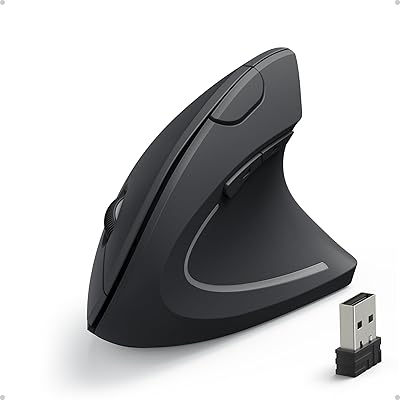
Philips SPK Vertical Ergonomic Wireless Mouse

Overview
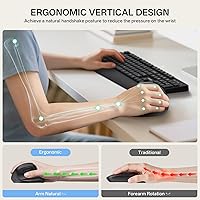
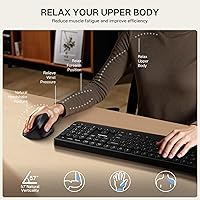
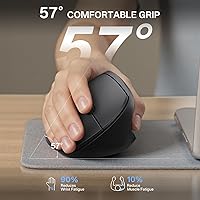
The Philips SPK Vertical Ergonomic Wireless Mouse brings an increasingly popular wrist-friendly design to buyers who don't want to spend a lot to find out if vertical mice actually work for them. The concept is straightforward: tilting your hand to a 57° vertical angle keeps your forearm in a more natural position, reducing the rotational tension that builds up during a long day at a desk. This wireless vertical mouse connects via a 2.4GHz USB dongle and is compact enough to toss in a laptop bag without a second thought. It's a practical, no-frills entry point — not a premium peripheral, but a genuinely useful one.
Features & Benefits
The vertical grip design is the centerpiece here — your hand rests in a handshake-style position that takes pressure off the wrist in a way a flat mouse simply can't match. Three DPI levels (800, 1200, and 1600) cover everyday needs; 800 works well for careful, precise tasks, while 1600 handles general browsing and office work comfortably. All six buttons click in near silence, which makes a real difference in shared spaces or late-night sessions. The 2.4GHz connection stays reliable in everyday use, and the auto-sleep mode kicks in during idle stretches, doing a decent job of stretching the included AA battery. At 5.3 ounces, it barely registers in a bag.
Best For
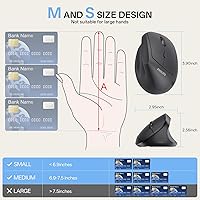
This vertical mouse fits best in the hands of people with small to medium hands — if larger vertical mice have felt awkward or oversized, this one's proportions tend to land more naturally. It suits office workers, students, and anyone in a quiet shared workspace where silent clicks are genuinely appreciated. Those just starting to explore ergonomic peripherals will find that the Philips ergonomic mouse doesn't demand a big upfront commitment. Frequent travelers and remote workers will value the compact footprint and simple USB dongle setup. And if your wrist has been feeling the strain lately, this is a low-risk way to test whether a vertical design actually helps your situation.
User Feedback
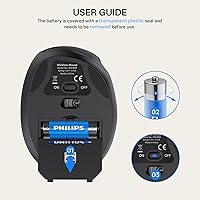
Buyers consistently highlight the silent click mechanism as a standout — many say it's the first thing they notice and a key reason they'd pass it along to a colleague. The fit for smaller hands earns solid marks too. On the flip side, users with large displays or multi-monitor setups find 1600 DPI a bit restrictive, which is a fair and honest limitation to know going in. Wireless range holds up well in most environments, though a handful report occasional dropouts that seem tied to receiver placement rather than any deeper issue. Worth noting: the battery ships inside the mouse wrapped in plastic film, so remove that before troubleshooting. Overall satisfaction skews positive for the price tier.
Pros
- The 57° vertical grip noticeably reduces wrist rotation tension during long desk sessions.
- Fully silent buttons make this wireless vertical mouse ideal for quiet shared workspaces.
- Compact dimensions are genuinely well-suited to small and medium hand sizes.
- Plug-and-play USB dongle setup works instantly — no drivers or software needed.
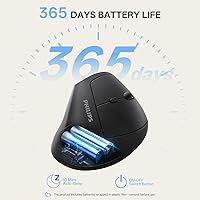
- Auto-sleep mode keeps the included AA battery running for several weeks of normal use.
- At 5.3 ounces, it slips into a laptop bag without adding any meaningful weight.
- Forward and back navigation buttons are well-placed and easy to reach without shifting your grip.
- 2.4GHz wireless connection stays stable and lag-free for everyday office and browsing tasks.
- One-button DPI toggle lets you switch cursor speeds quickly without interrupting your workflow.
- Matte black finish resists fingerprints and looks clean on any desk setup.
Cons
- 1600 DPI maximum feels restrictive on large monitors or dual-screen workstation setups.
- The DPI toggle button placement can trigger accidental speed changes during normal use.
- No onboard storage slot for the USB nano receiver, making it easy to misplace during travel.
- Wireless dropouts can occur if the USB dongle is plugged into a rear-facing or obstructed port.
- Battery ships with a plastic film still installed — easy to overlook and a common source of confusion.
- Scroll wheel lacks precision at higher speeds and has no horizontal scrolling capability.
- Large-handed users will find the grip too narrow for comfortable all-day use.
- Apple device users need a separate USB-A to USB-C adapter that is not included in the package.
- Build quality reflects the budget price tier — buttons and scroll wheel lack a premium feel.
- Glossy or glass desk surfaces cause inconsistent optical sensor tracking without a mouse pad.
Ratings
The Philips SPK Vertical Ergonomic Wireless Mouse was evaluated by our AI system after processing verified buyer reviews from global markets, with spam, bot-generated, and incentivized submissions actively filtered out. What you see below reflects a balanced picture of where this wireless vertical mouse genuinely delivers and where it falls short — no cherry-picking, no spin. Scores capture the full spread of real-world experiences, from daily office use to travel scenarios.
Ergonomic Comfort
Silent Click Performance
Hand Size Fit
DPI Range & Cursor Control
Wireless Reliability
Build Quality
Battery Life
Portability & Travel Friendliness
Setup & Ease of Use
Scroll Wheel Feel
Value for Money
Button Layout & Accessibility
Optical Sensor Accuracy
Suitable for:
The Philips SPK Vertical Ergonomic Wireless Mouse is a strong fit for office workers, students, and remote professionals who spend several hours a day at a computer and want a more comfortable grip without paying premium prices to find out if vertical mice suit them. If your hands fall on the smaller to medium side, the compact body proportions feel intentional rather than compromised — this is one of the few budget vertical mice that genuinely accounts for smaller hand sizes in its design. Shared workspace users and late-night workers will appreciate the fully silent button mechanism, which eliminates the audible clicking that can be distracting in libraries, open offices, or during video calls. Frequent travelers benefit from the lightweight build and simple plug-and-play USB dongle setup that requires zero software installation. Anyone experiencing early wrist fatigue from long mouse sessions will find the 57° vertical angle a practical comfort improvement worth trying at this price point.
Not suitable for:
The Philips SPK Vertical Ergonomic Wireless Mouse is not the right choice for users with large hands, as the compact body dimensions will feel narrow and cramped during extended sessions — hand size matters more here than with most standard mice. The 1600 DPI ceiling is a real limitation for anyone working across large or high-resolution displays, dual-monitor setups, or any task requiring fast, sweeping cursor movement, such as graphic design or CAD work. Gamers should look elsewhere entirely; the DPI range and optical sensor are tuned for office productivity, not fast-paced gaming scenarios. If you work on a glass or highly reflective desk surface, the optical sensor will struggle to track consistently without a mouse pad underneath. Mac and iPad users with USB-C-only ports also need to factor in sourcing a separate USB-A adapter, since one is not included in the box — a minor but real friction point for Apple-centric setups.
Specifications
- Grip Angle: The mouse body is designed at a 57° vertical tilt, positioning the hand in a natural handshake orientation to reduce forearm pronation during use.
- DPI Settings: Three selectable DPI levels are available: 800, 1200, and 1600, switchable via a dedicated button on the mouse body.
- Buttons: The mouse features 6 fully silent buttons: left click, right click, scroll wheel click, forward, back, and a DPI toggle.
- Connectivity: Wireless connection is established via a 2.4GHz USB nano receiver that plugs directly into a standard USB-A port on the host device.
- Dimensions: The mouse measures 5.98 × 3.39 × 2.83 inches, providing a compact footprint suited to small and medium hand sizes.
- Weight: The mouse weighs 5.3 ounces, keeping it light enough for comfortable daily carry in a laptop bag or backpack.
- Battery: One AA battery is required and included in the package; note that a plastic protective film covers the battery inside the compartment and must be removed before first use.
- Sensor Type: Movement is tracked via an optical sensor, which performs reliably on standard desk surfaces and fabric mouse pads but may struggle on glass or highly reflective surfaces.
- Auto-Sleep: An intelligent hibernation mode automatically puts the mouse into a low-power sleep state after a defined period of inactivity to extend battery life.
- Hand Size Target: The mouse is specifically sized and shaped for small to medium hands, with button spacing and body width optimized for that range.
- Color: Available in Black with a matte finish that resists fingerprints and smudging during regular use.
- Brand & Model: Manufactured by Philips under model designation SPK, positioned as an entry-level ergonomic peripheral within the brand's accessories lineup.
- Package Contents: The package includes the wireless vertical mouse, one USB nano receiver, one AA battery, and a user instruction guide.
- OS Compatibility: Compatible with Windows and most operating systems that support standard USB HID input devices; Apple users with USB-C-only ports require a separate USB-A to USB-C adapter.
- Wireless Range: The 2.4GHz wireless technology supports reliable operation within a typical desktop working distance, generally up to approximately 10 meters in open conditions.
- Click Mechanism: All six buttons use a silent click mechanism engineered to significantly reduce audible click noise compared to standard mouse switches.
- Item Model Number: The official item model number is SPK, as listed by the manufacturer Philips on the product packaging and retail listings.
- First Available: This product was first made available for purchase in July 2025, making it a recent addition to the ergonomic mouse category.
Related Reviews

Lekvey XC-05 Vertical Wireless Mouse

Acer OMR241 Ergonomic Vertical Mouse

seenda Ergonomic Vertical Wireless Mouse

UGREEN Vertical Wireless Ergonomic Mouse

Woddlffy RAAVEE Ergonomic Vertical Wireless Mouse
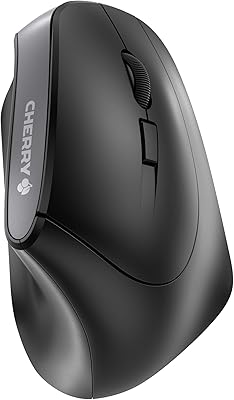
Cherry MW4500 Wireless Vertical Ergonomic Mouse
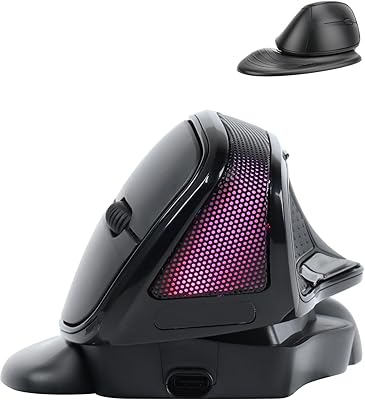
SHARE SUNSHINE Ergonomic Vertical Wireless Mouse
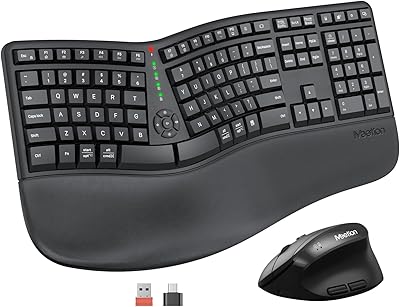
MEETION DirectorC Split Ergonomic Keyboard Mouse Combo
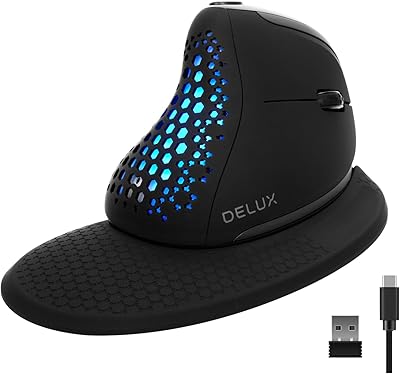
DeLUX Seeker M618XSD Wireless Ergonomic Vertical Mouse