Overview

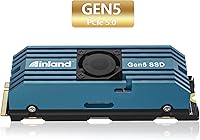
The INLAND TD510 1TB Gen5 NVMe SSD represents INLAND's entry into PCIe 5.0 storage, aimed squarely at power users who need the fastest sequential throughput available in today's consumer market. PCIe 5.0 M.2 slots are now standard on Intel Z790 and AMD X670E motherboards, making this Gen5 SSD a practical option rather than a novelty purchase. What stands out at this price point is the included active-cooled heatsink — most drives in this class ship bare, leaving thermal management entirely to the buyer. Add a 6-year limited warranty and retail store availability, and INLAND is clearly signaling confidence in this hardware. One firm caveat: without a Gen5-capable slot, you simply will not reach anywhere near peak speeds.
Features & Benefits

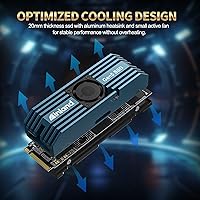
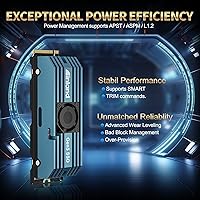
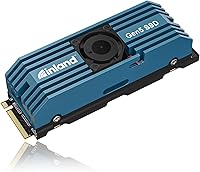
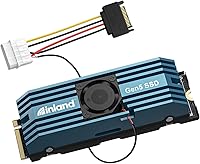
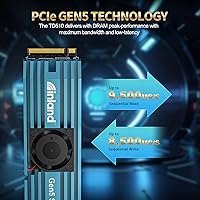
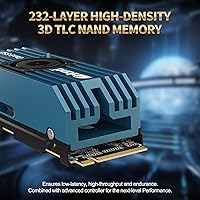
The TD510 delivers sequential reads of 9,500 MB/s and writes up to 8,500 MB/s — numbers that matter most when moving large raw files, compressing archives, or working with high-bitrate footage. It pairs 232-layer 3D TLC NAND with a DRAM cache, which helps sustain consistent random I/O under mixed workloads rather than dropping off after short bursts. The bundled heatsink includes an active fan, an unusual feature for an M.2 drive; in practice it keeps thermals stable during prolonged transfers, though the fan does produce a faint hum that some users notice in quieter environments. Support for APST and ASPM power states also means the drive won't constantly draw peak wattage while sitting idle.

Best For

INLAND's PCIe 5.0 drive makes the most sense for builders running Intel Z790 or AMD X670E boards where a native Gen5 M.2 slot is already waiting. Content creators and video editors who regularly move large raw project files will feel the throughput difference right away. It is also a strong pick for professionals handling 3D rendering jobs or data-intensive database workloads that benefit from sustained random I/O. Gamers will see faster asset streaming in theory, but current titles rarely stress storage hard enough to expose a meaningful gap over a capable Gen4 drive — this upgrade skews more toward future-proofing than an immediate gameplay shift. The heatsink inclusion is a genuine bonus for anyone who'd rather skip sourcing third-party cooling.

User Feedback

With a 4.6-star average across more than 850 ratings, buyer sentiment leans solidly positive — most owners cite straightforward installation and real-world speed gains in file-heavy tasks. The integrated heatsink draws consistent praise, with users reporting stable temperatures even during extended workloads, and several noting the active fan is quieter than they anticipated. On the critical side, a recurring concern is the strict platform requirement: buyers who installed this drive in Gen4 systems were understandably let down by the capped bandwidth. A handful of reviewers also flagged fan noise in near-silent builds. Long-term owners appear satisfied with durability, reporting little degradation after months of daily use, which makes the rated endurance feel grounded rather than aspirational.

Pros

  • Sequential read speeds up to 9,500 MB/s make large file transfers noticeably faster in real workloads.
  • The included active-cooled aluminum heatsink handles sustained loads without throttling, saving buyers an extra purchase.
  • DRAM cache supports consistent random I/O performance, not just short burst peaks.
  • A 6-year warranty is longer than most competing drives offer at this tier.
  • 700 TBW endurance rating signals the drive is built to handle heavy daily use over many years.
  • Backward compatibility with Gen4 and Gen3 slots provides installation flexibility, even at reduced speeds.
  • Power management support keeps idle draw low without requiring manual configuration.
  • Installation is straightforward for most users, with no additional software or drivers needed.
  • Retail store availability means easy access and faster returns if something goes wrong.
  • Real-world owners report stable temperatures even during extended high-throughput sessions.

Cons

  • Requires a PCIe 5.0 motherboard slot to reach advertised speeds — a hard dependency many buyers overlook.
  • The active fan adds a faint but constant hum that can be noticeable in near-silent builds.
  • 1TB capacity feels limiting for creators who use a single fast drive for both OS and large project files.
  • Gen5 SSDs run hotter than Gen4 alternatives, and the fan adds minor complexity as a potential long-term failure point.
  • Gamers on current titles will see little to no practical improvement over a well-chosen Gen4 drive.
  • The drive offers no built-in encryption support listed among its features, which matters for security-focused users.
  • Buyers without Gen5 platforms are paying a significant premium for speeds they physically cannot access.
  • Heatsink bulk adds height that may conflict with low-clearance motherboard layouts or adjacent components.

Ratings

Our AI rating system analyzed verified global buyer reviews for the INLAND TD510 1TB Gen5 NVMe SSD, actively filtering out incentivized submissions, bot activity, and outlier spam to surface what genuine owners actually experience. The scores below reflect a balanced synthesis of both the drive's clear strengths and the friction points that real users encountered across a range of build types and workloads. Nothing has been softened — where the TD510 earns praise, the scores show it; where buyers ran into real limitations, those are reflected honestly too.

Sequential Throughput
96%
Owners running compatible Gen5 platforms consistently report that the TD510 delivers on its headline speeds in real-world benchmarks. Large file transfers that used to take noticeable seconds on Gen4 drives complete in a blink, which content creators working with multi-gigabyte exports found particularly satisfying.
The gap only materializes on a Gen5 M.2 slot — users who installed the drive in Gen4 systems were understandably frustrated to find benchmark results indistinguishable from cheaper Gen4 alternatives. A small number of early buyers did not check compatibility first, which skewed their perception of the drive's actual capability.
Thermal Management
88%
The bundled aluminum heatsink with active fan earns genuine appreciation from users who have dealt with throttling on bare Gen5 drives — sustained transfer sessions stay stable where competing drives without cooling visibly slow down. Most builders noted that under extended workloads, temperatures remained well within safe operating ranges throughout.
A handful of users in very compact ITX cases reported clearance conflicts with the heatsink's height, requiring removal of the included cooler and substitution of a lower-profile alternative. The active fan also adds a small mechanical element that some users feel introduces unnecessary long-term reliability risk compared to purely passive solutions.
Random I/O Performance
84%
In workloads that hammer random read and write simultaneously — like loading large game maps or running virtual machines with active disk I/O — the DRAM cache keeps the TD510 responsive in ways that DRAM-less drives often cannot sustain. Database professionals noted snappier query times when using this drive as a working scratch disk.
At the consumer level, the random I/O advantage over high-end Gen4 drives is harder to feel in typical desktop tasks like application launches or file browsing, where the bottleneck is rarely the storage interface. Users expecting a transformation in everyday computing responsiveness may be underwhelmed if their workloads are not truly I/O-intensive.
Build & Endurance
91%
The 700 TBW rating and a 1,600,000-hour MTBF are numbers that long-term builders take seriously, and owners who have had the TD510 installed for a year or more report zero signs of degradation in write performance. The 232-layer TLC NAND has a solid reputation for holding up under sustained professional use.
TLC NAND, while durable at this density, trails SLC or MLC configurations in raw write endurance per cell — power users running near-continuous write cycles should track TBW consumption over time. A small segment of reviewers noted that the heatsink fan represents an additional component that could theoretically wear out independently of the NAND itself.
Value for Money
77%
23%
Compared to other Gen5 drives that ship bare and require a separate heatsink purchase, the TD510 bundles meaningful cooling and a 6-year warranty at a price that lands reasonably within the Gen5 tier. Buyers who price-compared against competitors noted that INLAND's offering undercuts several name-brand rivals without obvious sacrifices in rated specs.
Against the broader SSD market, spending this much on 1TB still requires justification — high-quality Gen4 drives at this capacity cost significantly less and cover the needs of the majority of users. The value proposition only holds firmly for buyers who genuinely need and can access Gen5 bandwidth, which remains a smaller audience than the marketing suggests.
Installation Experience
92%
The standard M.2 2280 form factor meant most builders had the TD510 seated and running within minutes, with no driver installation needed on Windows or Linux. Several first-time builders in forum threads specifically praised the plug-and-play simplicity, noting the heatsink attaches cleanly without fuss.
The heatsink's additional height tripped up a minority of users with motherboards that have tightly spaced M.2 slots or where a GPU backplate sits very close overhead. A few reviewers also noted that the active fan connector needs routing carefully to avoid contact with nearby components during installation.
Noise Level
71%
29%
For the vast majority of system builds with normal case airflow, the fan on the heatsink is completely inaudible under the ambient noise of other components — users in typical mid-tower or full-tower cases reported never noticing it during regular use.
In near-silent builds specifically designed around fanless CPU coolers and passive airflow, several users found the SSD fan produced a faint but detectable hum that stood out against an otherwise quiet environment. This is a niche concern, but it matters a great deal to the exact audience most likely to be building a premium quiet PC.
Gaming Load Times
67%
33%
Games installed on this Gen5 SSD launch and load levels noticeably faster than on older SATA drives, and users upgrading from five-year-old hardware reported a genuine quality-of-life improvement in titles with long load screens.
Against a modern mid-to-high-end Gen4 drive, real-world gaming load time differences are minimal at best — most titles are not architected to exploit storage bandwidth beyond what Gen4 already saturates. Buyers who purchased the TD510 specifically for gaming speed gains over a capable Gen4 drive often reported disappointment when benchmarks showed single-digit percentage differences.
Compatibility & Platform Support
73%
27%
The backward compatibility with Gen3 and Gen4 slots means the drive is not a paperweight if a user upgrades their motherboard later, and the broad OS support across Windows, Linux, and macOS gives it flexibility for multi-boot setups or creative professionals on Apple Silicon transition systems.
The core caveat — that full performance demands a PCIe 5.0 M.2 slot — creates a meaningful compatibility trap that caught a notable portion of buyers off guard. Several reviewers reported purchasing the drive without confirming their board's M.2 generation, a mistake that is easy to make when product pages do not make this requirement prominent enough.
Long-Term Reliability
89%
Owners who have used the TD510 across heavy production workloads for a year or more consistently report stable performance with no unexpected failures or growing SMART error counts. The drive's wear leveling and bad block management appear to function as intended based on owner-reported diagnostics.
The sample size of truly long-term reviews remains limited given the drive's 2023 release date, so multi-year durability data is still accumulating. The active fan is a variable that passive cooling does not introduce — if it fails outside warranty coverage, users would need to source a replacement or accept passive-only cooling.
Heatsink Effectiveness
86%
Users who ran back-to-back large file copy stress tests reported that the heatsink kept the drive within safe temperature thresholds without throttling, something that bare Gen5 drives regularly struggle to achieve. The active component makes a measurable difference in sustained workloads compared to simple aluminum plates.
A few users with motherboard-mounted M.2 heatsinks found the decision of which cooler to use — stock vs. motherboard — created confusion, and one or two reported removing INLAND's solution in favor of their board's integrated cover without fully accounting for the thermal difference.
Warranty & Support
83%
The 6-year limited warranty is one of the most compelling support commitments in the Gen5 category, and users who have interacted with INLAND's support team generally describe response times as acceptable and the RMA process as straightforward.
INLAND is not the largest brand in storage, and some buyers expressed uncertainty about the company's long-term support infrastructure compared to established names like Samsung or Western Digital. A small number of reviewers reported slower than expected resolution times during peak support periods.
Power Efficiency
79%
21%
The support for APST and L1.2 power states means the drive scales back its draw during idle periods, which owners of always-on workstations appreciated as a way to reduce unnecessary heat output when the drive is not actively in use.
Under full load, Gen5 drives as a category consume meaningfully more power than Gen4 equivalents, and the TD510 is no exception — users in thermally constrained small form factor builds noted slightly elevated ambient case temperatures compared to their previous Gen4 drives.
Software & Monitoring
66%
34%
Standard SMART and TRIM support means the drive integrates cleanly with popular disk monitoring tools like CrystalDiskInfo on Windows or smartmontools on Linux, giving technically inclined users clear visibility into drive health and wear statistics without needing proprietary software.
INLAND does not offer a dedicated drive management utility, which means users looking for a branded dashboard with firmware updates, health alerts, or performance tuning are left relying on third-party tools. Buyers accustomed to Samsung Magician or Seagate Toolkit may find the experience comparatively bare.

Suitable for:

The INLAND TD510 1TB Gen5 NVMe SSD is built for builders and power users who are already running — or actively planning — a platform with a native PCIe 5.0 M.2 slot, such as an Intel Z790 or AMD X670E board. Content creators working with large raw video files, high-resolution photo libraries, or complex project assets will notice a tangible difference in transfer speeds over older drives. Professionals handling sustained data-intensive tasks like 3D rendering pipelines, scientific computation, or large database operations are exactly the audience this drive was designed around. The included active-cooled heatsink is a practical bonus for anyone building a compact or thermally constrained system where SSD temperatures are a real concern. Buyers who want a long-term storage investment will also find the 6-year warranty and strong endurance rating reassuring.
Not suitable for:

The INLAND TD510 1TB Gen5 NVMe SSD is the wrong purchase for anyone who has not verified that their motherboard includes a native PCIe 5.0 M.2 slot — installing it in a Gen4 or Gen3 system will cap speeds dramatically and eliminate the core reason to pay a premium. Everyday PC users who browse the web, use productivity software, or even play most current games will likely never push a drive hard enough to feel any real difference compared to a mid-range Gen4 SSD. Users building ultra-quiet systems should be aware that the active cooling fan, while generally faint, does add a persistent hum that silence-focused builds may find intrusive. At 1TB, it is also not the best fit for creative professionals who need bulk raw storage, since Gen5 drives at this capacity are better suited as fast working-drive companions to larger secondary storage. Budget-focused buyers will find strong value elsewhere in the Gen4 market without giving up meaningful day-to-day performance.
Specifications

  • Interface: The drive connects via PCIe Gen5 x4 NVMe, delivering the full bandwidth of the PCIe 5.0 specification when installed in a compatible M.2 slot.
  • Form Factor: Built to the standard M.2 2280 dimensions, meaning it fits the most common M.2 slot length found on modern desktop and laptop motherboards.
  • Sequential Read: Peak sequential read speed is rated at up to 9,500 MB/s under optimal conditions with a compatible Gen5 platform.
  • Sequential Write: Peak sequential write speed reaches up to 8,500 MB/s, placing this drive among the fastest consumer NVMe options currently available.
  • Random I/O: The drive is rated for up to 1,300K read IOPS and 1,400K write IOPS, reflecting strong sustained performance across mixed random workloads.
  • NAND Type: Storage is built on 232-layer 3D TLC NAND, a high-density flash configuration that balances capacity, cost, and endurance.
  • Cache: An onboard DRAM cache assists with translation table lookups, helping maintain consistent performance during sustained and mixed-workload operations.
  • Capacity: The drive offers 1TB of usable storage, with a formatted capacity of 1,024 GB available to the host system.
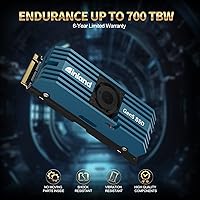
  • Endurance: INLAND rates the TD510 at 700 TBW (Terabytes Written), a solid endurance figure for a 1TB consumer NVMe drive.
  • MTBF: The mean time between failures is rated at 1,600,000 hours, reflecting INLAND's confidence in the underlying hardware reliability.
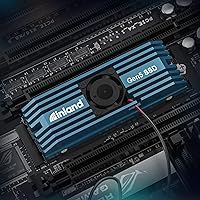
  • Cooling: An integrated aluminum heatsink paired with a small active cooling fan is included in the box to manage thermals during sustained high-throughput use.
  • Warranty: INLAND backs this drive with a 6-year limited warranty, which is notably longer than the 3- to 5-year coverage common among competing Gen5 drives.
  • Backward Compatibility: The drive will operate in PCIe Gen4 and Gen3 M.2 slots, though maximum throughput will be limited to what those interfaces support.
  • Power Management: The drive supports APST, ASPM, and L1.2 power states, allowing the system to reduce drive power draw during periods of low or no activity.
  • Operating Systems: The TD510 is compatible with Windows, Linux, and macOS, requiring no proprietary drivers for basic operation on any of these platforms.
  • Weight: The complete assembly with heatsink weighs 3.87 ounces, which is heavier than a bare M.2 drive but still well within standard mounting tolerances.
  • Color: The heatsink and housing are finished in black, giving the drive a clean, neutral appearance that suits most build aesthetics.
  • Commands: The drive supports SMART monitoring and TRIM commands, along with advanced wear leveling and bad block management for ongoing drive health maintenance.

Related Reviews

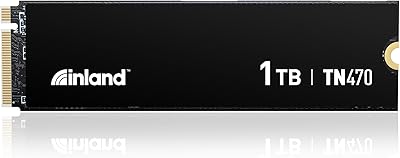
Inland TN470 1TB Gen4 NVMe SSD
87%
92%
Read Speed
88%
Write Speed
65%
Thermal Performance
91%
Value for Money
85%
Installation & Setup
More
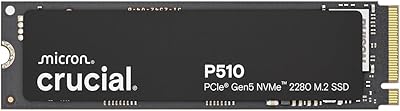
Crucial P510 1TB Gen5 NVMe SSD
84%
93%
Raw Read & Write Performance
91%
Value for Money
61%
Thermal Management
94%
Installation & Compatibility
88%
Reliability & Endurance
More
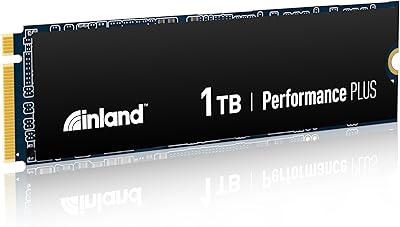
INLAND Performance Plus 1TB Gen4 NVMe SSD
82%
91%
Sequential Read Speed
83%
Sequential Write Speed
93%
PS5 Compatibility
61%
Thermal Performance
78%
Long-Term Reliability
More
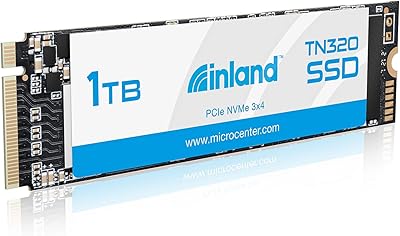
INLAND TN320 1TB NVMe M.2 SSD
77%
91%
Value for Money
88%
Sequential Read Speed
64%
Sustained Write Performance
93%
Installation Ease
94%
Warranty & Support
More
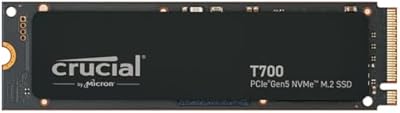
Crucial T700 1TB Gen5 NVMe M.2 SSD
89%
96%
Performance
94%
Speed (Read/Write)
92%
Gaming Performance
90%
Compatibility
80%
Thermal Management
More
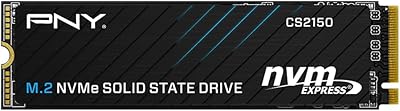
PNY CS2150 1TB Gen5 NVMe SSD
82%
93%
Sequential Read Speed
87%
Sequential Write Speed
62%
Thermal Management
88%
Gaming Performance
71%
Platform Compatibility
More
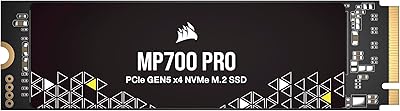
Corsair MP700 PRO 1TB NVMe SSD
76%
94%
Raw Read Performance
88%
Write Performance
61%
Thermal Management
69%
Value for Money
91%
Installation & Setup
More
RONGSHU RS001 1TB NVMe SSD
75%
91%
Value for Money
88%
Read/Write Speed
93%
PS5 Compatibility
53%
Brand Trustworthiness
71%
Thermal Management
More
INLAND QN450 1TB NVMe SSD
82%
88%
Sequential Read Speed
93%
Value for Money
94%
Installation Experience
74%
Real-World Write Performance
66%
Thermal Management
More
Inland Professional 1TB SATA Internal SSD
80%
92%
Value for Money
89%
Installation Ease
83%
Real-World Speed
81%
Reliability & Longevity
84%
Compatibility
More

FAQ

Yes, you do. To hit anywhere near 9,500 MB/s reads, your motherboard needs a native PCIe 5.0 M.2 slot. That typically means an Intel Z790 board or an AMD X670E platform. If your board only has Gen4 or Gen3 slots, the drive will still work but will be capped at those interfaces' limits — so you'd be paying a Gen5 premium for Gen4 performance.

You can technically remove it, but Gen5 drives run hot under sustained loads — we're talking temperatures that can trigger thermal throttling without adequate cooling. The included heatsink with active fan does a good job keeping things stable. If your motherboard has a robust built-in M.2 heatsink, that might work too, but INLAND's solution is purpose-designed for this drive's thermal profile, so swapping it out carries some risk.

Most users describe it as a faint hum rather than a noticeable whir — it's not in the same league as a case fan. That said, if you're running a truly silent build with a fanless cooler and no case fans, you may hear it in a quiet room. For typical systems with normal airflow, it will be completely inaudible under regular use.

The INLAND TD510 1TB Gen5 NVMe SSD uses an M.2 2280 form factor, which physically fits the PS5's expansion slot. However, the PS5 supports PCIe Gen4 speeds — not Gen5 — so the drive will be throttled to Gen4 throughput. It will function correctly, but you'd be paying for speed headroom the PS5 simply cannot use.
700 TBW on a 1TB drive is a healthy endurance rating. For context, a typical home or office user writing around 20–40GB per day would take well over 40 years to exhaust that figure. Even for creators doing heavy daily file transfers, 700 TBW offers years of comfortable headroom, and the 6-year warranty provides backup coverage well before endurance becomes a concern.

Absolutely — that's the most common setup. The TD510 handles OS reads and writes efficiently thanks to its DRAM cache, and the random I/O figures are strong enough to keep system responsiveness snappy. At 1TB, you'll want to plan your storage layout if you also store large project files or game libraries, but as a combined boot and working drive it performs very well.

INLAND does not typically bundle cloning software with the TD510. If you're migrating from an existing drive, you'll need a third-party tool — Macrium Reflect Free or Samsung Data Migration (works with non-Samsung drives too) are popular options. The process is straightforward, and plenty of step-by-step guides are available online for this type of drive swap.

Yes, meaningfully so. Sequential write speeds around 8,500 MB/s make a real difference when ingesting large raw video files, exporting final renders, or scrubbing through high-bitrate timelines in editing software. This is one of the use cases where Gen5 throughput translates into practical time savings, unlike gaming where the gap over Gen4 is much harder to feel.

If the fan stops working, the drive won't stop functioning immediately — it will rely on the aluminum heatsink alone for passive cooling. Under light workloads that may be fine, but sustained transfers could lead to thermal throttling, which reduces speed to protect the NAND. INLAND's 6-year warranty should cover component failures, so contacting their support would be the first step if the fan develops an issue.

The TD510 works fine on Linux. NVMe drives at this level are supported natively by the Linux kernel without any proprietary drivers required. Whether you're running Ubuntu, Fedora, Arch, or another distribution, the drive should be recognized immediately after installation. Just make sure your kernel version is reasonably current for the best NVMe support.