
Overview

The OWC miniStack 6TB External Hard Drive was built around a specific, practical idea: give Mac mini users a storage expansion that actually belongs on their desk. OWC designed the enclosure to match the Mac mini's footprint almost exactly, so the two units stack cleanly without looking like an afterthought. The aluminum build feels solid and intentional — not the kind of plasticky enclosure you'd find on a budget drive. This is the spinning HDD version of the miniStack lineup, which means you're trading raw SSD speed for significantly more capacity at a lower cost per gigabyte. For the right user, that's a worthwhile trade.

Features & Benefits

The OWC miniStack drive connects via USB 3.2 Gen 1, delivering real-world transfer speeds up to 208 MB/s — fast enough for moving large video files, running Time Machine backups in the background, or streaming 4K media from local storage. Inside sits a 7200 RPM hard disk, which spins faster than most consumer external drives and gives you noticeably snappier sequential read performance. Heat is managed by a MagLev cooling fan — a magnetic levitation design that keeps the fan bearing contact-free, which translates to a quieter, longer-lasting cooling solution than conventional fans. Stack in six terabytes of storage, backward-compatible USB connectivity, and a 3-year warranty, and the feature set starts to justify the price point.

Best For

This Mac-matched hard drive makes the most sense for Mac mini owners who have run out of internal storage headroom and want an expansion that looks like it belongs rather than just tolerates being there. If you are archiving raw video footage, large photo libraries, or audio project sessions, the cost-per-gigabyte on a 6TB mechanical drive is hard to argue with. It also works well as a dedicated Time Machine volume — always plugged in, always running quietly in the background. That said, if your workflow involves fast database access, heavy random read/write operations, or anything latency-sensitive, this is not your drive. An SSD-based alternative would serve those needs far better.

User Feedback

With a 4.1-out-of-5 rating across 61 reviews, the OWC miniStack drive has earned solid marks, though 61 ratings is a modest sample — enough to spot patterns but not enough to call anything definitive. Many buyers highlight the clean aesthetic pairing with the Mac mini and appreciate that it works immediately on macOS without any driver fuss. The fan noise comes up occasionally; under sustained heavy reads or writes, the drive is audible, and a few users mention minor vibration on hard surfaces. Long-term reliability reports lean positive, which aligns with OWC's broader reputation for durable hardware. Where the brand really earns goodwill is customer support and warranty service — multiple reviewers specifically call it out as a reason to trust this desktop storage unit over cheaper alternatives.

Pros

  • Stacks flush with Mac mini dimensions, creating a visually unified and space-efficient desktop setup.
  • The MagLev cooling fan uses magnetic levitation to reduce bearing friction, running near-silently during typical workloads.
  • Six terabytes of storage comfortably handles large media libraries, Time Machine archives, and creative project files.
  • A 7200 RPM spindle speed gives this Mac-matched hard drive a sequential performance advantage over slower 5400 RPM alternatives.
  • Plug-and-play macOS compatibility means no driver installs or configuration steps straight out of the box.
  • OWC backs this desktop storage unit with a 3-year limited warranty, notably generous for a mechanical external drive.
  • The aluminum enclosure feels premium and matches the Mac mini build quality rather than clashing with it visually.
  • USB 3.2 Gen 1 delivers up to 208 MB/s real-world speeds, sufficient for 4K media streaming and background backups running simultaneously.
  • Backward-compatible USB connectivity works with older Mac mini ports without requiring any adapter.

Cons

  • Mechanical drive noise becomes noticeable under heavy sustained read/write workloads, which can bother users in quiet environments.
  • Some buyers report mild vibration transferred to hard desk surfaces, potentially requiring a rubber mat underneath.
  • The mid-to-premium price is harder to justify against cheaper generic drives offering comparable raw capacity.
  • At 4.35 pounds with a fixed USB tether, the OWC miniStack drive is strictly a desk-bound unit with zero portability.
  • The form factor is narrowly optimized for Mac mini owners; Windows or Linux users gain no practical benefit from the design.
  • With only 61 ratings available, long-term reliability data is thinner than you would want for a primary backup drive.
  • Like all mechanical hard disks, this desktop storage unit carries an inherent mechanical failure risk over time that SSDs do not.
  • The 7200 RPM motor runs warmer than 5400 RPM alternatives, which could matter in cramped or poorly ventilated desk setups.

Ratings

Our AI-generated score for the OWC miniStack 6TB External Hard Drive was produced by analyzing verified buyer reviews worldwide, with spam, bot-generated, and incentivized submissions actively filtered out before scoring. The ratings below reflect a balanced, unvarnished picture of real-world ownership — capturing what Mac mini users genuinely praise about this desktop storage unit alongside the friction points that surface repeatedly in honest critical feedback. Every category score is grounded in actual usage patterns: where this drive performs well for photographers, archivists, and everyday Mac desktop users, and where it falls short for those with more demanding storage needs.

Design & Aesthetics
93%
The Mac mini footprint match is, by most accounts, the standout reason buyers choose this unit over any competing drive. The two stack so naturally together that many reviewers describe their setup as finally feeling complete and intentional rather than pieced together from unrelated parts.
The design is so narrowly tailored to the Mac mini that it offers no visual advantage to anyone using a different desktop. A handful of buyers who later switched from a Mac mini to a Mac Studio or Mac Pro found the aesthetic argument no longer applied.
macOS Compatibility
91%
Plug-and-play on macOS is about as reliable as it gets here — buyers consistently report the drive mounting immediately in Finder and being assignable as a Time Machine volume within minutes of first connection. This holds across every Mac generation from 2010 Intel models to current Apple Silicon machines, with no driver-related complaints surfacing in the available reviews.
While macOS support is effectively flawless, the drive ships formatted for Mac, requiring Windows users to reformat before they can write any data to it. Cross-platform households that assumed universal out-of-box compatibility were sometimes surprised by this extra step, particularly since the product listing is not always explicit about it.
Setup & Installation
89%
The setup experience is one of the more consistently praised aspects in buyer feedback — plug in the USB cable and power adapter, and macOS handles the rest instantly. Even users who describe themselves as non-technical reported having the drive recognized, named, and assigned to Time Machine in under five minutes.
Buyers who expected a formatted-for-Windows drive or a universal setup guide encountered a small learning curve at the start. The lack of printed documentation in the box — OWC leans on digital resources instead — was flagged by a few buyers who prefer physical instructions for hardware setup.
Build Quality
88%
The aluminum enclosure feels genuinely substantial — not a hollow shell rattling around on a desk. Mac mini owners in particular appreciate that the material and finish hold up well over time, with no creaking or warping reported even after years of daily desktop use.
A small number of buyers note that the aluminum can show minor scuffs or fingerprints more readily than a matte plastic alternative. At this price point, some expected a rubber base or anti-slip pad to be included in the box but found it absent.
Desk Space Efficiency
87%
The ability to stack this Mac-matched hard drive directly under or on top of the Mac mini — sharing one physical footprint — is a genuine advantage for compact desk setups. Buyers consistently describe the combined unit as taking up meaningfully less real estate than any other storage expansion option they evaluated.
The stacking advantage disappears entirely if cable clutter, a monitor arm base, or other devices near the Mac mini prevent a clean vertical arrangement. A few buyers also noted that placing the drive directly beneath the Mac mini made access to the rear USB ports slightly more awkward.
Warranty & Support
85%
OWC's 3-year Limited Warranty is a real differentiator in this segment, and the brand's support reputation among Mac users is well-established and positive. Several buyers specifically cited smooth warranty claim experiences — quick responses and no-hassle replacements — as a concrete reason to choose OWC over cheaper alternatives.
The warranty covers manufacturing defects only, not data loss or accidental physical damage, which can catch buyers off guard if they assume broader protection. A small number of reviewers mentioned slightly longer wait times for support responses during busy periods, though these appeared isolated rather than systemic.
Storage Capacity
83%
Six terabytes gives most home users and creative professionals a comfortable buffer for years of accumulation. Full-resolution video projects, multi-year Time Machine histories, and large photo libraries rarely push anywhere near the ceiling in typical day-to-day use, which means most buyers never feel pressure to actively manage available space.
For buyers whose internal Mac storage is already several terabytes, 6TB may feel tighter than expected as a dedicated backup volume. Heavy 8K video editors or those routing multiple machine backups to a single drive reported filling it faster than initially anticipated.
Thermal Management
81%
19%
The MagLev cooling fan keeps operating temperatures well within safe ranges during extended use, and the aluminum chassis acts as a passive heat sink that meaningfully aids dissipation. Users running this desktop storage unit as an always-on backup drive report no thermal shutdowns or heat-related reliability issues.
Under particularly heavy sustained workloads, the enclosure does get noticeably warm to the touch, though not to a degree that prompted concern from most users. Those in poorly ventilated spaces or warmer climates flagged ambient temperature as a compounding factor worth factoring into placement decisions.
Long-term Reliability
76%
24%
A product that has been commercially available since 2017 with a stable rating and no widespread reports of systematic early failure is a meaningful positive signal. Several buyers who reviewed after two or more years of continuous use reported the drive still functioning reliably, with no data loss or enclosure issues.
With only 61 total reviews, the long-term reliability picture is thinner than ideal for a device many users intend as a primary backup. Mechanical hard drives carry an inherent failure risk that SSDs largely avoid, and a sample this small does not provide the statistical confidence to rule out latent durability patterns.
Value for Money
72%
28%
For Mac mini users specifically, the combination of 6TB capacity, a premium aluminum chassis, and a 3-year warranty at this price tier holds up well against alternatives that would require a separate hub or look visually out of place. Many buyers describe it as the only external drive option they found that genuinely justified the desk aesthetic premium.
The premium tied to the Mac mini form factor means you are paying above typical market rates for a mechanical HDD of this size. Buyers who are indifferent to the aesthetic angle and only need bulk storage will find comparably spec'd drives at noticeably lower prices from less niche brands.
Transfer Speed
69%
31%
Sequential read speeds in real-world use land comfortably around 150 to 200 MB/s, which handles Time Machine backups in the background without blocking other tasks. This is perfectly adequate for moving large video or photo archives on demand without sitting through unreasonably long wait times.
This is still a spinning disk, and any task involving lots of small random file reads — opening applications, database queries, virtual machine booting — will feel sluggish compared to any SSD alternative. Buyers who expected SSD-like responsiveness from the USB 3.2 spec were frequently disappointed by real-world performance.
Noise Level
64%
36%
At idle and during light workloads, the MagLev fan does its job quietly — many users running the drive as a passive Time Machine volume report barely noticing it on their desk throughout the workday. The magnetic levitation mechanism genuinely reduces fan noise compared to conventional bearing-based coolers.
Sustained large transfers bring out the mechanical disk noise in a way the MagLev fan cannot mask; the 7200 RPM platter spin becomes clearly audible in a quiet room. A few buyers also noted a low-frequency hum transferring through wooden desks, which some found irritating over extended work sessions.
Vibration & Stability
58%
42%
On soft surfaces like a mouse pad or rubber mat, the OWC miniStack drive sits quite stably, and vibration from the spinning disk is largely absorbed before it becomes noticeable. Users who added a simple mat underneath reported a noticeably calmer and more stable experience overall, especially during large file transfers.
On hard desk surfaces — wood, glass, or stone — vibration from the 7200 RPM disk transfers directly to the surface and can produce a persistent low-frequency rattle during extended sessions. This was among the more consistently mentioned frustrations in critical reviews, and OWC does not include a rubber base pad in the box.

Suitable for:

The OWC miniStack 6TB External Hard Drive was clearly designed with a specific type of user in mind: the Mac mini owner who values a tidy, cohesive desktop setup as much as raw storage capacity. If you run a Mac mini and you are constantly shuffling files off your internal drive to reclaim space, this desktop storage unit slots into your workflow almost invisibly — it stacks directly on or beneath the Mac mini, matching its footprint so precisely that the two look like they shipped together. Creative professionals dealing in large file formats — raw video footage, high-resolution photo libraries, multi-track audio sessions — will find the 6TB capacity generous and the cost-per-gigabyte sensible compared to SSD options at this size. It also serves well as a dedicated Time Machine backup volume: always connected, always running quietly in the background, without demanding extra desk real estate. Buyers who prioritize a reliable brand with genuine warranty support will also appreciate OWC's standing in the Mac ecosystem; this is a mature, well-supported product with a track record behind it.

Not suitable for:

The OWC miniStack 6TB External Hard Drive is a mechanical spinning drive at its core, and that single fact is a dealbreaker for a meaningful segment of buyers. If your work involves anything demanding fast random read/write performance — virtual machines, active databases, or applications that constantly access small files — the OWC miniStack drive will feel sluggish compared to any modern SSD, regardless of what the USB 3.2 interface offers on paper. Users who work primarily on Windows or Linux systems will find no particular advantage here; the design is purpose-built around the Mac mini aesthetic, and the pricing reflects that narrow focus. Anyone expecting near-total silence should also know that a 7200 RPM mechanical disk under sustained load is audible and can produce minor vibration on hard surfaces, which some users find distracting in a quiet office. If low latency, fast random access, or cross-platform versatility are non-negotiable, the budget is better spent on an SSD-based alternative.

Specifications

  • Storage Capacity: The drive provides 6TB (6,000GB) of mechanical hard disk storage, suitable for media archives, Time Machine backups, and large creative project libraries.
  • Drive Type: The internal disk is a 3.5-inch mechanical hard disk drive — not a solid-state drive — spinning at 7200 RPM.
  • Rotational Speed: At 7200 RPM, the internal disk spins faster than typical 5400 RPM consumer drives, yielding better sequential read and write throughput.
  • Interface: Connectivity is handled via USB 3.2 Gen 1, operating at up to 5Gb/s and fully backward compatible with USB 3.0 ports.
  • Transfer Speed: Real-world sequential transfer speeds reach up to 208 MB/s under typical operating conditions.
  • Enclosure Material: The external chassis is constructed from aluminum, matching the Mac mini's build quality and finish rather than using plastic.
  • Cooling System: A MagLev (magnetic levitation) fan cools the drive by suspending the fan blade magnetically, eliminating bearing contact and reducing operational noise.
  • Form Factor: The enclosure is engineered to match the Mac mini's physical footprint precisely, enabling flush vertical stacking without overhang on either side.
  • Dimensions: Package dimensions measure 12.56 x 9.65 x 3.43 inches.
  • Weight: The unit weighs 4.35 pounds, making it a stationary desktop device rather than a portable drive.
  • Compatibility: Optimized for Mac mini models from 2010 through current generations; macOS recognizes the drive natively as plug-and-play without requiring additional drivers.
  • Installation: Setup is external and plug-and-play on macOS — no software or driver installation is required before the drive mounts and becomes usable.
  • Warranty: OWC includes a 3-year Limited Warranty covering manufacturing defects, which is above average for external mechanical drives in this market segment.
  • Manufacturer: Manufactured by Other World Computing (OWC), a company with a long-standing focus on Mac-compatible storage, memory, and peripheral solutions.
  • BSR Ranking: Ranked #275 in the External Hard Drives category on Amazon, reflecting a stable niche position among Mac-optimized storage options.

Related Reviews
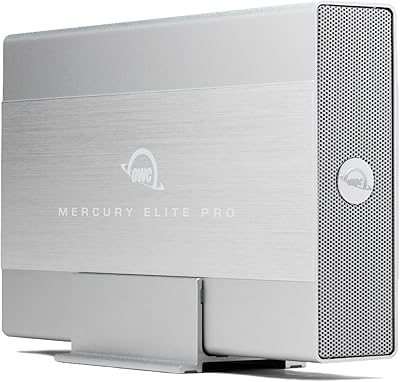
OWC Mercury Elite Pro 6TB External Hard Drive Enclosure
85%
87%
Performance
91%
Build Quality
93%
Data Transfer Speed
90%
Setup & Installation
88%
Compatibility
More
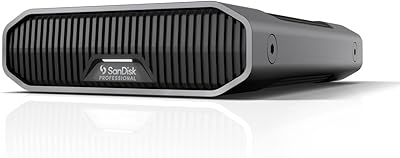
SanDisk Professional G-Drive 6TB
67%
84%
Build Quality
51%
Drive Reliability
76%
Transfer Speed
89%
Mac Compatibility
53%
Value for Money
More
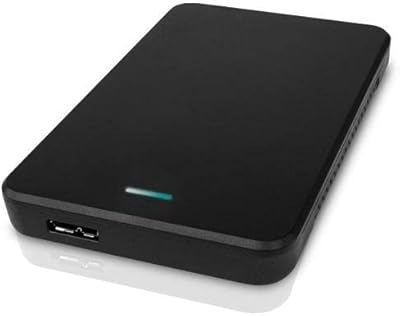
Seagate Expansion 6TB External Hard Drive
73%
93%
Ease of Setup
91%
Storage Value
67%
Transfer Speed
88%
Data Recovery Service
72%
Build Quality
More
WD 6TB Elements Portable External Hard Drive
88%
91%
Value for Money
94%
Ease of Use
87%
Transfer Speed
92%
Portability
90%
Reliability
More
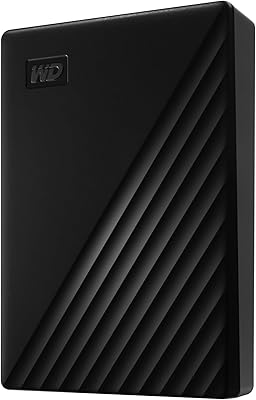
OWC Express 2TB Portable External Hard Drive
86%
94%
Portability
89%
Data Transfer Speed
92%
Ease of Use
90%
Compatibility
74%
Durability
More
WD My Passport 6TB Portable External Hard Drive
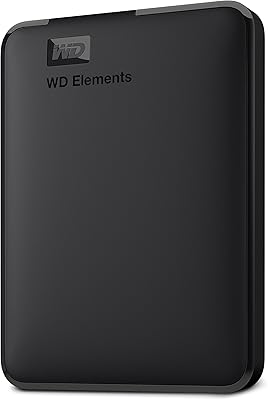
79%
94%
Storage Value
91%
Portability
88%
Ease of Setup
86%
Data Security
61%
Transfer Speed
More
Seagate One Touch Hub 6TB Hard Drive
73%
86%
USB Hub Functionality
83%
Storage Capacity
67%
Transfer Speed
71%
Build Quality
58%
Thermal Management
More
WD Elements Desktop 6TB External Hard Drive
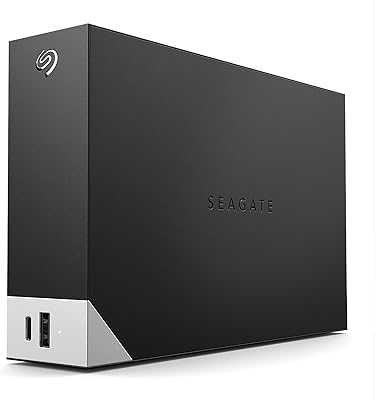
69%
93%
Ease of Setup
91%
Storage Value
74%
Transfer Speed
67%
Long-Term Reliability
78%
Build Quality
More
OWC Mercury Elite Pro Mini 2TB External Hard Drive
86%
88%
Performance
91%
Portability
85%
Durability
92%
Compatibility
93%
Setup & Installation
More
OWC Mercury Elite Pro 12TB External Hard Drive Enclosure
85%
88%
Performance
91%
Build Quality & Durability
93%
Ease of Setup
89%
Compatibility with Multiple Devices
68%
Noise Levels
More
OWC Mercury Elite Pro 16TB External Hard Drive Enclosure
83%
89%
Performance & Speed
75%
Value for Money
91%
Build Quality & Durability
65%
Noise Levels
88%
Ease of Setup
More

FAQ

It will physically work on Windows — it is just a USB hard drive — but it ships formatted for macOS, so you would need to reformat it to exFAT or NTFS before Windows can write to it. The stacking design only makes visual sense next to a Mac mini, so Windows users get no real benefit from the form factor premium.

It genuinely does. OWC designed the OWC miniStack 6TB External Hard Drive with the Mac mini's exact footprint in mind, so the two units sit flush whether you place the drive above or below the Mac mini. It is one of the rare third-party accessories that looks intentional rather than accidental on a desk.

It requires an AC power adapter, since a 3.5-inch hard disk draws significantly more current than a USB port can supply. OWC includes a power adapter in the box, so you will not need to source one separately, but plan for an extra outlet near your desk.

During idle or light activity, the OWC miniStack drive is very quiet — the MagLev fan barely registers. Under sustained heavy transfers, you will hear the mechanical disk working; it is not disruptive, but it is audible in a silent room. If you are routinely moving dozens of gigabytes at a stretch, expect a consistent background hum.

A standard fan uses a small physical bearing to spin the blade, which generates friction, noise, and wear over time. A MagLev fan suspends the blade using opposing magnetic fields, so there is virtually no contact between moving parts. For a drive that stays plugged in and running all day, this means less noise, less heat from friction, and a longer practical lifespan for the cooling system itself.

Yes, without any issues. The drive connects over USB, which all current Mac mini models support, and macOS handles it natively on Apple Silicon just as it does on Intel Macs. There are no known compatibility problems with newer Mac mini generations.

For most home users, 6TB as a dedicated Time Machine volume is more than adequate. Time Machine manages its own snapshot rotation to stay within the available space, so it will not simply stop working when the drive gets full. If your Mac's internal storage is 1TB or under, 6TB gives you a very comfortable runway of backup history. Heavy video editors with large internal drives may see it fill faster.

No installation is needed. Plug the desktop storage unit in, and macOS will mount it in Finder and Disk Utility automatically. If you want to use it as a Time Machine volume, you can assign it in System Settings in a couple of minutes — no third-party software required.

The 3-year OWC Limited Warranty covers manufacturing defects in the hardware itself — if the drive or enclosure fails under normal use, OWC will replace or repair it. OWC has a solid reputation among Mac users for responsive and straightforward warranty support. One important caveat: the warranty covers the hardware only, not the data stored on it, so always maintain a separate copy of anything you cannot afford to lose.

It depends entirely on what you are using the drive for. An SSD will outperform this Mac-matched hard drive significantly on random read/write speed and will run silently and without vibration. However, at 6TB, the cost-per-gigabyte on a spinning drive remains considerably lower than on SSD options at the same capacity. If you are archiving large files or running Time Machine backups, the mechanical drive makes practical sense; if you need speed for active workloads, an SSD is worth the extra cost.