Overview

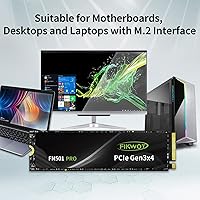
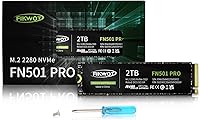
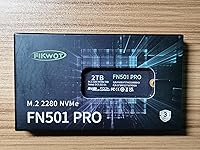
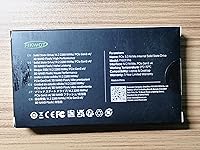
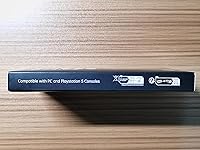
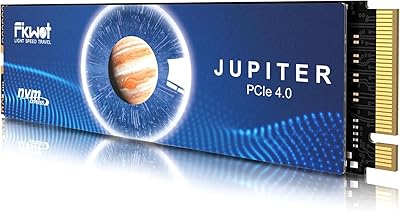
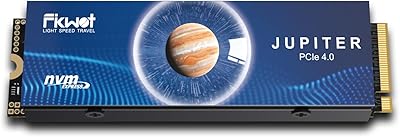
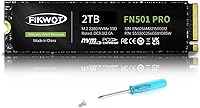
The Fikwot FN501 Pro 2TB NVMe SSD enters a crowded budget storage market with a straightforward pitch: Gen3 NVMe performance at a price that doesn't require much deliberation. Fikwot isn't a household name the way Samsung or Western Digital are, but that's not necessarily a knock against it. The drive sits in the M.2 2280 form factor, which means it drops into the vast majority of laptops and desktops without any fuss. Thermal management gets a nod via an included graphene cooling sticker. One thing worth flagging immediately: this 2TB M.2 SSD is not PS5 compatible, so console upgraders should look elsewhere before clicking add to cart.
Features & Benefits

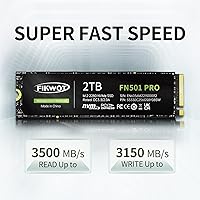
On paper, the sequential speed numbers are competitive for Gen3: up to 3,500 MB/s read and 3,150 MB/s write. In practice, those peaks rely on dynamic SLC caching, which converts a portion of the TLC NAND into a faster temporary buffer. For everyday tasks — booting Windows, launching apps, transferring a photo library — that cache keeps things feeling snappy. Push it harder with a large sustained write, say copying hundreds of gigabytes in one go, and speeds will taper once the cache exhausts itself. The included graphene heat sticker helps keep temperatures in check passively, though it's no substitute for a full metal heatsink in a hot enclosure. The 1,280 TBW endurance works out to decades of typical use for most home users.

Best For

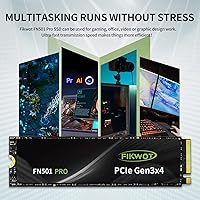
This 2TB M.2 SSD hits a sweet spot for a specific kind of buyer. If you're building or upgrading a Windows PC and want meaningful speed gains over an old SATA drive without stretching into Gen4 pricing, this is a reasonable path. It also works well as a laptop storage upgrade — the M.2 2280 footprint fits most consumer notebooks, and doubling or quadrupling available space changes how a machine feels day to day. Students, media consumers, and casual creators who accumulate large files will appreciate the capacity. That said, heavy creative workloads involving sustained 4K video rendering or large RAW photo exports will expose the SLC cache ceiling. PS5 users need to look at a different drive entirely.

User Feedback

With over 2,000 ratings averaging 4.6 stars, the FN501 Pro has built up a meaningful track record. The most consistent praise centers on easy installation and the immediate, tangible speed difference buyers notice after swapping out a spinning hard drive or an older SATA SSD. A few reviewers flag real-world write speeds that don't always match the headline figures under sustained loads, which aligns with what you'd expect from any TLC drive leaning on SLC cache. The graphene sticker draws mixed reactions — some find it reassuring, others consider it cosmetic more than functional. On the support side, responses around the warranty process are generally positive, though a small number of users note longer-than-expected response times.

Pros

  • Competitive Gen3 sequential read speeds make everyday tasks like booting and app launches noticeably faster.
  • Two terabytes of storage at this price point is genuinely hard to argue with for home and student users.
  • The M.2 2280 form factor fits the vast majority of laptops and desktop motherboards without any adapter needed.
  • Dynamic SLC caching keeps burst performance strong for the kind of transfers most users actually do day to day.
  • The included graphene cooling sticker helps manage heat passively, useful in laptops with limited airflow.
  • A 1,280 TBW endurance rating translates to many years of typical home use before wear becomes a concern.
  • Over 2,000 user ratings averaging 4.6 stars provides a meaningful base of real-world validation.
  • The 3-year warranty with registered support offers a reasonable safety net for a budget-tier drive.
  • Installation is straightforward, and most buyers report it being recognized immediately without driver headaches.
  • Significant speed improvement reported by users upgrading from older SATA SSDs or mechanical hard drives.

Cons

  • Sustained write speeds drop significantly once the SLC cache fills, which affects large continuous transfers.
  • Fikwot lacks the long-term reliability track record of established brands, which matters for some buyers.
  • Not compatible with the PS5, a fact that is easy to overlook when searching for affordable console storage upgrades.
  • The graphene sticker is passive-only cooling and cannot replace a proper heatsink in thermally constrained builds.
  • Real-world speeds under load may fall short of the headline figures marketed on the product listing.
  • The warranty requires product registration, adding a step that some buyers may forget or find inconvenient.
  • Gen3 interface will be a bottleneck for users on newer platforms where Gen4 performance is the baseline expectation.
  • Limited independent third-party benchmark data makes it harder to verify claims outside of user reviews.
  • Support response times appear inconsistent based on a subset of user feedback, despite the 24-hour claim.

Ratings

The scores below reflect an AI-driven analysis of thousands of verified global purchases of the Fikwot FN501 Pro 2TB NVMe SSD, with spam, incentivized reviews, and bot activity actively filtered out before scoring. Each category is weighted against real buyer experiences, meaning both the genuine strengths and the recurring frustrations are represented without whitewashing. The result is an honest, data-grounded snapshot of how this drive actually performs in the hands of everyday users.

Value for Money
91%
Buyers consistently cite this as one of the strongest arguments for choosing the FN501 Pro over better-known alternatives. Getting 2TB of NVMe storage at this price tier is genuinely compelling, and most users feel the performance they receive justifies the spend without hesitation.
A small segment of buyers who compared it directly against occasional sales on Samsung or Crucial drives felt the gap in brand trust narrowed the value advantage. For those who prioritize reliability data over upfront savings, the calculus shifts slightly.
Sequential Read Speed
84%
Users upgrading from SATA SSDs or mechanical drives report an immediate and tangible difference in how fast their system feels. Boot times, game load screens, and large file access are the areas where buyers notice the Gen3 NVMe throughput most clearly in daily use.
Benchmark-oriented buyers note that peak read speeds are only achieved under ideal cache conditions, and real-world figures in back-to-back tests often land a few hundred MB/s short of the advertised ceiling. For typical home use this rarely matters, but it is worth knowing.
Sustained Write Performance
58%
42%
For routine write tasks — saving documents, downloading games, moving a few gigabytes between folders — the dynamic SLC cache keeps things feeling responsive and fast. Most casual users will never push the drive hard enough to notice any ceiling.
Users who moved large video archives or ran prolonged disk-intensive workloads reported speeds dropping sharply once the cache was saturated, falling to native TLC write rates that felt noticeably sluggish. This is a real limitation that creative professionals or heavy data movers should factor in before buying.
Thermal Management
74%
26%
The graphene heat sticker does meaningful work in thermally constrained environments like thin laptops, where adding an aftermarket heatsink is not an option. Several users running the drive in notebook upgrades reported stable temperatures even during moderately intensive sessions.
In desktop systems without active M.2 airflow, a subset of users observed temperatures climbing higher than they would prefer during extended workloads. The sticker is a useful passive aid but sets expectations it cannot always meet compared to a proper aluminum heatsink.
Compatibility
88%
The M.2 2280 form factor paired with PCIe Gen3 backward compatibility means this drive fits an enormous range of systems, from decade-old mid-range laptops to modern desktops. Buyers across a wide variety of hardware configurations report plug-and-play recognition with no driver installation required.
The PS5 incompatibility is a recurring source of frustration in reviews, primarily because buyers do not always notice the caveat before purchasing. A handful of desktop users with M.2 SATA-only slots also experienced confusion, though this reflects a slot type mismatch rather than a drive defect.
Installation Experience
93%
This is one of the most consistently praised aspects across the review pool. First-time builders and laptop upgraders alike describe the physical installation as straightforward, and Windows detection is immediate in virtually every reported case. No extra software or drivers needed.
A very small number of users reported the drive not being recognized on initial boot, requiring a BIOS check to enable the M.2 slot. This is a motherboard configuration issue rather than a drive fault, but it caught a few less experienced users off guard.
Endurance & Longevity
79%
21%
The 1,280 TBW rating is genuinely strong for a budget TLC drive at this capacity, translating to decades of typical home use for the average buyer writing under 40GB per day. Long-term buyers who have tracked drive health report wear indicators staying well within expected ranges.
Because Fikwot is a newer brand with a shorter market history, there is limited long-term field data spanning multiple years to fully validate the TBW rating under real-world conditions. Buyers who want decade-long empirical proof from other users will not find it yet.
Brand Trust & Reputation
66%
34%
The volume of verified ratings and the consistency of positive feedback has helped build more credibility than Fikwot would otherwise have as a lesser-known name. Buyers who researched the brand before purchasing generally come away satisfied with their decision.
First-time buyers frequently mention hesitation around the unfamiliar name, and some admit they nearly chose a more established brand out of habit. Without decades of reputation to lean on, Fikwot asks buyers to extend a degree of trust that not everyone is comfortable giving for a storage device holding critical data.
Warranty & Support
71%
29%
The 3-year warranty coverage is competitive for this price tier, and buyers who have gone through the registration process report it is uncomplicated. Users who reached support for technical questions generally received useful responses.
The requirement to register the product to activate warranty protection is a friction point that some buyers miss entirely. A portion of reviewers also report that response times from the 24-hour support channel can be slower than advertised, particularly for more complex issues.
Random Read/Write (IOPS)
69%
31%
For everyday desktop tasks — launching applications, multitasking across several open programs, loading operating system files — the random performance feels adequate and noticeably better than what SATA drives deliver in the same scenarios.
Buyers running database applications, running multiple virtual machines, or doing anything that generates dense, random small-file I/O will find the random performance less impressive relative to higher-end Gen3 or Gen4 alternatives. It is not the drive's strong suit.
Packaging & Presentation
77%
23%
The retail packaging is clean and appropriately protective, and the graphene sticker arrives pre-applied without alignment issues in the vast majority of reported cases. Buyers who gifted the drive or included it in a build for someone else appreciated that it looked presentable out of the box.
A few buyers noted the packaging feels thin relative to premium brands, and there is no included mounting screw for systems that require one. Minor points, but worth mentioning for builders who are assembling on a deadline and did not expect to need extra hardware.
Software & Firmware
62%
38%
For buyers who simply want to install and forget, the absence of mandatory proprietary software is actually a positive — the drive works out of the box with standard OS tools and does not require a companion app to function or monitor health.
Fikwot does not offer a dedicated drive management utility, meaning users who want detailed health monitoring, firmware update notifications, or overprovisioning controls need to rely on third-party tools. Compared to Samsung Magician or WD Dashboard, this is a noticeable gap for more involved users.
Noise & Vibration
96%
As a solid-state drive with no moving parts, it operates in complete silence under all workloads. Buyers coming from mechanical hard drives specifically call out the absence of seek noise and vibration as one of the most satisfying aspects of the upgrade.
There is nothing meaningful to criticize here by design. The only adjacent issue some users mention is heat-related coil whine from other system components under load, which is occasionally misattributed to the drive itself.
Power Efficiency
82%
18%
Laptop users report noticeably better battery behavior compared to systems running older SATA or HDD storage, with the drive consuming minimal power during idle and light workloads. This is a genuine benefit for portable use cases where battery runtime matters.
Under sustained heavy read/write loads, power draw increases and can contribute to warmer overall system temperatures in thin-and-light notebooks. It is not a significant concern for most use cases, but worth awareness for users running power-intensive workflows on battery.

Suitable for:

The Fikwot FN501 Pro 2TB NVMe SSD is a strong fit for everyday PC users who want a real storage upgrade without paying a premium for the latest Gen4 technology. If you are building a budget desktop, refreshing an aging laptop, or simply running out of room on a cramped 256GB or 512GB drive, this 2TB M.2 SSD delivers a meaningful step up in both capacity and speed. Students storing large project files, media collectors archiving photos and videos, and general home users who want Windows to boot and apps to launch faster will feel the difference immediately compared to a SATA or spinning hard drive. The M.2 2280 form factor fits the overwhelming majority of consumer motherboards and laptops, making installation approachable even for first-time builders. For anyone prioritizing storage value and day-to-day responsiveness over peak sustained throughput, this drive covers the bases well.
Not suitable for:

The Fikwot FN501 Pro 2TB NVMe SSD is not the right call for buyers who need consistent, sustained write performance under heavy workloads. Video editors regularly ingesting or exporting large 4K files, photographers batch-processing hundreds of RAW images, or any professional pushing continuous large data transfers will hit the limits of the TLC NAND once the dynamic SLC cache is saturated, causing speeds to drop noticeably. It is also a hard pass for PlayStation 5 owners looking to expand console storage, as this drive is explicitly incompatible with the PS5. Users who want future-proof Gen4 speeds or the brand assurance of an established name like Samsung, WD, or Crucial may find this 2TB M.2 SSD a harder sell, particularly if long-term reliability data from a lesser-known manufacturer matters to their decision. Those running NAS setups or enterprise-adjacent workloads should also look elsewhere.
Specifications

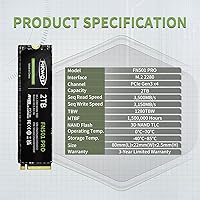
  • Capacity: This drive offers 2TB of usable NAND flash storage, suitable for operating systems, large game libraries, and media collections.
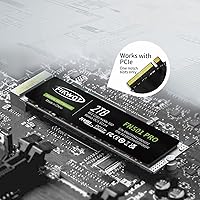
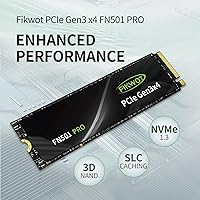
  • Interface: It connects via a PCIe Gen3 x4 interface, which is widely supported across consumer laptops and desktop motherboards manufactured in the last decade.
  • Protocol: The drive operates on the NVMe 1.3 protocol, enabling significantly lower latency than older SATA-based storage standards.
  • Form Factor: Built in the M.2 2280 form factor, meaning the board is 22mm wide and 80mm long, the most common M.2 size in consumer systems.
  • Sequential Read: Peak sequential read speed reaches up to 3,500 MB/s under optimal, cache-assisted conditions.
  • Sequential Write: Peak sequential write speed reaches up to 3,150 MB/s, though sustained write speeds will decrease once the SLC cache is exhausted.
  • NAND Type: The drive uses 3D TLC (Triple-Level Cell) NAND flash, which balances storage density and cost efficiency for consumer workloads.
  • Cache Type: Dynamic SLC caching is employed to accelerate burst read and write operations during typical everyday usage patterns.
  • Cooling: A graphene heat dissipation sticker is pre-applied to the drive to assist with passive thermal regulation during operation.
  • Endurance: The drive is rated for 1,280 TBW (Terabytes Written), which for a typical home user writing 20–40GB per day equates to well over 80 years of rated lifespan.
  • Warranty: Fikwot provides a 3-year limited warranty, which requires product registration to activate and is backed by a stated 24-hour support channel.
  • OS Support: The drive is compatible with Windows 7, 8, 10, and 11 out of the box, requiring no additional drivers for standard operation.
  • PS5 Compatible: This drive is explicitly not compatible with the PlayStation 5 and should not be purchased as a console storage expansion.
  • Weight: The drive weighs 1.13 ounces, making it negligible as a factor in overall system weight for both laptops and desktops.
  • Color: The drive is finished in black, with the graphene sticker covering the top face of the M.2 board.
  • Package Dimensions: The retail package measures approximately 4.53 x 2.56 x 0.75 inches, compact enough to confirm it ships without a bulky heatsink enclosure.
  • Brand: Fikwot is the manufacturer, a smaller consumer storage brand that also produces SATA and Gen4 NVMe drives under the same product family.
  • Model Series: This drive belongs to the FN501 Pro series, which is Fikwot's mid-tier Gen3 NVMe lineup, distinct from their Gen4 FN9xx series.

Related Reviews

Fikwot FX550 2TB NVMe M.2 SSD
80%
88%
Sequential Read Speed
61%
Sustained Write Performance
86%
Value for Money
92%
Compatibility & Fit
77%
Thermal Management
More
Fikwot FN955 2TB M.2 NVMe SSD
81%
88%
Read Performance
74%
Write Performance
92%
Value for Money
93%
PS5 Compatibility
67%
Thermal Management
More
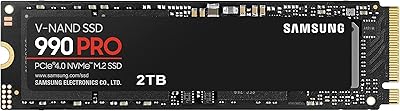
Samsung 990 PRO 2TB NVMe SSD
86%
94%
Raw Transfer Speed
88%
Sustained Performance
76%
Thermal Management
91%
PS5 Compatibility
93%
Endurance & Longevity
More
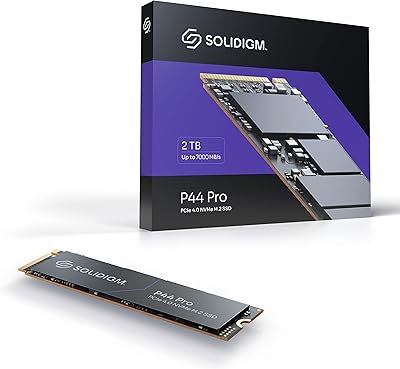
Solidigm P44 Pro 2TB NVMe SSD
89%
95%
Performance
91%
Speed (Read/Write)
89%
Durability
94%
Installation/Setup
85%
Software Experience
More
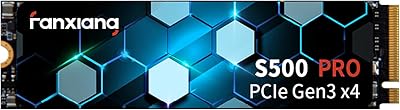
Fanxiang S500 Pro 2TB NVMe M.2 SSD
83%
93%
Value for Money
88%
Sequential Read Speed
67%
Sustained Write Performance
94%
Installation Experience
76%
Thermal Management
More
Samsung 980 PRO 2TB NVMe SSD
84%
93%
Sequential Read Performance
88%
Sequential Write Performance
91%
Real-World Gaming Load Times
72%
Thermal Management
96%
Installation & Compatibility
More
Fikwot FX910 2TB M.2 NVMe SSD
80%
88%
Read/Write Performance
91%
Thermal Management
93%
Installation Ease
84%
PS5 Compatibility
87%
Value for Money
More
Fikwot FX991 2TB NVMe SSD
78%
88%
Sequential Read Performance
61%
Sustained Write Speed
93%
PS5 Compatibility
91%
Value for Money
82%
Thermal Management
More
Corsair MP600 PRO XT 2TB NVMe SSD
83%
94%
Sequential Read Speed
91%
Sustained Write Performance
93%
Thermal Management
88%
Build & Installation Quality
92%
Endurance & Longevity
More
HP FX900 Pro 2TB NVMe SSD
77%
88%
Sequential Read Performance
71%
Sustained Write Consistency
84%
Value for Money
82%
Thermal Management
91%
Installation Experience
More

FAQ

It works in both. As long as your laptop has an M.2 slot that supports PCIe Gen3 (or Gen4, which is backward compatible), this 2TB M.2 SSD will fit and function correctly. The M.2 2280 size is the standard length used by most consumer notebooks, so physical compatibility is rarely an issue. Just check your laptop's manual or manufacturer spec sheet to confirm it has an M.2 PCIe slot rather than an M.2 SATA-only slot.

No, and this is worth being very clear about. The Fikwot FN501 Pro 2TB NVMe SSD is not compatible with the PlayStation 5. The PS5 requires an M.2 NVMe SSD that meets Sony's specific speed and size requirements, and this drive does not meet those criteria. If you are shopping specifically for PS5 storage, you will need to look at a different product.
The graphene sticker acts as a passive heat spreader, pulling warmth away from the NAND chips and controller to slow thermal throttling. It is a legitimate thermal aid, particularly in laptops where adding a third-party heatsink is not an option. In a desktop with good airflow, it should keep temperatures in a comfortable range for typical workloads. If you are doing intensive sustained transfers in a hot system with poor airflow, a dedicated M.2 heatsink would offer more protection, but for most users the sticker is sufficient.

For everyday tasks like loading games, booting Windows, or moving files in moderate bursts, you will likely get speeds close to the advertised numbers. The drive uses dynamic SLC caching, which means a portion of the TLC NAND is temporarily used as faster pseudo-SLC storage. Once that cache fills during a very large sustained write, speeds will drop to the native TLC write rate, which is considerably lower. For most home users, that cache refills quickly and the slowdown is rarely noticeable in practice.

Yes, it is solid for a consumer-grade TLC drive at this capacity. To put it in perspective, if you write around 40GB to the drive every single day, it would take roughly 87 years to hit that rated limit. Even power users writing 100GB daily would see over 30 years of rated endurance. For home use, students, or general PC work, endurance is very unlikely to be the reason you ever replace this drive.

No additional drivers are needed for standard use on Windows 10 or 11. The operating system recognizes NVMe drives natively. You will just need to initialize and format the drive in Disk Management if it is being used as a secondary drive, or use it as a boot drive by installing Windows onto it fresh.

Yes. PCIe is backward compatible, so the drive will work in a Gen2 slot, though it will operate at Gen2 speeds rather than Gen3 speeds. You will still see a meaningful improvement over SATA, but you will not reach the full potential of the drive. If your board supports M.2 PCIe Gen3 or Gen4, you will get the best performance.

Fikwot offers a 3-year warranty, but it requires you to register the product after purchase. That is a step worth doing right after installation. User experiences with warranty claims are generally positive, though some buyers report that response times can be inconsistent despite the advertised 24-hour support window. Keeping your purchase receipt and completing registration is the best way to protect yourself.

Not directly via the same cable. This is an M.2 NVMe drive, which plugs into an M.2 slot on your motherboard rather than a SATA port. If your motherboard has an M.2 slot supporting PCIe, you can add this as a second drive alongside your existing SATA drive, or use it as a primary boot drive. If your board has no M.2 slot at all, this particular drive is not compatible with your system.

At the same capacity tier, established brands often carry a premium tied to their reputation, longer track record, and in some cases proprietary firmware optimization. The FN501 Pro trades some of that brand confidence for a lower price point while still delivering competitive Gen3 sequential speeds and a reasonable TBW rating. The 4.6-star average across a large pool of reviews suggests it performs reliably for mainstream use. If brand trust and long-term resale peace of mind are priorities, you might prefer a Samsung 970 Evo Plus or a WD Blue SN580. If raw storage per dollar is your main concern and you are comfortable with a newer brand, this 2TB M.2 SSD is a reasonable bet.