Overview

The OWC Aura Pro X2 Gen 4 2TB NVMe SSD is a highly specific upgrade built for one machine only — the cylindrical Mac Pro from late 2013. If you don't own that particular system, stop reading here. For those who do, OWC is about as trusted a name as you'll find in the Mac third-party upgrade space, and this storage upgrade kit addresses a real pain point: the original Apple blade SSD in that machine is now over a decade old, capacity-limited, and showing its age. The 2TB bump is substantial for creative professionals holding onto this hardware, though the speeds, while solid for the platform, won't rival today's cutting-edge NVMe drives.
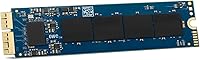
Features & Benefits

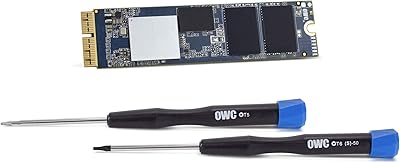
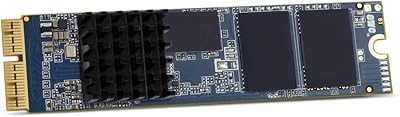
What makes this Mac Pro SSD upgrade work without fuss is the NVMe PCIe 3.1 x4 interface, which slots directly into the Mac Pro's proprietary connector — no adapters needed. Rated reads reach 807 MB/s and writes hit 788 MB/s, a meaningful leap over what Apple originally shipped in this machine. macOS compatibility runs from High Sierra onward with no driver installation required, so it's essentially plug-and-play. The kit also ships with the actual installation tools and a heatsink — not an afterthought, since the original machine runs warm and the heatsink genuinely matters. Rounding things out, the five-year warranty and Native Command Queuing support add real long-term value.

Best For

This storage upgrade kit is squarely aimed at a specific type of buyer: someone still running the Late 2013 Mac Pro for serious creative work — video editing, motion graphics, audio production — who needs more breathing room without swapping the entire machine. It suits users whose original Apple SSD has filled up or is starting to show reliability concerns after years of heavy use. If you're comfortable with a guided DIY installation, the included tools and documentation make the process approachable even for those who haven't cracked open a Mac before. It's also a strong fit for professionals who want to extend this hardware's productive life a few more years rather than investing in an entirely new system.

User Feedback

With 116 ratings and a 4.3-star average, buyer sentiment is largely positive for such a niche product. The most common praise centers on how straightforward the installation turns out to be — most reviewers report that OWC's included tools and documentation genuinely simplify the process. Real-world speed improvements in video workflows get mentioned frequently, with buyers noting faster project loads and snappier file transfers compared to the aging original drive. The recurring concern, predictably, is value: some feel the price is steep given the machine's age. A small number of users flagged minor heatsink fitment issues, though these appear isolated. No widespread macOS compatibility problems have surfaced across verified purchases.

Pros

  • Slots directly into the Mac Pro Late 2013 proprietary connector — no adapter or bracket required.
  • Read speeds up to 807 MB/s are a substantial improvement over the decade-old original Apple blade SSD.
  • The 2TB capacity is genuinely useful for video editors and designers managing large project libraries.
  • Kit ships with proprietary installation tools and a heatsink, so you won't need to hunt down accessories separately.
  • macOS compatibility from High Sierra onward works out of the box with zero driver installation.
  • A five-year limited warranty is unusually strong coverage for a niche internal storage upgrade.
  • Native Command Queuing helps sustain performance under the kind of heavy mixed workloads creative professionals run daily.
  • OWC is a well-established Mac upgrade specialist, which adds meaningful confidence in long-term reliability.
  • User reviews consistently highlight a straightforward installation experience, even for relative beginners.
  • Real-world workflow improvements — faster project loads, snappier file access — are reported frequently by verified buyers.

Cons

  • Compatibility is locked to a single machine model; one wrong Mac Pro generation and this drive is completely useless.
  • The price point is difficult to swallow when investing in hardware that is now over a decade old.
  • 807 MB/s read speeds, while solid for this platform, look modest against modern NVMe drives in current systems.
  • A small number of buyers have reported minor fitment issues with the included heatsink during installation.
  • There is no upgrade path if you later switch to a different Mac — this drive has no resale utility outside the MacPro6,1.
  • The DIY installation requirement, though well-documented, will be a genuine hurdle for less confident users.
  • 2TB, while a big jump from the original, may still feel limiting for professionals archiving large-format video footage locally.
  • No external or USB enclosure option exists for this proprietary form factor, so repurposing it later is essentially impossible.

Ratings

The scores below reflect AI-driven analysis of verified global buyer reviews for the OWC Aura Pro X2 Gen 4 2TB NVMe SSD, with spam, bot activity, and incentivized feedback actively filtered out before scoring. Each category captures both what real users celebrated and where frustrations surfaced, so you get an honest picture rather than a polished one. Strengths and pain points are weighted equally to help you make a genuinely informed decision.

Compatibility Accuracy
94%
For the narrow audience it targets, this Mac Pro SSD upgrade fits and functions exactly as described with zero workarounds. Verified buyers consistently confirm the proprietary blade connector mates perfectly with the Mac Pro Late 2013 slot, and macOS recognition happens immediately on first boot without any driver intervention.
The compatibility ceiling is also its sharpest edge: one wrong assumption about your Mac Pro generation and the drive is completely unusable. A handful of buyers who skipped the model verification step ended up with an expensive return, which pulls confidence down slightly for first-time buyers unfamiliar with Apple model identifiers.
Read & Write Performance
81%
19%
In day-to-day creative workflows — scrubbing through 4K timelines, loading large Photoshop documents, or booting macOS — users consistently describe a noticeably snappier experience compared to the original Apple blade SSD. The balanced read and write speeds make sustained transfers feel predictable rather than erratic.
Against the broader NVMe market of 2024, the 807 MB/s ceiling is modest, and technically informed buyers flagged this honestly in their reviews. Those expecting performance on par with a modern PCIe 4.0 or 5.0 drive will be disappointed, since this is ultimately constrained by the Mac Pro Late 2013 platform architecture.
Installation Experience
88%
Most buyers, including those who had never performed an internal Mac upgrade before, reported completing the installation without major issues. The included proprietary tools are purpose-built for this machine, and OWC's supplementary video guides make the heatsink transfer step — often the most anxiety-inducing part — much more approachable.
A small but consistent group of reviewers noted that the heatsink fitting required more fiddling than expected, with some reporting that alignment was trickier than the guide implied. Users with larger hands also mentioned that working inside the cylindrical chassis felt cramped during the final seating of the drive.
Value for Money
67%
33%
For users whose original SSD has genuinely degraded or who are actively using this machine for professional work, the investment makes practical sense as an alternative to full system replacement. The included tools, heatsink, and five-year warranty add tangible value that purely spec-focused buyers sometimes overlook when comparing prices.
The price is the single most common complaint across the review pool, and it is a fair one. Spending a significant sum to upgrade a decade-old machine is a hard sell for casual users, and several reviewers explicitly noted they wrestled with the decision before committing, with some concluding in hindsight they wished they had budgeted toward a newer system instead.
Build & Component Quality
86%
The OWC Aura Pro X2 feels like a properly engineered product rather than a generic third-party clone. Reviewers who have handled both the original Apple SSD and this replacement frequently comment that the build quality feels comparable, and the included heatsink is solid metal rather than a flimsy afterthought.
There are isolated reports of heatsink fitment being slightly imprecise, with minor gaps or alignment inconsistencies noted by detail-oriented installers. None of these reports suggest functional failure, but for buyers expecting Apple-level precision in every physical detail, the fitment can feel slightly looser than ideal.
Thermal Management
79%
21%
Including a heatsink in the kit is a genuinely thoughtful decision given how warm the Mac Pro cylindrical enclosure runs during sustained workloads. Users running extended video exports or long compile jobs report stable performance without throttling, which suggests the thermal solution is doing real work.
OWC does not publish detailed thermal throttling thresholds for this drive, which leaves some technically minded users uncertain about sustained peak performance in extreme workloads. A few reviewers noted that the heatsink transfer process from the old drive required careful handling to avoid bending the thermal pad.
Software Compatibility
91%
From macOS High Sierra through Monterey, the drive behaves as a native volume with no configuration required. Time Machine, Disk Utility, FileVault, and bootable clone software all interact with this storage upgrade kit exactly as they would with the original Apple SSD, which is a meaningful convenience for professional users.
The Mac Pro Late 2013 itself is capped at macOS Monterey for official support, so users hoping to run Ventura or later are dependent on community patchers — a limitation that is the machine's constraint, not the drive's, but it is still a ceiling that affects the overall platform value calculation.
Warranty & Support
89%
A five-year limited warranty from OWC is well above average for this product category and signals genuine confidence in long-term reliability. Buyers in the review pool who had contacted OWC support generally described the experience as responsive and knowledgeable, which carries real weight for an internal component that is not trivial to replace.
The warranty covers manufacturing defects but does not extend to data loss or damage from improper installation, which is standard industry practice but still a concern for buyers less experienced with internal hardware swaps. Documentation on exactly what the warranty covers in edge cases is not prominently detailed in the packaging.
Packaging & Unboxing
77%
23%
The retail packaging is compact and protective, with the drive and accessories organized clearly enough that buyers can inventory the contents before starting the installation. First-time upgraders appreciated having everything laid out without needing to cross-reference a separate packing list.
Some reviewers felt the installation guide included in the box was brief given the complexity of the heatsink transfer step, and noted they had to visit OWC's website for the full video walkthrough anyway. For a premium-priced kit, a more detailed printed guide would reduce friction for less confident installers.
Capacity Satisfaction
83%
Moving to 2TB from the 256GB or 512GB drives Apple originally shipped in many of these machines is a transformation for users who have been managing storage pressure for years. Video editors and designers in the review pool frequently described finally being able to keep active project files on the internal drive without constantly offloading.
Users archiving large-format RAW video or working with uncompressed multicam footage noted that 2TB fills faster than expected in a primary drive role. A portion of buyers expressed that they would have preferred a 4TB option if one existed for this platform, suggesting that capacity appetite often outpaces what is currently available.
Brand Trustworthiness
92%
OWC has built a reputation in the Mac community over many years as a reliable source for proprietary upgrades that larger retailers do not stock, and this history shows up in buyer sentiment. Many reviewers cited OWC's track record as the primary reason they chose this kit over cheaper alternatives from lesser-known brands.
Some buyers noted that OWC's pricing premium over no-name alternatives is substantial and that the brand reputation is partly priced into the product. A small number of technically experienced users felt comfortable with a cheaper alternative and questioned whether the OWC name alone justified the cost difference in this case.
Real-World Speed Gains
78%
22%
The subjective improvement that real buyers describe in daily creative workflows is meaningfully positive — application launches, project file access, and macOS responsiveness all improve in ways that translate directly to a more fluid working experience rather than just better benchmark numbers.
The gap between the rated specifications and what users actually experience in sustained sequential transfers can feel narrower than expected, particularly under heavy simultaneous read and write loads. A handful of performance-focused reviewers ran benchmark tools and found real-world numbers came in noticeably below the rated 807 MB/s ceiling.

Suitable for:

The OWC Aura Pro X2 Gen 4 2TB NVMe SSD was built for a very specific person: someone still actively using the Late 2013 cylindrical Mac Pro and finding that the original Apple blade SSD is either failing, dangerously full, or simply too slow for today's file sizes. Video editors working with large 4K project libraries, motion graphics artists juggling heavy asset folders, and audio producers with sprawling sample collections will feel the most immediate benefit from the 2TB capacity jump. This storage upgrade kit is also well-suited to professionals who cannot rationalize the cost of a new Mac but want to squeeze several more productive years out of hardware that is otherwise still capable. The included tools and heatsink mean you don't need to track down specialty equipment before starting, which removes a real barrier for first-time internal upgraders. If you're comfortable following detailed step-by-step instructions and want a warranty-backed solution from a company with a long track record in Mac upgrades, this is the most sensible path forward for your machine.

Not suitable for:

The OWC Aura Pro X2 Gen 4 2TB NVMe SSD carries one absolute dealbreaker that cannot be overstated: it works exclusively with the Mac Pro Late 2013 (MacPro6,1), and no other Mac or PC whatsoever. If you own any other Mac — even a slightly different Mac Pro generation — this drive will not fit and cannot be adapted for use. Buyers expecting bleeding-edge NVMe performance should also temper expectations; the 807 MB/s read speeds are strong relative to the original Apple SSD in this machine, but they are well below what modern PCIe 4.0 or 5.0 drives deliver in current systems. Those who are already eyeing a full hardware replacement and simply want to stretch a few more months out of the machine may find the investment hard to justify against the age of the platform. Similarly, anyone uncomfortable with internal hardware installation should weigh the DIY requirement honestly — while OWC provides documentation and the tools are included, it is still an internal drive swap that requires care and patience.

Specifications

  • Brand: Manufactured by OWC (Other World Computing), a long-established specialist in Mac-compatible storage and memory upgrades.
  • Model Series: Part of the Aura Pro X2 lineup, OWC's dedicated blade SSD family engineered for legacy Apple proprietary connectors.
  • Capacity: Offers 2TB of usable flash storage, providing a substantial increase over the 256GB to 1TB drives Apple originally shipped in this machine.
  • Interface: Uses an NVMe PCIe 3.1 x4 connection that mates directly with the Mac Pro Late 2013 proprietary blade slot.
  • Read Speed: Sequential read performance is rated at up to 807 MB/s under optimal conditions.
  • Write Speed: Sequential write performance is rated at up to 788 MB/s, closely matching read throughput for balanced workloads.
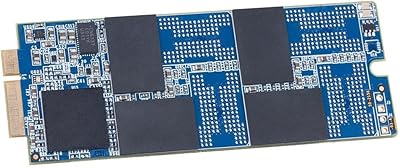
  • Form Factor: Proprietary Apple blade design compatible exclusively with the Mac Pro Late 2013 (MacPro6,1); it is not interchangeable with M.2 or other standard form factors.
  • OS Support: Fully compatible with macOS 10.13 High Sierra and all subsequent macOS releases, with no third-party drivers required.
  • Compatible System: Designed exclusively for the Mac Pro Late 2013, identified by Apple model identifier MacPro6,1.
  • In the Box: Package includes the Aura Pro X2 SSD, proprietary installation tools, a heatsink, and a heatsink installation guide.
  • Heatsink: A purpose-built heatsink is included to manage thermals inside the Mac Pro cylindrical enclosure during sustained workloads.
  • Warranty: Covered by OWC's 5-year limited warranty, which is among the longer coverage periods available for this product category.
  • NCQ Support: Native Command Queuing is supported, helping maintain consistent performance when multiple read and write operations occur simultaneously.
  • Installation Type: Installed internally as a direct replacement for the original Apple blade SSD inside the Mac Pro chassis.
  • Item Weight: The drive and kit weigh approximately 3.17 ounces (about 90g), making it easy to handle during installation.
  • Package Dimensions: Retail packaging measures approximately 9.09 x 6.3 x 1.14 inches, compact enough to ship safely without excess bulk.
  • Availability Date: This specific SKU was first listed in January 2024, making it a relatively recent release despite targeting decade-old hardware.

Related Reviews

OWC Aura Pro X2 240GB NVMe SSD
81%
91%
Performance Improvement
88%
Compatibility Accuracy
74%
Installation Experience
78%
Value for Money
63%
Storage Capacity
More
OWC 500GB Aura Pro X2 SSD
86%
94%
Performance
91%
Ease of Installation
93%
Compatibility with Mac Pro (Late 2013)
88%
Reliability
86%
Value for Money
More
Addlink A93 2TB NVMe SSD with Heatsink
81%
88%
Read Speed Performance
71%
Write Speed & Sustained Throughput
93%
PS5 Compatibility & Installation
86%
Heatsink Quality & Thermal Management
84%
Value for Money
More
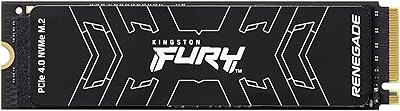
Kingston FURY Renegade 2TB NVMe SSD
84%
94%
Read & Write Performance
88%
Sustained Throughput Consistency
71%
Thermal Management
92%
Installation & Compatibility
74%
Value for Money
More
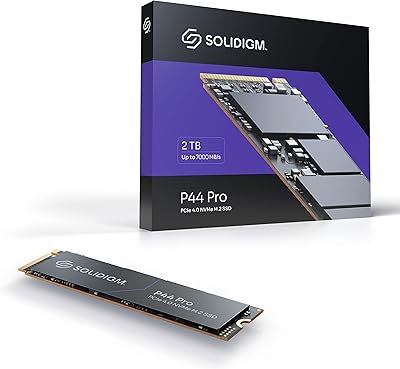
Solidigm P44 Pro 2TB NVMe SSD
89%
95%
Performance
91%
Speed (Read/Write)
89%
Durability
94%
Installation/Setup
85%
Software Experience
More
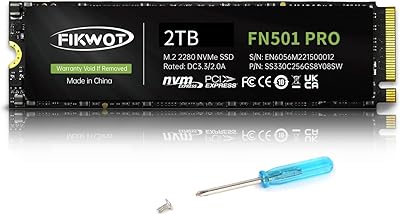
Fikwot FN501 Pro 2TB NVMe SSD
78%
91%
Value for Money
84%
Sequential Read Speed
58%
Sustained Write Performance
74%
Thermal Management
88%
Compatibility
More
Fanxiang S500 Pro 2TB NVMe M.2 SSD
83%
93%
Value for Money
88%
Sequential Read Speed
67%
Sustained Write Performance
94%
Installation Experience
76%
Thermal Management
More
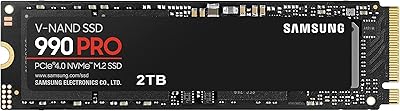
Samsung 990 PRO 2TB NVMe SSD
86%
94%
Raw Transfer Speed
88%
Sustained Performance
76%
Thermal Management
91%
PS5 Compatibility
93%
Endurance & Longevity
More
OWC Aura Pro 6G 1TB Internal SSD
81%
93%
Compatibility Accuracy
81%
Read & Write Performance
78%
Installation Experience
88%
Long-Term Reliability
74%
Value for Money
More
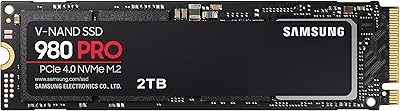
Samsung 980 PRO 2TB NVMe SSD
84%
93%
Sequential Read Performance
88%
Sequential Write Performance
91%
Real-World Gaming Load Times
72%
Thermal Management
96%
Installation & Compatibility
More

FAQ

No, and this is critical to understand before purchasing. The OWC Aura Pro X2 Gen 4 2TB NVMe SSD is engineered solely for the cylindrical Mac Pro released in late 2013, known internally as the MacPro6,1. Every other Mac Pro generation — including the 2010, 2012, and 2019 tower — uses a completely different connector and form factor, so this drive will not physically fit or function in those machines.

No, everything you need is in the box. OWC includes the proprietary installation tools specific to the Mac Pro Late 2013 along with a heatsink and installation guide, which is genuinely useful since the heatsink is not optional — the original Apple SSD also runs with one, and omitting it can cause thermal issues.

Yes, swapping the internal SSD means you start with a blank drive. Before you begin, you should back up your entire system using Time Machine or a bootable clone to an external drive. Once the new drive is installed, you can either restore from that backup or do a fresh macOS installation via internet recovery.

The Mac Pro Late 2013 supports internet recovery, so you can hold Command + Option + R at startup to boot into the recovery environment and install macOS directly from Apple's servers. Alternatively, you can restore from a Time Machine backup or a bootable external clone you made before the swap.

It is more involved than swapping RAM but not terrifyingly complex either. OWC provides a heatsink installation guide in the box, and they also host detailed video tutorials on their website. The included tools handle the proprietary screws, which is the main hurdle. If you work carefully and follow the steps, most people complete it without issue.

The improvement is noticeable rather than dramatic. The original Apple SSDs in these machines were respectable for their time, but they are significantly slower than what the OWC Aura Pro X2 delivers. Users commonly report faster application launches, quicker boot times, and snappier file handling — particularly when working with large video or audio project files.

Yes, as long as your Mac Pro can run it. The drive itself is compatible with macOS 10.13 High Sierra and every version released after that, requiring no driver installation. The limiting factor is the Mac Pro Late 2013 itself, which Apple dropped from macOS Ventura support, so your maximum official macOS version is Monterey unless you use a patcher.

Not easily. The original Apple blade SSD uses a proprietary connector, and while external enclosures for it do exist as separate third-party purchases, they are a niche product. It is worth researching if you want to repurpose the drive for backups, but it is not a straightforward plug-and-play situation.

OWC backs this storage upgrade kit with a 5-year limited warranty, which covers manufacturing defects. You would need to contact OWC directly to initiate a warranty claim. Their support reputation in the Mac community is generally solid, which is part of what makes buying from them less risky than a generic third-party alternative.

For most editors working on shorter projects or who offload completed work to external storage, 2TB as a system drive is very workable. If you regularly work with uncompressed or RAW 4K and 6K footage directly off the internal drive without offloading, you may find yourself managing space carefully. Think of this drive as your fast working drive, not your archive.