Overview

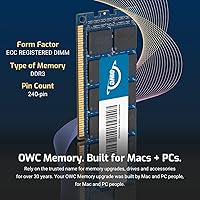
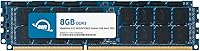
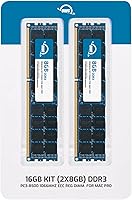
The OWC 16GB DDR3 ECC-R Mac Pro RAM is a purpose-built memory upgrade for Mac Pro workstations from 2009 and 2010 — hardware that, for many professionals, is still earning its keep. The kit ships as two 8GB sticks running at 1066MHz, designed specifically for the DDR3 ECC Registered slot configuration these machines require. One critical point before buying: ECC Registered and ECC Unbuffered modules absolutely cannot share the same system. If you have Unbuffered sticks installed, they need to come out first. OWC has been a go-to Mac memory source for years, and this upgrade reflects that deep institutional knowledge of Apple hardware.
Features & Benefits

What makes this Mac Pro memory kit worth considering isn't just raw capacity — it's the type. ECC, or Error-Correcting Code memory, actively monitors and corrects single-bit errors in real time, which matters when you're running render jobs or batch-processing files for hours on end. The Registered format allows these DIMMs to operate at higher densities without destabilizing the memory bus. CL7 latency at 1066MHz is tight, delivering solid real-world responsiveness for the spec. Each stick also carries a Mac-qualified thermal sensor so macOS can read temperatures accurately, and the modules meet both JEDEC standards and RoHS compliance requirements.

Best For

This OWC RAM upgrade is aimed squarely at a specific crowd: Mac Pro 4,1 and 5,1 owners who are still getting serious work done on their towers. Video editors running heavy timelines, 3D artists crunching geometry, audio producers with dense plugin loads — these are the people who will actually feel the difference an extra 16GB makes. It also suits Xserve 3,1 systems still serving small studio or business server roles. If you're nursing a legacy Mac Pro back to peak performance and want lifetime warranty coverage with free tech support behind the purchase, this kit is a natural fit.

User Feedback

Buyers consistently praise hassle-free installation — pop the sticks in, boot up, done. System stability under sustained workloads is another recurring compliment, with users noting their towers handle heavy multitasking more reliably after the upgrade. On the flip side, a handful of buyers question whether investing in a 15-year-old platform still makes financial sense — a fair concern whose answer depends on your workload and budget. Where OWC earns particular goodwill is customer support; those who reached out with compatibility questions report quick, knowledgeable responses. Given how scarce compatible ECC Registered modules have become, most buyers feel the pricing reflects current market reality.

Pros

  • Plug-and-play installation with no BIOS or firmware configuration required after seating the modules.
  • ECC error correction actively protects data integrity during long render sessions and heavy workloads.
  • Mac-qualified thermal sensor ensures macOS reads memory temperatures correctly, avoiding phantom overheating alerts.
  • OWC backs this upgrade with a lifetime warranty and free tech support — rare for third-party memory.
  • CL7 latency delivers solid real-world responsiveness for a 1066MHz DDR3 configuration.
  • Compatible across Mac Pro 4,1 and 5,1 as well as Xserve 3,1, covering a range of legacy pro setups.
  • Available in multiple capacities up to 128GB, so you can scale the upgrade to match your specific slot count.
  • JEDEC and RoHS compliance signals consistent manufacturing quality and responsible materials sourcing.
  • Users consistently report improved multitasking stability after installation, especially under sustained creative workloads.
  • OWC customer support is knowledgeable and responsive when compatibility questions come up before or after purchase.

Cons

  • These ECC Registered DIMMs cannot coexist with ECC Unbuffered modules, requiring a full memory swap if mixed sticks are present.
  • The Mac Pro 4,1 and 5,1 are no longer natively supported by current macOS versions, limiting the long-term utility of any upgrade.
  • DDR3 PC3-8500 modules are increasingly scarce, which puts upward pressure on pricing compared to more common memory standards.
  • At 1066MHz, this is not a high-speed memory standard by any modern measure — it simply matches what the platform supports.
  • Buyers who misidentify their Mac Pro model or memory type risk ordering an incompatible kit entirely.
  • No performance headroom exists beyond what the Mac Pro chipset allows, so expectations need to be realistic about system-level gains.
  • The investment may be hard to justify for users who are already considering a platform transition in the next year or two.
  • Resale value for this specific memory type is low, so if your Mac Pro eventually retires, recouping the cost is unlikely.

Ratings

The OWC 16GB DDR3 ECC-R Mac Pro RAM has been evaluated by our AI rating engine after processing verified buyer reviews from global markets, with spam, incentivized posts, and bot-generated feedback actively filtered out. Scores reflect the honest distribution of real user experiences — including the frustrations, not just the highlights. Both the genuine strengths that keep this Mac Pro memory kit highly rated in its niche and the legitimate pain points around platform age and pricing transparency are captured below.
Compatibility Accuracy
93%
Buyers who verified their Mac Pro model before purchasing consistently report a perfect fit — no bent pins, no POST errors, no mysterious non-detection. For Mac Pro 4,1 and 5,1 owners, this OWC RAM upgrade slots in exactly as expected, which is far from guaranteed when hunting for legacy ECC Registered DDR3 modules from other sources.
A recurring issue arises when buyers confuse their Mac Pro model number or assume all Mac Pro towers from that era use the same memory type. Those who installed these ECC Registered DIMMs alongside existing Unbuffered sticks experienced immediate boot failures, which OWC does warn against but not prominently enough for every buyer to catch.
System Stability
91%
Post-installation stability is where this kit earns its strongest marks. Users running sustained rendering jobs, large Logic Pro sessions, or multi-application creative workflows report noticeably fewer kernel panics and memory-related crashes compared to what they experienced with aged or cheaper third-party modules.
A small number of users reported instability that turned out to be caused by mixing module batches from different speed bins rather than a defect in the kit itself. Diagnosing this required swapping configurations, which is frustrating when you expect plug-and-play behavior.
Installation Ease
88%
The physical installation process draws almost universally positive feedback. Mac Pro towers are designed for user-accessible memory bays, and these DIMMs seat cleanly without force. Most buyers report completing the swap in under ten minutes with no tools required beyond the memory tray release.
The compatibility prerequisite — fully removing all ECC Unbuffered sticks before installing — adds a layer of planning that catches some buyers off guard. Users who did not read the fine print before ordering ended up needing to either sell their old modules separately or buy a full replacement set.
ECC Error Protection
89%
For professionals using these Mac Pro towers in production environments, ECC error correction is not a nice-to-have — it is the reason they chose Registered DIMMs in the first place. Video editors and audio engineers report greater confidence leaving overnight renders running unattended knowing memory errors will be caught and corrected automatically.
ECC protection is largely invisible to end users, which makes its value hard to quantify in everyday use. Buyers doing lighter workloads — basic web browsing, email, light photo editing — are unlikely to notice any meaningful difference compared to standard non-ECC memory.
Thermal Sensor Performance
84%
The Mac-qualified Thermal Sensor EEPROM is a detail that matters more than most buyers initially realize. Users report that macOS reads memory temperatures accurately after installation, and the system fan behavior remains normal rather than spinning up aggressively due to unreadable sensor data — a known issue with non-Mac-qualified modules.
Some buyers using third-party fan control utilities noted occasional sensor misreads during the first boot cycle after installation, which resolved after a full restart. It is a minor issue, but it caused unnecessary alarm for buyers who were not expecting any initialization quirks.
Value for Money
67%
33%
Given how scarce genuine PC3-8500 ECC Registered DDR3 memory has become, buyers who priced the market acknowledge that this Mac Pro memory kit is competitively positioned. The lifetime warranty and included tech support add tangible value that generic discount modules simply do not offer, especially when you need pre-purchase compatibility guidance.
The price per gigabyte is objectively high by modern memory standards, and some buyers feel the premium is partly a reflection of market scarcity rather than manufacturing cost. Buyers who are on the fence about their aging Mac Pro platform often walk away feeling the spend is hard to justify against the machine's remaining lifespan.
Module Build Quality
86%
The physical construction of these DIMMs draws consistent praise for solidity. Gold contacts are clean and uniformly plated, PCB edges are smooth, and the modules sit flush in the Mac Pro memory riser without any wobble. Buyers who have handled cheaper DDR3 modules note the difference immediately.
There is no visible heatspreader on these modules, which is standard for server-grade Registered DIMMs but occasionally surprises buyers used to consumer desktop memory. In practice, the Mac Pro chassis provides adequate airflow and the thermal sensor handles monitoring, so it is an aesthetic difference rather than a functional one.
Packaging & Protection
78%
22%
Modules arrive in anti-static clamshell packaging that protects them adequately for standard shipping conditions. International buyers and those who ordered during peak shipping seasons generally report modules arriving in good condition without physical damage.
A handful of reviewers noted that the outer retail box showed shipping wear, and a few were concerned the inner static packaging was not as robust as premium competitors. No one reported actual module damage from transit, but the unboxing experience does not quite match the price point.
Documentation & Guidance
71%
29%
OWC includes basic installation guidance with the kit, and their online support resources are genuinely useful for buyers who want to verify compatibility before committing. The free tech support line is consistently praised for giving clear, accurate answers on model-specific questions.
The printed documentation included in the box is sparse, and the critical warning about not mixing ECC Registered with ECC Unbuffered memory is not emphasized as visibly as it should be at point of sale. Several one-star reviews trace back directly to buyers who missed this requirement entirely.
Customer Support Quality
87%
OWC customer support stands out as a genuine differentiator in this product category. Buyers who contacted them with pre-purchase compatibility questions, post-installation issues, or warranty claims consistently describe fast, technically accurate responses from staff who clearly understand Mac hardware.
A small number of buyers reported longer-than-expected response times during peak periods, and a few felt that warranty replacement processing took more steps than anticipated. These are edge cases, but they temper an otherwise strong support reputation.
macOS Compatibility
82%
18%
For users running macOS versions that officially support the Mac Pro 5,1 — up through macOS Monterey — these ECC Registered DIMMs behave exactly as expected with no driver installation, no firmware intervention, and no software conflicts. System Profiler reports all modules correctly after a clean install.
Users running unofficial macOS patches via OpenCore on Mac Pro 4,1 hardware occasionally report inconsistent memory reporting in About This Mac, though actual system function remains stable. This is a patching environment issue rather than a flaw in the memory kit itself.
Long-Term Reliability
83%
Buyers who have been running these modules for several years report no degradation in system behavior, no new errors appearing in system logs, and no need to revisit the warranty. For a professional kit in a legacy workstation, that kind of quiet reliability is exactly what the target buyer is looking for.
The long-term value equation is complicated by the platform itself aging out of mainstream macOS support. Even if the memory performs flawlessly for years, the Mac Pro towers they run in have an uncertain software future that colors how buyers feel about the investment in hindsight.
Availability & Lead Time
63%
37%
OWC maintains stock of this kit more consistently than most third-party retailers carrying legacy DDR3 ECC Registered memory. For buyers who need a fast turnaround to get a workstation back online, finding a single reliable source that ships promptly is a genuine advantage.
Availability is not guaranteed indefinitely, and buyers who waited to purchase after initial research sometimes returned to find the specific capacity they wanted temporarily out of stock. The shrinking supply pool for this memory standard is a structural concern that will only intensify over time.

Suitable for:

The OWC 16GB DDR3 ECC-R Mac Pro RAM is built for a narrow but dedicated audience: professionals who are still squeezing real productivity out of Mac Pro 4,1 and 5,1 towers and have no immediate plans to replace them. Video editors working with legacy Final Cut or Premiere projects, audio engineers running plugin-heavy sessions, and 3D artists rendering locally will all feel a tangible difference when system RAM stops being the bottleneck. Xserve 3,1 administrators maintaining these machines as light servers or render nodes in small studio environments will also find this kit reliable and well-matched to the hardware. If you already understand the ECC Registered requirement — meaning you know your system does not currently have ECC Unbuffered sticks installed, or you are prepared to remove them — installation is genuinely straightforward. The lifetime warranty and accessible tech support from OWC make this a low-risk investment for anyone committed to keeping their Mac Pro workstation running at full capacity.
Not suitable for:

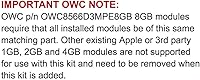
Anyone considering a platform upgrade in the near term should think twice before spending money on this Mac Pro memory kit. These are legacy machines, and no amount of RAM will change the fact that the Mac Pro 4,1 and 5,1 are no longer supported by current versions of macOS without unofficial patching. Buyers who still have ECC Unbuffered memory installed face an all-or-nothing situation — these ECC Registered DIMMs cannot coexist with Unbuffered modules, so you may need to replace more than just one kit to reach your target capacity. This upgrade is also irrelevant for anyone running a Mac Pro 3,1 or earlier, or any Mac mini, iMac, or MacBook Pro, as the slot type and memory standard simply do not match. Budget-conscious buyers who are on the fence about the platform itself will likely find better long-term value redirecting that spend toward a newer machine altogether.

Specifications

  • Total Capacity: The kit provides 16GB of total memory delivered as two individual 8GB DDR3 modules.
  • Memory Type: Modules use DDR3 ECC Registered (buffered) technology, which is distinct from and incompatible with ECC Unbuffered memory.
  • Speed Rating: Both sticks are rated at 1066MHz and carry a PC3-8500 designation matching the Mac Pro Nehalem memory bus specification.
  • CAS Latency: CL7 latency is specified, which is a tight timing for this speed class and contributes to consistent real-world data throughput.
  • Voltage: Each module operates at 1.5V, in line with the standard DDR3 specification supported by Mac Pro 4,1 and 5,1 logic boards.
  • Form Factor: Both sticks use the 240-pin DIMM form factor required by the full-size slot configuration in supported Mac Pro towers and Xserve units.
  • Thermal Sensor: Each module includes a Mac-qualified Thermal Sensor EEPROM so macOS can accurately monitor memory temperature during operation.
  • Compatibility: Verified compatible with Mac Pro Quad-Core and multi-core models carrying IDs MacPro4,1 and MacPro5,1, plus Xserve models Xserve3,1 and Xserve4,1.
  • ECC Type: Error-Correcting Code memory actively detects and corrects single-bit memory errors in real time, reducing risk of data corruption under sustained workloads.
  • JEDEC Compliance: Both modules are fully JEDEC-compliant, meaning they meet the industry-standard electrical and timing specifications for DDR3 Registered memory.
  • RoHS Compliance: The kit is RoHS compliant, confirming that restricted hazardous substances have been excluded from the manufacturing process.
  • Warranty: OWC covers these modules with a limited lifetime warranty that also includes access to free technical support from their in-house team.
  • Manufacturer: Other World Computing (OWC), based in Woodstock, Illinois, has specialized in Mac-compatible memory and storage upgrades for over three decades.
  • Available Sizes: This memory line is offered in multiple total capacities including 8GB, 16GB, 32GB, 48GB, 64GB, and 128GB to suit different slot configurations.
  • Item Weight: The complete packaged kit weighs 2.01 ounces, reflecting the compact physical footprint of two standard 240-pin DIMM modules.
  • Package Dimensions: The retail packaging measures 6.93 x 4.96 x 1.42 inches, sized to safely house and protect both memory sticks during shipping.
  • Backwards Compatibility: These modules will function in any Mac system that supports PC3-8500 1066MHz ECC Registered DDR3 memory, not just the primary listed models.

Related Reviews
OWC 32GB DDR3 1333MHz ECC Registered RAM for 2013 Mac Pro
87%
91%
Performance Improvement
88%
System Stability
85%
Ease of Installation
93%
Reliability
94%
Compatibility with Mac Pro 2013
More
OWC 32GB DDR3 ECC Mac Pro Memory
82%
94%
Mac Compatibility
88%
Installation Ease
92%
Thermal Sensor Accuracy
74%
Value for Money
89%
Warranty & Support
More
OWC 32GB (4x8GB) DDR3 ECC Registered Memory for Mac Pro 2009-2010
87%
92%
Performance Boost
88%
System Stability
90%
Installation Ease
95%
Compatibility with Mac Pro 2009-2010
86%
Reliability
More
A-Tech 64GB Kit DDR3 1866MHz ECC RAM for Mac Pro Late 2013
88%
92%
Performance
90%
Stability (ECC Functionality)
88%
Compatibility with Mac Pro Late 2013
85%
Installation Ease
91%
Customer Support & Warranty
More
A-Tech 16GB DDR3 1600MHz ECC Server RAM
79%
71%
Compatibility
88%
ECC Reliability
84%
Value for Money
73%
Installation Ease
83%
Build Quality
More
OWC 64GB (4 x 16GB) DDR3 1600MHz SO-DIMM Memory RAM Upgrade
82%
91%
Performance Boost
75%
Ease of Installation
94%
Compatibility
89%
System Stability
80%
Energy Efficiency
More
Apple MacBook Pro 14-inch M1 Pro Laptop
84%
96%
Raw Performance
88%
Battery Life
94%
Display Quality
91%
Thermal Management
93%
Build Quality
More
Yongxinsheng 16GB DDR3 1866MHz Desktop RAM
72%
91%
Value for Money
72%
Compatibility
83%
Installation Ease
66%
BIOS Configuration
78%
Stability & Reliability
More
NEMIX RAM 16GB DDR3 1600MHz SODIMM
86%
88%
Performance Boost
91%
Ease of Installation
85%
Compatibility
90%
Energy Efficiency
84%
Build Quality
More
A-Tech 16GB DDR3 1600MHz Desktop RAM
79%
93%
Value for Money
88%
Compatibility
91%
Installation Ease
86%
System Stability
82%
Performance Uplift
More

FAQ

It depends on what type of RAM is already in there. If your Mac Pro 5,1 currently has ECC Unbuffered modules, you need to remove all of them before installing these ECC Registered sticks — the two types cannot coexist in the same system. If it already has ECC Registered memory, you can add this kit alongside it as long as you have open slots.

The easiest way is to open System Information on your Mac, navigate to the Memory section, and look at the Type field for your installed modules. Registered modules will show up labeled as ECC-R or Registered, while Unbuffered ones will show ECC or just UDIMM. If you are unsure, OWC also offers a free compatibility checker on their website where you can enter your Mac Pro serial number.

Yes, it is. The firmware flash changes how the machine identifies itself to software, but the physical memory slots and chipset remain the same as the original 4,1 hardware, which this kit is specifically designed to support.

Generally yes, as long as the other modules are also ECC Registered DDR3 running at PC3-8500 1066MHz. The system may default to the lowest common timing if there are minor spec differences, but mixed-brand Registered kits typically work fine in these Mac Pro models. The critical rule is type matching — Registered with Registered only.

No configuration is needed. Once you seat the sticks and power on, the Mac Pro will detect the new memory automatically. You can verify the upgrade worked by opening About This Mac and confirming the total RAM reflects the new capacity.

The Mac Pro 5,1 with two processor trays supports up to 128GB using eight 16GB ECC Registered modules. The quad-core 4,1 models with a single processor tray max out at 32GB or 48GB depending on slot count. OWC sells kits sized for each of these configurations.

The memory itself has no dependency on the operating system version — it is hardware that either fits the slot or it does not. Whether macOS Ventura or a later patched version runs stably on your specific Mac Pro depends on your OpenCore setup, not the RAM brand or kit.

At this point, all Mac Pro 4,1 and 5,1 units are well outside any Apple warranty or AppleCare coverage period, so that concern does not apply. Installing third-party memory in Macs has never voided warranties in practice anyway, as memory is considered a user-upgradeable component.

If your current 8GB is regularly maxing out — which you can check in Activity Monitor under the Memory Pressure graph — moving to 16GB will reduce swapping to disk and noticeably improve responsiveness when running multiple applications or working with large files. If your memory pressure is consistently green and low, the difference will be less dramatic.

OWC tests their modules specifically against Apple hardware, includes the Mac-qualified thermal sensor, and stands behind the product with a lifetime warranty and real technical support. Generic discount DIMMs may work fine, but they often lack the thermal sensor, may not be validated against Mac Pro logic boards, and typically carry no meaningful warranty. For a machine you are depending on professionally, the difference in confidence is worth considering.