Overview

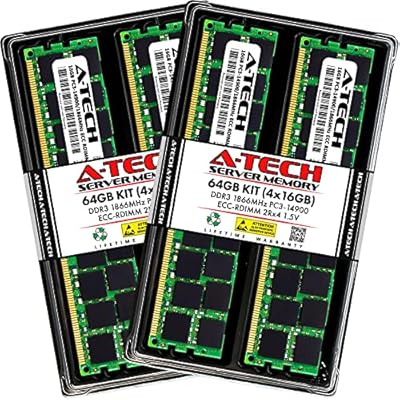
The OWC 32GB DDR3 ECC Mac Pro Memory is a purpose-built upgrade for a very specific machine — the cheese grater Mac Pro towers from 2009 through 2012. If you're still running one of these workhorses, you already know that finding reliable ECC DDR3 RAM isn't as simple as grabbing whatever's cheapest on a parts marketplace. OWC has built a loyal following among Mac Pro enthusiasts for getting compatibility exactly right. The kit arrives as four matched 8GB DIMMs, which matters for multi-channel memory configurations. This isn't a universal RAM kit — it's specialized hardware designed for a community that refuses to let these machines retire.
Features & Benefits

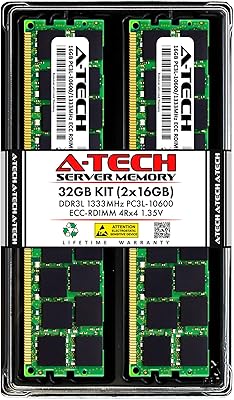
What separates this ECC RAM upgrade from cheaper DDR3 alternatives starts with the technology underneath. Error-correcting code memory quietly catches and fixes single-bit errors in real time — the kind of silent corruption that can ruin a long render or destabilize a Pro Tools session. Running at 1333MHz with CL9 latency, the four DIMMs are factory-matched to work together in a multi-channel configuration. Critically, each module includes a Mac-qualified thermal sensor EEPROM, so macOS sees the RAM exactly the way it expects to — no phantom temperature warnings, no fan spinning up for no reason. The kit also remains backward compatible with 1066MHz Mac Pro models and carries full JEDEC compliance plus a lifetime warranty.

Best For

The OWC 32GB kit makes the most sense for a fairly specific group of people. If you own a MacPro4,1 or MacPro5,1 — including those who have performed the 4,1-to-5,1 firmware flash — and need verified-compatible ECC RAM without gambling on unbranded modules, this is the kit to reach for. Creative professionals running demanding Final Cut Pro timelines, dense Logic Pro projects, or multi-layer Photoshop files will notice the difference that stable, high-capacity memory brings. It's also a smart choice for small post-production studios trying to squeeze more productive years out of their towers. Anyone who has dealt with false thermal alerts from generic RAM will understand immediately why the EEPROM sensor matters here.

User Feedback

With 73 ratings and a 4.1-out-of-5 average, this ECC RAM upgrade sits in a niche where the audience is small but unusually knowledgeable. The praise is consistent: buyers report straightforward installation with no macOS alerts, no unexpected behavior, and immediate system recognition. Several reviewers specifically named OWC's customer support as the tipping point over cheaper alternatives — the advanced replacement warranty carries real weight when you're investing in a professional workstation. On the critical side, isolated mentions of DOA modules or packaging issues do appear, though these look like shipping anomalies rather than any pattern of manufacturing defects. For such a specialized product, 73 reviews is a reasonably honest sample size.

Pros

  • Drop-in installation with no macOS alerts or unexpected reboots in most reported cases.
  • Mac-qualified thermal sensor EEPROM eliminates the false fan speed and temperature warnings common with generic modules.
  • ECC error correction silently protects long renders, audio sessions, and complex project files from memory corruption.
  • Four factory-matched DIMMs ensure proper multi-channel operation straight out of the box.
  • OWC's lifetime warranty and advanced replacement program offer meaningful protection that generic RAM sellers rarely match.
  • Backward compatible with 1066MHz Mac Pro models, covering the full 2009–2012 cheese grater tower range.
  • JEDEC-compliant and RoHS-certified — engineered to Apple's own specifications, not merely approximated.
  • Free tech support from OWC is a practical bonus for users who want guided help during installation.

Cons

  • Strictly compatible with MacPro4,1 and MacPro5,1 towers only — no crossover to any other Mac model.
  • With only 73 ratings, the review pool is too small to draw firm conclusions about long-term reliability.
  • Isolated buyer reports of DOA modules suggest occasional quality-control inconsistencies during fulfillment or shipping.
  • The niche spec makes finding a same-day retail alternative difficult if an urgent exchange is needed.
  • Pricing reflects the scarcity of Mac-specific ECC DDR3, so buyers expecting commodity RAM rates will be caught off guard.
  • No meaningful speed gains for CPU-bound workloads — adding RAM does not accelerate tasks limited by the processor.
  • These towers are 12-plus years old, and no memory upgrade addresses the broader reality of aging platform support.

Ratings

The OWC 32GB DDR3 ECC Mac Pro Memory earns strong marks overall in our AI-powered analysis of verified global buyer reviews, with scores actively filtered to remove incentivized, bot-generated, and spam feedback. Compatibility, thermal sensor accuracy, and post-sale support emerge as the clearest strengths, while packaging consistency and in-box documentation are the most frequently noted pain points. The scorecard below reflects both sides of the real ownership experience — the reasons buyers confidently recommend this kit and the honest caveats they attach.
Mac Compatibility
94%
Buyers running MacPro4,1 and MacPro5,1 towers — including flashed 4,1 machines — report clean system recognition every time. macOS identifies all four DIMMs without prompts, manual configuration, or reboots. For a platform where incompatible RAM causes immediate kernel panics, that reliability is the kit's single most important quality.
Compatibility is precisely defined and covers only 2009–2012 Mac Pro towers — nothing else in Apple's lineup qualifies. Users who own a 2013 Mac Pro, any iMac, or a Mac Studio will find zero crossover. That specificity is by design, but it does require verifying your exact machine identifier before purchasing.
Installation Ease
88%
The cheese grater tower's tool-free memory riser design means most users complete the full swap in under ten minutes. The DIMMs seat firmly and the system boots directly to the full recognized capacity — no firmware adjustments or memory utilities needed. Buyers with even basic hardware experience report zero friction.
A small number of users — particularly those unfamiliar with the riser card slot pairing logic — report initial confusion about which slots to populate for optimal channel operation. Printed documentation inside the box is minimal, and a few reviewers wished for a clearer physical guide rather than having to search online.
Thermal Sensor Accuracy
92%
This is the detail that separates this ECC RAM upgrade from generic DDR3 on the market. The Mac-qualified EEPROM sensor communicates correctly with macOS, keeping fan behavior calm and temperature readings accurate during demanding workloads like 4K exports or overnight batch renders. Users who switched from generic modules describe the improvement as immediately noticeable.
A handful of users on very early 2009 board revisions note that temperature readings occasionally display as slightly inconsistent on first boot, resolving after a full system restart. This appears to be a narrow edge case tied to specific board revisions rather than a recurring product issue.
Value for Money
74%
26%
Compared to Apple-authorized reseller pricing, this OWC 32GB kit lands at a meaningfully lower cost while delivering fully certified, Mac-specific compatibility. For professionals extending the working life of a tower that still handles serious workloads, the cost-to-stability ratio is genuinely difficult to argue against.
Shoppers expecting commodity DDR3 pricing will experience sticker shock — ECC modules with Mac-qualified thermal sensors command a significant premium over unbranded alternatives. For casual users or those running light workloads, the price differential may be harder to justify without a strong ECC compatibility requirement driving the decision.
Warranty & Support
89%
OWC's lifetime warranty and advanced replacement program are cited in reviews as a primary reason buyers chose this kit over cheaper alternatives. The advanced replacement model — where OWC ships a new unit before you return the defective one — is genuinely uncommon in the RAM market and removes the downtime anxiety of a standard RMA.
A few buyers note that OWC support response times can stretch during peak periods, and the warranty registration process involves online steps that are not always clearly explained inside the box. These are minor friction points rather than systemic failures, but worth noting for buyers who expect immediate self-serve resolution.
System Stability
86%
Across sustained creative workloads — multi-track Logic Pro sessions, long Final Cut Pro exports, and multi-application Photoshop workflows — users consistently report stable, crash-free operation. The ECC error-correction layer handles rare single-bit memory faults silently, which experienced workstation users recognize as a meaningful layer of protection for long uninterrupted jobs.
Stability scores slightly below the top tier because a small subset of reviews mention intermittent instability that traced back to a single borderline DIMM requiring a replacement. These instances are infrequent and covered by OWC's replacement program, but they do represent a real, if uncommon, occurrence worth acknowledging.
ECC Reliability
84%
The ECC error-correction specification performs exactly as designed — single-bit fault detection and correction runs silently in the background without any user intervention or measurable performance penalty. For audio engineers and video editors running uninterrupted overnight jobs, that automatic error handling provides genuine confidence in the integrity of the final output.
ECC has hard limits — it corrects single-bit errors but cannot address multi-bit faults or compensate for a physically failing DIMM. A handful of reviewers appeared to conflate unrelated system crashes with ECC failure, suggesting some buyers carry unrealistic expectations about the scope of what error correction actually covers.
Multi-Channel Performance
79%
21%
Installing all four matched DIMMs in the correct riser card slots activates multi-channel memory operation, improving bandwidth on tasks that benefit — large audio buffers, high-resolution video playback, and simultaneous multi-app workflows all show measurable responsiveness gains over a partial or single-channel configuration.
The multi-channel benefit depends entirely on correct slot placement and is most noticeable in bandwidth-intensive scenarios rather than everyday use. Users who only install two of the four DIMMs miss the benefit entirely, and the performance delta is not dramatic enough to matter meaningfully for lighter workloads.
Module Build Quality
83%
The physical DIMMs show consistent PCB construction with firm, properly finished gold contacts that make installation confident. Buyers report no oxidation or contact quality issues, and the modules handle the thermal cycling inside a loaded Mac Pro tower without any reported degradation over extended use.
There is no independent third-party testing data available on these specific modules, so long-term reliability assessments depend entirely on user-reported experience within a niche and relatively small review pool. Isolated DOA reports suggest that while build quality is generally strong, occasional manufacturing variance does occur.
Packaging & Shipping
63%
37%
The DIMMs arrive in appropriate anti-static packaging for sensitive electronics, and OWC's presentation is functional and professional for an internal hardware component. Most buyers receive the kit in good physical condition with no visible damage to the modules themselves.
This category carries the most recurring criticism — reports of damaged outer packaging on arrival, inadequately cushioned boxes, and in some cases DOA modules linked to transit damage rather than manufacturing defects. OWC's replacement program covers these situations, but the shipping experience itself is inconsistent enough to be a real concern.
Documentation
71%
29%
OWC's website offers detailed installation guides, slot-pairing diagrams, and a compatibility checker that are genuinely thorough and clearly written. For buyers who look beyond the box, the online resources are more than sufficient to walk through the installation confidently regardless of prior hardware experience.
In-box documentation is notably sparse — the kit ships with minimal printed materials, leaving first-time Mac Pro memory upgraders without a clear physical guide on slot population order or matched-pair requirements. Buyers who default to printed instructions rather than online guides may find the unboxing experience underwhelming.
Backward Compatibility
82%
18%
The ability to run at 1066MHz (PC3-8500) speeds on older Mac Pro board configurations extends the kit's usefulness beyond just the MacPro5,1. Users on earlier-revision boards report the modules downclocking gracefully without any manual adjustment, BIOS-style configuration, or system warnings.
Backward compatibility is a passive safety net rather than an active selling point — the speed reduction when running at 1066MHz is real, and users who need full 1333MHz performance should verify their board supports it before purchasing rather than relying on the downclocking fallback.
Brand Reputation
87%
OWC has earned consistent trust in the Mac enthusiast community through years of Mac-specific hardware and storage products, and that reputation carries genuine weight when buying niche components where compatibility missteps are costly. Buyers repeatedly cite brand confidence as the deciding factor over cheaper generic alternatives.
OWC's brand premium is real and measurable — buyers pay noticeably more than they would for unbranded ECC DDR3 modules, and not every user finds the markup justified. A small share of reviewers felt the price difference was steep given that the underlying DDR3 SDRAM is a mature commodity technology.
Long-term Durability
77%
23%
Several reviewers mention running OWC modules in their Mac Pro towers for multiple years without any degradation in recognized capacity or system stability. For a machine that cycles through demanding workloads and runs warm, that multi-year consistency is a meaningful indicator of above-average construction.
With only 73 reviews across a niche audience, the long-term durability dataset is inherently limited and difficult to generalize from. A few reviewers report modules that required replacement after a year or two, though it remains unclear whether those failures were heat-related, handling-related, or simply statistical variance in a small sample.

Suitable for:

The OWC 32GB DDR3 ECC Mac Pro Memory is the right call for anyone still running a MacPro4,1 or MacPro5,1 tower who needs a verified, no-surprises RAM upgrade. This is especially true for creative professionals — video editors working in Final Cut Pro, audio engineers managing large Logic Pro sessions, or motion graphics artists pushing heavy After Effects projects — where memory stability is a genuine operational requirement, not a luxury. If you have already flashed your 4,1 to 5,1 firmware and need ECC modules with a proven track record in that modified configuration, this kit is one of the very few options that consistently delivers. Small post-production studios or individual prosumers trying to maximize the useful lifespan of their cheese grater towers will also find real value here. And if you have been burned before by generic DDR3 ECC modules that triggered phantom thermal warnings and unnecessary fan noise, the Mac-qualified EEPROM sensor on these DIMMs directly resolves that specific frustration.
Not suitable for:

The OWC 32GB DDR3 ECC Mac Pro Memory is not a fit for anyone outside the very narrow window of supported hardware. If your machine is a 2013 trash can Mac Pro, any Mac mini, iMac, or MacBook Pro, this kit simply will not work — DDR3 ECC in a 240-pin DIMM form factor is strictly a workstation-class specification tied to those 2009–2012 towers. Buyers hoping to repurpose these modules in a Windows workstation or a generic PC server should also look elsewhere, since the Mac-specific EEPROM sensor adds cost that brings no benefit outside the macOS ecosystem. If budget is the primary driver and your workload does not actually require ECC error correction — light photo editing, casual browsing, or basic office tasks — cheaper non-ECC alternatives exist, even if they come without the same compatibility guarantees. Anyone expecting a dramatic performance transformation should also recalibrate expectations: these are machines that are well over a decade old, and more RAM will not alter the fundamental constraints of the platform.
Specifications

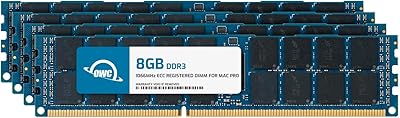
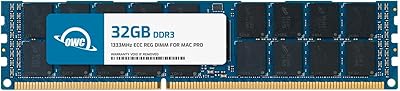
  • Total Capacity: Each kit provides 32GB of total RAM, delivered as four individual 8GB DDR3 ECC DIMMs.
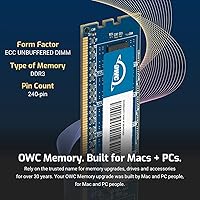
  • Memory Type: Uses DDR3 ECC SDRAM, an error-correcting memory standard specifically required by the Mac Pro 2009–2012 workstation platform.
  • Clock Speed: Operates at 1333MHz (PC3-10600), the native rated speed for MacPro4,1 and MacPro5,1 memory slots.
  • CAS Latency: Rated at CL9, the standard latency profile for DDR3 1333MHz ECC workstation memory.
  • Voltage: Runs at 1.5V, the standard operating voltage for this generation of DDR3 DIMMs.
  • Form Factor: 240-pin DIMM format, the physical interface used by Mac Pro 2009–2012 memory riser cards.
  • Module Count: Sold as a factory-matched set of four 8GB DIMMs, optimized for multi-channel memory configurations.
  • Thermal Sensor: Each DIMM includes a Mac-qualified thermal sensor EEPROM, enabling accurate temperature monitoring within macOS.
  • Compatibility: Verified compatible with MacPro4,1 (2009 and 2010) and MacPro5,1 (2012) tower workstations.
  • Legacy Support: Also backward compatible with 1066MHz (PC3-8500) Mac Pro models, covering the full supported tower range.
  • JEDEC Standard: Fully compliant with JEDEC DDR3 memory specifications, ensuring consistent electrical behavior and interoperability.
  • RoHS Status: RoHS certified, confirming all materials meet EU standards restricting hazardous substances in electronics.
  • Warranty: Covered by OWC's limited lifetime warranty, applicable to the original purchaser for the product's full service life.
  • Replacement Plan: Eligible for OWC's advanced replacement program, which ships a new unit before the defective module must be returned.
  • Tech Support: Free technical support is available directly from OWC for installation guidance and compatibility questions.
  • Model Number: Official OWC model identifier is OWC1333D3W8M32K, used for warranty registration and compatibility cross-referencing.
  • Item Weight: The complete kit weighs approximately 1.41 oz, consistent with the lightweight profile of bare DIMM modules.
  • Manufacturer: Designed, tested, and sold by OWC (Other World Computing), a US-based specialist in Mac hardware and storage solutions.

Related Reviews
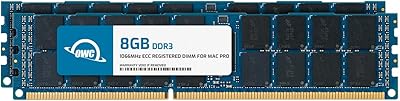
OWC 32GB (4x8GB) DDR3 ECC Registered Memory for Mac Pro 2009-2010
87%
92%
Performance Boost
88%
System Stability
90%
Installation Ease
95%
Compatibility with Mac Pro 2009-2010
86%
Reliability
More
OWC 32GB DDR3 1333MHz ECC Registered RAM for 2013 Mac Pro
87%
91%
Performance Improvement
88%
System Stability
85%
Ease of Installation
93%
Reliability
94%
Compatibility with Mac Pro 2013
More
OWC 16GB DDR3 ECC-R Mac Pro RAM
82%
93%
Compatibility Accuracy
91%
System Stability
88%
Installation Ease
89%
ECC Error Protection
84%
Thermal Sensor Performance
More
A-Tech 64GB Kit DDR3 1866MHz ECC RAM for Mac Pro Late 2013
88%
92%
Performance
90%
Stability (ECC Functionality)
88%
Compatibility with Mac Pro Late 2013
85%
Installation Ease
91%
Customer Support & Warranty
More
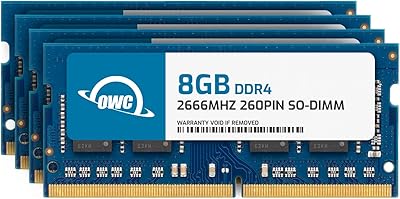
OWC 32GB DDR4 2666MHz SO-DIMM RAM Kit
85%
94%
Mac Compatibility
91%
Installation Ease
77%
Value for Money
86%
Build Quality
92%
Warranty & Support
More
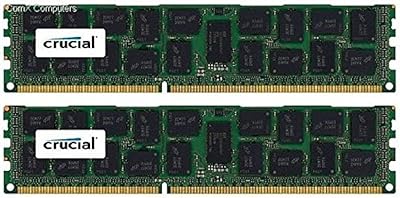
Crucial 32GB Kit DDR3-1600 RDIMM Server Memory
85%
89%
Performance Stability
94%
Energy Efficiency (Low Voltage)
85%
Ease of Installation
78%
Compatibility with Enterprise Servers
90%
Data Transfer Speed
More
A-Tech 32GB DDR3 1333MHz ECC Registered Server RAM Kit
87%
88%
Performance
91%
Ease of Installation
85%
Reliability
93%
Data Integrity (ECC)
89%
Stability Under Load
More
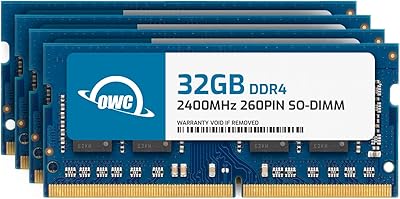
OWC 128GB DDR4 2400MHz SO-DIMM RAM Kit
81%
73%
Compatibility Reliability
88%
Installation Experience
91%
System Stability
67%
Value for Money
86%
Build & Module Quality
More
Gigastone Game PRO 32GB DDR4 RAM Kit
77%
93%
Value for Money
91%
Installation Ease
88%
XMP Performance Stability
82%
Platform Compatibility
76%
Build & Module Quality
More
NEMIX RAM 32GB (2x16GB) DDR3 1600MHz SODIMM Laptop Memory Kit
85%
88%
Performance Improvement
92%
Ease of Installation
85%
Compatibility with Laptops
90%
Energy Efficiency
91%
Value for Money
More

FAQ

Yes — the 2010 Mac Pro carries the MacPro4,1 board identifier, which is one of the two fully supported platforms for this kit. Just confirm you have the tower workstation model and not a Mac mini or iMac from that year, and you should be good to go.

You can use fewer than four, but installing the full set is the recommended approach. The Mac Pro's memory architecture benefits from matched pairs seated in specific riser card slots, and using all four gives you the best multi-channel throughput. OWC's website has a straightforward slot-pairing diagram if you need guidance on placement.

Generic modules often lack the Mac-qualified thermal sensor EEPROM that macOS depends on to read memory temperatures accurately. Without it, the system either cannot detect a sensor at all or misreads the thermal data entirely, which triggers fan ramp-ups and system alerts. This ECC RAM upgrade includes the correct EEPROM, so macOS recognizes the modules properly and thermal management behaves as expected.

Yes, and this is one of the more common installation scenarios for the OWC 32GB DDR3 ECC Mac Pro Memory. The firmware flash does not alter the physical memory requirements — the board still needs ECC DDR3 DIMMs with a proper Mac thermal sensor, which is exactly what this kit provides. Many users running flashed 4,1 machines report full memory recognition on first boot without any additional configuration.

It is technically possible in some slot configurations, but mixing memory brands or speeds is not advisable. Mismatched modules can introduce system instability that is difficult to diagnose, and the real strength of this kit is that all four DIMMs are factory-matched for consistent behavior. For the most predictable outcome, a full swap is the cleaner approach.

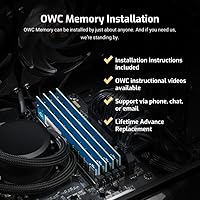
Installation is genuinely straightforward if you have opened a Mac Pro before. You power down the machine, remove the side panel, pull out the memory riser card, seat the DIMMs firmly into their slots, and reassemble. No specialized tools are required — the cheese grater tower is designed to be user-serviceable. Most buyers report the system recognizes the full 32GB on first boot with nothing else to configure.

The Mac Pro towers this kit targets have a native macOS support ceiling well below Ventura, though many users run newer versions via community tools like OpenCore Legacy Patcher. The RAM itself is not a limiting factor in those setups — it functions correctly at the hardware level regardless of which macOS build is running on the machine.

For the Mac Pro 2009–2012, Apple's platform design specifically calls for ECC memory, so compatibility alone makes it a requirement rather than a preference. Beyond that, ECC quietly catches and corrects single-bit errors in real time — which matters during long renders, complex audio sessions, or any workflow where silent memory corruption could damage hours of unsaved work. It is not just a spec-sheet checkbox for these machines.

It means OWC ships a replacement module to you before you have to send the defective one back, rather than the return-first approach most sellers use. For a working professional whose machine is part of a daily workflow, that turnaround difference is meaningful. It is one of the reasons buyers in reviews consistently cited OWC's support policy as the deciding factor over cheaper alternatives.

If the tower is actively part of your workflow — video editing, audio production, 3D rendering — then yes, memory remains one of the most impactful single upgrades you can make to reduce bottlenecks. These towers are still capable workhorses for many professional tasks, and the cost of this ECC RAM upgrade is a small fraction of what a comparable modern workstation would require. If the machine is already sitting idle, that is a different conversation entirely.