
Overview

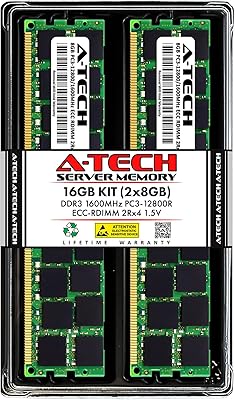
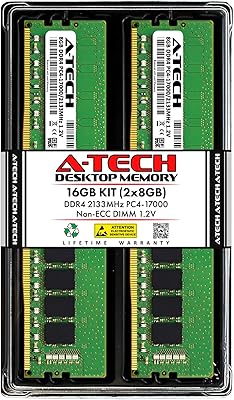
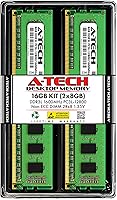
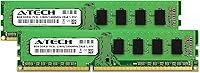
The A-Tech 16GB DDR3 1600MHz Desktop RAM is a straightforward, no-frills memory upgrade aimed at anyone keeping an older desktop alive and functional. It ships as a dual-channel 2x8GB kit, which means both sticks work together to move data more efficiently than a single module would — a real difference when you're running a browser with twenty tabs open. The dual-voltage design operates at either 1.35V or 1.5V, giving it room to work across a wider range of older motherboards without forcing you to dig through BIOS settings. A-Tech isn't a household name like Corsair or Kingston, but this memory kit has been selling consistently since 2013, which says something about its quiet reliability in the market.

Features & Benefits

One thing worth noting about this DDR3 upgrade is that it runs at 1.35V by default — the low-voltage DDR3L standard — drawing less power than conventional 1.5V modules. Older systems benefit from the cooler operation, and it's backward compatible if your board only supports the higher voltage. Running at 1600MHz hits the practical ceiling for DDR3 performance without demanding premium pricing. The dual-rank layout can squeeze out a bit more bandwidth on boards that support it. There's no ECC error correction here, but that's expected for a consumer desktop kit — it keeps things simple and broadly compatible. A lifetime warranty rounds things out as a genuine safety net for buyers who want some assurance behind their purchase.

Best For

This memory kit makes the most sense for people who bought a mid-range desktop five to ten years ago and find it struggling with modern workloads. If your machine shipped with 4GB or 8GB and now stutters opening multiple browser tabs or running light office software, adding 16GB of DDR3 genuinely changes the day-to-day experience. It's also a practical choice for small business owners refreshing older office machines without the budget for a full system replacement. DIY builders putting together budget refurbished systems will appreciate the accessible price point. One important caveat: always confirm your motherboard supports DDR3 before ordering. This is not a DDR4 or DDR5 kit, and compatibility verification before purchasing is non-negotiable.

User Feedback

Across thousands of reviews, the A-Tech RAM modules hold a strong overall rating, and the pattern is consistent: most buyers seat the sticks, boot up, and the system recognizes the full 16GB without any fuss. Compatibility with older Intel Core i5/i7 and AMD FX-based boards comes up repeatedly as a highlight. Some reviewers switched from original OEM sticks and noticed no drop in day-to-day stability. That said, DOA reports do surface — not frequently, but enough to mention honestly. The good news is the warranty appears to function as advertised, with A-Tech's support team facilitating replacements without excessive friction. Long-term owners running these modules for a year or more generally report no degradation or instability issues.

Pros

  • Installs in minutes with no BIOS configuration required on most DDR3 platforms.
  • The dual-channel configuration delivers noticeably smoother multitasking compared to a single large module.
  • Low-voltage DDR3L operation at 1.35V runs cooler and draws less power than standard DDR3 sticks.
  • Backward compatible at 1.5V, so it works even on older boards that do not support the DDR3L standard.
  • Broad compatibility across Intel and AMD DDR3 desktop platforms makes it a versatile pick for mixed fleets.
  • A lifetime warranty provides genuine peace of mind for a budget memory purchase.
  • Long-term owners consistently report stable, problem-free operation well beyond the one-year mark.
  • Replacing sluggish OEM sticks with this DDR3 upgrade results in no regression in system stability, per user reports.
  • A-Tech's support team actively resolves DOA claims, making the warranty more than just a marketing checkbox.
  • Value-for-money is the most commonly cited reason buyers choose this over pricier name-brand alternatives.

Cons

  • Occasional DOA units have been reported, meaning you may receive a module that does not work out of the box.
  • A-Tech is a lesser-known third-party brand, which may concern buyers who prefer established memory manufacturers.
  • No XMP profile support, so there is no straightforward way to push beyond the rated 1600MHz speed.
  • Speed is capped at 1600MHz, which is behind the faster DDR3 tiers some high-end legacy boards support.
  • Dual-rank performance gains are board-dependent and not guaranteed across all DDR3 platforms.
  • No heat spreader on the modules, which could be a minor concern in poorly ventilated cases running demanding loads.
  • Compatibility is entirely the buyer's responsibility — the listing advises checking your system specs, which many buyers overlook.
  • Customer support response times can vary, making the warranty resolution process less predictable for some users.

Ratings

Our AI rating system analyzed thousands of verified global purchases of the A-Tech 16GB DDR3 1600MHz Desktop RAM, actively filtering out incentivized, spam, and bot-generated feedback to surface what real buyers actually experienced. The scores below reflect both where this memory kit genuinely delivers and where it falls short, giving you an honest picture before you commit to a purchase.

Value for Money
93%
Buyers consistently rank this as one of the best-priced DDR3 kits available for aging desktops, often choosing it over pricier alternatives from established brands without noticing any real-world performance gap. For users stretching a modest upgrade budget, the cost-per-gigabyte math is hard to argue with.
A handful of buyers who received DOA units felt the value proposition collapsed when they had to factor in the time and hassle of the replacement process, even when the warranty ultimately came through.
Compatibility
88%
Users report clean installs across a wide range of legacy Intel and AMD platforms, including Core i5/i7 systems on LGA1155 and LGA1150 boards, as well as AMD FX-series AM3+ setups. Most boards recognized the full 16GB immediately without needing any manual BIOS adjustment.
Compatibility is entirely platform-dependent, and a subset of buyers ordered without verifying their board's DDR3 support — leading to returns. The listing advises checking specifications, but the onus falls entirely on the buyer to do that homework upfront.
Installation Ease
91%
The overwhelming majority of reviewers describe the install as straightforward: seat the sticks in the correct dual-channel slots, boot up, and the system detects all 16GB without fuss. Even buyers with minimal hardware experience report success without needing guides or support calls.
A small number of users ran into slot-pairing confusion, seating both sticks in adjacent rather than alternating slots and accidentally running in single-channel mode. This is a motherboard documentation issue as much as anything, but it caused unnecessary troubleshooting for some.
System Stability
86%
Long-term owners running these modules for one to three years consistently report no unexpected crashes, memory errors, or blue screens under normal desktop workloads — browsing, office software, and light media tasks all run without instability. Replacing OEM sticks with this kit showed no regression in day-to-day reliability.
A small but real percentage of buyers reported instability symptoms in the first few weeks, particularly in systems with finicky older boards. In most cases this resolved after reseating the modules, but it added a friction point that budget buyers understandably found frustrating.
Performance Uplift
82%
18%
Upgrading from 4GB or 8GB to 16GB produces a clearly felt difference in everyday computing — browsers with multiple tabs, video calls, and background software all run noticeably more smoothly. The dual-channel configuration adds an extra layer of responsiveness compared to a single-module setup of the same total size.
At 1600MHz, this kit is not going to impress anyone benchmarking memory throughput, and buyers expecting dramatic speed gains in CPU-intensive tasks will be disappointed. The uplift is real but squarely in the productivity lane, not the performance enthusiast lane.
DOA / Out-of-Box Reliability
71%
29%
The large majority of buyers receive working modules that pass initial boot and run stably from day one, which is the baseline expectation for any memory purchase. A-Tech's quality control appears consistent enough that most orders go smoothly without any intervention.
DOA reports surface with enough regularity across the review base to be noted as a genuine risk rather than a statistical anomaly. While the lifetime warranty covers replacements, dealing with a non-booting system on day one — and then waiting on support — is a real frustration that slightly undercuts confidence in the product.
Warranty & Support
78%
22%
A-Tech's lifetime warranty is genuine and transferable, and multiple reviewers confirm that replacement requests were fulfilled without requiring excessive documentation or bureaucratic back-and-forth. For a budget memory purchase, having any meaningful warranty is a meaningful differentiator.
Support response times are inconsistent, with some buyers reporting quick resolutions and others waiting longer than expected for replies. The support experience seems to vary by volume and region, which makes the warranty feel less predictable than it should be for a product selling at scale.
Dual-Channel Performance
79%
21%
Running the kit in proper dual-channel mode produces a measurable bandwidth improvement over single-channel configurations, which translates to slightly snappier system response in multitasking scenarios on compatible boards. Buyers who seat the sticks correctly from the start tend to notice the difference.
The dual-rank benefit is board-dependent, and not every DDR3 platform fully exploits the 2Rx8 configuration. Buyers with older or budget chipsets may see little difference compared to single-rank alternatives, making this spec largely invisible in practice for some users.
Low-Voltage Efficiency
74%
26%
Running at 1.35V rather than the standard 1.5V means modestly reduced power draw and slightly cooler module temperatures — a practical benefit for older systems running in compact or poorly ventilated cases where thermal headroom is limited.
The energy savings at this scale are marginal in practice and unlikely to be noticed on an electricity bill or in system temperatures unless the machine is running 24/7. Buyers who do not have DDR3L-compatible boards lose this benefit entirely, running at 1.5V by default.
Build Quality
76%
24%
The modules feel solid in hand with no flex or obvious manufacturing inconsistencies, and the PCB contacts seat cleanly into slots without requiring excessive force. For bare-PCB DDR3 sticks in the value tier, the physical quality is appropriate.
The absence of a heat spreader is a minor but real omission for buyers who want their system to look polished or who run demanding workloads in warm environments. While DDR3 at 1600MHz rarely runs hot enough to need one, the bare PCB aesthetic feels dated compared to even budget DDR4 kits today.
Long-Term Durability
84%
Buyers who have used this memory kit for multiple years report that modules remain stable and error-free over time, with no degradation in recognized capacity or performance. The product has a long enough sales history to provide real multi-year data points from actual users.
There is no publicly available accelerated aging test data from A-Tech for these modules, so long-term reliability claims rest entirely on anecdotal buyer reports rather than verified endurance benchmarks. For most home desktop use this is fine, but enterprise-minded buyers may want more assurance.
Brand Reputation
67%
33%
A-Tech has maintained a presence in the DDR3 memory market for over a decade, which provides a baseline level of confidence that the company will honor its warranty obligations and continue to stock replacement units. Its track record among budget-tier memory sellers is generally positive.
A-Tech carries none of the brand recognition or community trust that Crucial, Kingston, or Corsair have built over decades. Buyers who care about buying from an established, widely vetted memory manufacturer may find that gap uncomfortable, particularly when this is a third-party seller with less visible quality control transparency.
Packaging & Presentation
61%
39%
The modules arrive in basic protective packaging that keeps the sticks safe during transit and prevents static damage. For a no-frills memory upgrade, functional packaging is all most buyers need or expect.
Several buyers noted that the packaging feels noticeably minimal compared to kits from competing brands, with little in the way of installation guidance included in the box. First-time RAM upgraders who expected a quick-start guide or slot diagram had to find that information elsewhere.

Suitable for:

The A-Tech 16GB DDR3 1600MHz Desktop RAM is the kind of purchase that makes immediate sense for anyone nursing an older desktop back to productivity. If your machine is running an Intel Core i5 or i7 from the 2010–2014 era, or an AMD FX-series processor, this memory kit fits right into that ecosystem without any complicated setup. It's especially practical for home office users who find their aging tower struggling with modern browser workloads, video calls, or light multitasking — tasks that 4GB or 8GB of original RAM simply wasn't designed to handle at today's software demands. Small business owners who want to extend the useful life of their office machines without committing to full replacements will find this DDR3 upgrade offers a genuine and cost-effective performance lift. DIY builders piecing together refurbished systems on tight budgets will also appreciate the combination of accessible pricing and a lifetime warranty that reduces the financial risk of buying third-party memory.

Not suitable for:

The A-Tech 16GB DDR3 1600MHz Desktop RAM is firmly a legacy-platform product, and buyers should be clear-eyed about that before purchasing. If your desktop or workstation uses DDR4 or DDR5 memory — which covers most systems built after 2015 — this kit is simply not compatible, and no amount of workaround changes that. Gamers or power users building or upgrading a modern system should look elsewhere entirely; DDR3 at 1600MHz is not going to deliver the throughput that current-generation applications and games expect. This memory kit also holds no appeal for server or enterprise environments, since it lacks ECC error correction, which is a baseline requirement for mission-critical workloads. Buyers who need the absolute highest DDR3 speeds, such as 1866MHz or 2133MHz, should also note this kit tops out at 1600MHz and cannot be reliably overclocked beyond that without risk. Finally, anyone without a DDR3-compatible motherboard should verify their system specifications carefully before ordering — returning RAM is inconvenient, and compatibility mistakes are entirely avoidable with a quick check of your board's manual.

Specifications

  • Total Capacity: The kit provides 16GB of total memory across two 8GB modules designed to run together in dual-channel mode.
  • Memory Type: Uses DDR3 and DDR3L technology, making it compatible with motherboards that support either the standard or low-voltage DDR3 specification.
  • Speed: Operates at 1600MHz, corresponding to the PC3L-12800 standard, which is the most widely supported DDR3 speed tier.
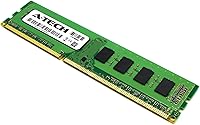
  • Form Factor: Both modules use the 240-pin DIMM form factor standard for desktop and workstation systems.
  • Voltage: Runs natively at 1.35V under the DDR3L low-voltage standard, with backward compatibility at 1.5V for older boards.
  • ECC Type: Non-ECC Unbuffered (UDIMM), meaning it is designed for consumer desktop use and does not include error-correcting code hardware.
  • Rank Configuration: Each module is dual-rank (2Rx8), which can provide modest bandwidth improvements over single-rank modules on compatible platforms.
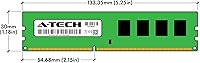
  • Module Dimensions: Each stick measures 5.25 x 1.18 x 0.15 inches, a standard DDR3 DIMM size that fits most full-size and mid-tower desktop cases.
  • Module Weight: Each module weighs approximately 0.634 ounces, consistent with a standard unheatspreaded DDR3 DIMM.
  • Compatible Platforms: Designed for desktop PCs and workstations with DDR3-compatible motherboards from both Intel and AMD platforms.
  • Kit Configuration: Sold as a matched pair of two 8GB sticks, pre-tested together to ensure stable dual-channel operation.
  • Model Number: The official A-Tech model number for this kit is AT8G2D3D1600ND8N135V.
  • Brand: Manufactured by A-Tech Components, a third-party memory specialist that has sold DDR3 modules since at least 2013.
  • Warranty: Covered by A-Tech's Limited Lifetime Warranty, which includes access to a customer support team for pre- and post-purchase assistance.
  • Release Date: This kit was first made available in May 2013 and has remained in continuous production since then.
  • Heat Spreader: The modules ship without a heat spreader, using a standard bare PCB design typical of value-tier DDR3 memory.
  • Operating Standard: Complies with the JEDEC DDR3L standard for 1.35V low-voltage operation, ensuring predictable behavior on conforming motherboards.

Related Reviews
A-Tech 32GB (4x8GB) DDR3 1600MHz Desktop RAM
88%
94%
Installation Ease
89%
System Performance
92%
Value for Money
83%
Compatibility
91%
Stability and Reliability
More
A-Tech 16GB DDR3 1600MHz ECC RDIMM Server RAM Kit
86%
90%
Performance
88%
Installation Ease
92%
Reliability
75%
Compatibility
94%
Data Integrity (ECC)
More
NEMIX RAM 16GB DDR3 1600MHz SODIMM
86%
88%
Performance Boost
91%
Ease of Installation
85%
Compatibility
90%
Energy Efficiency
84%
Build Quality
More
A-Tech 64GB Kit DDR3 1600MHz ECC Registered RAM
88%
92%
Performance in Server Environments
89%
Compatibility with DDR3 Servers
94%
Stability and Reliability (ECC Features)
87%
Energy Efficiency (Low Voltage)
90%
Ease of Installation
More
Yongxinsheng DDR3 32GB Kit (8GBx4) Desktop RAM 1600MHz
85%
88%
Performance
92%
Ease of Installation
90%
Value for Money
83%
Heat Dissipation
75%
Compatibility with Motherboards
More
A-Tech 16GB (2x8GB) DDR4 2133 MHz Desktop RAM
85%
94%
Ease of Installation
87%
System Responsiveness
90%
Energy Efficiency
85%
Performance for General Use
92%
Price to Performance Ratio
More
Gigastone 64GB Kit (16x4GB) DDR3 1600MHz Desktop RAM
84%
88%
Performance
91%
Installation Ease
85%
Compatibility
82%
Energy Efficiency
87%
Build Quality
More
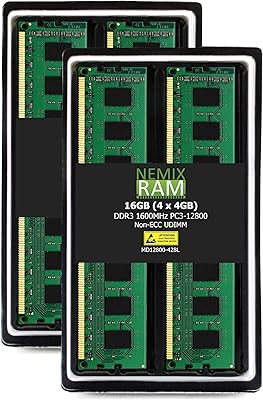
NEMIX RAM 16GB (4x4GB) DDR3 1600MHz PC3-12800 Memory Kit
86%
94%
Installation Process
88%
Performance Boost
92%
Value for Money
85%
Build Quality
80%
Compatibility
More
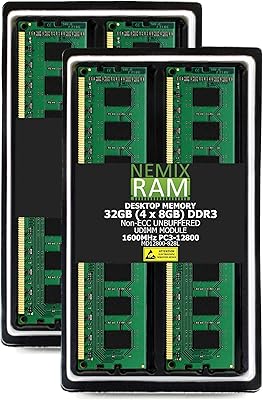
NEMIX RAM 32GB (4x8GB) DDR3 1600MHz PC3-12800 Desktop Memory Kit
87%
88%
Performance
95%
Ease of Installation
92%
Energy Efficiency
91%
Value for Money
85%
Compatibility
More
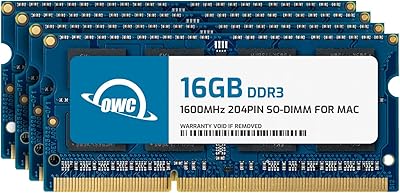
OWC 64GB (4 x 16GB) DDR3 1600MHz SO-DIMM Memory RAM Upgrade
82%
91%
Performance Boost
75%
Ease of Installation
94%
Compatibility
89%
System Stability
80%
Energy Efficiency
More

FAQ

It depends on whether your motherboard uses DDR3 slots — not DDR4 or DDR2. Most Intel platforms from roughly 2010 to 2015, including those using LGA1155 and LGA1150 sockets, are DDR3-based and will accept this kit. Check your motherboard's manual or manufacturer website to confirm DDR3 support and the maximum capacity it allows before ordering.

Yes, a single stick will work if your board only has one available slot or if you prefer to add RAM gradually. However, running both sticks together in dual-channel mode gives you better memory bandwidth, which translates to slightly smoother performance in everyday workloads. If you have two free slots, use both.

No, this is a common concern but not an issue in practice. These modules are backward compatible with 1.5V boards, meaning the motherboard will simply run them at 1.5V instead of 1.35V. You lose the energy efficiency benefit, but the sticks will function normally and stably.

Yes, AMD FX-series motherboards — such as those using the AM3+ socket — are DDR3 platforms and are well-supported by this memory kit. Multiple users have reported clean installs and stable operation on FX-6300 and FX-8350 builds specifically.

Refer to your motherboard's manual, as dual-channel slot pairing varies by board. Most boards color-code the slots — you typically install one stick in slot 1 and one in slot 3 (or slot 2 and slot 4), skipping a slot between them. Installing them in the wrong pair of slots usually still works but drops you to single-channel mode.

DOA modules do occur occasionally with any memory brand. The A-Tech 16GB DDR3 1600MHz Desktop RAM is backed by a Limited Lifetime Warranty, so the process is to contact A-Tech's support team directly with your order details and describe the issue. Most users report that replacement requests are handled without major friction, though response times can vary.

In most cases the system will default to a lower speed like 1333MHz on first boot, which is normal DDR3 behavior. To get the full 1600MHz, you typically just need to enter your BIOS and enable the XMP or JEDEC 1600 profile — it's usually a single toggle. Not all older boards support this, so if yours doesn't have the option, it will simply run at the next supported speed.

Technically possible, but generally not recommended. Mixing memory kits of different capacities, speeds, or manufacturers can cause instability or force all sticks to run at the slowest speed in the set. If you're adding to existing RAM, it's best to run the A-Tech modules as a standalone pair in a fresh configuration.

Neither. These are bare PCB modules with no heat spreader and no lighting at all. For a straightforward DDR3 upgrade in a legacy desktop, that's fine — DDR3 at 1600MHz doesn't generate enough heat to need active cooling, and the lack of extras keeps the price down.

It can handle moderate workloads in those categories, particularly if you're upgrading from 4GB or 8GB. That said, 16GB of DDR3 is the practical ceiling for most legacy workstation motherboards, and you won't get the raw bandwidth of a modern DDR4 or DDR5 system. For light-to-medium creative work on an older machine, this DDR3 upgrade is a reasonable and cost-effective choice.