Overview

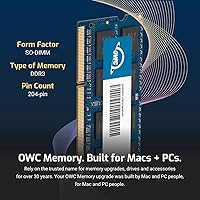
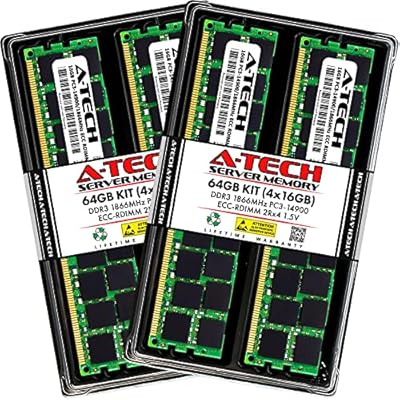
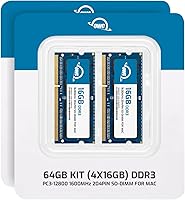
The OWC 64GB DDR3 1600MHz SO-DIMM RAM Kit is a purpose-built memory upgrade for one very specific machine: the Late 2015 iMac 27-inch with Retina 5K display. Four 16GB DDR3L modules make up the kit, taking that iMac straight to its maximum supported capacity in a single purchase. OWC has spent years building a reputation as a reliable source for Apple-compatible memory, and this kit reflects that focus. Worth noting upfront: the Late 2015 iMac 27-inch is one of the few iMac models where RAM is genuinely user-accessible — a small door on the back panel makes the process manageable without any tools. This is a niche, compatibility-specific upgrade, not a universal memory solution.
Features & Benefits

This 64GB memory kit runs at 1600MHz DDR3L with a low 1.35V operating voltage, which keeps heat output lower than standard 1.5V DDR3 modules — a meaningful consideration inside a compact all-in-one chassis. The PC3-12800 spec with CL11 latency matches Apple's own native memory specification, so there is no compromise on timings or compatibility. The 204-pin SO-DIMM form factor slots directly into the iMac's four memory bays without adapters or modifications. OWC also covers backward compatibility with slower DDR3 standards, and the kit is both JEDEC-compliant and RoHS certified. Rounding things out is OWC's lifetime limited warranty with an advanced replacement program and free technical support — unusually strong coverage for a third-party memory upgrade.

Best For

This RAM upgrade kit makes the most sense for creative professionals who regularly run Final Cut Pro, Photoshop, Lightroom, or similar memory-hungry applications on a Late 2015 iMac 27-inch. If your machine has started to crawl under heavy multitasking — multiple large files open, background exports running, browser tabs accumulating — maxing out the RAM is one of the most practical fixes available. It also suits anyone committed to extending the lifespan of their 2015 iMac rather than replacing it outright. Those who prefer a tested, warranty-safe option over cheaper generic modules will value OWC's Apple-specific validation. One firm caveat: this upgrade targets a single model only and will not fit other iMac generations.

User Feedback

Among buyers who have installed the OWC memory upgrade, the most consistent feedback is a noticeable reduction in system slowdowns and faster app load times under heavy workloads — no surprise when jumping from 8GB or 16GB to 64GB is such a large step. Installation is frequently described as straightforward and clean, with OWC's compatibility documentation helping ease pre-purchase uncertainty. The main reservation that surfaces is value: committing a significant sum to memory for a decade-old machine is not a casual decision, and buyers rightly weigh that. OWC's customer support earns consistent praise, especially the replacement program. Long-term stability appears solid, with very few reports of crashes or kernel panics after installation.

Pros

  • Maxes out the Late 2015 iMac 27-inch RAM capacity in a single purchase, no piecemeal upgrades needed.
  • DDR3L low-voltage design runs cooler than standard DDR3, which matters inside a compact all-in-one chassis.
  • Matches Apple native speed and latency specs precisely, so no BIOS tuning or compatibility guesswork is required.
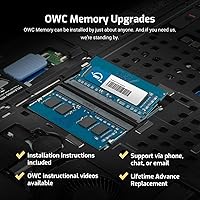
  • OWC's lifetime limited warranty with advanced replacement is unusually strong for third-party memory.
  • Free tech support from OWC is a genuine safety net for buyers who are less confident about installation.
  • JEDEC-compliant and RoHS certified, confirming the modules meet recognized quality and safety standards.
  • Users consistently report faster app load times and smoother multitasking after installing the OWC memory upgrade.
  • Installation is accessible thanks to the iMac 27-inch rear RAM door — no display removal required.
  • Backward compatible with slower DDR3 standards, adding a layer of flexibility if ever reused elsewhere.
  • OWC's Apple-specific testing history gives buyers more confidence than generic marketplace alternatives.

Cons

  • Spending a premium sum on memory for a ten-year-old machine is a hard sell for cost-conscious buyers.
  • Extremely narrow compatibility — only works with the Late 2015 iMac 27-inch, no other model.
  • RAM upgrades do not improve CPU-bound performance, so rendering and processing speeds remain unchanged.
  • Buyers who already have 16GB or 32GB installed may find the real-world jump less dramatic than expected.
  • No official Apple validation; buyers must rely on OWC's own compatibility testing and user reports.
  • At this capacity, the upgrade cost may approach or exceed what some refurbished alternatives would cost.
  • The kit is overkill for users who run only everyday productivity or web-based tasks.
  • Four-module kits are harder to partially reuse if the machine is ever retired or replaced.
  • Some buyers report uncertainty navigating the warranty replacement process without prior experience.
  • Limited retail availability means pricing can vary and stock may not always be immediate.

Ratings

The scores below reflect an AI-driven analysis of verified global buyer reviews for the OWC 64GB DDR3 1600MHz SO-DIMM RAM Kit, with spam, bot activity, and incentivized submissions actively filtered out before scoring. Each category captures both what real users praised and where genuine frustrations emerged, giving you an honest, balanced picture before committing to this upgrade. No score has been inflated to flatter the product — pain points are reflected as clearly as strengths.

Compatibility Accuracy
93%
Buyers consistently report that this RAM upgrade kit works exactly as advertised in the Late 2015 iMac 27-inch, with macOS recognizing all 64GB immediately after installation. OWC's Apple-specific testing record gives users confidence that no BIOS adjustments or workarounds are needed — it simply works.
The extremely narrow compatibility scope catches some buyers off guard; anyone who does not verify their exact model identifier before purchasing risks ordering the wrong kit entirely. There is essentially no margin for error here, and returns due to model confusion are the most common complaint.
Installation Experience
88%
Most users describe the physical installation as manageable, thanks to the dedicated RAM access door on the rear of the Late 2015 iMac 27-inch. The process does not require display removal, and OWC's documentation helps buyers who are doing this kind of hardware work for the first time.
A handful of users note that seating all four modules firmly and evenly takes more careful pressure than expected, and one poorly installed module can prevent the system from booting. First-timers occasionally need a second attempt before the machine recognizes the full 64GB.
Real-World Performance Impact
79%
21%
Users running Final Cut Pro, Lightroom, and large Photoshop files report a meaningful reduction in spinning-wheel slowdowns and noticeably faster app switching after installing the OWC memory upgrade. For anyone who had been running 8GB or 16GB on a workflow that regularly exceeded available RAM, the change is hard to miss.
Buyers expecting faster rendering times or snappier CPU-bound tasks are sometimes disappointed — and rightfully so, since RAM upgrades do not accelerate the processor. Managing pre-purchase expectations is something OWC's own product page could do more clearly.
Value for Money
61%
39%
For users committed to keeping their Late 2015 iMac running productively for several more years, this 64GB memory kit represents a targeted investment that avoids the far larger cost of a new machine. The lifetime warranty adds tangible long-term value to an otherwise steep upfront price.
Spending a premium on memory for a machine that is now over a decade old is a hard calculation for many buyers, and several reviewers openly wrestle with whether the cost is justified. Against the backdrop of modern Macs with soldered memory, the logic holds — but the price still stings.
Long-Term Stability
91%
Extended-use reports are consistently positive, with the vast majority of buyers reporting zero kernel panics, crashes, or memory errors after months or even years of daily use. The low-voltage DDR3L design appears to contribute to stable thermal behavior inside the iMac chassis over sustained workloads.
A small number of users have reported intermittent boot issues appearing months after installation, though these cases are infrequent and often resolved by reseating the modules. Long-term failure rates appear low, but not zero.
Warranty & Support
89%
OWC's advanced replacement program — where a replacement ships before the defective unit is returned — is genuinely appreciated by users who rely on their iMac for professional work and cannot afford extended downtime. Free tech support from knowledgeable OWC staff is cited repeatedly as a differentiator from generic memory brands.
A few users report that initiating a warranty claim involves more back-and-forth communication than expected, particularly in verifying the fault remotely before a replacement is dispatched. The process is ultimately resolved, but it is not as instant as some buyers anticipate.
Module Quality & Build
86%
The physical modules feel solid and well-manufactured, with consistent build quality across all four sticks in the kit. Buyers who have handled generic DDR3 SO-DIMMs before often note that these feel noticeably more substantial and uniform.
There is no visible difference between these and other branded DDR3L modules once installed, so buyers paying a premium are largely trusting OWC's quality control process rather than any observable hardware distinction. That trust appears warranted, but it is still largely invisible.
Packaging & Delivery Condition
84%
The kit arrives in a compact, anti-static package that keeps all four modules protected during shipping. Buyers rarely report receiving damaged or defective units out of the box, which matters for components as sensitive as RAM.
The packaging is functional but minimal — there are no installation guides included in the box itself, so buyers who want step-by-step instructions need to seek them out from OWC's website separately. Not a deal-breaker, but worth noting for less technically confident buyers.
Brand Trustworthiness
92%
OWC has a long-standing reputation in the Apple upgrade community, and buyers who have used their products before tend to return without hesitation. The company's focus on Mac-compatible hardware gives this 64GB memory kit a credibility that generic marketplace sellers simply cannot match.
OWC commands a price premium partly on the strength of that reputation, which means buyers who shop primarily on price may gravitate toward cheaper alternatives. Whether the brand premium is worth it depends on how much post-purchase support matters to the individual buyer.
Documentation & Clarity
77%
23%
OWC provides clear online resources for verifying compatibility and walking through installation, and the model-specific guidance is more detailed than most third-party memory brands offer. Buyers who do their research before purchasing generally feel well-prepared by the time the kit arrives.
Some buyers report confusion between similar OWC kit listings for adjacent iMac models, and the product page itself could do more to prominently surface the iMac17,1 model identifier requirement. A clearer compatibility checker at point of purchase would reduce avoidable returns.
Heat & Thermal Impact
83%
The 1.35V DDR3L specification means these modules run cooler than standard DDR3 under load, which is a meaningful benefit inside the thermally constrained iMac 27-inch chassis. Users running sustained video exports or large batch operations report no unusual fan activity attributable to the new RAM.
The thermal benefit, while real, is not something most users will ever directly measure or perceive — it is more of a background engineering advantage than a felt improvement. Buyers should not expect dramatically quieter fans or measurably cooler temperatures as a result of this upgrade alone.
Ease of Sourcing
71%
29%
The kit is consistently available through OWC directly and via major online retailers, making it reasonably easy to purchase without hunting through obscure channels. Demand for this specific upgrade appears steady enough that stock disruptions are rare.
Pricing can fluctuate noticeably between retail channels, and buyers who do not shop around may pay more than necessary. As the Late 2015 iMac ages further, availability through mainstream retailers may become less reliable over time.

Suitable for:

The OWC 64GB DDR3 1600MHz SO-DIMM RAM Kit is the right call for anyone running a Late 2015 iMac 27-inch who has hit a wall with multitasking performance. Creative professionals are the clearest fit — if you regularly work in Final Cut Pro, Adobe Premiere, Photoshop, or Lightroom, 64GB of RAM means your machine stops leaning on virtual memory and starts handling large files and background processes without grinding. This also makes strong sense for users who want to extract several more productive years from their iMac rather than buying a new system. The installation process is genuinely manageable: the Late 2015 iMac 27-inch has a dedicated RAM access door on the rear panel, so you do not need to open the display or use specialized tools. Buyers who want peace of mind on compatibility — and do not want to gamble on unverified generic modules — will appreciate that this kit is tested specifically against Apple specifications for that model.
Not suitable for:

If your machine is anything other than the Late 2015 iMac 27-inch (model identifier iMac17,1), this 64GB memory kit simply is not the right purchase — compatibility is that specific, and there is no flexibility there. Buyers hoping that a RAM upgrade will speed up CPU-bound tasks like rendering or compiling should temper expectations; more memory helps with multitasking and prevents slowdowns, but it does not accelerate single-threaded workloads or replace a faster processor. Anyone working with a tight budget should weigh the cost carefully against the age of the hardware — spending a significant sum to upgrade a machine that is now over a decade old is a deliberate, considered trade-off, not a casual one. Users who need memory for a MacBook Pro, Mac Mini, or any other iMac generation will need a different kit entirely. Finally, those who only run light workloads — web browsing, email, basic documents — are unlikely to notice a meaningful difference at this capacity level.

Specifications

  • Total Capacity: The kit provides 64GB of total memory, made up of four individual 16GB DDR3L SO-DIMM modules.
  • Memory Type: Modules use DDR3L technology, a low-voltage variant of the DDR3 standard designed to run at 1.35V rather than the standard 1.5V.
  • Speed: Rated at 1600MHz with a PC3-12800 designation, matching Apple's native specification for the Late 2015 iMac 27-inch.
  • Form Factor: Each module uses a 204-pin SO-DIMM form factor, which fits directly into the iMac's internal memory slots without adapters.
  • Voltage: Operating voltage is 1.35V, which generates less heat than standard 1.5V DDR3 modules during sustained workloads.
  • CAS Latency: CL11 latency rating aligns with Apple's specified timing requirements for this iMac model, ensuring stable operation.
  • ECC Support: These are Non-ECC modules; error-correcting code memory is not supported or required for this consumer iMac configuration.
  • Compatibility: Designed exclusively for the Late 2015 iMac 27-inch with Retina 5K display, identified by model ID iMac17,1.
  • Backward Compat.: Modules are backward compatible with slower DDR3 standards including PC3-8500 (1066MHz) and PC3-10600 (1333MHz).
  • JEDEC Compliance: All modules are fully compliant with JEDEC standard specifications, confirming adherence to industry memory interoperability standards.
  • RoHS Compliance: The kit is RoHS certified, meaning it meets European Union restrictions on hazardous substances in electronic components.
  • Warranty: OWC provides a limited lifetime warranty with an advanced replacement program, meaning a replacement is shipped before the defective module is returned.
  • Tech Support: Free technical support is available directly from Other World Computing (OWC) for buyers who need installation or compatibility assistance.
  • Manufacturer: Manufactured by Other World Computing (OWC), a company specializing in Apple-compatible memory, storage, and hardware upgrades since 1988.
  • Package Dims: The retail package measures 6.14 x 4.09 x 0.47 inches and weighs 2.11 ounces, containing all four memory modules.
  • Module Count: The kit ships with exactly four 16GB modules, which fully populates all four available RAM slots in the Late 2015 iMac 27-inch.
  • BSR Ranking: Ranked #1,427 in Computer Memory on Amazon, reflecting consistent and sustained demand for this specific upgrade kit.
  • Availability: This product has not been discontinued by the manufacturer and remains available as an active product in OWC's lineup.

Related Reviews
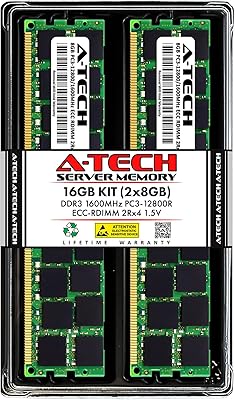
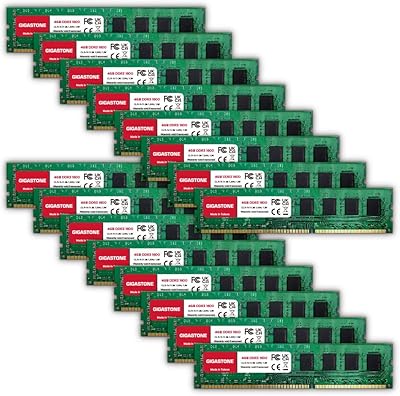
A-Tech 64GB Kit DDR3 1600MHz ECC Registered RAM
88%
92%
Performance in Server Environments
89%
Compatibility with DDR3 Servers
94%
Stability and Reliability (ECC Features)
87%
Energy Efficiency (Low Voltage)
90%
Ease of Installation
More
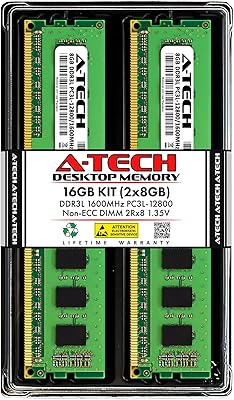
Gigastone 64GB Kit (16x4GB) DDR3 1600MHz Desktop RAM
84%
88%
Performance
91%
Installation Ease
85%
Compatibility
82%
Energy Efficiency
87%
Build Quality
More
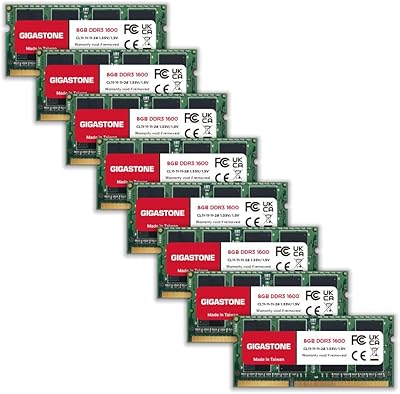
A-Tech 16GB DDR3 1600MHz Desktop RAM
79%
93%
Value for Money
88%
Compatibility
91%
Installation Ease
86%
System Stability
82%
Performance Uplift
More
Yongxinsheng DDR3 32GB Kit (8GBx4) Desktop RAM 1600MHz
85%
88%
Performance
92%
Ease of Installation
90%
Value for Money
83%
Heat Dissipation
75%
Compatibility with Motherboards
More
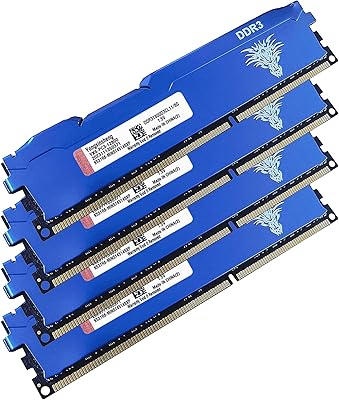
Gigastone 64GB DDR3L RAM Kit (8x8GB) 1600MHz SODIMM
86%
91%
Performance Improvement
85%
Installation Ease
88%
Energy Efficiency
90%
Compatibility
89%
Multitasking Performance
More
A-Tech 16GB DDR3 1600MHz ECC Server RAM
79%
71%
Compatibility
88%
ECC Reliability
84%
Value for Money
73%
Installation Ease
83%
Build Quality
More
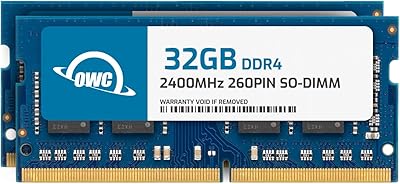
OWC 64GB DDR4 2400MHz SO-DIMM RAM Kit
81%
93%
Mac Compatibility
88%
Installation Experience
91%
System Stability
89%
Warranty & Support
84%
Performance Impact
More
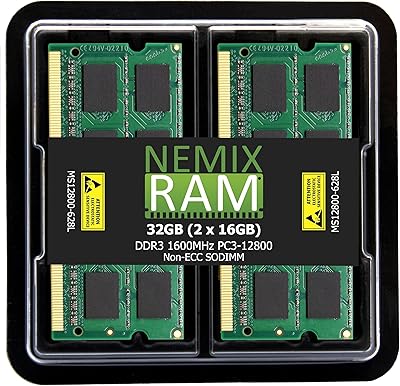
NEMIX RAM 32GB (2x16GB) DDR3 1600MHz SODIMM Laptop Memory Kit
85%
88%
Performance Improvement
92%
Ease of Installation
85%
Compatibility with Laptops
90%
Energy Efficiency
91%
Value for Money
More
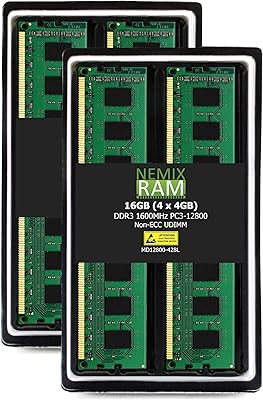
NEMIX RAM 16GB DDR3 1600MHz Desktop Memory Kit
79%
93%
Value for Money
74%
Compatibility
89%
Installation Ease
78%
System Performance Impact
81%
Build & Module Quality
More
NEMIX RAM 32GB (4x8GB) DDR3 1600MHz PC3-12800 Desktop Memory Kit
87%
88%
Performance
95%
Ease of Installation
92%
Energy Efficiency
91%
Value for Money
85%
Compatibility
More

FAQ

No, and this is the most important thing to verify before purchasing. This RAM upgrade kit is designed specifically for the Late 2015 iMac 27-inch, model ID iMac17,1. Earlier and later iMac models use different memory configurations and may not be compatible. Check your model identifier in About This Mac before ordering.

The Late 2015 iMac 27-inch has a dedicated RAM access door located at the bottom rear of the machine, which makes installation more straightforward than it sounds. You press a small button to release the door, slide out the existing modules, and insert the new ones into the four slots. No display removal or special tools are required, though it helps to have a clean, flat surface and take your time with each module.

For everyday tasks like email and web browsing, the jump may feel modest. But if you run Photoshop, Lightroom, video editing software, or keep many applications open simultaneously, the difference is significant. More RAM prevents the system from using slower virtual memory on disk, which is what causes that sluggish, spinning-wheel behavior under heavy load.

Since the Late 2015 iMac is well past any standard Apple warranty period, voiding it is not a practical concern for most buyers. OWC designs this kit to meet Apple's own memory specifications, and the installation process uses the manufacturer-provided access door. Third-party RAM upgrades of this type are widely accepted and have not caused issues for the vast majority of users.

DDR3L (the L stands for low voltage) runs cooler and draws slightly less power than standard DDR3. Inside a compact all-in-one like the iMac, where thermal management is always a consideration, the lower heat output is a genuine practical benefit during sustained workloads like video exports or large file operations.

You can technically use fewer than four modules, but to reach 64GB you need all four slots populated with this kit. Mixing different brands, speeds, or capacities of RAM is generally not recommended as it can cause instability. If you want to go to 64GB, replace everything in one go with a matched kit.

OWC's lifetime limited warranty includes an advanced replacement program, which means they ship you a replacement module before requiring you to return the defective one — a practical arrangement that minimizes downtime. You can also contact OWC's free technical support team if you are unsure whether a failure is RAM-related or something else.

Not directly. RAM upgrades address memory capacity and multitasking bottlenecks, but they do not speed up the CPU or GPU. If your machine is stalling because it has run out of RAM, adding more will help it stop hitting that ceiling. But if your exports are slow simply because the processor is working hard, more RAM will not change that.

That depends entirely on what you are running. For basic use, it is more than anyone needs. For professional creative work — large Photoshop files, multi-stream video editing, running virtual machines — 64GB is genuinely useful and extends how long that iMac remains capable of handling demanding software. If your workload pushes the machine hard, this 64GB memory kit makes a real difference.

Click the Apple menu in the top left corner, select About This Mac, and look at the model year listed. For extra certainty, click System Report and check the Model Identifier field — you are looking for iMac17,1. If it says anything else, this kit is not the right match for your machine.