Overview

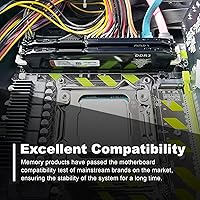
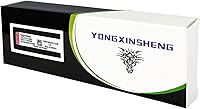
The Yongxinsheng 16GB DDR3 1866MHz Desktop RAM is a straightforward memory kit built for one specific job: giving older desktops a meaningful second life without a costly platform upgrade. It ships as a dual-channel 8GBx2 pair, which matters on aging Intel platforms where running matched sticks in the correct slots can noticeably improve memory bandwidth. The 1866MHz speed sits near the top of the DDR3 range, but don’t assume it runs at that frequency out of the box — many boards will default to 1333MHz until you manually enable an XMP profile in BIOS. Yongxinsheng isn’t a household name, yet the volume of verified buyers suggests this kit has earned its place in the budget tier.
Features & Benefits

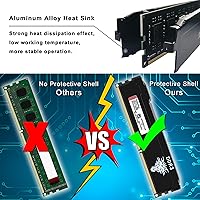
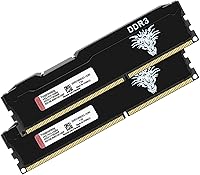
This desktop RAM upgrade uses a standard 240-pin UDIMM layout, so it slots into any conventional DDR3 desktop board without adapters or fuss. The double-rank, 512MB×16 architecture is a worthwhile detail — it can squeeze out a bit more bandwidth compared to single-rank alternatives on boards that support it. Timings land at CL13, which is par for the course at this speed class and won’t bottleneck typical workloads. Voltage is rated at 1.5V with a built-in tolerance window, a practical buffer for systems running aging power supplies. The aluminum heat spreader is thin but functional, offering passive cooling and minor static protection. This is non-ECC unbuffered memory — standard for consumer desktops, and unsuitable for server environments.

Best For

This DDR3 memory kit is squarely aimed at anyone trying to extend the life of an aging Intel desktop — Sandy Bridge, Ivy Bridge, or Haswell systems (2nd through 4th Gen) that still run fine but are starved of RAM. It also suits home and office machines used for browsing, productivity, and light multitasking, where upgrading to an entirely new platform just isn’t cost-effective. That said, compatibility research is non-negotiable before buying. Not every DDR3 board officially supports 1866MHz, and mismatched speeds can cause instability. Overclocking enthusiasts and anyone needing ECC-grade reliability for workstation tasks should look elsewhere — this kit is built for everyday practicality, not pushing limits.

User Feedback

With over 3,700 ratings and a 4.5-star average, the Yongxinsheng 16GB kit has more real-world validation than most no-name competitors at this price tier. The most consistent praise focuses on straightforward installation and stable day-to-day operation once the correct memory profile is active in BIOS. Less experienced users occasionally get tripped up by that step — the sticks may default to a lower speed until manually configured, which catches some buyers off guard. On the downside, a handful of reviews flag compatibility hiccups with specific older boards, and a small number mention units arriving faulty or failing early. The brand advertises a 24-hour support response window, which is a reasonable backstop. Overall, realistic expectations and a quick spec check beforehand go a long way toward a smooth experience.

Pros

  • Dual-channel 8GBx2 configuration improves memory bandwidth on older Intel platforms.
  • 1866MHz is among the faster DDR3 speeds available for legacy desktop boards.
  • Standard 1.5V voltage with a built-in tolerance range suits aging power supplies well.
  • Double-rank memory architecture can offer a bandwidth edge over single-rank alternatives.
  • 240-pin UDIMM design drops straight into any standard DDR3 desktop motherboard.
  • Aluminum heat spreader provides passive cooling without adding bulk to the module.
  • Over 3,700 buyer ratings give this DDR3 memory kit an unusually strong real-world track record for its tier.
  • Straightforward installation process praised consistently by less technical users.
  • Strong value for anyone who needs 16GB total capacity on a DDR3 platform without overpaying.

Cons

  • Many boards default to a lower speed; manually enabling the 1866MHz BIOS profile is often required.
  • Brand recognition is low, which may concern buyers who prioritize established warranty reputations.
  • CL13 timings are adequate but not competitive with tighter-latency kits at the same speed.
  • A small number of buyers have reported dead-on-arrival units or early stability failures.
  • Compatibility with specific older motherboards is not guaranteed and requires verification beforehand.
  • No XMP profile auto-detection on some boards means non-technical users may never run at rated speed.
  • The Yongxinsheng 16GB kit offers no upgrade path — DDR3 is a dead-end standard with no future platform support.
  • Customer support is limited to an email-style response window, with no phone or live chat option apparent.
  • Heat spreader is thin and largely cosmetic; heavy all-day workloads on poorly ventilated systems may still cause warmth.

Ratings

The scores below reflect an AI-driven analysis of thousands of verified global purchases of the Yongxinsheng 16GB DDR3 1866MHz Desktop RAM, with spam, incentivized, and bot-generated reviews actively filtered out to surface genuine buyer sentiment. Ratings are calibrated to honestly represent both what this desktop RAM upgrade does well for its intended audience and where real frustrations surfaced in practice. Nothing has been smoothed over — the pain points are reflected just as transparently as the strengths.

Value for Money
91%
For buyers on a tight budget who need to breathe life into an aging Sandy Bridge or Ivy Bridge system, the price-to-capacity ratio here is hard to argue with. Getting a matched 16GB dual-channel DDR3 kit at this tier means avoiding the cost of a full platform migration, which most users in this segment simply cannot justify.
The value equation only holds if your board is confirmed compatible — buyers who purchase without checking and then encounter issues have effectively paid for frustration. A small number of early-failure reports also temper the long-term cost efficiency slightly.
Compatibility
72%
28%
When matched to the right board — particularly Intel LGA 1155 and LGA 1150 platforms running Ivy Bridge or Haswell CPUs — this desktop RAM upgrade installs without friction and is recognized immediately by the system. Most buyers in that sweet spot reported no compatibility surprises at all.
This is where the most vocal negative feedback originates. Not all DDR3 motherboards officially support 1866MHz, and some older boards simply refuse to run the kit at rated speed, defaulting to 1333MHz or refusing to POST entirely. Compatibility is genuinely board-specific and cannot be assumed.
Installation Ease
83%
For the majority of buyers, dropping these sticks into the correct paired slots and powering on was the entire installation process. Users who had never installed RAM before reported successful first-try installs, which speaks to how forgiving the physical process is on standard ATX and micro-ATX boards.
The hidden friction point is the BIOS configuration step that follows. Users who do not manually enable the 1866MHz XMP profile are left running at a slower default speed without realizing it — a silent performance penalty that a non-technical user is unlikely to catch.
BIOS Configuration
66%
34%
For buyers comfortable navigating BIOS settings, enabling the XMP profile is a one-time, two-minute task that unlocks the kit’s rated speed reliably. Once set, the configuration sticks across reboots without issue on most tested platforms.
This step is a genuine barrier for less technical users and accounts for a meaningful portion of negative reviews. The kit ships with no printed guide, and the listing does not clearly warn buyers that 1866MHz requires manual activation — which leads to confusion and avoidable support contacts.
Stability & Reliability
78%
22%
The majority of buyers running compatible boards reported stable, crash-free operation across extended daily use — including all-day office work, media playback, and light gaming sessions. The double-rank architecture and voltage tolerance range appear to contribute to consistent behavior under normal desktop loads.
A visible minority of reviewers encountered early instability or dead-on-arrival units, which is a more frequent occurrence than you’d see from tier-one memory brands. The failure rate is low in absolute terms but higher than what more established manufacturers typically produce at this capacity.
Rated Speed Performance
74%
26%
At 1866MHz in dual-channel mode, this DDR3 memory kit delivers bandwidth that is meaningfully higher than the 1333MHz or 1600MHz stock configurations found in most older desktops being upgraded. Users moving from a single stick in single-channel mode noticed the most tangible real-world improvement.
CL13 timings are not class-leading, and enthusiasts comparing this against tighter-latency DDR3 kits from established brands will find the raw performance delta underwhelming. The speed advantage is real but modest — this is not a kit that will impress anyone running benchmarks.
Build Quality
77%
23%
The modules feel solid in hand, with the aluminum heat spreader adding a degree of structural rigidity beyond a bare PCB stick. For a value-tier kit, the finish and component seating are cleaner than expected, and the black aesthetic is understated enough to work in any build.
The heat spreader is visibly thinner than those found on premium DDR3 kits, offering limited thermal benefit under sustained loads in poorly ventilated cases. Build quality is satisfactory for the price tier but would not inspire confidence in a demanding or high-temperature environment.
Thermal Management
69%
31%
Under typical desktop workloads — office applications, web browsing, video playback — the aluminum spreader is more than adequate at keeping module temperatures in a safe range. Most users will never encounter a heat-related issue in a reasonably ventilated mid-tower case.
In compact or poorly airflow cases, the thin spreader provides limited protection during extended all-day use. The design is largely cosmetic at this thickness level, and buyers running systems in tight enclosures should not treat the heat spreader as meaningful thermal protection.
Brand Trustworthiness
63%
37%
The sheer volume of verified purchases — well over 3,700 ratings — provides more real-world confidence than most no-name memory brands can offer. The brand has clearly been available long enough to accumulate genuine buyer feedback across a range of systems.
Yongxinsheng carries no meaningful brand recognition in mainstream PC hardware communities, and there is no documented independent warranty or testing certification to fall back on. Buyers accustomed to the peace of mind that comes with Crucial, Kingston, or G.Skill will notice the absence of that assurance.
Customer Support
58%
42%
The seller advertises a 24-hour response window for support inquiries, and some buyers with DOA or early-failure units reported receiving responses and resolution through the Amazon seller channel within that timeframe.
Support is entirely seller-channel dependent with no independent brand support infrastructure. Buyers outside the Amazon return window, or those who bought through third-party storefronts, reported difficulty getting consistent assistance — a real vulnerability for a lesser-known brand.
Dual-Channel Effectiveness
82%
18%
Running both sticks in the correct paired slots reliably activates dual-channel mode on compatible boards, and users who previously ran a single 8GB stick in single-channel mode reported a noticeable improvement in system responsiveness during multitasking. The matched-pair shipping format makes this straightforward.
Some users installed both sticks in adjacent slots rather than the paired configuration shown in their motherboard manual, inadvertently running in single-channel mode. The kit includes no reminder about correct slot placement, which is a small but avoidable documentation gap.
Packaging & Delivery
76%
24%
Most buyers received the kit with both modules intact and undamaged, with the packaging providing adequate protection for transit. Delivery timelines through the Amazon fulfillment channel were consistent with standard expectations.
A handful of reviews mentioned sticks arriving loose or with minimal internal cushioning, and a small number of DOA reports may be transit-related rather than manufacturing defects. The packaging does its job in most cases but offers little margin for rough handling.
Platform Longevity
47%
53%
For buyers already committed to a DDR3 platform and not planning to upgrade their motherboard or CPU, this desktop RAM upgrade extends usable system life at a cost that is difficult to beat. It is a pragmatic choice for keeping a functional older machine running without a full rebuild.
DDR3 is a closed ecosystem with no upgrade path. Buyers who invest in this kit are ultimately extending a legacy platform rather than growing toward anything. As DDR3 hardware ages further, finding compatible replacement parts or additional modules will only become harder and the investment less recoverable.

Suitable for:

The Yongxinsheng 16GB DDR3 1866MHz Desktop RAM is a practical choice for anyone trying to squeeze more life out of an older desktop without committing to a full platform rebuild. It fits best in systems built around Intel 2nd, 3rd, or 4th Gen processors — Sandy Bridge, Ivy Bridge, and Haswell boards that still run reliably but start to struggle under modern multitasking demands. Home users juggling a dozen browser tabs, a video call, and a spreadsheet will feel a real difference moving from 4GB or 8GB to a full 16GB dual-channel setup. Small office machines used for document work, email, and light data entry are equally good candidates. Budget-conscious buyers who have already confirmed their motherboard supports DDR3 1866MHz will find this desktop RAM upgrade hits a genuinely useful price-to-capacity sweet spot for legacy hardware.

Not suitable for:

The Yongxinsheng 16GB DDR3 1866MHz Desktop RAM is not the right call for anyone building or upgrading a modern system — DDR3 is a legacy standard, and current platforms have moved well past it. Enthusiasts chasing tight memory timings or high-frequency overclocking will find the CL13 latency and fixed 1866MHz ceiling limiting compared to tuned DDR4 kits. Anyone running workstation software that demands ECC memory for error correction — think scientific computing, financial modeling, or video production at scale — should look at server-grade modules instead. This kit is also desktop-only; the 240-pin UDIMM form factor simply does not fit laptop or mini-ITX boards using SO-DIMM slots. Finally, buyers who have not verified their specific motherboard’s compatibility with 1866MHz speeds should pause before ordering, since not all DDR3 boards support that frequency and mismatches can cause boot failures or forced downclocking.
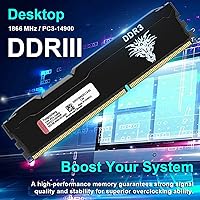
Specifications

  • Total Capacity: This kit provides 16GB of total memory across two 8GB modules configured for dual-channel operation.
  • Memory Type: Both modules use DDR3 SDRAM, the standard memory technology for desktop platforms from roughly 2007 through 2014.
  • Speed Rating: Rated at 1866MHz (PC3-14900), placing it near the upper end of the DDR3 frequency range for consumer desktops.
  • Latency: CL13 timings are specified at the rated 1866MHz speed, which is typical for this frequency class.
  • Voltage: Operates at 1.5V with a functional tolerance range of 1.425V to 1.575V to accommodate minor power supply variation.
  • Form Factor: Standard 240-pin UDIMM design, compatible with full-size DDR3 desktop motherboards only — not for laptops or SO-DIMM slots.
  • Architecture: Uses a 512MB x16 chip layout in a double-rank configuration, which can marginally improve memory bandwidth on supported boards.
  • ECC Support: Non-ECC (no error-correcting code), which is standard for consumer desktop use and incompatible with ECC-only server platforms.
  • Buffering: Unbuffered memory, meaning no register sits between the memory controller and the DRAM chips — the correct type for desktop consumer builds.
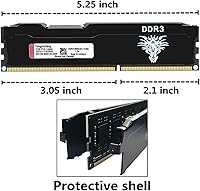
  • Heat Spreader: A thin aluminum alloy heat spreader runs the length of each module for passive heat dissipation and basic electrostatic protection.
  • Dimensions: Each module measures 5.75 x 1.85 x 1.06 inches, a standard full-height UDIMM profile.
  • Weight: The combined kit weighs approximately 2.89 ounces, typical for a dual-module DDR3 desktop kit with heat spreaders.
  • Color: Both modules feature a black PCB and matching black aluminum heat spreader for a consistent, understated appearance.
  • Compatible Devices: Designed exclusively for desktop PCs; not compatible with laptops, all-in-one systems, or servers using registered or SO-DIMM memory.
  • Channel Support: Configured as a matched dual-channel pair; for best results, install both sticks in the correct paired slots as indicated in your motherboard manual.
  • Release Date: First made available in November 2019, with ongoing sales indicating continued supply for legacy DDR3 platform support.

Related Reviews
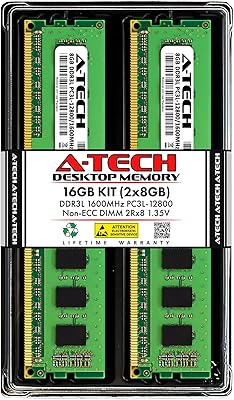
A-Tech 16GB DDR3 1600MHz Desktop RAM
79%
93%
Value for Money
88%
Compatibility
91%
Installation Ease
86%
System Stability
82%
Performance Uplift
More
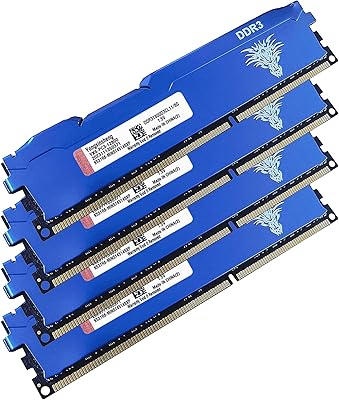
Yongxinsheng DDR3 32GB Kit (8GBx4) Desktop RAM 1600MHz
85%
88%
Performance
92%
Ease of Installation
90%
Value for Money
83%
Heat Dissipation
75%
Compatibility with Motherboards
More
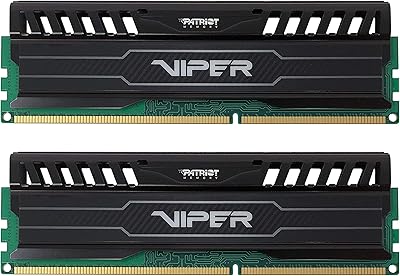
Patriot Memory Viper 3 DDR3 16GB (2x8GB) 1866MHz CL10 UDIMM RAM
85%
91%
Performance in Gaming
88%
Overclocking Capability
87%
Value for Money
65%
Heat Management
90%
System Stability under Load
More
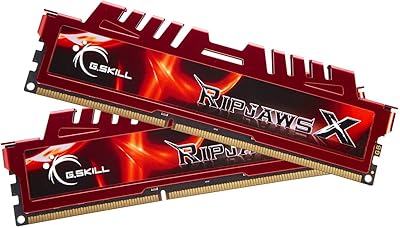
G.SKILL RipjawsX Series 16GB (2 x 8GB) DDR3 1866MHz Desktop Memory
88%
90%
Performance
88%
Ease of Installation
94%
Compatibility with Desktops
91%
Speed and Responsiveness
86%
Overclocking Support (XMP)
More
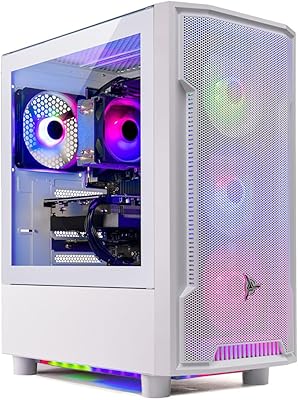
Skytech Archangel RTX 5060 Ti Gaming Desktop
77%
88%
Gaming Performance
83%
Build Quality
71%
Value for Money
91%
GPU Specification
67%
CPU Performance
More
Crucial 16GB DDR4 3200MHz Desktop RAM
78%
93%
Ease of Installation
88%
Compatibility Range
79%
Real-World Performance
91%
Long-Term Reliability
74%
Value for Money
More
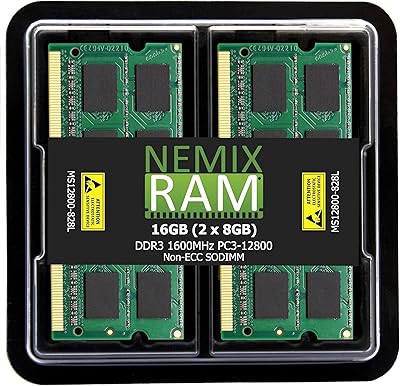
NEMIX RAM 16GB DDR3 1600MHz SODIMM
86%
88%
Performance Boost
91%
Ease of Installation
85%
Compatibility
90%
Energy Efficiency
84%
Build Quality
More
HP 708641-B21 16GB DDR3 Server RAM
75%
88%
Server Compatibility
91%
HP BIOS & iLO Recognition
79%
Value for Money
74%
Memory Speed Performance
83%
Installation Experience
More
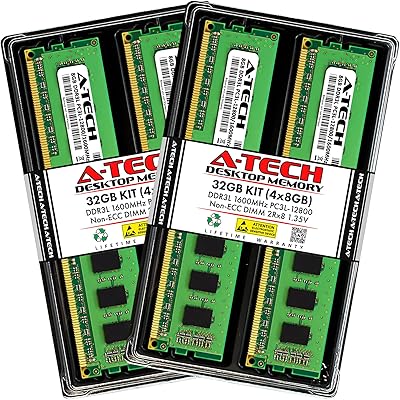
A-Tech 32GB DDR3 1866MHz RAM Kit (4x8GB)
86%
89%
Performance Boost
92%
Installation Ease
91%
Value for Money
75%
Compatibility
85%
Reliability
More
A-Tech 32GB DDR3 1600MHz Desktop RAM
78%
91%
Value for Money
74%
Compatibility Range
88%
Installation Experience
89%
System Stability
86%
Thermal Performance
More

FAQ

It depends on whether your specific H77 board lists 1866MHz as a supported speed in its memory QVL. Many H77 boards top out at 1600MHz officially, though some will accept 1866MHz via XMP. Check your motherboard manufacturer’s support page before buying — this is the single most important step.

Almost certainly not. DDR3 modules default to JEDEC standard speeds — usually 1333MHz or 1600MHz — and the 1866MHz profile only activates once you enable XMP in your BIOS settings. Go into your BIOS, find the memory or XMP settings, and select the 1866MHz profile. After saving and rebooting, your system should report the correct speed.

Technically possible, but not recommended. Mixing RAM from different manufacturers or kits often causes instability, boot failures, or forces both sticks to run at the slowest common speed. For reliable dual-channel operation, it’s best to use both sticks from this matched pair together.

It can work with older AMD platforms that use DDR3 — such as AM3 and AM3+ boards — as long as the board supports 1866MHz and the UDIMM form factor. That said, AMD DDR3 compatibility can vary more than Intel, so checking your specific board’s memory support list is especially important here.

Slot placement matters for dual-channel operation. Most boards require you to install matched pairs in alternating slots — typically slots 1 and 3, or 2 and 4 — rather than side by side. Your motherboard manual will have a diagram showing the correct slots; it’s worth a quick check before you install.

If you’re currently running 8GB and regularly feeling slowdowns while multitasking — switching between apps, keeping many browser tabs open, or running background software — the jump to 16GB will feel tangible. It won’t make your CPU or storage faster, but it removes memory as the bottleneck for everyday tasks. Expectations should be grounded: this is a legacy DDR3 platform, and the gains are about headroom, not raw speed.

Start by reseating both sticks firmly — DDR3 modules need a solid click to make proper contact. Then try booting with just one stick at a time to rule out a single faulty module. If one stick works alone but the pair together doesn’t, double-check your slot placement for dual-channel mode. If neither stick produces a POST, consult your motherboard’s memory QVL to confirm 1866MHz is supported.

Yongxinsheng advertises a 24-hour customer support response window through the seller channel. There is no widely published independent warranty card included. If you experience a failure, your best route is contacting the seller directly through Amazon’s messaging system and documenting the issue with photos or a short video of the problem.

Yes, within reasonable limits. Games that are CPU-bound or storage-limited won’t transform overnight, but if your system was previously running a single 8GB stick in single-channel mode, moving to a matched 16GB dual-channel pair can produce a small but real improvement in frame consistency. For modern, demanding titles, the bottleneck is more likely your GPU or CPU than the RAM.

Adding more sticks later is possible in principle, but running four DDR3 modules at 1866MHz puts more electrical load on the memory controller, and some older platforms become less stable at high frequencies with all slots populated. If you do expand, use an identical matched kit and expect you may need to drop to 1600MHz to keep things stable across all four slots.

Where to Buy