

Overview

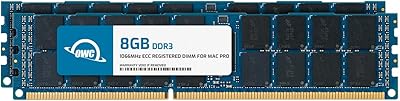
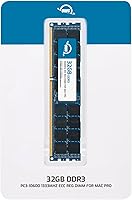
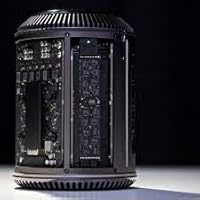
The OWC 32GB DDR3 1333MHz ECC Registered RAM arrives as a single, hefty stick built with one job in mind: bringing new life to the 2013 Mac Pro 6,1 tower. OWC has spent years carving out a niche in Apple-specific upgrades, and this memory module fits squarely into that history rather than feeling like a generic stick repackaged for Mac buyers. Instead of replacing your existing sticks outright, it is meant to either swap in directly or sit alongside what you already have, nudging the system closer to its full 128GB capacity. At its price point, this is not bargain-bin filler; it is built for people who already know they need serious headroom.

Features & Benefits

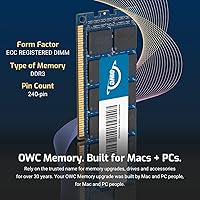
This RAM upgrade leans on ECC Registered architecture, which sounds technical but boils down to one practical thing: the memory checks itself for errors and quietly corrects them before a glitch can crash a render or corrupt a file. OWC also built in a Mac-qualified thermal sensor EEPROM, so the Mac Pro reads temperature data the way it expects to, rather than throwing odd warnings. Running at 1333MHz with CL9 timings on a standard 240-pin, 1.5V DIMM, it sticks to JEDEC specifications and stays RoHS compliant, which matters if you care about keeping your warranty intact. OWC backs it with a limited lifetime warranty and free phone support, and if you want more, this memory module can be paired with matching sticks to push a single tower toward 128GB total.

Best For

This Mac Pro memory kit makes the most sense for people whose work actually chews through RAM. Video editors and colorists running long 4K timelines in Premiere or Final Cut will notice fewer slowdowns when scrubbing or rendering. The same goes for 3D artists who need room for large scene caches without constant swapping to disk. If you're running several virtual machines at once, or hosting a sizeable local database, the extra headroom pays off quickly too. It's also a smart pick for anyone trying to stretch the working life of an aging 2013 tower instead of replacing the whole machine. One caveat: if you do not specifically need ECC support, a standard unbuffered DDR3 stick might be unnecessary overkill.

User Feedback

Buyer sentiment on this memory upgrade sits at a solid 4.1 out of 5 across roughly 98 reviews, which is respectable for a niche component like this. Most people report a smooth installation, popping the stick in and watching the Mac Pro recognize it without any fuss. A fair number of reviewers specifically call it out as a better value than Apple's own memory pricing, which tracks given how expensive official upgrades tend to run. On the downside, a handful of buyers mention confusion over exact model fitment, so it pays to double check your Mac Pro's year and configuration before ordering. Encouragingly, the complaints rarely involve failure over time; long-term reliability after months of heavy daily use comes up again and again as a genuine strength.

Pros

  • ECC Registered design quietly catches and corrects memory errors before they cause a crash or corrupted file.
  • Mac-qualified thermal sensor means the system reads temperature data correctly instead of throwing odd warnings.
  • Backed by a limited lifetime warranty plus free phone support if anything goes wrong.
  • Can be combined with matching sticks to scale a single tower up to 128GB total.
  • Most buyers report a smooth, drop-in installation with zero compatibility surprises.
  • Several reviewers say it performs as well as Apple's far pricier official memory.
  • Long-term reliability after months of heavy daily use comes up repeatedly in feedback.
  • JEDEC-compliant and RoHS certified, so adding it will not void your factory warranty.

Cons

  • A handful of buyers mention double-checking exact model fitment before ordering to avoid mistakes.
  • Only compatible with the 2013 Mac Pro 6,1 tower, so it is useless for other machines.
  • Sold as a single stick, so reaching the full 128GB ceiling means buying several at once.
  • Priced higher than generic unbuffered DDR3, which feels unnecessary if you do not need ECC support.
  • Installing memory yourself means opening the tower, which not every buyer feels comfortable doing.
  • Aimed squarely at an aging 2013 machine, so it offers no path forward to newer Mac Pros.
  • Casual users running light office tasks will likely never notice the extra memory in daily use.

Ratings

These scores for the OWC 32GB DDR3 1333MHz ECC Registered RAM were generated by AI after analyzing verified user reviews from buyers worldwide, with spam, bot activity, and incentivized feedback filtered out along the way. The goal is a transparent picture that reflects both the genuine strengths people rely on daily and the real pain points worth knowing before you buy. Nothing here is smoothed over for marketing purposes — strong categories and weaker ones are reported exactly as the data shows.

Compatibility & Fitment
88%
Once buyers confirm their tower is the 2013 Mac Pro 6,1 model A1481, installation tends to go without a hitch — the system recognizes the stick immediately and reports the correct capacity. Reviewers running heavy editing rigs say it slotted in just like the factory memory did.
A smaller slice of buyers mention mixing up Mac Pro model years or part numbers before ordering, which leads to a stick that simply will not be recognized. Double-checking the exact machine designation avoids this entirely, but it remains the single most common complaint.
Performance & Speed
79%
21%
At 1333MHz with CL9 timings, the module delivers exactly the throughput the 2013 Mac Pro 6,1 was engineered around, so editors scrubbing through long 4K timelines get the bandwidth their workflow actually needs. It is not flashy, but it matches the system perfectly.
1333MHz is fixed by the motherboard's memory controller, so this stick will never run faster no matter how good the chips inside are. Buyers coming from newer machines sometimes expect a bigger jump and are reminded this is a hardware ceiling, not a memory limitation.
Reliability & Stability
91%
This is where the module earns its reputation — ECC Registered design quietly corrects memory errors during long renders, multi-day virtual machine sessions, and database queries, and reviewers consistently report zero crashes tied to memory after months of daily, heavy use. That kind of dependability matters most when a single dropped bit could ruin hours of work.
The trade-off is that ECC Registered memory runs slightly slower than non-ECC equivalents and costs more, which casual users running light office tasks will never actually benefit from. For anyone outside heavy creative or server-style workloads, the extra protection is wasted overhead.
Value for Money
82%
18%
Several reviewers specifically call out the price as fair compared with Apple's own official memory, which often costs noticeably more for the same capacity. Add the lifetime warranty and free support on top, and the overall value proposition holds up well for serious workstations.
It still costs more than generic unbuffered DDR3 sticks of the same capacity, and buyers who do not specifically need ECC support end up paying for a feature they will never use. That makes it a poor fit for purely budget-driven upgrades.
Warranty & Support
89%
A limited lifetime warranty plus free phone-based tech support gives buyers real peace of mind, especially for a part installed inside a tower that many owners do not want to keep opening up. The advance replacement program also speeds up any rare swap.
Support quality is rarely complained about, but a few buyers note that phone support hours can be inconvenient across different time zones. It is a minor friction point rather than a real flaw, but worth knowing if you need help outside business hours.
Installation Ease
86%
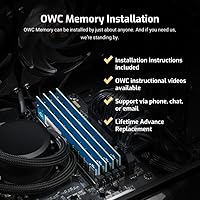
Most reviewers describe a simple, drop-in process: open the tray, seat the module, close it up, and the Mac Pro recognizes the new capacity right away. No drivers, firmware updates, or special tools are required for a standard memory swap.
It still means opening the Mac Pro's case and handling internal components, which understandably makes less technical owners hesitant. Anyone uneasy about that step may prefer paying a technician rather than attempting it solo.
Thermal Management
84%
The built-in Mac-qualified thermal sensor EEPROM means the system reports accurate temperature readings instead of throwing false alerts, which matters during long render sessions when the tower runs hot for hours at a stretch. It is a small detail most buyers never think about until it is missing.
This is purely a monitoring feature, not active cooling, so it does nothing to actually lower temperatures inside an aging chassis with worn-out fans. Owners running the tower flat-out for hours should still keep an eye on overall case airflow.
Scalability
77%
23%
Because it is built to the same spec as a full set, this stick can be combined with three more matching modules to reach the Mac Pro's full 128GB ceiling, giving heavy users a clear upgrade path without starting from scratch. That flexibility lets buyers scale gradually as budget allows.
Reaching that full 128GB total means buying four separate modules at this price point, which adds up fast and is a real financial commitment for a decade-old machine. Buyers should weigh that total cost against simply upgrading to newer hardware.
Compliance & Safety
92%
Meeting JEDEC standard specifications and RoHS compliance is not just a checkbox; it is what keeps the upgrade from voiding Apple's warranty on the rest of the machine, which is exactly the reassurance cautious buyers look for before adding third-party parts. It is a quiet but meaningful signal of build integrity.
These standards confirm baseline safety and compatibility, but they do not guarantee performance beyond what the spec sheet promises, so buyers expecting dramatic speed gains from compliance alone may be underwhelmed. It is reassurance, not a performance feature.
Build Quality
85%
The 240-pin DIMM construction feels solid and consistent with what you would expect from established workstation memory, and reviewers running it under sustained heavy loads for months report no physical issues or degradation. It looks and feels like genuine workstation-grade hardware once installed.
Since it lives hidden inside the tower, there is no premium finish or packaging flourish to speak of, and a few buyers note the module looks plain compared with flashier gaming-branded memory. That is purely cosmetic and does not affect function.
Brand Reputation
88%
OWC's long track record with Apple-specific upgrades gives buyers confidence going in, and several reviewers say it stacks up well against Apple's own pricier OEM memory in day-to-day use. That history carries real weight in a market full of unknown sellers.
Despite the strong reputation, a handful of cautious buyers still default to Apple's official memory out of habit, even when it costs significantly more for the same capacity. That hesitation around third-party RAM persists regardless of OWC's track record.
Overall Customer Satisfaction
82%
18%
Across roughly 98 reviews, the average sits at 4.1 out of 5, and the recurring theme is dependable performance over months of heavy daily use rather than just an initial good impression. That kind of sustained satisfaction is the strongest signal a buyer can ask for.
A 4.1 average means it is not universally perfect — the fitment confusion mentioned by some buyers and the niche nature of the product (only useful on one specific tower) keep it from a flawless score. Still, dissatisfaction is the exception rather than the rule.

Suitable for:

The OWC 32GB DDR3 1333MHz ECC Registered RAM is built for people who already know their 2013 Mac Pro 6,1 is choking on its stock memory. Video editors and colorists working through long 4K timelines in Premiere or Final Cut will feel the difference almost immediately once they have more room to work with. The same goes for 3D artists and renderers who need to keep large scene caches loaded without constant swapping to disk. It also makes sense for anyone running several virtual machines or a sizeable local database, where extra headroom translates directly into smoother performance. And if your goal is simply to keep an aging tower useful for a few more years instead of replacing it outright, this is exactly the kind of targeted upgrade that buys you time.

Not suitable for:

If your Mac Pro is mostly used for email, browsing, and light office work, the OWC 32GB DDR3 1333MHz ECC Registered RAM is probably more capacity than you will ever touch. Buyers who only need a small bump in memory might find a single 32GB stick overkill and better served by a smaller, cheaper module instead. People with machines outside the 2013 Mac Pro 6,1 lineup should also steer clear, since ECC Registered memory is not interchangeable with standard desktop RAM. Anyone uncomfortable opening up their own tower and verifying compatibility themselves may want to have a technician handle installation rather than buying this site-unseen. Finally, if budget is the primary concern, there are cheaper unbuffered DDR3 options for machines that do not require ECC support.

Specifications

  • Capacity: Each module provides 32GB of memory in a single DIMM.
  • Memory Type: This is DDR3 ECC Registered (buffered) memory, not standard unbuffered RAM.
  • Speed: The module runs at 1333MHz, rated as PC3-10600.
  • CAS Latency: Timings are set at CL9 for stable, ECC-corrected throughput.
  • Voltage: Operating voltage is 1.5V, matching standard DDR3 power requirements.
  • Form Factor: It uses a standard 240-pin DIMM physical layout.
  • Compatibility: Designed specifically for the 2013 Mac Pro 6,1, model A1481.
  • Thermal Sensor: A Mac-qualified thermal sensor EEPROM is built into the module for accurate temperature reporting.
  • Compliance: The module meets JEDEC standard specifications and is RoHS compliant.
  • Warranty: OWC backs the module with a limited lifetime warranty.
  • Support: Free phone-based tech support and an advance replacement program are included.
  • Max Configuration: Up to four matching modules can be installed for a 128GB total.
  • Weight: Each module weighs approximately 1.59 ounces.
  • Package Dimensions: The retail packaging measures roughly 6.89 x 4.96 x 1.42 inches.
  • Brand: The module is manufactured by OWC (Other World Computing).

Related Reviews
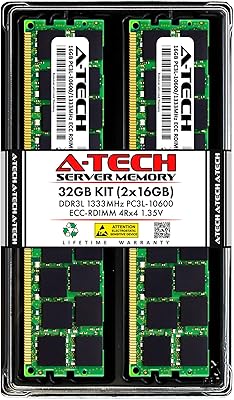
A-Tech 32GB DDR3 1333MHz ECC Registered Server RAM Kit
87%
88%
Performance
91%
Ease of Installation
85%
Reliability
93%
Data Integrity (ECC)
89%
Stability Under Load
More
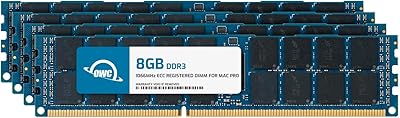
OWC 32GB (4x8GB) DDR3 ECC Registered Memory for Mac Pro 2009-2010
87%
92%
Performance Boost
88%
System Stability
90%
Installation Ease
95%
Compatibility with Mac Pro 2009-2010
86%
Reliability
More
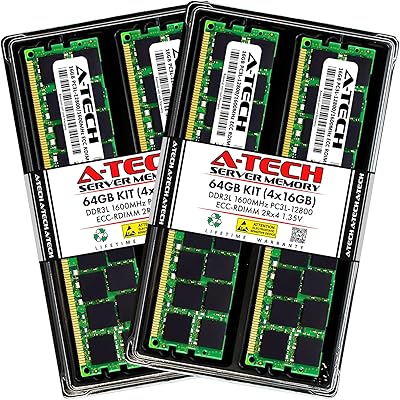
A-Tech 64GB Kit DDR3 1600MHz ECC Registered RAM
88%
92%
Performance in Server Environments
89%
Compatibility with DDR3 Servers
94%
Stability and Reliability (ECC Features)
87%
Energy Efficiency (Low Voltage)
90%
Ease of Installation
More
A-Tech 32GB DDR3 1333MHz Desktop RAM Kit
77%
91%
Value for Money
71%
Compatibility
88%
Installation Ease
74%
Module Reliability
83%
Warranty & Support
More
OWC 16GB DDR3 ECC-R Mac Pro RAM
82%
93%
Compatibility Accuracy
91%
System Stability
88%
Installation Ease
89%
ECC Error Protection
84%
Thermal Sensor Performance
More
OWC 32GB DDR3 ECC Mac Pro Memory
82%
94%
Mac Compatibility
88%
Installation Ease
92%
Thermal Sensor Accuracy
74%
Value for Money
89%
Warranty & Support
More
A-Tech 32GB DDR3 1600MHz Desktop RAM
78%
91%
Value for Money
74%
Compatibility Range
88%
Installation Experience
89%
System Stability
86%
Thermal Performance
More
Samsung M386A4G40DM0-CPB 32GB DDR4 Server RAM
75%
91%
Reliability & Stability
52%
Compatibility Clarity
88%
ECC Performance
83%
Memory Density Value
77%
Installation Experience
More
Kingston ValueRAM 8GB 1333MHz DDR3 ECC DIMM
87%
88%
Performance for Servers
92%
Stability and Reliability
94%
Ease of Installation
90%
Compatibility with Workstations
86%
Energy Efficiency
More
A-Tech 32GB DDR3 1866MHz RAM Kit (4x8GB)
86%
89%
Performance Boost
92%
Installation Ease
91%
Value for Money
75%
Compatibility
85%
Reliability
More

FAQ

Yes, this memory module is built specifically for the 2013 Mac Pro 6,1 tower (model A1481), so no extra configuration is needed beyond physically installing it. Just confirm your specific machine matches that model before ordering, since fitment mistakes are the most common complaint.

A single 32GB module already gives you a meaningful jump over the factory configuration, so you do not need multiple sticks just to make it work. That said, if you want to reach the Mac Pro's full 128GB ceiling, you would need to add three more matching modules.

ECC stands for error-correcting code, meaning the memory can catch and fix small data errors on its own before they cause a crash or corrupted file. Registered just refers to the buffering design that helps the system handle larger memory capacities reliably. This is exactly why the OWC 32GB DDR3 1333MHz ECC Registered RAM costs more than standard unbuffered DDR3 — the added reliability matters for workstations running long renders or virtual machines.

No, reputable third-party memory that meets JEDEC and RoHS standards, like this one, will not void your Mac Pro's warranty. Apple's own policies allow user-installable memory upgrades without affecting coverage on the rest of the machine.

Most buyers report a straightforward, drop-in installation with no special tools beyond opening the Mac Pro's case. If you are not comfortable handling internal components yourself, it is reasonable to have a technician install it for you instead.

If you are mainly doing video editing, 3D rendering, or running several virtual machines, 32GB per stick adds up quickly and is worth the investment. For lighter tasks like browsing or office work, you likely will not notice the difference and could save money with a smaller upgrade.

Yes, it includes a Mac-qualified thermal sensor EEPROM, so your system reads accurate temperature data instead of throwing false warnings. This is a small but important detail that generic RAM sticks sometimes skip.

OWC includes a limited lifetime warranty along with free phone-based tech support if you run into issues. There is also an advance replacement program, which speeds things up if a module ever needs to be swapped.

Several reviewers specifically mention that this Mac Pro memory kit performs just as well as Apple's official memory while costing noticeably less. Since it matches JEDEC specifications, you are not sacrificing reliability to save money.

Honestly, yes - if you are mostly checking email or browsing the web, a 32GB ECC module is more capacity than you will ever use. This upgrade really shines for memory-heavy workloads like video editing, 3D rendering, or running multiple virtual machines.