Overview

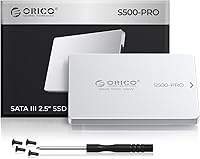
The ORICO S500PRO 1TB 2.5″ SATA SSD arrived in late 2024 as a no-frills upgrade option for anyone still running a mechanical hard drive in an older machine. What separates it from most rivals at this price is its aluminum shell — nearly everything else in this tier ships in plastic. One thing worth stating plainly: this is a SATA III drive, not NVMe, so the speed ceiling sits around 550MB/s rather than the multi-gigabyte territory of a PCIe drive. For everyday upgrade scenarios, that is more than enough. The drive has already reached a top-200 ranking in its category, which points to genuine buyer confidence rather than just launch momentum.

Features & Benefits

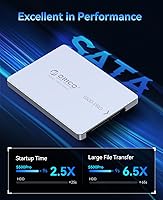
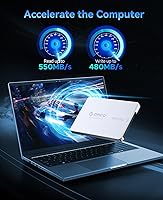
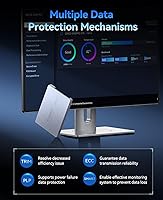
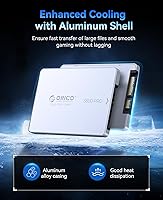
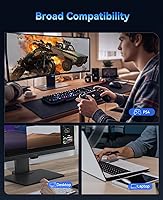
The ORICO S500PRO delivers read speeds up to 550MB/s and writes up to 480MB/s — numbers that translate directly into faster boots, quicker app launches, and snappier file transfers versus any spinning drive. The aluminum casing earns its place by pulling heat away during sustained transfers and offering real physical protection against knocks and drops. On the reliability side, you get ECC error correction, bad block management, TRIM, and S.M.A.R.T. monitoring, plus power loss protection that many cheaper drives quietly omit. A full terabyte gives you comfortable room for an OS, a solid game library, and media files without constantly juggling storage. It connects via standard 2.5″ SATA III, so compatibility is broad across desktops, laptops, PS4, and NAS setups.

Best For

This 1TB drive is an obvious match for aging laptop upgrades — if your machine still spins a hard drive, this swap will likely feel like the biggest single improvement you have made to it. PS4 owners get a genuine load-time reduction without replacing their console. Home lab and NAS builders will appreciate the capacity-to-cost ratio alongside low power consumption. Students and remote workers who run a drive inside a portable enclosure will notice how light and compact it is at under an ounce. That said, if your system already supports NVMe, skip this one — SATA III simply cannot compete on raw throughput, and there is no point paying for less than your hardware can handle.

User Feedback

Sitting at 4.6 stars across several hundred reviews, the reception has been consistently positive. Buyers most often highlight how dramatically faster their older systems feel after installation, and more than a few specifically note that the aluminum body feels unexpectedly solid for the price. The bundled screws and screwdriver get quiet appreciation — it is a small detail that makes the install cleaner. On the downside, some users report that sustained write speeds drop noticeably under prolonged heavy loads, which is expected behavior when a drive exhausts its SLC write cache. A smaller number flagged occasional compatibility questions with certain older enclosures, though those cases appear to be edge situations rather than a consistent pattern.

Pros

  • Swapping out an old hard drive for this SATA SSD produces a dramatic, immediately noticeable speed improvement.
  • The aluminum shell feels noticeably more solid than the plastic housings common among rival budget drives.
  • Power loss protection is included, which is a genuine data-safety feature often skipped at this price tier.
  • A full terabyte gives you enough room for an operating system, games, and media without micromanaging free space.
  • ECC error correction and S.M.A.R.T. monitoring add real reliability reassurance for long-term storage use.
  • Fits PS4, NAS enclosures, desktops, and laptops via a universal 2.5-inch SATA III connection.
  • The included screws and screwdriver make installation straightforward without needing to hunt for extra tools.
  • Weighing under an ounce, this 1TB drive is easy to carry inside a portable enclosure.
  • A three-year manufacturer warranty offers reasonable coverage for a budget-tier storage device.
  • Early sales rankings place it among the top drives in its category, suggesting consistent buyer satisfaction.

Cons

  • Write speeds drop under prolonged heavy loads once the SLC cache is exhausted, which can catch users off guard.
  • ORICO lacks the brand recognition of established storage names, which may create hesitation for first-time buyers.
  • SATA III tops out around 550MB/s, so the drive will bottleneck any system capable of faster NVMe throughput.
  • A small number of users have reported compatibility questions with certain older external enclosures.
  • No included cloning software means users must source their own migration tool to transfer an existing OS.
  • Long-term endurance ratings and TBW figures are not prominently disclosed, making wear-life comparisons difficult.
  • The silver aluminum finish, while durable, shows fingerprints and smudges more readily than matte plastic alternatives.
  • Random read and write IOPS figures are not officially published, limiting detailed performance comparisons.

Ratings

The scores below reflect our AI-driven analysis of verified global buyer reviews for the ORICO S500PRO 1TB 2.5″ SATA SSD, with spam, bot submissions, and incentivized feedback actively filtered out before scoring. Each category captures what real users experienced across a range of setups — from aging laptops to PS4 consoles and home NAS builds. Both the genuine strengths and the recurring frustrations are transparently represented so you can make a confident, informed decision.

Value for Money
91%
Buyers consistently describe this 1TB drive as one of the better-value storage upgrades they have made, especially when comparing what they paid against the immediate performance difference it delivered over a spinning hard drive. For users on a tight budget who cannot justify NVMe pricing, the cost-to-capacity ratio lands in a genuinely satisfying spot.
A small number of buyers felt the price crept slightly above comparable plastic-shelled SATA drives without a proportional performance advantage, meaning the premium for the aluminum build is real, if modest. Those who later discovered NVMe options at similar price points occasionally expressed mild regret.
Read & Write Speed
78%
22%
For everyday computing tasks — booting Windows, launching Chrome, opening large spreadsheets — users coming from mechanical hard drives describe the improvement as dramatic and immediate. Sequential reads near 550MB/s handle most workloads without any perceivable hesitation during normal desktop use.
Sustained write performance is the most cited complaint: once the SLC write cache fills during large file transfers, speeds drop noticeably, which frustrates users moving big video libraries or doing OS backups. Buyers expecting consistent peak write speeds throughout heavy workloads will occasionally be disappointed.
Build Quality
88%
The aluminum shell is the feature buyers mention most often when describing their first impression out of the box — it feels noticeably more solid and premium than the plastic-bodied alternatives they have handled at similar prices. Several users specifically noted confidence in its ability to survive the occasional accidental drop inside a laptop bag.
A few buyers observed that the aluminum finish picks up light scratches and fingerprints fairly easily during handling and installation, which is a minor cosmetic issue rather than a functional one. The silver finish also shows smudging more visibly than matte alternatives.
Installation Experience
89%
The inclusion of mounting screws and a small screwdriver was repeatedly praised as a thoughtful touch that saves buyers a separate trip to find hardware. Most users described the physical installation process as quick and painless, even for people doing their first SSD upgrade.
There is no bundled cloning or migration software, which means users transferring an existing OS have to research and download third-party tools on their own. For less technically experienced buyers, this gap in the out-of-box experience creates an extra step that feels like it should have been covered.
Compatibility
83%
The standard 2.5-inch SATA III form factor gave most buyers a true plug-and-play experience across desktops, laptops, and PS4 consoles without any configuration headaches. NAS users in home lab environments also reported clean detection and stable operation across multiple enclosure brands.
A handful of buyers flagged compatibility questions with specific older external enclosures, where the drive was not immediately recognized without a firmware workaround. These appear to be edge cases tied to particular enclosure chipsets rather than a widespread issue with the drive itself.
Thermal Performance
81%
19%
Users running this drive in compact laptops and NAS enclosures noted that it stayed cool during extended file transfers, which they attributed to the aluminum shell conducting heat away from the internals more effectively than plastic-bodied alternatives. No reports of thermal throttling during moderate workloads surfaced in buyer feedback.
In tightly enclosed NAS setups with poor airflow, a few users mentioned the drive running warmer than expected under continuous 24/7 read-write cycles. While no failures were attributed to heat, it is worth factoring in if you plan to run this drive hard inside a sealed enclosure.
Long-Term Reliability
74%
26%
The presence of ECC error correction, bad block management, power loss protection, and S.M.A.R.T. monitoring gives the drive a solid technical foundation for multi-year use, and buyers who have owned it for several months report no unexpected failures or data issues. The three-year warranty adds meaningful peace of mind for a budget-tier product.
Because the drive only launched in late 2024, there is limited long-term ownership data available, and published TBW endurance figures are not prominently disclosed by ORICO, making it harder to benchmark expected lifespan against established competitors. Buyers who want verified multi-year track records will need to wait.
Sustained Write Consistency
61%
39%
For typical daily use — saving documents, installing apps, downloading games — write speeds are perfectly adequate and consistent. Users who stick to workloads within the SLC cache window will rarely notice any irregularity in write performance during normal sessions.
This is the drive's most notable technical weak point: once large sustained writes exhaust the cache, throughput drops significantly and some users described the slowdown as jarring when moving multi-gigabyte files. Video editors, backup power users, and anyone regularly writing data in bulk should factor this ceiling into their decision.
Boot & Load Times
92%
Reducing boot time is the single most praised outcome across buyer reviews — users switching from spinning drives describe going from multi-minute cold boots to under 20 seconds, which they describe as transformative for older machines. Application load times and game boot screens on PS4 saw similarly enthusiastic feedback.
A small number of buyers with already-SSD-equipped systems who installed this as a secondary drive noticed less dramatic improvement, since the bottleneck in those setups was elsewhere. The improvement is most dramatic when replacing a mechanical drive, not when adding alongside existing solid-state storage.
Packaging & Accessories
77%
23%
The included screwdriver and mounting hardware are a practical addition that most competing drives at this price omit entirely, and buyers appreciated not needing to source extra parts before getting started. The packaging itself was described as clean and protective, with no drive damage on arrival reported across reviewed feedback.
The accessory kit is minimal beyond the screws and screwdriver — no SATA data cable, no USB adapter, and no migration software are included. Buyers who need any of those components will need to purchase them separately, which nudges the total cost of the upgrade upward.
Brand Confidence
69%
31%
ORICO has built a recognizable product line in the storage accessory space, and the strong sales ranking and 4.6-star average across several hundred verified purchases gives first-time buyers a reasonable basis for confidence. Repeat buyers familiar with the brand expressed no hesitation recommending it to others.
For buyers who prioritize purchasing from established Western storage brands, ORICO's Shenzhen-based origins and comparatively lower profile create a credibility gap that takes some research to close. The lack of widely published independent benchmark data for this specific model adds to that uncertainty.
Portability & Weight
86%
At under one ounce, this 1TB drive is light enough that it adds virtually no meaningful weight when slotted into a portable external enclosure for students or remote workers carrying it daily. The compact 2.5-inch footprint fits neatly inside slim enclosures without bulk.
The portability advantage is only relevant when used in an external enclosure, which is an additional purchase not included in the box. Users who need a truly portable solution should budget for a compatible USB 3.0 enclosure to complete the setup.
PS4 Upgrade Performance
84%
PS4 users specifically praised the straightforward installation process and the tangible reduction in game loading screens, with several noting improvements on open-world titles that previously had long area transition pauses. The standard form factor means no adapters or modifications are required.
The PS4 caps drive throughput at levels well below this drive's rated speed, meaning the hardware is slightly over-specified for that platform and buyers will not extract its full potential in that use case. PS5 users cannot use a 2.5-inch SATA drive in the internal bay at all.

Suitable for:

The ORICO S500PRO 1TB 2.5″ SATA SSD is a strong fit for anyone whose main goal is rescuing a slow, hard-drive-based machine without spending a lot of money. If you have an older laptop or desktop that takes two minutes to boot and crawls when opening applications, swapping in this drive will likely be the most noticeable upgrade you can make to that system. PS4 owners are another natural audience — the standard 2.5″ SATA form factor drops right in, and the jump from a spinning drive to solid-state storage cuts game load times in a way that is immediately obvious. NAS builders and home lab users will appreciate the combination of 1TB capacity, low power draw, and a three-year warranty at this price point. Students and remote workers who run their OS from a portable enclosure will also find the compact size and under-one-ounce weight genuinely useful day to day.

Not suitable for:

If your machine already has an M.2 NVMe slot available, the ORICO S500PRO 1TB 2.5″ SATA SSD is not the right choice — you would be artificially capping your system's storage performance to save a modest amount of money, and that trade-off rarely makes sense. Creative professionals who regularly move large video files, photographers batch-processing RAW archives, or anyone doing sustained heavy writes should also look elsewhere, since SATA III drives including this one will throttle back once the SLC write cache fills. Buyers who prioritize brand recognition or want the backing of a major storage brand may feel uncertain about ORICO, which remains a lesser-known name in Western markets despite solid sales numbers. Finally, if you need an M.2 form factor for an ultra-thin laptop or a modern mini PC that has no 2.5-inch bay, this drive simply will not physically fit your build.

Specifications

  • Capacity: The drive provides 1TB of usable storage space, suitable for operating systems, applications, game libraries, and media files.
  • Form Factor: Built in the standard 2.5-inch format, it physically fits any device with a 2.5″ SATA bay, including most laptops, desktops, PS4 consoles, and NAS enclosures.
  • Interface: Uses a SATA III (6 Gb/s) connection, which is backward compatible with SATA II ports at reduced speeds.
  • Sequential Read: Rated for sequential read speeds of up to 550MB/s under optimal conditions.
  • Sequential Write: Rated for sequential write speeds of up to 480MB/s under optimal conditions.
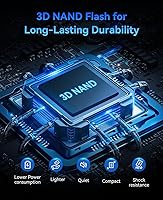
  • Flash Type: Uses 3D NAND flash memory, which stacks memory cells vertically to improve density, endurance, and energy efficiency compared to planar NAND.
  • Casing Material: The outer shell is machined aluminum, which assists with passive heat dissipation and provides better impact resistance than standard plastic enclosures.
  • Dimensions: Measures 3.15 x 2.36 x 0.79 inches, conforming to the standard 2.5-inch drive footprint.
  • Weight: Weighs approximately 0.704 ounces, making it one of the lighter options available in this form factor.
  • Error Correction: Incorporates ECC (Error Correcting Code) technology to detect and correct data errors during read and write operations.
  • Drive Health: Supports S.M.A.R.T. monitoring, TRIM commands, and bad block management to maintain long-term performance and data integrity.
  • Power Protection: Includes power loss protection circuitry to reduce the risk of data corruption during unexpected power interruptions.
  • Warranty: Backed by a 3-year manufacturer warranty from ORICO (Shenzhen ORICO Technologies Co., Ltd.).
  • Compatible Devices: Compatible with desktops, laptops, Sony PS4, NAS units, and DIY external enclosures that use a standard SATA connection.
  • Accessories Included: Ships with installation screws and a small screwdriver to cover the most common installation scenarios out of the box.
  • Color: Available in a silver finish consistent with the natural appearance of the aluminum casing.
  • Brand & Model: Manufactured by ORICO under the model designation S500PRO, released to market in October 2024.

Related Reviews
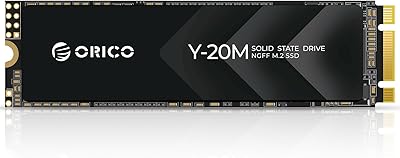
ORICO Y20M 1TB M.2 SATA SSD
80%
71%
Compatibility Clarity
78%
Read/Write Performance
91%
Installation Ease
83%
Value for Money
74%
Drive Longevity & Health Features
More
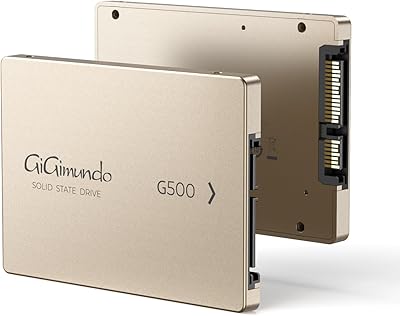
GiGimundo G500 1TB 2.5-inch SATA SSD
73%
83%
Value for Money
74%
Read/Write Performance
78%
Build Quality
58%
Reliability & Longevity
91%
Ease of Installation
More
TEAMGROUP QX 1TB 2.5 Inch SATA III SSD
84%
90%
Read/Write Speed
87%
Installation Ease
85%
Reliability
71%
Durability (QLC NAND)
92%
Price-to-Performance Ratio
More
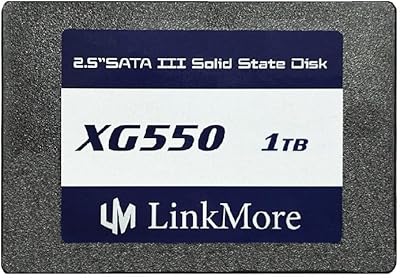
LinkMore XG550 1TB Internal SSD
78%
88%
Value for Money
93%
Installation Ease
87%
Boot Time Improvement
74%
Read/Write Performance
61%
Reliability & Longevity
More
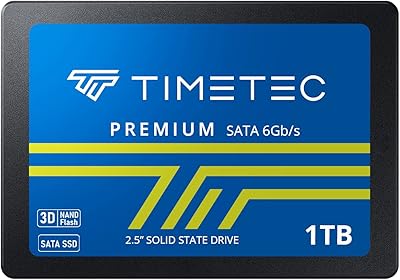
Timetec 1TB 2.5-inch SATA III Internal SSD
80%
91%
Value for Money
86%
Read Speed Performance
73%
Write Speed Performance
93%
Installation Ease
77%
Long-term Reliability
More
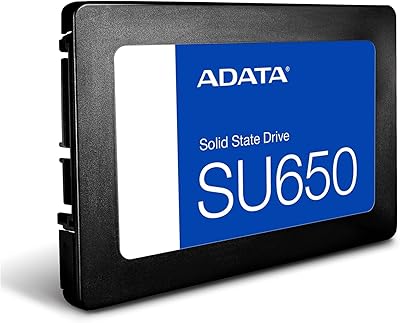
ADATA SU650 1TB 3D-NAND SATA 2.5 inch Internal SSD

86%
88%
Performance
92%
Value for Money
85%
Installation Ease
87%
Speed (Read/Write)
78%
Software Experience
More
Vantec NexStar JX 3.5″ HDD Enclosure
76%
93%
Ease of Setup
78%
Transfer Speed — USB
86%
Transfer Speed — eSATA
74%
Thermal Management
67%
Build Quality
More
Cenmate 5-Bay Hybrid HDD/NVMe Enclosure
73%
83%
Build Quality
78%
Thermal Management
71%
Transfer Speed
69%
RAID Functionality
76%
Drive Compatibility
More
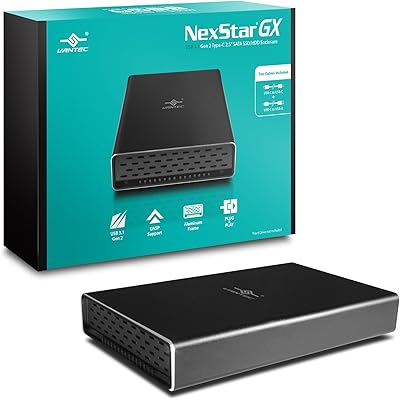
Vantec NexStar GX 2.5″ USB-C Drive Enclosure

79%
88%
Build Quality
83%
Transfer Speed
91%
Ease of Setup
71%
Heat Management
63%
Drive Fit & Tolerance
More
ICY DOCK ToughArmor MB998SP-B 8-Bay 2.5” SATA/SAS HDD/SSD Mobile Rack Enclosure for 5.25″ Bay
87%
91%
Performance
88%
Cooling Efficiency
89%
Build Quality
93%
Ease of Installation
72%
Noise Level
More

FAQ

Yes, the 2.5-inch SATA form factor is exactly what the PS4 uses internally, so it is a straightforward swap. You will need to reinstall the PS4 system software afterward, but ORICO includes the screws you need for the bracket. Most PS4 users report noticeably shorter game load times after making the switch.

In most cases, no. The box includes mounting screws and a small screwdriver, which covers the typical installation. The main variable is opening your specific laptop model — some require only a Phillips head, while a few older designs use proprietary screws. A quick search for your laptop model's upgrade guide will tell you exactly what to expect.

Yes, SATA III is backward compatible with SATA II ports. The drive will work, though your actual speeds will be limited to what SATA II can deliver, which tops out around 300MB/s. That is still dramatically faster than any mechanical hard drive, so the upgrade is still very much worth it.

Absolutely. Any 2.5-inch SATA enclosure will accept this drive. Pair it with a USB 3.0 or 3.1 enclosure and you will get fast, reliable portable storage. The drive is light enough that the enclosure will not add much bulk to a bag.

NVMe drives can be four to seven times faster on sequential transfers, but for typical everyday tasks — booting, launching apps, loading web pages — you are unlikely to notice a real difference in daily use. The gap shows up most when transferring very large files or doing sustained heavy writes. For someone upgrading from a spinning hard drive, this SATA SSD will feel dramatically faster regardless.

No, there is no bundled cloning software. You will need to use a third-party tool to migrate your existing OS. Macrium Reflect Free and MiniTool Partition Wizard are both widely used and free options that work reliably for this type of drive-to-drive migration.

TRIM support helps the drive manage its cells efficiently over time, which reduces the performance degradation that older SSDs without TRIM used to experience. Keeping at least 10 to 15 percent of the drive free is generally good practice and helps maintain consistent speeds.

ORICO is a Shenzhen-based manufacturer with a fairly broad product line covering storage accessories and drives. They are not as well known in Western markets as brands like Samsung or Crucial, but the S500PRO has accumulated a strong rating across hundreds of purchases, which is a reasonable indicator of consistent product quality. The three-year warranty also provides a meaningful safety net.

The drive includes power loss protection circuitry specifically to reduce the risk of corruption in that scenario. It is not a guarantee against all data loss in a sudden outage, but it is a meaningful safety layer that some drives in this price range skip entirely. For critical data, regular backups remain the best practice regardless of drive brand or type.

Yes, as long as your NAS has a 2.5-inch SATA drive bay, this drive will install and function normally. It is worth noting that NAS operating environments can involve more sustained read and write activity than a typical laptop, so monitoring drive health through S.M.A.R.T. data over time is a sensible habit for any SSD running continuously in a NAS.