Overview

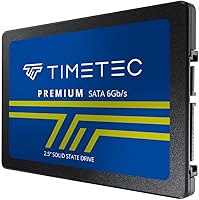
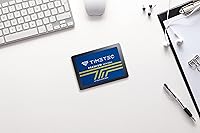
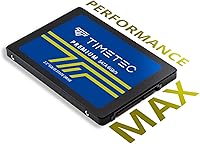
The Timetec 1TB 2.5-inch SATA III Internal SSD is one of those straightforward upgrades that makes a lot of sense if your laptop or desktop is still running a spinning hard drive. Timetec isn't a household name like Samsung or Western Digital, but they've quietly built a reputation around affordable memory and storage products that punch above their price point. This SATA SSD uses the SATA III interface, which does have a speed ceiling — don't expect NVMe-level performance here. What you do get is a meaningful jump over any mechanical drive, plus a 3-year limited warranty that takes some of the risk out of buying from a less familiar brand.

Features & Benefits

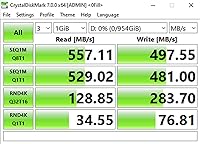
The numbers on this Timetec drive are respectable for its interface class — sequential reads up to 550 MB/s and writes up to 500 MB/s sit right at the top of what SATA III can realistically deliver. An SLC cache layer helps with burst tasks like opening apps or booting your OS, where you'll actually notice the speed difference day to day. Under the hood, 3D NAND flash technology keeps the cells more durable over years of use, and the drive supports TRIM, Wear-Leveling, and Error Correction Code — all standard features that help maintain data integrity and extend the drive's useful life. Broad compatibility with Windows, macOS, and Linux is a quiet but practical bonus.

Best For

This 1TB upgrade drive makes the most sense for laptop and desktop users who are still stuck with a mechanical hard drive and want a straightforward performance boost without a complicated installation process. It's particularly well-suited to older machines that only have a SATA bay — there's no M.2 slot required, and the 7mm slim profile fits most standard laptop enclosures. Students, home office workers, or anyone using a budget PC for everyday tasks will get a lot of mileage here. If you need secondary storage for a desktop build and don't want to spend extra for NVMe speeds you won't really use, this SATA SSD is a sensible, practical pick.

User Feedback

Buyers generally come away satisfied with this Timetec drive, with the most common praise centering on noticeable boot speed improvements and how painless the installation process is, even for first-timers. The quiet operation compared to a spinning hard drive gets mentioned often, too. On the flip side, some users have flagged that real-world write speeds under sustained heavy loads can dip below the advertised figures — not unusual for drives relying on SLC caching, but worth knowing. A few desktop upgraders were caught off guard realizing that mounting brackets and SATA cables aren't included in the box. Long-term reliability reports past the one-year mark are mostly positive, though customer support responsiveness from Timetec gets mixed reactions.

Pros

  • Delivers a dramatic speed improvement over any spinning hard drive for everyday computing tasks.
  • Sequential read speeds up to 550 MB/s hit the realistic ceiling for SATA III — solid value for the interface.
  • SLC caching keeps burst performance snappy for boot times and app launches where users notice it most.
  • 3D NAND flash and built-in Wear-Leveling technology help the drive hold up reliably over years of use.
  • Compatible with Windows, macOS, and Linux, covering virtually every common desktop and laptop setup.
  • The slim 7mm profile fits a wide range of ultrabooks and thin laptops without any adapter needed.
  • A 3-year limited warranty offers meaningful peace of mind for a budget-tier storage upgrade.
  • Installation is straightforward — most users report getting up and running without any technical headaches.
  • Backwards compatible with older SATA I and SATA II systems, extending its usefulness to legacy hardware.
  • At 1TB of usable space, there is plenty of room for an OS, applications, and a solid media library.

Cons

  • Timetec's customer support gets mixed reviews — response times can be inconsistent when issues arise.
  • Real-world sustained write speeds can dip noticeably once the SLC cache buffer is saturated.
  • No mounting brackets or SATA cables are included, which can catch desktop upgraders off guard.
  • Brand recognition is limited, which may make resale or warranty claims feel less straightforward than with major brands.
  • Not a practical choice for systems with an available M.2 slot, where faster NVMe options exist at similar prices.
  • Long-term reliability data beyond two years is thinner than what established brands can offer through extensive user communities.
  • The drive produces no endurance rating in TBW (terabytes written), making lifespan comparisons harder for informed buyers.
  • Packaging protection quality has been inconsistent according to some buyers, with a few reporting units arriving in minimal wrapping.

Ratings

Our AI-generated scores for the Timetec 1TB 2.5-inch SATA III Internal SSD are based on a systematic analysis of verified global buyer reviews, with spam, incentivized responses, and bot activity actively filtered out before scoring. The ratings cover everything from real-world speed performance to long-term reliability, reflecting both what buyers consistently praise and the friction points that keep showing up across thousands of honest submissions. Nothing has been smoothed over — the scores represent the full picture.

Value for Money
91%
For budget-conscious users replacing a dead laptop HDD or breathing life into an old desktop, this Timetec drive hits a sweet spot that's hard to argue with. Buyers repeatedly note that the performance gain relative to the price paid feels disproportionately large — especially coming from a sluggish spinning drive.
A handful of buyers feel the price-to-value equation weakens slightly when compared to similarly priced NVMe drives for users whose systems support M.2. For those who have that option, the value case becomes less compelling.
Read Speed Performance
86%
Users upgrading from mechanical drives consistently report dramatic improvements in boot times and application load speeds in day-to-day use. The SLC cache does a solid job of keeping burst reads feeling snappy during the kinds of tasks most home and student users actually run.
Sustained sequential reads under heavy workloads can fall short of the 550 MB/s peak figure once the cache is bypassed. Tech-savvy buyers running benchmark tools often flag a gap between advertised and real-world throughput under load.
Write Speed Performance
73%
27%
For typical workloads — saving documents, installing apps, downloading files — write performance feels more than adequate and noticeably quicker than any mechanical alternative. Light and medium users rarely push the drive hard enough to notice any ceiling.
Sustained write speeds drop meaningfully once the SLC cache buffer fills up, which happens faster than some buyers expect during large file transfers. Users moving multi-gigabyte batches of photos or videos have flagged this as a real limitation in practice.
Installation Ease
93%
Installation feedback is overwhelmingly positive — even first-timers with no prior hardware experience report getting the drive swapped in and running within minutes. The standard 2.5-inch form factor means it drops straight into any compatible bay without adapters or fuss.
Desktop users occasionally run into a frustrating surprise: no mounting bracket, SATA cable, or screws are included in the box. If you don't already have spare parts on hand, you'll need a separate purchase before completing the install.
Long-term Reliability
77%
23%
Buyers who have owned this SATA SSD for over a year largely report stable, consistent performance without data loss or failures. The combination of 3D NAND flash, ECC, and Wear-Leveling technology gives the drive a solid technical foundation for longevity.
Timetec's reliability track record beyond 18 to 24 months is harder to verify compared to established brands with larger user communities. The absence of a published TBW (terabytes written) endurance rating makes direct comparisons with competing drives more difficult for informed buyers.
Build Quality
81%
19%
The drive feels solid and well-constructed for its weight class — at just 1.76 ounces, it's impressively light without feeling cheap or flimsy. The 7mm slim profile is consistent with premium drive builds and fits confidently into compatible laptop bays.
Some buyers have noted that the external casing shows minor flex under firm pressure, which is unlikely to cause issues during normal use but may feel less reassuring than drives with more rigid enclosures. It's a budget product, and the finish reflects that.
Packaging & Delivery Condition
68%
32%
The majority of buyers report receiving their drive in good condition with no physical damage. For most orders, the basic anti-static packaging does its job adequately.
A recurring minority of reviews mention that the drive arrived in minimal protective packaging — sometimes just a thin padded envelope — which raises legitimate concerns about shock protection during shipping. A small number of buyers received units with visible cosmetic marks on arrival.
OS Compatibility
94%
Compatibility coverage is genuinely impressive — Windows XP through 11, macOS 10.4 and later, and Linux 2.6.33 and above means this 1TB upgrade drive works across virtually every common computing environment without driver headaches or configuration issues.
A few macOS users on newer Apple hardware discovered their machines don't have an accessible SATA bay at all, which isn't the drive's fault but does create a frustrating dead-end for buyers who didn't verify compatibility before purchasing.
Noise & Heat
89%
Like all solid-state drives, this one runs silently and stays cool under typical workloads. Users who switched from loud, heat-generating spinning hard drives frequently call out the quiet operation as one of the most immediately satisfying changes.
Under sustained heavy read and write loads, the drive can generate mild warmth — nothing unusual for this class of SSD, but users in poorly ventilated laptop chassis should be aware that thermal conditions can influence sustained performance over long sessions.
Customer Support
58%
42%
Timetec does offer technical support as part of the warranty package, and buyers with straightforward issues have occasionally reported satisfactory resolutions. The 3-year coverage period itself is a genuine confidence builder for a budget-tier product.
Support responsiveness is the most common recurring complaint in negative reviews — wait times and follow-up communication quality are described as inconsistent and sometimes frustrating. Buyers expecting the responsive support of larger storage brands may be disappointed.
SATA III Interface Maximization
83%
At speeds close to the SATA III ceiling, this Timetec drive extracts solid performance from a mature and widely supported interface standard. For older machines locked into SATA connections, it delivers as much throughput as the interface can realistically handle.
SATA III itself is the limiting factor here — no amount of drive engineering can push past its 6Gb/s ceiling. Buyers who later discover their system also supports NVMe often wish they had explored that path first before committing to a SATA upgrade.
Benchmark Consistency
69%
31%
Under light and moderate workloads, benchmark results are generally consistent with what the spec sheet suggests, particularly for sequential reads. For typical home users, measured performance aligns reasonably well with real-world expectations.
Extended benchmark runs that exhaust the SLC cache reveal a noticeable performance drop-off that surprises buyers who tested the drive initially under short burst conditions. The difference between cached and uncached write speeds is more pronounced than some competing drives at this price tier.

Suitable for:

The Timetec 1TB 2.5-inch SATA III Internal SSD is a strong fit for anyone whose primary goal is escaping the sluggishness of an aging mechanical hard drive without spending a lot of money. It's particularly well-matched to students, home users, and budget-conscious upgraders who rely on older laptops or desktops that only have a standard 2.5-inch SATA bay — no M.2 slot needed, no complicated setup. If your day-to-day computing involves web browsing, document editing, light media consumption, or general multitasking, the jump in responsiveness you'll feel coming from an HDD is substantial. The 7mm slim profile also makes this Timetec drive a practical choice for slim laptops where thicker drives simply won't fit. People replacing a failed hard drive in an older machine will find it a reliable, no-drama solution that gets the job done.

Not suitable for:

The Timetec 1TB 2.5-inch SATA III Internal SSD is not the right call for users who need top-tier storage performance for demanding workloads like 4K video editing, large database transfers, or heavy gaming with fast load time requirements. SATA III has a hard speed ceiling, and if your machine has an M.2 slot available, a comparably priced NVMe drive will leave this 1TB upgrade drive well behind in sustained transfer speeds. Power users who frequently move large files in bulk may notice real-world write speeds drop as the SLC cache fills up — a common limitation of budget SATA SSDs, not unique to this brand, but still a practical concern. Timetec is also not a brand with the deep customer support infrastructure of larger names, so buyers who place high importance on after-sale service responsiveness may want to look elsewhere. Finally, desktop builders should know that mounting hardware and SATA cables are not included, which can be a frustrating surprise if you don't already have spares on hand.

Specifications

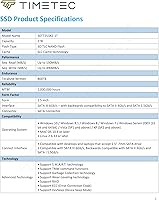
  • Storage Capacity: This drive offers 1TB of usable storage space, suitable for an operating system, applications, and a substantial media library.
  • Form Factor: The drive uses the standard 2.5-inch form factor, compatible with most laptops and desktop bays designed for SATA storage.
  • Drive Height: At 7mm (0.28″) thin, this drive fits slim laptops and ultrabooks that cannot accommodate older 9.5mm-height drives.
  • Interface: It connects via SATA III at 6Gb/s and is backwards compatible with SATA II (3Gb/s) and SATA I (1.5Gb/s) systems.
  • Sequential Read: Maximum sequential read speed reaches up to 550 MB/s, which is near the practical ceiling for any SATA III-based drive.
  • Sequential Write: Maximum sequential write speed is rated at up to 500 MB/s under optimal, cache-assisted conditions.
  • NAND Type: The drive uses 3D NAND flash memory, which stacks memory cells vertically to improve durability and density over older planar NAND.
  • Cache Technology: An SLC cache layer is used to accelerate burst read and write tasks, improving day-to-day responsiveness for typical workloads.
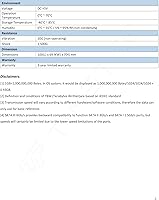
  • Reliability Rating: Timetec rates this drive at a mean time before failure (MTBF) of 1,000,000 hours under standard operating conditions.
  • Error Correction: Built-in ECC (Error Correction Code) technology actively detects and corrects data errors to protect file integrity over time.
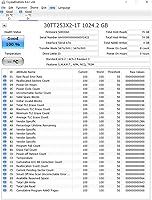
  • Data Management: The drive supports TRIM command, Garbage Collection, Wear-Leveling, and S.M.A.R.T. monitoring for sustained long-term health.
  • OS Compatibility: Compatible with Windows XP through Windows 11, macOS 10.4 or later, and Linux kernel 2.6.33 or later.
  • Device Support: Designed for internal installation in desktop PCs and laptops that accept a standard 2.5-inch SATA drive bay.
  • Warranty: Timetec provides a 3-year limited warranty along with free technical support for the duration of the coverage period.
  • Item Weight: The drive weighs just 1.76 ounces, making it light enough to have virtually no impact on laptop portability.
  • Package Contents: The package includes only the SSD itself — mounting brackets, screws, SATA cables, and adapters are not included.
  • RAID Support: The drive supports RAID configurations, allowing it to be used in multi-drive setups where the host system provides RAID management.

Related Reviews
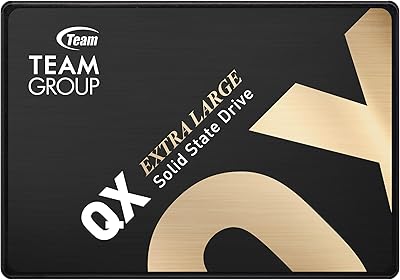
TEAMGROUP QX 1TB 2.5 Inch SATA III SSD
84%
90%
Read/Write Speed
87%
Installation Ease
85%
Reliability
71%
Durability (QLC NAND)
92%
Price-to-Performance Ratio
More
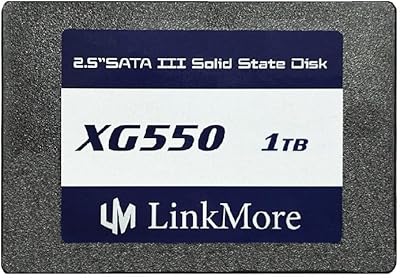
LinkMore XG550 1TB 2.5″ SATA III Internal SSD
84%
89%
Performance
92%
Value for Money
86%
Read Speed
85%
Write Speed
94%
Ease of Installation
More
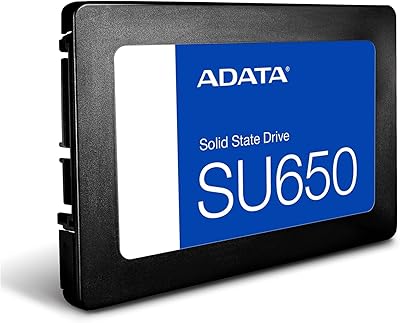
ADATA SU650 1TB 3D-NAND SATA 2.5 inch Internal SSD
86%
88%
Performance
92%
Value for Money
85%
Installation Ease
87%
Speed (Read/Write)
78%
Software Experience
More
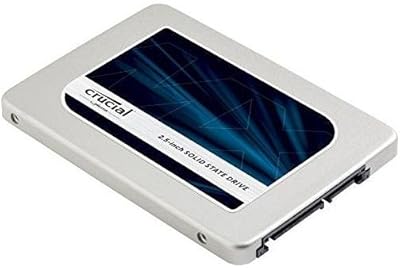
Western Digital Velociraptor 1TB 10K RPM SATA III 2.5-Inch Internal Hard Drive
81%
92%
Performance in Demanding Tasks
88%
Data Transfer Speed
85%
Build Quality & Durability
90%
Compatibility with Desktop/Server Setups
65%
Noise Levels During Operation
More
Crucial MX300 2TB SATA 2.5 Inch Internal SSD
86%
92%
Performance
89%
Value for Money
88%
Durability
91%
Ease of Installation
94%
Read Speed
More
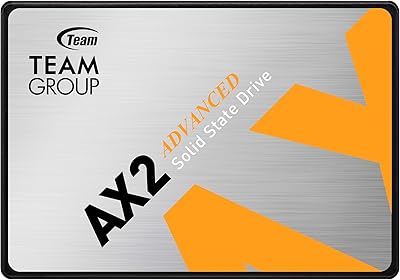
TEAMGROUP AX2 256GB 2.5 Inch SATA III SSD
86%
87%
Performance
92%
Value for Money
89%
Installation Ease
85%
Read/Write Speeds
83%
Durability
More
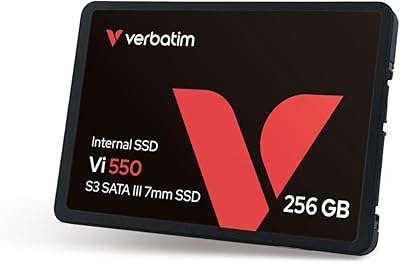
Verbatim 256GB Vi550 SATA III 2.5″ Internal SSD
86%
92%
Performance
88%
Value for Money
85%
Build Quality
90%
Ease of Installation
87%
Durability
More
WD 1TB 2.5-inch SATA Internal Hard Drive
86%
91%
Value for Money
78%
Performance
95%
Ease of Installation
84%
Reliability
88%
Noise Level
More
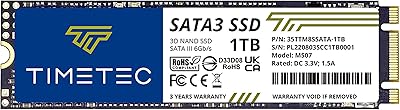
Timetec 1TB SSD 3D NAND SATA III M.2 2280
85%
92%
Value for Money
87%
Performance
90%
Ease of Installation
88%
Durability
91%
Compatibility
More
Crucial MX500 500GB 3D NAND SATA 2.5 Inch Internal SSD
87%
92%
Read Speed
88%
Write Speed
91%
Reliability
78%
Compatibility with Older Systems
84%
Temperature Management
More

FAQ

Yes, noticeably so — especially if you are upgrading from a traditional spinning hard drive. Boot times, app launches, and general file access are all areas where the difference is immediately obvious in everyday use. It won't transform an aging processor, but the storage bottleneck in most older machines is a major drag, and replacing it makes a real difference.

For a laptop swap, you typically just need a small Phillips-head screwdriver to open the drive bay and secure the drive. For a desktop, you may need a SATA data cable and a power cable if you don't already have spares — neither is included in the box. That's worth checking before your drive arrives so you're not waiting on extra parts.

It works with Macs running macOS 10.4 or later, which covers a very wide range of older Apple hardware. Keep in mind that many modern Macs use soldered or proprietary NVMe storage and don't have a user-accessible SATA bay, so this is most relevant for older MacBook Pro or Mac mini models that still use a removable 2.5-inch drive.

If your machine has an available M.2 slot, an NVMe drive will deliver significantly faster sustained transfer speeds — we're talking three to five times faster in some scenarios. The Timetec 1TB 2.5-inch SATA III Internal SSD makes the most sense for systems that don't have an M.2 option at all, or where SATA is the only available interface. For basic everyday use, you likely won't feel the gap, but for heavy data work, NVMe is worth the consideration.

All SSDs can see some performance dip as they approach full capacity, so it's good practice to keep at least 10 to 15 percent of the space free. This Timetec drive uses SLC caching to maintain burst performance, but once the cache is saturated during large sustained writes, speeds will taper off — that's normal behavior for this class of drive, not a defect.

Timetec offers a 3-year limited warranty, so you can contact their support team to start a claim. Feedback on their support responsiveness is a bit mixed — some buyers report smooth experiences, while others have found it slower than they'd like. Keeping your purchase receipt and registering the product if Timetec offers that option is a good idea just in case.

Yes, you can place it in a standard 2.5-inch USB-to-SATA enclosure and use it as external storage. Just make sure the enclosure supports SATA III for best performance. It won't reach full rated speeds over USB 3.0 due to the interface overhead, but it's still very fast compared to a traditional external hard drive.

For most everyday users, yes — 1TB is a comfortable amount of space for a Windows or macOS installation, a full suite of office and productivity apps, and a decent media collection. If you're a gamer with a large library or you work with high-resolution video files regularly, you might find yourself wanting more eventually, but for typical home or student use it holds up well.

It does — the drive is compatible with Linux kernel 2.6.33 and later, which covers the vast majority of modern distributions including Ubuntu, Fedora, Debian, and their derivatives. Installation on Linux is no different from any other SATA SSD; the OS will detect it automatically.

The most common surprise for desktop users is that this SATA SSD doesn't come with a mounting bracket, so if your desktop chassis uses a 3.5-inch drive bay, you'll need a 2.5-to-3.5-inch adapter bracket to secure it properly. You'll also need a SATA data cable and a free power connector from your power supply. Both are inexpensive and easy to find, but it's worth sourcing them before you start the swap.