Overview

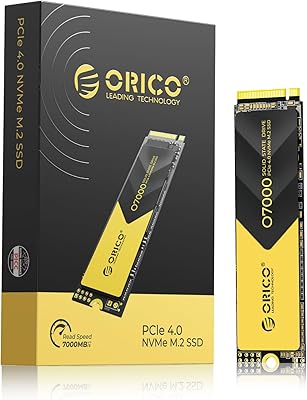
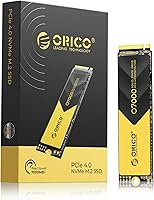
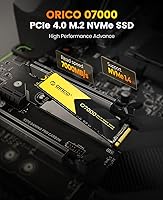
The ORICO O7000 2TB NVMe SSD enters a competitive mid-range market where shoppers want Gen 4 performance without paying flagship prices. ORICO built its reputation on external enclosures and USB hubs, so this internal drive marks a genuine step into more technical territory. The 7000MB/s read ceiling sounds striking on paper, but in practice you will notice the difference most during large file transfers and game loading — not routine desktop tasks. What genuinely stands out at this price tier is the included heatsink, something many competing drives charge extra for. The O7000 is also available from 512GB up to 4TB, so most buyers can find a capacity that fits both their needs and budget.
Features & Benefits

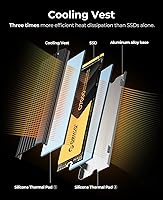
Running on a PCIe 4.0 x4 connection, the O7000 has the bandwidth headroom to outpace any SATA drive and most older NVMe options by a meaningful margin. The bundled heatsink is more than decorative — dual silicone thermal pads sit between the drive and a metal cooling vest, keeping temperatures stable during sustained reads or back-to-back file copies. Without a dedicated DRAM chip, this Gen 4 SSD relies on HMB and SLC caching to stay responsive, which handles typical workloads well but can show some slowdown during very long sequential writes. Rounding things out, support for TRIM, NCQ, and SMART monitoring covers the data-protection basics you would expect from any reliable modern SSD.

Best For

If you are upgrading from a SATA SSD or an older NVMe drive in your gaming rig, this NVMe drive will deliver a noticeable jump in load times and file transfer speeds. PS5 owners looking to expand storage affordably will find the O7000 a strong fit — just be aware you will need to remove the heatsink before it fits into the console bay, since PS5 height clearance is strict. Content creators working with high-resolution footage or large RAW photo libraries will also appreciate the write headroom. It is equally well-suited to new PC builders who want a heatsink bundled in rather than sourced separately, eliminating a small but real added expense.

User Feedback

Sitting at 4.6 stars across close to 1,300 reviews, this NVMe drive has clearly landed well with buyers. Most positive feedback centers on straightforward installation and real-world speed gains over older drives, especially in game loading on both PC and PS5. The heatsink removal for PS5 installation does surface as a friction point — a handful of users found the instructions unclear, so reading through the process beforehand is genuinely worth your time. On the critical side, some testers flag that write speeds dip once the SLC cache fills, which is expected behavior for a DRAM-less design but worth factoring in. Long-term reliability data is still limited, as the drive only hit the market in late 2023.

Pros

  • Gen 4 PCIe speeds translate to noticeably faster game load times and large file transfers versus SATA or Gen 3 drives.
  • Heatsink with thermal pads is included in the box — a genuine cost saving compared to most rivals at this tier.
  • Officially PS5 compatible and fast enough to meet Sony's minimum speed requirements for console storage expansion.
  • Available in four capacities from 512GB to 4TB, making it easy to match your storage needs and budget.
  • Works across Windows and macOS without driver headaches, and backward compatibility with PCIe 3.0 adds flexibility.
  • SMART monitoring, TRIM, and bad block management provide a solid data-protection baseline for everyday peace of mind.
  • The O7000 earns a 4.6-star average across nearly 1,300 verified buyers — a strong signal of broad real-world satisfaction.
  • Compact M.2 2280 form factor fits virtually every desktop and laptop M.2 slot with no adapters required.

Cons

  • Write speeds drop noticeably once the SLC cache is exhausted during long, uninterrupted sequential write tasks.
  • No dedicated DRAM chip limits random I/O performance compared to similarly priced drives that include one.
  • Heatsink must be fully removed before PS5 installation, and the included instructions for doing so are minimal.
  • ORICO offers no proprietary SSD management tool, leaving firmware updates and health monitoring to generic third-party utilities.
  • Brand has limited history specifically in internal NVMe drives, so long-term reliability data is still thin.
  • Buyers with PCIe 3.0 systems will see a significant reduction in throughput and may find better value elsewhere.
  • No cloning software or migration tool is bundled, adding a small extra step for users replacing an existing boot drive.
  • The thermal pad can be difficult to reattach correctly after heatsink removal, which is a real concern for PS5 installers.

Ratings

The ORICO O7000 2TB NVMe SSD earns an overall strong reception based on our AI-driven analysis of verified global buyer reviews, with spam, bot-submitted, and incentivized feedback actively filtered out before scoring. Across gaming rigs, PS5 upgrades, and creative workstations, the O7000 consistently draws praise for its speed-to-price ratio and the rare inclusion of a heatsink at this tier — but not without a few friction points that real buyers have flagged. Both the highlights and the limitations are reflected honestly in the scores below.
Read Performance
88%
Buyers upgrading from SATA or older NVMe drives consistently report dramatic improvements in game load times and large file reads. Opening a 50GB project in a video editor or booting into Windows feels noticeably snappier, and benchmark results from real-world installs frequently confirm the drive delivers close to its rated ceiling under ideal conditions.
The top-end read speed is achievable mainly in short sequential bursts, and a handful of users on PCIe 3.0 systems noted the drive runs at a significantly reduced ceiling, which can feel underwhelming if you were expecting Gen 4 figures. Reviewers with bandwidth-hungry workloads occasionally noted the gap between advertised and sustained throughput.
Write Performance
74%
26%
For typical everyday writes — installing games, saving large RAW photo batches, copying video project files — the O7000 handles the workload quickly and without obvious hiccups. Users moving from budget SATA drives universally describe the write experience as a meaningful step forward in responsiveness.
Without a dedicated DRAM chip, the drive depends on SLC caching to maintain high write speeds, and that cache has a ceiling. Users transferring very large sequential files — think multi-hour 4K recordings or full game library migrations — have reported speed drops once the cache is exhausted, which is an honest limitation of this architecture at this price point.
Thermal Management
91%
The bundled heatsink is one of the most appreciated aspects across buyer reviews. The metal cooling vest paired with dual silicone thermal pads keeps the drive cool during sustained tasks like long game sessions or back-to-back file transfers, and users report stable temperatures where bare drives in similar systems would throttle.
The heatsink does add meaningful bulk, and in compact Mini-ITX builds with tight clearances, a few buyers found fitment challenging. It is also worth noting that the heatsink must be fully removed before installing into a PS5, which adds a step and introduces minor risk of damaging the thermal pads if you are not careful.
PS5 Compatibility
73%
27%
The O7000 is a confirmed Gen 4 drive and meets Sony's speed requirements for PS5 storage expansion, giving console gamers genuine SSD performance at a competitive price. Users who completed the install report faster game launches and smooth in-game asset streaming on titles like Ratchet and Clank: Rift Apart.
The installation experience on PS5 trips up a portion of buyers. Sony's bay requires the heatsink to be removed, and the official guidance for this step is considered unclear by several reviewers. A few users accidentally misaligned the thermal pad during disassembly, and without a spare, that creates a minor but real problem for thermal contact post-installation.
Value for Money
86%
At its price point, getting a Gen 4 NVMe drive with a heatsink already in the box is genuinely competitive. Buyers consistently flag that comparable drives from more established brands cost noticeably more, and the performance gap rarely justifies the premium for mainstream gaming or creative use.
Some buyers feel that the DRAM-less design is a quiet trade-off that is not prominently disclosed at purchase. For users who later discover the cache-dependent write behavior, the value calculation shifts slightly — particularly if their workload involves large sequential writes regularly.
Installation Experience
83%
Most desktop and laptop installers describe the process as straightforward — screw in, boot up, format, and go. The standard M.2 2280 footprint fits virtually every motherboard with an M.2 slot, and buyers with even basic PC building experience report zero complications getting it recognized immediately.
The documentation in the box is minimal, and first-time builders occasionally had questions about formatting the drive for use as a secondary storage device. PS5 installation carries its own friction, as discussed, and ORICO could do more to provide clear visual guidance for that specific use case.
Build Quality & Durability
79%
21%
The metal heatsink vest gives the drive a premium feel compared to bare-board alternatives in the same category. Buyers who handle a lot of hardware note that the construction feels solid, and the overall fit and finish is above what you might expect from a brand better known for accessories.
The drive itself is only about 14 months old as a retail product, so long-term durability data is genuinely limited. There are no large-scale failure reports at this stage, but buyers seeking drives with multi-year track records in high-write environments may reasonably prefer a more established option while the O7000 builds its history.
Software & Firmware Support
61%
39%
The O7000 supports standard NVMe management features including TRIM, SMART monitoring, and NCQ, which means it works with existing third-party tools like CrystalDiskInfo without any proprietary software required. For most buyers, this plug-and-play compatibility is exactly what they want.
ORICO does not offer a dedicated SSD management utility, which puts it behind brands that provide firmware update tools, health dashboards, or cloning software in the box. Power users who actively monitor drive health or want to push firmware updates will need to rely entirely on generic NVMe tools, with no manufacturer-specific support.
Compatibility & Versatility
84%
Working across Windows and macOS, as well as desktops, laptops, and PS5, the O7000 covers an unusually wide range of use cases for a single drive. Backward compatibility with PCIe 3.0 slots means it is also a viable upgrade choice for slightly older systems that lack Gen 4 support.
PCIe 3.0 users will only see a portion of the drive's potential, and buyers who did not check their slot generation beforehand have occasionally expressed disappointment in reviews. The drive is not officially listed for use in external enclosures, limiting its flexibility if your needs change post-purchase.
Packaging & Unboxing
72%
28%
The heatsink arrives pre-assembled and protected, and the overall packaging is neat and compact. Buyers generally feel the contents match what was advertised, and the inclusion of the heatsink without extra cost comes across as a pleasant surprise for first-time buyers who did not notice it in the listing.
The instruction sheet is basic at best — a single folded card with minimal diagrams. For buyers attempting the PS5 installation or building their first PC, the lack of detailed guidance is a recurring complaint that ORICO could address easily with a QR code linking to a setup video.
Capacity Options
88%
Ranging from 512GB up to 4TB, the O7000 lineup covers nearly every practical storage scenario. The 2TB variant in particular hits a sweet spot for gamers and creators who want enough room for a full game library or an active project archive without stepping up to a more expensive 4TB unit.
At the entry-level 512GB configuration, the value case weakens compared to budget SATA drives unless you specifically need NVMe speeds. Buyers who need maximum capacity at the best per-gigabyte cost may find the 4TB tier slightly less competitive against larger-capacity rivals from brands with more volume pricing leverage.
Random Read/Write (4K)
69%
31%
For day-to-day operating system tasks — launching apps, opening browsers with many tabs, or switching between tools rapidly — the O7000 feels quick and responsive. Buyers using it as their primary boot drive describe a noticeably snappier desktop experience compared to their previous drives.
Random 4K performance is the area where the DRAM-less design matters most, and the O7000 does not stand out in this metric compared to DRAM-equipped rivals. Workloads with heavy random I/O — like running a database, a virtual machine, or many simultaneous small file operations — will expose this limitation more clearly than sequential tasks.
Brand Reputation & Trust
67%
33%
ORICO has a solid following in the storage accessories space, and buyers who already own an ORICO enclosure or hub tend to extend that goodwill to this drive. The strong early review volume and consistent 4.6-star average suggest the brand has successfully translated its reputation into this new category.
ORICO is still a relatively unproven name specifically in internal NVMe drives, and buyers comparing it against Samsung, WD, or Crucial will encounter a meaningful trust gap. Some reviewers explicitly note they are taking a calculated risk on a newer entrant, and without a longer track record, that uncertainty is legitimate.

Suitable for:

The ORICO O7000 2TB NVMe SSD is a strong pick for PC gamers who are still running a SATA drive or an older Gen 3 NVMe and want a meaningful real-world upgrade without stepping into premium pricing territory. If you are building a new mid-range gaming rig and want to avoid the extra expense of sourcing a separate heatsink, this drive bundles one in and does it well. PS5 owners who have burned through their console's built-in storage will find the O7000 meets Sony's speed requirements and adds a full 2TB to the library — just plan for the heatsink removal step before you sit down to install it. Content creators working with large photo collections or video projects in the tens of gigabytes will appreciate how quickly this Gen 4 SSD handles file transfers compared to budget alternatives. It also makes solid sense for laptop upgraders whose machine has a PCIe 4.0 slot and who want to extract maximum read performance from that bandwidth without overpaying for a name-brand equivalent.
Not suitable for:

The ORICO O7000 2TB NVMe SSD is not the right call if your workload regularly involves writing very large files in long, uninterrupted sequences — think transferring full multi-hour 4K video recordings or migrating an entire Steam library in one pass — because the DRAM-less architecture means write speeds will drop once the SLC cache fills, and there is no getting around that. Professionals who depend on consistent, predictable write throughput for mission-critical workflows should look at DRAM-equipped drives from more established storage brands instead. If your motherboard only supports PCIe 3.0, you will not come close to seeing the speeds this drive is capable of, and the value equation weakens considerably against cheaper Gen 3 options. Buyers with a strong preference for long-term reliability data should also note that the O7000 has only been on the market since late 2023, so the multi-year endurance track record that gives confidence in workhorses like Samsung or WD simply does not exist yet. Finally, if you are shopping for a drive to use in a high-write server or NAS environment, this consumer-grade drive is not designed for that kind of sustained duty cycle.
Specifications

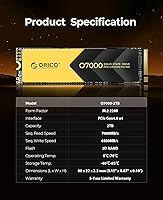
  • Storage Capacity: This drive is available in four configurations: 512GB, 1TB, 2TB, and 4TB, with the 2TB variant reviewed here.
  • Interface: Uses a PCIe 4.0 x4 NVMe interface, delivering maximum bandwidth over the M.2 slot for significantly faster transfers than SATA or PCIe 3.0 drives.
  • Form Factor: Standard M.2 2280 format (22mm wide, 80mm long), compatible with the vast majority of desktop motherboards, laptops, and the PS5 expansion slot.
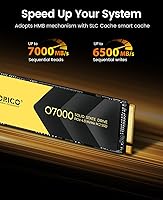
  • Sequential Read: Rated for peak sequential read speeds up to 7000MB/s under optimal conditions using PCIe 4.0 x4 bandwidth.
  • Sequential Write: Rated peak sequential write speed reaches up to 6500MB/s, achieved during burst workloads within the SLC cache window.
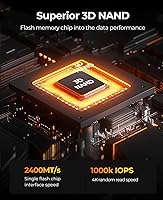
  • Flash Memory: Built on 3D NAND flash memory, which stacks memory cells vertically to improve density, endurance, and power efficiency over planar NAND.
  • Cache Architecture: Uses Host Memory Buffer (HMB) technology combined with an SLC cache layer in place of a dedicated DRAM chip to manage read/write operations.
  • Heatsink: Ships with a pre-installed heatsink assembly consisting of a metal cooling vest and dual silicone thermal pads designed to reduce thermal throttling during sustained workloads.
  • Backward Compatibility: Fully backward compatible with PCIe 3.0 x4 M.2 slots, though maximum throughput will be reduced to the bandwidth ceiling of the host slot.
  • OS Support: Compatible with both Windows and macOS operating systems without requiring additional drivers for standard NVMe operation.
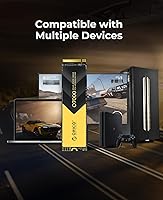
  • Device Compatibility: Supported across desktop PCs, compatible laptops with an M.2 PCIe slot, and the PlayStation 5 console storage expansion bay.
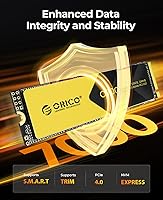
  • Data Protection: Incorporates SMART diagnostics, Native Command Queuing (NCQ), TRIM support, and automated bad block management to protect stored data and maintain drive health.
  • Dimensions: The drive measures 2.36 x 0.39 x 0.39 inches, though overall height increases when the included heatsink assembly is attached.
  • Weight: The bare drive weighs approximately 0.124 ounces, making it negligible in terms of system weight for both desktop and laptop installations.
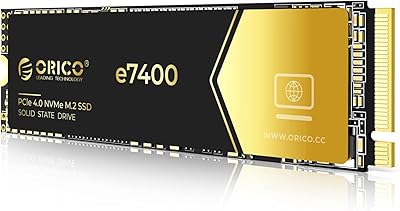
  • Color: Ships in black, with the metal heatsink vest contributing the primary visible surface when the cooling assembly is installed.
  • Manufacturer: Designed and produced by Shenzhen ORICO Technologies Co., Ltd., a Chinese brand established in storage accessories and peripherals.
  • Market Availability: First made available for purchase in December 2023, making it a relatively recent entrant to the internal NVMe SSD market.
  • Thermal Pads: Two silicone thermal pads are included in the heatsink assembly to bridge the gap between the drive's NAND chips and the metal cooling vest.

Related Reviews

ORICO O7000 1TB NVMe SSD
85%
93%
Performance
89%
Thermal Management
70%
Ease of Installation
90%
Compatibility with PS5
88%
Build Quality
More
ORICO e7400 2TB M.2 NVMe SSD
81%
91%
Sequential Speed
78%
Random Read/Write
86%
Thermal Management
83%
PS5 Compatibility
88%
Value for Money
More
ORICO X7000 2TB NVMe SSD
89%
93%
Performance
96%
Read Speed
90%
Write Speed
89%
Cooling Efficiency
91%
Compatibility with PS5
More
ORICO J10 256GB M.2 NVMe Internal SSD
76%
83%
Read Speed Performance
61%
Write Speed & Cache Behavior
88%
Heatsink Quality
74%
Compatibility
79%
Value for Money
More
ORICO IG740PRO 2TB NVMe SSD
83%
93%
Read & Write Speed
91%
Endurance & Longevity
84%
Thermal Management
88%
Data Security & Protection
92%
PS5 Compatibility & Installation
More
SanDisk 2TB SSD Plus M.2 NVMe SSD
86%
89%
Performance
92%
Ease of Installation
88%
Reliability
91%
Value for Money
90%
Capacity
More
ORICO B5PLUS 2TB Portable External SSD
74%
94%
Portability
78%
Transfer Speed
73%
Build Quality
81%
Value for Money
91%
Plug-and-Play Ease
More
KingSpec XG7000 2TB NVMe SSD
86%
91%
Performance
94%
Read Speed
88%
Reliability
87%
Ease of Installation
85%
Thermals
More
ORICO 2TB mSATA SSD ZH10
83%
92%
Value for Money
90%
Installation Process
88%
Speed Performance
75%
Compatibility with Older Devices
85%
Power Efficiency
More
Fikwot FX550 2TB NVMe SSD
87%
93%
Performance
91%
Value for Money
94%
Read Speed
90%
Write Speed
77%
Durability
More

FAQ

Yes, the ORICO O7000 2TB NVMe SSD meets Sony's Gen 4 speed requirements and works as a PS5 storage expansion drive. However, you must remove the heatsink assembly before installing it, since the PS5 bay has strict height clearance that the metal vest will not fit through. Take your time with the disassembly, keep the thermal pad intact if you plan to reattach it later, and follow Sony's official PS5 storage expansion steps once the heatsink is off.
Absolutely, and it is not subtle. Moving from a SATA drive to this Gen 4 NVMe means your sequential read speeds can be six to seven times faster in file transfer scenarios. In practical terms, game load times drop noticeably, large file copies finish in a fraction of the time, and Windows or macOS boot feels snappier. The difference is most obvious when transferring big files or launching storage-heavy applications.

It will work, but you will not see Gen 4 speeds. In a PCIe 3.0 slot the drive is capped at that slot's bandwidth ceiling, which is roughly half the throughput this drive is capable of. If your motherboard only supports Gen 3, you would likely get similar real-world performance from a good Gen 3 NVMe drive at a lower price, so it is worth comparing options before committing.

It can, and it is worth being upfront about this. The O7000 uses an SLC cache layer to maintain high write speeds during typical workloads, but if you are copying very large files in one continuous session — think multi-hour 4K footage or a full game library migration — the cache can fill up and write speeds will drop while the drive catches up. For everyday tasks this is rarely noticeable, but for heavy sustained write workloads it is a real consideration.

No separate drivers are needed. Both Windows and macOS recognize NVMe drives natively, so once the drive is physically installed you just boot up, format the drive through your OS disk management tool, and you are ready to go. There is no proprietary ORICO software required, though you can use any standard NVMe health monitoring tool like CrystalDiskInfo if you want to keep an eye on drive status.

You can run the drive without the heatsink, and in a case with good airflow or a motherboard that has its own M.2 thermal solution, it may be fine. That said, the heatsink does make a measurable difference during sustained tasks — extended game sessions, long file transfers, or heavy creative workloads — by preventing the drive from thermal throttling. If your build already has M.2 heatsink coverage from the motherboard, removing the bundled one is a reasonable choice.

Based on current user feedback, the O7000 has performed reliably for the buyers who have reviewed it so far. That said, the drive only reached the market in late 2023, so there is not yet a long multi-year track record to draw on. If you need proven long-term endurance data for a high-write professional environment, a drive from a brand with a deeper reliability history may give you more peace of mind at this stage.

It works well as a primary boot drive. Users consistently report fast boot times and a responsive desktop experience when running their OS from the O7000. It is equally capable as secondary storage for games or media files. The main thing to keep in mind is that if you are migrating from an existing boot drive, no cloning software is included in the box, so you will need a third-party tool like Macrium Reflect or Clonezilla to transfer your existing system.

The same O7000 family comes in 512GB, 1TB, 2TB, and 4TB options. The 512GB is a reasonable entry point if you just need a fast boot drive, while the 4TB suits power users with large game libraries or active video project archives. The 2TB variant tends to hit the best balance of price and usable space for most gamers and creators.

The drive is listed as compatible with macOS alongside Windows, but there is an important caveat for Mac users: Apple Silicon MacBooks and many Intel-era models use proprietary M.2 connectors or soldered storage, meaning you cannot simply swap in a third-party NVMe drive. This drive is best suited to Mac Pro or older Mac Pro tower systems with accessible PCIe M.2 slots. If you are unsure about your specific Mac model's upgrade options, check Apple's documentation or iFixit's teardown guides for your machine before purchasing.

Where to Buy