Overview

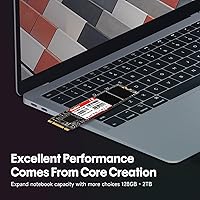
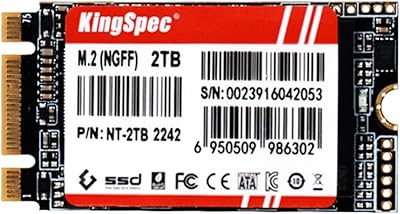
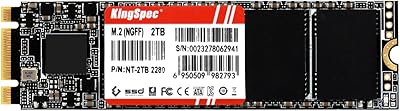
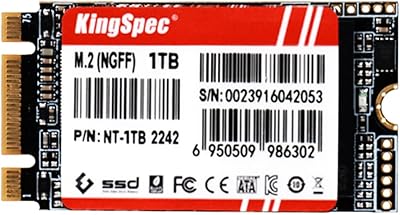
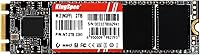
The KingSpec NT 2TB M.2 2280 SATA SSD is a no-frills storage upgrade aimed at users still running on a slow mechanical hard drive. KingSpec has been quietly operating in the budget storage space for over a decade — not a household name like Samsung or Crucial, but not a fly-by-night brand either. The most important thing to understand before purchasing is the interface distinction: this is an M.2 SATA drive, not NVMe. Both can share the same physical slot, but they are not interchangeable. Check your device manual before ordering. Think of it as a solid, honest performer — not the fastest option on the market, but a genuine HDD replacement that gets the job done.
Features & Benefits

Running on SATA III at 6Gbps, this SATA SSD delivers sequential reads up to 560 MB/s and writes up to 540 MB/s — roughly five times what a typical spinning hard drive can manage. In practical terms, that means noticeably faster boot times and snappier app launches rather than raw benchmark bragging rights. Under the hood, it includes Wear-Leveling and ECC error correction to help the drive age gracefully, along with TRIM and Bad Block Management. The rated MTBF sits at one million hours, and the drive carries a DWPD of 0.69, which is perfectly adequate for everyday computing. At just 0.634 ounces, installation is physically effortless, and the three-year warranty plus lifetime technical support is a meaningful assurance at this price tier.

Best For

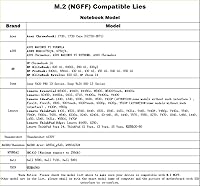
The KingSpec NT drive makes the most sense for anyone with a device that has an M.2 SATA slot rather than an NVMe-capable one — think older ultrabooks from Lenovo or HP that simply cannot run NVMe. It is also a practical choice for desktop builders who have a spare SATA M.2 slot and want affordable bulk storage without adding another 2.5-inch drive bay. Students, home users, and media collectors who keep large libraries of photos or videos will find 2TB of fast local storage hard to argue with. Just be clear on one thing: this drive is not compatible with NVMe slots, MacBooks, or iMacs. Verify your slot type first, and this M.2 storage upgrade becomes a very sensible purchase.

User Feedback

Buyers coming from spinning hard drives consistently report a noticeable speed improvement — faster boots, quicker file transfers, and a generally more responsive system. Packaging and installation also get positive mentions; the drive arrives well-protected and drops into a compatible slot without fuss. That said, not all feedback is glowing. A recurring issue involves users who installed this SATA SSD into NVMe-only slots and found it undetected — a reminder that compatibility research is non-negotiable. Some reviews raise questions about long-term reliability, which is a fair concern for a less established brand; KingSpec is not Samsung, and some buyers are simply more comfortable with that trade-off than others. Warranty support is generally described as acceptable rather than exceptional.

Pros

  • Massive 2TB capacity gives plenty of room for files, media, and applications without constant management.
  • Boot times and app load speeds improve dramatically for anyone upgrading from a spinning hard drive.
  • Broad compatibility with older ultrabooks and laptops that support M.2 SATA but not NVMe.
  • Built-in ECC, Wear-Leveling, and Bad Block Management help the drive hold up over time.
  • Extremely lightweight and compact — installation takes minutes with no special tools.
  • Three-year warranty plus lifetime technical support is reassuring for a budget-tier purchase.
  • S.M.A.R.T. support allows users to monitor drive health proactively.
  • Buyers consistently report consistent, stable performance over months of regular daily use.
  • Works as both an OS drive and secondary storage depending on your build or device.
  • Available in multiple capacities, so you can right-size your storage without overpaying.

Cons

  • KingSpec lacks the long public reliability record of established brands like Samsung or Crucial.
  • SATA III speed ceiling means this drive cannot compete with NVMe on demanding workloads.
  • Compatibility confusion is a real risk — verifying your slot type before buying is mandatory, not optional.
  • Long-term endurance data from independent testing is limited given the brand's lower Western market presence.
  • Customer service for warranty claims gets mixed reviews, with response quality varying by case.
  • Not compatible with MacBook or iMac, which rules out a significant portion of potential buyers.
  • DWPD of 0.69 is adequate for light use but may feel limiting for heavy write-intensive tasks over time.
  • No publicly available detailed datasheet makes it harder to vet technical claims independently.

Ratings

The scores below reflect an AI-driven analysis of verified global user reviews for the KingSpec NT 2TB M.2 2280 SATA SSD, with spam, bot submissions, and incentivized feedback actively filtered out to ensure the ratings represent genuine buyer experiences. Both the strengths that consistently impressed real users and the friction points that frustrated them are transparently factored into every score. The result is an honest, nuanced breakdown designed to help you make a confident, informed decision.

Value for Money
88%
For buyers who need 2TB of fast local storage without spending on a premium NVMe drive, this SATA SSD delivers a compelling return. Users upgrading from aging hard drives consistently describe it as one of the most cost-effective ways to breathe new life into an older machine.
Buyers who later discover their slot supports NVMe feel the value proposition weakens considerably, since NVMe options at similar price points offer dramatically faster performance. Those prioritizing long-term peace of mind from a household-name brand may also feel the savings are offset by trust concerns.
Read & Write Speed
74%
26%
Coming from a mechanical hard drive, the jump to 560 MB/s sequential reads is immediately felt in everyday tasks — Windows boots in seconds, applications snap open, and large file copies that once took minutes finish in moments. For the SATA protocol, these speeds sit right at the practical ceiling.
Users who have previously owned NVMe drives will notice the gap, particularly when moving large files or running storage-intensive software. The SATA III ceiling is a fundamental hardware limitation, not a KingSpec-specific shortcoming, but it is a real trade-off buyers should weigh honestly.
Compatibility
61%
39%
For devices with genuine M.2 SATA slots — common in older Lenovo, HP, and Sony ultrabooks — the drive slots in cleanly and is recognized immediately without driver fuss. Buyers who do their homework and confirm their slot type beforehand report zero compatibility issues.
A notable share of negative reviews stem from buyers who installed this SATA SSD into NVMe-only slots, only to find it completely undetected. The M.2 form factor looks identical regardless of protocol, and that visual similarity catches a surprising number of people off guard, making pre-purchase research non-negotiable.
Installation Experience
86%
Most buyers describe the physical installation as refreshingly straightforward — the 2280 form factor is standard, the drive weighs next to nothing, and a single small screw is all that holds it in place. Users with no prior hardware experience report completing the swap in under ten minutes.
No installation guide, mounting screw, or adapter is included in the box, which can be a minor hurdle for first-time builders who are not sure what to expect. A quick reference card for the compatibility check step would also prevent a lot of the misinstallation errors seen in reviews.
Long-term Reliability
63%
37%
A meaningful subset of buyers report consistent, stable performance after six to twelve months of regular daily use, with no degradation in speed or unexpected errors flagged by S.M.A.R.T. monitoring tools. For light-to-moderate workloads, the drive appears to hold up well within its rated endurance.
KingSpec does not publish independent endurance test data for the NT series, and the brand's lower profile in Western markets means there is limited third-party longevity data to draw from. A handful of critical reviews raise concerns about early failures, and without a strong public track record, some buyers are understandably cautious.
Brand Trust
59%
41%
KingSpec has been producing storage products for well over a decade and maintains an active presence on Amazon with a substantial review base. Buyers who research the brand beyond its name recognition generally find it occupies a legitimate space in the budget SSD market.
The brand simply does not carry the name recognition or publicly documented reliability history of Samsung, Crucial, or Western Digital. For buyers who factor brand reputation heavily into their purchasing decisions, this remains a sticking point regardless of the drive's actual on-paper specifications.
Warranty & Support
67%
33%
A three-year warranty and lifetime technical support is a genuinely generous offer at this price tier, and several buyers mention that KingSpec responded to inquiries promptly when contacted through Amazon. The existence of post-sale technical help is particularly useful for less experienced users.
Reviews of actual warranty claim experiences are inconsistent — some buyers describe smooth resolutions while others report slow or frustrating interactions. The lifetime technical support claim also lacks clear documentation of what it covers, which makes it harder to rely on as a concrete buying incentive.
Thermal Performance
72%
28%
Under typical everyday workloads like web browsing, document editing, and media playback, this M.2 storage upgrade runs at sensible temperatures without triggering thermal throttling. Users in laptops report no unusual heat complaints during standard use.
Extended sustained write sessions — like large file transfers or disk cloning operations — can push temperatures higher, and there is no heatsink included or officially supported. Buyers installing in enclosed spaces with limited airflow should keep this in mind.
Packaging & Presentation
78%
22%
Multiple buyers note that the drive arrives well-protected with no signs of damage in transit, which matters more than it might seem for a sensitive electronic component. The unboxing experience is clean and professional for a budget product.
The packaging does not include any accessories, documentation, or even a basic quick-start guide. While minimalist packaging keeps costs down, the complete absence of setup guidance is a missed opportunity to reduce buyer confusion around the SATA versus NVMe issue.
S.M.A.R.T. Monitoring
81%
19%
Full S.M.A.R.T. support means users can actively track drive health using free tools like CrystalDiskInfo, giving them early warning of any developing issues before data loss occurs. Buyers who are proactive about storage maintenance will appreciate having this visibility.
S.M.A.R.T. support is table stakes for any modern SSD, so it does not differentiate this drive meaningfully. KingSpec also does not provide detailed guidance on interpreting S.M.A.R.T. data for their specific drives, leaving less experienced users to figure it out independently.
Sustained Write Performance
66%
34%
For typical consumer write tasks — saving documents, downloading files, installing applications — the drive maintains its rated write speeds without any perceptible slowdown. Most home and student users will never push it hard enough to notice any inconsistency.
Sustained large-file writes, such as backing up a full hard drive or copying a large video library, can expose some speed variation as the drive works through its cache buffer. At a DWPD of 0.69, the drive is clearly tuned for light use rather than continuous heavy write cycles.
Capacity Utilization
84%
Two terabytes of storage is genuinely practical for the target audience — students, home users, and media collectors can store years of photos, videos, and files without constantly managing space. The available-to-rated capacity ratio is in line with industry norms.
As with all flash storage, formatted capacity will be noticeably less than the advertised 2TB due to standard binary conversion and reserved system space. This is not unique to this drive but surprises buyers who expect to see the full 2,000GB available immediately after installation.
OS & Software Compatibility
83%
The drive works reliably with Windows 10 and Windows 11 out of the box, with no additional drivers required. Linux users also report clean detection and full TRIM support, which is useful for those running alternative operating systems on older hardware.
MacOS is entirely off the table, and the listing could do more to flag this prominently before purchase rather than burying it in fine print. Chromebook compatibility also depends heavily on the specific device, and KingSpec does not provide a verified supported device list for that platform.

Suitable for:

The KingSpec NT 2TB M.2 2280 SATA SSD is the right call for anyone whose device has an M.2 slot that only supports SATA — a situation far more common in older ultrabooks and mid-range laptops than most buyers realize. If you own a Lenovo IdeaPad, an HP ProBook from a few generations back, or a similarly aged machine where the M.2 slot is SATA-only, this drive fits both physically and electrically. Students and home users who need generous local storage for coursework, media libraries, or general file hoarding will find 2TB at this price point genuinely hard to beat. It also works well as a secondary drive in a desktop build where a spare M.2 SATA slot sits unused and an NVMe drive is already handling the OS. Anyone still running a mechanical hard drive who wants a straightforward, drop-in replacement will notice an immediate and meaningful difference in day-to-day responsiveness without needing to spend on a premium NVMe solution.
Not suitable for:

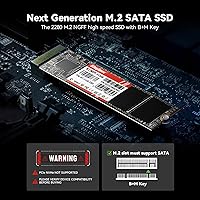
The KingSpec NT 2TB M.2 2280 SATA SSD is simply not the right fit if your device only has an M.2 NVMe slot — and that includes most laptops and desktops built in the last four or five years. Plugging a SATA drive into a slot wired exclusively for NVMe will result in the drive going completely undetected, which has tripped up a number of buyers already. Mac users can stop here entirely, as this drive is explicitly incompatible with MacBook and iMac hardware. If raw speed is a priority — for video editing, large file transfers, or running a game library — SATA has a hard ceiling that NVMe blows past by a wide margin, and the performance gap is real enough to matter in those workflows. Buyers who strongly prefer established storage brands with long public track records and extensive third-party testing data may also find this drive a harder sell given KingSpec's relatively lower profile in Western markets.
Specifications

  • Interface: This drive uses the M.2 SATA III interface running at 6Gbps — it is not NVMe and will not function in slots wired exclusively for NVMe.
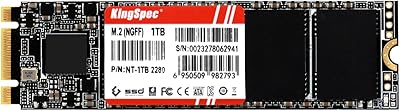
  • Form Factor: The 2280 form factor measures 3.15 x 0.87 x 0.14 inches, which is the most common M.2 size and fits the vast majority of M.2 slots on laptops and desktops.
  • Capacity: Total usable storage is 2TB, formatted capacity will appear slightly lower on your operating system due to standard binary conversion.
  • Sequential Read: Sequential read speed reaches up to 560 MB/s under optimal conditions, which is at the practical ceiling for SATA III.
  • Sequential Write: Sequential write speed reaches up to 540 MB/s, delivering fast file saving and transfer performance relative to mechanical hard drives.
  • Random 4K Read: Maximum random 4K read performance is rated at 58,800 IOPS, which supports responsive multitasking and application loading.
  • Random 4K Write: Maximum random 4K write performance is rated at 62,500 IOPS, adequate for everyday desktop and laptop workloads.
  • Endurance (DWPD): Drive Writes Per Day is rated at 0.69 cycle, meaning the drive is designed for light-to-moderate daily write activity rather than heavy server-style workloads.
  • MTBF: Mean Time Between Failures is rated at 1 million hours, which is a standard reliability benchmark for consumer-grade SATA SSDs.
  • Weight: The drive weighs just 0.634 ounces, making it negligible in terms of added weight to any laptop or desktop system.
  • S.M.A.R.T.: S.M.A.R.T. monitoring is supported, allowing compatible tools like CrystalDiskInfo to track drive health and flag potential issues early.
  • Data Protection: Built-in ECC (Error Correcting Code) technology actively detects and corrects data errors during read and write operations to preserve data integrity.
  • Longevity Tech: Wear-Leveling, Garbage Collection, TRIM, and Bad Block Management are all implemented to extend the usable lifespan of the drive.
  • Warranty: KingSpec provides a 3-year limited warranty on this drive, along with lifetime technical support for buyers who need assistance.
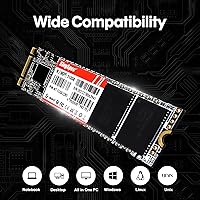
  • Compatible Devices: Designed for use in laptops, ultrabooks, and desktops that have an M.2 slot supporting the SATA protocol — not NVMe.
  • Incompatibility: This drive is not compatible with M.2 NVMe-only slots, and is explicitly unsupported on MacBook and iMac hardware.
  • Flash Type: The drive uses NAND flash storage; KingSpec does not publicly specify the exact NAND type (TLC, QLC) for this consumer series.
  • Brand Origin: KingSpec is a Chinese storage manufacturer with over a decade of experience producing SSDs primarily for budget and value-focused market segments.

Related Reviews

KingSpec NT 1TB M.2 2280 SATA SSD
76%
88%
Value for Money
76%
Sequential Performance
52%
Compatibility Clarity
91%
Installation Experience
87%
Everyday Reliability
More
KingSpec NT 2TB M.2 2242 SATA SSD
78%
88%
Value for Money
91%
Form Factor Compatibility
74%
Read & Write Speed
86%
Installation Experience
71%
Endurance & Longevity
More
ORICO Y20M 2TB M.2 SATA SSD
81%
88%
Value for Money
83%
Compatibility Clarity
79%
Read & Write Speed
91%
Installation Experience
74%
Long-term Reliability
More
KingSpec NT 256GB M.2 2242 SATA SSD
77%
88%
Value for Money
54%
Compatibility Clarity
79%
Read & Write Performance
91%
Form Factor Fit
76%
Long-Term Reliability
More
KingSpec NT Series 512GB M.2 SATA SSD
84%
88%
Performance
91%
Installation Ease
85%
Reliability
92%
Value for Money
80%
Compatibility with Non-Mac Systems
More
KingSpec NT 4TB M.2 2280 SATA SSD
73%
93%
Storage Capacity
71%
Read & Write Speed
58%
Compatibility
84%
Value for Money
88%
Installation Ease
More
KingSpec NT Series 1TB M.2 2242 SATA SSD
86%
89%
Performance Boost Over HDDs
93%
Ease of Installation
85%
Compatibility with Devices
88%
Speed (Read/Write)
92%
Value for Money
More
Timetec JM600 2TB M.2 2280 SATA SSD
82%
91%
Value for Money
83%
Read Speed Performance
61%
Sustained Write Speed
93%
Installation Ease
69%
Long-Term Reliability
More
ORICO Y20M 1TB M.2 SATA SSD
80%
71%
Compatibility Clarity
78%
Read/Write Performance
91%
Installation Ease
83%
Value for Money
74%
Drive Longevity & Health Features
More
KingSpec X400 2TB Gen4 NVMe SSD
78%
88%
Read Performance
73%
Write Performance
91%
PS5 Compatibility
84%
Thermal Management
93%
Installation Experience
More

FAQ

The easiest way is to check your laptop or motherboard manual — it will specify which M.2 protocol is supported. If you do not have the manual, a free tool like CrystalDiskInfo or CPU-Z can help identify your current drive type. You can also search your device model number online and look at the official spec sheet. KingSpec also offers pre-purchase support if you send them your model number.

It will work if your motherboard has an M.2 slot that supports the SATA protocol. Many modern motherboards support both SATA and NVMe on their M.2 slots, but some newer boards have dropped SATA support entirely in favor of NVMe-only slots. Check your motherboard manual under the M.2 slot specifications before purchasing.

No. The KingSpec NT 2TB M.2 2280 SATA SSD is explicitly not compatible with MacBook or iMac hardware. Apple uses proprietary storage interfaces and form factors on most of its machines, so standard M.2 drives are not a viable option regardless of interface type.
Yes, for everyday use it is perfectly capable as a system drive. Boot times, application launches, and general responsiveness will all feel noticeably faster compared to a mechanical hard drive. Just keep in mind that if you are coming from an NVMe drive, the speed difference will be apparent on heavy workloads — but for most daily computing tasks, SATA is plenty fast.

The drive simply will not be detected by your system — it will not appear in BIOS or your operating system. No damage occurs to either the drive or the slot, so you can remove it safely and either find a SATA-compatible slot or look into an NVMe alternative instead.

Based on available product information, no cloning software or mounting hardware is included in the box. You will need a separate screwdriver for installation, and if you want to clone your existing drive, free tools like Macrium Reflect or manufacturer-neutral utilities work well for that purpose.

KingSpec handles warranty claims through their customer support team, which you can reach via Amazon messaging or their official contact channels. Response quality in buyer reviews is described as generally acceptable rather than exceptional, so keep your purchase receipt and document any issues with photos or diagnostic logs if possible to speed up the process.

Yes, as long as the enclosure supports M.2 SATA drives specifically. Many affordable M.2 enclosures on the market support SATA, NVMe, or both — just confirm SATA compatibility on the enclosure before buying. It is a practical way to repurpose the drive or test it before internal installation.

That depends on what you plan to store. For a primary drive handling an operating system, applications, and a media library, 2TB gives you plenty of breathing room for years. If you only need storage for documents and light software, a smaller capacity in the same NT series may be more cost-effective. The drive is also available in smaller sizes if 2TB feels like overkill for your use case.

Since the drive supports S.M.A.R.T., you can use free tools like CrystalDiskInfo on Windows to check key health indicators including temperature, reallocated sectors, and overall drive status. Running a quick check every few months is a good habit, especially on any drive holding important data. If the tool flags anything in yellow or red, that is your cue to back up immediately and investigate further.