



Overview
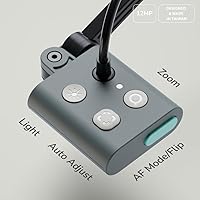
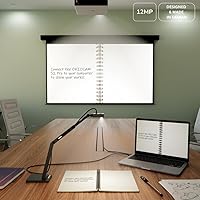
The OKIOCAM S2 Pro sits in a useful middle ground for anyone who needs a reliable document camera without overspending on professional broadcast gear. It plugs straight into Windows, Mac, or Chromebook machines with no driver installation required — just connect and go. The built-in LED and microphone mean you're not scrambling for extra accessories before a call. What genuinely sets this classroom camera apart is the OKIOPoint smart pointer, a proprietary feature that adds real interactive functionality uncommon at this price level. The metal base and glass-fiber reinforced arm feel noticeably sturdier than the plastic-heavy alternatives crowding this category.
Features & Benefits
The 13MP sensor is where this document camera earns its keep in real use. Text on printed pages — footnotes, dense tables, fine diagrams — renders with genuine clarity at full resolution, which matters when students or colleagues view shared material on smaller screens. The 4K video at 30fps keeps live demos fluid rather than choppy. The autofocus button is a practical touch: one press and the camera locks onto whatever you've placed underneath, whether you've swapped from a textbook to a physical product mid-presentation. The included USB-C adapter and carrying pouch are small additions, but they signal that the S2 Pro was designed with portability in mind, not just desk use.
Best For
This is a natural fit for teachers running hybrid or remote classes — the combination of high-resolution capture, a built-in mic, and OKIOPoint interaction replaces what would otherwise require several separate tools. Remote professionals who regularly walk clients through printed contracts, physical samples, or hand-drawn diagrams on calls will find it equally practical. It also suits Chromebook users specifically, since plug-and-play compatibility with Chrome OS is not guaranteed across all document cameras. If your main frustration is juggling a webcam, a desk lamp, and a microphone just to run a basic video call, this document camera consolidates all of that into one compact unit.
User Feedback
With a 4.2 out of 5 rating across over 250 verified purchases, buyers are generally satisfied. Image clarity and setup ease come up repeatedly in positive reviews — people appreciate not having to wrestle with drivers or configuration before a lesson or call. The build quality also draws favorable comparisons to cheaper plastic-bodied competitors. That said, not everyone hits the ground running with OKIOCAM Live. The software carries a noticeable learning curve, particularly around the OKIOPoint tracking and annotation tools, which a handful of reviewers found unintuitive at first. A few buyers also noted autofocus inconsistency in low light, though this appears to be a minority experience rather than a widespread issue.
Pros
- Plug-and-play setup works immediately on Windows, Mac, and Chromebook with zero driver installation.
- High-resolution sensor renders fine printed text and detailed diagrams with impressive clarity during live calls.
- Built-in LED and microphone eliminate the need for a separate desk lamp or USB mic.
- Metal base and reinforced arm feel noticeably more durable than plastic-bodied competitors in the same price range.
- The OKIOPoint pointer auto-zooms to wherever you direct it, making live document demos more interactive and professional.
- Letter-size document coverage in landscape orientation handles the vast majority of everyday classroom and office materials.
- Included USB-C adapter and carrying pouch make it practical for teachers moving between rooms or professionals working from multiple locations.
- Lossless sensor zoom preserves image quality when cropping into specific areas of a document.
- Broadly compatible with major video conferencing platforms including Zoom, Teams, Google Meet, and Canvas.
Cons
- OKIOCAM Live software has a steep learning curve that frustrates users who expected an intuitive out-of-the-box experience.
- Autofocus can hunt and struggle to lock in dimly lit or unevenly lit environments, disrupting live sessions.
- The built-in LED is fixed intensity, which can cause glare on glossy or laminated documents.
- Built-in microphone picks up noticeable ambient noise in open-plan spaces, limiting its usefulness in shared offices.
- OKIOPoint tracking introduces a slight lag in fast-paced presentations, which can feel disjointed during rapid content switching.
- Advanced software features are restricted or unavailable for Chromebook users, limiting the platform to basic camera functionality.
- Running 4K output alongside other demanding applications can cause performance drops on older or lower-spec computers.
- The viewing area ceiling is too small for A3-format documents, large textbook spreads, or oversized printed materials.
Ratings
The scores below for the OKIOCAM S2 Pro were generated by our AI review engine after analyzing verified buyer feedback from global markets, with spam, bot-submitted, and incentivized reviews actively filtered out. The result is an honest, data-driven snapshot that reflects both what this classroom camera does well and where real users have run into friction. Strengths and shortcomings are weighted equally so you can make a genuinely informed decision.
Image Quality
Build Quality
Ease of Setup
OKIOPoint Smart Pointer
Software Experience
Autofocus Performance
Built-in Microphone
Built-in LED Light
Compatibility
Value for Money
Portability & Storage
Viewing Area Coverage
Frame Rate & Streaming Smoothness
Suitable for:
The OKIOCAM S2 Pro is a strong match for teachers running hybrid or fully remote classes, particularly those who need to share printed worksheets, textbooks, or hand-written notes with students over Zoom, Teams, or Google Meet without juggling multiple devices. University lecturers and K-12 educators will appreciate that the built-in mic and LED light handle two common classroom pain points right out of the box, keeping the setup lean and the prep time short. Chromebook users specifically benefit here, since reliable document camera compatibility with Chrome OS is harder to find than most buyers expect. Remote professionals who regularly walk clients through physical documents, contracts, or product samples on video calls will also find this classroom camera a practical daily tool. The OKIOPoint smart pointer is a genuine draw for anyone whose presentations require directing audience attention to specific areas of a document — it removes the need to verbally guide viewers and makes live demos feel more polished. If your goal is consolidating a webcam, desk lamp, and microphone into a single USB device without dropping to bargain-tier hardware, this document camera is a sensible, well-rounded choice.
Not suitable for:
Buyers expecting a truly plug-and-play experience for every feature will hit friction with the OKIOCAM S2 Pro — the core camera function is immediate, but unlocking the OKIOPoint tracking, annotation tools, and advanced recording options through OKIOCAM Live requires real configuration time that not everyone wants to invest. Professional content creators, streamers, or videographers who need cinematic video quality, manual exposure controls, or high-frame-rate slow-motion capture will find this document camera too narrowly optimized for static document viewing. Users who regularly work with A3-size materials, large engineering drawings, or open textbooks will run into the viewing area ceiling and may need a camera with wider coverage or optical zoom. Anyone operating in a deeply unreliable or dim lighting environment should also reconsider — the fixed-intensity LED helps, but the autofocus can struggle when ambient lighting is inconsistent. Finally, buyers who are sensitive to software quality and expect a polished, intuitive desktop application will likely find OKIOCAM Live a persistent source of frustration rather than a productivity asset.
Specifications
- Sensor: The camera uses a 13MP CMOS image sensor capable of capturing fine detail on printed documents, diagrams, and physical objects.
- Max Resolution: Maximum capture resolution reaches 3840x3104 pixels in 4:3 aspect ratio and 3840x2160 pixels in 16:9 widescreen format.
- Video Output: Records and streams video at 4K resolution (3840x2160) at up to 30 frames per second for smooth, fluid live presentations.
- Viewing Area: Maximum document coverage spans approximately 13.6 x 10.6 inches, accommodating a standard letter-size page in landscape orientation.
- Focus System: Autofocus is triggered manually via a dedicated button, allowing quick and deliberate re-focus when switching between different documents or objects.
- Connectivity: Connects via USB with a USB-C adapter included in the box, making it compatible with both standard USB-A and USB-C ports.
- Built-in Light: An integrated LED light is mounted on the camera arm to provide supplemental illumination for documents in dim classrooms or home office environments.
- Built-in Mic: An onboard microphone is built directly into the unit, removing the need for a separate external microphone for basic video calls and recorded lessons.
- OKIOPoint: The included OKIOPoint smart pointer works with OKIOCAM Live software to automatically zoom and refocus the camera on wherever the pointer is directed.
- Lossless Zoom: Lossless sensor zoom (LSZ) is supported, allowing users to crop into document details without the image degradation associated with standard digital zoom.
- Compatibility: The camera is compatible with Windows, macOS, and Chrome OS operating systems and supports Zoom, Google Meet, Microsoft Teams, and Canvas without additional drivers.
- Software: OKIOCAM Live is the companion desktop application, offering live presentation tools, document annotation, and video recording functionality.
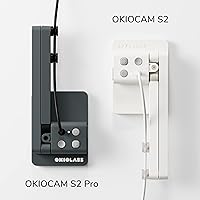
- Body Materials: The base is constructed from weighted metal and the arm from glass-fiber reinforced material, providing structural rigidity well above typical plastic-bodied competitors.
- Hinge Durability: Each hinge joint was tested to withstand over 10,000 rotations in lab conditions before reaching market, indicating above-average mechanical longevity.
- Dimensions: The unit measures 6.89 x 2.8 x 1.5 inches when folded, making it compact enough for bag transport between classrooms or offices.
- Weight: The S2 Pro weighs 14.7 oz (416g), striking a balance between a stable weighted base and manageable portability.
- Accessories: The box includes a USB-C adapter and a soft carrying pouch for safe storage and transport between locations.
- Macro Focus Range: Minimum focus distance is 10cm, allowing close-up capture of small printed text, fine illustrations, or three-dimensional objects placed beneath the camera.
Related Reviews
Pro-Ject Pre Box S2 Digital Preamplifier
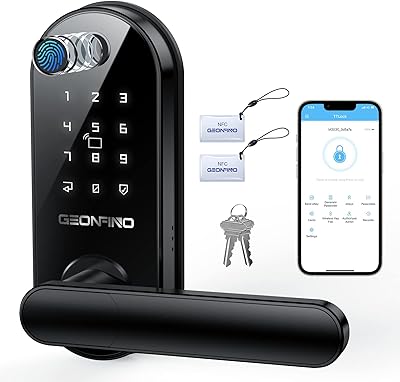
GEONFINO S2 Pro Fingerprint Smart Door Lock
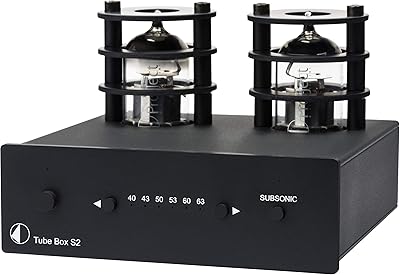
Pro-Ject Tube Box S2 Phono Preamplifier
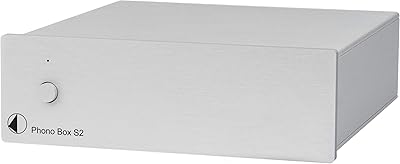
Pro-Ject Phono Box S2 MM/MC Preamplifier

Ubiquiti UniFi Dream Machine Pro Security Gateway
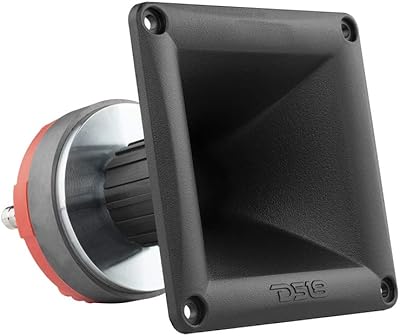
DS18 PRO-DR1PK44 Compression Driver with PRO-H44/BK Horn
DS18 PRO-ZXI10MBASS 10-inch Mid-Bass Loudspeaker

Cinema Secrets Ultimate Corrector 5-In-1 Palette

Cinema Secrets Pro Cosmetics Ultimate Foundation 5-In-1 Pro Palette 500A
