Overview

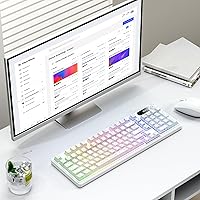
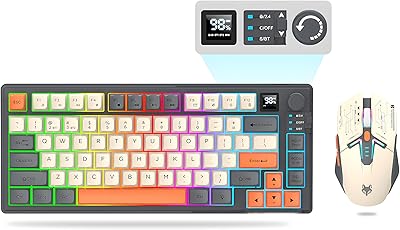
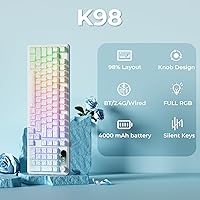
The OHY K98 Wireless Membrane Gaming Keyboard sits in a crowded budget category, but it carves out a distinct identity with a few thoughtful touches. It uses a 98% compact layout — you keep the function row and number row intact while dropping only the numpad, a fair trade for anyone tight on desk space. What makes it stand out physically is the rotary knob and a small logo display panel, both of which feel unusual at this price point. Just be clear going in: this is a membrane board. The keystrokes are soft and quiet, not the tactile, clicky experience mechanical keyboards offer. That shapes everything about how it feels to use.
Features & Benefits

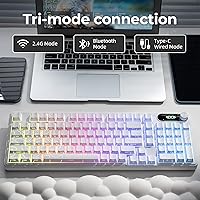
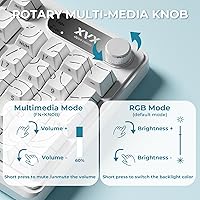
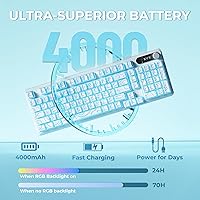
The K98's most practical strength is its tri-mode connectivity — pair it to three devices over Bluetooth 5.0, add a fourth via 2.4GHz dongle, or plug in directly over USB-C. Switching between your laptop and phone takes a key combination, and in 2.4GHz mode latency is noticeably lower than Bluetooth. The built-in 4000mAh battery is generous on paper, but running the RGB at full brightness will cut that runtime significantly. The dedicated knob handles brightness and speed adjustments without touching a single key combo. The PBT keycaps use a Cherry profile with IMD double-shot construction, meaning legends should stay readable well past the first few months of regular use.

Best For

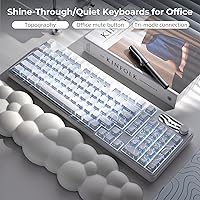
This wireless membrane board makes the most sense for people who regularly bounce between multiple devices — a work laptop, a personal tablet, a phone — and want one keyboard to handle all of them. It also fits well in shared spaces or late-night setups where quiet keystrokes matter more than tactile feedback. Mac and Windows users will both find compatibility straightforward, and the retained function row keeps productivity workflows intact. If you are coming from a mechanical keyboard expecting a similar typing feel, adjust those expectations. But for a first-time buyer exploring wireless and RGB features without a steep upfront cost, this compact board covers a lot of ground.

User Feedback

Buyers tend to appreciate the soft, muted keystrokes most — it comes up repeatedly as the main reason people chose this over louder options. Multi-device switching also draws positive comments, particularly from users who juggle work and personal machines throughout the day. On the critical side, some report occasional Bluetooth dropout when switching modes, and a handful note that the knob feels somewhat plasticky up close despite looking good in photos. Battery life feedback is mixed, with heavier RGB users reporting shorter-than-expected runtime. QC consistency is worth monitoring since OHY is a newer brand, though the 12-month warranty and reportedly responsive support offset some of that concern for most buyers.

Pros

  • Tri-mode connectivity lets you stay paired to three Bluetooth devices plus a 2.4GHz receiver simultaneously.
  • The 98% layout saves meaningful desk space while keeping every row most users actually need.
  • PBT double-shot keycaps resist shine and legend fading far better than typical membrane board caps.
  • A dedicated knob for RGB adjustment is a genuinely convenient touch that avoids function-layer hunting.
  • At this price tier, a 4000mAh built-in rechargeable battery is a standout inclusion.
  • N-key rollover handles simultaneous keypresses reliably, which matters even for casual gaming.
  • The quiet membrane feel is a real advantage in shared or noise-sensitive environments.
  • Compatible out of the box with Windows, Mac, Android, and iOS — no driver installation required.
  • The package includes a keycap puller and USB-C cable, which many budget boards skip.
  • A 12-month warranty adds a layer of confidence when buying from a lesser-known brand.

Cons

  • Bluetooth mode can exhibit occasional dropout when switching between paired devices.
  • Real-world battery life drops noticeably when RGB lighting runs at high brightness settings.
  • The rotary knob feels lightweight and plasticky in hand despite looking solid in product photos.
  • QC consistency has been uneven across units, with some buyers reporting cosmetic or functional variance.
  • No hot-swap support means you are locked into the membrane switches with no upgrade path.
  • The logo display panel, while eye-catching, adds no functional value and may feel gimmicky over time.
  • Bluetooth latency is not ideal for fast-paced or competitive gaming sessions.
  • OHY has a limited brand history, making long-term durability and support harder to predict.
  • RGB bleed uniformity between keycaps is inconsistent on some units, reducing the visual payoff.
  • Heavier typists may find the soft membrane feedback unsatisfying for extended work sessions.

Ratings

Our AI rating system analyzed verified global buyer reviews for the OHY K98 Wireless Membrane Gaming Keyboard, actively filtering out incentivized, bot-generated, and suspicious feedback to surface what real users actually experience day to day. Scores reflect the full picture — where this compact wireless board genuinely delivers and where it falls short — so you can make a clear-eyed buying decision without the marketing spin.

Typing Experience
71%
29%
For a membrane board, the K98 earns consistent praise for its soft, cushioned keystrokes that feel comfortable during long typing sessions. Users working late-night shifts or in shared bedrooms specifically appreciate how little noise the keys produce compared to any mechanical alternative they had tried.
Buyers coming from mechanical keyboards consistently flag the lack of tactile feedback as a real adjustment. The keystrokes feel slightly mushy under fast, deliberate typing, and there is no way to change the switch feel since hot-swap is not supported.
Wireless Performance
78%
22%
The 2.4GHz dongle mode performs reliably for everyday tasks and light gaming, with most users reporting no perceptible lag during typical desktop sessions. Multi-device users appreciate being able to stay paired to a laptop, tablet, and phone simultaneously without re-pairing each time.
Bluetooth mode draws more complaints than 2.4GHz, with occasional dropout reported when switching between paired devices. A small but consistent group of buyers note the reconnection delay feels sluggish compared to competing boards at a similar price point.
Battery Life
66%
34%
The 4000mAh battery is a genuinely large capacity for this price tier, and users who type with RGB off or dimmed report satisfying multi-day runtimes between charges. The USB-C charging port means you can top it up with the same cable you likely already use for other devices.
With RGB running at full brightness, real-world battery life drops significantly — some buyers report needing to charge every day or two under heavy lit use. The rated capacity figure sets expectations that only bare-minimum usage conditions can realistically meet.
Build Quality
73%
27%
The overall chassis feels more substantial than the price would suggest, with a rigidity that resists flex during normal typing. The inclusion of PBT keycaps rather than the cheaper ABS plastic common on budget boards is a build quality win that users notice immediately.
The rotary knob is the most frequently criticized component, feeling noticeably hollow and lightweight compared to the rest of the board. QC consistency is also a recurring concern — some units ship with minor cosmetic imperfections or keycap seating variance that a more established brand would catch more reliably.
Keycap Quality
82%
18%
IMD double-shot PBT construction means the legends will not fade or rub off with heavy daily use, which is a meaningful durability advantage. The Cherry profile feels natural for most hand sizes, and the keycap surface texture strikes a good balance between grip and smoothness.
RGB light bleed between keycaps is uneven on some units, with certain keys appearing brighter or more diffused than their neighbors. A handful of buyers report that the keycap coating feels slightly inconsistent across the board, particularly on the modifier keys.
RGB Lighting
79%
21%
Sixteen million color options and seven lighting effects cover everything from subtle single-color washes to animated rainbow patterns, making this a visually competitive board on a desk setup. The dedicated knob for adjusting brightness without digging through function-layer shortcuts is a practical touch that users genuinely appreciate.
RGB bleed uniformity is inconsistent — some units show noticeably brighter hotspots near certain switches, which undermines the visual appeal at close range. Running the lighting at full intensity also directly taxes battery life, which forces users to choose between aesthetics and wireless longevity.
Multi-Device Switching
74%
26%
The ability to stay paired to three Bluetooth devices and one 2.4GHz receiver simultaneously is a standout feature for anyone juggling a work laptop, personal computer, and mobile device. Most users report that the switching process itself is straightforward once they have memorized the key combinations.
The actual reconnection time — roughly two to three seconds per switch — is slower than what some competitors offer, and Bluetooth dropouts during switching frustrate users who need snappier transitions. A few buyers report that one of their paired devices occasionally fails to reconnect without a manual reset.
Value for Money
84%
Tri-mode connectivity, PBT keycaps, a large rechargeable battery, N-key rollover, and a physical knob at this price point represent an unusually feature-rich package compared to comparable offerings. For first-time buyers exploring wireless and RGB without committing to a higher spend, the K98 covers most bases.
The value equation depends heavily on expectations — buyers who prioritize typing feel or build precision may find the compromises frustrating relative to what slightly more money could buy. The brand is also new enough that its long-term durability track record remains unproven.
Connectivity Setup
81%
19%
Plug-and-play compatibility across Windows, Mac, Android, and iOS means most users are up and running within minutes of unboxing, with no driver downloads or software configuration required. The included 2.4G dongle is compact enough to leave plugged in without feeling intrusive on a crowded port.
The function-layer key combinations for switching connection modes are not intuitive at first, and the manual does not explain them clearly enough for complete beginners. A dedicated software app for customization and device management is absent, which limits the configuration options available.
Layout & Ergonomics
77%
23%
The 98% layout is a practical middle ground — it cuts the numpad to save horizontal space while keeping every row that productivity and gaming workflows actually rely on. The Cherry-profile keycap height feels comfortable for extended sessions without requiring a wrist rest for most users.
The board ships without any adjustable feet or inclination options mentioned in user feedback, which limits posture customization for users who prefer a more angled typing surface. For users with larger hands, the compressed key spacing on the right side of the layout can take a week or two to fully adapt to.
Noise Level
87%
This is consistently one of the most praised aspects across buyer reviews — the membrane switches produce a muted, soft sound that genuinely suits shared offices, bedrooms, and library environments. Users who switched from clicky mechanicals specifically call out the silence as the deciding factor in their purchase.
While quiet by keyboard standards, the membrane actuation still produces a faint thud on harder keystrokes that could be audible in completely silent rooms. Users who record audio or stream from a small space with sensitive microphones may still pick up keystroke noise in recordings.
Knob Functionality
68%
32%
Having a physical knob dedicated to RGB brightness and effect speed adjustments is a genuinely useful shortcut that avoids the memorization overhead of function-layer combos. Users setting up a new lighting mood during a gaming session or dimming the desk before sleep find it surprisingly handy in daily use.
The knob itself feels insubstantial — rotation feedback is smooth but lacks the satisfying resistance that gives confidence in precise adjustments. Several buyers also note that its function scope is narrow, and they would prefer it to double as a volume knob or media control like some competing boards offer.
Portability
72%
28%
At 2.42 pounds and with a 98% footprint, the K98 is compact enough to slide into a backpack or laptop bag for travel between home and office. The wireless modes eliminate cable management concerns when moving the board between locations.
The package dimensions and weight make it slightly bulkier than truly portable 65% or 75% layout boards designed for travel. The lack of a carrying case or storage solution for the 2.4G dongle means small accessories are easy to misplace when moving the setup around.
Brand Reliability
58%
42%
OHY backs the keyboard with a 12-month warranty and a support team that several buyers describe as responsive for a newer brand. The included keycap and switch puller tool signals that the company put some thought into long-term user experience from the start.
OHY is a recent market entrant with a limited history of long-term product durability data, which introduces genuine uncertainty for buyers prioritizing reliability over several years. QC inconsistency reports, while not overwhelming, suggest that manufacturing standards are still maturing compared to more established keyboard brands.

Suitable for:

The OHY K98 Wireless Membrane Gaming Keyboard is a strong fit for multi-device users who want one board to cover a PC, a tablet, and a phone without carrying extra dongles or switching cables. If you work from a shared space — a home office next to a sleeping partner, a dorm room, or an open-plan office — the soft membrane keystrokes keep things quiet without sacrificing the RGB aesthetic many buyers want on their desk. The 98% layout is a smart pick for anyone who finds full-size keyboards wasteful of space but still needs the function row and number row intact for shortcuts and data entry. Casual gamers who play titles that do not demand hair-trigger mechanical precision will find the N-key rollover and 2.4GHz wireless mode more than adequate. Mac and Windows users alike can drop it in without driver headaches, and the 12-month warranty from OHY gives first-time buyers with the brand a reasonable safety net.
Not suitable for:

The OHY K98 Wireless Membrane Gaming Keyboard is not the right call for anyone who has typed on a quality mechanical board and expects a similar experience — the membrane switches are soft and muted by design, and no amount of PBT keycaps changes that underlying feel. Competitive or fast-paced gamers who depend on low-latency wireless and precise tactile feedback will likely find Bluetooth mode introduces too much variability, and even 2.4GHz cannot replicate a wired mechanical setup in terms of raw responsiveness. If you run RGB effects at full brightness around the clock, the battery life will fall well short of what the specs imply, which could frustrate users expecting truly extended wireless sessions. Buyers who prioritize long-term brand reliability and established customer service infrastructure may want to weigh the fact that OHY is a relatively new entrant with a limited track record. Finally, anyone hoping to mod the switches or swap them out should note that hot-swapping is not supported on this board.
Specifications

  • Switch Type: The keyboard uses membrane switches, which produce a soft, cushioned keystroke with minimal audible noise compared to mechanical alternatives.
  • Layout: A 98% compact arrangement provides 99 keys, retaining the function row and number row while omitting the numpad to reduce overall footprint.
  • Connectivity: Three connection modes are supported: Bluetooth 5.0 for up to three paired devices, a 2.4GHz wireless dongle, and a direct USB-C wired connection.
  • Battery: A built-in 4000mAh lithium-ion battery powers wireless operation, with actual runtime varying based on RGB brightness and usage patterns.
  • Keycap Material: Keycaps are made from PBT plastic using IMD double-shot construction, which resists surface shine, legend fading, and wear over extended use.
  • Keycap Profile: The keycaps follow a Cherry profile, featuring a relatively low, slightly sculpted shape designed for comfortable finger reach across all rows.
  • RGB Lighting: Backlighting supports 16 million colors across 7 distinct lighting effects, with brightness and animation speed adjustable via the dedicated rotary knob.
  • N-Key Rollover: Full N-key rollover is supported, meaning every simultaneous keypress is registered independently without ghosting or missed inputs.
  • Extra Controls: A physical rotary knob and an illuminated logo display panel are built into the top-right section of the board for lighting control and visual customization.
  • Compatibility: The keyboard works with Windows XP, 7, 8, and 10, as well as Mac, Android, and iOS devices without requiring additional driver installation.
  • Dimensions: The package measures 17.72 x 7.13 x 1.93 inches, reflecting the compact but full-featured footprint of the 98% layout.
  • Weight: The complete unit weighs 2.42 pounds, which gives it a solid feel on a desk without making it impractical to carry between locations.
  • In the Box: Each unit ships with the keyboard, a 2.4G USB receiver, a USB-C charging cable, a keycap and switch puller tool, and a printed user manual.
  • Charging Port: The keyboard charges and connects via a USB-C port, which supports both data transfer in wired mode and battery charging when used wirelessly.
  • Warranty: OHY includes a 12-month after-sales warranty covering quality and functionality issues, with direct support available through the manufacturer.

Related Reviews

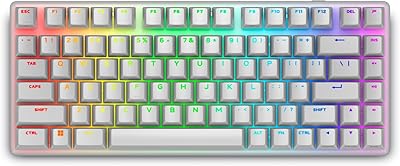
Alienware Pro Wireless Gaming Keyboard
87%
93%
Connectivity
89%
Customization (Hot-Swappable Switches)
91%
Ergonomics and Layout
88%
RGB Lighting
85%
Battery Life
More
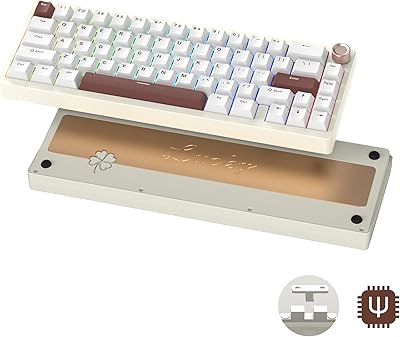
Womier SK65 65% Wireless Mechanical Keyboard
78%
88%
Build Quality
84%
Typing Feel
81%
Wireless Performance
83%
Sound Profile
86%
Hot-Swap Experience
More
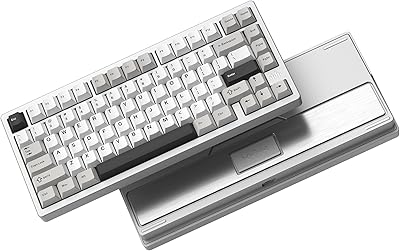
Womier RD75 Pro 75% Wireless Gaming Keyboard
85%
92%
Battery Life
88%
Build Quality
90%
Customizability
75%
Wireless Connectivity
85%
Typing Comfort
More
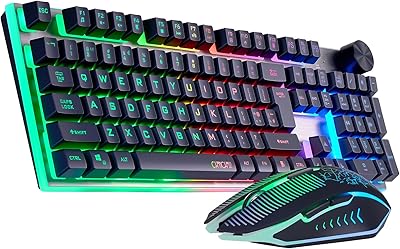
CHONCHOW G312 Wireless Gaming Keyboard Mouse Combo
79%
88%
Value for Money
82%
Build Quality
84%
Wireless Stability
86%
Keyboard Battery Life
58%
Mouse Battery Life
More
RedThunder K10 Wireless Keyboard and Mouse Combo
77%
84%
Value for Money
63%
Typing Feel
74%
Build Quality
71%
Wireless Performance
88%
RGB Lighting
More
ROCCAT Magma Silent Membrane Switch Gaming Keyboard
87%
92%
Typing Comfort
88%
RGB Customization
90%
Ease of Maintenance
78%
Durability
75%
Build Quality
More
Attoe 75% Wireless Keyboard and Mouse Combo
79%
88%
Value for Money
83%
Connectivity & Wireless Reliability
91%
Multi-Device Pairing
79%
Keyboard Typing Feel
67%
Mouse Performance
More
GravaStar Mercury K1 Pro Mechanical Gaming Keyboard
80%
91%
Build Quality
88%
Typing Feel
86%
Switch Performance
79%
Wireless Reliability
74%
Battery Life
More
Cooler Master CK721 65% Wireless Mechanical Gaming Keyboard
86%
89%
Typing Experience
94%
Wireless Performance
85%
Build Quality
77%
Ergonomics
91%
Customization Options
More
GEODMAER Wireless Gaming Keyboard and Mouse with Cooling Gel Wrist Rest
87%
90%
Comfort and Ergonomics
92%
Wireless Connectivity & Stability
88%
Battery Life (Keyboard)
86%
Battery Life (Mouse)
89%
Backlighting Customization
More

FAQ

Yes, it does. The K98 is plug-and-play on macOS with no driver installation needed. A few function-layer shortcuts are Windows-oriented by default, but basic media controls and key functions work fine on Mac without any configuration.

Switching takes roughly two to three seconds in practice. You hold FN plus the numbered key assigned to each paired device, and the keyboard re-establishes the connection. It is not instant, but for typical multi-device workflows it is quick enough to not feel disruptive.

It depends on your settings. With RGB running at full brightness, real-world battery life is noticeably shorter than the rated capacity suggests. If you dim the lighting or turn it off entirely, you will get considerably longer wireless sessions between charges. Treat the maximum battery figure as a best-case number.

Yes, membrane keyboards are inherently quieter than most mechanical switches, and this one is no exception. The keystrokes produce a soft, muted thud rather than any sharp click or clack. It is a reasonable choice for open offices, late-night use, or anywhere noise is a concern.

Absolutely. Plugging in the included USB-C cable switches the board to wired mode immediately while also charging the battery in the background, so you never have to stop working.

That is an honest question worth addressing directly. Membrane switches feel softer and less defined than mechanical ones — there is no tactile bump or audible click to confirm each keypress. The OHY K98 Wireless Membrane Gaming Keyboard does what it can to offset that with quality PBT keycaps and a solid build, but if you are coming from a mechanical board, the typing feel will be a noticeable step down. For quiet environments or casual use, many people find it perfectly acceptable.
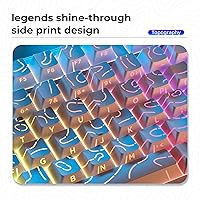
The double-shot PBT construction means the legends are not printed on top of the keycap surface — they are molded into the cap itself. That makes fading extremely unlikely under normal use conditions. PBT also resists the greasy shine that cheaper ABS keycaps tend to develop over time.

No, the dongle only needs to be connected when you want to use 2.4GHz wireless mode. When you switch to Bluetooth or wired mode, the receiver can be left unplugged or stored away — it has no effect on the other connection modes.

OHY offers a 12-month warranty and a dedicated support team. Since the brand is relatively new to the market, long-term support track records are still building, but early buyer feedback suggests response times are reasonable for warranty claims and usage questions. Keep your order details handy if you ever need to reach out.

Unfortunately, no. This board does not support hot-swapping, which means the membrane switches are fixed in place. If a different typing feel becomes important to you down the road, you would need a different keyboard altogether rather than being able to mod this one.