Overview

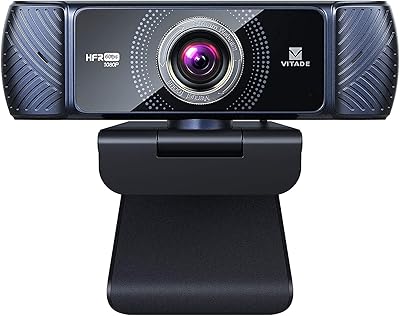
The Vitade 960A 1080P Webcam with Ring Light is a mid-range USB camera aimed at remote workers, streamers, and content creators who want decent video quality without buying a separate lighting setup. Vitade isn't a household name — it's a smaller peripheral brand with a tight webcam lineup — but that focused approach shows in how thoughtfully this ring-light webcam is packaged. You get 1080p at 30fps, which handles video calls and casual streaming comfortably but won't compete with a mirrorless camera rig. The real draw is the plug-and-play setup: no drivers to hunt down, no software to configure. Just connect it and you're live.

Features & Benefits

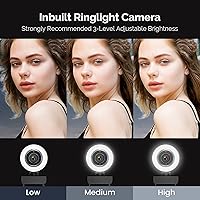
The standout feature is the three-level ring light, operated by a touch sensor on the front of the unit. If you're taking an evening call in a dim apartment or streaming after dark, the difference between having it and not having it is immediately obvious. The 80-degree wide-angle lens pairs with real-time autofocus that keeps your face sharp even if you lean back or shift around, though some edge softness is normal at this focal range. H.264 encoding keeps CPU usage reasonable during streams — useful if your machine isn't particularly powerful. The automatic low-light correction handles exposure adjustments without manual input, and the universal clip works on most monitors with a tripod thread if you want a different angle.

Best For

This streaming webcam is a natural fit for remote workers and educators who spend hours on video calls and want their image to look polished without investing in a full lighting kit. It also suits first-time streamers on Twitch or YouTube who need a single device that handles video and ambient lighting in one — no juggling a separate ring lamp and camera arm. Students doing online presentations, teachers recording lessons in variable light — this ring-light webcam solves a real and common problem cheaply. Desk-space-conscious users will appreciate the compact footprint. Where it falls short is for serious gamers or high-motion content creators who need 60fps, because 30fps is the hard ceiling here.

User Feedback

With over 4,000 ratings averaging 4.4 stars, the Vitade 960A earns its score mostly from buyers upgrading from a laptop's built-in camera — a low bar that helps the numbers. Setup speed and the ring light impact get mentioned constantly as genuine positives, and daytime image clarity draws consistent praise. The criticisms are worth noting: autofocus occasionally hunts in low-contrast backgrounds, and the built-in microphone picks up voice adequately but sounds noticeably thin compared to even an entry-level USB mic. Some longer-term users have raised questions about build durability, particularly around the clip mechanism. Gamers who found this while searching for a 60fps option consistently report disappointment — the frame rate cap is firm, not adjustable.

Pros

  • Built-in ring light eliminates the need for a separate lighting purchase for evening calls or streams.
  • Three brightness levels are adjustable with a simple touch, requiring no app or software.
  • Plug-and-play USB setup means you are on camera in under a minute with no driver installation.
  • Real-time autofocus keeps your image sharp even when you lean back or shift around at your desk.
  • H.264 encoding reduces CPU load during live streams, which noticeably helps on older machines.
  • Automatic low-light correction adjusts exposure without manual input as room lighting changes.
  • Compatible out of the box with Windows, Mac, Chrome OS, and Android devices.
  • Tripod-ready clip works across different monitor thicknesses and doubles as a freestanding mount.
  • Over 4,000 ratings averaging 4.4 stars reflects reliably positive real-world experiences from everyday users.
  • Compact and lightweight at 5.3 ounces, it adds minimal clutter to a busy desk setup.

Cons

  • 30fps is a hard hardware ceiling with no workaround — a dealbreaker for gaming or fast-motion content.
  • Built-in microphone handles casual calls but sounds noticeably thin compared to any dedicated USB mic.
  • Autofocus can hunt or momentarily stall in low-contrast backgrounds, causing brief blur during calls.
  • Edge distortion from the 80-degree wide-angle lens becomes visible when subjects sit near the frame edges.
  • No privacy shutter is included, unlike several competing models available at a similar price point.
  • Ring light glow can reflect off eyeglasses, a recurring complaint among spectacle-wearing users.
  • Clip mechanism has shown wear in longer-term use reports, particularly with frequent daily repositioning.
  • Vitade lacks the customer support infrastructure of established peripheral brands, which matters if issues arise.

Ratings

Our scores for the Vitade 960A 1080P Webcam with Ring Light were generated by AI after parsing thousands of verified global purchases, with spam, incentivized reviews, and bot-driven feedback actively filtered out before analysis. The ratings reflect both what genuine buyers consistently praised and the real-world frustrations that surfaced across long-term owners, casual users, and first-time upgraders alike. Strengths and weaknesses are represented transparently across every category below.
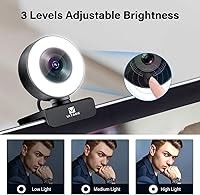
Image Quality
83%
In good ambient lighting, the 1080p output is sharp and natural-toned — a clear step up from the washed-out blur most built-in laptop cameras produce. Remote workers report that daytime calls look noticeably more polished, and the auto exposure handles typical indoor scenes without any manual adjustment.
Edge softness from the 80-degree wide-angle lens is visible when subjects sit close to the frame corners, and colors can trend slightly oversaturated in brighter rooms. Side-by-side comparisons with higher-tier webcams using larger sensors reveal a meaningful gap in fine detail and dynamic range.
Ring Light Performance
88%
The three-level ring light is the feature that earns this webcam genuine loyalty from buyers who work or stream in dim apartments or after dark. Touch-cycling through brightness mid-call without interrupting the video feed is a practical detail that most competing cameras at this price simply do not offer.
The ring light glow reflects off eyeglasses in a way some users find distracting on screen, and even the lowest brightness level can feel too strong in an already well-lit room. There is no color temperature adjustment, so the fixed cool-white tone does not suit every skin tone equally well.
Autofocus Accuracy
74%
26%
Under normal desk lighting, the real-time autofocus handles typical session movement — leaning back, turning slightly, or reaching across the desk — without the subject going noticeably blurry mid-call. Most everyday users find it reliable enough that they never actively think about it during meetings.
In low-contrast scenes — a dark wall behind the subject or a dim background with little texture — the autofocus can briefly hunt before locking back on, causing a momentary soft blur that is visible to call participants. Users who stream in front of plain dark backgrounds report this as a recurring minor irritant.
Microphone Quality
62%
38%
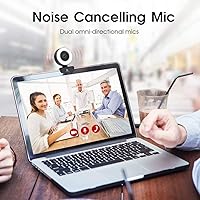
The dual built-in mics handle voice pickup clearly enough for standard video calls in a quiet home environment, and the noise cancellation does a reasonable job filtering out steady background hum from fans or air conditioning. For casual daily meetings, most users report their voice coming through intelligibly without any extra setup.
Anyone moving beyond basic call use will quickly notice the limitations — the microphone sounds thin, compressed, and lacks the warmth that even a budget standalone USB mic provides. Streamers and educators who need audio their audience actually enjoys listening to will almost certainly need to budget for a dedicated microphone.
Low-Light Performance
79%
21%
The automatic low-light correction is a genuine differentiator at this price tier — it adjusts exposure in real time as room lighting drops, keeping faces visible and reasonably detailed without any manual input. Paired with the built-in ring light, evening calls and late-night streaming sessions are far more manageable than with cameras relying on ambient light alone.
When the auto correction pushes hard in very dim conditions, digital noise becomes visible in the image — particularly in darker background areas — and fine detail softens noticeably. The result looks processed rather than naturally exposed, which is a drawback for anyone prioritizing a cinematic or clean visual aesthetic.
Setup & Ease of Use
93%
Plug-and-play USB connection means the webcam is recognized instantly by Windows, Mac, and Chrome OS without any driver downloads or additional software. First-time users consistently report having it mounted and working within minutes, which is exactly the friction-free experience non-technical buyers are hoping for.
There is no companion app for adjusting color balance, contrast, or exposure beyond what the host operating system offers natively. Power users accustomed to dedicated camera management software with granular image controls will find the hands-off experience frustratingly limited.
Build Quality
67%
33%
The compact housing feels adequate for everyday stationary desk use — it sits stably on a monitor edge, and the body does not flex or rattle under normal handling. For a device that mostly stays in one fixed position, the construction is functional and appropriate for the price tier.
Longer-term reviewers flag the clip mechanism as the weakest point, with loosening grip tension reported after months of regular use — particularly among users who frequently detach and reattach it. The plastic housing also picks up scratches and fingerprints easily, affecting its appearance over time.
Value for Money
86%
Getting a 1080p autofocus webcam with a functional built-in ring light at this price tier is genuinely competitive — buying a basic webcam and a separate ring lamp separately would cost more and consume twice the desk space. For buyers whose primary goal is an all-in-one lighting and video upgrade, the cost-to-benefit ratio is hard to argue with.
The value proposition weakens for buyers who discover they also need a dedicated microphone, since that additional purchase brings the total spend closer to competing bundles that include better audio from the start. The 30fps ceiling also limits long-term usefulness as user expectations evolve.
Software Compatibility
91%
The Vitade 960A works across an unusually wide platform range — Windows 7 through 10, Mac OS 10.6 and above, Chrome OS, and Android 5.0 — making it one of the more versatile options at this price. It shows up reliably in OBS, Zoom, Teams, Google Meet, and Skype without any special configuration.
There is no official Linux support listed, leaving Linux users in an uncertain compatibility zone that may require manual configuration depending on kernel version. The absence of dedicated management software also means image customization is limited entirely to whatever the host app or operating system provides natively.
Mounting Flexibility
77%
23%
The combination of a universal monitor clip and a standard tripod thread gives practical flexibility across different workspace setups — clip it directly to a display for a typical desk arrangement, or mount it on a small tripod for an elevated or angled shot. The clip handles a solid range of monitor thicknesses without issue.
Very thin-bezel ultrabooks can be a poor fit for the clip, leaving the camera unstable or slightly off-angle with no clean fix. Users who want wall-mount placement or non-standard positioning angles are also out of options, since no additional mounting hardware is included in the box.
Frame Rate Performance
53%
47%
At 30fps, the video output is smooth enough for standard video calls, online classes, and casual streaming where motion is limited to typical conversation. For the core audience of remote workers and daily meeting attendees, 30fps delivers a comfortable and watchable image under normal conditions.
The 30fps ceiling is a fixed hardware limit with no software workaround, and for any buyer expecting 60fps — gaming content, fast-motion streaming, or high-energy on-camera activity — this is a firm dealbreaker. Gamers and action-focused creators who discover this camera through search frequently leave negative reviews centered specifically on this limitation.
Noise Cancellation
64%
36%
The dual-mic noise cancellation handles steady background noise reasonably well — running fans, air conditioning, or moderate ambient street noise are filtered enough to keep voice calls clear and intelligible. For controlled home office environments, the filtering does its job without requiring any manual configuration.
Variable or unpredictable noise — keyboard clatter, nearby conversation, or sudden environmental sounds — breaks through more noticeably than the feature marketing implies. Longer calls also reveal a slight artificial quality to the processed voice tone that becomes more apparent the more closely you listen.
CPU Efficiency
82%
18%
H.264 encoding keeps CPU load measurably lower than MJPEG during live streams, which reduces the risk of dropped frames or stuttering video on older laptops and mid-range desktops. OBS users in particular benefit from this without needing to touch any special encoding settings.
The efficiency gains are most relevant on older or budget hardware — users on modern mid-range or high-end machines are unlikely to notice any practical difference in day-to-day performance. The YUY2 fallback format used by some older conferencing applications produces larger data output that can cause minor hiccups on slower network connections.
Portability
78%
22%
Weighing just 5.3 oz with a footprint under 3 inches, this streaming webcam slips easily into a laptop bag for use across multiple locations without any real hassle. The USB-only connection also means no power adapter or extra cables to manage, keeping travel setup genuinely minimal.
The clip-based mounting means a new setup location requires a monitor or screen to clip onto — without one, a small tripod is also necessary, adding to what you need to carry. The box includes no protective pouch or cover, so the lens and ring light surface are prone to scratching during transport if not wrapped carefully.
Audio-Visual Sync
76%
24%
Under standard operating conditions, audio and video stay well-synchronized across the major conferencing platforms this webcam targets — Zoom, Teams, and Google Meet — with no noticeable lip-sync drift even during extended calls lasting several hours. Most users in typical home office setups report zero sync issues.
A subset of users streaming through OBS or using browser-based conferencing tools have reported intermittent minor audio lag, though isolating this as a webcam-specific issue versus a USB bandwidth or platform-level problem is difficult. There is no built-in sync adjustment tool available since no companion software is included.

Suitable for:

The Vitade 960A 1080P Webcam with Ring Light is the kind of device that makes real sense for people who spend hours daily on video calls and are tired of looking underlit or washed out on screen. Remote workers, Zoom regulars, and Teams users living in apartments or home offices with inconsistent natural light will notice an immediate, practical difference the first time they flip on that ring light before an evening meeting. It is also a strong pick for first-time streamers on Twitch or YouTube who want a single device covering both camera and ambient lighting, rather than buying a webcam and a ring lamp separately and managing two setups. Educators and students doing online lessons or recorded presentations will find the autofocus and automatic low-light correction genuinely useful in rooms where light shifts throughout the day. Anyone stepping up from a laptop's built-in camera will find the image quality jump significant, and the compact clip-on design means it does not demand much desk space to earn its keep.

Not suitable for:

The Vitade 960A 1080P Webcam with Ring Light has firm limitations that make it the wrong choice for certain buyers, and it is worth being direct about them. If you are a gamer or fast-motion content creator expecting 60fps, this is not your camera — the 30fps cap is a hardware ceiling, not a settings issue, and nothing will change that. Serious podcasters or anyone relying on a webcam microphone for recorded content will find the dual built-in mics functional but noticeably thin-sounding; they handle casual calls adequately, but fall short of even a budget standalone USB microphone. Videographers, vloggers, or professionals who need accurate color reproduction, sharp edge-to-edge clarity, or cinematic depth for client-facing work should be looking at a higher-tier camera altogether. Buyers who frequently reposition or remove their webcam daily should also be aware that longer-term users have flagged some wear on the clip mechanism over time.

Specifications

  • Resolution: Captures video at 1080p Full HD (1920×1080), delivering clear and detailed image quality for calls, streaming, and recording.
  • Frame Rate: Outputs a maximum of 30fps, which is a fixed hardware ceiling and cannot be increased through software or settings adjustments.
  • Field of View: Uses an 80-degree wide-angle lens that accommodates typical desk distances while keeping most backgrounds reasonably contained within the frame.
  • Focus Type: Real-time autofocus continuously tracks the subject and adjusts to maintain sharpness when the user shifts position or moves closer to the lens.
  • Ring Light: Built-in ring light offers three brightness levels activated and cycled by a touch sensor on the front of the unit, and can be turned off independently of the camera.
  • Microphone: Dual omni-directional microphones with noise cancellation are designed to reduce ambient background noise for clearer voice pickup during calls.
  • Video Encoding: Supports H.264, MJPEG, and YUY2 encoding formats, with H.264 providing reduced file size and lower CPU overhead compared to MPEG-based alternatives.
  • Connectivity: Connects via USB with plug-and-play functionality, requiring no driver installation on any of its supported operating systems.
  • Compatibility: Compatible with Windows 7, 8, and 10, Mac OS 10.6 and above, Chrome OS, and Android 5.0 or higher.
  • Mount: Includes a universal monitor clip with a standard tripod thread on the base, enabling placement on most display bezels or a separate tripod stand.
  • Dimensions: Measures 1.9 × 2.5 × 3 inches, compact enough for crowded desk setups without occupying significant surface or monitor space.
  • Weight: Weighs 5.3 oz, light enough that the clip sits stably on most monitors without adding meaningful strain to the display bezel.
  • Low-Light Mode: Automatic low-light correction adjusts exposure in real time when ambient lighting drops, without requiring the user to change any manual settings.
  • Audio Formats: Supports AAC and MP3 audio formats for use with compatible recording and video conferencing applications.
  • Model Number: Sold under model number 960A, manufactured by Vitade, a peripheral brand offering a focused lineup of USB webcam products.

Related Reviews
ToLuLu Webcam with Ring Light
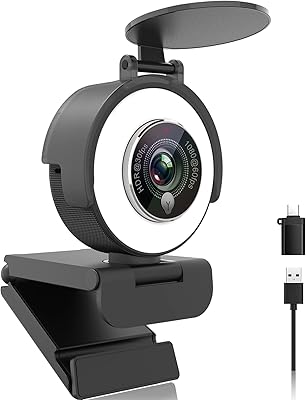
76%
88%
Value for Money
83%
Ring Light Performance
72%
Image Quality
93%
Ease of Setup
61%
Microphone Quality
More
Angetube 967Pro 1080p Webcam
76%
78%
Video Quality
86%
Ring Light Performance
71%
HDR Mode
81%
Frame Rate (60fps)
62%
Microphone Quality
More
VITADE 682H 1080P 60fps Webcam
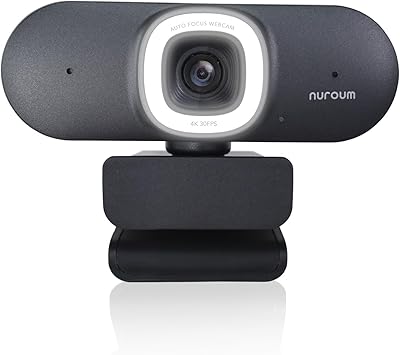
76%
83%
Video Clarity
88%
Frame Rate Smoothness
67%
Low-Light Performance
61%
Color Accuracy
78%
Microphone Quality
More
NUROUM V32AFL 4K Webcam with Ring Light
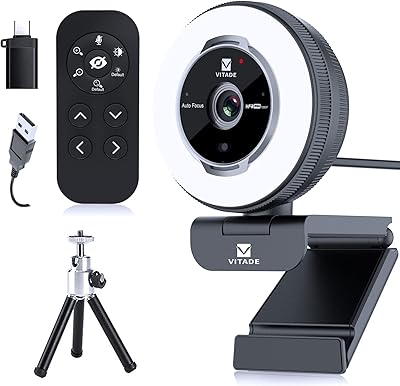
85%
92%
Video Quality
88%
Lighting Performance
85%
Microphone Quality
81%
Ease of Setup
75%
Software Experience
More
VITADE 862Pro 1080P Streaming Webcam
75%
78%
Video Quality
84%
Ring Light Performance
88%
Remote Control
91%
Ease of Setup
53%
Digital Zoom Quality
More
HuddleCamHD HC-WEBCAM-94
77%
83%
Video Quality (Daylight)
51%
Low-Light Performance
91%
Field of View
94%
Ease of Setup
57%
Audio Quality
More
EOTO LIGHT 19-inch LED Ring Light
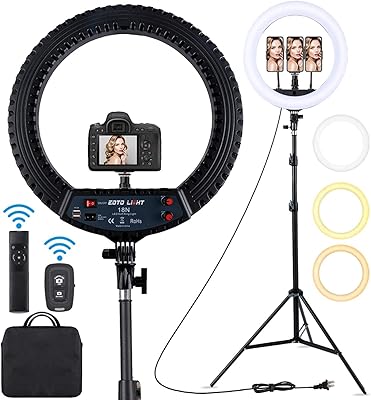
76%
88%
Brightness Output
91%
Color Accuracy
86%
Color Temperature Range
67%
Build Quality
74%
Touch Screen Usability
More
Acetaken 8-inch USB Clamp Ring Light
76%
91%
Ease of Setup
88%
Arm Flexibility & Reach
74%
Brightness Range
67%
Clamp Strength & Fit
82%
Light Quality & Evenness
More
EOTO LIGHT HQ-18N 18-inch LED Ring Light
80%
91%
Brightness Output
88%
Color Temperature Range
86%
Color Accuracy (CRI)
78%
Tripod Build & Stability
71%
Remote Controls
More
EOTO LIGHT 21-Inch LED Ring Light
79%
93%
Light Output & Brightness
91%
Color Accuracy (CRI)
88%
Touch Panel Usability
86%
Tripod Build & Stability
84%
Value for Money
More

FAQ

No installation needed at all. Just plug it into a USB port and your operating system — whether Windows, Mac, or Chrome OS — will recognize it automatically. It is about as close to instant setup as a webcam gets, which makes it a good fit for people who do not want to deal with software.

Yes, it works with all of them and with virtually any other video conferencing app that accepts a standard USB camera and microphone input. No special configuration is required — just select it as your camera source inside the app and you are ready to go.

The ring light is completely independent from the camera and can be turned off at any time by touching the sensor on the front of the unit. You cycle through three brightness levels with each touch, and one more tap turns it off entirely. It does not switch on automatically when the camera activates.

For everyday video calls and remote meetings, the dual built-in mics handle voice pickup adequately — your colleagues will hear you clearly in a reasonably quiet room. If you are streaming to an audience, recording voiceovers, or doing anything where audio quality actually matters to listeners, a dedicated USB microphone will make a noticeable difference. The built-in option is functional, not impressive.

No, and this is worth being clear about: 30fps is the absolute hardware maximum, not a software default you can override in OBS or any other app. If smooth motion at 60fps matters for your content — gaming capture, fast movement, or high-energy streaming — this camera is not the right tool for that job.

Yes, it shows up in OBS as a standard video capture device. Add a Video Capture Device source, select the webcam, set resolution to 1080p and frame rate to 30fps, and it is ready. The H.264 encoding support also helps keep CPU usage lower during a stream compared to less efficient formats.

The clip is adjustable and handles most standard monitor and laptop screen thicknesses. Very thin bezel ultrabooks can occasionally be a tight fit, but in those cases the tripod thread on the base lets you mount it on any standard tripod or small desktop stand instead. Most users will not run into clearance issues.

In typical indoor lighting it performs well, but in very dim or low-contrast scenes — like a dark background with little texture — it can occasionally hunt briefly before locking back on. Turning on the ring light largely solves this by adding enough contrast and brightness for the autofocus to work reliably. It is not a dealbreaker, but it is worth knowing.

No, this model does not come with a physical privacy cover. If that is something you rely on, you would need to unplug the camera when not in use or improvise a cover yourself. Several competing webcams in the same price range do include a built-in shutter, so if privacy protection is a priority, that is a meaningful factor to weigh before buying.

The clip holds up fine with normal daily use, but longer-term owners who frequently remove and reattach it have noted some loosening of the mechanism over time. If you plan to move it between a home setup and an office regularly, handle the clip with some care rather than forcing it onto thick monitor edges. Keeping it mounted in one place reduces wear significantly.