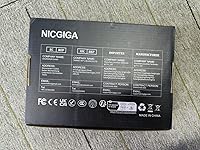
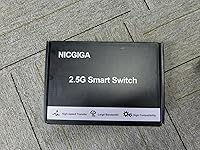
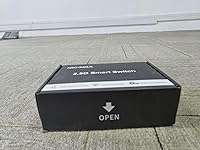
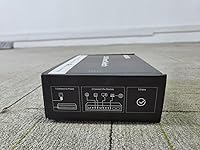
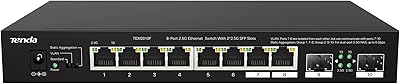
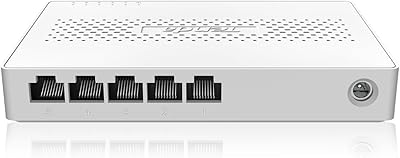
Overview

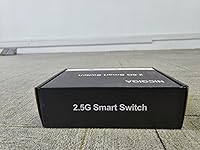
The NICGIGA S25-0802 10-Port 2.5G Unmanaged Ethernet Switch arrived at a genuinely useful moment — gigabit is no longer enough for many home setups, but full 10G infrastructure remains expensive. This 2.5G switch sits right in that middle ground, offering a practical speed bump without managed-switch complexity or price. Wi-Fi 6 routers and access points increasingly ship with 2.5G uplinks, NAS boxes from Synology and QNAP now support multi-gig natively, and some ISPs are pushing beyond gigabit. Despite being a newer brand, NICGIGA landed a #29 bestseller rank in Amazon Networking Switches shortly after launch — a strong early signal from real buyers.
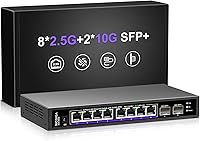
Features & Benefits

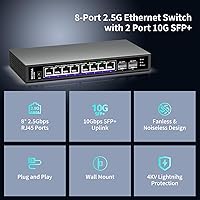
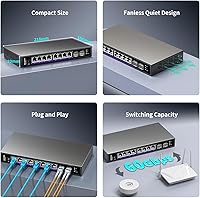
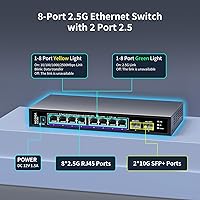
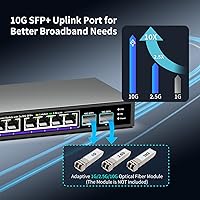
Eight RJ45 ports handle speeds from 100Mb all the way up to 2.5 gigabits, auto-negotiating based on what each connected device supports — so your older gigabit hardware and your new 2.5G NAS coexist without any manual setup. The two 10G SFP+ uplinks deserve a quick explanation: they accept small form-factor transceivers or DAC cables, letting you connect to a 10G router or upstream switch via fiber or copper twinax, which creates a fast backbone for the whole network. A 60 Gbps fabric means all ports can push traffic simultaneously without bottlenecking each other. Per-port LEDs confirm link speed and activity at a glance — no app, no login required.

Best For

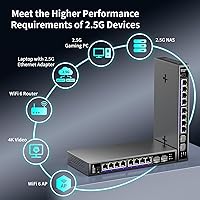
This unmanaged multi-gig switch is a natural fit for anyone running a NAS — Synology, QNAP, or TrueNAS — who wants to stop leaving bandwidth on the table with a gigabit-capped connection. If your Wi-Fi 6 access point has a 2.5G uplink, this switch feeds it properly rather than bottlenecking it back to 1G. Content creators and video editors shuffling large files between workstations will notice the throughput difference right away. It also works well in silence-sensitive spaces: a living room setup, a bedroom server closet, or an open-plan office where fan noise matters. For a drop-in gigabit upgrade that needs zero configuration, it is hard to argue with the value.

User Feedback

Buyers rate the NICGIGA 10-port switch at 4.5 out of 5, with consistent praise going to easy setup and reliable 2.5G link negotiation — NAS users in particular mention Synology and TrueNAS picking up the full speed without driver tweaks. The fanless claim holds up in real-world reports too: several buyers placed it on open desks or in living rooms and reported no audible noise or warmth concerns. On the downside, a few users flagged uncertainty around third-party SFP+ compatibility, and there are a small number of DOA reports — not unusual for a brand this new to market, but worth noting. Compared to TP-Link alternatives, most reviewers call it competitive.

Pros

  • Plug-and-play setup means no configuration headaches — just cable in and the switch negotiates speeds automatically.
  • Eight 2.5GbE ports deliver a real-world throughput boost for NAS users previously bottlenecked at gigabit.
  • Two 10G SFP+ uplinks allow a fast backbone connection to a router or NAS without upgrading the entire network.
  • The fanless metal chassis runs silently — real buyers confirm it works in living rooms and open offices without noise complaints.
  • Auto-negotiation handles 100Mb, 1G, and 2.5G devices on the same switch, so older gear does not need replacing.
  • Per-port LED indicators let you confirm link speed and activity at a glance, no software or login required.
  • 6KV surge protection adds a layer of durability that is uncommon at this price tier.
  • Compact and lightweight at under 1.75 lbs, making it easy to mount or tuck into tight spaces.
  • The 60 Gbps non-blocking fabric means simultaneous transfers across multiple ports do not slow each other down.
  • At its price point, the value proposition for a 10-port multi-gig switch with SFP+ uplinks is genuinely hard to beat.

Cons

  • No management interface at all — VLANs, QoS, and port monitoring are completely off the table.
  • NICGIGA is a newer brand with a limited reliability track record compared to established names like TP-Link or Netgear.
  • A small but notable number of buyers have reported DOA units, suggesting quality control is not yet fully consistent.
  • Third-party SFP+ transceiver compatibility is uncertain and not officially documented, which can complicate fiber setups.
  • Only eight RJ45 ports may feel restrictive once you start adding NAS, APs, workstations, and smart home gear.
  • No PoE support means access points and IP cameras will still need separate power injection or a PoE switch alongside it.
  • The one-year warranty is adequate but shorter than what some competing brands offer at similar prices.
  • Lack of a web interface means there is no way to diagnose link issues or monitor traffic beyond the front-panel LEDs.

Ratings

Our AI-generated scores for the NICGIGA S25-0802 10-Port 2.5G Unmanaged Ethernet Switch were produced by analyzing verified buyer reviews from global marketplaces, with automated filtering applied to remove incentivized, bot-generated, and duplicate feedback. The result is an honest, data-grounded breakdown that reflects both what this switch does genuinely well and where real buyers have run into friction. Strengths and shortcomings are weighted equally so you can make an informed call before purchasing.
Value for Money
91%
For a 10-port switch with 2.5GbE RJ45 ports and dual 10G SFP+ uplinks, buyers consistently describe the price as punching well above its tier. Home lab users in particular note that comparable configurations from established brands cost noticeably more, making this an easy recommendation for budget-conscious multi-gig upgrades.
A handful of reviewers temper the value assessment with the caveat that NICGIGA is an unproven brand, meaning the long-term reliability picture is still forming. If the unit fails outside the one-year warranty window, the total cost of ownership calculation shifts.
Ease of Setup
93%
Plug-and-play setup is one of the most praised aspects across buyer feedback — users report the switch negotiating correct link speeds within seconds of powering on, with no driver installation, web interface, or configuration step required. NAS owners running Synology DSM and TrueNAS specifically mention getting a 2.5G link on the first attempt.
The absence of any management interface is a double-edged sword: while it makes initial setup trivially easy, it also means there is no way to troubleshoot a misbehaving port beyond checking the LED indicator and swapping cables. Advanced users occasionally find this frustrating when diagnosing intermittent link issues.
Network Performance
88%
Buyers transferring large files between a 2.5G NAS and a 2.5G-capable workstation report sustained throughput that is a clear step up from gigabit, with several citing real-world speeds approaching the theoretical ceiling during local transfers. The 60 Gbps non-blocking fabric holds up well under simultaneous multi-device traffic without visible slowdowns.
A small subset of users report occasional link drops or failure to negotiate at full 2.5G speed with specific hardware combinations, though these cases appear to be edge cases rather than a systemic issue. No performance diagnostics are available given the unmanaged nature of the switch.
Fanless & Noise Level
89%
The fanless design earns consistent praise from buyers who placed the switch in bedrooms, living rooms, and open-plan offices — multiple reviewers explicitly confirm zero audible noise even after hours of continuous use, which is not always a given with passively cooled networking hardware. The dual-sided vent design appears to manage heat effectively in normal environments.
Under sustained heavy load in a warm room or enclosed furniture cabinet, the metal chassis does get noticeably warm to the touch, and a couple of buyers in warmer climates flagged concern about long-term thermal performance. The switch is not rated for enclosed or near-zero-airflow installations.
Build Quality
82%
18%
The all-metal enclosure feels solid relative to similarly priced plastic-bodied switches, and buyers generally describe it as sturdy enough for desktop or shelf mounting in a home lab or small office. The port spacing is comfortable for standard RJ45 plugs, and the chassis shows no obvious flex or rattle out of the box.
A portion of buyers note that the finish and overall machining quality does not quite match the feel of established brands like TP-Link or Netgear at similar price points. Port labeling is functional but minimal, and the feet provide limited grip on smooth desk surfaces.
Port Count & Layout
78%
22%
Ten total ports — eight RJ45 and two SFP+ — cover most home lab and small office use cases comfortably, and the physical port spacing accommodates standard patch cables without adjacent plugs interfering with each other. The LED placement above each port makes link status easy to read even in low light.
Eight RJ45 ports can feel restrictive once you factor in a NAS, two or three workstations, a wireless AP, and a few smart home devices. There is no daisy-chain or expansion option on an unmanaged switch, so users who underestimate their port needs will have to add another switch.
SFP+ Uplink Usability
71%
29%
For buyers who use the SFP+ ports, DAC cables from well-known vendors like FS.com link up reliably and deliver a fast 10G backbone without any configuration required. Users connecting to a 10G NAS or router via this path report stable, high-throughput uplinks that significantly improve overall network headroom.
NICGIGA does not publish a validated SFP+ compatibility list, and several buyers report uncertainty or failure with specific third-party transceivers. This is a meaningful gap for anyone planning a fiber uplink, as testing compatibility becomes a trial-and-error process without official guidance.
2.5G Auto-Negotiation Reliability
86%
The vast majority of buyers confirm that the switch correctly identifies and locks in 2.5G links with compatible devices — Synology NAS units, 2.5G PCIe adapters, and Wi-Fi 6 access points are all cited as working correctly without any manual intervention. This core function is where the switch earns most of its goodwill.
A smaller group of users reports occasional failure to negotiate at 2.5G with certain network cards or older NAS firmware versions, requiring a cable re-plug or firmware update on the connected device to resolve. These cases are infrequent but worth being aware of if your setup involves less common hardware.
LED Indicators
74%
26%
Per-port LEDs give a quick, practical read on link status and activity without needing any software — useful for confirming that a new device has connected at the expected speed, and buyers appreciate having that immediate visual feedback during setup.
The LEDs do not differentiate clearly between 1G and 2.5G link speeds on all units according to some reviewers, which can leave users uncertain whether their device actually negotiated the full 2.5G connection or settled at gigabit. The indicator behavior is not documented in detail in the included materials.
Brand Reliability & Support
63%
37%
NICGIGA offers a one-year warranty and claims lifetime technical support, and early buyers who contacted support report reasonably prompt responses. For a brand that entered the market in late 2024, the initial service impression is more positive than expected.
The brand has a limited track record compared to networking incumbents, and there is no established history of firmware updates, long-term parts availability, or post-warranty service infrastructure. A modest but visible number of DOA reports in reviews adds a note of caution for buyers who cannot afford downtime.
Compatibility with Existing Gear
87%
Auto-negotiation across 100Mbps, 1G, and 2.5G means this switch integrates cleanly into mixed-speed networks without requiring any existing hardware to be replaced. Buyers consistently highlight backward compatibility as a key reason they chose this switch over alternatives with stricter speed requirements.
Compatibility with non-standard or legacy networking hardware has not been broadly tested, and a few users with older managed switches upstream report occasional negotiation quirks when the NICGIGA switch is used as an intermediate device rather than the primary switch.
Surge & Lightning Protection
81%
19%
The 6KV surge protection is a feature that buyers in regions prone to electrical storms or unreliable power grids particularly appreciate, and it is not a given at this price point for unmanaged switches. Several reviewers in such environments specifically called it out as a deciding factor in their purchase.
Surge protection at this level is a secondary safeguard, not a substitute for a quality UPS or whole-home surge protection. Buyers expecting comprehensive power conditioning from the switch alone may be overestimating what 6KV port-level protection covers in practice.
Documentation & Packaging
67%
33%
The switch ships with a basic but functional setup guide, and most buyers find the included materials sufficient given that the device requires no configuration. Packaging is protective enough that units arrive undamaged in the majority of cases.
The documentation is thin and does not address SFP+ transceiver compatibility, LED behavior specifics, or heat management recommendations — gaps that leave technically curious buyers searching for answers in community forums rather than official resources.

Suitable for:

The NICGIGA S25-0802 10-Port 2.5G Unmanaged Ethernet Switch is a strong fit for home lab enthusiasts and small office users who have already invested in multi-gig hardware — think a Synology or QNAP NAS, a Wi-Fi 6 access point with a 2.5G uplink, or a workstation with a 2.5G PCIe network card — and simply need a switch that connects them all without fuss. If you have been watching file transfers crawl along at gigabit speeds while your NAS and PC are both capable of much more, this is the practical fix. Content creators and video editors who regularly move large raw or 4K footage between machines will feel the difference immediately. The two 10G SFP+ uplinks are a genuine bonus for anyone who wants to connect the switch to a 10G-capable router or NAS via a DAC cable, creating a fast backbone without paying for a fully managed 10G switch. It also suits anyone who needs a quiet switch in a shared or living space, since buyers consistently confirm the fanless design delivers on its no-noise promise.
Not suitable for:

If you need VLANs, port mirroring, QoS controls, or any form of traffic management, this unmanaged multi-gig switch is the wrong tool entirely — it has no management interface and is not designed to offer one. Network administrators managing even a modest business environment will quickly hit a wall without those controls. The SFP+ uplinks are a useful feature but come with a caveat: transceiver compatibility is not guaranteed across all third-party modules, and buyers have noted occasional uncertainty there. Anyone running more than eight wired devices at 2.5G simultaneously may also find the port count limiting, since there are no expansion options on an unmanaged switch. Finally, buyers who prioritize brand track record and long-term firmware support should weigh the fact that NICGIGA is a relatively new player — the one-year warranty is reasonable, but the long-term reliability picture is still forming based on available owner data.

Specifications

  • RJ45 Ports: Eight auto-negotiating RJ45 ports support 100 Mbps, 1 Gbps, and 2.5 Gbps connections, making them backward-compatible with existing gigabit and fast-ethernet hardware.
  • Uplink Ports: Two SFP+ slots support 10G fiber transceivers or DAC (direct-attach copper) cables for high-speed uplink connections to a router, NAS, or core switch.
  • Switching Capacity: The internal switching fabric operates at 60 Gbps in a non-blocking, store-and-forward configuration, meaning all ports can transfer simultaneously without shared congestion.
  • Auto-Negotiation: Each RJ45 port automatically detects and matches the connected device speed across three tiers: 100 Mbps, 1 Gbps, and 2.5 Gbps, with no manual configuration needed.
  • Cooling Design: The switch is fully fanless and relies on a vented metal chassis with dual-sided cooling holes to dissipate heat passively during continuous operation.
  • Case Material: The enclosure is constructed from metal, providing structural rigidity and passive thermal management without relying on active cooling components.
  • Surge Protection: Built-in 6KV lightning and surge protection guards connected ports against electrical spikes, a useful safeguard in environments with unstable power or overhead lines nearby.
  • Operating Temperature: Rated for continuous operation between -10°C and 50°C, covering typical indoor home and office environments as well as moderately challenging outdoor enclosure installs.
  • Dimensions: The unit measures 8.6 × 4.3 × 1.2 inches, a compact desktop footprint that fits easily on a shelf, in a rack tray, or behind other equipment.
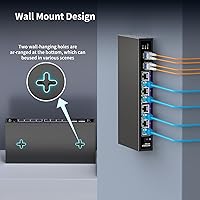
  • Weight: At 1.74 lbs (0.79 kg), the switch is light enough to mount or reposition without additional hardware support in most desktop or wall-shelf setups.
  • LED Indicators: Each port has dedicated LED indicators that display both link status and activity, allowing quick visual confirmation of connection speed without logging into any interface.
  • MDI/MDIX: Automatic MDI/MDIX support eliminates the need for crossover cables, so any standard Ethernet cable works correctly regardless of what is connected at either end.
  • Configuration: The switch is fully plug-and-play with no software, web interface, app, or driver installation required at any point during setup or ongoing use.
  • Forwarding Mode: Traffic is forwarded using store-and-forward switching, which checks each frame for errors before passing it along, helping filter corrupt packets from reaching connected devices.
  • Warranty: NICGIGA provides a one-year limited warranty on the hardware along with lifetime technical support, accessible directly through the manufacturer.

Related Reviews
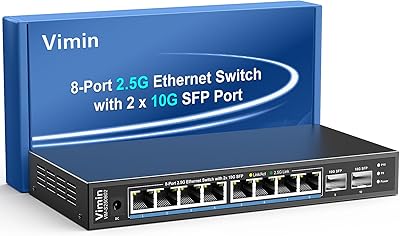
VIMIN 10-Port 2.5G Unmanaged Switch
79%
96%
Ease of Setup
89%
Port Performance
84%
Build Quality
67%
Thermal Management
71%
SFP Uplink Usability
More
Davuaz Da-K6402W 2.5G Ethernet Switch
79%
93%
Value for Money
88%
Throughput Performance
96%
Noise Level
74%
Build Quality
61%
SFP Compatibility
More
YuanLey YS25-1600 16-Port 2.5G Ethernet Switch
81%
91%
Network Performance
93%
Plug-and-Play Setup
86%
Build Quality
97%
Noise Level
83%
Value for Money
More
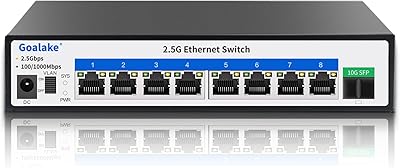
Goalake 8-Port 2.5G Ethernet Switch
80%
91%
Port Count & Configuration
88%
Throughput & Switching Performance
93%
Ease of Setup
79%
Build Quality & Materials
96%
Fanless & Noise Level
More
VIMIN 18-Port 2.5G Unmanaged Network Switch
81%
88%
Port Performance
91%
Thermal Management
97%
Noise Level
93%
Setup Experience
79%
Build Quality
More
BrosTrend 8-Port 2.5G Unmanaged Switch
83%
93%
Port Speed Consistency
96%
Ease of Setup
61%
Build Quality
74%
Thermal Performance
91%
Value for Money
More
Tenda SE105 5-Port 2.5G Unmanaged Switch
83%
97%
Ease of Setup
91%
Port Speed Performance
93%
Value for Money
67%
Build Quality
78%
Thermal Management
More
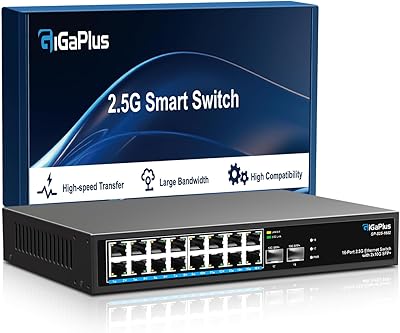
GigaPlus S25-1602 18-Port 2.5G Network Switch
80%
93%
Plug-and-Play Setup
88%
Port Count & Layout
91%
2.5G Speed Performance
94%
Fanless Noise Level
67%
Thermal Management
More
VIMIN 6-Port 2.5G Unmanaged Network Switch
83%
88%
Throughput Performance
84%
Build Quality
93%
Setup & Ease of Use
67%
SFP+ Port Usability
96%
Fanless Noise Level
More
Vimin 6-Port 2.5G/10G Unmanaged Network Switch
79%
94%
Ease of Setup
86%
Network Performance
83%
Value for Money
88%
Port Configuration
67%
Thermal Management
More

FAQ

Yes, in practice it does. Synology DSM and QNAP devices that support multi-gig networking will auto-negotiate to 2.5 Gbps with this switch without any manual configuration on either end. Multiple NAS owners have confirmed this in real-world use — you plug in the cable and the link comes up at full speed.

The two SFP+ slots are designed for 10G uplink connections to a higher-speed device — typically a 10G router, a NAS with a 10G port, or an upstream managed switch. You connect them using either a 10G fiber transceiver with fiber cable, or a DAC cable (a short copper twinax cable with SFP+ connectors on both ends). If all your devices run at 2.5G or below, you can ignore the SFP+ ports entirely and just use the RJ45 ports.

Buyers consistently report that the switch runs silently — there are no fans, so there is genuinely no audible noise. It does get slightly warm to the touch under sustained load, which is normal for a passively cooled device. The vents on both sides of the metal chassis handle heat dissipation adequately in typical indoor environments, but you should avoid enclosing it in a sealed cabinet with no airflow.

Absolutely. Each port auto-negotiates independently, so a gigabit laptop and a 2.5G NAS can both be plugged in at the same time and each will connect at their maximum supported speed. You do not need to replace your existing gear to use this switch — it adapts to whatever is connected.

No, it does not. This is an unmanaged switch, which means there is no web interface, no CLI, and no support for VLANs, QoS, port mirroring, or any traffic control features. If you need any of those capabilities, you will need to look at managed switch options, which typically cost more.

The switch is designed for standard 10G SFP+ modules, and DAC cables from major brands generally work without issue. That said, NICGIGA does not publish a formal compatibility list, and a small number of buyers have mentioned uncertainty with specific third-party transceivers. If you are planning a fiber uplink, it is worth testing your specific module or using a well-known brand like FS.com or 10Gtek to reduce compatibility risk.

You get eight RJ45 ports for standard wired devices and two SFP+ ports for uplinks, so up to ten connections total. In practice, most users dedicate one or both SFP+ ports to a router or upstream switch, leaving the eight RJ45 ports for computers, NAS units, access points, and other gear.

Yes, this is one of the most common use cases for this switch. Many Wi-Fi 6 and Wi-Fi 6E access points from brands like TP-Link, Ubiquiti, and Zyxel include a 2.5G uplink port specifically because gigabit became the bottleneck for modern wireless speeds. Plugging your AP into one of the RJ45 ports on this switch allows it to operate at its full rated throughput instead of being capped at 1G.

The metal chassis feels solid and appropriately sturdy for a switch at this price point. It is not rack-mountable out of the box, but it sits stably on a desk or shelf. The main caveat for office use is that it is an unmanaged switch, so if your office needs any network segmentation or traffic prioritization, that is a functional gap rather than a build quality issue.

NICGIGA offers a one-year warranty and claims lifetime technical support, which is handled directly through the manufacturer rather than a third-party service center. Given that this is a relatively new brand, the support experience is less established than with TP-Link or Netgear, but initial reports from buyers suggest they are responsive. Keep your purchase receipt and order details handy if you ever need to make a claim.