

Overview
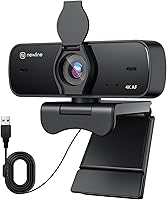
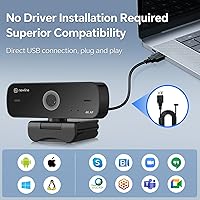
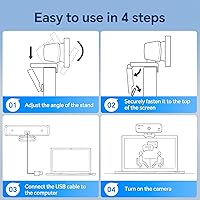
The N newline NewEye 60s arrived quietly in late 2024, but it has already carved out a spot at #97 in Amazon's webcam rankings — a notable achievement for a brand most buyers won't recognize. At under $30, this webcam sits at the entry-level 4K end of the market, targeting remote workers, students, and casual streamers who want a genuine resolution upgrade without spending much. The clip mount handles both monitors and laptop screens, setup takes seconds via USB-A, and no driver installation is ever needed. For the price, it's a surprisingly complete package.
Features & Benefits
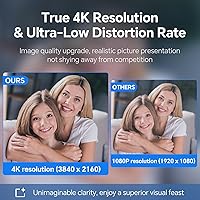
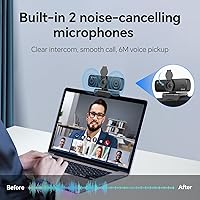
The core of this webcam's appeal is straightforward: a CMOS sensor capable of 4K output, autofocus, and a 77-degree field of view that frames your face cleanly without pulling in too much background clutter. The f/1.7 aperture helps in decent lighting, though like most budget webcams, dim environments will test its limits. Frame rate lands at a standard 30 FPS — functional for calls, but worth noting if you're eyeing smoother motion. The dual built-in microphones handle audio adequately for conferencing, auto white balance keeps skin tones reasonable across different rooms, and a physical privacy cover adds real protection that pure software solutions simply can't match.
Best For
This budget 4K camera makes the most sense for people still relying on a built-in laptop camera who want a noticeable quality jump without a high price tag. It's also a solid pick for students in virtual classes — the plug-and-play setup means no IT headaches, just plug in and go. Those in shared spaces or open offices will appreciate the physical lens cover, which offers genuine peace of mind. Light streamers or early-stage content creators not yet ready for pricier gear will find it capable enough. Anyone who has wrestled with driver conflicts before will find the zero-install experience genuinely refreshing.
User Feedback
Sitting at 4.2 out of 5 stars with a relatively short review history since its November 2024 launch, the NewEye 60s has drawn generally positive early responses. Buyers most commonly praise the easy setup and video clarity for the price — many note it's a clear step up from integrated laptop cameras. The more measured feedback centers on two areas: low-light performance, which tends to soften and lose detail as lighting drops, and microphone pickup range, which some users find underwhelming at a distance. Build quality gets mixed mentions, with a few noting the clip feels lightweight. Ultimately, expectations matched to the price point matter here.
Pros
- Genuine 4K resolution is a clear, noticeable upgrade over typical built-in laptop cameras.
- True plug-and-play setup — no drivers, no software, no account required.
- Physical privacy cover blocks the lens completely, offering real security in shared spaces.
- Autofocus keeps your face sharp during calls without any manual adjustment.
- Dual built-in microphones handle standard video calls without needing a separate mic.
- 77-degree field of view frames solo speakers cleanly without pulling in too much background.
- Auto white balance manages reasonable color accuracy across different room lighting.
- Flexible clip mount fits a wide range of monitor bezels and laptop screens.
- Compatible out of the box with Zoom, Teams, Skype, and Google Meet.
- At under $30, this budget 4K camera packs a competitive feature set for its price tier.
Cons
- Low-light image quality degrades noticeably — grain and softness increase quickly in dim rooms.
- 30 FPS is the ceiling, with no 60 FPS option for smoother motion or content recording.
- The clip mount feels lightweight and can shift on thinner or curved monitor bezels over time.
- Microphone pickup range is limited; voices sound thin when sitting more than an arm's length away.
- USB-A only — no USB-C option means ultrabook and newer MacBook users need a separate adapter.
- The included cable feels short for flexible desk or room setups.
- No manual white balance control, leaving users with unusual lighting stuck with automatic results.
- N newline lacks an established support presence, making post-purchase help harder to find.
- The 4K label can set expectations higher than real-world performance in average conditions delivers.
- No tripod thread or alternative mounting option beyond the clip limits flexible positioning.
Ratings
Our scores for the N newline NewEye 60s are generated by AI after analyzing verified buyer reviews worldwide, with spam, bot-driven, and incentivized feedback actively filtered out. The result is an honest, balanced snapshot of where this budget 4K webcam genuinely delivers and where it falls short. Both the strengths that keep buyers satisfied and the friction points that prompt returns are transparently reflected in every category below.
Video Clarity
Low-Light Performance
Autofocus Reliability
Microphone Quality
Setup & Compatibility
Privacy Cover
Build Quality & Materials
Clip Mount & Positioning
Field of View
Color Accuracy & White Balance
Frame Rate
Value for Money
Brand Trust & Support
Suitable for:
The N newline NewEye 60s makes the most practical sense for remote workers who are still relying on a grainy built-in laptop camera and want a meaningful visual upgrade without spending more than a few cups of coffee. Students attending daily virtual classes will find the zero-installation setup particularly freeing — plug it in, open Zoom or Teams, and you're on camera in seconds. People living in shared apartments, student dorms, or open-plan offices will genuinely appreciate the physical privacy cover, which delivers peace of mind that no software toggle can match. Casual streamers or early-stage content creators who are not yet ready to commit to a prosumer rig will find it capable enough for occasional recordings in a well-lit space. Anyone who has previously wasted an afternoon troubleshooting webcam drivers will find the truly plug-and-play experience a quiet but real relief.
Not suitable for:
If your work environment is poorly lit — a basement office, a room with heavy curtains, or anywhere you rely on a single warm lamp — the NewEye 60s will likely disappoint, as low-light performance is a known weak point across this price tier and this camera is no exception. Content creators who need smooth, cinematic-looking footage should also look elsewhere, since the 30 FPS ceiling and lack of 60 FPS support will produce noticeably less fluid motion compared to mid-range alternatives that often cost only a little more. Users with USB-C-only laptops or ultrabooks will need to source a separate adapter, which adds friction and cost not reflected in the sticker price. Those who frequently record in challenging audio environments — busy households, open offices with ambient noise — may also find the built-in microphones underwhelming and end up needing a dedicated mic anyway. Finally, buyers prioritizing long-term brand support, warranty confidence, or firmware updates should be aware that N newline does not carry the same track record as established webcam manufacturers.
Specifications
- Resolution: Captures video at up to 4K UHD resolution for sharp, detailed image output during calls and recordings.
- Frame Rate: Records and streams at a maximum of 30 frames per second under standard operating conditions.
- Sensor: Uses a CMOS image sensor to convert light into digital video signal with low-distortion optics.
- Aperture: Features an f/1.7 maximum aperture, allowing more light intake than typical budget webcam lenses.
- Focal Length: Fixed focal length of 4.25 mm, optimized for standard desk-to-screen viewing distances.
- Focus System: Equipped with continuous autofocus that automatically adjusts to keep the subject sharp throughout a session.
- Field of View: Offers a 77-degree horizontal field of view, suitable for framing a single person at a typical desk distance.
- Microphones: Integrates dual built-in digital microphones positioned to capture voice audio during video conferences.
- Audio Formats: Supports AAC and MP3 audio formats for captured sound output.
- Connection: Connects via USB-A 2.0 and requires no driver installation — recognized automatically by the host operating system.
- Privacy Cover: Includes a physical flip-down privacy cover that mechanically blocks the lens when not in active use.
- Mount Type: Ships with a flexible adjustable clip designed to attach to monitor bezels or laptop screen tops.
- Compatibility: Works out of the box with major video conferencing platforms including Zoom, Microsoft Teams, Skype, and Google Meet.
- Color: Available in a single matte black finish.
- Weight: The unit weighs 9.1 oz, making it light enough for portable use but substantial enough to stay stable on a clip mount.
- Package Dimensions: Packaged in a box measuring 6.65 x 3.54 x 2.72 inches, compact enough for easy shipping and storage.
- Driver Required: No third-party driver or software installation is required; the camera operates as a standard USB plug-and-play device.
- Model Number: The manufacturer model identifier for this unit is NewEye 60s.
Related Reviews
N newline NewEye 61 4K Webcam
N newline NewEye 62
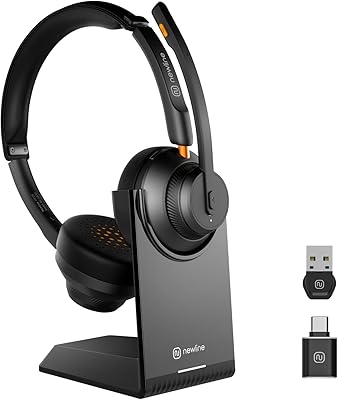
N newline Newcoo 50CDB

Lux Unfiltered First Class Glow Self-Tanner Kit
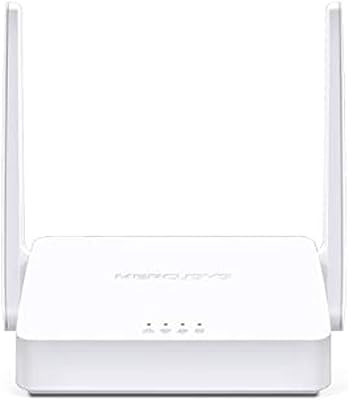
Mercusys MW302R Wireless N Router
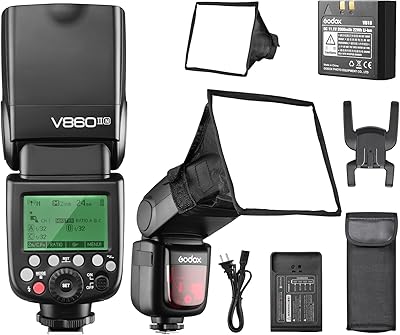
Godox V860II-N TTL Speedlite Flash
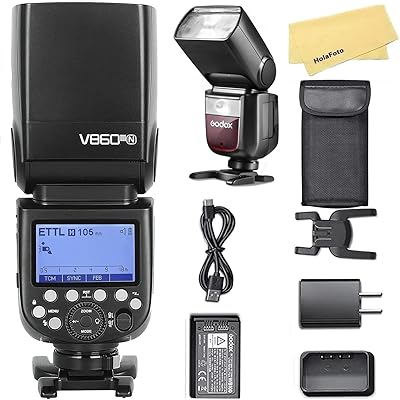
Godox V860III-N Nikon Speedlight Flash
Linksys E2000 Wireless-N Router
Sennheiser ME 4-N Lavalier Microphone