
Overview

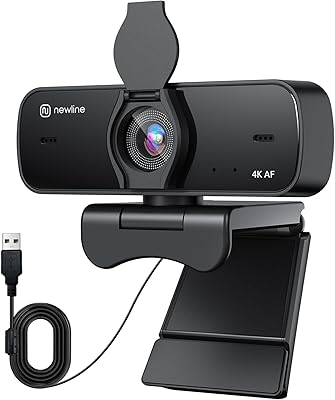
The N newline NewEye 62 arrived in early 2025 as a rare attempt to bring 4K resolution to a price point well under $30. That alone is worth noticing. This 4K clip-on camera weighs just under 10 ounces and clips onto most monitors without fuss — no drivers, no setup software, just plug a USB-A cable in and go. Inside, it uses a 1/2.5-inch Sony sensor, which is a meaningful hardware choice at this price tier. It targets remote workers and casual streamers who want sharper video than a typical 1080P webcam without committing to a high-end unit.

Features & Benefits

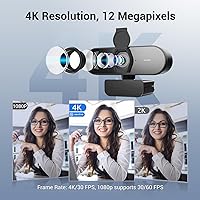
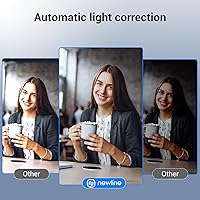
Two frame rate modes are on offer: 4K at 30FPS for crisp, detailed images, or 1080P at 60FPS when smoother motion matters more than raw resolution — useful for fast-paced demos or casual streaming. The autofocus uses a hybrid PDAF/CDAF system that reportedly locks onto a subject in about a second, noticeably quicker than cheaper fixed-focus alternatives. A 79-degree field of view keeps framing natural without distorting the edges of the scene. Auto light correction handles uneven room lighting without any manual adjustment, and the built-in privacy cover snaps over the lens whenever you step away.

Best For

This NewEye webcam is best suited to home offices and teaching environments where reliable autofocus and clear audio matter more than cinematic production quality. Remote workers will appreciate the plug-and-play setup — no software installation, no configuration headaches. Online tutors benefit from the fast focus lock when moving or presenting in front of a camera. The auto light correction is a genuine help if your room lighting is inconsistent or out of your control. Entry-level streamers wanting to move beyond a basic 1080P camera will find this 4K clip-on camera reasonable, provided they understand that USB-A 2.0 bandwidth has real limits at full 4K resolution.

User Feedback

The NewEye 62 carries a 4.6-star average, though it launched in February 2025, so the review pool is still shallow — take that rating as encouraging rather than conclusive. Early buyers praise the autofocus responsiveness and image clarity relative to the price. Where opinions get more divided is low-light performance; the f/1.8 aperture helps, but a small sensor has physical constraints once ambient light drops. A few reviewers found the dual microphones pick up more background noise at longer distances than the 9.8-foot claim suggests. Build quality feedback leans positive so far, particularly around the clip and joint, though no one has owned this long enough to speak to durability with confidence.

Pros

  • Sony 1/2.5-inch CMOS sensor delivers noticeably sharper daytime video than most cameras at this price.
  • Hybrid PDAF/CDAF autofocus re-locks in roughly one second — fast enough for presentations and active teaching.
  • Switching to 1080P at 60FPS gives genuinely smoother motion for demos or casual streaming.
  • Plug-and-play setup works instantly on Windows 7 and above and macOS 10.10 and above — no drivers needed.
  • Auto light correction handles uneven room lighting reasonably well without any manual adjustments.
  • The built-in physical privacy cover is a practical, appreciated touch for shared or open home environments.
  • At under $30, the value-to-spec ratio is competitive against webcams costing nearly twice as much.
  • Compact and light enough to drop in a bag when moving between workspaces without needing a case.
  • The 79-degree FOV frames a single person at a desk naturally without distorting facial proportions.

Cons

  • USB-A 2.0 bandwidth limits real-world 4K quality; detail at full resolution is softer than the spec implies.
  • Low-light performance degrades noticeably — evening calls without desk lighting expose the sensor's size constraints.
  • Microphone noise rejection weakens beyond four to five feet, despite the 9.8-foot range claim.
  • No dedicated software app means zero manual control over exposure, white balance, or zoom.
  • The non-detachable cable makes packing up and cable management more awkward than it needs to be.
  • Newer MacBooks and thin ultrabooks without USB-A ports will require an adapter, adding a hidden cost.
  • Review volume is still limited given the February 2025 launch date — long-term durability remains unproven.
  • No AI framing, presenter tracking, or gesture controls that competing cameras in higher tiers offer.
  • The privacy cover has been reported to feel slightly loose on some units after repeated use.

Ratings

The N newline NewEye 62 scores here reflect AI-driven analysis of verified global buyer reviews, with spam, bot submissions, and incentivized feedback actively filtered out before any scoring was applied. This webcam launched in early 2025, so the review pool is still growing — scores will naturally carry more weight as more real-world data accumulates. Both the genuine strengths and the honest shortcomings are reflected below, so you can judge whether this 4K clip-on camera fits your actual setup before committing.

Image Quality
78%
22%
For a sub-$30 camera, the 1/2.5-inch Sony CMOS sensor produces noticeably sharper video than most webcams in this class. During well-lit daytime calls, buyers consistently reported clean, detailed footage that held up well on larger screens.
The 4K label carries real caveats — USB-A 2.0 bandwidth limits the practical ceiling, and fine detail at full resolution can appear softer than expected when compared side by side with dedicated streaming cameras. Managing expectations upfront matters here.
Autofocus Performance
83%
The hybrid PDAF/CDAF system is one of the standout practical benefits at this price. Users presenting slides, moving between a whiteboard and their desk, or adjusting their position mid-call reported that the camera re-locked quickly without the hunting lag common in cheaper fixed-focus alternatives.
In low-contrast scenes or dim lighting, the autofocus occasionally struggles to find a confident lock and produces brief moments of soft blur. It is not a dealbreaker for most office use cases, but educators working in poorly lit classrooms may notice it more.
Low-Light Performance
61%
39%
The f/1.8 aperture is a reasonable specification for this price tier and gives the sensor a fair chance in moderately dim rooms. Auto light correction does soften harsh contrasts when a window or lamp creates uneven exposure across the frame.
Once ambient light drops significantly — evening calls without dedicated desk lighting, for instance — noise and color accuracy both degrade visibly. The small sensor size is a physical constraint no software correction can fully overcome, and this remains the most common criticism from buyers.
Microphone Quality
69%
31%
Voice capture in close-range scenarios — within roughly four to five feet — comes through clearly enough for standard video calls. The dual-mic array provides some directionality, and most Teams and Zoom call participants reported voices sounding natural without reverb.
The claimed 9.8-foot pickup range is optimistic. At longer distances, background noise bleeds through more than the noise-reduction spec implies, and buyers in open-plan offices or rooms with HVAC hum noticed the mics picking up more than just their voice.
Value for Money
88%
At under $30, getting a Sony sensor, hybrid autofocus, and 4K resolution in a single device is a genuinely competitive offer. Buyers comparing it against webcams in the $50 to $80 range consistently noted that the gap in quality was smaller than the gap in price.
Value is relative to use case. For buyers who need reliable low-light performance or long-range audio — home studio setups, for example — spending more on a dedicated camera still makes more sense, and this NewEye webcam will feel limited in those contexts.
Frame Rate Flexibility
81%
19%
Having both 4K at 30FPS and 1080P at 60FPS as selectable modes gives users a practical choice depending on what they are doing. Streamers and anyone doing fast-moving demos appreciated the 60FPS option for its noticeably smoother motion compared to 30FPS footage.
Switching between modes requires going into software settings, which is not always intuitive, and there is no physical button or quick toggle. A small friction point, but one that gets mentioned often enough to be worth flagging.
Plug-and-Play Setup
92%
This is one of the most consistently praised aspects. Buyers across Windows 7 through the latest Windows 11, as well as macOS 10.10 and up, reported the camera was recognized instantly with zero driver installation. It simply works out of the box.
The USB-A connector is the right call for most desktops and older laptops, but newer MacBooks and ultrabooks without USB-A ports will need an adapter, which adds a small hidden cost that is easy to overlook at purchase time.
Field of View
77%
23%
The 79-degree FOV hits a practical middle ground — wide enough to show a full desk setup or a teaching whiteboard in the background without needing to reposition the camera, yet narrow enough that it does not warp facial proportions the way ultra-wide lenses do.
Users wanting to capture multiple participants in a shared room, or those running collaborative sessions with two people on camera, found 79 degrees slightly limiting. A 90-to-95-degree option would have served group scenarios better.
Build Quality
72%
28%
Early buyers described the clip mechanism and swivel joint as sturdier than what the price suggests. The matte plastic housing feels reasonably solid in hand, and the clip grips monitor bezels firmly without wobbling during typing vibration.
Since this camera only launched in early 2025, there is not yet enough long-term data to judge how the joint and hinge hold up after months of daily repositioning. Buyers should treat current build feedback as promising but inconclusive for durability.
Privacy Cover
86%
A physical lens cover is a feature that home office users genuinely appreciate, particularly those who work in shared spaces or leave their computer set up in common rooms. It snaps into place cleanly and does not feel like an afterthought.
The cover adds a small amount of bulk to the camera head and a handful of users found it slightly loose over time. It does the job, but it is not as precise or polished as the sliding covers found on higher-end webcams.
Software Compatibility
89%
Zoom, Microsoft Teams, Google Meet, OBS, and most other common video platforms recognized the NewEye 62 immediately. There were no widely reported compatibility issues across the major operating systems, which makes setup stress-free in managed IT environments.
Advanced controls — manual exposure, white balance locking, or zoom adjustment — are not accessible through a dedicated app, since there is none. Users who want granular manual control over their image will hit the ceiling quickly.
Physical Design & Portability
74%
26%
At 9.9 ounces and a compact package footprint, this 4K clip-on camera travels well. Remote workers who split time between a home office and a co-working space found it easy to toss in a bag without needing a protective case.
The all-black matte plastic finish is functional but plain. The cable is not detachable, which makes packing it up slightly awkward, and the fixed cable length may be limiting depending on desk layout and port placement.
Audio-Video Sync
80%
20%
In standard call and recording conditions, audio and video stayed in sync consistently. Buyers using it for recorded tutorials and online classes did not report noticeable drift, which is a more common problem than it should be at this price point.
Under heavy CPU load — running resource-intensive applications in the background while recording at 4K — a small number of users noted occasional brief desync. Closing background tasks resolved it, suggesting it is a system resource issue rather than a camera flaw.

Suitable for:

The N newline NewEye 62 is a practical pick for remote workers and home office professionals who spend a significant part of their day on video calls and want sharper image quality than a typical budget webcam delivers, without paying flagship prices. Online educators and tutors will find the fast autofocus particularly useful — it keeps you in focus whether you are leaning toward a camera, pointing at a whiteboard, or moving around your space. Casual streamers who are just starting out and want to output 4K footage without committing to a full streaming camera setup will get meaningful value here. The plug-and-play USB-A connection makes it genuinely effortless to use on both Windows and macOS, which matters for people who are not technically inclined or who swap between machines. If your workspace lighting is inconsistent and you cannot set up dedicated ring lights, the auto light correction provides a real, if modest, buffer against blown-out or shadowy frames.

Not suitable for:

Buyers expecting broadcast-grade 4K output should understand that the USB-A 2.0 connection and the small sensor size place a hard ceiling on what this 4K clip-on camera can realistically deliver — the 4K label is accurate, but the practical quality gap between this and a dedicated $150 webcam is real and visible. Content creators who need precise manual control over exposure, white balance, or zoom will quickly hit the limits, since there is no companion software app and no physical controls beyond the privacy cover. Anyone regularly working in dim rooms or under poor artificial lighting will likely find the image noisy enough to be distracting, and no amount of auto correction fully compensates for a small sensor in low light. The microphones, while adequate for close-range calls, are not a substitute for a dedicated USB microphone if audio quality is a priority for your recordings or streams. Finally, because this webcam only launched in early 2025, there is genuinely limited long-term data on durability — buyers who need a camera that will hold up under heavy daily use for years may want to wait for a larger body of real-world evidence before committing.

Specifications

  • Max Resolution: Captures video at 4K (3840x2160) at 30 frames per second for detailed, sharp footage.
  • HD Mode: Supports 1080P recording at 60 frames per second for smoother motion in fast-paced scenes.
  • Image Sensor: Uses a 1/2.5-inch Sony CMOS sensor, a notably capable component for a webcam at this price tier.
  • Autofocus: Hybrid PDAF/CDAF autofocus system with an approximate lock time of one second under normal lighting conditions.
  • Aperture: Fixed aperture of f/1.8, which allows a reasonable amount of light into the sensor in moderate environments.
  • Focal Length: Fixed focal length of 4.27mm, optimized for standard desk-to-camera distances in home and office setups.
  • Field of View: 79-degree diagonal field of view, suitable for single-person framing without significant edge distortion.
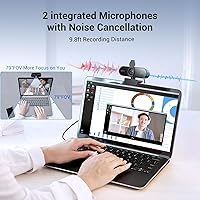
  • Microphones: Dual built-in microphones with hardware-level noise reduction and a claimed pickup range of 9.8 feet.
  • Audio Formats: Supports AAC and MP3 audio capture formats for compatibility with common recording and conferencing software.
  • Connection: USB-A 2.0 interface with true plug-and-play functionality — no driver installation or companion software required.
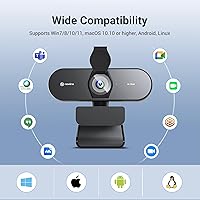
  • OS Support: Compatible with Windows 7 and above, and macOS 10.10 and above, as well as most major Linux distributions.
  • Software Support: Works natively with Zoom, Microsoft Teams, Google Meet, Skype, OBS, and other standard video conferencing tools.
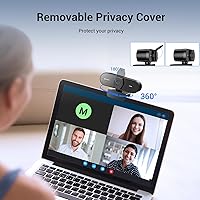
  • Privacy Cover: Integrated physical sliding cover blocks the lens completely when not in use, providing a hardware-level privacy safeguard.
  • Storage Type: Uses internal flash memory for firmware; no SD card slot or onboard video storage is included.
  • Weight: Camera unit weighs 9.9 ounces, making it portable enough for commuters and those who work across multiple locations.
  • Dimensions: Packaged dimensions measure 6.57 x 3.5 x 3.46 inches, accommodating the camera, clip mount, and cable.
  • Color: Available in a single matte black finish; no additional color variants are currently offered.
  • Mount Type: Clip-on mount designed to attach to monitor bezels, laptop screens, or a flat surface; no tripod thread is included.
  • Availability: First listed on Amazon in February 2025 under ASIN B0DSJ8WYBM; ranked #56 in the Webcams category at time of review.

Related Reviews
N newline NewEye 61 4K Webcam
84%
94%
Video Quality
90%
Ease of Setup
88%
AI Features (Auto Framing & Presenter Tracking)
72%
Microphone Performance
85%
Field of View Flexibility
More
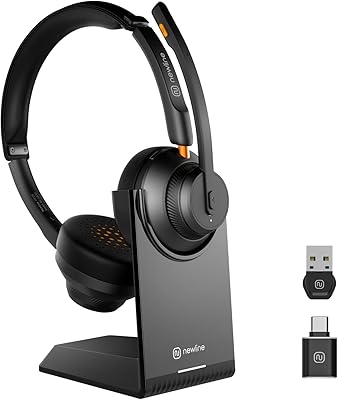
N newline Newcoo 50CDB
77%
88%
Battery Life
71%
Microphone Noise Cancellation
83%
Connection Reliability
67%
Wearing Comfort
86%
Charging Base Usability
More
+ Lux Unfiltered First Class Glow Travel Kit - N°32 & N°14, 3.4oz
85%
88%
Effectiveness/Results
90%
Skin Compatibility/Sensitivity
84%
Texture/Feel
91%
Buildable Tan
87%
Moisturizing Properties
More
N newline NewEye 60s
71%
78%
Video Clarity
53%
Low-Light Performance
74%
Autofocus Reliability
61%
Microphone Quality
93%
Setup & Compatibility
More
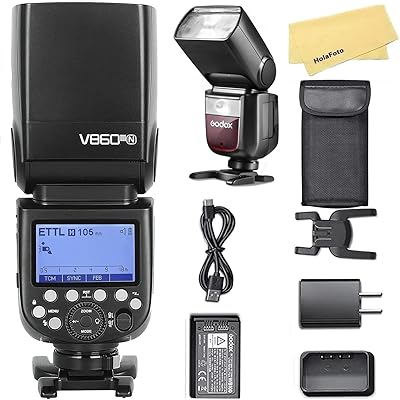
Godox V860III-N Flash for Nikon
86%
89%
Performance
88%
Ease of Use
91%
Battery Life
93%
Wireless Integration
82%
Build Quality
More
Mercusys MW302R Wireless N Router
82%
91%
Value for Money
93%
Ease of Setup
78%
Wi-Fi Performance
80%
Coverage
85%
Parental Controls
More
Godox V860II-N Flash Speedlite
85%
88%
Performance
91%
Battery Life
84%
Build Quality
87%
Ease of Use
83%
Wireless Range
More
Linksys E2000 Wireless-N Router
83%
88%
Setup and Installation
82%
Wireless Performance
70%
Range Coverage
91%
Wired Connectivity Speed
85%
User Interface
More
I.C.O.N. Hair Oils 118mL
87%
89%
Hydration & Nourishment
84%
Frizz Control & Manageability
92%
Lightweight & Non-Greasy Finish
88%
Shine & Softness
90%
Absorption Speed
More
Sennheiser ME 4-N Cardioid Lavalier Microphone
88%
89%
Sound Quality
91%
Noise Isolation
92%
Build Quality
75%
Wireless Performance
88%
Ease of Use
More

FAQ

No, you do not. The N newline NewEye 62 is a true plug-and-play device — plug the USB-A cable into your computer and your operating system recognizes it automatically. This applies to both Windows and macOS without any additional steps.

The camera uses a USB-A connector, so you will need a USB-A to USB-C adapter if your laptop lacks a full-size USB port. Most generic adapters work fine, but it is worth keeping in mind as a small added cost if you are on a newer thin-and-light machine.

In good lighting, yes — detail and sharpness are meaningfully improved, particularly on larger screens where lower-resolution footage tends to look soft. That said, USB-A 2.0 bandwidth places a real ceiling on data throughput, so the gap between this and a dedicated 4K camera costing two or three times more is visible if you look closely.

This is where most buyers notice the biggest trade-off. The f/1.8 aperture and auto light correction help in moderately low light, but once the room gets genuinely dark, image noise increases and color accuracy suffers. If evening calls are your main use case, adding a basic desk lamp behind your monitor will make a significant difference.

For calls where you are sitting close to the camera — within four to five feet — the dual microphones do a decent job of capturing clear speech. At greater distances, or in rooms with background noise like fans or open-plan office chatter, bleed-through becomes noticeable. For regular close-range calls it is fine; for recording or larger rooms, a separate microphone is worth considering.

Yes, this is one of this 4K clip-on camera's genuine strengths. The hybrid PDAF/CDAF system re-locks onto your face in roughly one second when you shift position, which is meaningfully faster than the hunting behavior you see in cheaper fixed-focus or contrast-only autofocus webcams. It handles normal head movement and leaning forward or back without losing focus for long.

Not directly through the camera itself — there are no physical controls and no dedicated desktop app. Some video conferencing software, like OBS or even Teams, offers basic camera property adjustments through their own settings menus, which gives you limited manual control, but it is not the same as having a full software suite.

It is a simple sliding cover that physically blocks the lens when pushed across. You do not need to unplug the camera or navigate any software to use it — just slide it closed when you step away. A few users have noted it can feel slightly loose after extended use, but it does the job reliably for most people.

It is a workable entry point for casual streaming. The 1080P at 60FPS mode in particular produces smooth footage that holds up well in a stream. If you are just starting out and want to move beyond a basic webcam, this NewEye webcam offers a real step up without a large investment. Serious or professional streamers will eventually want something with more manual control and better low-light capability.

Early buyers have reported that the clip feels sturdier than expected for the price, and the swivel joint holds its position without creeping. However, this camera only launched in early 2025, so there is limited data on how it holds up over a year or more of repeated adjustment and daily use. The current feedback is encouraging, but it is too early to make a confident long-term judgment.