
Overview

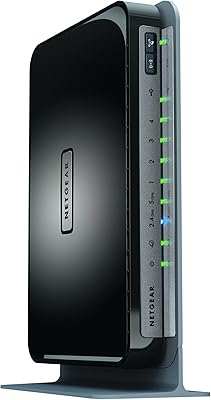
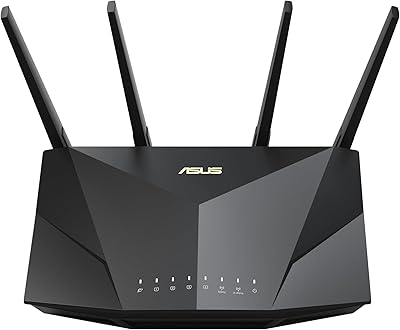
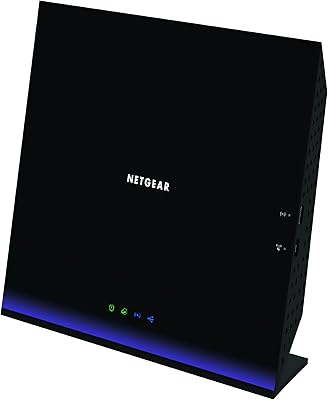
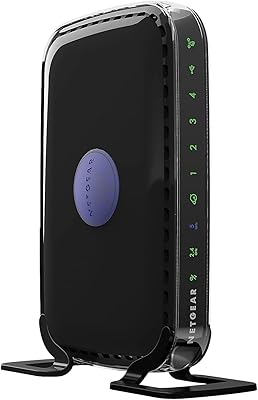
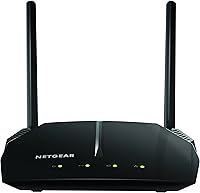
The NETGEAR R6120 AC1200 Dual Band WiFi Router is a no-frills networking option from a brand that has been making home routers long enough to get the basics consistently right. It targets smaller living spaces — think studio apartments, one-bedroom units, or a compact home office — where coverage up to 1200 sq ft is realistically sufficient. Having been on the market since 2017, it has built up a substantial real-world track record. Compact and lightweight, it won't dominate your desk or entertainment shelf. At its price point, it sits firmly in value-tier territory, which shapes what you should and shouldn't expect from it.

Features & Benefits

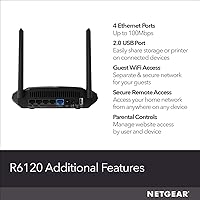
This NETGEAR router runs on two separate bands — 2.4 GHz for range-hungry devices and 5 GHz for speed-sensitive ones — so your phone and smart TV aren't competing over the same channel. The USB 2.0 port is handy for hooking up an external drive or sharing a printer across the network, though don't expect media-server performance from it. Four wired Ethernet ports handle consoles, streaming sticks, or a desktop PC without issue. On the security side, you get WPA2 encryption, a built-in firewall, guest network access, and DoS protection — solid baseline coverage for any home setup. The WPS button makes adding new devices quick.

Best For

The R6120 is a strong fit for renters and anyone in a smaller home who just wants reliable Wi-Fi without digging through settings menus. If your internet plan tops out around 100 Mbps or less, the wired ports won't hold you back at all. It handles casual streaming and browsing, light gaming, and keeping smart home gadgets connected without complaint. People replacing a sluggish ISP-provided gateway will likely notice a real improvement. That said, if you're running a gigabit fiber connection or pushing 4K across multiple screens simultaneously, this dual-band router isn't the right tool — there are better options at a higher price.

User Feedback

Across thousands of reviews, the setup experience stands out as a genuine high point — most people are online within minutes of opening the box. Apartment dwellers tend to be the happiest buyers, rating the coverage as more than adequate for their space. The criticisms are worth noting, though. The 10/100 Ethernet ports are a real ceiling if you have a fast ISP plan, capping wired speeds regardless of what your provider delivers. A handful of users mention periodic reboots needed after the router runs for weeks without interruption. Overall, value-for-money sentiment is strong, but power users will outgrow it quickly.

Pros

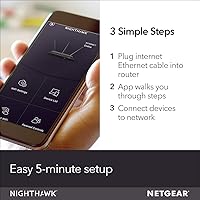
  • Setup takes about five minutes — even first-time router owners rarely run into trouble.
  • Dual-band operation keeps phones, laptops, and smart devices from crowding the same frequency.
  • The R6120 covers a typical apartment comfortably without needing a range extender.
  • Four wired Ethernet ports handle consoles, PCs, and streaming sticks without added hardware.
  • WPA2 security with a guest network lets you share Wi-Fi without exposing your main network.
  • Compact and light enough to tuck behind a TV or on a small shelf without any hassle.
  • NETGEAR has kept firmware support active, which matters for long-term security.
  • Value-for-money satisfaction is consistently high among buyers in smaller living spaces.
  • The WPS button makes adding new devices quick without hunting for a network password.

Cons

  • Wired Ethernet ports top out at 100 Mbps, which wastes any internet plan faster than that.
  • Coverage can fall noticeably short in homes larger than a single floor or open apartment.
  • The router occasionally needs a manual reboot after running continuously for several weeks.
  • USB file-sharing speeds are too slow for anyone treating it as a real network storage device.
  • No MU-MIMO support means simultaneous heavy users can cause noticeable slowdowns.
  • Older Wi-Fi 5 standard means it won't take advantage of newer Wi-Fi 6 compatible devices.
  • Limited advanced settings make it a poor fit for anyone who wants granular network control.
  • No dedicated mobile app with real-time traffic monitoring or device prioritization features.

Ratings

The scores below for the NETGEAR R6120 AC1200 Dual Band WiFi Router were generated by our AI engine after analyzing thousands of verified purchase reviews from global buyers, with spam, bot submissions, and incentivized feedback actively filtered out. The ratings reflect a balanced synthesis of what real users love and where genuine frustrations surface — nothing is glossed over. Both standout strengths and recurring pain points are transparently represented in every category score.

Ease of Setup
92%
Setup is one of the most consistently praised aspects across the entire review pool. Most buyers report being fully connected in under five minutes using the browser-based wizard, and the included quick start guide is clear enough that even first-time router owners rarely need outside help.
A small number of users with older ISP modems or unusual network configurations report hitting snags during initial configuration. These cases are the exception rather than the rule, but they do exist and are worth noting.
Value for Money
89%
Among buyers in smaller homes and apartments, the sense that they got more than they paid for comes through clearly and repeatedly. For households that just need solid, dependable Wi-Fi without premium features, the price-to-performance ratio lands well in this category.
Users who later upgraded to a faster internet plan or a larger home often feel the router aged out of their needs sooner than expected. At that point, the initial savings feel less significant when factored against an earlier-than-planned replacement.
Wi-Fi Coverage
74%
26%
In compact apartments and small single-floor homes, the coverage holds up well — users report reaching every corner of a one-bedroom or studio without needing a range extender. For the target use case, most buyers are genuinely satisfied with the signal reach.
The 1200 sq ft ceiling is a real limit, not a conservative estimate, and multi-floor homes or spaces with thick interior walls frequently push beyond it. A notable segment of buyers in larger homes report dead zones in far rooms or upper floors.
Wired Ethernet Performance
51%
49%
For households with internet plans at or below 100 Mbps, the four wired ports perform reliably and deliver consistent throughput for gaming consoles, smart TVs, and desktop PCs. In that context, wired connections feel stable and low-latency.
The 10/100 port ceiling is a hard limitation that frustrates any buyer on a faster broadband plan — wired devices simply cannot exceed 100 Mbps no matter what the ISP delivers. This is one of the most commonly cited disappointments in the review pool, particularly among users who upgraded their internet service after purchasing.
Wireless Speed
76%
24%
On the 5 GHz band at close range, speeds feel snappy enough for HD video calls, casual gaming, and simultaneous streaming on a couple of devices. Users replacing a sluggish ISP gateway frequently notice a clear improvement in day-to-day wireless responsiveness.
At greater distances or through walls, the 5 GHz band degrades noticeably due to its inherent range limitations. The 2.4 GHz band handles range better but becomes congested when multiple devices pile onto it simultaneously.
Long-Term Stability
67%
33%
For the majority of users, this dual-band router runs without incident for weeks at a time, handling normal household traffic without requiring attention. Many buyers report months of trouble-free operation after the initial setup.
A recurring pattern in long-term reviews involves gradual performance degradation after extended uptime, requiring a manual reboot to restore normal speeds. While not a dealbreaker, it does suggest the firmware's memory management has room for improvement.
Device Capacity
78%
22%
Supporting up to 20 devices comfortably covers the typical smart home setup — phones, laptops, a streaming stick, a couple of smart speakers, and maybe a game console. For most single or two-person households, that ceiling is never reached in practice.
Larger families or tech-heavy households that routinely push past 15 active devices may start to notice slower response times as the router approaches its ceiling. It handles lighter multi-device loads well, but is not designed for high-density environments.
Security Features
82%
18%
WPA2 encryption, a guest network, built-in firewall, and DoS protection cover the essential bases for a home network. The guest Wi-Fi feature in particular gets positive mentions from users who regularly have visitors or short-term renters sharing their connection.
There is no parental control scheduling beyond basic access restrictions, and advanced users will find the security customization options fairly limited. Those looking for deep traffic inspection or content filtering should look at more feature-rich alternatives.
USB Storage Sharing
44%
56%
The USB port works as advertised for light, occasional file access — attaching a small thumb drive to share a few documents across the home network is entirely functional. Some users also use it to share a basic printer without issues.
Transfer speeds are genuinely slow, and several buyers who hoped to stream media or back up files regularly from a connected hard drive were disappointed. The USB 2.0 port combined with the router's limited processing power means it is not viable for anything resembling a real NAS setup.
Build Quality
71%
29%
The plastic housing feels solid enough for a product in this price tier, and the compact form factor makes it unobtrusive on a shelf or desk. Nothing about the physical construction feels cheap or flimsy in normal handling.
The casing does attract dust fairly readily, and the ventilation design means the unit runs noticeably warm during extended use. A small number of users in warmer climates mention heat as a potential long-term reliability concern.
Router Management Interface
69%
31%
The browser-based admin interface is clean enough for everyday tasks like changing the Wi-Fi password, setting up a guest network, or checking connected devices. Most buyers find what they need without much searching.
The interface feels dated compared to newer routers that offer polished mobile apps with real-time device monitoring and traffic prioritization. Advanced users will hit the limits of the management tools fairly quickly.
Compatibility
86%
This NETGEAR router works with virtually every modem and ISP configuration on the market, and its 802.11ac standard ensures broad compatibility with phones, laptops, smart TVs, and gaming consoles produced in the last several years.
Devices that support Wi-Fi 6 will connect and function, but they will fall back to the older standard and won't benefit from any of their newer capabilities. Future-compatibility beyond the next few years is limited given the hardware's age.
Brand Reliability
84%
NETGEAR's long track record in home networking gives buyers confidence in the product's pedigree, and the fact that firmware updates have continued years after launch is a meaningful signal of continued support. Warranty service and online support documentation are rated positively.
Some buyers note that reaching NETGEAR's customer support for troubleshooting can be slow, and the self-service documentation, while comprehensive, assumes a degree of technical literacy that not all buyers have.

Suitable for:

The NETGEAR R6120 AC1200 Dual Band WiFi Router is a smart pick for anyone living in a smaller space who needs reliable, no-fuss wireless coverage without spending a lot. Renters in studio or one-bedroom apartments will find the coverage radius fits their space well, particularly in buildings where walls and interference already limit range naturally. It works especially well for people replacing a sluggish modem-router combo provided by their ISP, where almost anything dedicated performs better. If your household streams the occasional Netflix show, handles video calls, and keeps a few smart home devices online, this router handles that load without breaking a sweat. It also suits people who are not particularly technical — the setup process is genuinely quick, and NETGEAR's app-based management keeps ongoing maintenance straightforward.

Not suitable for:

Buyers with a gigabit or even a 300 Mbps fiber plan should think carefully before committing to the R6120, because the 10/100 wired Ethernet ports will cap your speeds at 100 Mbps on any device connected by cable — regardless of what your ISP delivers. Larger homes with multiple floors or thick concrete walls will likely find the coverage falls short before reaching every room. Anyone hoping to use the USB port as a dedicated media server or run frequent large file transfers over the network will be disappointed by the modest throughput it offers. Heavy multi-player gamers who need low latency and consistent high throughput across several devices simultaneously should look at more capable routers in a higher price bracket. This dual-band router also lacks features like MU-MIMO, beamforming, or a mobile-friendly app with advanced traffic prioritization that more demanding households tend to rely on.

Specifications

  • Brand: Manufactured by NETGEAR, a well-established networking hardware company with decades of consumer and business router experience.
  • Model Number: The exact model identifier is R6120-100NAS, used for firmware lookups, warranty registration, and support requests.
  • Wi-Fi Standard: Operates on 802.11ac (Wi-Fi 5), which is broadly compatible with virtually all modern laptops, phones, and smart home devices.
  • Frequency Bands: Dual-band design broadcasts simultaneously on both 2.4 GHz and 5 GHz, letting devices connect to whichever band suits their needs.
  • Combined Speed: Rated at up to 1200 Mbps total across both bands — 300 Mbps on 2.4 GHz and 900 Mbps on 5 GHz.
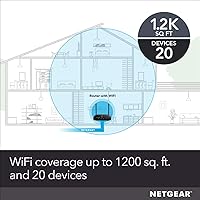
  • Coverage Area: Designed to cover spaces up to 1200 sq ft, making it well-suited for apartments and small single-floor homes.
  • Max Devices: Supports up to 20 simultaneously connected devices, covering a typical mix of phones, laptops, consoles, and smart home gadgets.
  • Wired Ports: Includes four 10/100 Fast Ethernet ports for connecting wired devices, with a maximum throughput of 100 Mbps per port.
  • USB Port: Features one USB 2.0 port for attaching an external storage drive or shared network printer to the local network.
  • Security: Supports WPA2 encryption, guest Wi-Fi network isolation, built-in firewall, DoS attack protection, and VPN passthrough.
  • Setup Method: Includes a WPS button for quick device pairing and supports a browser-based setup wizard that most users complete in under five minutes.
  • Dimensions: Measures 7.05 x 8.62 x 4.29 inches, keeping a compact footprint that fits easily on a shelf or behind a TV.
  • Weight: Weighs just 8.8 ounces, making it one of the lighter routers in its class and easy to reposition if needed.
  • Color: Available in black, with a low-profile design that blends into most home or office environments without standing out.
  • In the Box: Package includes the R6120 router, one Ethernet cable, a power adapter localized to the country of sale, and a quick start guide.
  • First Available: Originally released in June 2017, with NETGEAR continuing to provide firmware updates and active product support since launch.

Related Reviews
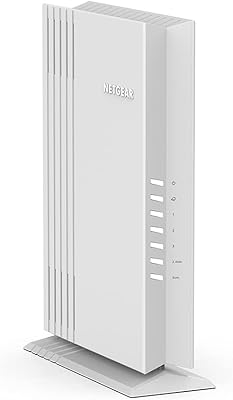
NETGEAR WAX202 WiFi 6 Dual-Band Router
84%
88%
WiFi Performance
93%
Setup & Installation
85%
App Usability
89%
Speed & Coverage
90%
Device Connectivity
More
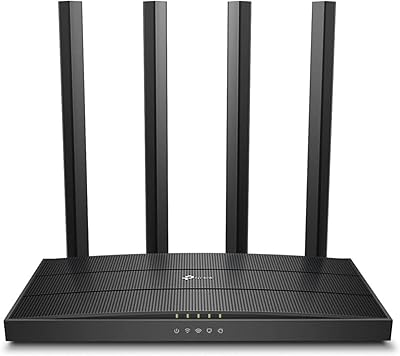
TP-Link Archer A6 AC1200 WiFi Router
76%
74%
WiFi Speed & Performance
67%
WiFi Range & Coverage
88%
Setup & Ease of Use
71%
Build Quality & Design
91%
Wired Port Performance
More
Netgear WNDR4300 N750 Dual Band Gigabit Router
73%
78%
Wi-Fi Range & Coverage
86%
Setup & Ease of Use
74%
Connection Stability
88%
Wired (Ethernet) Performance
57%
USB Sharing (ReadySHARE)
More
Asus RT-AC1200 Wireless Dual-Band Router
83%
85%
Wi-Fi Performance
91%
Ease of Setup
78%
Coverage Range
88%
Parental Controls
81%
Streaming & Gaming Performance
More
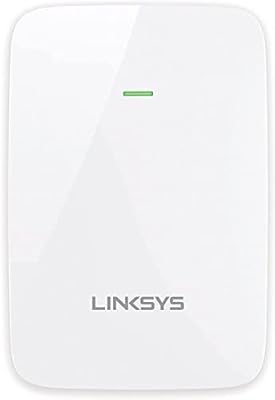
Linksys RE6350 AC1200 Dual-Band WiFi Extender

86%
91%
Setup & Installation
88%
Wi-Fi Performance
89%
Coverage Area
85%
Dual-Band Performance
84%
Streaming & Gaming
More
NETGEAR R6250 AC1600 Dual Band Wi-Fi Router
73%
91%
Ease of Setup
74%
Wi-Fi Performance
61%
Wi-Fi Range & Coverage
82%
Connection Stability
69%
Multi-Device Handling
More
ASUS RT-ACRH13 AC1300 Dual Band WiFi Router
86%
88%
WiFi Performance
91%
Setup and Installation
90%
Value for Money
83%
Signal Coverage
89%
Ease of Use (Mobile App)
More
NETGEAR Nighthawk RS280S WiFi 7 Tri-Band Router
80%
88%
Wireless Speed & Performance
71%
Wi-Fi Coverage & Range
83%
Setup & Ease of Use
62%
Modem Compatibility
86%
Wired Port Performance
More
NETGEAR Nighthawk X6 AC3000 Tri-Band WiFi Router
84%
88%
Performance
76%
Setup and Installation
91%
Signal Strength and Range
79%
Usability (App & Interface)
85%
Compatibility with Devices
More
ASUS RT-AX5400 WiFi 6 Dual-Band Router

80%
84%
WiFi Speed & Throughput
71%
Coverage & Range
88%
Setup & Ease of Use
91%
Built-in Security (AiProtection)
83%
Parental Controls
More

FAQ

The R6120 is unlocked and works with virtually any ISP that provides a standard modem or modem-router gateway. You simply connect it to your modem via the WAN Ethernet port and run the quick setup. Cable, DSL, and fiber connections all work, as long as your ISP does not require a proprietary router.

Wirelessly, you may get decent throughput on the 5 GHz band for nearby devices, but the wired Ethernet ports are capped at 100 Mbps — so any device connected by cable won't exceed that speed regardless of your plan. If you're paying for gigabit service and want to take full advantage of it across wired devices, you'd want a router with Gigabit Ethernet ports instead.

Genuinely straightforward. Most people are up and running in about five minutes — plug in the power and Ethernet cable, connect to the router's default network on your phone or laptop, open a browser, and follow the on-screen steps. NETGEAR also includes a printed quick start guide in the box.

Yes, the USB 2.0 port supports basic printer sharing so any device on the network can print to it. Just keep in mind that this isn't a high-performance print server — it works well for occasional home printing, but in a busy office environment with multiple users printing frequently, you might find it sluggish.

The NETGEAR R6120 AC1200 Dual Band WiFi Router is rated for up to 1200 sq ft, which holds up well in open apartment layouts. In practice, thick concrete walls, interference from neighboring networks, and layout complexity can reduce that range. In a typical one- or two-bedroom apartment, most users report solid coverage throughout.

As of the time of writing, NETGEAR continues to list this model as active and has provided periodic firmware updates since its 2017 launch. It's always worth checking NETGEAR's support site for the latest firmware version after setup to make sure you're running the most current security patches.

You can attach a USB drive and access files over the network, but don't expect fast transfer speeds — the USB 2.0 port and the router's internal processing make it suitable only for light, occasional file access. Streaming large video files from a connected drive may result in buffering or lag.

For standard HD streaming on two or three devices simultaneously, this dual-band router handles the load without major issues, especially if your internet connection is fast enough. If you're pushing 4K streams on several screens while others are gaming or video calling, you may start to notice congestion — particularly on the 2.4 GHz band.

Yes, you can set up a separate guest network that gives visitors internet access without exposing your main network or connected devices. It's easy to enable through the router's web interface and lets you set a different password for guests.

Under normal conditions, the R6120 runs reliably for weeks at a time without needing attention. A subset of users report that performance can drift slightly after very long uptime stretches, and a quick reboot brings things back to normal. Setting up a scheduled weekly reboot through the router's admin panel is an easy fix if you ever notice that pattern.