Overview

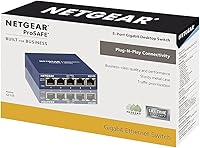
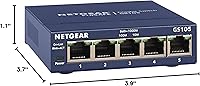
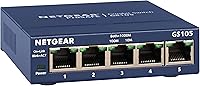
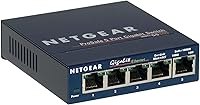
The NETGEAR GS105NA 5-Port Gigabit Unmanaged Switch has been quietly doing its job since 2003 — which, in networking hardware terms, is practically ancient history. The fact that it still ranks among the top ten networking switches on Amazon, backed by nearly 14,000 ratings, says a lot. This is a compact metal box that measures just 3.9 by 3.7 inches, sits on a desk or mounts flush on a wall, and makes zero noise thanks to its fanless design. There is no software to install, no dashboard to log into, no configuration headaches. You plug in the cables and the network works. Simple as that.
Features & Benefits

Every port on this gigabit switch delivers full 1000 Mbps — a real difference if you are still running older 100 Mbps hardware and wondering why large file transfers feel sluggish. The metal housing keeps it sturdy without adding much bulk, and the fanless internals mean it runs completely silent, which matters when it lives in a living room or home office. It also supports IEEE 802.3az, which reduces power consumption when ports are idle, so it is not quietly burning electricity around the clock. Wall mounting is built in, and the box includes the power adapter, so there is nothing extra to buy.

Best For

The GS105NA is a natural fit for anyone who has run out of ethernet ports on their router. Think streaming devices, smart TVs, gaming consoles, and a NAS all needing wired connections in the same room — this little NETGEAR switch handles that without fuss. It also works well in small offices where the priority is simply getting devices online reliably, without any interest in VLANs, traffic shaping, or port management. One honest caveat: if you need Power over Ethernet, advanced traffic controls, or any web interface at all, this is not your switch. Know what you are buying and it will not disappoint.

User Feedback

With a 4.7-star average across thousands of long-term buyers, the GS105NA earns its reputation honestly. The most repeated praise centers on how quickly people got it running and how it simply kept working, year after year, without needing attention. Reviewers who replaced older switches specifically mention how noticeable the speed improvement felt. Not everything is glowing, though — a recurring gripe involves the external power adapter, which some find bulky or awkward in tight spaces, and a few buyers wish the cord were longer. Advanced users occasionally flag the lack of any management interface, though that is an expected trade-off at this tier, not a flaw.

Pros

  • Plug-and-play setup takes minutes — no software, no configuration, no prior networking knowledge required.
  • All five ports deliver full gigabit speeds, a meaningful real-world upgrade over aging 10/100 hardware.
  • Completely fanless operation means zero noise, even in bedrooms, living rooms, or quiet home offices.
  • The metal enclosure feels and behaves like hardware built to last — many buyers report years of uninterrupted use.
  • A lifetime limited warranty with next-business-day replacement is rare at this price point and tier.
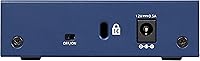
  • Wall-mount slots are built in, letting the GS105NA tuck neatly into any home or office setup.
  • IEEE 802.3az energy efficiency reduces idle power draw, keeping running costs low over years of use.
  • Everything needed is included in the box — no separate power supply purchase required.
  • Nearly 14,000 verified ratings averaging 4.7 stars reflects sustained real-world satisfaction, not a launch spike.
  • Compact footprint of under 4 inches in any direction makes placement in tight spaces genuinely practical.

Cons

  • The external power brick is bulkier than expected and can be awkward in cramped or enclosed installations.
  • Five ports is a hard ceiling — outgrowing it means buying another switch rather than upgrading this one.
  • No speed indicator per port makes it impossible to confirm at a glance whether a link negotiated at gigabit or slower.
  • Rubber feet do not grip smooth surfaces especially well, causing the unit to drift on glass or polished desks.
  • Warranty coverage is limited to the US and Canada, leaving international buyers without official support options.
  • No power LED separate from port indicators makes it harder to confirm at a glance that the switch has power.
  • The power cord length may fall short in installations where the nearest outlet is not immediately adjacent.
  • Wall-mount keyholes require precise screw placement — a slightly off measurement and the unit will not sit flush or stable.

Ratings

The NETGEAR GS105NA 5-Port Gigabit Unmanaged Switch has been evaluated by our AI system after analyzing thousands of verified global user reviews, with spam, bot activity, and incentivized submissions actively filtered out. Scores reflect where this little NETGEAR switch genuinely excels and where real buyers have run into friction. Both sides of the ownership experience are represented honestly below.
Ease of Setup
97%
Buyers across skill levels — from IT professionals to complete beginners — consistently report that the GS105NA is running within minutes of opening the box. There is no app to download, no account to create, and no configuration page to navigate. You connect the cables and it works.
A small number of users who expected some form of status indicator or basic feedback during setup found the experience slightly opaque. Without any lights beyond basic link indicators, confirming everything is functioning correctly requires checking connected devices rather than the switch itself.
Network Performance
93%
All five ports deliver true gigabit throughput, and buyers upgrading from older 10/100 hardware frequently describe the speed difference as immediately noticeable during large file transfers or 4K streaming to wired TVs. The switch handles simultaneous traffic across multiple ports without any perceptible lag.
Because this is an unmanaged switch, there is no way to prioritize traffic or monitor bandwidth usage per port. Power users who need QoS controls or any visibility into network activity will find the GS105NA frustrating — it simply moves packets without any intelligence layered on top.
Build Quality
88%
The metal housing feels solid relative to the compact footprint, and long-term owners regularly report using the same unit for five or more years without any hardware degradation. It does not flex, rattle, or run hot, which builds confidence when tucking it behind a media cabinet for years at a time.
The chassis, while metal, is on the lighter side and can shift around on a desk without the rubber feet fully gripping smooth surfaces. A handful of reviewers noted that the port labels and casing finish show cosmetic wear over extended use, though this has no effect on function.
Noise Level
96%
With no fan and a passively cooled metal enclosure, the GS105NA runs in complete silence. This matters more than people expect — placing it in a home office, bedroom media setup, or living room AV rack means no distracting hum or whir competing with the environment.
There is genuinely very little to criticize here. In rare high-ambient-temperature environments, the metal shell can become noticeably warm to the touch, though this has not been connected to any reported failures and remains well within safe operating limits.
Value for Money
91%
At its price point, the combination of gigabit speeds on all ports, a metal enclosure, and a lifetime warranty with next-business-day replacement is difficult to match. Buyers consistently describe it as the kind of purchase they stopped thinking about — which is exactly what value looks like in networking hardware.
Occasional price fluctuations push it slightly above entry-level plastic competitors that offer similar basic connectivity. For buyers who simply need to split a connection and have no concern about longevity or build quality, there are cheaper options that technically do the same job.
Port Count & Layout
74%
26%
Five gigabit ports cover the most common home expansion scenario — router plus four devices — without any wasted capacity for typical setups. The physical port spacing is comfortable enough that standard ethernet plugs seat without crowding, even with slightly bulkier connectors.
Five ports is a hard ceiling, and anyone with six or more wired devices quickly outgrows this switch. The single-row layout also means the cable bundle at the back of the unit can get cluttered in tighter installations, and there is no port on the front for quick temporary connections.
Power Supply Design
58%
42%
The included power adapter covers everything needed out of the box, and the 24V DC supply has proven reliable over years of continuous use in buyer reports. No proprietary connector or hard-to-replace component creates a long-term support concern.
The external power brick is the most consistently criticized aspect of ownership. It is bulkier than the switch itself in some orientations, and the cord length leaves little flexibility when the nearest outlet is not immediately adjacent. In tight installations like rack-adjacent shelving or enclosed AV furniture, the adapter placement becomes a genuine nuisance.
Installation Flexibility
83%
Built-in wall-mount slots let the GS105NA disappear behind a desk, inside a media cabinet, or flat against a wall without any additional mounting hardware. The compact footprint — under 4 inches in any direction — means it fits in spaces where a larger switch simply would not.
Wall mounting works, but the mount points are basic keyholes that require careful screw placement to sit flush and stable. A few buyers reported the unit shifting slightly on a wall over time, especially on drywall without a solid anchor point behind it.
Energy Efficiency
86%
IEEE 802.3az compliance means the switch actively reduces power draw when connected devices are idle or ports are unused. For a device that runs 24 hours a day, this translates into real savings over months and years, and it aligns with low-power home networking setups.
The efficiency gains are largely invisible in day-to-day use, and buyers have no way to monitor actual consumption without an external power meter. Those expecting meaningful feedback or energy reporting will find nothing — the switch manages it passively and silently without any user interaction.
Warranty & Support
89%
A lifetime limited hardware warranty combined with next-business-day replacement is genuinely uncommon at this price level. Buyers who have actually needed to use it report the replacement process as straightforward, and 24/7 chat access to NETGEAR support adds a layer of confidence for less technical users.
The lifetime warranty applies to the original purchaser and is limited to manufacturing defects, which means damage from power surges or improper use is excluded. Some buyers have also noted that warranty claims can involve a back-and-forth diagnostic process before a replacement is approved.
Compatibility
92%
The GS105NA auto-negotiates speed and duplex settings with any connected device, which means it plays nicely with everything from older laptops running at 100 Mbps to newer machines pushing full gigabit. No manual configuration is needed when mixing older and newer hardware on the same switch.
The switch is sold and warranted for use in the US and Canada only, which limits its appeal for international buyers or those who travel frequently. Voltage compatibility outside these regions is not guaranteed, and warranty support does not extend to use outside the specified territory.
Long-Term Reliability
94%
Perhaps the most compelling data point from real buyers is just how long these units last in continuous operation. Reports of five, eight, even ten years of uninterrupted service are common across the review base, which for always-on networking hardware is a meaningful performance indicator.
Because the hardware is completely passive and unmanaged, there is no way to detect degraded performance before it becomes a visible problem. A failing port or reduced throughput on an aging unit may go unnoticed until a connected device starts behaving unexpectedly.
Thermal Management
81%
19%
Passive cooling through the metal enclosure handles normal operating loads without issue across the rated temperature range. Buyers in climate-controlled home and office environments report no heat-related problems even after years of continuous use in enclosed spaces.
In warmer environments — think unconditioned garages, server closets without airflow, or summer installations near heat sources — the enclosure runs noticeably warm. While it stays within rated limits, there is no active cooling to compensate, so placement in thermally challenging spots warrants some thought.
Indicator Lights
67%
33%
Each port has a dedicated link and activity LED that confirms a device is connected and traffic is flowing. For the majority of users, this is all the feedback they need to confirm the switch is doing its job after plugging everything in.
There is no power LED separate from the port indicators, no speed indicator to confirm whether a port has negotiated at 10, 100, or 1000 Mbps, and no overall status light. Diagnosing a slow connection or a link stuck at 100 Mbps requires external tools rather than a quick glance at the switch.

Suitable for:

The NETGEAR GS105NA 5-Port Gigabit Unmanaged Switch is an ideal choice for anyone who simply needs more wired ports without the overhead of managing a network. Home users with a router that has run out of ethernet connections — think a living room where a smart TV, streaming stick, game console, and NAS all need reliable wired access — will find this gigabit switch handles the job quietly and indefinitely. It fits equally well in small office environments where the goal is stable, fast connectivity for a handful of desks, not traffic shaping or remote administration. People upgrading from older 10/100 hardware will notice the real-world difference immediately, especially when moving large files between devices or streaming high-bitrate content. If you want something that mounts flush on a wall, disappears behind a media cabinet, and never makes a sound, this little NETGEAR switch was built for exactly that kind of low-maintenance, set-and-forget deployment.
Not suitable for:

Buyers who need any form of network control should look elsewhere before considering the NETGEAR GS105NA 5-Port Gigabit Unmanaged Switch. There is no web interface, no CLI access, no VLAN support, no QoS settings, and no Power over Ethernet — this is a purely passive device that moves traffic without any intelligence or configurability. IT administrators or prosumers managing multiple VLANs, segmenting guest networks, or powering IP cameras and VoIP phones via PoE will find it functionally inadequate for their needs. Anyone who needs more than five total ports should also look at larger unmanaged options before buying this one, since daisy-chaining switches introduces its own complications. The switch is also warranted only for use in the US and Canada, so international buyers or frequent travelers need to factor that limitation into their decision.

Specifications

  • Ports: The switch provides 5 x RJ45 ports, each supporting 10/100/1000 Mbps auto-negotiation for full gigabit connectivity.
  • Data Transfer Rate: Each port operates at up to 1000 Mbps (1 Gbps), enabling fast local transfers between connected devices.
  • Management Type: Fully unmanaged with no configuration interface, web dashboard, or CLI — traffic routing is handled automatically.
  • Dimensions: The unit measures 3.9″L x 3.7″W x 1.1″H, making it one of the more compact gigabit switches available.
  • Weight: The switch weighs 490 g (1.08 lbs), light enough for wall mounting without heavy-duty anchoring hardware.
  • Case Material: The outer enclosure is constructed from metal, contributing to both durability and passive heat dissipation.
  • Cooling: The GS105NA is fully fanless, relying entirely on passive thermal management through its metal housing.
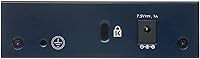
  • Power Supply: Powered by an included external 24V DC, 0.5A power adapter — no PoE output is supported on any port.
  • Energy Standard: Compliant with IEEE 802.3az (Energy Efficient Ethernet), which reduces power consumption during periods of low traffic or idle ports.
  • Mounting Options: Supports both flat desktop placement and wall mounting via built-in keyhole slots — no additional mounting kit is required.
  • Operating Temperature: Rated for environments between 32°F and 122°F (0°C to 50°C), suitable for typical indoor home and office conditions.
  • Color: The switch ships in a neutral gray finish designed to blend into most home office and AV cabinet environments.
  • Interface Type: All ports use the standard RJ45 connector; there are no SFP, fiber, or uplink ports of any kind.
  • Warranty: Covered by NETGEAR's Lifetime Limited Hardware Warranty, which includes next-business-day replacement for verified defects.
  • Support Access: Registered owners receive access to 24/7 live chat support with NETGEAR technical staff for the product lifetime.
  • Regional Availability: The GS105NA is sold and warranted exclusively for use in the United States and Canada.
  • In the Box: The package includes the switch unit, a 24V DC power adapter, and a printed user manual — no cables are included.
  • First Available: This model was first made available in August 2003, making it one of the longest-running networking accessories in its category.

Related Reviews

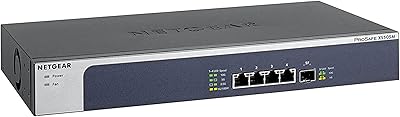
NETGEAR XS505M 5-Port 10G Multi-Gigabit Ethernet Unmanaged Switch
87%
91%
Performance
94%
Setup and Installation
88%
Build Quality
85%
Energy Efficiency
93%
Fanless Operation (Noise Level)
More
NETGEAR GS348 48-Port Gigabit Ethernet Unmanaged Switch
88%
94%
Ease of Use
92%
Silent Operation
88%
Energy Efficiency
89%
Build Quality
95%
Setup and Installation
More
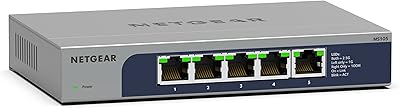
NETGEAR MS105 5-Port Multi-Gigabit Ethernet Switch
87%
88%
Performance (1G/2.5G Speeds)
94%
Ease of Setup
92%
Fanless Operation (Noise Level)
90%
Durability & Build Quality
87%
Energy Efficiency
More
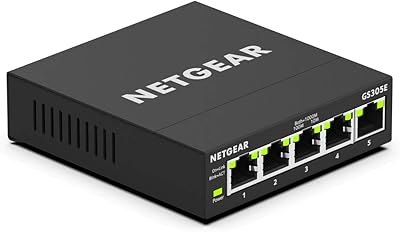
NETGEAR GS305E 5-Port Gigabit Ethernet Managed Switch
89%
91%
Setup & Installation
95%
Silent Operation
88%
Build Quality
92%
Energy Efficiency
89%
Network Performance
More
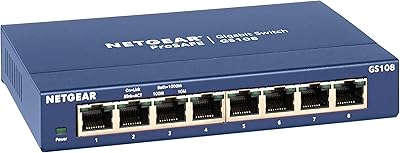
NETGEAR GS108 8-Port Gigabit Ethernet Unmanaged Switch
86%
92%
Performance & Speed
89%
Ease of Setup
90%
Noise Level
87%
Build Quality & Durability
91%
Energy Efficiency
More
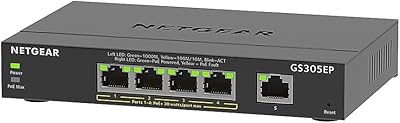
NETGEAR GS305EP 5-Port PoE Gigabit Ethernet Switch
90%
94%
Ease of Setup
90%
Reliability
85%
PoE Performance
92%
Value for Money
95%
Noise Level
More
NETGEAR GS116LP 16-Port Gigabit Ethernet Unmanaged PoE Switch
87%
93%
Setup & Installation
89%
Reliability
77%
Power Budget
96%
Noise Level
84%
Build Quality
More
NETGEAR GS305P v2 5-Port Gigabit Ethernet PoE Switch
87%
93%
Ease of Setup
89%
PoE Power Delivery
94%
Noise Level (Fanless Design)
85%
Build Quality
91%
Energy Efficiency
More
Zyxel MG-105 5-Port 2.5G Multi-Gigabit Unmanaged Switch
85%
88%
Performance
94%
Setup & Installation
80%
Build Quality
90%
Speed & Throughput
92%
Noise Level
More
MokerLink 5-Port Gigabit POE Switch
86%
94%
Ease of Setup
88%
Performance
85%
Build Quality
75%
PoE Power Output
91%
Fanless Design (Noise Level)
More

FAQ

Not at all. The NETGEAR GS105NA 5-Port Gigabit Unmanaged Switch requires zero configuration. You plug in the power adapter, connect your devices with ethernet cables, and the switch handles everything automatically. There is no app, no web interface, and no account required.
Yes, the GS105NA auto-negotiates speed with any connected device, whether it runs at 10, 100, or 1000 Mbps. It works with any router that has at least one available ethernet port, and it is compatible with virtually any device that uses a standard RJ45 connection.

No. This switch does not support Power over Ethernet (PoE) on any port. If you need to power cameras, access points, or VoIP phones through the network cable, you will need a PoE-capable switch instead.

Yes, genuinely silent. There is no fan — the metal housing handles all heat passively. Dozens of buyers specifically mention placing it in living rooms and bedrooms without any noise issues, even after years of continuous operation.

Technically yes, you can daisy-chain two unmanaged switches by connecting one of the GS105NA's ports to a port on a second switch. Keep in mind that this adds a small amount of latency and reduces the available port count slightly, since one port on each switch is used for the uplink connection.

The switch has two built-in keyhole slots on the bottom that accept standard screws. You just drive two screws into your wall at the correct spacing, then hang the switch on them. No separate bracket or mounting kit is needed, though getting the screw spacing right before drilling saves frustration.

This is actually the most common complaint from buyers. The included power adapter cord is functional but not particularly generous in length, and the brick itself is bulkier than you might expect relative to the small switch. If your installation spot is more than a couple of feet from an outlet, it is worth having an extension cord or power strip nearby.

No. As an unmanaged switch, this little NETGEAR switch has no concept of VLANs, QoS, or traffic prioritization. All connected devices share the same network segment and bandwidth is distributed automatically. If you need any of those features, look at NETGEAR's managed or smart-managed switch lineup instead.

Based on real buyer reports spanning years of use, this is genuinely long-lived hardware. It is not unusual to find reviewers mentioning five, seven, or even ten years of continuous operation without a single failure. The lifetime warranty also means that if it does develop a defect, NETGEAR will replace it the next business day.

NETGEAR only warrants and officially supports this switch for use in the US and Canada. While the hardware itself may function with an appropriate voltage converter, any damage that results would not be covered under warranty. If you are outside North America, it is safer to purchase a regionally appropriate model.