Overview

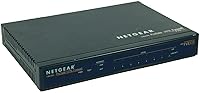
The NETGEAR FVS318 ProSafe VPN Firewall Router is a wired, business-class appliance built for small offices that need genuine network security without relying on a consumer-grade device. It bundles a firewall, an Intrusion Detection System, and an 8-port switch into one compact box — the kind of consolidation that matters when you are running a lean operation. First released in 2002, the FVS318 carries a long track record, and NETGEAR still backs it with a 3-year warranty. That longevity reflects a design philosophy centered on dependable, no-frills protection rather than chasing the latest feature trends.

Features & Benefits

The FVS318 supports eight dedicated IPSec tunnels, so a small business can maintain secure connections to multiple branch offices or remote workers at once without adding extra hardware. Its Stateful Packet Inspection firewall examines traffic at the packet level, quietly blocking threats before they reach your internal network. The built-in Intrusion Detection System handles active monitoring, flagging suspicious patterns rather than waiting for damage to happen. Having an integrated 8-port switch on board removes the need for a separate piece of equipment in a tight server closet. The wired-only design keeps performance stable and predictable — no wireless interference to diagnose on a busy workday.

Best For

This small business firewall suits owners managing two or more locations who need a dependable VPN link between them but do not have a dedicated IT team on staff. It also works well for remote work environments where employees need to tunnel securely into a central office network. IT administrators watching their budget will appreciate combining firewall and switching into one appliance rather than purchasing two. Because it is wired-only, it fits organizations already committed to cabled infrastructure that value consistent, stable uptime over wireless flexibility. If brand reliability and solid warranty coverage factor into your purchasing decision, this VPN firewall addresses both without unnecessary complexity.

User Feedback

Across roughly 106 ratings, this VPN firewall holds a 4-out-of-5-star average, and the review patterns are fairly telling. Long-term owners repeatedly call out stable VPN performance and strong uptime as the clearest strengths — several report running the device for years without needing to touch it. Setup also earns praise, particularly from buyers who approached it with basic networking knowledge rather than deep IT expertise. That said, the 10/100 speed cap draws legitimate criticism from users with more bandwidth-intensive workloads, and a portion of reviewers find the web management interface dated compared to newer competing options. Knowing those trade-offs upfront makes the buying decision much clearer.

Pros

  • Eight IPSec VPN tunnels let small businesses connect multiple branch offices without extra appliances.
  • The built-in SPI firewall actively filters malicious traffic before it touches your internal network.
  • An integrated Intrusion Detection System adds real-time threat monitoring most consumer routers simply skip.
  • Combining firewall and switching in one box saves meaningful money and rack space for small offices.
  • Wired-only design delivers consistent, predictable performance without wireless interference headaches.
  • The 3-year warranty is longer than many competitors offer at this price tier, reducing replacement risk.
  • Long-term owners consistently report strong uptime, with some running the FVS318 for years without interruption.
  • Setup is approachable enough for business owners with basic networking knowledge, not just IT professionals.
  • Compact form factor fits neatly in a small server closet or standard equipment rack.
  • A long-established product with over 100 real-world reviews provides reliable insight into actual ownership experience.

Cons

  • 10/100 Mbps port speeds are a hard ceiling that will frustrate anyone running bandwidth-intensive applications.
  • The web management interface looks and feels dated compared to modern small business networking gear.
  • Wired-only architecture means adding Wi-Fi requires purchasing and configuring a separate access point.
  • Firmware update activity has slowed significantly given the product age, raising long-term security patch concerns.
  • Users without any networking background may struggle with VPN tunnel configuration and initial setup.
  • No built-in support for modern VPN protocols beyond IPSec, which can limit compatibility with newer remote-access clients.
  • The management UI lacks the intuitive layout found in newer competitors, making troubleshooting more time-consuming.
  • A proprietary operating system means fewer third-party integration options compared to open-platform alternatives.

Ratings

The scores below for the NETGEAR FVS318 ProSafe VPN Firewall Router were generated by our AI system after analyzing verified owner reviews from buyers worldwide, with spam, bot activity, and incentivized feedback actively filtered out before scoring. Each category reflects the genuine distribution of praise and frustration found in real purchase-verified feedback, so both the strengths and the limitations are represented honestly. No score has been inflated to flatter the product — what you see here is an unvarnished look at how this small business firewall actually performs in the hands of real users.

VPN Reliability
88%
Owners who deployed the FVS318 for site-to-site connectivity consistently report that once the tunnels are configured, they stay up without constant babysitting. Several long-term users describe running the device for years across multi-location businesses without a single tunnel dropping unexpectedly.
A small number of users report that initial IPSec configuration can be finicky, particularly when connecting to third-party VPN endpoints that do not align perfectly with NETGEAR's implementation. Troubleshooting a failed tunnel without strong networking knowledge can be a frustrating experience.
Firewall Performance
83%
The SPI firewall earns consistent praise for quietly doing its job without requiring ongoing intervention. Small business owners appreciate that harmful traffic gets blocked at the perimeter, reducing the risk of infections spreading across shared office networks.
The firewall ruleset and logging interface feel limited compared to more modern appliances, and advanced users looking for granular policy control will find the options underwhelming. It handles the fundamentals well but is not a substitute for a next-generation firewall in more complex environments.
Setup & Configuration
71%
29%
Buyers with a foundational understanding of networking — things like static IPs, subnet masks, and port forwarding — generally find the setup process manageable and the built-in wizard helpful for basic deployment. Many report getting a working configuration within an hour or two.
Users without prior networking experience frequently hit walls during VPN tunnel setup, which requires a working knowledge of IPSec parameters that the documentation does not always explain clearly. The learning curve is steeper than a consumer router and can frustrate first-time small business buyers.
Network Throughput
54%
46%
For offices running everyday business tasks — web browsing, email, VoIP calls, and light file sharing — the 10/100 Mbps ports are entirely adequate and users in those scenarios rarely report speed as a concern. Stable throughput under typical SMB loads is consistently noted.
The 100 Mbps hard ceiling becomes a real problem for any team transferring large media files, syncing cloud storage at volume, or running bandwidth-intensive applications across the LAN. Multiple reviewers specifically cite this as the device's most glaring limitation given how broadband speeds have advanced since its design.
Build Quality
82%
18%
The physical construction feels solid and appropriately business-grade — not flashy, but the kind of hardware you expect to sit in a server closet for years without issue. Its compact, low-profile chassis fits naturally on a shelf or in a rack without dominating the space.
Some buyers note the chassis shows its age in terms of industrial design, and the absence of front-panel status indicators as informative as those on newer appliances makes physical diagnostics less intuitive. It is sturdy but clearly a product of an earlier hardware era.
Management Interface
47%
53%
The web-based interface covers all necessary configuration areas and is accessible from any browser on the local network without requiring additional software. For users who learned networking on older NETGEAR hardware, the layout will feel immediately familiar.
Compared to the polished dashboards available on competing modern routers, the FVS318's interface looks significantly dated and can feel slow to navigate. Tasks that take a few clicks on newer platforms sometimes require hunting through multiple menu layers here, which adds friction during setup and troubleshooting.
Value for Money
78%
22%
Combining a business-class firewall, an IDS, and an 8-port switch into a single appliance at a mid-range price point is a genuine value proposition for small offices trying to keep hardware costs down. Buyers who would otherwise need two separate devices consistently call out the consolidation as a meaningful saving.
As the hardware ages, the value calculation shifts — buyers spending mid-range dollars today on a 10/100 device are paying for reliability and a proven track record rather than raw capability. If your bandwidth needs have grown, the cost-per-performance ratio compared to newer alternatives starts to weaken.
Long-Term Reliability
91%
This is arguably where the FVS318 earns its strongest endorsement. Multiple reviewers describe units running continuously for five or more years without hardware failure, and the overall pattern of long-term uptime praise across the review base is unusually consistent for a device of any category.
The flip side of long-term reliability is that the firmware has effectively stopped evolving, which means any newly discovered security vulnerabilities are unlikely to receive patches. Buyers who run devices for many years should factor in the growing exposure window as threat landscapes change.
Warranty & Support
74%
26%
A 3-year warranty on a mid-range business networking device is a meaningful commitment that many competing products at similar price points do not match. Buyers report that NETGEAR's RMA process for hardware failures within the warranty window is straightforward.
Post-warranty support and active firmware development are effectively nonexistent at this stage of the product's lifecycle. Users who encounter software-related issues or need protocol updates after the warranty period have limited options beyond community forums and self-help documentation.
Intrusion Detection
69%
31%
Having any form of IDS built into an appliance at this price tier is a genuine differentiator for small offices that would otherwise go entirely unmonitored. Buyers appreciate the added layer of visibility without needing to purchase and manage a separate security tool.
The IDS capability is detection-focused rather than active prevention, meaning it will log and alert on suspicious activity but will not automatically block threats the way a modern IPS would. Sophisticated or novel attack patterns may not be recognized by its signature database, which has not been meaningfully updated in years.
Compatibility
73%
27%
The FVS318 interoperates with a wide range of standard networking hardware and is compatible with most ISP-provided broadband modems without configuration headaches. Its IPSec implementation connects reliably with other NETGEAR VPN products and many third-party business routers.
Connecting to newer VPN clients or cloud-based VPN gateways that favor more modern protocols like IKEv2 or WireGuard can be problematic since the device only supports IPSec with older cipher options. IT teams working in hybrid cloud environments may find compatibility gaps more frustrating over time.
Physical Footprint
86%
At just over 2 pounds and with a low-profile chassis, the FVS318 sits comfortably on a desk, shelf, or equipment rack without demanding dedicated rack units. Small office deployments where space is tight benefit from having firewall and switching consolidated in one compact form factor.
The unit does not include rack-mounting hardware in all configurations, which means additional accessories may be needed for clean rack deployment. There are also no rubber feet provided on some units, which can be a minor but annoying oversight for desktop placement.
Documentation & Guides
66%
34%
NETGEAR provides a printed quick-start guide and a more detailed online manual that covers the core setup scenarios reasonably well. Users setting up straightforward LAN-to-WAN configurations typically find enough guidance to get operational without seeking outside help.
The VPN configuration sections of the documentation assume a level of networking knowledge that many small business owners simply do not have, and step-by-step guidance for connecting to specific third-party clients is sparse. Community forum threads often end up being more practically useful than the official documentation for advanced setups.

Suitable for:

The NETGEAR FVS318 ProSafe VPN Firewall Router is a strong fit for small business owners who need to connect two or more office locations securely without hiring a full-time network engineer. If you run a retail operation with a back office, a small professional services firm with remote staff, or any business where employees regularly access a central server from outside the building, this VPN firewall gives you the tunneling capacity to handle those connections reliably. Its integrated 8-port switch means you can wire up a small team directly without buying additional hardware, which keeps both cost and complexity low. Organizations already running cabled networks will find the wired-only setup a natural extension of what they have, rather than a compromise. Buyers who value a proven track record and want the peace of mind that comes with a 3-year manufacturer warranty will also feel at home with the FVS318.

Not suitable for:

Buyers expecting to run high-throughput workloads across their network should think carefully before committing to the NETGEAR FVS318 ProSafe VPN Firewall Router, because the 10/100 Mbps switch ports will become a genuine bottleneck if your team regularly transfers large files, streams high-definition video internally, or relies on bandwidth-heavy cloud applications. This is also not the right pick for anyone who needs wireless connectivity built in — the device is strictly wired, so adding Wi-Fi means purchasing a separate access point. Home users looking for a simple internet router will find the setup process more involved than necessary for their needs, and the business-oriented interface assumes at least a basic understanding of networking concepts. IT teams managing larger environments with dozens of users or complex routing requirements will likely outgrow its capabilities quickly. Finally, buyers who want a modern, intuitive dashboard with frequent firmware updates may find this small business firewall feels behind the curve compared to more recently designed competitors.

Specifications

  • Brand: This device is manufactured by NETGEAR, a well-established networking hardware company with a long history in the SMB market.
  • Model Number: The official model identifier is FVS318, with the North American retail variant designated FVS318NA.
  • Dimensions: The unit measures 9.96″ long by 7.13″ wide by 1.38″ tall, making it compact enough for a standard equipment shelf or small rack.
  • Weight: The FVS318 weighs 2.06 pounds, light enough to mount or reposition without assistance.
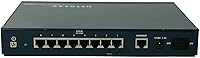
  • Switch Ports: Eight 10/100 Mbps auto-sensing LAN ports are built in, providing wired connectivity for up to eight devices directly from the appliance.
  • VPN Tunnels: The device supports up to eight dedicated IPSec VPN tunnels simultaneously for site-to-site or client-to-site encrypted connections.
  • Firewall Type: Stateful Packet Inspection (SPI) firewall technology examines the state of active connections to block unauthorized or malformed traffic.
  • Intrusion Detection: A built-in Intrusion Detection System (IDS) monitors network traffic in real time and flags suspicious patterns or known attack signatures.
  • Connectivity: This is a strictly wired device with no built-in wireless radio; all client connections are made via Ethernet cable.
  • WAN Interface: The unit includes a dedicated WAN port for connecting to a broadband modem or ISP-provided gateway.
  • Operating System: The FVS318 runs a proprietary NETGEAR router operating system accessed and managed through a built-in web-based interface.
  • Warranty: NETGEAR backs this device with a 3-year limited hardware warranty, which is longer than what most consumer-grade routers offer.
  • Launch Date: The FVS318 was first made available in June 2002, giving it over two decades of real-world deployment history.
  • User Rating: The device holds an average rating of 4.0 out of 5 stars based on 106 customer ratings on Amazon.
  • Market Rank: As of the most recent available data, the FVS318 ranks at number 943 in the Computer Routers category on Amazon.
  • Antenna Type: No external antenna is present; the device is wired-only and requires no radio frequency components.
  • Compatible Devices: The FVS318 is designed for use with desktop computers and other wired Ethernet-capable business devices.
  • Recommended Use: NETGEAR classifies this unit for business networking environments, particularly small offices requiring VPN and firewall capabilities.

Related Reviews
Netgear Nighthawk AX5200 Router
87%
92%
Wi-Fi Performance
89%
Range & Coverage
84%
Setup & Installation
88%
Reliability & Stability
91%
Gaming & Streaming Experience
More
NETGEAR C7500 AC3200 Cable Modem Router Combo

66%
78%
Wi-Fi Performance
71%
Modem Reliability
74%
Setup Experience
55%
ISP Compatibility
63%
Value for Money
More
NETGEAR R6120 AC1200 Dual Band WiFi Router

74%
92%
Ease of Setup
89%
Value for Money
74%
Wi-Fi Coverage
51%
Wired Ethernet Performance
76%
Wireless Speed
More
Netgear Nighthawk AX12 AX11000 Router
87%
92%
Wi-Fi Performance
89%
Speed & Latency
85%
Ease of Setup
88%
Build Quality
90%
Security Features
More
NETGEAR R6200 AC1200 Dual Band Gigabit Router
71%
88%
Ease of Setup
74%
Wireless Performance
61%
Signal Range & Coverage
69%
Build Quality & Design
58%
Firmware & Software Reliability
More
NETGEAR R6020 AC750 WiFi Router
83%
94%
Ease of Setup
85%
Wi-Fi Performance
72%
Coverage Range
90%
App Experience
91%
Value for Money
More
NETGEAR Wireless Router N300 (WNR2000)
82%
92%
Ease of Setup
88%
Value for Money
90%
Parental Controls
85%
Wi-Fi Stability
60%
Range for Larger Homes
More
NETGEAR Trek N300 Travel Router
83%
88%
Value for Money
93%
Portability
79%
Wi-Fi Performance
85%
Ease of Setup
91%
Power Flexibility
More
NETGEAR Nighthawk R7350 AC2400 Wi-Fi Router
78%
88%
5GHz Performance
67%
2.4GHz Reliability
91%
Setup Experience
79%
Gaming Performance
73%
Coverage Range
More
NETGEAR R6700AXS AX1800 WiFi 6 Router

76%
78%
Wireless Performance
91%
Setup Experience
83%
Multi-Device Handling
86%
Network Security
67%
Coverage Range
More

FAQ

It is manageable for someone with basic networking knowledge, but it is not a plug-and-play consumer router. You will need to understand concepts like subnet masks, WAN settings, and IPSec parameters to get VPN tunnels working. NETGEAR provides a setup wizard and documentation that walk you through the process, and many owners with small business experience report getting it running without professional help.

Yes, that is actually one of the primary use cases the FVS318 was designed for. With eight IPSec VPN tunnels available, you can establish encrypted site-to-site connections between multiple locations, as long as each site has a compatible VPN device or client on the other end.

No, it does not include any wireless capability. Every device that connects to it needs to do so via an Ethernet cable. If you need Wi-Fi coverage in your office, you would need to add a separate wireless access point to the network.

That depends entirely on how your team uses the network. For general web browsing, email, shared file access, and VoIP, 100 Mbps is typically sufficient for a small team. However, if your staff regularly transfers very large files internally or relies heavily on high-bandwidth cloud services, the 100 Mbps ceiling can become a noticeable bottleneck.

The built-in switch has eight LAN ports, so you can connect up to eight wired devices directly. If you need to support more devices, you can add an unmanaged switch to one of those ports to expand the available connections.

It is functional but dated by modern standards. Users familiar with older NETGEAR interfaces will find it familiar, but if you are used to the polished dashboards on newer routers, it may feel clunky. That said, all core settings are accessible; it just takes a bit more patience to find what you are looking for.

The IDS monitors inbound and outbound traffic against a set of known attack signatures and behavioral patterns. When it detects something suspicious, it can log the event and alert you. It is not a next-generation threat prevention platform, but for a small office it adds a meaningful layer of visibility beyond what a basic firewall provides.

Given that the FVS318 has been on the market since 2002, firmware updates from NETGEAR are infrequent. It is worth checking NETGEAR's support page for the latest available firmware before deployment, but buyers should understand that this is a mature product and active development has effectively wound down.

Yes, the FVS318 supports client-to-site VPN connections, so remote employees can use compatible VPN client software to tunnel into your office network securely. You will need to configure one of the available VPN tunnels for each connection type and ensure the remote client supports IPSec.

The warranty covers hardware defects under normal use conditions for three years from the date of purchase. It does not cover damage from misuse, power surges, or unauthorized modifications. If the unit fails under normal operating conditions within that window, NETGEAR will typically repair or replace it, though you should review the current warranty terms on their site for specifics.

Where to Buy