Overview

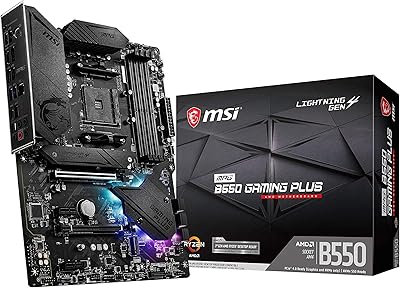
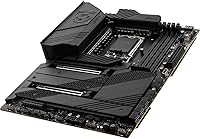
The MSI MEG Z690 Unify ATX Gaming Motherboard is built squarely for enthusiasts who actually push hardware to its limits — not casual builders assembling a modest gaming rig. Based on Intel's Z690 chipset and the LGA 1700 socket, it targets 12th Gen Alder Lake builds at their highest tier. One thing is worth knowing upfront: this board is DDR5 memory only, which means a real cost commitment at time of purchase but a more future-oriented platform overall. The no-RGB aesthetic of the Unify line is a deliberate design philosophy, not a feature omission. Standard ATX dimensions mean it drops into any typical mid-tower or full-tower case without fitment issues.
Features & Benefits

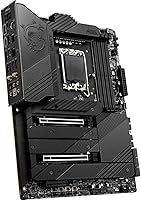
Five M.2 slots is the headline — four running at PCIe Gen4 speeds and one at Gen3 — but what genuinely separates this Z690 board is the Shield Frozr thermal covers on both sides of the M.2 array. Under prolonged read/write cycles, most boards let SSDs throttle from heat; those covers actively prevent that. The VRM section is overbuilt by design, using a heat-pipe system with high-conductivity thermal pads to keep power delivery stable even under a sustained Core i9 overclock. Dual 2.5G LAN ports open up link aggregation for NAS setups or redundancy for streamers. Two PCIe 5.0 x16 slots and Wi-Fi 6E with 6GHz support round out connectivity that won't feel limiting anytime soon.

Best For

The MEG Z690 Unify hits its stride with builders pairing a 12th Gen Core i7 or i9 with a DDR5 kit who want real overclocking headroom rather than marginal gains. Content creators juggling multiple fast NVMe drives, a capture card, and high-bandwidth networking will find the feature density genuinely useful, not speculative. The all-black aesthetic also makes it a natural choice for stealth-themed builds where RGB would be out of place. That said, if you are running a mid-tier CPU or still holding DDR4 memory, this board is not the right fit. Budget-conscious builders or anyone who will not touch overclocking should seriously consider less expensive Z690 options before committing here.

User Feedback

Across 84 ratings, MSI's flagship Unify motherboard holds a solid 4.3 out of 5, reflecting genuine enthusiasm from the overclocker crowd alongside some pointed frustrations from buyers who may have overreached. Reviewers consistently praise the BIOS quality and thermal performance — VRM temps under sustained loads and M.2 cooling both draw repeated positive mentions. Build quality feels appropriately premium throughout. The recurring complaints are worth noting, though: DDR5 kits were expensive and sometimes scarce around launch, and several users reported that getting XMP profiles stable required hands-on BIOS tuning rather than working reliably out of the box. If you expect a completely plug-and-play experience, factor in a short learning curve.

Pros

  • Five M.2 slots with Gen4 bandwidth and physical thermal covers make this one of the most storage-capable Z690 boards available.
  • The VRM cooling system handles sustained Core i9 overclocks without thermal throttling under real workloads.
  • Dual 2.5G Intel LAN ports are rare at this tier and genuinely useful for NAS setups or streamer redundancy.
  • Wi-Fi 6E with 6GHz support cuts through wireless congestion in ways that older Wi-Fi standards simply cannot.
  • Two full PCIe 5.0 x16 slots provide meaningful headroom for next-generation GPU and storage expansion cards.
  • The no-RGB, all-black Unify aesthetic is a deliberate and well-executed choice that stands out in a crowded market.
  • BIOS quality receives consistent praise from experienced builders who value control and stability over simplified interfaces.
  • DDR5 support up to 6666+ MHz gives memory overclockers serious room to push high-bandwidth configurations.
  • Shield Frozr M.2 covers on both sides of the slots prevent real-world throttling that single-sided designs often miss.
  • Standard ATX form factor ensures broad case compatibility with no exotic fitment requirements.

Cons

  • DDR5-only support forces a full memory kit upgrade at purchase, which added meaningful cost especially around the board's launch.
  • DDR5 XMP profile stability has required BIOS tuning for some users rather than working reliably out of the box.
  • The price point is difficult to justify for builders who will not use overclocking, multiple M.2 drives, or dual LAN.
  • No onboard video output means a discrete GPU is mandatory with no fallback display option during initial setup.
  • Early DDR5 kit availability was genuinely limited, creating frustrating compatibility research for buyers at launch.
  • The premium cost of entry narrows the realistic buyer pool to a small slice of high-end enthusiast builders.
  • No RGB whatsoever may disappoint builders whose cases or peripherals are designed around coordinated lighting ecosystems.
  • With only 84 ratings, the long-term reliability picture is less complete than more widely adopted mainstream Z690 boards.

Ratings

Our AI rating engine processed verified buyer reviews for the MSI MEG Z690 Unify ATX Gaming Motherboard sourced from global markets, applying automated filters to remove spam, bot activity, and incentivized feedback before scoring — so what you see reflects genuine builder experiences, not curated impressions. The scorecards below capture both the aspects that drew consistent enthusiasm from power users and the friction points that frustrated buyers who approached this board with different expectations, giving you an honest foundation for your purchase decision.
Build Quality
93%
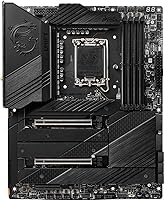
Reviewers across skill levels consistently noted that this Z690 board feels genuinely premium in hand — the heatsink covers are solid metal, the PCIe slot retention clips engage firmly, and the overall PCB construction reflects a board built for sustained heavy use rather than one trimmed to hit a price point.
A small number of buyers reported minor cosmetic inconsistencies with Shield Frozr cover alignment out of the box, and the all-black finish, while intentional, shows fingerprints and dust more visibly than lighter-colored boards during the building process.
VRM Performance
91%
Enthusiast builders running a Core i9-12900K at sustained all-core loads reported stable power delivery without thermal throttling — a direct result of the heat-pipe VRM design and high-conductivity thermal pads that keep temperatures in check even during extended stress tests or overnight rendering sessions.
Non-overclocking users building with lower-TDP processors will never stress the VRM enough to appreciate the engineering here, making the elaborate power delivery section feel like a cost they absorb for capability they will realistically never use.
BIOS Experience
86%
Power users appreciate the depth and layout of MSI's Click BIOS 5 interface on this platform — overclocking profiles, fan curves, and memory timing adjustments are all accessible without digging through buried submenus, which saves meaningful time during iterative overclock tuning sessions.
Builders unfamiliar with enthusiast-grade BIOS environments reported a steeper-than-expected learning curve, and a handful of early adopters found that achieving stable DDR5 XMP profiles at rated speeds required a firmware update rather than working correctly at first boot.
Storage Expandability
94%
Five M.2 slots with the majority running at Gen4 bandwidth is a compelling setup for content creators and power users who run NVMe arrays for video editing scratch disks, OS drives, and game libraries simultaneously — all without throttling thanks to the double-sided Shield Frozr heatsink covers.
Populating all five M.2 slots can disable certain SATA ports due to chipset lane sharing, which catches some builders off guard when planning hybrid storage setups mixing NVMe and SATA drives; careful review of the manual before purchasing additional drives is essential.
Connectivity
88%
The dual 2.5G LAN paired with Wi-Fi 6E gives this board an unusually complete networking package — streamers can dedicate one wired port to their PC while routing secondary traffic through the other, and the 6GHz Wi-Fi band stays low-latency even in apartment buildings with dense wireless congestion.
The rear I/O lacks a USB4 or Thunderbolt 4 port, which matters to creators who regularly connect high-bandwidth external storage or daisy-chain displays — a notable gap compared to competing premium Z690 boards that do include Thunderbolt connectivity as standard.
Value for Money
61%
39%
For the precise buyer this board targets — someone running an overclocked i9 with multiple NVMe drives and requiring dual 2.5G networking — the feature density is genuinely hard to replicate at a lower price point, and the build quality ensures the investment holds up through a long hardware cycle.
For anyone not fully exploiting the overclocking capability, the five M.2 slots, and the dual LAN, the price lands poorly — you end up paying for an overbuilt platform when a mid-tier Z690 board would have delivered near-identical real-world results at a considerably lower cost.
Thermal Management
89%
The combination of the VRM heat-pipe system and double-sided M.2 Shield Frozr covers creates a board that handles sustained loads without complaint — users running long Blender renders alongside simultaneous NVMe transfers reported zero throttling events, which is exactly what a workstation-grade build demands.
All VRM and M.2 heatsinks operate passively without active cooling assistance, which works well in most scenarios but may show limitations in a poorly ventilated case during multi-hour extreme stress tests in warm ambient room temperatures.
Memory Overclocking
83%
DDR5 overclocking on this board impressed users who invested time in tuning — reaching 5600 to 6000 MHz on capable kits via straightforward XMP profile enabling, with more adventurous builders reporting tighter sub-timings that yielded measurable gains in memory-bandwidth-sensitive workloads.
Achieving stable XMP operation above 6000 MHz proved inconsistent across DDR5 kit brands, and hitting the advertised 6666+ MHz ceiling required both an updated BIOS and hands-on manual tuning — it is not a set-and-forget experience at the top of the frequency range.
Aesthetic Design
85%
The all-black stealth aesthetic of the Unify line has a genuine and loyal following among builders who find RGB-heavy motherboards visually excessive or out of place in professional workstation or minimalist gaming rigs — the board photographs exceptionally well inside dark or windowed cases.
Builders whose systems are already invested in RGB ecosystems — fans, RAM, and lighting strips — reported that the complete absence of onboard ARGB headers makes achieving a cohesive lit look more complicated and requires routing external lighting control separately.
PCIe Expandability
87%
Two PCIe 5.0 x16 slots is a forward-thinking inclusion for Alder Lake builds — builders planning to eventually add a PCIe 5.0 NVMe expansion card or upgrade to a next-generation GPU without bandwidth compromise will find the platform designed with meaningful upgrade headroom already in place.
Practical multi-GPU rendering setups have largely vanished from the modern gaming ecosystem, so the second PCIe 5.0 slot sits empty for most users, and the single PCIe 3.0 x4 slot is a noticeably slower fallback for capture cards or other expansion requirements.
Out-of-Box Experience
72%
28%
Basic installation is smooth for mid-level builders — the rear I/O shield comes pre-installed, SATA connectors are clearly labeled, and bundled Wi-Fi antennas with solid documentation means most builders reach POST without major friction on their very first attempt.
Enabling DDR5 XMP profiles and hitting advertised memory speeds was not a plug-and-play experience for a notable share of reviewers — some needed to download BIOS updates before first boot to resolve POST failures with specific DDR5 kits, frustrating buyers who expected a smoother initial setup.
Overclocking Headroom
92%
Among the enthusiast overclocking community, the Unify line has built a reputation for consistent, competition-ready tuning results — users running delidded i9 chips on custom water loops reported substantial frequency headroom that cheaper boards hit a wall on due to power delivery limitations well before thermals become a constraint.
Stock-speed users and light overclockers will never encounter the ceiling this board was built to support, and the premium cost of the overclocking-grade hardware is fully baked into the price regardless of whether your workload ever pushes the platform beyond its default operating parameters.
DDR5 Platform Maturity
66%
34%
Building on a DDR5-only platform positions the MEG Z690 Unify well for longevity — as DDR5 kit prices have fallen and compatibility has matured since the board's 2021 launch, buyers today benefit from a more stable ecosystem with broader XMP support across a wider range of memory brands.
At launch, DDR5 scarcity and high kit prices made the total build cost genuinely painful, and early firmware had known compatibility gaps with certain memory brands that required patience and iterative BIOS updates to resolve — frustrations that significantly colored first-wave buyer reviews.
Software & Utilities
77%
23%
MSI Center provides a usable desktop dashboard for fan curve control, system monitoring, and firmware updates without requiring users to reboot into the BIOS for every routine adjustment — a practical time-saver that experienced builders find genuinely convenient during active tuning phases.
MSI Center has drawn mixed feedback over time, with some users flagging background resource usage, occasional instability, and update prompts that feel intrusive — and the utility does not add enough depth for hardcore overclockers who prefer working directly in BIOS anyway.

Suitable for:

The MSI MEG Z690 Unify ATX Gaming Motherboard is purpose-built for enthusiast builders who are going all-in on a high-end 12th Gen Intel platform and have no intention of leaving performance on the table. If you are pairing a Core i7-12700K or i9-12900K with fast DDR5 memory and want genuine overclocking headroom backed by serious VRM hardware, this board delivers the thermal and power headroom to support it without compromise. Content creators running multiple NVMe drives simultaneously will appreciate having five M.2 slots with active thermal management, meaning sustained sequential workloads will not quietly throttle your storage mid-task. Streamers and home lab users who can take advantage of dual 2.5G LAN — whether for link aggregation to a NAS or as a failover connection — get real utility from connectivity most competing boards omit entirely. Builders who prefer a clean, blacked-out aesthetic without any RGB will find the Unify line genuinely refreshing in a market that aggressively defaults to light shows.
Not suitable for:

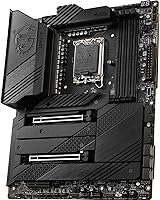
If you are building around a mid-range 12th Gen processor like a Core i5, or if you are planning a general-purpose gaming PC without serious overclocking ambitions, this board is almost certainly more than you need and the price gap over more modest Z690 options will be difficult to justify. The DDR5-only memory support is a firm constraint — there is no DDR4 fallback, which means you are committing to a full DDR5 kit at purchase, an added cost that stung buyers particularly hard around the board's 2021 launch window when DDR5 availability was limited. Anyone expecting a completely hands-off plug-and-play experience should know that squeezing stable performance out of DDR5 XMP profiles on this platform historically required some BIOS-level attention rather than working flawlessly out of the box. Small form factor enthusiasts are also excluded outright, since the MEG Z690 Unify ATX Gaming Motherboard is a full ATX board with no mATX or ITX sibling in the Unify line. Finally, if RGB lighting is part of your build aesthetic, look elsewhere — the Unify's all-black design offers zero onboard lighting.

Specifications

  • Form Factor: Standard ATX layout measuring 12 x 9.6 x 2.5 inches, fitting any mid-tower or full-tower case with ATX motherboard support.
  • Chipset: Built on Intel's Z690 chipset, the top-tier platform for 12th Gen Alder Lake processors with full support for overclocking, PCIe 5.0, and advanced I/O configurations.
  • CPU Socket: Uses the LGA 1700 socket, designed exclusively for Intel 12th Gen Core, Pentium Gold, and Celeron desktop processors.
  • Compatible CPUs: Supports the full range of 12th Gen Intel Core processors (i3 through i9), along with Pentium Gold and Celeron models in the LGA 1700 package.
  • Memory Type: DDR5 only; DDR4 modules are physically incompatible due to a different keying notch position and cannot be installed under any configuration.
  • Memory Speed: Supports DDR5 at JEDEC standard 4800 MHz out of the box, with XMP overclocked profiles reaching 6666+ MHz when paired with a compatible high-speed kit.
  • Memory Slots: Equipped with four DDR5 DIMM slots in a dual-channel configuration, supporting a maximum installed capacity of 128GB.
  • M.2 Slots: Provides five M.2 slots in total — four operating at PCIe Gen4 x4 bandwidth and one at PCIe Gen3 x4 — all supporting NVMe SSDs in M-Key form factors.
  • PCIe Slots: Includes two PCIe 5.0 x16 slots for primary GPU or high-bandwidth expansion cards, plus one PCIe 3.0 x4 slot for additional add-in cards.
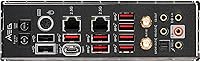
  • Ethernet LAN: Dual Intel I225-V controllers provide two independent 2.5 Gigabit Ethernet ports, enabling link aggregation, failover configuration, or separate network traffic routing.
  • Wireless: Integrated Intel Wi-Fi 6E adapter supports the full tri-band spectrum including 6GHz, delivering reduced congestion and lower latency compared to Wi-Fi 6 or Wi-Fi 5 solutions.
  • Bluetooth: Includes Bluetooth 5.2 through the integrated Intel wireless module, offering improved range and connection reliability over previous Bluetooth generations.
  • M.2 Cooling: All five M.2 slots are covered by MSI's double-sided Shield Frozr heatsink, which dissipates heat from both surfaces of installed NVMe drives to prevent thermal throttling under sustained loads.
  • VRM Cooling: The voltage regulator module uses a multi-fin aluminum heatsink interconnected by a heat pipe, with 7W/mK thermal interface pads that sustain stable power delivery during extended CPU overclocking sessions.
  • Display Output: No onboard video output ports are present; a discrete graphics card is mandatory for display connectivity since the Z690 Unify does not expose integrated graphics outputs.
  • RGB Lighting: The board carries zero onboard RGB lighting, consistent with the Unify product line's deliberate all-black stealth aesthetic designed for builders who prefer clean, unlit builds.
  • Weight: The fully assembled board weighs approximately 5 pounds (around 2.27 kg), reflecting the substantial metal heatsink covers across the VRM and M.2 zones.
  • Platform: Officially supports Windows 11 out of the box, with Windows 10 compatibility available via driver installation through MSI's support portal.

Related Reviews

MSI MEG X670E ACE Gaming Motherboard
87%
94%
Overall Performance
89%
Build Quality
92%
Compatibility with Ryzen 7000
90%
Cooling Performance
91%
Connectivity (Wi-Fi 6E, Bluetooth 5.3)
More
MSI B450 Gaming Plus Max ATX Motherboard
83%
88%
Performance
91%
Value for Money
80%
Compatibility with Ryzen CPUs
85%
Ease of Installation
86%
Overclocking Support
More
ASUS TUF Gaming Z690-Plus WiFi Motherboard
79%
88%
Build Quality
84%
BIOS & Firmware
67%
DDR5 Memory Compatibility
79%
Power Delivery & VRM
91%
Networking & Connectivity
More
MSI X670E Gaming Plus WiFi AM5 Motherboard
80%
86%
Build Quality
89%
Power Delivery
91%
PCIe 5.0 & Storage Support
71%
DDR5 Memory Compatibility
78%
BIOS Experience
More
MSI B650 Gaming Plus WiFi
80%
83%
Value for Money
88%
BIOS & Software Experience
91%
Power Delivery & Stability
84%
Wireless Connectivity
79%
Memory Performance & Overclocking
More
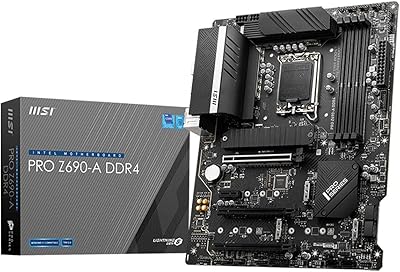
MSI PRO Z690-A DDR4 ATX Motherboard
79%
84%
Build Quality
88%
Value for Money
81%
BIOS Experience
79%
Thermal Management
83%
Storage Expandability
More
MSI MPG B550 Gaming Plus ATX Motherboard
77%
88%
Value for Money
81%
Build Quality
83%
BIOS & Software Experience
76%
CPU Compatibility
61%
Overclocking Headroom
More
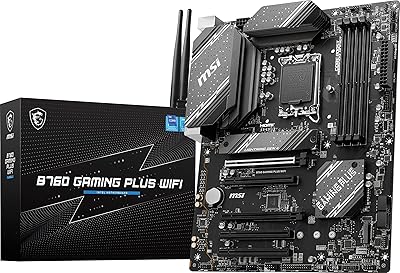
MSI B760 Gaming Plus WiFi Motherboard
87%
92%
Performance
88%
Stability during Gaming
90%
Connectivity (Wi-Fi 6E & LAN)
85%
Thermal Performance
87%
Build Quality
More
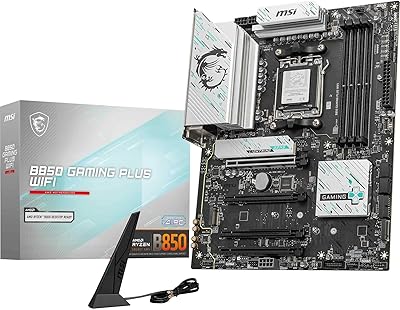
MSI B850 Gaming Plus WiFi Motherboard
86%
92%
Performance
90%
Cooling Efficiency
88%
Connectivity Options
85%
Build Quality
80%
Ease of Installation
More
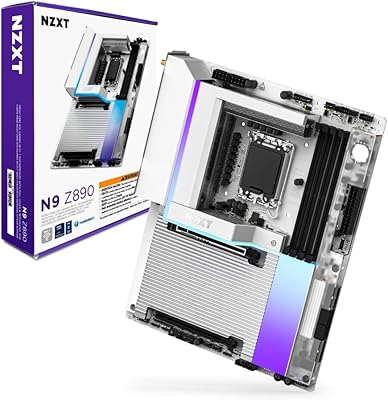
NZXT N9 Z890 ATX Motherboard
79%
88%
Build Quality
91%
VRM & Power Delivery
84%
Thermal Management
67%
BIOS Experience
72%
Memory Compatibility
More

FAQ

No — the MEG Z690 Unify is strictly DDR5. The slot notch is physically positioned differently from DDR4, so your old modules will not fit regardless of speed or brand. Budget for a new DDR5 kit as part of your build cost.

It is technically compatible but not a smart value proposition. This Z690 board is engineered around high-TDP overclockable i7 and i9 processors that can actually exploit the heavy VRM and advanced tuning options. Pairing it with a Core i5 leaves a significant portion of what you are paying for completely untouched — a more modest Z690 or B660 board would serve a Core i5 build just as well for considerably less money.

MSI's BIOS on this platform is well-regarded among enthusiast builders — it offers deep control without being unnecessarily cryptic. Updating it is handled via MSI's M-Flash utility directly from a USB drive, and you can do it without a CPU installed if needed. For first-time builders it will feel advanced, but experienced users typically find it one of the cleaner Z690 BIOS implementations available.

Populating certain M.2 slots on Z690 can disable specific SATA ports due to shared chipset bandwidth lanes — this is a platform-level behavior rather than an MSI-specific limitation. The exact sharing map varies by slot position, so check the board's manual for the specific conflict table. If you are running a pure NVMe setup without SATA drives, this is rarely a practical concern.

None whatsoever. The MSI MEG Z690 Unify ATX Gaming Motherboard is built specifically for builders who want a clean, all-black look with zero lighting. If RGB is a core part of your build theme, look at a different Z690 option — but if you prefer a minimal or stealth aesthetic, the complete absence of RGB here is very much intentional.
Physically yes, but multi-GPU rendering via NVLink or CrossFire has been effectively abandoned by both GPU vendors and game developers in recent years, so running two gaming GPUs in parallel offers little practical benefit today. More realistically, the second PCIe 5.0 slot is useful for a high-speed PCIe 5.0 NVMe add-in card, a capture card, or a 10G network adapter.

If your router also supports Wi-Fi 6E and the 6GHz band, the difference is real in dense wireless environments — the 6GHz spectrum is far less congested than 2.4GHz or 5GHz. For a stationary desktop near a router, a wired 2.5G LAN connection will still beat any wireless option for consistency and latency. That said, having 6E built in is a genuine long-term bonus as 6GHz routers become more common.

By default the board runs DDR5 at the JEDEC standard speed, typically 4800 MHz. To reach higher advertised XMP frequencies like 5600, 6000, or 6400 MHz, you need to enable the XMP profile in the BIOS. Some users have reported that achieving stability at the very top of the frequency range required a BIOS update or light manual tuning, so update your firmware before chasing the 6666+ MHz ceiling.

The antennas are included. MSI ships this Z690 board with a Wi-Fi antenna that attaches to the rear I/O panel connectors during installation. No separate purchase is required for standard wireless operation.

For a single gaming PC, one 2.5G port is already well beyond what most home internet connections require. The second port earns its place if you are connecting to a NAS for high-speed local transfers and want to aggregate both links for greater throughput, or if you want to keep streaming traffic and game traffic on separate physical connections. It is a niche feature, but it is far more convenient to have it built in than to add a secondary PCIe network card later.

Where to Buy