Overview

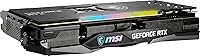
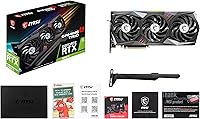
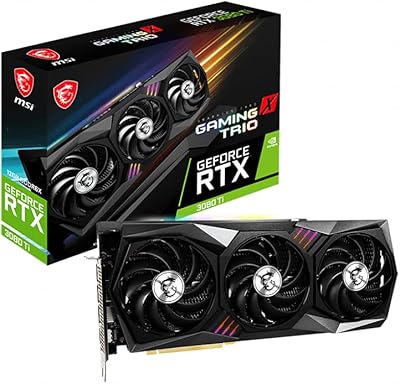
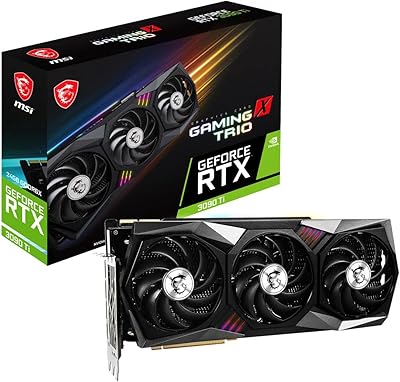
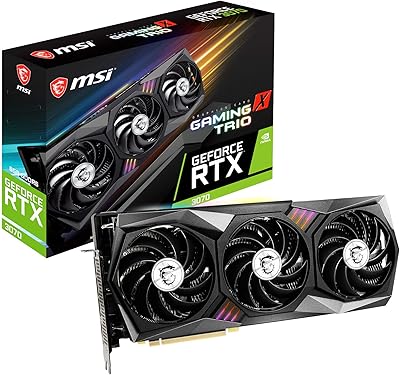
The MSI RTX 3060 Ti X Trio GPU arrived in late 2020 as MSI's premium take on NVIDIA's Ampere mid-range champion, sitting well above the reference Founders Edition in both cooling ambition and price. The architecture still holds its ground for serious 1440p builds today — DLSS support and hardware ray tracing remain genuinely useful, not just spec-sheet additions. That said, the X Trio is a physically large card: 12.7 inches long and triple-slot wide, which rules out compact cases entirely. Buyers shopping new or used should weigh the premium AIB price honestly against newer-generation alternatives before committing.
Features & Benefits

The Tri-Frozr 2 cooling system is where this MSI triple-fan card genuinely earns its premium over cheaper partner cards. Three TORX Fan 4.0 fans with double ball bearings keep temperatures well in check during extended sessions — the card rarely throttles, and under typical loads it runs noticeably quieter than dual-fan alternatives. The factory overclock pushes the boost clock to 1830 MHz, translating to a few extra frames at 1440p without any manual tuning. Eight gigabytes of GDDR6 handles high and ultra settings comfortably at 1440p, though 4K ultra workloads can expose VRAM headroom limits. Three DisplayPort 1.4a outputs plus HDMI 2.1 cover multi-monitor rigs cleanly, and DLSS plus NVENC add real value for anyone who games and streams simultaneously.

Best For

The X Trio is built for 1440p high-refresh gaming — it handles demanding AAA titles and fast-paced competitive shooters with genuine headroom. Streamers will appreciate the thermal stability under sustained load and the quality of NVIDIA's NVENC encoder, which offloads encoding without tanking in-game performance. This Ampere-based GPU also suits builders who want a factory-overclocked card straight out of the box with no interest in manually adjusting voltage curves. Upgraders coming from GTX 10-series or RTX 20-series hardware will feel the generational jump immediately. Just confirm your case can physically fit a 12.7-inch card — a mid-tower or larger chassis is essentially non-negotiable here.

User Feedback

Across roughly 108 ratings averaging 4.2 out of 5, buyers consistently call out near-silent idle behavior and strong real-world 1440p frame rates as the card's standout qualities. Build quality draws repeated praise as well — it feels like a substantial, well-assembled piece of hardware. On the downside, the card's 12.7-inch length catches some first-time builders off guard, and a handful of reviews flag awkward power connector placement that complicates cable management in tighter builds. MSI Center software earns mixed marks — functional for fan curve and overclock control, but occasionally prone to bugs. Worth noting: a meaningful portion of the lower-star reviews appear tied to shipping or third-party seller issues rather than product defects themselves.

Pros

  • The Tri-Frozr 2 cooling system keeps temperatures impressively low even during extended gaming sessions.
  • Near-silent at idle — this card will not intrude on a quiet room or disrupt a recording setup.
  • Factory overclock delivers a modest but real performance advantage straight out of the box.
  • DLSS 2.x support gives a meaningful frame-rate boost in supported titles at 1440p.
  • NVENC encoder quality is excellent, making it a practical choice for simultaneous gaming and streaming.
  • Solid multi-monitor support with three DisplayPort 1.4a outputs and one HDMI 2.1 port.
  • Build quality feels premium — the card is heavy and well-constructed with no flex or cheap plastics.
  • MSI Center software allows fan curve customization without needing third-party tools.
  • Strong 1440p performance headroom covers both competitive and graphically intensive AAA titles.

Cons

  • At 12.7 inches long, the X Trio will not physically fit in compact or many mid-size cases.
  • The 8GB VRAM ceiling becomes a real bottleneck in VRAM-hungry titles at 4K ultra settings.
  • Premium AIB pricing is harder to justify now that newer-generation mid-range GPUs are available.
  • MSI Center software has a track record of occasional bugs and reliability quirks that some users find frustrating.
  • Power connector placement on the card can make cable routing unnecessarily awkward in tighter builds.
  • No support for DLSS 3 frame generation, which is exclusive to RTX 40-series hardware.
  • The card weighs 3.44 pounds and may require a GPU support bracket to prevent sag over time.
  • A noticeable chunk of negative reviews appear to stem from third-party seller fulfillment issues, adding purchase risk.

Ratings

Our AI rating engine analyzed verified global buyer reviews for the MSI RTX 3060 Ti X Trio GPU, actively filtering out incentivized submissions, bot activity, and fulfillment-related complaints to surface what real users genuinely experience with the card itself. Scores reflect a balanced picture — where this Ampere-based triple-fan card clearly excels and where it falls short depending on your use case and expectations.

Thermal Performance
93%
The Tri-Frozr 2 cooling system earns consistent praise from builders who stress-test their rigs through multi-hour gaming sessions — GPU temperatures routinely land well below throttling thresholds even in warm ambient conditions. Users upgrading from blower-style or cheaper dual-fan cards are frequently impressed by how much cooler this card runs.
A small number of users in poorly ventilated cases or mini-ITX builds using adapters report that the three fans pushing air outward — rather than exhausting directly — can warm nearby components. This is largely a case airflow issue, but it does come up enough to note.
Noise Levels
91%
The semi-passive fan behavior — where all three fans stop completely at low loads — makes the X Trio genuinely silent during desktop use, light browsing, or video playback. Even under sustained 1440p gaming loads, the fan noise sits comfortably below what most dual-fan reference-class cards produce at comparable temperatures.
At maximum fan speeds during extended workloads like rendering or stress tests, the noise becomes more noticeable — not disruptive, but audible without headphones. A handful of users also reported a very faint coil whine in specific load scenarios, which is largely a silicon lottery issue.
1440p Gaming Performance
88%
At 1440p, this MSI triple-fan card hits high to very-high refresh rates in most competitive titles and holds strong frame rates in demanding AAA games with settings dialed up. Paired with a 144Hz or 165Hz monitor, it delivers the kind of smooth, responsive experience mid-range builders are hoping for without requiring DLSS as a crutch.
Performance in the most graphically intensive recent releases — particularly open-world titles with dense foliage and advanced global illumination — can dip into ranges that feel inconsistent on 144Hz panels without lowering a few settings. The gap to the RTX 3070 becomes noticeable in those edge cases.
Build Quality
89%
Users consistently describe the X Trio as feeling like a premium product the moment it is out of the box — the shroud is solid, the backplate is sturdy, and nothing flexes or rattles. At 3.44 pounds, the card has a reassuring heft that cheaper AIB cards simply do not match.
The weight that makes the card feel premium is also what makes GPU sag a real concern over time if installed without a support bracket. A small number of users also flagged that the plastic shroud near the power connectors scuffs more easily than the rest of the card.
Value for Money
67%
33%
When found at a meaningful discount — on the used market or during clearance sales — the X Trio represents a legitimate deal for the thermal quality and stable factory overclock you are getting. For 1440p gaming, the performance-per-dollar calculation can still work out favorably compared to newer budget cards.
At or near its original AIB premium pricing, this card is genuinely difficult to recommend against newer mid-range alternatives that offer better rasterization performance, DLSS 3 support, or larger VRAM buffers. The age of the Ampere platform is the single biggest factor dragging the value score down.
1080p Gaming Performance
86%
At 1080p, the X Trio is frankly overkill for 60Hz displays and performs with headroom to spare on 144Hz and 240Hz monitors across virtually every game in the current library. Competitive players who lock resolutions at 1080p for maximum frame rates will find this card highly capable.
Spending a premium price on a card this capable at 1080p is hard to justify unless 1440p is the near-term plan. The raw performance gap over more affordable cards narrows considerably when the resolution drops, making the X Trio specifically less differentiated at this resolution tier.
Case Compatibility
58%
42%
In full-tower and roomy mid-tower cases, installation is straightforward and the card settles in without any drama. Experienced builders who plan their component selections carefully report no fitment surprises.
At 12.7 inches long and triple-slot wide, this card flat-out cannot fit in compact or micro-ATX cases, and catches first-time builders off guard more than almost any other complaint in the review pool. Several users specifically called out discovering the fitment problem only after purchase, which is a recurring and avoidable frustration.
DLSS & Ray Tracing
78%
22%
DLSS 2.x is a genuinely effective upscaling tool in the hundreds of supported titles — enabling Quality mode at 1440p produces sharp, artifact-minimal images while recovering meaningful frame rates. Second-generation RT cores handle ray-traced lighting better than Turing-era cards, making ray tracing playable in mid-intensity scenarios.
The absence of DLSS 3 frame generation is a real limitation for buyers who want access to the latest AI upscaling capabilities, which are exclusive to RTX 40-series hardware. Ray tracing at maximum settings in the most demanding implementations still requires DLSS assistance to remain smooth.
Streaming & NVENC
90%
Streamers consistently praise NVENC on Ampere as one of the clearest practical advantages of this generation — streams stay crisp and CPU overhead is minimal, letting the main game workload run unaffected. Users who switched from software encoding to NVENC reported immediate, visible improvements in stream quality.
NVENC advantages are most apparent when compared to software encoding or older hardware encoders — against AMD's AV1 encoding on RDNA 3 hardware or NVENC on RTX 40-series cards, the quality gap does narrow. For most streamers this is not a day-to-day issue, but it is worth knowing.
Power Connector Layout
61%
39%
The dual 8-pin connector requirement is straightforward and compatible with nearly all modern mid-range power supplies. Builders with fully modular PSUs and quality sleeved cables report a clean finished look with some patience.
The physical placement of the power connectors — positioned toward the end of the card facing upward — makes cable routing noticeably awkward in tighter builds or cases where the PSU shroud leaves limited vertical clearance. This is a recurring frustration mentioned by users who prioritize clean cable management.
Display Output Versatility
87%
Three DisplayPort 1.4a outputs alongside one HDMI 2.1 port covers virtually every multi-monitor scenario a gamer or content creator would need. HDMI 2.1 is a standout inclusion — it supports 4K at 120Hz on compatible TVs without requiring an adapter, which is rare at this tier.
Four total outputs is the practical ceiling, meaning users running a three-monitor productivity setup alongside a dedicated capture or reference display will hit the limit immediately. There is also no USB-C or VirtualLink output, which some creators doing VR work or running newer portable displays may find limiting.
RGB & Aesthetics
74%
26%
MSI Mystic Light covers the shroud and logo with customizable RGB effects that look genuinely attractive in windowed cases, and the color accuracy and brightness are above average for AIB-tier lighting. Users building themed rigs appreciate the ability to sync effects across MSI components through a single app.
Mystic Light synchronization with non-MSI components requires workarounds, and some users find the software integration less reliable than competitors like ASUS Aura Sync. The RGB is also shroud-facing only — there is no addressable strip on the backplate — which limits visibility depending on case orientation.
MSI Center Software
63%
37%
MSI Center provides meaningful control over fan curves, overclock profiles, and RGB all in one place, which is more convenient than juggling separate utilities. Users who invest time in the software report being able to fine-tune thermals and noise levels to their exact preferences.
A recurring theme in user reviews is MSI Center being buggy or slow to update — some users report features disappearing after Windows updates or the app requiring reinstallation to restore full functionality. It gets the job done, but it does not feel as polished or stable as the hardware it manages.
4K Capability
54%
46%
At 4K medium to high settings — or with DLSS Quality mode active — the X Trio can deliver a playable and visually impressive 4K experience in many titles, making it functional for users who have a 4K display and do not insist on maxing every setting.
At native 4K ultra settings in VRAM-intensive modern titles, the 8GB frame buffer becomes a hard ceiling that causes stuttering and frame time spikes as assets stream in and out of memory. This is not a card designed for maxed-out 4K gaming, and users who bought it expecting that capability tend to be disappointed.

Suitable for:

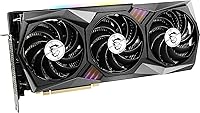
The MSI RTX 3060 Ti X Trio GPU is a strong pick for PC builders who game primarily at 1440p and want a card that can push high refresh rates in both competitive shooters and graphically demanding AAA titles without climbing to flagship pricing. It suits streamers and part-time content creators particularly well, since the NVENC encoder handles recording and streaming duties efficiently without eating into in-game frame rates, and the Tri-Frozr 2 cooling keeps thermals stable during those longer back-to-back sessions. Builders who want a genuinely quiet system will appreciate how subdued this card is at idle and under moderate load. It also makes a lot of sense for anyone upgrading from GTX 10-series or RTX 20-series hardware who wants DLSS and hardware ray tracing without paying a premium for the very latest generation. Just make sure your case is a mid-tower or larger — this card demands physical space.
Not suitable for:

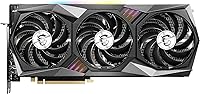
The MSI RTX 3060 Ti X Trio GPU is not the right call for buyers chasing 4K ultra settings across modern, VRAM-hungry titles — 8GB has real limits at that resolution, and newer cards at competitive prices have moved the goalposts considerably since this card launched. Anyone building in a compact or micro-ATX chassis should look elsewhere immediately, as a 12.7-inch triple-slot card will simply not fit most smaller form-factor builds. Budget-focused buyers who are comfortable with a basic dual-fan partner card at a lower price point will not see enough tangible difference in day-to-day gaming to justify the X Trio premium. Buyers on the bleeding edge who need support for the latest DLSS 3 frame generation technology should also note this Ampere card does not support that feature — only Ada Lovelace (RTX 40-series) cards do. If pure price-to-performance is the sole metric, newer mid-range options from more recent GPU generations deserve a hard look first.
Specifications

  • GPU Chip: Built on NVIDIA's Ampere architecture using the GeForce RTX 3060 Ti silicon, manufactured on Samsung's 8nm process node.
  • VRAM: 8GB of GDDR6 memory provides ample headroom for 1080p and 1440p gaming at high to ultra settings in most modern titles.
  • Memory Bus: A 256-bit memory interface delivers 448 GB/s of memory bandwidth, keeping texture throughput competitive at higher resolutions.
  • Boost Clock: The factory overclock pushes the GPU boost clock to 1830 MHz out of the box, above NVIDIA's reference specification of 1665 MHz.
  • Memory Speed: GDDR6 modules operate at an effective speed of 1725 MHz (14 Gbps), consistent with the standard RTX 3060 Ti specification.
  • Cooling System: The Tri-Frozr 2 cooler uses three 90mm TORX Fan 4.0 fans with double ball bearings for improved longevity and airflow efficiency.
  • Display Outputs: Connectivity includes three DisplayPort 1.4a ports and one HDMI 2.1 port, supporting up to four simultaneous displays.
  • Max Resolution: The card supports digital output up to 7680x4320 (8K) at 60Hz over DisplayPort 1.4a with DSC compression enabled.
  • Card Dimensions: The card measures 12.7 inches long, 5.5 inches tall, and 2.2 inches wide, occupying three expansion slots in the chassis.
  • Card Weight: At 3.44 pounds, the card is substantial enough that a GPU support bracket is advisable for long-term sag prevention.
  • Power Connector: The card requires two 8-pin PCIe power connectors and has a total board power (TBP) of 200W under full load.
  • Ray Tracing: Second-generation RT cores handle real-time ray tracing workloads with better performance per core than the previous Turing generation.
  • AI Upscaling: DLSS 2.x uses Tensor cores to reconstruct image detail at lower render resolutions, recovering significant frame rates in supported titles.
  • Video Encoder: The 8th-generation NVENC hardware encoder supports H.264 and HEVC encoding, well-regarded for streaming quality with minimal CPU overhead.
  • RGB Lighting: MSI Mystic Light RGB illuminates the shroud and logo, with full color and effect control available through MSI Center software.
  • Software: MSI Center provides fan curve adjustment, GPU overclock and voltage controls, and RGB management in a single unified application.
  • PCIe Interface: The card uses a PCIe 4.0 x16 interface and is fully backward compatible with PCIe 3.0 motherboards without meaningful performance loss.
  • Slot Width: The X Trio occupies three expansion slots, so verify adjacent slot clearance on your motherboard before installation.

Related Reviews
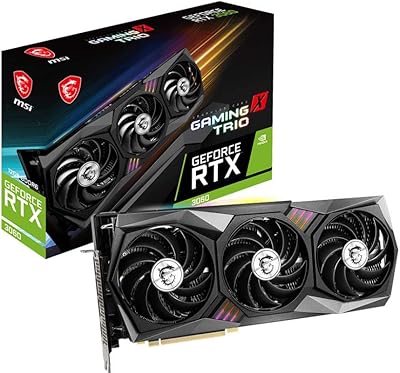
MSI GeForce RTX 2080 Ti Gaming X Trio
87%
94%
Gaming Performance
91%
Ray Tracing Quality
88%
Thermals and Cooling
90%
Build Quality
65%
Noise Level Under Load
More
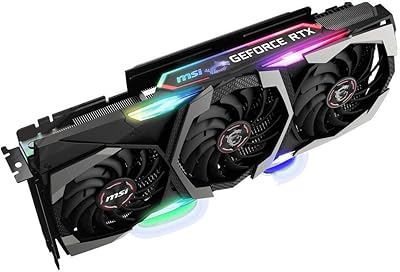
MSI GeForce RTX 3060 Gaming X Trio 12G
84%
91%
Gaming Performance
94%
Cooling Efficiency
87%
Build Quality
89%
Value for Money
70%
Compatibility with Cases
More
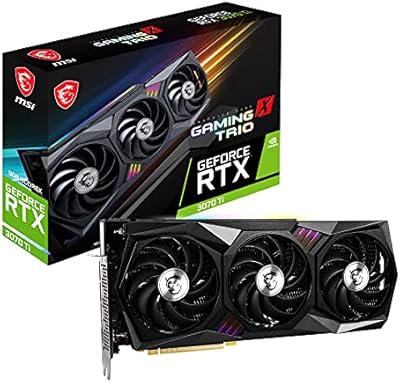
MSI GeForce RTX 3090 Ti Gaming X Trio 24GB
84%
94%
Gaming Performance
70%
Power Consumption
88%
Cooling Efficiency
65%
Size and Compatibility
92%
Overclocking Performance
More
MSI GeForce RTX 3070 Ti Gaming X Trio 8GB
85%
92%
Gaming Performance
89%
Cooling Efficiency
88%
4K Gaming Experience
85%
RGB Customization
70%
Size & Compatibility
More
MSI GeForce RTX 3080 Ti Gaming X Trio 12G
86%
94%
Cooling Performance
92%
4K Gaming Performance
88%
Build Quality
91%
Noise Levels Under Load
85%
Installation and Setup
More
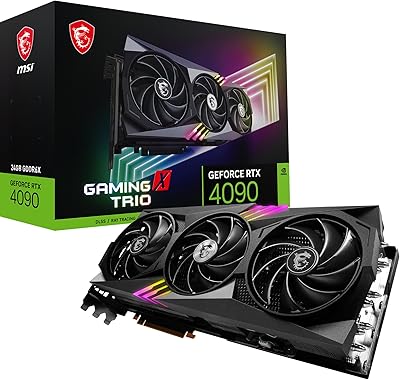
MSI RTX 4090 Gaming X Trio GPU
84%
93%
Thermal Performance
89%
Noise Levels
96%
Raw Gaming Performance
91%
VRAM & Memory
88%
Build Quality
More
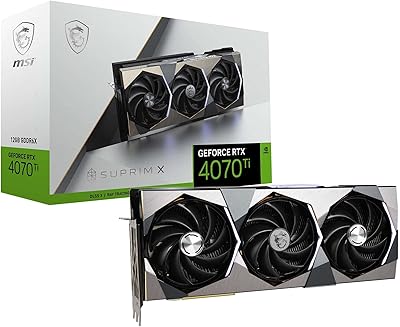
MSI GeForce RTX 4070 Ti SUPRIM X 12GB
86%
94%
Performance
92%
Cooling Efficiency
89%
4K Gaming Experience
72%
Size/Compatibility
90%
Build Quality
More
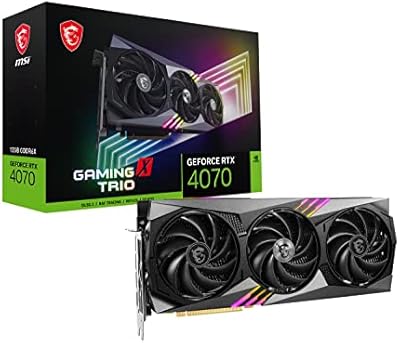
MSI RTX 4070 Gaming X Trio GPU
82%
92%
1440p Gaming Performance
93%
Thermal Performance
91%
Noise Levels
89%
Build Quality
71%
Value for Money
More
MSI RTX 3070 Gaming X Trio Graphics Card
76%
93%
Thermal Performance
91%
Noise Levels
89%
1440p Gaming Performance
88%
Build Quality
74%
Value for Money
More
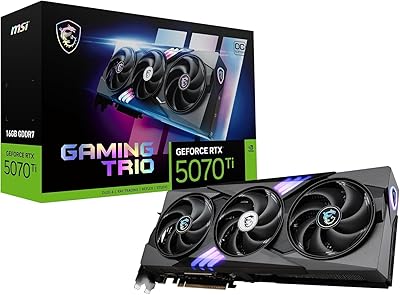
MSI GeForce RTX 5070 Ti 16G Gaming Trio OC Plus
84%
94%
Gaming Performance
89%
Cooling Efficiency
90%
Build Quality
87%
Value for Money
75%
Power Consumption
More

FAQ

It depends on the specific case. The card is 12.7 inches long and takes up three slots, so you need a mid-tower that explicitly supports GPU lengths of at least 13 inches. Many popular mid-towers like the Fractal Meshify C or NZXT H510 are borderline or require removing a drive cage. Always check your case's stated GPU clearance before ordering.

At idle the fans stop entirely in low-temperature conditions, so the card is completely silent when you are browsing or doing light work. Under a sustained gaming load, noise levels are generally considered moderate — audible if your case has no sound dampening, but not intrusive. Compared to most dual-fan designs at the same load, the three-fan setup tends to run quieter because each fan spins at a lower RPM to move the same amount of air.

You can run games at 4K resolution, but 8GB of VRAM becomes a real constraint in newer, texture-heavy titles at ultra settings. At 4K high or medium settings, or with DLSS enabled to reduce the rendering load, the experience is much more consistent. If native 4K ultra is your primary goal, a card with 10GB or more of VRAM would serve you better long-term.

NVIDIA officially recommends a 600W PSU for the RTX 3060 Ti, and that guidance holds for the X Trio given its 200W board power. If your system has a power-hungry CPU or multiple drives, a 650W or 750W unit gives you a comfortable buffer and leaves room for future upgrades.

No — DLSS 3 frame generation is exclusive to RTX 40-series (Ada Lovelace) cards. The X Trio supports DLSS 2.x, which is still widely implemented and delivers meaningful upscaling benefits in hundreds of supported games. It is a genuinely useful feature, just not the latest iteration.

Quite well. The 8th-generation NVENC encoder on Ampere produces clean H.264 and HEVC streams with very little impact on in-game frame rates, because encoding happens on dedicated silicon rather than tapping the main shader cores. For streamers running OBS with NVENC, performance is noticeably better than software-based encoding on the CPU alone.

Not at all. The card works normally with standard NVIDIA drivers right out of the box. MSI Center is optional software you install if you want to customize fan curves, tweak the overclock beyond the factory setting, or change the RGB lighting effects. If you prefer a minimal software setup, you can simply skip it.

The 1830 MHz factory overclock is a conservative and well-validated setting — MSI runs stability testing before shipping. In practice, the vast majority of users report no stability issues running the card at stock factory settings. If you want to push further manually, there is typically additional headroom, but the out-of-box configuration is reliable for everyday use.

The card has four outputs — three DisplayPort 1.4a and one HDMI 2.1 — and supports up to four displays simultaneously. Mixed refresh rates and resolutions across monitors are handled at the driver level, so you can pair a 144Hz 1440p gaming monitor with a 60Hz secondary display without any hardware limitation from the card itself.

That depends heavily on the price you are paying. If you can find the X Trio at a significantly reduced price on the used or open-box market, the 1440p gaming performance is still genuinely competitive and the Tri-Frozr 2 cooling remains one of the better thermal solutions in its class. At full original retail pricing, newer mid-range alternatives from more recent GPU generations offer better performance-per-dollar and additional features like DLSS 3. Shop the actual current price carefully before deciding.

Where to Buy