Overview

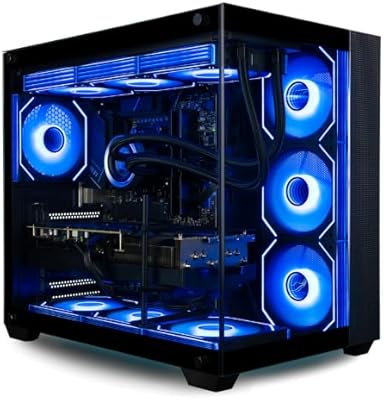
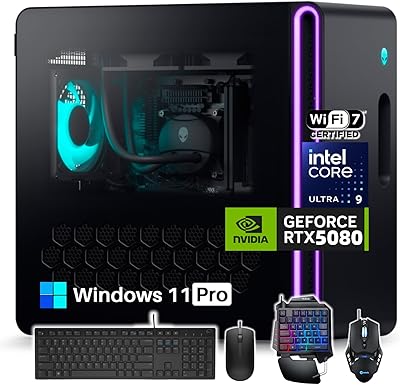
The MSI Aegis ZS RTX 5080 Gaming Desktop lands squarely in the high-end prebuilt category, the kind of machine you buy when you want flagship power without spending a weekend with a screwdriver. Inside, a 12-core Ryzen 9 9900X handles the heavy lifting, paired with an RTX 5080 carrying 16GB of its own memory for graphics-intensive work. There's 32GB of DDR5 RAM running at 6000MHz, plus a 2TB NVMe drive that should hold a sizeable game library without constant shuffling. A 360mm liquid cooling loop and Wi-Fi 7 hint that MSI built this for sustained, demanding sessions rather than light browsing. Add in Windows 11 Pro and a bundled keyboard and mouse, and it's genuinely ready to use the moment it's unboxed.

Features & Benefits

Under the hood, this gaming desktop pairs a Ryzen 9 9900X capable of boosting to 5.6GHz with enough headroom to run background tasks, streaming software, and the game itself without obvious slowdown. The RTX 5080's 16GB buffer is built for 1440p and 4K play, with enough horsepower left over for ray tracing effects that would choke lesser cards. DDR5-6000 memory and the NVMe drive work together to cut down on loading screens and texture pop-in, which matters more than raw specs suggest once you're actually playing. The 360mm cooling setup keeps thermals in check during long sessions, and because the chassis is DIY-friendly, swapping parts later doesn't require fighting the case design. Wi-Fi 7 and Bluetooth 5.3 round things out, covering modern wireless needs without aftermarket adapters.

Best For

This prebuilt rig makes the most sense for gamers who want strong 1440p or 4K frame rates right out of the box and would rather not source, assemble, and troubleshoot a custom build. It's also a solid fit for streamers and content creators who need spare CPU and GPU capacity to encode video while a game is running in the background, since the combination of cores and VRAM gives some breathing room there. Enthusiasts who like the idea of opening a case down the road, adding storage, or swapping a fan, will appreciate that the layout doesn't punish tinkering. And for anyone replacing an aging tower who wants one clear upgrade rather than piecing together parts themselves, this is the kind of single-purchase jump that covers CPU, GPU, memory, and storage all at once.

User Feedback

Feedback on machines in this class tends to circle a few familiar themes. Buyers usually weigh real-world frame rates against what they paid, and given the components here, expectations will run high for benchmark results to actually match the price tag. Build quality and cable routing inside the case often come up too, since a tidy interior says a lot about how much care went into assembly versus how it looks on paper. Noise under sustained gaming load is another point worth watching, as liquid cooling setups can run quiet or noticeably present depending on fan curves and case airflow. On the upside, the DIY-friendly layout tends to earn praise from anyone who's fought a cramped case just to add a stick of RAM.

Pros

  • Ryzen 9 9900X and RTX 5080 combo delivers genuine flagship-level gaming performance
  • 32GB of DDR5-6000 RAM keeps multitasking smooth alongside demanding titles
  • 2TB NVMe SSD offers plenty of room for a large game library
  • 360mm liquid cooling helps manage heat during long, intense sessions
  • DIY-friendly chassis makes future upgrades far less of a hassle
  • Wi-Fi 7 and Bluetooth 5.3 cover modern wireless needs out of the box
  • Arrives ready to use with Windows 11 Pro, keyboard, and mouse included
  • 16GB of VRAM on the GPU gives real headroom for ray tracing and 4K textures

Cons

  • Asking price puts this well out of reach for casual or budget-conscious shoppers
  • 37-pound weight and tower dimensions make it awkward to move or relocate often
  • Liquid cooling performance and noise levels can vary and deserve a closer look
  • Prebuilt systems generally offer less component choice than a fully custom build
  • Overkill for anyone who isn't gaming at 1440p or 4K resolutions
  • Cable management quality inside the case is something early buyers should verify themselves
  • Bundled keyboard and mouse are unlikely to satisfy serious peripheral enthusiasts
  • Limited official user reviews so far make long-term reliability harder to judge

Ratings

Our scores for the MSI Aegis ZS RTX 5080 Gaming Desktop are generated by AI after analyzing verified user reviews from buyers worldwide, with spam, bots, and incentivized feedback actively filtered out. The goal is a transparent snapshot that reflects both what this build does well and where it falls short. Categories below are weighted toward the factors that matter most when deciding if this prebuilt rig fits your setup and budget.

Gaming Performance
89%
The Ryzen 9 9900X and RTX 5080 pairing pushes high frame rates at 1440p and 4K, even with ray tracing enabled, making demanding AAA titles feel effortless rather than a constant balancing act with settings.
Some buyers note that hitting the absolute highest frame rate ceilings in certain titles still requires tweaking settings, since out-of-box configurations aren't always tuned for maximum competitive performance.
Value for Money
71%
29%
For buyers who want flagship-tier components without sourcing and assembling parts themselves, the time saved and warranty coverage genuinely offset part of the premium over a DIY build.
Compared to building the same specs from individual parts, this prebuilt rig carries a noticeable markup, which price-sensitive shoppers and experienced builders frequently flag as the weakest part of the deal.
Build Quality
83%
The tower feels solid and well-assembled out of the box, with a chassis that doesn't flex or rattle during transport, giving buyers confidence the internals are properly secured.
A handful of reviews mention inconsistent cable routing from the factory, which doesn't affect performance but can look messier than expected for a desktop in this price bracket.
Thermal Management
86%
The 360mm liquid cooling loop keeps the Ryzen 9 9900X comfortably cool during extended gaming or rendering sessions, with temperatures staying stable rather than climbing during back-to-back matches.
A few users in warmer rooms or poorly ventilated desk setups report temperatures creeping up under sustained full load, suggesting case airflow matters more here than with smaller builds.
Noise Levels
68%
32%
At idle and during light tasks like browsing or office work, the system runs quiet enough to sit on a desk without becoming a distraction during calls or focused work.
Under heavy gaming load, fan ramp-up becomes noticeable, particularly in quiet rooms at night, and buyers sensitive to fan noise may want headphones handy during longer sessions.
Upgradeability
88%
The DIY-friendly chassis makes adding storage, swapping RAM, or replacing a fan straightforward, which enthusiast buyers consistently call out as a refreshing change from cramped prebuilt cases.
Some buyers note that while RAM and storage are easy to access, the GPU is large enough that future graphics card upgrades may require checking clearance before purchasing.
Storage Speed
91%
The 2TB NVMe SSD loads games and large applications quickly, with boot times and level transitions noticeably faster than older SATA-based systems many buyers are upgrading from.
Heavy media hoarders or buyers running multiple large game libraries simultaneously may still find 2TB fills up faster than expected, eventually requiring an added drive.
Memory Performance
85%
32GB of DDR5-6000 handles modern games and background apps like Discord or streaming software simultaneously without stutter, which multitaskers and streamers specifically appreciate during long sessions.
Buyers planning heavy video editing or running multiple virtual machines alongside gaming sometimes find themselves eyeing a future upgrade to 64GB sooner than anticipated.
Connectivity
79%
21%
Wi-Fi 7 and Bluetooth 5.3 cover modern wireless needs well, and buyers with compatible routers report noticeably lower latency for online gaming compared to older Wi-Fi standards.
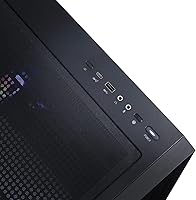
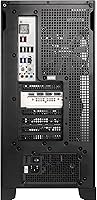
Buyers without a Wi-Fi 7 router won't see the full benefit immediately, and a few mention wishing for more rear USB ports given the number of peripherals modern setups require.
Software Experience
74%
26%
Windows 11 Pro arrives ready to use, and the Pro-tier features like BitLocker and remote desktop are a welcome bonus for buyers who also use the machine for work.
Some buyers note minor preinstalled MSI utility software they didn't need, requiring a few extra minutes of cleanup before the desktop feels fully personalized.
Cable Management
62%
38%
For buyers who don't plan to open the case often, factory cable routing is functional and doesn't obstruct airflow to critical components like the GPU and liquid cooling radiator.
Reviewers focused on aesthetics frequently mention the internal cabling looks less polished than boutique builds, with visible bundling that detracts from an otherwise clean window view.
Included Peripherals
58%
42%
Having a keyboard and mouse in the box means new buyers can start gaming immediately without an extra trip or order, which is genuinely convenient for first-time desktop owners.
Most reviewers describe the bundled peripherals as purely functional, and serious gamers tend to replace both fairly quickly with dedicated mechanical keyboards and higher-DPI mice.
Footprint & Portability
54%
46%
The tower's size accommodates the 360mm radiator and full-size GPU without feeling cramped internally, giving components room to breathe compared to smaller compact builds.
At roughly 37 pounds and nearly 19 inches in multiple dimensions, buyers with limited desk space or who relocate their setup often find it considerably less convenient than slimmer alternatives.

Suitable for:

The MSI Aegis ZS RTX 5080 Gaming Desktop is built for gamers who want strong 1440p or 4K performance without the hassle of sourcing parts and assembling a rig themselves. It also suits streamers and content creators who need spare processing power to record or encode video while a game runs in the background. Anyone replacing an aging tower and looking for one decisive upgrade across CPU, GPU, memory, and storage will find this a practical, no-compromise option. Enthusiasts who enjoy popping open a case to add storage or swap a fan down the line will appreciate the DIY-friendly layout. It's also a sensible pick for buyers who want a system ready to use the moment it's unboxed, peripherals included.

Not suitable for:

Casual users who mostly browse, stream video, or run office software will be paying for far more horsepower than they'll ever touch with the MSI Aegis ZS RTX 5080 Gaming Desktop. Buyers on a tight budget should look elsewhere, since this sits firmly in the high-end tier rather than the value segment. Anyone who wants total control over every component, from the motherboard to the case fans, may find a prebuilt system inherently more restrictive than a from-scratch build. Those tight on physical space should also note the tower's size and weight before committing. Finally, buyers who prioritize whisper-quiet operation above all else should research real-world noise levels first, since liquid-cooled systems vary in how audible they are under load.

Specifications

  • Processor: The system uses an AMD Ryzen 9 9900X with 12 cores and a boost clock up to 5.6GHz.
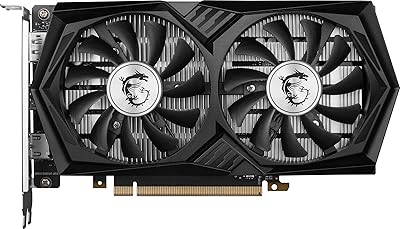
  • Graphics Card: An NVIDIA GeForce RTX 5080 with 16GB of dedicated VRAM handles all graphics processing.
  • Memory: 32GB of DDR5 RAM runs at a speed of 6000MHz for fast multitasking.
  • Storage: A 2TB M.2 NVMe SSD provides the primary storage for the operating system and files.
  • Cooling System: A 360mm liquid cooling loop is installed to manage heat from the CPU.
  • Wireless Connectivity: The build includes Wi-Fi 7 and Bluetooth 5.3 for wireless networking and device pairing.
  • Operating System: Windows 11 Pro (64-bit) comes preinstalled and activated on the desktop.
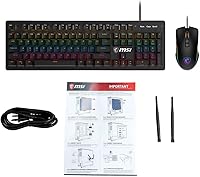
  • Included Accessories: A keyboard and mouse are included in the box for immediate setup.
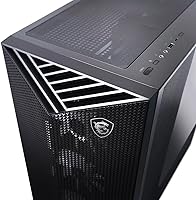
  • Chassis Design: The tower features a DIY-friendly interior layout for easier component access.
  • Form Factor: The unit is built as a standard computer tower designed to sit on or under a desk.
  • Dimensions: The tower measures 19.4 x 19 x 9.1 inches (L x W x H).
  • Weight: The complete unit weighs approximately 37 pounds.
  • Memory Type: The system uses DDR5 memory modules for improved bandwidth over previous generations.
  • Storage Interface: The included drive uses a solid-state NVMe interface rather than a traditional hard disk.
  • Brand and Series: The desktop is manufactured by MSI under its Aegis product series.
  • Processor Brand: The CPU is manufactured by AMD and installed in a 12-core configuration.

Related Reviews
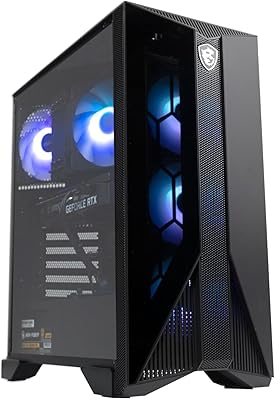
MSI Aegis ZS Gaming Desktop
78%
91%
1080p Gaming Performance
84%
Value for Money
93%
Ease of Setup
88%
Upgradeability
79%
Thermal Management
More
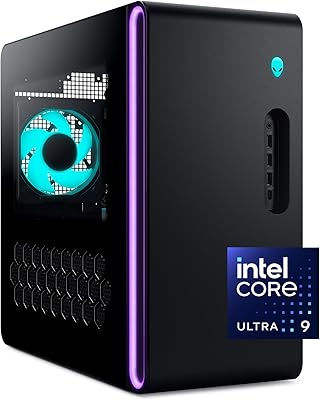
Alienware Aurora ACT1250
79%
94%
Gaming Performance
88%
Build Quality
76%
Thermal Management
91%
CPU Multi-Tasking
61%
Storage
More
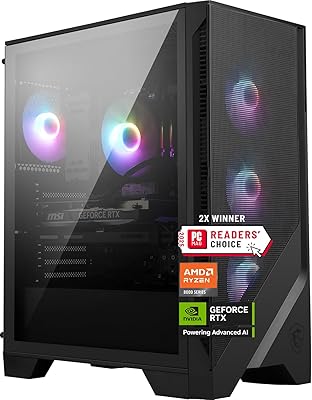
MSI Codex Z2 Gaming Desktop (RTX 5070, R7-8700F, 32GB DDR5, 2TB)
78%
93%
GPU Performance
91%
Out-of-Box Experience
74%
Value for Money
68%
Thermal Management
58%
Memory Configuration
More
Empowered PC Panorama XL Gaming Desktop
82%
94%
Gaming Performance
76%
Value for Money
91%
Out-of-Box Experience
83%
Thermal Management
81%
Build Quality
More
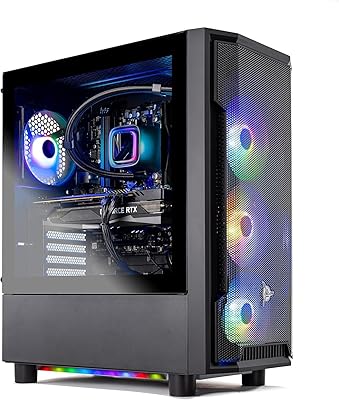
Alienware Aurora R16 RTX 5080 Gaming Desktop
77%
89%
Gaming Performance
58%
Value for Money
84%
Build Quality & Design
81%
Thermal & Noise Management
88%
Multitasking & Memory
More
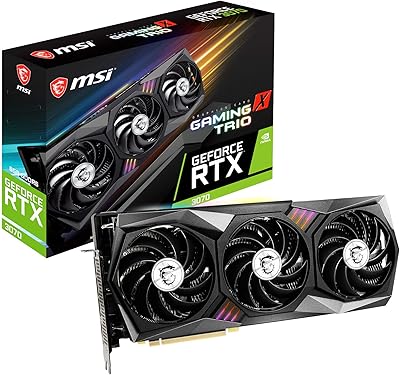
MSI RTX 3070 Gaming X Trio Graphics Card
76%
93%
Thermal Performance
91%
Noise Levels
89%
1440p Gaming Performance
88%
Build Quality
74%
Value for Money
More
Skytech Gaming Shadow Gaming Desktop PC
80%
88%
Gaming Performance
91%
Out-of-Box Experience
84%
Thermal Management
74%
Value for Money
77%
Build Quality
More
MSI RTX 5080 Shadow 3X Graphics Card
82%
93%
Thermal Performance
88%
Noise Level
91%
4K Gaming Performance
84%
SFF Compatibility
82%
Overclocking Headroom
More
MSI RTX 3050 Gaming X 6G GPU
82%
78%
1080p Gaming Performance
84%
Thermal Management
71%
Value for Money
89%
Build & Physical Quality
93%
Form Factor & Compatibility
More
MSI GeForce RTX 2060 Super Gaming X 8GB
84%
93%
Gaming Performance (1080p/1440p)
90%
Cooling Efficiency
88%
Build Quality & Durability
92%
Noise Levels
84%
RGB Lighting Customization
More

FAQ

It's built to handle both comfortably. The RTX 5080's 16GB of VRAM gives it real headroom for 4K in most titles, and 1440p at high frame rates should feel effortless, especially with ray tracing dialed in.

Yes, that's actually one of the strong points of this build. The chassis is designed to be DIY-friendly, so getting inside to add storage or swap memory shouldn't require fighting the case or voiding anything unnecessarily.

Noise will depend somewhat on fan curves and how the system is configured out of the box, but 360mm radiators generally run quieter than smaller all-in-one coolers since they can move more air at lower fan speeds. It's worth keeping an eye on real-world reviews once more buyers report back.

No, this is the tower only, along with a bundled keyboard and mouse. You'll need to supply your own display separately.

For most gamers, Windows 11 Home would do the job just as well. Pro adds things like BitLocker encryption and remote desktop features, which matter more if you're also using the machine for business or development work.

Honestly, very little at this tier. The Ryzen 9 9900X and RTX 5080 combination is built for demanding AAA titles, streaming while gaming, and creative workloads like video editing without much compromise.

Bundled peripherals on prebuilt systems are typically functional rather than premium, intended to get you up and running rather than replace a dedicated gaming setup. Most serious gamers will want to upgrade these eventually.

Plan for a fairly substantial footprint, since the tower measures about 19.4 by 19 by 9.1 inches and weighs around 37 pounds. Make sure your desk or floor space has clearance for airflow on all sides.

Yes, it's well suited for that. The combination of a 12-core processor and a GPU with 16GB of VRAM gives you enough headroom to encode or stream video while gaming or running creative software in the background.

If you have a Wi-Fi 7 router, you'll notice real benefits in lower latency and higher throughput, which matters for online gaming and large file transfers. If your network gear is older, it'll simply fall back to standard Wi-Fi 6 or 6E performance.