Overview

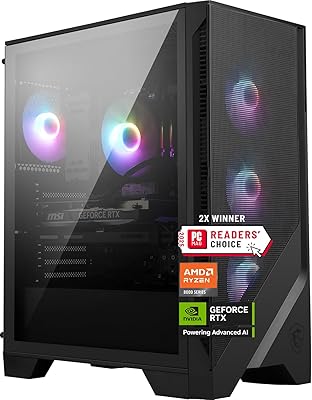
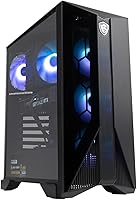
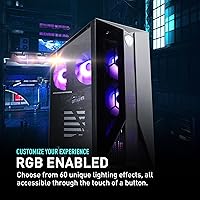
The MSI Aegis ZS Gaming Desktop sits in a sweet spot for anyone tired of waiting on console restocks or dreading the complexity of a custom build. Pairing an AMD Ryzen 7 7700 with an RTX 4060, this MSI prebuilt delivers solid 1080p gaming performance without requiring you to crack open a motherboard manual first. The compact tower design feels more approachable than most sealed prebuilts at this tier, and it ships with Wi-Fi 6E plus a keyboard and mouse — genuinely useful if you are starting from scratch. Go in knowing this is a capable everyday machine, not something aimed at 4K.

Features & Benefits

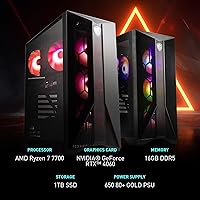
At the heart of the Aegis ZS tower is an 8-core Ryzen 7 7700 that handles modern game engines and light productivity tasks without breaking a sweat. The RTX 4060 is where most buyers will be happiest — it drives high-settings 1080p across demanding titles comfortably, and DLSS 3 support gives you a useful frame rate cushion when you need it. The 16GB DDR5 dual-channel memory is a genuine step up from the DDR4 configs common in competing prebuilts at this price tier. Storage is a single 1TB SSD, fast but finite, so plan ahead if you install a lot of large games. The chassis is upgrade-friendly by design, which is not something most sealed prebuilts can claim.

Best For

This gaming desktop makes the most sense for two kinds of buyers: people switching from a console who want to skip the DIY learning curve, and PC gamers upgrading from aging hardware who are not ready to spend on a fully custom rig. It is well-matched to 1080p high-refresh gaming — think Valorant, Fortnite, and similar competitive titles where the RTX 4060 genuinely shines. If you are eyeing 1440p regularly, temper expectations; it can handle it, but that is not where it is optimized. Built-in Wi-Fi 6E is a practical bonus for anyone in a space where running Ethernet is not an option. Home office use alongside casual gaming works just fine too.

User Feedback

Buyers who have set this MSI prebuilt up generally point to quick setup and reliable 1080p frame rates as the things they appreciate most. Thermal performance has also drawn positive remarks — the RGB fan cooling keeps temperatures in check during extended sessions without becoming obnoxious in a quiet room. On the critical side, the bundled keyboard and mouse are functional but not impressive; most users end up replacing them fairly quickly, and that is worth budgeting for. A few owners flag the single storage drive as a constraint once their game library grows, though the chassis makes adding a second SSD straightforward. The 16GB RAM has not been a dealbreaker yet, but it is a ceiling to keep in mind as game memory demands continue to climb.

Pros

  • Ready to use out of the box — no assembly, no driver hunting, just plug in and start playing.
  • The RTX 4060 handles 1080p gaming at high settings with frame rates that feel genuinely smooth.
  • DDR5 dual-channel memory gives this MSI prebuilt a real performance edge over competing DDR4 prebuilts at a similar price.
  • DLSS 3 support adds a meaningful frame rate boost in supported titles without sacrificing visual quality.
  • Wi-Fi 6E is built in, so wireless gaming is fast and stable without adding a card or dongle.
  • The chassis is designed for user upgrades — adding RAM or a second SSD is straightforward and accessible.
  • Thirteen USB ports total give you plenty of room for peripherals, headsets, and accessories without a hub.
  • Thermal performance is solid under sustained gaming loads, with fan noise staying manageable in most setups.
  • The 8-core Ryzen 7 7700 handles multitasking and background applications without visibly impacting game performance.
  • Compact footprint fits comfortably on a desk without dominating the workspace like full-tower alternatives.

Cons

  • The bundled keyboard and mouse feel entry-level; most buyers will want to replace them fairly quickly.
  • A single 1TB SSD fills up fast — modern AAA games routinely consume 100GB or more each.
  • No secondary storage bay means adding space requires either replacing the existing drive or using an external solution.
  • 16GB of RAM is adequate today but may feel restrictive as game memory requirements continue to rise.
  • 1440p gaming is possible but not where the Aegis ZS tower was optimized — expect compromises at higher resolutions.
  • No optical drive is included, which matters less each year but still catches some buyers off guard.
  • The RGB fan aesthetic is not for everyone — there is no easy way to disable it for a cleaner look.
  • At 30 pounds, the unit is heavier than it looks, which can be awkward if you move your setup frequently.

Ratings

The scores below reflect AI-driven analysis of verified buyer reviews for the MSI Aegis ZS Gaming Desktop sourced from multiple global markets, with spam, incentivized submissions, and bot activity actively filtered out before scoring. Each category captures both what users genuinely praised and where recurring frustrations surfaced, giving you an honest picture of real-world ownership rather than a polished marketing snapshot.

1080p Gaming Performance
91%
Buyers consistently report that the RTX 4060 and Ryzen 7 7700 combination handles 1080p titles with plenty of headroom — competitive shooters like Valorant and Warzone run at high frame rates without manual tuning. DLSS 3 support in compatible games is treated as a welcome bonus that pushes performance further than the raw specs alone suggest.
Users who pushed the system toward 1440p gaming noted a meaningful drop in consistency, particularly in more graphically demanding open-world titles. The RTX 4060 is clearly tuned for the 1080p range, and buyers expecting 1440p high-refresh results without DLSS assistance were occasionally disappointed.
Value for Money
84%
Most buyers feel the component lineup — DDR5 RAM, a current-gen GPU, Wi-Fi 6E, and a DIY-friendly chassis — represents fair value compared to sealed prebuilts at a similar price point. The inclusion of peripherals and a pre-activated Windows 11 license removes hidden setup costs that catch first-time buyers off guard.
A segment of buyers noted that self-builders with patience could assemble comparable specs for less, making the convenience premium feel steep in hindsight. The bundled keyboard and mouse are also factored into the price but considered expendable by most, which slightly erodes the perceived value.
Ease of Setup
93%
The out-of-box experience receives consistent praise — most buyers report going from unboxing to actively gaming within 20 minutes, with Windows 11 setup walking new users through configuration intuitively. Console converts in particular highlighted how approachable the process felt compared to their expectations of PC setup.
A small number of users encountered bloatware pre-installed alongside Windows 11 that required manual removal before the system felt clean. Wi-Fi setup during the Windows OOBE occasionally had users hunting for network credentials before they had settled the machine into its permanent spot.
Upgradeability
88%
The DIY-friendly chassis earns genuine appreciation from buyers who have already expanded RAM or added a second M.2 SSD — a process most describe as accessible even without prior PC building experience. The ability to upgrade components without immediately voiding MSI support coverage is a differentiator that resonates strongly with forward-thinking buyers.
There is no secondary 3.5-inch or 2.5-inch drive bay, which limits internal storage expansion strictly to M.2 form factors. A few buyers also flagged that the GPU upgrade path, while technically possible, depends on the existing power supply's headroom, which some found limiting when researching higher-end card options.
Thermal Management
79%
21%
Under typical 1080p gaming sessions, the Aegis ZS tower maintains stable temperatures and keeps the CPU and GPU within safe operating ranges without active throttling, which buyers appreciate during marathon gaming sessions. Thermals during everyday desktop use and light workloads are consistently described as unremarkable in the best sense — you simply do not notice them.
During extended high-load sessions — particularly when streaming and gaming simultaneously — some users reported the fans spinning up noticeably and internal temperatures climbing closer to the upper bounds of comfortable operation. It is not a thermal runaway situation, but buyers in warmer climates or enclosed desk setups flagged it as worth monitoring.
Fan Noise
73%
27%
At idle and during light gaming, the Aegis ZS tower is quiet enough to sit comfortably on a desk without becoming a distraction, which users working in shared spaces or bedrooms specifically appreciated. The fan profile ramps gradually rather than jumping aggressively, which makes noise increases feel measured rather than jarring.
Under sustained heavy load — long AAA gaming sessions or multi-hour encoding tasks — the fans become clearly audible and noticeable without headphones. Users sensitive to background noise, or those who keep their PC in a quiet bedroom setup, mentioned this as a recurring mild annoyance during peak workloads.
Build Quality
77%
23%
The chassis feels solid for its class, with a metal-reinforced frame that gives the unit a reassuring sense of density at 30 pounds. Most buyers noted the interior layout is tidy and clearly designed with future access in mind, which is not always the case at this price tier in prebuilt desktops.
The exterior plastic panels feel less premium than the internal build suggests, and a few users flagged light flex in the side panels when pressing against them during cable management. It is a cosmetic and tactile concern rather than a structural one, but buyers coming from premium full-tower cases may find the finish underwhelming.
RAM & Future-Proofing
68%
32%
The dual-channel DDR5 configuration is a genuine advantage over competitors still shipping with DDR4 at comparable prices, giving this gaming desktop measurable memory bandwidth headroom for current workloads. Buyers who proactively upgraded to 32GB report a noticeably smoother experience when running a browser, Discord, and a game simultaneously.
Sticking with the stock 16GB is fine today, but it is a ceiling that some buyers are already bumping against in memory-hungry titles and streaming workflows. The absence of a 32GB default configuration at this tier is the most consistent single criticism across all user feedback segments.
Storage Capacity
62%
38%
The 1TB SSD delivers fast sequential read and write speeds that make boot times and game loads genuinely snappy — buyers moving from hard-drive-based systems consistently describe the difference as dramatic. For buyers with modest game libraries or those willing to uninstall and reinstall titles regularly, 1TB is manageable.
Heavy game library owners fill the 1TB drive faster than expected — a handful of modern AAA titles alone can consume half the available space. The lack of a secondary drive bay means internal expansion requires an M.2 drive purchase, and users who did not anticipate this cost felt the storage situation was undersold at purchase.
Wireless Connectivity
89%
Wi-Fi 6E is a standout inclusion at this tier, and buyers with compatible 6E routers report impressively low latency and stable throughput even during peak network hours in dense residential areas. The ability to skip a wired Ethernet run entirely without sacrificing online gaming reliability is a genuine quality-of-life benefit for apartment setups.
Buyers without a Wi-Fi 6E router naturally cannot unlock the full benefit, and the performance on older Wi-Fi 5 infrastructure, while adequate, does not justify the spec as a selling point on its own. A small number of users in particularly congested wireless environments reported occasional micro-stutters that a wired connection resolved.
Bundled Peripherals
47%
53%
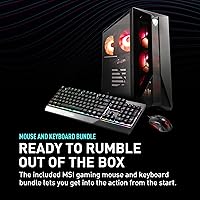
The included keyboard and mouse make the initial setup genuinely plug-and-play, which first-time PC buyers specifically appreciated as it eliminated one more purchasing decision before getting started. For casual home office use in a pinch, both peripherals are functional and reliable enough to get through basic tasks.
The keyboard and mouse are widely described as the weakest element of the entire package — membrane keys with minimal feedback, a mouse with fixed DPI, and build quality that feels noticeably budget-grade compared to the rest of the system. Most buyers replace them within weeks, treating them as throwaway accessories rather than usable daily drivers.
CPU Performance
86%
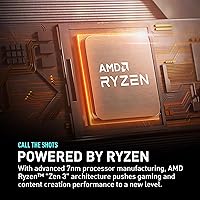
The Ryzen 7 7700 handles gaming, background applications, and moderate creative workloads without visible bottlenecking — buyers running game captures, Discord, browser tabs, and music simultaneously report smooth frame delivery without perceptible slowdowns. The 8-core Zen 4 architecture keeps the processor competitive against newer releases without feeling like a compromise.
For buyers with ambitions beyond gaming — video editing, 3D rendering, or heavy compilation workloads — the Ryzen 7 7700 is capable but not exceptional, and the absence of a higher core-count option in this chassis limits the CPU upgrade path for power users planning significant creative workloads down the line.
Port Selection
83%
Thirteen USB ports across USB 2.0 and USB 3.0 standards give buyers the kind of peripheral flexibility that eliminates the need for an external hub in most desk setups — a detail that heavy peripheral users, streamers, and sim gamers consistently call out as a practical advantage. The port mix covers the majority of real-world use cases without forcing trade-offs.
The absence of a Thunderbolt or USB4 port is noticeable for buyers who rely on high-speed external storage or Thunderbolt docks, and no front-panel USB-C port means users with modern accessories need adapters or rear-panel access. For the intended audience this is a minor concern, but it does affect long-term peripheral compatibility.
Software & OS Experience
74%
26%
Windows 11 Home arrives pre-activated and ready to use, removing one friction point for buyers who have never dealt with license keys or clean installs. Most buyers describe the first-boot experience as clean and functional, with driver installations handled largely automatically during the Windows setup process.
Pre-installed MSI utility software and third-party trial applications added by the manufacturer create a bloatware removal task that technically minded users find unnecessary but manageable. Less experienced buyers occasionally struggled to identify which background applications were essential system tools versus expendable trial software.

Suitable for:

The MSI Aegis ZS Gaming Desktop is a strong fit for anyone who wants to get into PC gaming without the research overhead of a custom build or the compromises of a low-end prebuilt. Console converts moving to PC will appreciate the plug-and-play setup — peripherals included, Windows 11 ready, and Wi-Fi 6E built in so there is no adapter hunting required. Competitive gamers focused on 1080p titles like Valorant, Call of Duty, or Apex Legends will find the Ryzen 7 7700 and RTX 4060 pairing genuinely capable, often hitting high frame rates at max settings without much tinkering. It also suits buyers who plan to grow their system over time, since the chassis allows straightforward RAM and storage upgrades down the road. Home office users who game part-time will find it handles both workloads comfortably without needing a second machine.

Not suitable for:

If your primary display runs at 1440p or higher, the Aegis ZS tower will struggle to deliver consistently high frame rates at maximum settings in demanding titles — it is built around the 1080p sweet spot, and stretching it further involves real trade-offs. Content creators working with video editing, 3D rendering, or large project files will likely hit the 16GB RAM ceiling faster than expected, and the single 1TB SSD fills up quickly once a game library expands. Anyone expecting a do-everything workstation capable of heavy creative production alongside serious gaming should budget for a higher-spec system. The bundled keyboard and mouse are adequate for initial setup but fall short of what most serious gamers or typists will want long-term, adding a likely extra expense. Buyers who need an optical drive or expect multiple storage bays out of the box will also find this gaming desktop short on those fronts.

Specifications

  • Processor: AMD Ryzen 7 7700 8-core processor with a 3.8 GHz base clock and 40MB total cache for responsive gaming and multitasking.
  • Graphics Card: NVIDIA GeForce RTX 4060 with 8GB GDDR6 memory, supporting DLSS 3 and hardware ray tracing for modern 1080p gaming.
  • System Memory: 16GB DDR5 RAM installed as two 8GB modules in a dual-channel configuration for improved memory bandwidth over DDR4 systems.
  • Storage: 1TB solid-state drive provides fast boot times and quick game load speeds with no secondary mechanical hard drive included.
  • Operating System: Windows 11 Home is pre-installed and activated, ready to use immediately after first-time setup.
  • Wireless: Wi-Fi 6E (802.11ax) is built in, supporting the 6 GHz band for lower latency and faster wireless speeds on compatible routers.
  • USB Ports: Thirteen USB ports total are provided: four USB 2.0 and nine USB 3.0, giving ample connectivity for peripherals and accessories.
  • Form Factor: Compact tower chassis with a DIY-friendly internal layout that allows user-accessible upgrades to RAM, storage, and graphics components.
  • Cooling System: RGB fan cooling is used to manage thermals across the CPU and chassis, keeping temperatures stable during sustained gaming workloads.
  • Included Peripherals: A wired keyboard and mouse are included in the box, providing a functional starting point for new PC users out of the box.
  • Weight: The unit weighs approximately 30 pounds, which is typical for a compact gaming tower with a full-size discrete graphics card.
  • Package Dimensions: Shipping box measures approximately 24.7 x 22.9 x 12.2 inches, accounting for protective packaging around the tower.
  • Processor Brand: AMD supplies the CPU, with the Ryzen 7000 series architecture built on the Zen 4 microarchitecture for improved efficiency and IPC.
  • GPU Memory Type: The RTX 4060 uses GDDR6 memory on a 128-bit bus, optimized for 1080p rendering workloads and efficient DLSS upscaling.
  • Availability: This model became available in September 2023 and carries model number AeZS7NUC607 for reference when seeking support or parts.

Related Reviews
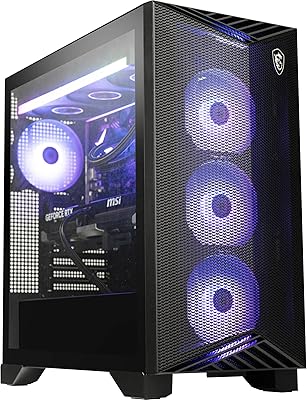
MSI Aegis ZS Gaming Desktop, Ryzen 9 9900X, GeForce RTX 5080, 32GB RAM, 2TB SSD
86%
93%
Gaming Performance
88%
Multitasking & Productivity
94%
Graphics Quality
90%
Thermal Management
85%
Build Quality
More
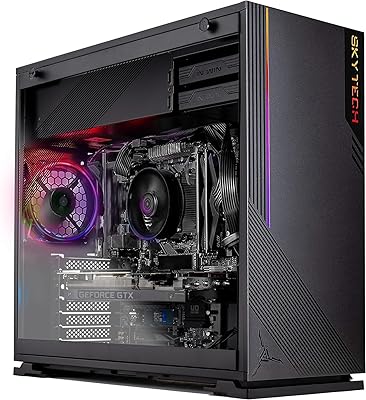
MSI Codex Z2 Gaming Desktop (RTX 5070, R7-8700F, 32GB DDR5, 2TB)
78%
93%
GPU Performance
91%
Out-of-Box Experience
74%
Value for Money
68%
Thermal Management
58%
Memory Configuration
More
Skytech Gaming Azure Gaming PC Desktop
83%
89%
Value for Money
85%
Gaming Performance
92%
Setup and Ease of Use
84%
Build Quality
80%
Cooling and Thermals
More
MSI B650 Gaming Plus WiFi
80%
83%
Value for Money
88%
BIOS & Software Experience
91%
Power Delivery & Stability
84%
Wireless Connectivity
79%
Memory Performance & Overclocking
More
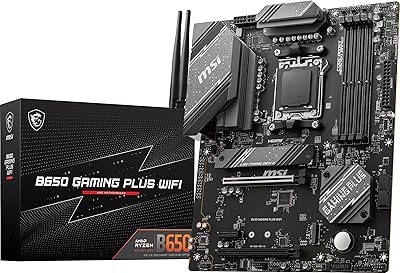
MSI X670E Gaming Plus WiFi AM5 Motherboard
80%
86%
Build Quality
89%
Power Delivery
91%
PCIe 5.0 & Storage Support
71%
DDR5 Memory Compatibility
78%
BIOS Experience
More
MSI RTX 3070 Gaming X Trio Graphics Card
76%
93%
Thermal Performance
91%
Noise Levels
89%
1440p Gaming Performance
88%
Build Quality
74%
Value for Money
More
Skytech Nebula GTX 1650 Gaming Desktop PC
76%
72%
Gaming Performance
74%
Value for Money
91%
Out-of-Box Readiness
78%
Build Quality
76%
Thermal Management
More
Skytech Gaming Shadow Gaming PC Desktop – Intel Core i7 13700F, NVIDIA RTX 4060, 1TB SSD, 16GB RAM
88%
94%
Performance
91%
Graphics Quality
89%
Storage Speed
87%
Multitasking Ability
85%
Build Quality
More
MSI G273QPF 27-inch QHD Gaming Monitor
78%
88%
Image Clarity
91%
Refresh Rate Performance
86%
Response Time
79%
Panel Quality
84%
Ergonomics & Stand
More
YAWYORE MX570 Gaming PC Desktop
87%
92%
Performance
89%
Value for Money
95%
Cooling and Noise Reduction
90%
Gaming Experience
87%
Build Quality
More

FAQ

Yes, comfortably at 1080p. The RTX 4060 paired with the Ryzen 7 7700 handles most current titles at high or ultra settings with frame rates well above 60fps. In competitive games like Valorant or Call of Duty, you can push much higher than that. At 1440p, performance is still playable but expect to dial settings back depending on the game.

The chassis is designed to be user-accessible, and the DDR5 slots are standard enough that upgrading to 32GB is a straightforward swap most users can handle themselves. Just make sure any replacement kit is DDR5 — this system is not compatible with DDR4 modules. Check MSI's official support page for the specific memory compatibility list before purchasing.

No monitor is included. The MSI Aegis ZS Gaming Desktop ships with a wired keyboard and mouse, but you will need to supply your own display. For the best experience, pair it with a 1080p monitor that supports at least 144Hz.

Under load, the fans are noticeable but not disruptive. Most users describe the noise level as moderate — audible if the room is quiet, but easy to tune out with headphones or even modest desktop speakers. It is not nearly as loud as some gaming laptops at full load.

You can add an M.2 NVMe SSD to expand storage, and the DIY-friendly design makes this reasonably accessible. There is no secondary 2.5-inch or 3.5-inch bay for traditional drives, so you are limited to solid-state options for internal expansion. A 2TB M.2 drive is a popular upgrade for buyers who install a lot of large games.

It is genuinely useful if you have a Wi-Fi 6E router. The 6 GHz band offers significantly lower interference and higher throughput than the older 5 GHz band, which translates to lower latency in online gaming. If your router only supports Wi-Fi 5 or Wi-Fi 6, the adapter will still connect — you just will not unlock the full 6E advantage until you upgrade your router.

They are fine for getting started, but most serious gamers replace them quickly. The included peripherals are basic membrane-style and lack features like adjustable DPI or mechanical key switches that dedicated gaming peripherals offer. Think of them as a temporary solution rather than a long-term setup.

Yes, the chassis supports standard ATX graphics cards and the power supply is designed to accommodate GPU upgrades. That said, always verify wattage requirements for any new card you are considering — going to a significantly more powerful GPU may push the limits of the existing power supply. MSI's support documentation is the best place to confirm compatibility specifics.

For 1080p streaming alongside 1080p gaming, the Ryzen 7 7700 handles it reasonably well. The 8-core design gives the encoder enough headroom without gutting your in-game frame rates. If you plan to stream at higher resolutions or run heavy encoding software simultaneously, 32GB of RAM would make the workflow more comfortable than the stock 16GB.

Pretty much. Connect your monitor via HDMI or DisplayPort, plug in the included keyboard and mouse, attach a power cable, and power it on. Windows 11 Home walks you through the initial setup in a few minutes. Wi-Fi 6E is ready to configure during that process, so you do not need a wired Ethernet connection to get started. Most buyers report being up and gaming within 15 to 20 minutes of unboxing.