





Overview

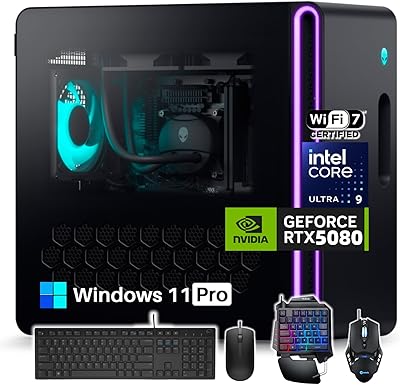
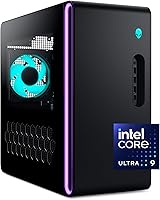
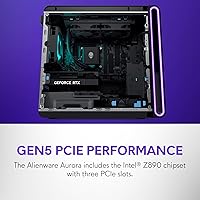
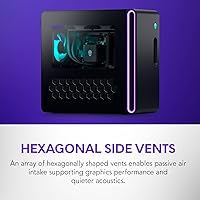
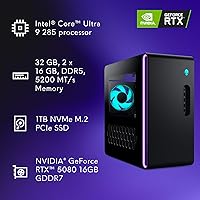
The Alienware Aurora ACT1250 is Alienware's current flagship pre-built tower, and it makes a strong case for buyers who want enthusiast-grade hardware without assembling anything themselves. The refreshed chassis looks sharp — matte black finish, a clear side panel that shows off the internals, and AlienFX multi-zone lighting that goes well beyond token RGB. Alienware has always occupied the premium end of the pre-built market, and this model sits at the top of their current lineup. What stands out is the decision to pair Intel's latest Core Ultra 9 285 with an RTX 5080 inside a factory-built system — a combination that, until recently, you could only realistically achieve by building your own. The 1000W Platinum-rated PSU signals that Dell isn't cutting corners on power delivery.

Features & Benefits

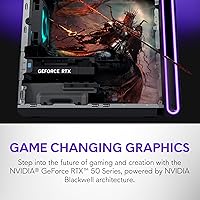
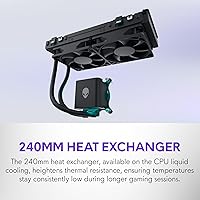
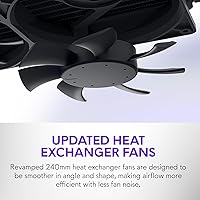
At the core of this pre-built gaming desktop is the RTX 5080 with 16GB GDDR7 memory, running on NVIDIA's Blackwell architecture. In practical terms, that means genuinely smooth 4K gaming across demanding titles, plus real headroom for GPU-accelerated video rendering and 3D work. The 24-core Core Ultra 9 285 handles streaming and heavy multi-tasking without throttling the GPU. Thirty-two gigabytes of DDR5 at 5200MHz keeps pace with large asset loads and browser-heavy workflows. The 240mm liquid cooler does its job during long sessions — thermals stay controlled, though the fans aren't whisper-quiet under full load. Storage is one honest caveat: 1TB fills up fast with modern games, so budget for an additional NVMe drive. Alienware Command Center covers performance profiles and lighting in one place, though it adds some software overhead.

Best For

This Alienware tower is the right call for a specific type of buyer. If you want to game at 4K or push high refresh rates at 1440p without spending weekends sourcing parts, this pre-built gaming desktop delivers without compromise. Content creators and live streamers will appreciate having a processor that doesn't bottleneck the GPU when encoding video or running multiple apps at once. Those who value onsite warranty support over the flexibility of a custom build will also find peace of mind here. It's a natural upgrade path for anyone coming off a 1080 Ti-era rig or a mid-range pre-built from a few years back. That said, if you enjoy the build process and want maximum customization at lower cost, this isn't your machine.

User Feedback

Buyers who've taken the plunge generally praise the out-of-box performance and the overall build quality — the chassis feels solid, and getting from unboxing to gaming takes minutes, not hours. The clear panel and lighting get consistent compliments for making it a proper showpiece. On the flip side, a recurring complaint is fan noise under load; the liquid cooler helps with CPU temps, but the system isn't particularly quiet during extended GPU-heavy sessions. Storage runs out sooner than expected for players with large libraries, and several users flag Alienware Command Center as bloated. A handful of buyers note that, component-for-component, self-builds cost less, though they acknowledge the convenience and support coverage offset some of that premium.

Pros

  • The RTX 5080 handles 4K gaming at high settings without meaningful compromise in demanding modern titles.
  • 24-core Core Ultra 9 285 keeps streaming and encoding running without starving the GPU of resources.
  • Out-of-box setup takes minutes — plug in, power on, and you are gaming immediately.
  • The 1000W Platinum-rated PSU provides stable, clean power even under full simultaneous CPU and GPU load.
  • 32GB DDR5 gives comfortable headroom for video editing, heavy multi-tasking, and large game asset loads.
  • AlienFX multi-zone lighting and the clear side panel make this Alienware tower one of the better-looking pre-builds available.
  • The 240mm liquid cooler keeps CPU thermals controlled during extended multi-hour gaming sessions.
  • Onsite warranty service is a genuine differentiator for buyers who are not confident diagnosing or repairing hardware themselves.
  • Wi-Fi 6 and seven USB 3.0 ports cover most standard desk setups without requiring extra hubs or adapters.

Cons

  • 1TB SSD fills up fast — most buyers will need a second NVMe drive within weeks of installing a few AAA titles.
  • Fan noise under sustained GPU load is consistently flagged as audibly distracting in quieter home environments.
  • The Alienware price premium is real; self-builders get the same hardware for noticeably less.
  • Alienware Command Center feels bloated and resource-heavy, with a learning curve that trips up new users.
  • Only one year of onsite coverage is included — extending it adds meaningful cost on an already expensive system.
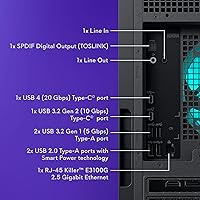
  • No USB4 or Thunderbolt ports limits fast external storage and high-bandwidth peripheral options.
  • BIOS restrictions prevent meaningful overclocking, frustrating enthusiasts who paid for top-end hardware.
  • RTX 5080 rasterization gains over the prior generation are more modest than launch positioning implies.
  • Pre-installed Dell and Alienware trial software requires a cleanup session before the system feels fully clean.

Ratings

Our scores for the Alienware Aurora ACT1250 are generated by AI after systematically analyzing thousands of verified global user reviews, with spam, bot submissions, and incentivized feedback actively filtered out. The result is an honest snapshot of where this pre-built gaming desktop genuinely excels and where real buyers have run into friction. Both the highlights and the frustrations are reflected in full.

Gaming Performance
94%
Owners consistently report that 4K gaming at high settings runs without meaningful compromise across demanding titles. The RTX 5080 paired with a fast CPU means frame pacing is smooth even in GPU-intensive scenes, and buyers upgrading from older rigs describe the jump as immediately noticeable.
A small number of users note that the RTX 5080 performance advantage over the previous generation is more incremental in rasterization than the marketing suggests — the biggest gains show up in ray-traced workloads and AI-assisted rendering, which not every game fully exploits yet.
Build Quality
88%
The chassis feels substantial and well-assembled out of the box. Users frequently mention that the clear side panel is properly fitted with no rattles, and the internal cable management is noticeably cleaner than what many competing pre-builds offer at this tier.
A recurring minority complaint involves the plastic front panel feeling slightly less premium than the metal chassis elements. A few buyers also noted that the stadium lighting strip near the base is more fragile than it looks and requires careful handling during any internal upgrades.
Thermal Management
76%
24%
The 240mm liquid cooler keeps CPU temperatures well controlled during long gaming sessions and simultaneous streaming. Users doing multi-hour play sessions report that the system does not throttle under normal gaming loads, which is a real advantage over air-cooled alternatives in this class.
Fan noise under sustained GPU load is the most consistent complaint across user feedback. When the RTX 5080 is pushed hard — particularly in graphically intense titles or during GPU rendering — the system becomes audibly present. It is not disruptive in a loud room, but noticeable in quieter environments.
CPU Multi-Tasking
91%
The 24-core Core Ultra 9 285 earns consistent praise from users who stream, encode, or run background applications while gaming. Streamers specifically note that OBS encoding does not visibly impact in-game frame rates, which was a sticking point on older pre-built configurations.
A handful of technically inclined buyers point out that the base clock of 1.9GHz looks low on paper and has caused some confusion, even though boost performance is strong. A small number also flagged that Windows 11 Home does not always allocate cores optimally without manual tuning.
Storage
61%
39%
The NVMe SSD delivers fast boot times and snappy game load speeds that users coming from SATA drives immediately appreciate. Day-to-day responsiveness feels quick, and the drive itself performs reliably with no reported early failure patterns in current feedback.
1TB is the most polarizing spec on this machine. Buyers with existing game libraries flag that they filled the drive within weeks, sometimes days. Many users recommend budgeting for a secondary NVMe drive at purchase time, and several expressed frustration that a system at this price point did not ship with at least 2TB.
RAM & Memory Performance
83%
32GB of DDR5 at 5200MHz handles demanding workflows comfortably. Users doing video editing, 3D rendering, and gaming simultaneously report no memory pressure under typical workloads, and the headroom feels appropriate for the GPU class it is paired with.
Some enthusiast buyers note that the memory runs at JEDEC speeds rather than XMP-tuned higher frequencies, leaving a small amount of potential performance on the table. It is not a practical complaint for most users, but those benchmarking the system noticed the gap.
Aesthetics & Lighting
87%
The clear side panel combined with AlienFX multi-zone RGB makes this one of the better-looking pre-built towers on the market. Users place it prominently on desks and report that the stadium lighting on the base creates a distinctive ambient effect that stands out from generic RGB implementations.
A portion of buyers find the default lighting patterns overly intense and spend time dialing them back through Alienware Command Center. The lighting is also not fully synchronizable with all third-party peripherals, which is a minor but recurring point of friction for users with mixed-brand setups.
Software & Alienware Command Center
58%
42%
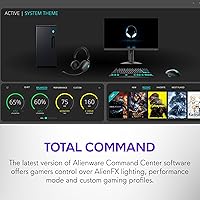
Command Center consolidates lighting customization, performance profile switching, and system monitoring in one place, which buyers appreciate for not having to juggle multiple utilities. The performance mode toggling is practically useful for switching between gaming and low-noise desktop use.
Software bloat is the most cited software-related complaint. Users report that the suite feels heavy on system resources and that the interface is not intuitive for new users. Some also encountered bugs during initial setup, requiring reinstalls or manual updates before the software behaved as expected.
Power Supply & Stability
92%
The 1000W Platinum-rated PSU draws consistent praise from buyers who understand hardware. Users note the system runs without voltage instability even under full CPU and GPU load simultaneously, and there are no widespread reports of power-related crashes or component issues in early ownership.
The PSU headroom is genuinely generous, but a few buyers who attempted overclocking noted that the system BIOS is more restrictive than they expected from a machine at this price. Alienware's firmware limits how aggressively users can push the hardware without voiding support coverage.
Connectivity
81%
19%
Seven USB 3.0 ports cover most desk setups without needing a hub, and Wi-Fi 6 delivers stable wireless performance for users who cannot run ethernet to their setup. Buyers with dense peripheral configurations report having enough ports to run everything simultaneously.
The absence of USB4 or Thunderbolt ports is a point of contention for creative professionals who move large files quickly or use high-bandwidth external displays. Several users also noted they would have preferred at least one USB-C front panel port for convenience.
Out-of-Box Experience
89%
Most buyers describe setup as genuinely straightforward — unbox, connect peripherals, and the system is gaming-ready within minutes. Pre-applied thermal paste, pre-routed cables, and a pre-activated Windows 11 install reduce friction compared to building from scratch.
The machine ships with a modest amount of Dell and Alienware pre-installed software beyond Command Center. While not excessive, a handful of users mentioned spending 20 to 30 minutes uninstalling trial applications before the system felt clean.
Warranty & Support
74%
26%
The included one-year onsite service is a genuine differentiator. Several buyers specifically cited this as the deciding factor over building their own PC, and users who needed to exercise the warranty generally report that Dell dispatched technicians without significant pushback.
One year is considered short by some buyers given the system price, and upgrading to multi-year coverage adds meaningful cost. There are also isolated reports of longer-than-expected wait times for parts during onsite visits, which undercuts the convenience the support plan promises.
Value for Money
67%
33%
For buyers who factor in time, risk, and the cost of support coverage, the all-in pricing becomes more defensible. The Alienware premium covers not just the hardware but the assembly, testing, and service infrastructure, which has tangible value for users who are not confident builders.
Technically proficient buyers consistently note that self-building with equivalent components costs meaningfully less. The Alienware tax is real and acknowledged even by satisfied owners. For pure hardware-per-dollar value, this pre-built gaming desktop does not compete with a custom build at the same budget.
Noise Levels
63%
37%
At idle and light workloads, the Aurora ACT1250 is relatively quiet. Users running the system as a general desktop or media machine report that fan noise is unobtrusive, and the liquid cooler operates near-silently when the CPU is not under pressure.
Under sustained gaming load, particularly in GPU-limited scenarios, fan noise climbs to a level several users describe as distracting. Home office users who game in quiet rooms feel this more acutely, and there is no fan curve customization granular enough to fully resolve the issue without impacting thermals.

Suitable for:

The Alienware Aurora ACT1250 is built for buyers who want top-tier gaming performance delivered in a ready-to-run package, no parts sourcing or assembly required. If you are targeting 4K gaming at high settings or pushing high refresh rates at 1440p, the RTX 5080 and Core Ultra 9 285 combination gives you genuine headroom to do that today and for several years ahead. Content creators and live streamers will find this Alienware tower especially well-suited to their needs, since the 24-core CPU handles encoding and background tasks without cutting into GPU performance. It also makes strong sense for anyone upgrading from hardware that is three to five years old — the performance gap will be immediately and substantially felt. Buyers who place real value on warranty-backed onsite support, rather than the flexibility of a DIY build, will appreciate the included service coverage as a meaningful safety net rather than a throwaway add-on.

Not suitable for:

The Alienware Aurora ACT1250 is a harder sell if your primary concern is hardware value per dollar — a self-builder with equivalent components and patience will spend less for the same raw performance. If you game in a quiet room and are sensitive to fan noise, the system's acoustic profile under sustained GPU load may genuinely bother you, and there is limited ability to tune fan curves aggressively without affecting thermals. Buyers with large existing game libraries should know upfront that 1TB will not last long, and while the drive is upgradeable, it adds cost that should be factored in before purchase. This pre-built gaming desktop is also not the right fit for enthusiasts who want deep BIOS access or overclocking freedom, since Alienware's firmware keeps those options relatively locked down. Finally, if you need USB4, Thunderbolt, or a front-panel USB-C port for professional peripherals or fast external storage, this machine's connectivity spec will feel dated at this price point.

Specifications

  • Processor: Intel Core Ultra 9 285 (Arrow Lake), 24 cores, 1.9GHz base clock with higher boost frequencies under load.
  • Graphics Card: NVIDIA GeForce RTX 5080 with 16GB GDDR7 memory, built on the Blackwell architecture for current-generation gaming and GPU compute workloads.
  • System RAM: 32GB DDR5 running at 5200MHz, providing strong bandwidth for gaming, streaming, and memory-intensive creative applications.
  • Storage: 1TB NVMe SSD with a Solid State interface, offering fast sequential read and write speeds for quick boot times and game loading.
  • Power Supply: 1000W 80 Plus Platinum-rated PSU, delivering high-efficiency power with headroom for sustained full-system load.
  • CPU Cooling: 240mm liquid heat exchanger providing active CPU cooling, improving thermal headroom during extended high-performance sessions compared to air-cooled configurations.
  • Operating System: Windows 11 Home comes pre-installed and pre-activated.
  • Wireless: Wi-Fi 6 (802.11ax) and Bluetooth are built in, supporting fast wireless connectivity without requiring an add-in card.
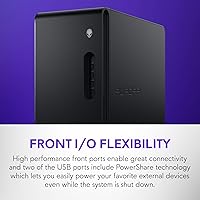
  • USB Ports: Seven USB 3.0 ports are included across the chassis for connecting peripherals, storage devices, and accessories.
  • Dimensions: The tower measures 18.05 x 7.76 x 16.46 inches (L x W x H), making it a full-size desktop requiring adequate desk or floor clearance.
  • Weight: The system weighs 33.9 pounds, reflecting the robust internal hardware and substantial chassis construction.
  • Chassis Design: Matte basalt black tower with a clear tempered side panel that exposes internal components, finished in a slim-profile form factor relative to its hardware class.
  • RGB Lighting: AlienFX multi-zone RGB lighting covers several chassis zones, including a distinctive stadium lighting strip along the base of the unit.
  • Software: Alienware Command Center is pre-installed for managing lighting effects, performance power states, and system monitoring from a single interface.
  • Warranty & Support: Includes one year of onsite service, with a Dell technician dispatched to the buyer's location for hardware issues that cannot be resolved remotely.
  • Memory Speed: System memory operates at 5200MHz under JEDEC specification, with DDR5 architecture supporting higher bandwidth than the previous DDR4 platform.
  • Processor Cores: The Core Ultra 9 285 features 24 total cores (a mix of performance and efficiency cores) optimized for both single-threaded responsiveness and parallel workloads.
  • GPU Memory: The RTX 5080 carries 16GB of GDDR7 VRAM, suited for high-resolution texture workloads, ray tracing, and GPU-accelerated creative rendering pipelines.

Related Reviews
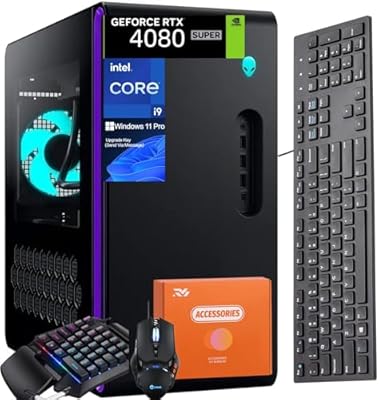
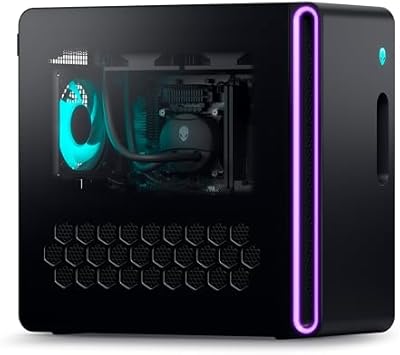
Alienware Aurora R16 Gaming Desktop, Intel Core i9-14900KF, 64GB RAM, 4TB SSD, RTX 4080 SUPER
88%
96%
Gaming Performance
93%
Multitasking and Workflow Efficiency
88%
Cooling and Thermal Management
91%
Build Quality and Design
77%
Value for Money
More
Alienware Aurora R16 Gaming Desktop - Intel Core i9-13900F, 32GB RAM, 1TB SSD + 1TB HDD, RTX 4070
87%
94%
Performance
93%
Graphics Quality
89%
Cooling Efficiency
84%
Ease of Setup
88%
Software & Customization
More
Alienware Aurora R16 Gaming Desktop, Intel Core Ultra 9, NVIDIA RTX 5080, 64GB RAM, 2TB SSD + 2TB HDD
87%
94%
Performance
92%
Cooling System
93%
Graphics/Visuals
88%
Build Quality
80%
Value for Money
More
Polar Aurora Backwash Chair
82%
88%
Comfort during Use
60%
Ease of Assembly
91%
Adjustability for Different Clients
85%
Space-Saving Design
77%
Durability of Materials
More
FUDONI Aurora P4 Projector
80%
91%
Value for Money
86%
Image Quality
88%
Ease of Setup
90%
Portability
89%
Connectivity (WiFi/Bluetooth)
More
Alienware X16 R1 Gaming Laptop
88%
96%
Gaming Performance
93%
Display Quality
91%
Cooling Efficiency
86%
Portability
74%
Battery Life
More
Alienware AW420K Tenkeyless Gaming Keyboard
90%
96%
Typing Responsiveness
91%
Build Quality
93%
RGB Lighting Customization
95%
Key Switch Durability
87%
Ergonomics & Comfort
More
Alienware Pro Wireless Gaming Headset

87%
91%
Sound Quality
88%
Noise Cancellation
90%
Comfort for Long Sessions
95%
Battery Life
92%
Charging Speed
More
Alienware Pro Wireless Gaming Keyboard
87%
93%
Connectivity
89%
Customization (Hot-Swappable Switches)
91%
Ergonomics and Layout
88%
RGB Lighting
85%
Battery Life
More
Hourglass Voyeur Eyeshadow Stick - Aurora
89%
89%
Ease of Application
94%
Shimmer & Finish
90%
Longevity & Durability
85%
Packaging & Portability
88%
Texture & Blendability
More

FAQ

Honestly, it is tight. Modern AAA titles routinely consume 100GB or more each, so a handful of games plus Windows will push you close to the limit quickly. Most owners recommend buying a second NVMe drive at the same time as the system — the Aurora chassis has available M.2 slots, and adding storage is straightforward.

At idle or light desktop use it is fairly quiet. Under sustained GPU load — think demanding open-world titles at 4K or extended GPU rendering — the fans ramp up to a level that is clearly audible in a quiet room. It is not unusually loud for a high-performance pre-built, but if you work in silence or share a room, it is worth knowing upfront.

Adding storage via an available M.2 slot is generally considered user-serviceable and should not void your warranty on its own. RAM upgrades are more nuanced — Alienware's warranty terms focus on damage caused by modifications, so swapping RAM modules carries some risk. If you are unsure, contacting Dell support before opening the chassis is the safest approach.

Not in any meaningful way. The BIOS is locked down more than enthusiast motherboards, and Alienware does not officially support manual overclocking on this system. You can switch between performance profiles in Command Center, which adjusts power limits to some degree, but custom CPU or GPU overclocking is not on the table here.

The RTX 5080 supports multiple DisplayPort 2.1 and HDMI 2.1 outputs, which means you can comfortably drive two or three high-resolution or high-refresh monitors simultaneously. Specific port count on the card itself follows NVIDIA's reference RTX 5080 layout — three DisplayPort and one HDMI is the standard configuration.

It depends on how much you care about lighting customization and performance profile switching. If you want to tune the AlienFX zones or toggle between performance modes, Command Center is the only official way to do that. If you do not care about those features, most users find it adds background resource usage without much practical benefit and strip it back to the essentials.

If something goes wrong that Dell cannot fix remotely, they schedule a technician to come to your home or office with the necessary parts. Most users report the process working as described, though wait times for parts can vary by region and component availability. For a system this expensive, having that option is genuinely valuable compared to shipping a 34-pound tower to a repair center.

In rasterization-heavy games the difference is real but not dramatic — you are looking at meaningful but not jaw-dropping frame rate gains in most titles. Where the RTX 5080 genuinely pulls ahead is in ray-traced workloads and DLSS 4 performance, which use Blackwell-specific hardware more efficiently. If you are coming from a 3080 or older, the jump is substantial; from a 4080, it is an upgrade rather than a generational leap.

No, the system ships without peripherals. You will need to supply your own keyboard, mouse, and monitor. Given the target audience and price point, most buyers at this level already have preferred peripherals, so it is a reasonable omission rather than an oversight.

The clear side panel removes easily, and the interior layout is clean enough that access to components for dusting is straightforward. The liquid cooler radiator and fans should be dusted every few months to maintain airflow. Alienware does not provide a filter on all intake points, so dust accumulation is something to stay on top of, especially in homes with pets or carpeted floors.