Overview

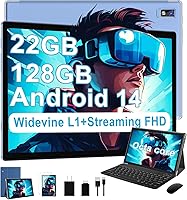
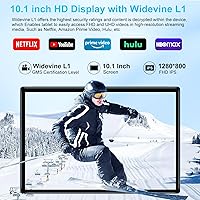
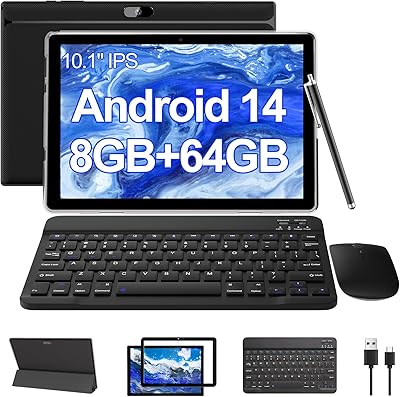
The JUEDUR R900 10.1-inch Android Tablet is a budget-oriented device that punches modestly above its weight class, bundling a keyboard and mouse alongside the tablet — a setup that positions it as a low-cost productivity tool rather than just a media slab. The brand is not a household name, so expectations should be calibrated accordingly. That said, the metal body feels like a genuine attempt at a more substantial build than the all-plastic competition at this price. The Unisoc T606 chip and Android 14 are reasonable choices for light daily use, and Widevine L1 certification stands out as a meaningful advantage for anyone who wants proper HD streaming on apps like Netflix or Amazon Prime Video.

Features & Benefits

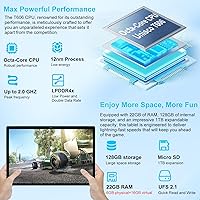
The headline RAM figure deserves some scrutiny — the advertised 22GB breaks down to 6GB of actual physical memory plus 16GB of virtual expanded RAM, which the system borrows from internal storage. That distinction matters in practice: physical RAM handles active apps smoothly; virtual RAM is noticeably slower under sustained load. Storage is more straightforward — 128GB built-in with microSD expansion up to 1TB covers most users comfortably. The 8000mAh battery is genuinely large for this class, and USB-C charging is a welcome standard. The 1280x800 IPS display is adequate for browsing and casual video, though it falls short of the Full HD sharpness that media enthusiasts might expect.

Best For

This budget Android tablet makes the most sense as a secondary device — something to hand off to a kid, take on a commute, or keep nearby for browsing and video calls. Students get solid value here: the included keyboard and mouse turn it into a light-duty workstation without any additional spending. Travelers will appreciate the long-lasting battery and Widevine L1 support for streamed content on the go. That said, if your priority is sharp visuals, fast gaming, or creative work, this entry-level tablet is not the right fit — those use cases demand more processing muscle and display quality than it realistically offers.

User Feedback

Buyers who picked up the JUEDUR R900 tend to land in two camps. Those using it for casual daily tasks — YouTube, email, light documents — generally find it holds up well, and several note that the metal chassis feels more solid than expected at this price. The bundled keyboard gets mixed reviews; it works, but the typing experience is underwhelming. Battery life earns relatively positive feedback, with many users getting a full day of moderate use. On the flip side, multitaskers report lag when several apps run simultaneously, which aligns with the virtual RAM limitations. Display brightness outdoors is another recurring gripe, and some buyers wished the resolution were sharper for media viewing.

Pros

  • Widevine L1 certification enables genuine HD streaming on Netflix, Prime Video, and Disney+ — rare at this price.
  • The bundled keyboard and mouse make this budget Android tablet ready to use productively straight out of the box.
  • An 8000mAh battery delivers a full day of moderate use without needing to hunt for an outlet.
  • USB-C charging is a modern convenience that many competing tablets at this tier still skip.
  • 128GB of internal storage plus microSD expansion up to 1TB gives you room to grow without buying a new device.
  • The metal body construction feels more substantial than the all-plastic alternatives crowding this price bracket.
  • Dual-band Wi-Fi support keeps the connection stable whether you are on a congested 2.4GHz network or a faster 5GHz band.
  • GPS, facial unlock, and screen casting are genuinely useful extras that do not typically show up at this price point.
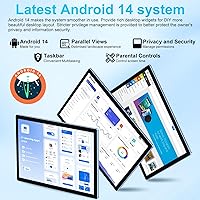
  • Android 14 out of the box means a relatively modern software experience without needing to update immediately.
  • At well under a hundred dollars with accessories included, the overall value proposition is hard to dismiss.

Cons

  • The advertised 22GB RAM is misleading — only 6GB is physical memory; the rest is slower virtual RAM borrowed from storage.
  • Sustained multitasking causes noticeable lag, exposing the limits of both the processor and the true RAM ceiling.
  • The 1280x800 display resolution falls short of Full HD, making text and video look softer than on competing screens.
  • Outdoor visibility is poor — screen brightness and reflectivity become real problems in sunlight.
  • The bundled keyboard is functional but feels cheap, with a typing experience that frequent writers will find frustrating quickly.
  • JUEDUR has no meaningful brand history or track record for long-term software updates and security patches.
  • Camera quality on both front and rear sensors is below average even for budget tablets — fine for video calls, poor for photos.
  • Virtual RAM performance degrades under load, meaning apps that run fine initially may stutter after extended use.
  • No cellular connectivity option is available, so you are entirely dependent on Wi-Fi for data access.
  • Build quality, while better than pure plastic rivals, still shows cost-cutting in the hinge and port areas on close inspection.

Ratings

The scores below for the JUEDUR R900 10.1-inch Android Tablet were generated by our AI system after analyzing verified purchase reviews from buyers worldwide, with spam, bot-submitted, and incentivized feedback actively filtered out. This entry-level tablet draws a wide range of opinions, and both its genuine strengths and its real frustrations are honestly reflected in each category score. No score here is inflated — what you see is a transparent picture of how real buyers experience this device day to day.

Value for Money
83%
For buyers who primarily need a browsing, streaming, and light-work device, the all-in price with keyboard and mouse included is genuinely hard to argue with. Widevine L1 support alone sets it apart from many similarly priced tablets, and users consistently note they got more than they expected at this budget level.
The value perception weakens once buyers discover the RAM figures are inflated by virtual memory. Those who purchased expecting a capable multitasker or light gaming device often feel the value proposition does not hold up under their specific needs.
Battery Life
78%
22%
The 8000mAh battery earns consistent praise from users who use the tablet for media consumption, browsing, and video calls during the day. Many report comfortably getting through a full day of moderate use without reaching for a charger, which is a meaningful convenience for students and commuters.
Battery estimates drop noticeably when screen brightness is pushed higher or when the tablet is running multiple apps simultaneously. Several users flagged that the claimed 8-hour figure feels optimistic under anything heavier than passive video playback.
Streaming Performance
81%
19%
Widevine L1 certification is the standout feature here, and users who primarily bought this tablet for Netflix, Prime Video, or Disney+ are largely satisfied. HD content plays without the quality degradation that plagues many budget tablets stuck on Widevine L3, making evenings on the couch or long flights noticeably more enjoyable.
The 1280x800 resolution caps how sharp that HD content actually looks on screen, which creates a slight disconnect — the tablet can decode HD streams but cannot fully render them at native HD clarity. Some users found this gap frustrating once they noticed it.
Display Quality
61%
39%
The IPS panel delivers decent color reproduction and wide viewing angles, which makes it comfortable for shared viewing or reading at different orientations. Indoors with controlled lighting, most casual users find the screen perfectly acceptable for browsing articles, watching videos, and video calling.
Outdoor visibility is a recurring complaint — glare and limited peak brightness make the screen hard to read in sunlight or near bright windows. The 1280x800 resolution also shows its age next to Full HD competitors, with text and fine image details appearing noticeably softer than on sharper panels.
Performance & Speed
58%
42%
For straightforward single-task use — opening a browser, streaming a show, or writing a document — the Unisoc T606 chip holds up well enough and Android 14 keeps the interface feeling relatively responsive. Light users who do not push the device report a generally smooth day-to-day experience.
The moment multitasking kicks in, the limits of 6GB of physical RAM and the T606 processor become apparent. App switching slows down, games with moderate graphics stutter, and users who keep several tabs or apps open simultaneously report lag that erodes confidence in the device fairly quickly.
Build Quality
72%
28%
The metal chassis is a genuine differentiator in this price bracket, and users regularly comment that the tablet feels more solid and premium in hand than the price tag suggests. The slim profile at just over a quarter of an inch thick adds to the impression of quality that competitors wrapped in plastic simply cannot match.
While the overall frame impresses, closer inspection reveals cost-cutting around the port edges and buttons, which feel less refined. A handful of users reported minor flex in the back panel under pressure, suggesting the metal is thin rather than structurally robust.
Keyboard & Mouse Bundle
54%
46%
The inclusion of both a keyboard and mouse is a practical win for buyers who want immediate productivity without added expense. The Bluetooth pairing process is straightforward, and for occasional typing tasks like emails or short documents, the keyboard is functional enough to get by.
Sustained typists find the shallow key travel and mushy feedback tiring within minutes, and the overall build of both accessories feels noticeably cheap. Several users replaced the bundled keyboard with a third-party option after a few weeks, which somewhat undermines the bundle value.
Software & Android 14
74%
26%
Shipping with Android 14 out of the box gives this budget tablet a fresher software foundation than many competitors still running Android 12 or 13. The interface is clean, Google Play access is full, and features like split-screen mode and facial unlock work as advertised without needing any extra setup.
There is no clear commitment from JUEDUR on how long software updates will be supported, which is a reasonable concern for a lesser-known brand. Some users have also noted minor pre-installed apps that cannot be removed, adding a small layer of bloat to the otherwise clean experience.
RAM & Multitasking
47%
53%
The virtual RAM expansion does provide a modest buffer for keeping background apps alive longer than the physical 6GB alone would allow. For very light use — one or two apps at a time — most users do not run into obvious problems during a typical session.
The 22GB marketing figure creates expectations the device cannot meet. Virtual RAM borrowed from storage is meaningfully slower than physical memory, and users who open multiple apps, run a game alongside a browser, or push the tablet during a work session encounter frustrating slowdowns that feel worse given what the specs imply.
Camera Quality
43%
57%
The front 5MP camera is adequate for video calls on Zoom or Google Meet, and facial recognition unlock works reliably in reasonable lighting conditions. For the core use case of staying connected remotely, the front camera does its job without complaint.
The 8MP rear camera produces flat, oversharpened images with poor low-light performance — most users agree it is not a camera worth using for anything beyond scanning a QR code or capturing a whiteboard. Buyers expecting a usable photography experience from either sensor will be let down quickly.
Connectivity
77%
23%
Dual-band Wi-Fi with 802.11ax support keeps connections fast and stable on modern routers, and users in homes with congested 2.4GHz networks benefit from switching to 5GHz without any setup friction. GPS support adds genuine utility for travelers using offline maps, which is an unexpected plus at this price.
There is no cellular or SIM option, so the tablet is entirely dependent on Wi-Fi for internet access — a real limitation for buyers who travel frequently without a mobile hotspot. Bluetooth connectivity is functional but a small number of users reported occasional disconnection with the bundled accessories.
Portability
79%
21%
At 1.54 pounds and with a slim profile, this entry-level tablet is genuinely easy to slip into a backpack or carry on a commute without noticing the weight. Students and travelers consistently mention portability as one of the uncomplicated wins — it simply does not feel like a burden to take along.
The 10.1-inch footprint is slightly larger than the more pocketable 8-inch tablets some users might prefer for true one-handed portability. The keyboard accessory, while useful, adds meaningful bulk to any bag it accompanies.
Setup & Ease of Use
76%
24%
Android 14 is intuitive enough that most users are fully set up within minutes of powering the device on for the first time. The Bluetooth accessories pair quickly, facial unlock activates during initial setup, and the overall out-of-box experience is smoother than the price point might lead you to expect.
A few users encountered minor hurdles with Google account verification during first setup, and the process for configuring the virtual RAM expansion requires navigating into settings menus that are not immediately obvious. These are minor friction points but worth noting for less tech-savvy buyers.

Suitable for:

The JUEDUR R900 10.1-inch Android Tablet is a practical pick for buyers who want a functional, carry-anywhere device without committing serious money to it. Students are a natural fit — the bundled keyboard and mouse remove the need for extra accessories, making it ready for note-taking, document editing, and video calls right out of the box. Parents looking for a capable but affordable tablet to hand to younger kids will find the large battery and expandable storage especially useful for loading up offline content on long trips. Casual media consumers who mainly want to stream Netflix, Prime Video, or Disney+ will appreciate the Widevine L1 support, which ensures actual HD playback rather than the degraded quality that non-certified tablets often deliver. Commuters and light travelers who need a compact second screen for browsing, reading, or catching up on shows will find the weight and battery life well-suited to the task.

Not suitable for:

Buyers with higher performance expectations should look elsewhere before considering this entry-level tablet. The Unisoc T606 processor and the reality of only 6GB of true physical RAM mean that multitasking beyond a few apps, running graphics-heavy games, or using demanding creative applications will result in noticeable slowdowns. The 1280x800 display, while perfectly usable indoors, lacks the pixel density and brightness that media enthusiasts or anyone doing detailed visual work would want. The JUEDUR R900 10.1-inch Android Tablet is also not a strong choice for buyers planning to use it as a primary device — it is designed to complement a workflow, not anchor one. Those who frequently work in bright outdoor environments will likely find the screen frustratingly dim and reflective. Finally, buyers who are brand-conscious or prioritize long-term software support should be aware that JUEDUR is a lesser-known manufacturer with no established track record for ongoing Android updates.

Specifications

  • Screen Size: The display measures 10.1 inches diagonally with an IPS panel that supports wide viewing angles and a resolution of 1280x800 pixels.
  • Processor: The tablet runs on a Unisoc T606 octa-core chip clocked at 2.0GHz, a mid-low-tier mobile processor suited for everyday light tasks.
  • RAM: Total advertised RAM is 22GB, comprising 6GB of physical LPDDR memory and 16GB of virtual RAM extended from internal storage.
  • Internal Storage: 128GB of onboard flash storage is included, with support for microSD cards up to 1TB for expanded media and file capacity.
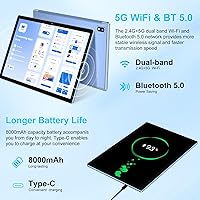
  • Battery: An 8000mAh lithium polymer battery powers the device, with the manufacturer estimating approximately 8 hours of average use per charge.
  • Charging: The tablet charges via a USB Type-C port, which also supports data transfer and display output to compatible devices.
  • Operating System: Android 14 comes pre-installed, offering a relatively current software base with standard Google app support and security architecture.
  • Wi-Fi: Dual-band 802.11ax Wi-Fi is supported, covering both 2.4GHz and 5GHz frequencies for improved speed and connection stability.
  • Bluetooth: Bluetooth connectivity is built in and used to pair the included wireless keyboard and mouse that ship in the box.
  • Front Camera: A 5MP front-facing camera handles video calls and basic selfies, with facial recognition supported for screen unlock.
  • Rear Camera: The rear camera is an 8MP sensor, appropriate for casual snapshots and scanning documents but not suited to photography enthusiasts.
  • GPS: Built-in GPS hardware enables location services and offline mapping apps without requiring a cellular data connection.
  • Widevine: The tablet carries Widevine L1 certification, which unlocks HD and UHD video playback on over 30 major streaming platforms.
  • Audio: A 3.5mm headphone jack is included for wired audio, alongside the device speaker for standard media playback.
  • Body Material: The outer chassis is constructed from metal, providing a more rigid feel than the all-plastic builds common at this price tier.
  • Dimensions: The device measures 9.4 x 6.3 x 0.3 inches, keeping the profile notably slim relative to its screen size and battery capacity.
  • Weight: At 1.54 pounds, the tablet is light enough for extended hand-held use and easy to slip into a bag for travel.
  • Included Accessories: The package includes a Bluetooth keyboard and Bluetooth mouse, allowing immediate productivity use without additional purchases.

Related Reviews

ITMEIPC T-10 10.1-inch Android Tablet
69%
83%
Value for Money
67%
Display Quality
62%
Performance
71%
Battery Life
58%
Build Quality
More
FEONAL K118 10.1-inch Android Tablet
68%
83%
Display Quality
67%
Performance & Speed
78%
Battery Life
44%
Camera Quality
81%
Value for Money
More
XINHENGTAI M10 Android 13 Tablet, 128GB, 10.1-inch

83%
92%
Value for Money
88%
Performance
91%
Battery Life
84%
Camera Quality
72%
Display Quality
More
ANTEMPER D116 10-Inch Android Tablet
71%
84%
Value for Money
88%
Accessories Bundle
83%
Battery Life
57%
Performance
62%
Display Quality
More
YACXBTK J10 10.1-inch Kids Tablet
70%
84%
Battery Life
81%
Value for Money
78%
Parental Controls
62%
Performance
67%
Display Quality
More
CONSUNG N101B 10-inch Android Tablet
71%
84%
Value for Money
81%
Battery Life
83%
Streaming Performance
79%
Build Quality
67%
Display Quality
More
Xiskt A5505 Android 13 Tablet 10.1-inch 128GB Storage
80%
83%
Performance
88%
Value for Money
72%
Battery Life
80%
Display Quality
65%
Camera Quality
More
BYANDBY BYCP10-PRO 10.1-inch Android 14 Tablet, 64GB Storage
80%
92%
Value for Money
89%
Battery Life
78%
Performance
87%
Portability/Size/Weight
76%
Build Quality/Durability
More
FACETEL Q6 128GB 10.1-inch Android Tablet
65%
83%
Value for Money
61%
Performance
67%
Display Quality
63%
Battery Life
48%
Keyboard Quality
More
PEICHENG CP31MK 10.1-inch Kids Tablet
74%
81%
Value for Money
87%
Ease of Setup
84%
Parental Controls
53%
Performance
69%
Battery Life
More

FAQ

Yes, and this is one of the more genuine selling points of the JUEDUR R900 10.1-inch Android Tablet. Widevine L1 certification means it can decrypt and display HD and UHD content from major streaming services, including Netflix, Prime Video, and Disney+. Many budget tablets ship with Widevine L3, which caps playback quality — so L1 here is a meaningful advantage.

Not quite. Of the 22GB advertised, only 6GB is physical RAM — the kind that actually keeps apps running smoothly in the background. The remaining 16GB is virtual RAM, which the system borrows from internal storage and is significantly slower. For light multitasking it helps, but do not expect it to perform like a device with 22GB of true memory.

For light schoolwork it can pull double duty reasonably well. The included keyboard and mouse mean you can type documents, browse, and handle emails without buying extras. That said, it is a low-powered device — expect some slowdown if you keep many tabs or apps open at once. For heavy research, coding, or any media production work, it will struggle.

Most users report somewhere between 6 and 8 hours under moderate use — streaming video or browsing with the screen at a comfortable brightness level. If you are running more demanding tasks or keeping the screen very bright, expect closer to 5 to 6 hours. It charges via USB-C, which is convenient and allows you to top it up with many modern chargers you likely already own.

It works, but it is a budget accessory that matches the price of the tablet. The keys register reliably and it pairs over Bluetooth without much fuss. However, the key travel is shallow and the overall feel is noticeably cheap. If you type for long stretches regularly, you may find yourself wanting to swap it for something better — but for occasional use it gets the job done.

Yes, the tablet has a microSD card slot that supports cards up to 1TB. That is more than enough room for offline movies, music libraries, downloaded apps, and documents. Just keep in mind that app performance is better when apps are installed on internal storage rather than the SD card.

It is a decent kids tablet with the right setup. Android 14 supports parental controls through Google Family Link, and you can restrict content, set screen time limits, and manage app access. The metal body holds up better to everyday handling than plastic alternatives. Just set it up properly before handing it over — it does not come with any built-in kids mode.

Yes, GPS works without a cellular connection. You can use offline mapping apps like Maps.me or download offline regions in Google Maps and navigate without a data plan. This makes this budget Android tablet more useful for travel than you might expect from something in its price range.

This is one of the weaker areas. The display gets adequately bright for indoor use, but in direct sunlight or near bright windows, glare and reflections make it hard to see clearly. The 1280x800 resolution also means content looks slightly soft compared to Full HD screens. It is a fine screen for casual indoor use — just do not expect it to be easy to read on a sunny patio.

No, this entry-level tablet is Wi-Fi only — there is no SIM card slot or cellular connectivity option. All data access goes through Wi-Fi. If you need internet on the go without a hotspot, this is a real limitation to factor into your decision before buying.