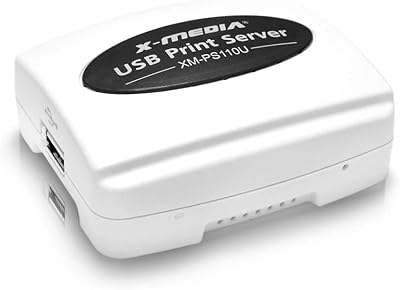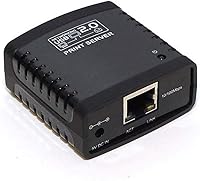
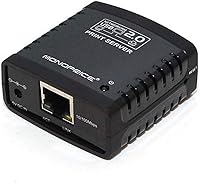
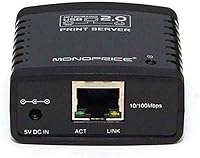
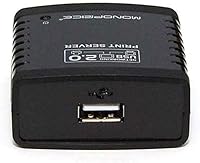
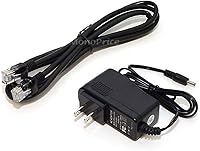
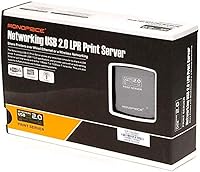
Overview
The Monoprice 5342 USB 2.0 Print Server is a compact, wired networking accessory that lets you connect a single USB printer to your home or office network — no dedicated PC required. It is strictly a wired Ethernet solution, so if you are hoping for Wi-Fi, stop here. The device plugs into your router via a standard RJ-45 cable and handles print jobs quietly in the background. Compatibility is limited to Windows 2000 through Windows 7 — no Mac, no Linux, and nothing newer than Windows 7. For a Windows household with an older printer gathering dust, this Monoprice networking device makes a surprisingly practical case for itself at a budget price point.
Features & Benefits
This print server keeps things simple by design. It has a single USB 2.0 port — one printer, one connection — and an auto-sensing Ethernet port that works whether your router runs at 10 or 100 Mbps without any manual configuration. The whole unit weighs under an ounce and fits easily behind a printer or alongside your router. Once set up, multiple Windows computers on the same network can send print jobs without anyone needing to physically switch cables. Power draw is minimal, so leaving it running around the clock is not a concern. The plug-and-play setup is genuinely straightforward for anyone comfortable with basic network settings.
Best For
This USB network adapter is best suited for Windows-only households running XP, Vista, or Windows 7 with a USB printer they would rather share than retire. It is also a practical pick for a small office where a wired connection is preferred over the potential inconsistencies of Wi-Fi. If you have a reliable older laser or inkjet printer and just want other computers in the house to reach it without running a long cable across the room, this fits the bill. It is not the right tool for Mac users, Linux setups, or anyone running Windows 8 or later — and the wired-only requirement is a dealbreaker if your printer lives far from your router.
User Feedback
With a 3.2-star average across nearly 200 reviews, this print server clearly works well for some buyers and frustrates others. The positive camp tends to praise easy initial setup and the compact design — people who matched the right hardware and OS report it working reliably without much fuss. The complaints, however, are pointed. Several users ran into trouble with specific router configurations, and intermittent connection drops appear more than once in the critical reviews. Many problems seem tied to environment rather than outright defects, so reading the negative feedback carefully before purchasing is worthwhile. When the conditions are right, this Monoprice networking device delivers solid value — but it is not a universal fit.
Pros
- Compact enough to tuck behind a printer or router without adding visual clutter
- Allows multiple Windows PCs to share one printer without rerouting USB cables
- Auto-sensing 10/100 Ethernet port works with virtually any wired home router
- Low power consumption makes it practical to leave running around the clock
- Setup is straightforward for non-technical users comfortable with basic network access
- Wired connection provides more consistent print job delivery than budget Wi-Fi alternatives
- Budget-friendly price point makes it easy to justify for a single-printer household
- Lightweight and small enough to reposition or pack away without hassle
Cons
- Compatibility stops at Windows 7 — no support for Windows 8, 10, 11, or any newer OS
- Mac and Linux users are completely locked out with no driver support available
- Only one USB port means you cannot share a second printer through the same unit
- Some users report intermittent connection drops that require restarting the device
- Performance can vary depending on router brand and network configuration
- No wireless option whatsoever, limiting placement to wherever an Ethernet cable can reach
- A 3.2-star average across nearly 200 reviews suggests reliability is inconsistent for many buyers
- Driver or configuration issues may frustrate users who are not comfortable troubleshooting network settings
Ratings
The scores below for the Monoprice 5342 USB 2.0 Print Server were generated by our AI engine after analyzing verified buyer reviews from global markets, with spam, bot-submitted, and incentivized feedback actively filtered out. The ratings reflect a balanced picture — where this print server genuinely delivers, the scores show it, and where real users ran into frustration, that comes through just as clearly.
Ease of Setup
OS Compatibility
Connection Reliability
Value for Money
Build Quality
Network Speed
Driver Support
Compact Design
Printer Compatibility
Power Efficiency
Documentation & Support
Wired Network Performance
Overall Reliability
Suitable for:
The Monoprice 5342 USB 2.0 Print Server is a genuinely useful tool for a specific and well-defined audience: Windows users who own an older USB-only printer and want to share it across multiple computers on a wired home or small office network. If your household still runs Windows XP, Vista, or Windows 7 — perhaps on a machine dedicated to a particular task — this device quietly solves a real inconvenience without requiring you to buy a new printer. Small offices with a single shared printer, a wired router nearby, and no need for wireless flexibility will find this print server does exactly what it promises at a price that is hard to argue with. It is also a practical pick for anyone who has been living with an awkwardly long USB cable snaking across a room just to stay connected to a printer.
Not suitable for:
The Monoprice 5342 USB 2.0 Print Server has hard limits that disqualify it for a wide range of buyers, and it is worth being direct about them. If you run a Mac, a Linux machine, or any version of Windows from Windows 8 onward, this device simply will not work — there is no workaround. It is also a wired-only solution, meaning your printer needs to sit within a reasonable cable run of your Ethernet router or switch; anyone expecting wireless convenience will be disappointed. The single USB port means you cannot share more than one printer through this unit, which rules it out for even modestly complex office setups. Buyers who need broad compatibility, modern OS support, or Wi-Fi connectivity should look elsewhere rather than hoping for a workaround that does not exist.
Specifications
- Brand: This print server is manufactured by Monoprice, a brand known for affordable networking and connectivity accessories.
- Model Number: The official model number is 5342, also referenced internally by Monoprice as 105342.
- USB Standard: The device uses a single USB 2.0 port to connect one printer at a time to the network.
- USB Ports: There is exactly one USB port on this unit, limiting shared printer connections to a single printer.
- Ethernet Standard: The built-in Ethernet port auto-senses between 10Base-T and 100Base-T speeds to match your existing network.
- Network Connector: A standard RJ-45 port provides the wired Ethernet connection to your router or network switch.
- Wireless Support: This device has no wireless capability whatsoever and requires a physical Ethernet cable for all network communication.
- Compatible OS: Supported operating systems are limited to Windows 2000, Windows XP, Windows Vista, and Windows 7 only.
- Dimensions: The unit measures 8.4 x 5.5 x 2.1 inches, making it compact enough to sit discreetly beside a printer or router.
- Weight: The device weighs just 0.64 ounces, making it one of the lightest print servers in its category.
- Form Factor: The palm-sized housing is designed for low-profile placement in home or small office environments.
- Power Draw: The device operates at a low power level suitable for continuous, always-on network use without significant energy cost.
- Printer Sharing: Once connected, the print server allows multiple networked Windows computers to send jobs to the single attached USB printer.
- Network Speed: The auto-sensing Ethernet port supports network speeds of 10 Mbps or 100 Mbps depending on the connected router or switch.
- Category Rank: This print server holds a rank of number 64 in the Computer Networking Print Servers category on Amazon.
- Average Rating: The product has an average customer rating of 3.2 out of 5 stars based on approximately 198 ratings.
- Manufacturer Status: Monoprice has not discontinued this product, and it remains available through current retail channels.
- Date Listed: This product was first made available for purchase on Amazon in October 2017.
Related Reviews
UGREEN USB 3.0 Switch 15705
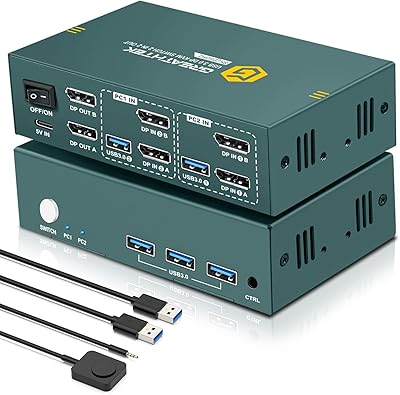
EVATEK 8K DP 2-Monitor 2-PC KVM Switch
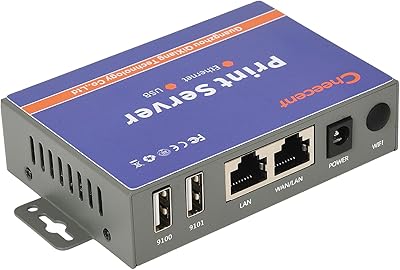
CHEECENT CR102 2-Port Ethernet USB Print Server

VIDBOX VCP1M
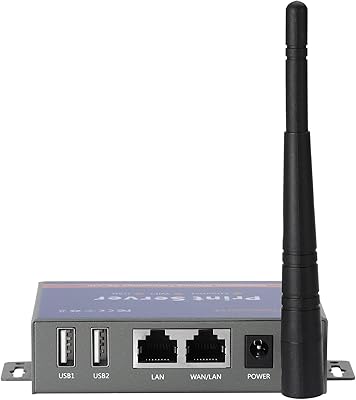
CHEECENT CR202 2-Port Wireless USB Print Server

Creative Pebble Pro Desktop Speakers
Seagate ST310005EXA101-RK 1TB External Hard Drive
Zoom UAC-2 USB 3.0 Audio Interface
Camgeet KVM202AS Dual Monitor KVM Switch