Overview

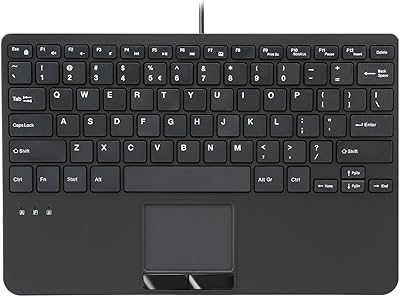
The Miritz K808 Mini Keyboard with Touchpad is a compact wireless accessory built for people who need reliable input without the bulk of a full-size keyboard. At just under six inches long and weighing barely over three ounces, it slips into a bag pocket without a second thought. What sets it apart from similar budget options is its dual-mode connectivity — Bluetooth for modern devices, and a 2.4GHz USB receiver for systems that need deeper integration, like a BIOS screen or a Raspberry Pi. The built-in touchpad means you rarely need anything else alongside it.
Features & Benefits

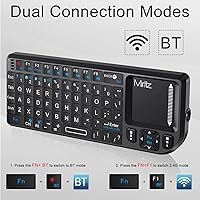
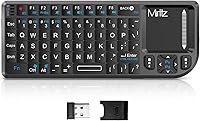
The K808's most practical trick is how it handles connectivity. Paired over Bluetooth, it works with smart TVs, tablets, and phones without occupying a USB port. Switch to the 2.4GHz RF receiver and you get plug-and-play reliability that reaches deep enough into system processes to navigate a BIOS menu — something most Bluetooth-only keyboards simply cannot do. The built-in touchpad flips between horizontal and vertical modes with a quick shortcut, which is genuinely handy when holding it upright. A 33-foot wireless range and USB-C charging round out a feature set that punches well above what you'd expect at this price tier.

Best For

This handheld keyboard is a natural fit for home theater PC setups where you want one device to handle typing, cursor control, and media navigation from the couch. Raspberry Pi users will appreciate the RF mode working before the OS even loads — useful during initial setup or system troubleshooting. Travelers and remote workers who need a backup keyboard that actually fits in a jacket pocket will find it does the job without complaint. Steam Deck users needing to type a password or browse the web on-device also get a practical solution here. It is a utility tool, not a primary workstation keyboard.

User Feedback

Owners of this mini wireless keyboard tend to agree on a few things. The compact form and dual-mode flexibility are consistently praised, especially by HTPC and smart TV users who value having one device handle navigation and text input. The RF connection's reliability gets frequent mentions as a genuine differentiator. That said, the small key layout takes real adjustment — touch typists in particular report an awkward first week. The touchpad handles scrolling and basic clicking well enough for TV navigation but falls short for anyone expecting laptop-grade precision. A small number of buyers have encountered Bluetooth pairing issues on certain devices, though switching to RF mode typically resolves the problem.

Pros

  • Dual Bluetooth and 2.4GHz RF connectivity covers a wider range of devices than most budget keyboards can claim.
  • The RF mode works at BIOS level, making system troubleshooting and initial Raspberry Pi setup far less painful.
  • At roughly six inches long and three ounces, the K808 genuinely fits in a jacket pocket without any compromise.
  • USB-C charging means one less cable to carry — the same cord used for your phone works here.
  • A 33-foot wireless range comfortably covers typical living room and bedroom setups without signal drops.
  • The built-in touchpad eliminates the need for a separate mouse during smart TV navigation or HTPC sessions.
  • RGB backlighting with single-keypress cycling is a practical bonus for dim room use, not just a cosmetic feature.
  • Auto sleep and wake functionality helps preserve battery life across weeks of intermittent use.
  • Plug-and-play RF setup requires no drivers or software — insert the receiver and it works immediately.
  • Connecting and switching between two paired devices at once reduces setup friction in multi-device workflows.

Cons

  • The touchpad lacks the sensitivity and accuracy needed for anything beyond basic cursor navigation and scrolling.
  • No battery level indicator means the keyboard can go unresponsive without any advance warning.
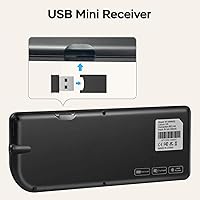
  • The USB receiver has no onboard storage slot, making it easy to misplace between uses.
  • A small number of users experience Bluetooth pairing inconsistencies, particularly with Android TV boxes and older laptops.
  • The sparse manual does not document Fn key shortcut combinations clearly, leaving useful features undiscovered.
  • macOS compatibility is incomplete, and iOS shortcut support is limited enough to restrict real-world usefulness.
  • Key spacing is tight enough that error rates climb noticeably during any extended or fast typing session.
  • The plastic build feels lightweight in a way that reads as budget-tier rather than durable over the long term.
  • Fingerprint smudges accumulate quickly on the touchpad surface and are visible under most lighting conditions.
  • Walls and dense wireless environments reduce the effective Bluetooth range well below the advertised distance.

Ratings

The scores below for the Miritz K808 Mini Keyboard with Touchpad were generated by our AI review engine after analyzing verified buyer feedback from global markets, with spam, bot-submitted, and incentivized reviews actively filtered out. Each category reflects the genuine distribution of real user experiences — strengths are credited where earned, and recurring frustrations are not glossed over. The result is a transparent, balanced snapshot of what this handheld keyboard actually delivers in daily use.
Portability & Form Factor
93%
Buyers consistently describe this mini wireless keyboard as one of the most pocketable input devices they have owned. At under six inches long and barely three ounces, it fits inside a jacket pocket or a small tech pouch without any real effort, making it a go-to for travelers and HTPC users alike.
The compact size is a deliberate trade-off, not an oversight, but users who expected something closer to a standard keyboard layout were caught off guard. It is unambiguously a secondary or situational keyboard, not a daily driver replacement.
Dual-Mode Connectivity
88%
The combination of Bluetooth and 2.4GHz RF in a single device genuinely sets the K808 apart from most competitors at this price range. HTPC and Raspberry Pi users in particular praise the RF mode for working before the OS loads, which makes initial system setup and BIOS navigation far less painful.
Switching between the two modes requires a bit of a learning curve for non-technical users, and some buyers wished the transition were more intuitive. Bluetooth pairing also hiccuped on a small but notable number of Android TV boxes and older laptops.
Touchpad Usability
67%
33%
For couch-based media navigation — scrolling through Netflix, clicking through a slideshow, or moving a cursor around a smart TV interface — the built-in touchpad handles the job without needing a separate mouse. The flip orientation feature is a thoughtful touch for vertical handheld use.
Anyone expecting laptop-grade touchpad precision will be disappointed. Fine cursor work, drag-and-drop tasks, or anything requiring sustained pointer accuracy tends to frustrate users who came from a full-size keyboard-and-mouse setup.
RF Reliability & Range
86%
The 2.4GHz RF connection earns consistent praise for its stability, especially in environments where Bluetooth interference from other devices is a problem. Users report reliable performance at distances well beyond a typical living room, confirming the 33-foot range claim holds up in practice.
The USB receiver is small enough to lose easily, and there is no onboard storage slot for it on the keyboard itself. A few users have also noted that the receiver occupies the only USB-A port on certain thin laptops or streaming sticks, which creates a minor inconvenience.
Typing Experience
61%
39%
For short bursts of typing — entering a password, searching for a show, typing a URL — the K808 is perfectly adequate. The key travel is modest but present, and the layout is logical enough that most users can adapt to it for casual input tasks.
Touch typists and anyone used to a full-size layout will face a real adjustment period. Key spacing is tight, error rates climb during extended typing sessions, and the keyboard is not designed to handle sustained document or email writing comfortably.
RGB Backlighting
78%
22%
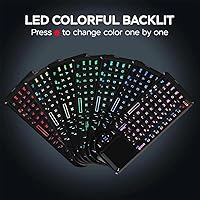
The 7-color backlight is a legitimate quality-of-life feature for dim living rooms or nightstand use. Cycling through colors with a single keypress is quick and effortless, and the visibility boost in dark environments is real, not just cosmetic.
Backlighting is a bonus rather than a precision feature here — the colors cannot be individually customized per key, and brightness levels are not adjustable. It is pleasant to have, but buyers who prioritize RGB control will find it limited.
Build Quality & Materials
71%
29%
The keyboard feels solid enough for its intended use case — occasional handheld sessions rather than daily desk duty. The plastic chassis does not creak under normal use, and the key caps have held up well for most buyers over several months of intermittent use.
Premium materials are not part of the equation here. The housing has a lightweight plastic feel that reads as budget-tier, and the touchpad surface shows fingerprint smudges easily. Long-term durability under heavy daily use remains a reasonable concern.
USB-C Charging
84%
Having USB-C as the charging standard rather than an older micro-USB connector is a meaningful practical upgrade. Most users already carry a USB-C cable, so keeping this keyboard topped up requires no extra accessories, and the charge lasts comfortably through weeks of light-to-moderate use.
There is no battery percentage indicator, which means users occasionally find the keyboard unresponsive without warning. A simple LED charge indicator would have addressed this common complaint without adding meaningful cost.
Auto Sleep & Wake
79%
21%
The auto-sleep function meaningfully extends battery life for users who pick up the keyboard infrequently — a common pattern for HTPC and smart TV control. Wake response is quick enough that it does not interrupt the flow of normal use.
A small number of users report the wake delay feeling sluggish on certain devices, particularly older Bluetooth connections. In a few cases, the keyboard required a button press or physical shake to fully reconnect after a longer idle period.
Device Compatibility
82%
18%
Windows, Android, Linux, smart TVs, Raspberry Pi, Steam Deck, and game consoles are all covered without driver installation in most cases. The plug-and-play RF mode is especially appreciated by users who work across multiple operating systems regularly.
macOS compatibility is not officially listed, and while some users report partial functionality, the experience is inconsistent. iOS pairing works in basic scenarios but lacks full keyboard shortcut support, which limits the K808's usefulness for iPad-heavy workflows.
Value for Money
89%
At its price point, the K808 offers a feature set that would cost noticeably more from mainstream brands. Dual-mode connectivity, a built-in touchpad, USB-C charging, and RGB backlight together represent genuine value for a user who needs a utility handheld keyboard rather than a primary input device.
The value proposition holds only if expectations are calibrated correctly. Buyers who compare it to full-size keyboards or premium compact options like those from Logitech will feel underwhelmed — but those are entirely different product categories.
Setup & Ease of Use
83%
Out of the box, the RF mode is truly plug-and-play — insert the receiver and it works, no software required. Bluetooth pairing follows a standard process that most users complete without consulting the manual, and the dual-device switching is straightforward once learned.
The manual is sparse and does not clearly document the Fn key shortcut combinations, which leaves some buyers unaware of features like the touchpad flip mode. A more thorough quick-start guide would reduce the number of confused first-time users.
Wireless Range Performance
81%
19%
In open living room and bedroom environments, the K808 reliably reaches across the space without signal degradation. Users controlling a TV-mounted PC from a couch report stable connections that do not drop during normal media sessions.
Walls and heavy interference environments reduce the effective range meaningfully. Users in larger spaces or setups with dense wireless traffic occasionally report intermittent signal drops, particularly over Bluetooth rather than RF.

Suitable for:

The Miritz K808 Mini Keyboard with Touchpad was built for a specific kind of user, and for that user, it genuinely delivers. If you run a home theater PC and want a single handheld device to manage playback, navigate menus, and type a search query from the couch, this keyboard covers all of that without requiring a separate mouse. Raspberry Pi hobbyists will appreciate the RF mode working at a system level before the OS loads — a practical advantage during initial setup or troubleshooting that Bluetooth-only alternatives simply cannot offer. Travelers and remote workers who need a compact backup keyboard that fits in a jacket pocket will find it far more capable than its size suggests. It also earns its place for Steam Deck users who want to type text without hunting for an on-screen keyboard, and for IT-adjacent users who occasionally need to access BIOS or boot menus on a machine across the room.
Not suitable for:

If you are looking for a primary keyboard for daily document writing, email drafting, or any kind of sustained typing work, the Miritz K808 Mini Keyboard with Touchpad is not the right tool for the job — and it does not pretend to be. The compact key layout requires a genuine adjustment period, and touch typists in particular tend to accumulate errors at a rate that makes extended sessions frustrating rather than productive. The built-in touchpad, while useful for TV navigation and casual cursor control, is not a substitute for a real mouse if your work involves precision pointing, graphic editing, or complex drag-and-drop tasks. Mac and iOS users should also approach with caution, as compatibility is partial and inconsistent, with shortcut support falling short of what those platforms expect. If you need a full-size typing experience in a portable form, a foldable travel keyboard from a dedicated peripheral brand would serve you better.
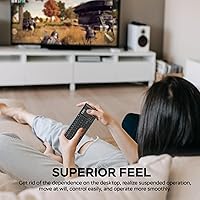
Specifications

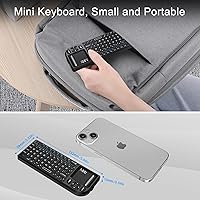
  • Dimensions: The keyboard measures 5.94″ long, 2.32″ wide, and 0.49″ thick, making it small enough to fit in most jacket pockets or small tech pouches.
  • Weight: At 3.2 ounces, this handheld keyboard is light enough to hold in one hand during extended couch-based media sessions without fatigue.
  • Connectivity: Supports dual-mode wireless operation via Bluetooth and a 2.4GHz RF USB receiver, allowing connection to two devices simultaneously with the ability to switch between them.
  • Wireless Range: The 2.4GHz RF connection provides a rated wireless range of up to 33 feet (approximately 10 meters) under typical open-room conditions.
  • Touchpad: A built-in touchpad supports standard cursor navigation and can be flipped between horizontal and vertical orientation using the Fn + Alt key shortcut.
  • Backlight: Seven-color RGB backlighting is built in and cycles through color options with a single keypress, with no per-key customization or adjustable brightness levels.
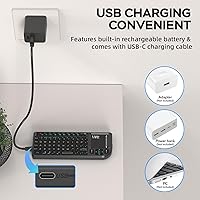
  • Charging Port: Charges via a USB-C port, compatible with standard USB-C cables; no proprietary charger or adapter is required.
  • Battery Type: Powered by a built-in rechargeable lithium-ion battery; no replaceable batteries are needed, and the battery is not user-removable.
  • Power Management: Includes automatic sleep and wake functionality that activates during idle periods to conserve battery life and resumes operation when a key is pressed.
  • Key Layout: Uses a compact mini layout — not full-size — with reduced key spacing intended for one-handed or two-thumb typing rather than standard touch typing.
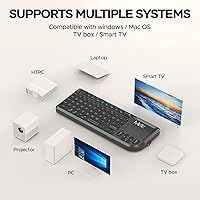
  • Compatible OS: Officially compatible with Windows, Android, and Linux operating systems; macOS compatibility is partial and not officially supported by the manufacturer.
  • Compatible Devices: Works with laptops, tablets, smartphones, smart TVs, Raspberry Pi, Steam Deck, gaming consoles, and HTPC setups across supported operating systems.
  • USB Receiver: The included 2.4GHz USB-A receiver is plug-and-play with no driver installation required and provides system-level access including BIOS and boot menu navigation.
  • Color Options: Available in black; no other color variants are currently listed by the manufacturer.
  • Brand & Model: Manufactured by Miritz under model number K808, with the product first made available in October 2017 and currently listed as not discontinued.

Related Reviews
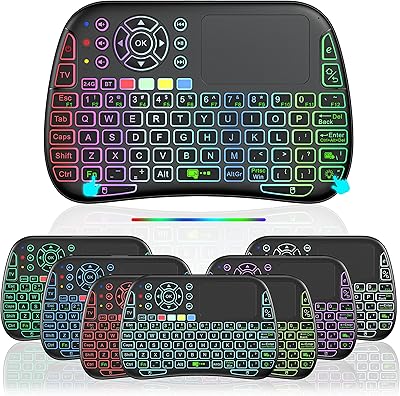
Dupad Story M9 Mini Voice Bluetooth Keyboard with Touchpad
84%
87%
Battery Life
91%
Connectivity Options (Bluetooth & Wireless)
65%
Touchpad Performance
84%
Voice Input Functionality
90%
Backlight Quality
More
Perixx PERIBOARD-525
79%
83%
Build Quality
78%
Typing Experience
71%
Touchpad Responsiveness
63%
Touchpad Size & Usability
74%
USB Hub Functionality
More
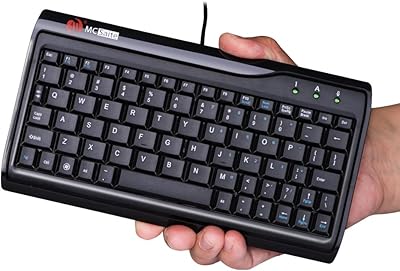
MCSaite Super Mini 78-Key USB Keyboard
78%
91%
Portability & Size
94%
Ease of Setup
61%
Typing Experience
72%
Build Quality
68%
Cable Quality & Length
More
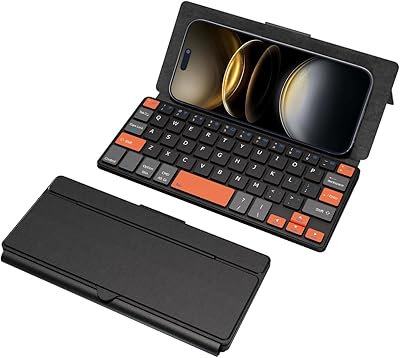
Kidopire Foldable Bluetooth Keyboard with Touchpad
86%
94%
Portability
89%
Multi-device Connectivity
90%
Battery Life
87%
Touchpad Performance
92%
Ease of Use
More
Rii K22S Wireless Keyboard with Touchpad
84%
88%
Connectivity Performance
81%
Ergonomics & Comfort
85%
Battery Life
91%
Ease of Setup
72%
Touchpad Responsiveness
More
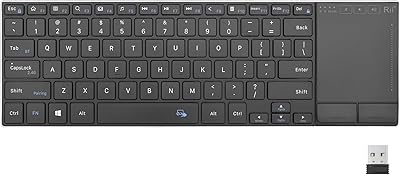
Doohoeek Universal Bluetooth Mini Keyboard
85%
92%
Portability
90%
Ease of Use
75%
Bluetooth Connectivity
85%
Ergonomics
88%
Typing Speed & Accuracy
More
JPHTEK Foldable Bluetooth Keyboard with Touchpad
87%
92%
Portability & Design
87%
Typing Experience
90%
Battery Life
85%
Compatibility with Devices
88%
Ease of Setup
More
UBOTIE Portable Bluetooth Wireless Mini Keyboard
87%
91%
Bluetooth Connectivity
87%
Typing Comfort
94%
Portability
80%
Battery Life
88%
Multi-Device Support
More
Inateck Foldable Bluetooth Keyboard with Touchpad KB06101
85%
93%
Portability
85%
Touchpad Functionality
88%
Compatibility with Devices
80%
Ease of Use
84%
Build Quality
More
SteelSeries Apex 9 Mini Optical Keyboard
88%
94%
Performance
88%
Build Quality
95%
Response Time
82%
Ergonomics
90%
RGB Lighting Customization
More

FAQ

Yes, the RF mode is fully plug-and-play — you insert the USB receiver and the keyboard works immediately on Windows, Linux, and most Android devices. No software installation is needed for basic operation. Bluetooth pairing follows the standard process for your device and also requires no additional drivers.

Yes, and this is one of the more practical advantages of the K808 over Bluetooth-only alternatives. The 2.4GHz RF connection establishes at a hardware level before the operating system loads, which means it works in BIOS screens, boot menus, and recovery environments where Bluetooth keyboards typically fail. If you regularly work on Raspberry Pi setups or need to troubleshoot machines remotely, this feature alone makes it worth considering.

It handles the basics well — scrolling through menus, moving a cursor around a smart TV interface, clicking links, and navigating Netflix or similar apps from the couch. Where it struggles is with precision: fine cursor positioning, drag-and-drop tasks, or anything requiring sustained accuracy tends to feel imprecise. Think of it as a practical media remote companion rather than a mouse replacement for serious computer work.

Yes, the dual-mode design supports two simultaneous connections — one via Bluetooth and one via the RF USB receiver. You can pair it to your laptop over Bluetooth while keeping the receiver plugged into your TV box or PC, and then switch between the two. It is a genuinely useful feature for anyone who manages multiple devices in the same room.

It works with most streaming sticks and boxes that support USB input or Bluetooth HID profile keyboards. For Fire Stick, plugging the USB receiver into a USB hub connected to the stick is a common workaround since the stick itself does not have a full USB-A port. Bluetooth pairing with Fire OS is generally functional for basic text input and navigation.

Battery life varies depending on backlight usage and how frequently you use the keyboard, but most users report several weeks of intermittent use between charges. The auto-sleep feature helps considerably. The main complaint here is that there is no battery level indicator — no LED readout or low-battery warning — so the first sign of a dead battery is often the keyboard simply not responding.

For thumb typing or one-handed navigation it is manageable, especially when the touchpad is flipped to vertical orientation for portrait-style holding. It is sized for handheld use rather than desktop typing, so comfort in that context is reasonable. For two-handed typing sessions of any length, the compact key spacing becomes a limiting factor fairly quickly.

The RGB backlight does draw more power when active, so turning it off during daylight use or in well-lit environments is a good habit if battery longevity is a priority. The auto-sleep function kicks in after a period of inactivity and turns off the backlight along with the keyboard, which helps offset the drain during idle periods.

Bluetooth pairing with iOS and iPadOS works for basic typing, but full keyboard shortcut support is limited and inconsistent. If you primarily use an iPad for light typing tasks like messaging or note-taking, it will function adequately. For iPad users who rely heavily on keyboard shortcuts or advanced text editing features, the compatibility gaps make this handheld keyboard a poor primary choice.

Unfortunately, the receiver is not replaceable through a universal channel — it is paired specifically to that keyboard unit. Losing it effectively removes the RF mode, leaving you with Bluetooth only. The receiver is quite small, so storing it in a consistent place or keeping it plugged into your primary device when not in use is strongly recommended to avoid this situation.