Overview

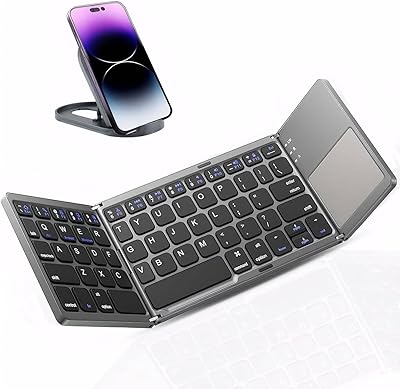
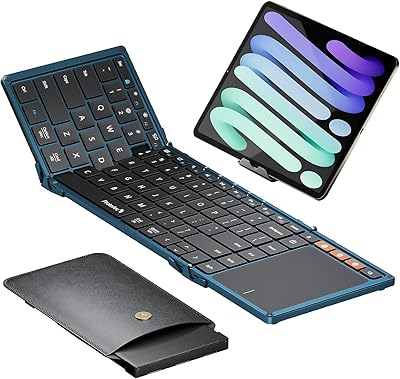
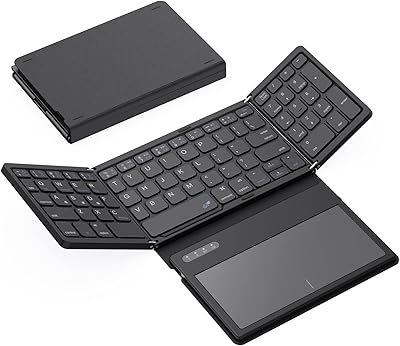
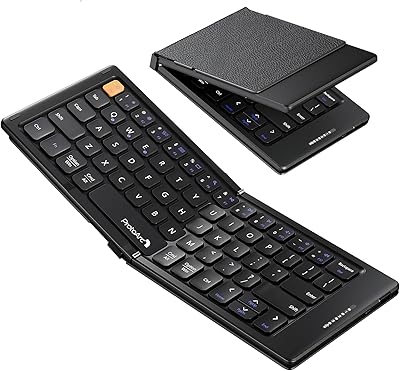
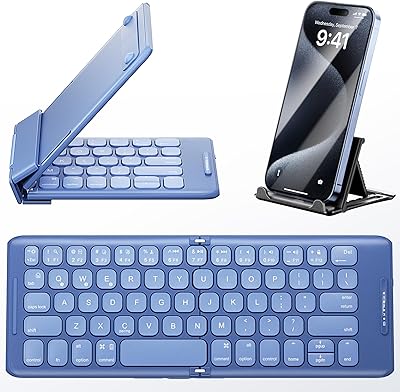
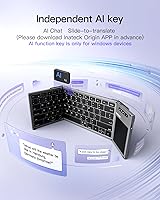
The Inateck KB06101 Foldable Bluetooth Keyboard with Touchpad arrived in late 2024 as Inateck's answer to a straightforward question: what if your keyboard could fit in a coat pocket without sacrificing real usability? Folded, it sits at roughly 18cm by 11.4cm and barely clears 2cm thick — light enough to hold in one hand. It connects via Bluetooth 5.3 and handles up to three devices simultaneously, so your phone, tablet, and laptop are all a button-press away. The built-in touchpad means you're not hunting for a mouse when squeezed into a window seat or a corner café table. There's also an AI shortcut key that launches Inateck's own app for translation and chat — a niche addition whose usefulness really depends on your workflow.
Features & Benefits

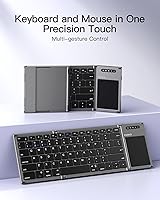
The three Bluetooth channels each carry their own indicator light, so you can tell at a glance which device is active without guessing. Switching is quick — one dedicated key per channel, no re-pairing rituals. The keycaps measure 15mm square with 1.5mm of travel, which is shallower than a full-size keyboard but produces a quiet, reasonably tactile press that holds up during longer writing sessions. A dedicated function row covers volume and brightness on both Windows and iPadOS, saving you from diving into system menus mid-task. The touchpad handles multi-touch gestures including pinch-to-zoom, window switching, and browser navigation. The battery is built-in, so there are no AA cells to track down before a trip.

Best For

This foldable keyboard suits people who spend real time away from a desk and need something more capable than an on-screen keyboard. It's a practical pick for frequent travelers — anyone who types on a tablet during a flight or on a phone at a hotel desk will appreciate having physical keys and a touchpad in one compact unit. Three-device switching also makes it useful for anyone juggling an iPad, an Android phone, and a Windows machine daily without wanting three separate peripherals. It's quieter than most full-size options, which makes it respectful company in libraries or open-plan offices. If you want a backup keyboard that disappears flat into a bag when not in use, this deserves a serious look.

User Feedback

Buyers generally appreciate the compact build and the convenience of having a touchpad on board — those two things come up consistently in positive reviews. Touch typists used to full-size layouts do mention an adjustment period; the keycaps are noticeably narrower than standard, and some report occasional typos until muscle memory catches up. Touchpad accuracy draws mixed reactions: it performs well on iPadOS and Windows but feels less consistent on Android. A handful of users have flagged channel-switching hiccups, though most say pairing is otherwise stable. The hinge and plastic construction appear solid enough for daily folding. Battery life reads as strong for moderate users. The AI app gets brief mentions — handy for some, quietly ignored by most.

Pros

  • Folds to jacket-pocket size and weighs just 228g — genuinely one of the most portable keyboards in its class.
  • Three Bluetooth channels with indicator lights make multi-device switching fast and visually obvious.
  • Quiet key actuation is a real advantage in libraries, open-plan offices, and late-night work sessions.
  • The built-in touchpad replaces a travel mouse in most everyday tasks, saving bag space.
  • Pairs quickly with iOS, Windows, and iPadOS out of the box — no driver installation needed.
  • Battery life comfortably covers a full week of moderate use on a single charge.
  • The dedicated function row for volume and brightness works reliably on both Windows and iPadOS.
  • Compact enough to use on a tray table or a small café table without crowding your space.
  • Initial setup is genuinely quick and accessible for users of any technical skill level.

Cons

  • Narrower keycaps create a real learning curve for touch typists used to standard layouts.
  • Touchpad performance on Android is inconsistent — gesture accuracy lags behind iOS and Windows noticeably.
  • Plastic construction shows surface scratches quickly and does not convey durability for premium buyers.
  • Hinge looseness develops over time with frequent daily folding, raising long-term reliability questions.
  • The AI shortcut key is locked into Inateck's own app, limiting its value outside that ecosystem.
  • Occasional channel-switching failures require a second keypress or brief wait to register the new device.
  • Depleting the battery fully can cause the keyboard to forget paired devices, requiring a full re-pairing.
  • Not comfortable for multi-hour daily typing — key travel and layout become tiring during extended sessions.
  • Documentation in the box is thin, leaving some shortcut combinations undiscoverable without online research.

Ratings

The Inateck KB06101 Foldable Bluetooth Keyboard with Touchpad earns its scores from AI-driven analysis of verified global buyer reviews, with spam, bot-generated responses, and incentivized feedback actively filtered out before any scoring takes place. What you see here reflects the honest spread of real-world experiences — from frequent flyers who swear by this travel keyboard to touch typists who found the adjustment steeper than expected. Both the standout strengths and the genuine frustrations are represented transparently across every category below.
Portability & Form Factor
93%
Buyers consistently describe slipping this foldable keyboard into a jacket pocket or a small crossbody bag without any bulk, which is exactly the use case it was designed for. At 228g and under 2cm thick when folded, it genuinely disappears into travel luggage in a way that larger folding keyboards simply do not.
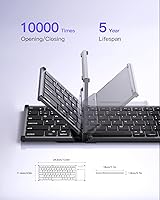
A small number of users note that the plastic hinge mechanism feels slightly loose after several months of daily folding, raising questions about long-term durability for people who pack and unpack it every single day.
Typing Experience
71%
29%
For a keyboard this compact, the 1.5mm key travel delivers a reasonably satisfying press that holds up during extended note-taking sessions on a plane or in a café. The quiet actuation is a genuine advantage in shared spaces, and most casual typists report adapting within a day or two.
Touch typists coming from full-size keyboards consistently flag the narrower 15mm keycaps as an adjustment hurdle, with some reporting a persistent uptick in typos even after weeks of use. Heavy writers who produce long documents daily may find the smaller layout more tiring than they expect.
Touchpad Performance
67%
33%
The integrated touchpad handles pinch-to-zoom and window-switching gestures reliably on iPadOS and Windows, making it a practical substitute for a travel mouse in most everyday tasks. Buyers on iPad in particular appreciate being able to scroll and click without reaching for a separate peripheral.
On Android, gesture accuracy drops noticeably — several users describe the touchpad as inconsistent or laggy when paired with Android phones and tablets. It works, but it is not the polished experience iOS and Windows users get, which matters if Android is your primary device.
Multi-Device Connectivity
82%
18%
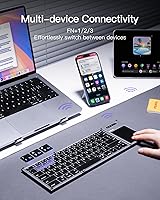
Three dedicated Bluetooth channels with individual indicator lights make device-switching genuinely fast and intuitive — you can see at a glance which device is active without fumbling through settings menus. For people juggling a tablet, a laptop, and a phone simultaneously, this setup is noticeably more practical than single-channel alternatives.
A subset of buyers report occasional hiccups when switching channels rapidly, where the keyboard briefly fails to register the new device and requires a second keypress or a short wait. It is not a constant problem, but it surfaces often enough to be worth noting for users who switch devices dozens of times a day.
Build Quality & Durability
69%
31%
The overall construction feels solid enough for moderate travel use, and the folding mechanism clicks into place firmly when open. Most buyers who use it a few times per week report no structural issues after several months of ownership.
The all-plastic body does show wear scratches fairly quickly, and some buyers who fold and unfold the keyboard multiple times daily report that the hinge develops subtle play over time. It does not feel fragile, but it does not feel premium either — which is a fair trade-off at this price tier.
Battery Life
84%
Users who carry this travel keyboard for occasional use during flights, meetings, or café sessions report that the battery easily lasts through a full week of moderate use on a single charge. The built-in lithium-ion cell means no hunting for AA batteries before a trip, which buyers appreciate.
Daily power users — those typing for several hours every day — report needing to recharge more frequently than the product positioning implies. Battery drain also appears to be faster when all three Bluetooth channels are actively connected simultaneously.
Bluetooth Pairing Reliability
74%
26%
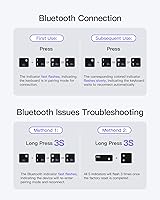
Initial pairing across iOS, Windows, and iPadOS is straightforward and consistently praised as quick in buyer feedback. The dedicated channel buttons make re-connecting to a known device a one-press action rather than a multi-step process.
A recurring complaint involves the keyboard occasionally forgetting a paired device after the battery is fully depleted, requiring users to re-pair from scratch. This is an intermittent issue rather than a universal one, but it is mentioned often enough to flag for users who rely on instant connectivity.
OS Compatibility
86%
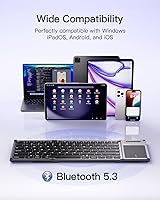
Coverage across Windows, iPadOS, iOS, and Android means most buyers can use a single keyboard across their entire device ecosystem without workarounds. The dedicated function row for Windows and iPadOS shortcuts — volume, brightness, and media controls — works out of the box without driver installation.
Android support is functional but clearly the weakest link, particularly for touchpad gestures and some shortcut key behaviors that do not map correctly on certain Android versions. Buyers using Android as their primary OS should factor this in before purchasing.
Value for Money
78%
22%
At its mid-range price point, the combination of a touchpad, three-device switching, and genuine pocketability represents solid value compared to single-channel folding keyboards at similar or higher prices. For occasional and moderate users, the price-to-utility ratio is hard to argue with.
Buyers who need a keyboard for heavy daily professional use may find that the typing comfort and touchpad limitations push the value equation in a less favorable direction. At this price, the plastic construction also feels like a compromise that a slightly higher investment could avoid.
Key Layout & Shortcuts
76%
24%
The dedicated function row covering volume and screen brightness for both Windows and iPadOS reduces the need to dig into system settings mid-task, which is a small but genuinely useful quality-of-life feature during presentations or focused work sessions.
The compressed QWERTY layout means some punctuation and special character keys are repositioned from where full-size keyboard users expect them, causing occasional confusion during fast typing. Users working primarily in languages with accented characters also note limited input flexibility.
AI Feature Utility
52%
48%
The AI shortcut key does launch Inateck's Origin app quickly, and buyers who specifically need an on-the-go translation tool find the slide-to-translate function genuinely useful for quick lookups while traveling internationally.
The majority of buyers either ignore the AI key entirely or describe it as a novelty they tried once and forgot about. The feature is tightly coupled to Inateck's own app ecosystem, which limits its appeal for users already invested in other translation or productivity tools.
Noise Level
88%
Quiet actuation is one of the most consistently praised aspects in buyer reviews — users specifically mention feeling comfortable typing in libraries, quiet offices, and late-night situations without drawing attention. It is noticeably quieter than most travel keyboards in this category.
A few buyers note that the key sound, while quiet, has a slightly hollow plastic quality that some find less satisfying than a more premium typing feel. This is largely a personal preference issue rather than a functional complaint.
Setup & Ease of Use
89%
Buyers across all technical skill levels describe getting up and running in under five minutes, with no software downloads required for basic functionality. The channel indicator lights make the learning curve on multi-device switching very short.
The included documentation is minimal, and some buyers initially struggle to understand the full shortcut key combinations without consulting online resources. A more detailed quick-start guide would smooth out the first-use experience for less tech-savvy buyers.
Size & Weight for Daily Carry
91%
At 228g, the Inateck pocket keyboard is light enough that most buyers report forgetting it is in their bag entirely — which is exactly the point. It sits flat at the bottom of a backpack or tote without creating any noticeable bulge.
For buyers who prefer working at a desk, the compact size that makes it ideal for travel becomes a minor inconvenience — the keyboard does not cover enough surface area to feel as natural as a standard-size layout during full-day seated typing.

Suitable for:

The Inateck KB06101 Foldable Bluetooth Keyboard with Touchpad was built around a very specific kind of buyer, and it delivers well for that person. If you regularly find yourself typing on a tablet or phone away from a proper desk — on flights, in hotel lobbies, at library tables, or in cafés — this travel keyboard addresses a real gap that on-screen keyboards and bulky Bluetooth accessories cannot. The three-device switching is particularly valuable for people who move between an iPad, a Windows laptop, and an Android phone throughout the day, since a single keyboard covers all three without re-pairing each time. The integrated touchpad is a genuine convenience in cramped spaces where there is no room to set down a separate mouse. Quiet key actuation also makes it a considerate choice for shared or noise-sensitive environments. If you want a backup keyboard that folds flat and disappears into a bag without adding noticeable weight, this fits that role convincingly.
Not suitable for:

The Inateck KB06101 Foldable Bluetooth Keyboard with Touchpad is a poor match for anyone whose primary work involves long, intensive daily typing sessions at a desk. The 15mm keycaps are noticeably narrower than standard, and touch typists with ingrained muscle memory from full-size layouts will likely experience a frustrating and persistent adjustment period rather than a quick one. Writers, coders, or data-entry professionals who log several hours of typing per day will find the compact layout and shallower key travel fatiguing over time in ways a full-size keyboard simply would not be. If Android is your main device, the touchpad gesture experience is inconsistent enough to be genuinely annoying rather than useful. Buyers expecting premium build quality should also recalibrate — the all-plastic construction is functional but shows wear, and the hinge may develop looseness with heavy daily use over many months. Finally, anyone hoping the AI shortcut feature will integrate into their existing productivity setup will likely be disappointed by its dependence on Inateck's own app ecosystem.
Specifications

  • Folded Dimensions: When closed, the keyboard measures 18cm x 11.4cm x 1.8cm — compact enough to fit in a jacket pocket or the front slot of a small backpack.
  • Unfolded Dimensions: Fully opened, the keyboard extends to approximately 34.2cm x 11.4cm, providing a usable typing surface while remaining narrower than a standard desktop keyboard.
  • Weight: The keyboard weighs 228g (8 oz), making it light enough to carry all day without noticeably adding to bag weight.
  • Bluetooth Version: Bluetooth 5.3 is used for all wireless connections, offering stable pairing and improved power efficiency compared to older Bluetooth standards.
  • Device Channels: Three independent Bluetooth channels are included, each with a dedicated indicator light to show which device is currently active.
  • OS Compatibility: Compatible with Windows, iPadOS, iOS, and Android operating systems, covering the majority of mainstream phones, tablets, and laptops.
  • Keycap Size: Each keycap measures 15mm x 15mm, which is noticeably smaller than the 19mm standard found on full-size desktop keyboards.
  • Key Travel: Key travel is 1.5mm with quiet actuation, designed to reduce noise in shared environments while providing enough tactile feedback for extended typing.
  • Touchpad: An integrated multi-touch touchpad supports gestures including pinch-to-zoom, window switching, and browser navigation without requiring a separate mouse.
  • Battery: A built-in rechargeable lithium-ion battery is included in the box and requires no external power source or disposable batteries during normal use.
  • Keyboard Layout: The keyboard uses a standard QWERTY layout with an additional dedicated function row for shortcuts including volume and screen brightness control.
  • Function Row: The top function row provides one-press access to volume adjustment and screen brightness on both Windows and iPadOS without requiring additional software.
  • AI Shortcut Key: A dedicated AI key launches the Inateck Origin app, which supports slide-to-translate and AI chat features on compatible devices with the app installed.
  • Material: The keyboard body and keycaps are constructed from plastic, keeping overall weight low while maintaining a slim foldable profile.
  • Power Source: The keyboard charges via its built-in lithium-ion cell; no external power adapter or replaceable batteries are needed during regular use.
  • Market Rank: As of its review period, the keyboard held a Best Sellers Rank of #163 in the Tablet Keyboards category on Amazon.
  • Release Date: The keyboard was first made available for purchase in October 2024, positioning it as a relatively recent entry in the compact travel keyboard segment.
  • Included Contents: The package includes one keyboard unit with the lithium-ion battery pre-installed; no separate mouse, charging cable documentation bundle, or carrying case is listed as included.

Related Reviews

JPHTEK Foldable Bluetooth Keyboard with Touchpad
87%
92%
Portability & Design
87%
Typing Experience
90%
Battery Life
85%
Compatibility with Devices
88%
Ease of Setup
More
Kidopire Foldable Bluetooth Keyboard with Touchpad
86%
94%
Portability
89%
Multi-device Connectivity
90%
Battery Life
87%
Touchpad Performance
92%
Ease of Use
More
ProtoArc XK01 TP Foldable Bluetooth Keyboard with Touchpad
85%
94%
Portability
88%
Typing Comfort
78%
Trackpad Performance
91%
Battery Life
83%
Build Quality
More
GEODMAER Foldable Bluetooth Keyboard
82%
93%
Portability
71%
Typing Experience
88%
Multi-Device Switching
63%
Touchpad Usability
91%
Battery Life
More
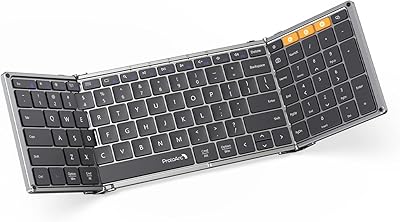
Geyes GK608 Foldable Bluetooth Keyboard
75%
93%
Portability
81%
Build Quality
58%
Typing Experience
77%
Dual Device Connectivity
84%
Value for Money
More
Samsers KF01 Foldable Bluetooth Keyboard
80%
93%
Portability & Form Factor
81%
Key Feel & Typing Comfort
63%
Build Quality & Durability
76%
Bluetooth Connectivity
89%
Battery Life
More
iClever BK18 Foldable Bluetooth Keyboard
84%
93%
Portability & Design
88%
Battery Life
90%
Multi-device Pairing
74%
Typing Comfort
92%
Compatibility
More
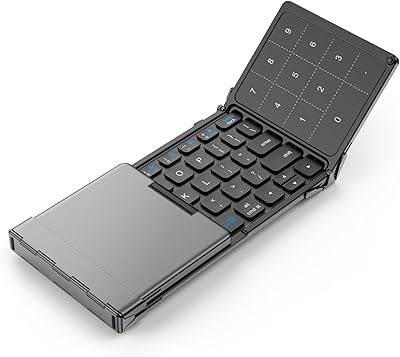
ProtoArc XK01 Foldable Bluetooth Keyboard
89%
91%
Typing Comfort
96%
Portability
88%
Connectivity Reliability
85%
Build Quality
93%
Durability of Hinges
More
PuechAxe B088BL Foldable Bluetooth Keyboard
76%
93%
Portability
71%
Typing Experience
74%
Build Quality
86%
Multi-Device Pairing
67%
Battery Life
More
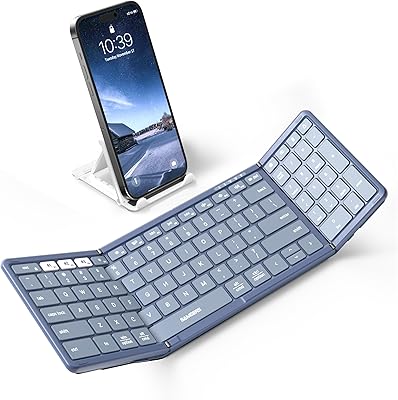
ProtoArc XK04 Foldable Bluetooth Keyboard
77%
94%
Portability
71%
Build Quality
58%
Key Size & Layout Comfort
83%
Bluetooth Connectivity
88%
Battery Life
More

FAQ

For moderate users — think typing for an hour or two a day during commutes or meetings — most buyers report getting through a full week before needing to recharge. If you are typing heavily for several hours every day, expect to charge more frequently, perhaps every two to three days. It is worth noting that keeping all three Bluetooth channels active simultaneously appears to drain the battery faster than using a single connection.

Yes, iPadOS is one of the stronger pairings for the touchpad on this travel keyboard. Multi-touch gestures like pinch-to-zoom and window switching respond reliably, and most iPad users report a smooth experience. It is a genuine substitute for a travel mouse if you are working on an iPad away from a desk.

Android support exists but is the weakest of the four compatible platforms. The touchpad functions for basic pointing and clicking, but gesture accuracy and responsiveness are noticeably less consistent than on iOS or Windows. Some shortcut keys also do not map correctly depending on your Android version. If Android is your primary device, factor this in seriously before buying.

Each of the three Bluetooth channels has its own dedicated button and indicator light, so switching is a single keypress and you can see at a glance which device is live. Initial pairing for each channel takes a minute or two the first time, but after that, reconnecting to a known device is fast. Occasionally a channel switch does not register on the first press, but a second press typically resolves it immediately.

In normal use, no — the keyboard remembers paired devices per channel and reconnects automatically when you press the corresponding channel button. The one exception buyers have flagged is that fully draining the battery can sometimes cause the keyboard to lose its saved pairings, requiring you to re-pair from scratch. Keeping the battery reasonably charged avoids this.

Honestly, probably not as your primary keyboard. The keycaps are 15mm wide, which is meaningfully smaller than the 19mm keys on a standard layout, and fast touch typists consistently report an adjustment period with more typos than usual. For occasional travel use it is fine, but if you are logging several hours of serious writing or coding daily, the compact layout will likely frustrate you over time.

No software or driver installation is required for basic typing and touchpad functionality on any of the supported platforms. The dedicated function row for Windows and iPadOS also works out of the box. The only app involved is the optional Inateck Origin app, which is only needed if you want to use the AI shortcut key feature.

The AI key launches the Inateck Origin app, which offers a slide-to-translate feature and an AI chat interface. If you travel internationally and want a quick translation tool tied directly to a keyboard shortcut, it has a legitimate use case. That said, most buyers either use it occasionally or ignore it entirely — it is not deeply integrated with third-party apps like Google Translate or system-level AI assistants, so its usefulness depends entirely on whether you adopt Inateck's own app.

For people who fold and unfold it a few times per week, the hinge holds up well over several months without any reported structural failure. For daily heavy users who open and close it multiple times every single day, some buyers have noted that the hinge develops a subtle looseness over time. It does not break outright, but it does not retain the same firm click it has when new.

Based on available product information, no carrying case or pouch is included in the box — just the keyboard itself with the battery pre-installed. Given how slim the keyboard folds down, most buyers slot it directly into a bag pocket without needing a separate case, but if scratch protection matters to you, a basic sleeve would be worth picking up separately.