
Overview

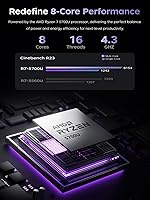
The MALLRACE LX15PRO 15.6″ Gaming Laptop sits in an interesting spot — it targets buyers who want real processing muscle without stretching into premium territory. At its heart is AMD's Ryzen 7 5700U, an 8-core, 16-thread chip capable of boosting up to 4.3GHz, which gives this MALLRACE laptop genuine punch for multitasking and productivity work. Graphics come from the integrated Radeon RX Vega 8, so temper expectations accordingly — this is not a machine built for demanding AAA titles. MALLRACE is not a household name, and that skepticism is understandable, but the included Windows 11 Pro license signals a practical, business-aware configuration that adds tangible value beyond the hardware specs alone.

Features & Benefits

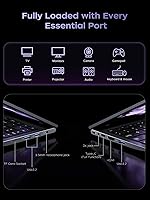
Sixteen gigabytes of DDR4 RAM is a legitimate strength here — it handles multiple browser tabs, background apps, and light creative work without breaking a sweat. The 512GB NVMe SSD makes a noticeable real-world difference over older spinning drives, with Windows loading quickly and apps snapping open. Wi-Fi 6 support is a smart inclusion, especially in apartment buildings or offices where wireless congestion is a daily reality. The port selection on the LX15PRO is practical rather than flashy: two USB 3.2 ports, a full-function USB-C, HDMI output, a 3.5mm audio jack, and a TF card slot cover most daily workflows without needing a hub. Battery capacity sits at 54.72Wh, which is workable for a day out but not exceptional.

Best For

This Ryzen 7 machine hits a useful niche. Students and remote workers who need a capable everyday laptop without the extra outlay for a discrete GPU will find it genuinely practical. Casual gamers who stick to titles like League of Legends, CS:GO, or DOTA 2 can get by at low-to-medium settings — just don't expect miracles from integrated graphics. Light content creators working in Photoshop or Premiere for social media edits rather than professional production work will appreciate the responsive CPU. The numeric keypad and large 15.6-inch screen also make this a comfortable pick for anyone doing spreadsheet-heavy office work or data entry from a home desk.

User Feedback

Buyers who use this MALLRACE laptop for web browsing, video calls, and document work tend to come away satisfied — the CPU handles daily tasks without complaint. The recurring concern, predictably, is gaming performance: users expecting to run graphically demanding titles are disappointed, and a few note that the Vega 8 struggles above low settings in newer games. Build quality feedback is mixed; some find the chassis sturdy enough, while others flag plastic flex around the keyboard deck. Worth noting is the 2021 chip date — the Ryzen 7 5700U is a mature processor, but it still performs respectably in 2025 for non-GPU workloads. The Windows 11 Pro license draws consistent appreciation.

Pros

  • The 8-core Ryzen 7 5700U handles everyday multitasking, streaming, and office work without hesitation.
  • Sixteen gigabytes of DDR4 RAM is genuinely generous for this price bracket and keeps multitasking smooth.
  • The NVMe SSD delivers noticeably faster boot and app load times compared to budget laptops still using SATA drives.
  • Wi-Fi 6 support is a practical future-proof inclusion that improves wireless reliability in congested environments.
  • Windows 11 Pro out of the box adds real value for business users who would otherwise pay for the upgrade separately.
  • The full-size keyboard with a numeric keypad is a practical advantage for anyone doing data entry or spreadsheet work.
  • Port selection covers daily needs well, including USB-C, HDMI, and a TF card slot without requiring a hub.
  • At 5.79 pounds with a slim 0.66-inch profile, the LX15PRO is portable enough for commuting or campus use.
  • RAM is upgradable up to 64GB, giving the machine a longer useful lifespan than non-upgradable competitors.

Cons

  • Integrated Vega 8 graphics struggle with any modern game above low settings — the gaming label is misleading for serious players.
  • MALLRACE has limited brand recognition, making long-term support, warranty claims, and parts availability uncertain.
  • The Ryzen 7 5700U is a 2021-era processor, which means buyers are paying current prices for older-generation silicon.
  • Sustained workloads like video rendering or extended gaming sessions may trigger fan noise and thermal throttling.
  • Build quality feedback is inconsistent, with some users reporting noticeable flex in the keyboard deck and lid.
  • At its price point, established brands offer discrete GPU options that provide far better gaming value for the money.
  • Battery life is workable but unremarkable — heavy users will likely need to stay near an outlet for full-day sessions.
  • Display color accuracy has drawn criticism from users doing any kind of color-sensitive creative work.
  • The brand offers no well-known retail or service presence, which complicates in-person support if hardware issues arise.

Ratings

The scores below for the MALLRACE LX15PRO 15.6″ Gaming Laptop were generated by our AI after analyzing verified buyer reviews collected globally, with spam, bot activity, and incentivized feedback actively filtered out. Every category reflects what real users experienced across daily workflows, light gaming sessions, and long-term ownership — not what the product page promises. Strengths and frustrations are weighted equally so you get an honest picture before committing.

CPU Performance
83%
Users running productivity workloads — think multiple Chrome tabs, Zoom calls, and a spreadsheet open simultaneously — consistently report that the Ryzen 7 5700U handles it without complaint. The 8-core design gives it headroom that older quad-core budget laptops simply lack, and cold boot times feel genuinely fast thanks to the NVMe pairing.
The chip is from 2021, and buyers comparing it against current-generation Ryzen 7000-series processors notice the efficiency and single-core speed gap. For anything beyond everyday tasks, the aging architecture starts to show its ceiling, particularly in longer sustained workloads where thermal limits kick in.
Gaming Capability
47%
53%
Titles like League of Legends, CS:GO, and DOTA 2 run at playable framerates on low-to-medium settings, which satisfies casual gamers who are not chasing high refresh rates or maxed-out visuals. For older indie games and esports titles, the Vega 8 is functional enough to enjoy a session without constant frustration.
The integrated Radeon RX Vega 8 is simply not a gaming GPU by modern standards, and buyers who expected more based on the gaming label were consistently disappointed. Any title released in the last two to three years with real graphical demands will stutter, and there is no upgrade path for the graphics since it is fully integrated into the CPU.
Build Quality
61%
39%
The slim 0.66-inch profile gives the machine a reasonably modern aesthetic, and the Starry Grey finish does a decent job hiding fingerprints during daily handling. For light daily use on a desk or a bag commute to campus, most users find the chassis holds up adequately.
A recurring complaint is flex in the keyboard deck and lid when pressure is applied — nothing catastrophic, but noticeable enough to concern buyers used to more rigid chassis from Lenovo or ASUS. At this price tier from an off-brand manufacturer, the plastics feel functional rather than confidence-inspiring, and long-term durability remains an open question.
Display Quality
63%
37%
The 1920x1080 IPS panel delivers a clean enough picture for web browsing, streaming, and general productivity work, and the 15.6-inch size gives users comfortable screen real estate without needing an external monitor for daily tasks.
Color accuracy drew consistent criticism from users doing anything visually sensitive — photo editing or comparing color-graded footage revealed muted, inaccurate reproduction. Brightness levels were also noted as underwhelming in well-lit rooms, and the lack of any mention of color gamut coverage makes this a poor choice for anyone with professional display requirements.
RAM & Multitasking
81%
19%
Sixteen gigabytes of DDR4 at this price tier is genuinely appreciated by users who work across many open applications, and reviewers who upgraded from 8GB machines specifically called out the difference in daily smoothness. Students managing research tabs, note-taking apps, and media in the background report a comfortable experience.
The RAM runs in a configuration that may limit dual-channel bandwidth depending on how the slots are populated, which affects integrated GPU performance more than discrete GPU systems. Users who need even more headroom for heavier creative software will eventually want to upgrade, though the process requires some technical confidence.
Storage Speed
79%
21%
The M.2 NVMe SSD makes a real difference compared to the SATA drives still found on some competing budget laptops — Windows loads quickly, applications snap open, and large file transfers finish at a pace that feels modern rather than sluggish.
Five hundred and twelve gigabytes fills up faster than most users expect once Windows updates, applications, and media accumulate, and several reviewers mentioned reaching storage limits within months of purchase. While the slot supports up to 2TB drives, the extra cost of an upgrade drive is worth factoring into the true purchase price.
Wireless Connectivity
84%
Wi-Fi 6 support is one of the clearest practical wins on this machine — users in dense apartment buildings or shared office spaces reported noticeably more stable connections compared to older Wi-Fi 5 laptops, with reduced dropout during video calls and online gaming sessions.
The benefits of Wi-Fi 6 are only realized when paired with a compatible router, which not every buyer owns. Users on older network hardware see no meaningful improvement and may feel the feature is irrelevant to their setup, making it a forward-looking spec rather than an immediate upgrade for everyone.
Port Selection
77%
23%
The combination of two USB 3.2 Type-A ports, a full-function USB-C, HDMI, audio jack, and TF card slot covers the daily needs of most users without requiring a hub — remote workers and students appreciated not needing extra accessories just to connect their standard peripherals.
The absence of a Thunderbolt port limits external GPU enclosures and high-speed display options for more advanced users. Some reviewers also noted that the port placement on the chassis felt cramped when multiple devices were connected simultaneously.
Battery Life
58%
42%
The 54.72Wh battery handles lighter use cases reasonably well — users browsing the web, writing documents, or attending video calls report getting through a few hours away from a socket without anxiety, which is workable for short campus trips or coffee shop sessions.
Under any real load — gaming, video playback at full brightness, or running creative software — battery drain is rapid, and users consistently report needing to locate a charger well before the end of a workday. Compared to ultrabooks in a similar range, this machine falls noticeably short on stamina, which undermines the portability pitch.
Thermal Management
59%
41%
Under light workloads the machine stays quiet and reasonably cool, which makes it comfortable to use on a lap during a lecture or a meeting without becoming a distraction.
Extended gaming sessions or sustained CPU-heavy tasks trigger noticeable fan ramp-up and some thermal throttling, which chips away at the performance headroom users paid for. Several reviewers flagged that the bottom of the chassis gets warm enough during heavy use to be uncomfortable on bare legs.
Value for Money
54%
46%
The combination of 16GB RAM, an NVMe SSD, Wi-Fi 6, and Windows 11 Pro in a single package does represent a reasonable hardware checklist for the category, and buyers who use it purely for productivity work generally feel the configuration earns its place.
The asking price is a sticking point — at this level, established brands offer laptops with discrete GPUs, better build quality, and stronger after-sales support, making this a harder recommendation to stand behind for buyers who have done thorough market research. The value proposition weakens significantly once the off-brand risk and older chip generation are factored in.
Software & OS
76%
24%
Shipping with Windows 11 Pro rather than Home is a genuine differentiator that business users and tech-savvy buyers notice immediately — features like BitLocker, remote desktop, and group policy support are not trivial additions, and buying this license separately adds meaningful cost.
There is limited transparency around what MALLRACE pre-installs beyond Windows itself, and a handful of users reported needing to clean up unnecessary startup items after initial setup. The lack of a well-known software ecosystem also means there are no brand-specific utilities for fan control, power profiles, or display calibration.
Keyboard & Input
71%
29%
The full-size layout with a dedicated numeric keypad is a practical advantage that buyers doing spreadsheet work, accounting tasks, or data entry genuinely appreciated — it removes the need for an external number pad and gives the machine a desktop-like typing experience.
Key travel and tactile feedback received mixed remarks, with some users finding the keyboard adequate and others comparing it unfavorably to the crisper feel of Lenovo or HP keyboards at similar prices. The trackpad, while functional, was described by a few reviewers as lacking the precision and palm rejection of better-engineered competitors.
Brand Reliability
44%
56%
For buyers who simply need a functional machine and are comfortable with the hardware specs on paper, the LX15PRO delivers a working laptop out of the box with a legitimate Windows license — which is more than can be said for some no-name alternatives at lower price points.
MALLRACE carries genuine uncertainty around warranty fulfillment, customer support responsiveness, and parts availability that established brands do not. Buyers who have needed post-purchase support report difficulty getting timely responses, and the absence of any retail or authorized service network makes hardware issues a stressful prospect.

Suitable for:

The MALLRACE LX15PRO 15.6″ Gaming Laptop makes the most sense for buyers whose daily computing revolves around web browsing, office productivity, video calls, and the occasional light gaming session rather than pushing graphical limits. College students who need a full-featured machine for coursework, research, and casual gaming between classes will find the Ryzen 7 5700U more than capable for those demands. Remote workers who rely on stable wireless connections will appreciate the Wi-Fi 6 support, which holds up well in apartment buildings or shared office environments where network congestion is common. The included Windows 11 Pro license is a genuine bonus for professionals who need BitLocker encryption, remote desktop access, or domain join capabilities without paying extra. Home users who want a large screen and a full keyboard layout, including a numeric keypad for spreadsheet work or data entry, will find the 15.6-inch form factor comfortable for long sessions at a desk.

Not suitable for:

Buyers expecting a true gaming laptop should look elsewhere — the MALLRACE LX15PRO 15.6″ Gaming Laptop relies entirely on integrated Radeon RX Vega 8 graphics, which simply cannot keep pace with modern AAA titles or competitive games at high settings. If your gaming wishlist includes titles like Cyberpunk 2077, Elden Ring, or any GPU-intensive release from the past few years, this machine will disappoint regardless of how the listing is worded. Video editors or photographers working on high-resolution exports, color-critical work, or GPU-accelerated rendering pipelines will hit the ceiling quickly without a discrete graphics card. MALLRACE is also not a brand with an established support network or wide repair ecosystem, so buyers who prioritize long-term warranty confidence and local service options may prefer sticking with Lenovo, HP, or ASUS at a similar price point. At its asking price, there are competing options from established brands that offer discrete GPUs or better-documented build quality, making this a harder sell for buyers who have done thorough market comparisons.

Specifications

  • Processor: The AMD Ryzen 7 5700U features 8 cores and 16 threads with a base clock that boosts up to 4.3GHz, built on AMD's Zen 2 architecture for reliable multitasking performance.
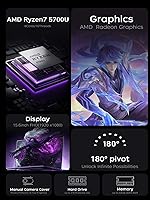
  • Graphics: Graphics are handled by the integrated AMD Radeon RX Vega 8, which shares system memory and is suited for light gaming and everyday visual tasks rather than GPU-intensive workloads.
  • RAM: The laptop ships with 16GB of DDR4 SDRAM and supports upgrades up to 64GB, giving users room to expand as their needs grow.
  • Storage: A 512GB M.2 2280 NVMe SSD provides the primary storage, with the slot supporting drives up to 2TB for users who need more space down the line.
  • Display: The 15.6″ IPS panel outputs at 1920x1080 resolution, offering a full HD viewing experience suitable for everyday work, media consumption, and casual gaming.
  • Operating System: The machine ships with Windows 11 Pro pre-installed, which includes business-focused features such as BitLocker encryption, remote desktop, and domain join support.
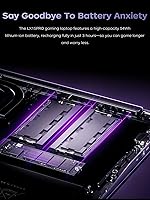
  • Battery: A 54.72Wh lithium-ion battery powers the laptop and reaches a full charge in approximately 2.5 to 3 hours under normal conditions.
  • Weight: The laptop weighs 5.79 pounds, which is typical for a 15.6″ machine and manageable for commuting or campus use without being ultrabook-light.
  • Dimensions: Physical dimensions measure 14.07 x 9 x 0.66 inches, resulting in a slim profile that fits in most standard laptop backpacks and sleeves.
  • Wireless: Wi-Fi 6 (802.11ax) with Bluetooth is built in, delivering faster throughput and lower latency on compatible routers compared to older Wi-Fi 5 connections.
  • Ports: The port configuration includes two USB 3.2 Type-A ports, one full-function USB-C port, one HDMI output, a 3.5mm audio/microphone combo jack, and a TF card slot.
  • Charging Port: A dedicated USB-C DC jack is used for charging, keeping the standard USB-C port free for data transfer or peripheral connections simultaneously.
  • Webcam: A built-in webcam is integrated into the display bezel, supporting standard video calls and conferencing applications without requiring an external camera.
  • Keyboard: The full-size keyboard includes a numeric keypad on the right side, making it practical for spreadsheet work, accounting tasks, and data entry.
  • Color: The chassis is finished in Starry Grey, a neutral tone that resists visible smudging and blends into professional or academic environments without standing out.
  • Chipset: The AMD chipset underpins the platform, supporting the Ryzen 7 5700U processor and handling memory and storage controller functions on a single integrated design.
  • Audio: A 3.5mm combo audio and microphone jack is included, allowing users to connect wired headsets or speakers without the need for an adapter.
  • Power Adapter: The laptop charges via its USB-C DC jack using the included power adapter, and the 54.72Wh battery supports standard wattage USB-C charging bricks.

Related Reviews
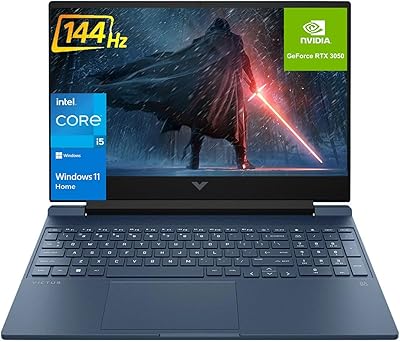
HP Victus 15.6″ RTX 3050 Gaming Laptop
71%
67%
Gaming Performance
83%
Display Quality
88%
RAM & Multitasking
86%
Storage Speed & Capacity
58%
Thermal Management
More
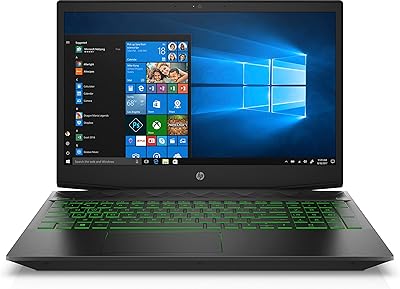
HP Pavilion Gaming 15.6″ Laptop
62%
62%
Gaming Performance
81%
Display Quality
38%
Storage Speed
73%
Value for Money
74%
Build Quality
More
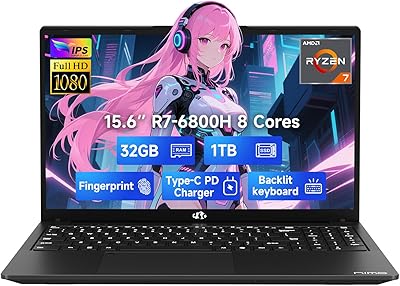
NIMO N155L 32GB/1TB
NIMO N155L 32GB/1TB
72%
88%
Processing Performance
91%
RAM & Memory Experience
87%
Storage Speed & Capacity
58%
Gaming Capability
66%
Display Quality
More
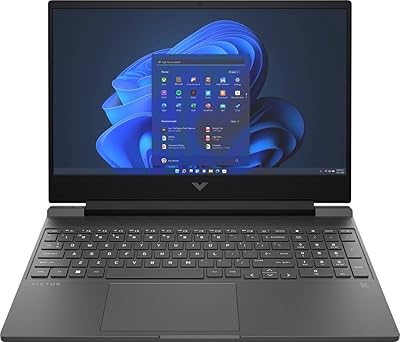
Dell G5 15.6-inch Gaming Laptop 32GB/1TB
73%
74%
Gaming Performance
82%
Value for Money
89%
RAM and Multitasking
86%
Storage Performance
67%
Display Quality
More
HP Victus 15 32GB 1TB Gaming Laptop
70%
63%
Gaming Performance
81%
Display Quality
89%
RAM & Memory
86%
Storage Performance
78%
CPU Performance
More
HP Victus 15.6″ Gaming Laptop - Intel Core i5-12450H, 8GB RAM, 512GB SSD, GTX 1650
79%
88%
Value for Money
80%
Gaming Performance
85%
Build Quality
65%
Display Quality
72%
Battery Life
More
MSI GV15 15.6″ Gaming Laptop - Intel Core i5-11400H, GTX 1650, 8GB RAM, 256GB SSD
83%
92%
Value for Money
80%
Gaming Performance
88%
Display Quality
85%
Portability
67%
Battery Life
More
NIAKUN LAITMIN 15.6-inch Gaming Laptop
65%
74%
Value for Money
41%
Gaming Performance
78%
Productivity Performance
67%
Display Quality
53%
Build Quality
More
Lenovo IdeaPad Gaming 3 15.6″ FHD Laptop - Ryzen 5 6600H, RTX 3050, 8GB RAM, 256GB SSD
82%
91%
Value for Money
87%
Gaming Performance
74%
Battery Life
79%
Display Quality
82%
Build Quality
More
Acer Nitro V 15 ANV15-51 (i5-13420H, RTX 4050, 8GB, 512GB)
67%
84%
Gaming Performance
81%
Display Quality
86%
Value for Money
57%
Thermal Management
53%
RAM & Multitasking
More

FAQ

It depends entirely on what you want to play. The integrated Radeon RX Vega 8 is capable enough for older or less demanding titles like League of Legends, CS:GO, or DOTA 2 at low-to-medium settings. If your library includes anything released in the last few years with serious graphical demands, this machine will struggle. Think of it as a light-gaming laptop first, and a productivity machine foremost.

It was released in 2021, so yes, it is a few generations behind the current lineup. That said, for everyday computing — web browsing, document work, video calls, and light multitasking — it still performs respectably in 2025. The 8-core, 16-thread design gives it staying power that older quad-core chips simply do not have. It is only in GPU-dependent tasks where the age really shows.

Yes on both counts. The RAM is upgradable up to 64GB, which is a genuine advantage over laptops with soldered memory. The M.2 2280 NVMe SSD slot supports drives up to 2TB, so you can swap in a larger drive if 512GB feels tight over time. Just make sure to buy compatible DDR4 SO-DIMM modules when upgrading.

Realistically, expect somewhere between 4 and 6 hours under typical mixed use — web browsing, documents, and some video. If you are running heavier workloads or gaming, that number drops noticeably. The 54.72Wh capacity is adequate but not class-leading, so plan to keep the charger nearby for full-day use.

That is a fair concern, and it is worth being honest about it. MALLRACE does not have the brand recognition or service network of Lenovo, HP, or ASUS. The MALLRACE LX15PRO 15.6″ Gaming Laptop does come with Windows 11 Pro pre-installed, which is a legitimate license, and the hardware specs are verifiable. However, if long-term warranty support and easy access to service centers matter a lot to you, a more established brand at a similar price point may be the safer choice.

The port selection is quite practical for daily use. You get two USB 3.2 Type-A ports, a full-function USB-C, HDMI for external monitors or TVs, a 3.5mm audio jack, and a TF card slot. There is also a separate USB-C DC charging port so your data USB-C stays free. For most users, this covers daily needs without requiring a hub.

Like most compact laptops with higher-power processors, the LX15PRO can get warm during sustained tasks like video rendering or extended gaming. Some users report that the fan ramps up noticeably under load. It is not unusually loud for the category, but if you are planning on running it hard for hours, expect the fan to be audible. Light daily use tends to be much quieter.

If your router supports Wi-Fi 6, you will notice lower latency and more stable speeds, especially in environments with many connected devices. For online gaming or video calls in a busy apartment or office, that stability matters. If your router is older Wi-Fi 5 or below, the Wi-Fi 6 chip still connects and works fine — you just will not see the speed gains until you upgrade your router.

It ships with Windows 11 Pro, which is clean compared to some consumer laptops that load trial software. MALLRACE does not have a well-documented software suite, so the out-of-box experience should be relatively straightforward. That said, it is always worth running Windows Update and checking installed programs after the initial setup to remove anything unnecessary.

It is a solid candidate if the student's needs center on coursework, research, note-taking, and the occasional casual game. The 16GB of RAM handles multitasking well, the NVMe SSD keeps things snappy, and the full-size keyboard with numeric keypad is comfortable for long typing sessions. The main caveat is the price — at this level, students should also compare options from established brands to make sure they are getting the best value for their specific needs.