

Overview
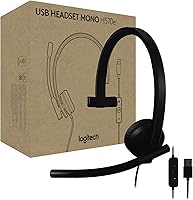
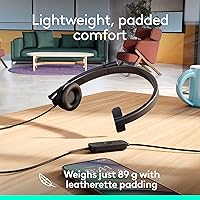
The Logitech H570e Mono USB Headset is built for one thing: getting through a call-heavy workday without fuss. It is a mono headset — worth stating clearly upfront, since anyone hoping to stream music or watch movies will want to look elsewhere. What it does offer is Microsoft Teams certification at a price point where that distinction actually matters, meaning the buttons and integrations work as intended right out of the box. Plug it into a USB-A port on a Windows machine, Mac, or Chromebook and it is recognized instantly — no drivers required. At just 89 grams and made partly from recycled plastic, it is designed to sit on your head for hours without demanding much attention.
Features & Benefits
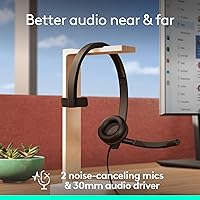
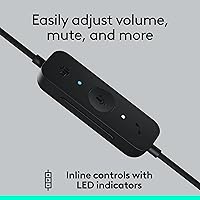
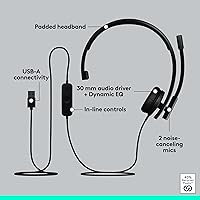
The H570e uses a dual-microphone arrangement — one unidirectional, one omnidirectional — and the combination does real work in noisy environments, helping filter out keyboard clatter and open-plan chatter so the person on the other end hears your voice, not your surroundings. The inline controller handles volume, mute, call management, and a dedicated Teams button without you ever touching your computer. Small LED indicators show at a glance whether you are muted or on a live call — quietly useful in shared spaces. The 30mm driver delivers clear, natural voice reproduction suitable for all-day conferencing. Comfort holds up across long sessions thanks to the padded headband and replaceable leatherette ear pads, and those who want more control can fine-tune sidetone and mic levels through the optional Logi Tune app.
Best For
This wired office headset makes the most sense for people who spend a significant chunk of their day on calls — remote workers, hybrid employees, or anyone whose job revolves around Teams meetings. It is also a strong fit for IT-managed environments where admins need to deploy and update headsets at scale using Logitech Sync. If you have had bad experiences with wireless headsets dropping mid-call or dying before the workday ends, the H570e removes that entire category of frustration. Bear in mind it is not the right pick for stereo music listening or media consumption. But if reliable call audio is the core requirement and you want to avoid overspending, this Teams-certified headset covers that ground confidently.
User Feedback
Across a broad base of reviews, this Teams-certified headset earns consistent praise for microphone clarity in real office conditions — users report that colleagues can hear them well even in busy, open-plan environments. The zero-setup experience also gets frequent mentions, with buyers noting the headset was working within seconds. On the downside, mono audio is the most common source of disappointment, particularly among buyers who did not check the specs beforehand. The all-plastic build draws some criticism for feeling purely functional. A handful of reviewers mention that locating the inline controller buttons by feel takes some adjustment. Longer-term ear pad wear does surface occasionally, though the replaceability helps. Overall, the 4.1-star average feels accurate — this is a dependable, no-drama work headset, not a premium one.
Pros
- Microsoft Teams certification ensures call controls and shortcut buttons work exactly as intended, out of the box.
- Dual noise-canceling microphones handle open-office background noise well for a headset at this price point.
- At just 89 grams, the H570e is light enough to wear through a full workday without discomfort.
- USB-A plug-and-play connection works immediately on Windows, Mac, and Chromebook with no drivers or software required.
- Inline controller keeps volume, mute, and call management accessible without ever reaching for the keyboard.
- LED indicators for call and mute status offer a discreet but useful visual check in shared workspaces.
- Replaceable leatherette ear pads help extend the headset lifespan and lower the cost of long-term ownership.
- Wired design eliminates battery management entirely — plug in, work, and never worry about charge levels mid-call.
- Logitech Sync support makes IT deployment and remote headset management practical for larger organizations.
- A 4.1-star rating across a large review base reflects consistent real-world satisfaction for call-focused use.
Cons
- Mono audio only — a hard limitation for anyone who also relies on their headset for music or video.
- All-plastic construction feels utilitarian; buyers expecting a refined or premium finish will likely be disappointed.
- The non-detachable cable stretches over six feet and can create desk clutter with no clean routing option.
- No flip-to-mute boom arm means every mute action requires locating and pressing the inline controller button.
- Inline controller button layout takes several days of regular use to navigate confidently by touch alone.
- On-ear design provides less passive noise isolation than over-ear alternatives in truly loud environments.
- Some users report ear pad wear over extended months of daily use, even with the replaceable pad option.
- Headband tension can loosen with regular use over time, based on longer-term owner reports.
Ratings
The Logitech H570e Mono USB Headset earns a 4.1-star average across its global review base, and the category scores below reflect that picture faithfully — real strengths alongside real trade-offs. These ratings were generated by AI after processing thousands of verified purchase reviews worldwide, with spam, bot, and incentivized feedback actively filtered out to surface what everyday users actually experience over time. Both the consistent praise and the recurring pain points are represented without softening either side.
Microphone Quality
Audio Clarity
Comfort & Fit
Build Quality
Ease of Setup
Inline Controls
Noise Cancellation
Value for Money
Teams Integration
Cable Management
Ear Pad Durability
Software & App
Platform Compatibility
Sustainability
Suitable for:
The Logitech H570e Mono USB Headset is purpose-built for professionals whose workdays are dominated by calls — think hybrid employees grinding through back-to-back Teams meetings, remote workers who need reliable audio without babysitting a battery, or customer-facing roles where being heard clearly matters far more than listening to music. The USB-A plug-and-play setup means it works immediately on Windows, Mac, or Chromebook with zero configuration — a real time-saver for people who just want to start their day. IT administrators managing fleets of office headsets will find practical value here too, since Logitech Sync enables remote firmware updates and centralized device management across an organization. If you have ever lost focus mid-call because a wireless headset died or dropped its connection unexpectedly, the wired design on this headset removes that problem entirely. Anyone working in an open-plan office who has struggled with background noise bleeding into their calls will also appreciate the dual-microphone noise-canceling setup, which does a solid job of isolating your voice in a busy room.
Not suitable for:
The Logitech H570e Mono USB Headset is not the right fit for anyone expecting a headset to serve double duty across calls and media — if you plan to stream music, watch videos, or listen to podcasts for a meaningful chunk of your day, the mono audio will feel like a step down from almost any alternative. Buyers cross-shopping stereo USB or Bluetooth headsets should be clear-eyed about this trade-off before committing. The all-plastic build, while lightweight, does not project much of a premium feel, so if the look and finish of your desk accessories matter to you, it may come across as purely functional. People who move frequently between spaces or simply prefer wireless freedom will find the fixed, non-detachable cable a persistent constraint. The headset also skips a flip-to-mute microphone boom, which some users find faster and more intuitive than reaching for an inline button during live calls.
Specifications
- Connection: Connects via USB-A with plug-and-play recognition on Windows, macOS, and ChromeOS — no drivers or additional software required.
- Audio Type: Mono audio output through a 30mm dynamic driver, tuned for voice clarity and call intelligibility rather than wide-range entertainment listening.
- Microphone: Dual noise-canceling microphone configuration — one unidirectional and one omnidirectional pickup — designed to isolate the speaker's voice from surrounding ambient noise.
- Cable Length: Integrated, non-detachable cable measures 6.23 ft (approximately 1.9 m) from headset to USB-A connector.
- Weight: Headset body weighs 89 g (3.14 oz), not including the cable and inline controller assembly.
- Ear Style: On-ear design with leatherette ear pads and a padded, adjustable headband intended to support extended daily wear sessions.
- Controls: Inline controller provides a volume wheel, mute button, call answer/end button, and a dedicated Microsoft Teams shortcut key.
- LED Indicators: Two LED status lights on the inline controller display active call state and mute state independently.
- Certification: Certified for Microsoft Teams, enabling native integration with Teams call controls, mute sync, and the Teams shortcut button on the inline controller.
- Compatibility: Compatible with Windows, macOS, and ChromeOS; functions as a standard USB audio device with most major conferencing platforms.
- App Support: Optional Logi Tune app supports sidetone adjustment, microphone gain control, and anti-startle protection; Logitech Sync enables IT remote device management and firmware deployment.
- Ear Pads: Leatherette ear pads are user-replaceable, allowing worn or degraded pads to be swapped out without replacing the entire headset.
- Sustainability: Plastic components are manufactured using a minimum of 45% post-consumer recycled material by weight in the plastic parts.
- Dimensions: Physical dimensions measure approximately 1.97 × 6.18 × 6.73 inches (5.0 × 15.7 × 17.1 cm) in resting position.
- Model Number: Official model number is 981-001424; this designates the Microsoft Teams variant with dedicated Teams button and corresponding firmware.
- Included Items: Package contains the headset with attached inline controller, integrated USB-A cable, and a printed user manual.
Related Reviews
Logitech USB Headset Mono H650e
Logitech H390 USB Computer Headset
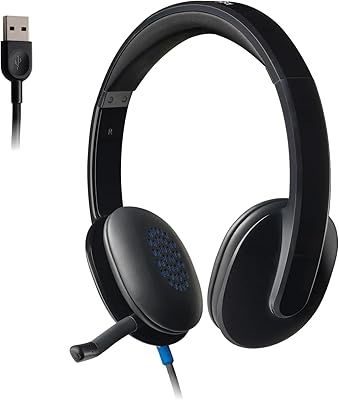
Logitech H540
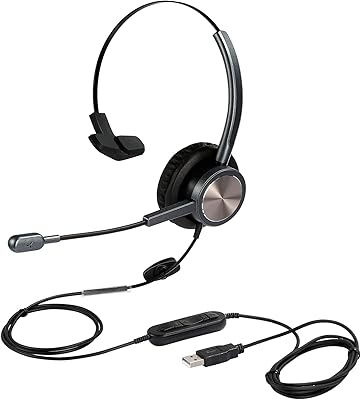
KEMEILE KML03USB Mono USB Headset
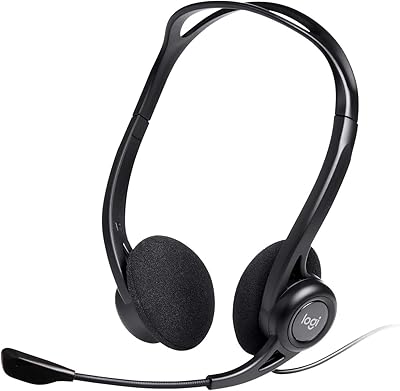
Logitech H960 USB Computer Headset
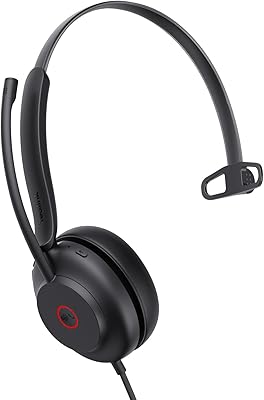
Yealink UH35 USB Headset
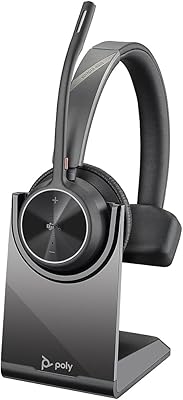
Plantronics Voyager 4310 USB-C Bluetooth Mono Headset
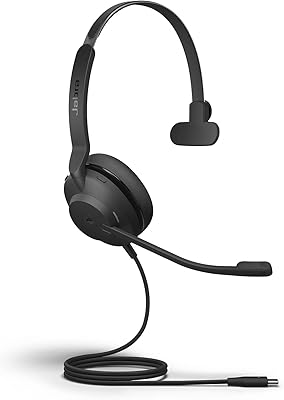
Jabra Evolve2 30 UC Mono USB-C
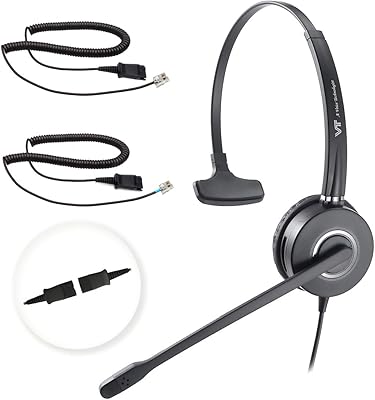
VT VT6932 Mono QD Telephone Headset