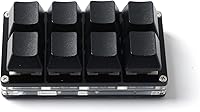
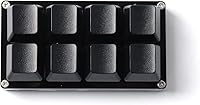
LICHIFIT 8-Key Programmable Mini Mechanical Keyboard

LICHIFIT 8-Key Programmable Mini Mechanical Keyboard — image 1
LICHIFIT 8-Key Programmable Mini Mechanical Keyboard — image 2
LICHIFIT 8-Key Programmable Mini Mechanical Keyboard — image 3
LICHIFIT 8-Key Programmable Mini Mechanical Keyboard — image 4
LICHIFIT 8-Key Programmable Mini Mechanical Keyboard — image 5
LICHIFIT 8-Key Programmable Mini Mechanical Keyboard — image 6
LICHIFIT 8-Key Programmable Mini Mechanical Keyboard — image 7
LICHIFIT 8-Key Programmable Mini Mechanical Keyboard — image 8
LICHIFIT 8-Key Programmable Mini Mechanical Keyboard — image 9
LICHIFIT 8-Key Programmable Mini Mechanical Keyboard — image 10
74%
26%

Overview

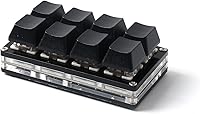
The LICHIFIT 8-Key Programmable Mini Mechanical Keyboard is a compact macro pad that punches above its weight for anyone tired of reaching across a full keyboard for frequently used shortcuts. Plug it into any USB-A port and it works immediately — no driver installation, no setup wizard, nothing to sort out before getting started. What makes it genuinely useful is onboard memory: your key assignments live on the device itself, so switching between computers does not mean starting over. It sits comfortably alongside a standard keyboard without crowding your desk, and at under five ounces, it is light enough to toss in a bag. For the price, it is a capable entry point into the macro pad world.

Features & Benefits

Each of the eight keys operates independently, meaning you can set one to paste, another to undo, and another to trigger a macro — all without those assignments interfering with each other. The dedicated configuration software handles reprogramming, and while it takes a few minutes to get comfortable with, it gives real flexibility to reassign keys as your workflow shifts. The switches have a tactile feel that is noticeably better than a rubber-dome membrane pad — not on par with premium mechanical boards, but satisfying enough for everyday use. A single-color LED backlight runs across the keys, adding enough visibility in dimmer environments without going overboard on flashy effects that most productivity users would ignore anyway.

Best For

This mini macro pad genuinely shines for people whose work revolves around repetitive commands. Video editors cycling through cut, trim, and export shortcuts will feel the difference almost immediately, and office workers who spend hours copying, pasting, and formatting will appreciate having dedicated keys for those actions. Gamers on a tight budget can assign ability combos or push-to-talk triggers without committing to a full macro keyboard. The cross-platform compatibility is a real standout here — Linux users, Raspberry Pi hobbyists, and Android device owners can all connect this programmable keypad without hunting for obscure drivers or dealing with compatibility workarounds that plague cheaper alternatives.

User Feedback

With a 3.9-star average across nearly 200 ratings, the LICHIFIT 8-key pad sits in solidly mixed-but-positive territory. Buyers consistently highlight the ease of setup and describe the key feel as better than expected at this price point — a recurring theme among those upgrading from membrane-style alternatives. Criticism tends to cluster around the configuration software, which some users find unintuitive when building more complex macro sequences for the first time. A handful of reviewers noted that the plastic construction feels lighter than ideal, though that is fairly expected given the budget tier. Most buyers feel the value holds up well for straightforward shortcut use, though anyone wanting deep macro customization may hit the software's limits sooner than they would like.

Pros

  • Plug-and-play setup works instantly — no driver installation or software required just to start using it.
  • Onboard memory means your key assignments survive a computer swap without any reconfiguration.
  • Works across Windows, macOS, Linux, Android, and Raspberry Pi, which is rare at this price point.
  • Each of the 8 keys can be assigned a completely different function independently of the others.
  • The mechanical switches feel noticeably more responsive and tactile than membrane-based macro pads.
  • At under 5 ounces, this mini macro pad is light and small enough to travel with or tuck beside a laptop.
  • Key assignments can be reprogrammed as many times as needed through the dedicated configuration app.
  • Solid value for first-time macro pad buyers who want a functional shortcut tool without a steep investment.

Cons

  • The configuration software has a learning curve that can frustrate users who expect an intuitive plug-and-play setup experience.
  • Eight keys is a hard limit — power users with complex macro needs will feel constrained fairly quickly.
  • Plastic construction feels light and somewhat hollow, which raises questions about long-term durability under heavy use.
  • Backlighting is fixed to a single color with no brightness adjustment or effect customization available.
  • The dedicated app interface is not the most polished, and documentation for advanced key modes is sparse.
  • Budget mechanical switches are a step up from membrane but fall short of the tactile quality enthusiasts expect.
  • No wireless option — the USB-A cable connection is the only way to use this keypad, which limits desk flexibility.
  • With only 192 ratings and a 3.9-star average, there is limited long-term owner data to assess reliability over time.

Ratings

Our AI rating system analyzed verified global buyer reviews for the LICHIFIT 8-Key Programmable Mini Mechanical Keyboard, actively filtering out incentivized, spam, and bot-generated submissions to surface what real users actually experience day to day. The scores below reflect an honest synthesis of both the strengths that keep buyers recommending this mini macro pad and the friction points that have frustrated others — nothing is smoothed over to look better than it is.

Ease of Setup
88%
Buyers across platforms consistently praise how fast this programmable keypad gets up and running — plug it into a USB port and it registers instantly as a standard keyboard with zero driver installation. For non-technical users who just want copy-paste shortcuts working in under a minute, this is genuinely one of the smoothest onboarding experiences in the budget macro pad category.
The ease of initial use does not carry over to key reprogramming, which requires downloading and navigating a separate configuration app. Users who expected the entire experience to be as frictionless as the plug-in step often feel let down when they open the software for the first time.
Key Programmability
79%
21%
The ability to assign completely different functions to each of the eight keys independently is the core selling point, and for basic shortcut mapping it delivers. Office workers and video editors who need dedicated keys for undo, save, paste, or export find the flexibility genuinely useful once they get comfortable with the setup process.
The programmability hits a ceiling fairly fast for power users who want layered macros or complex sequences — the software and hardware simply were not designed for that depth. Buyers coming from more capable macro controllers may find the feature set underwhelming once they push past the basics.
Configuration Software
54%
46%
The dedicated app does allow unlimited reprogramming, which means you are not locked into your first setup decisions — you can freely adjust your key layout as your needs evolve. For users willing to invest time in learning the interface, the software does eventually give adequate control over standard function assignments.
The software UX is widely cited as the most frustrating aspect of this programmable keypad, with an interface that feels unpolished and lacks clear guidance for first-time users. Documentation is sparse, and setting up anything beyond single-keystroke shortcuts often requires trial and error or hunting for community tips online.
Build Quality
61%
39%
The pad is compact and functional, and for light daily use at a desk it holds up adequately — most users who stick to office-style shortcuts report no structural issues over weeks of regular use. The form factor is consistent and the keys do not feel wobbly or misaligned out of the box.
The all-plastic construction feels noticeably lightweight in hand, which raises reasonable questions about how it would hold up under years of heavy use or in a travel bag. Several buyers specifically mentioned that the housing felt cheaper than expected, even accounting for the budget price tier.
Switch Feel
72%
28%
Compared to the rubber-dome membrane pads in the same price range, the mechanical switches here offer a meaningful tactile improvement that daily keyboard users will notice immediately. Buyers who spend hours typing or executing repetitive commands appreciate the feedback, reporting that the keys feel deliberate and responsive during workflow-heavy sessions.
The switches are budget-grade mechanical, and anyone who has used mid-range or enthusiast mechanical keyboards will immediately sense the gap in quality and consistency. The actuation feel is adequate but not satisfying in the way premium switches are, and the sound profile leans toward a hollow clack that some find unpleasant in quiet environments.
Cross-Platform Compatibility
91%
Genuine compatibility across Windows, macOS, Linux, Android, and Raspberry Pi without any driver installation is a standout capability at this price point — it is rare to find a budget macro pad that works just as cleanly on a Linux workstation or a Raspberry Pi project as it does on a Windows desktop. Non-Windows users specifically call this out as a key reason they chose this pad over alternatives.
While the connection itself is universally compatible, the configuration software experience may vary outside of Windows, and users on macOS or Linux sometimes report needing to do extra legwork to get the programming app running smoothly. The pad works as an input device everywhere, but full programmability may be more seamless on Windows.
Onboard Memory
86%
Storing key assignments directly on the device is a practical feature that removes a real daily frustration — users who switch between a work desktop and a personal laptop do not have to reconfigure anything. For office workers and freelancers who move between machines regularly, this small detail saves a surprising amount of time.
There is no indication of how much memory capacity the device actually holds, which raises questions for users who want to store multiple complex profiles. For basic shortcut assignments the onboard storage is more than sufficient, but the lack of profile-switching functionality means you are limited to a single key layout at any given time.
Backlighting
58%
42%
The single-color LED backlight is bright enough to make the keys identifiable in dimly lit environments, which is genuinely useful for late-night work sessions or gaming setups where ambient lighting is low. For users who just want basic key visibility without fuss, the lighting does its job without requiring any configuration.
Single-color fixed lighting with no brightness adjustment or effect options is a notable limitation for buyers who expected any level of customization — and at this price, some did. Users building aesthetically coordinated desk setups will find the fixed backlight does not integrate well, and those wanting even basic breathing effects are out of luck.
Portability
84%
At under five ounces and with a footprint smaller than a standard smartphone, this mini macro pad slips into a laptop bag without adding meaningful bulk or weight. Professionals who carry their peripherals between offices or co-working spaces appreciate that it does not demand any dedicated case or padding to transport safely.
The USB-A cable is not detachable, which means the cord has to be managed or coiled every time you pack the pad away — a small but recurring annoyance for frequent travelers. There is also no wireless option, so anyone expecting Bluetooth flexibility will need to look elsewhere.
Value for Money
77%
23%
For buyers who want a functional shortcut pad without committing serious money, this programmable keypad delivers a reasonable amount of utility relative to its cost. The combination of mechanical switches, onboard memory, and broad platform compatibility at this price tier is genuinely difficult to match with competing products.
Buyers with higher expectations around software quality or build durability will likely feel the value proposition weaken once they encounter those friction points firsthand. The pad earns its price for basic use cases, but anyone expecting a fully polished experience may feel they need to spend more to get there.
Key Count & Layout
66%
34%
Eight keys is enough to cover the most frequently used shortcuts for most productivity-oriented workflows — copy, paste, undo, save, and a few custom triggers can all coexist without overlap. The physical layout is clean and intuitive, with enough spacing between keys to avoid accidental presses during quick shortcut sequences.
For users whose macro needs span more than eight functions, the key count becomes a hard constraint with no workaround — there are no layers, no secondary functions accessible via a shift key, and no way to expand the pad. Anyone coming from a 12- or 16-key macro controller will feel this limitation within the first week.
Desk Footprint
89%
The compact dimensions let it sit flush alongside a standard full-size keyboard without encroaching on mouse space or creating clutter, which is exactly what most buyers setting up a small or organized desk want. Multiple users specifically mention that it fits naturally into tight desk arrangements without requiring any layout rethinking.
The small size does mean the keys themselves are not large, which can be a minor adjustment for users with bigger hands who are used to standard keycap sizing. It is not a dealbreaker, but precise key targeting during fast, habitual use may take a short adaptation period.
Durability Over Time
57%
43%
For the first several weeks of regular use, the pad functions reliably without any reported key failure or connection issues — buyers who use it for light daily office tasks generally do not report early hardware problems. The USB connection holds firm and key actuation remains consistent in the short term.
Longer-term durability data is thin given the product history, and the plastic housing does not inspire confidence for multi-year use under demanding conditions. A subset of reviewers noted that the pad started showing wear signs — cosmetic or functional — sooner than they expected for a dedicated work peripheral.

Suitable for:

The LICHIFIT 8-Key Programmable Mini Mechanical Keyboard is a practical pick for anyone whose daily workflow involves hammering the same keyboard shortcuts over and over. Video editors, streamers, and content creators will get the most mileage out of it, since binding cut, export, or scene-switch commands to dedicated physical keys is genuinely faster than memorizing multi-key combos. Office workers who spend large chunks of their day copying, pasting, formatting, or navigating spreadsheets will also notice real time savings once the keys are configured to their routine. Developers and data entry professionals who favor one-touch command triggers — without spending on a high-end macro controller — will find the price-to-utility ratio hard to argue with. It is equally appealing to Linux users, Raspberry Pi tinkerers, and macOS power users who are often left out by Windows-centric peripherals, since this programmable keypad works across all of those platforms without any driver headaches.

Not suitable for:

The LICHIFIT 8-Key Programmable Mini Mechanical Keyboard is not the right tool for buyers expecting a premium hardware experience or deep, sophisticated macro programming. Eight keys is a firm ceiling — if your workflow demands layered macros, complex sequences, or a large number of custom bindings, you will outgrow this programmable keypad quickly and find the configuration software frustrating before long. The plastic construction is functional but does not inspire confidence for heavy daily abuse, so anyone prioritizing build durability over portability should look at more robust alternatives in a higher price bracket. Touch typists or users who prefer a premium tactile switch feel will also be disappointed — the mechanical switches here are decent for the cost, but they are nowhere near the quality of enthusiast-grade boards. If backlighting customization or RGB effects matter to your setup, this keypad offers only single-color illumination with no further adjustment options.

Specifications

  • Number of Keys: The pad features 8 fully programmable mechanical keys, each independently assignable to a different function or shortcut.
  • Connection: Connects via a standard USB-A plug-and-play interface with no driver installation required on any supported platform.
  • Compatible OS: Officially supported on Windows, macOS, Linux, Android, and Raspberry Pi operating environments.
  • Onboard Memory: Key configurations are stored directly on the device, so settings are retained when the pad is moved between computers.
  • Switch Type: Uses mechanical key switches that provide tactile feedback, offering a more responsive feel than membrane-based alternatives.
  • Backlighting: Equipped with single-color LED backlighting across all keys, with no RGB or per-key color customization available.
  • Configuration Software: A dedicated programming application allows users to assign and reassign key functions as many times as needed.
  • Key Function Modes: Each key supports multiple independently selectable function modes, allowing diverse shortcut types across the same pad.
  • Dimensions: The pad measures 5.98 x 4.06 x 1.81 inches, keeping the footprint small enough to sit comfortably beside a standard keyboard.
  • Weight: At 4.6 ounces, the pad is light enough to travel with or reposition on a desk without hassle.
  • Material: The housing and keycap structure is constructed from plastic, consistent with the budget tier of this product category.
  • Brand: Marketed under the LICHIFIT brand and manufactured by leagoods.
  • Style: Designed in a modern form factor suited to both office desks and gaming setups.
  • Recommended Use: Intended for office productivity, gaming macro input, and general workflow shortcut automation.
  • HID Standard: Operates as a standard HID keyboard device, ensuring broad hardware recognition without custom drivers.
  • Package Dimensions: Retail packaging measures approximately 5.98 x 4.06 x 1.81 inches, suitable for compact shipping and storage.

Related Reviews
GUAZI STORE 83-Key Mechanical Keyboard
86%
91%
Typing Experience
88%
Build Quality
86%
Bluetooth Connectivity
89%
Backlighting Customization
80%
Ergonomics
More
Logitech POP Keys Mechanical Wireless Keyboard
76%
88%
Typing Feel
84%
Build Quality
81%
Wireless Reliability
91%
Battery Life
93%
Design & Aesthetics
More
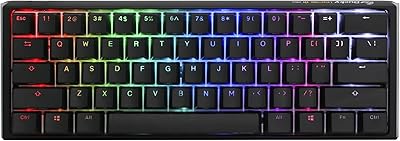
Ducky One 3 Mini 60% Mechanical Keyboard
81%
91%
Build Quality
88%
Typing Sound & Acoustics
86%
Switch Feel
93%
Hot-Swap Functionality
89%
Keycap Quality
More
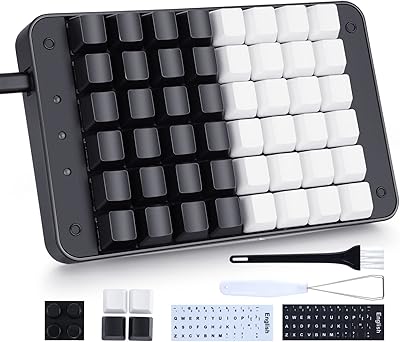
Koolertron 48-Key One-Handed Mechanical Keyboard
69%
83%
Key Feel & Switch Quality
78%
Programmability & Macro Power
44%
Configuration Software
71%
Build Quality & Materials
52%
Keycap Durability
More
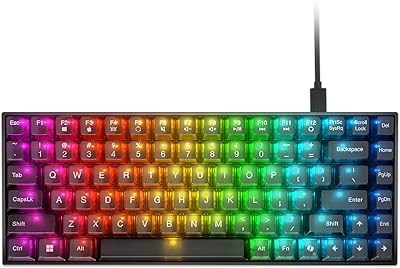
Lenovo Legion K510 Mini Pro Mechanical Keyboard
80%
83%
Build Quality
81%
Typing Feel
91%
Hot-Swap Feature
86%
RGB Lighting
58%
Software Experience
More
Qisan Happy Deals 68-Keys Mechanical Gaming Keyboard Blue Switch
87%
92%
Portability
88%
Ergonomics
85%
Typing Experience
90%
Gaming Performance
87%
Build Quality
More
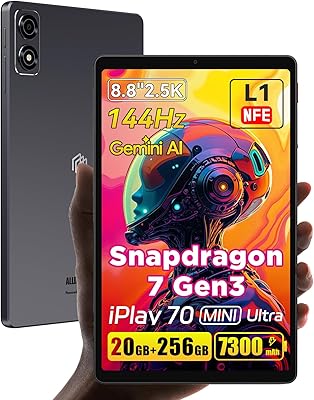
ALLDOCUBE iPlay 70 mini Ultra 8.8-inch Tablet

78%
91%
Display Quality
93%
Performance
86%
Battery Life
88%
Value for Money
61%
Software Experience
More
Satechi SM3 Full-Size Mechanical Keyboard
79%
91%
Build Quality
88%
Typing Experience
86%
Multi-Device Connectivity
89%
Mac Compatibility
83%
Battery Life
More
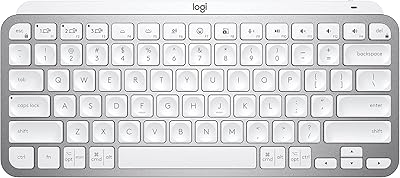
Logitech MX Keys Mini Wireless Keyboard
82%
91%
Typing Comfort
88%
Multi-Device Switching
93%
Battery Life
86%
Build Quality
74%
Portability
More
Facebook Portal Mini 8-inch Smart Display
68%
88%
Camera Tracking
84%
Call Audio Quality
91%
Ease of Setup
73%
Privacy Controls
39%
Platform Compatibility
More

FAQ

No — you can plug it in and use it right away as a standard keyboard input device. The configuration software is only needed if you want to reprogram what each key does, which you can do at any time after the initial setup.

No, your settings are saved directly to the pad itself using onboard memory. You can move it between computers and all your assigned shortcuts will still be there without needing to reconfigure anything.

It works on macOS, Linux, Android, and Raspberry Pi in addition to Windows. Since it registers as a standard HID keyboard, most systems recognize it automatically without any compatibility workarounds.

Basic assignments like copy, paste, or save are straightforward once you have the configuration app installed. More complex macro sequences can take some trial and error, as the software interface is functional but not the most intuitive tool — budget some time for your first session with it.

Yes, each key is fully independent and can be assigned to any function regardless of what the other keys are set to, including duplicates if that suits your workflow.

The mechanical switches produce more noise than a membrane pad but are not exceptionally loud by mechanical keyboard standards. If you are in a quiet shared office, you may notice the click, but most users find the sound acceptable.

It works well for both. Many buyers use it for in-game ability combos, push-to-talk, or quick-access commands, while others stick to office shortcuts. The keys are responsive enough for gaming use cases at this price point.

The LEDs are a single fixed color with no option to switch to a different hue or enable RGB effects. It adds enough visibility in low-light conditions, but if backlight customization matters to you, this pad does not offer it.

The plastic housing is lightweight and functional, but it does not feel heavy-duty. For light to moderate daily use it holds up fine, though buyers who are rough on peripherals or need something built to last years of intense use may want to consider a more robustly constructed alternative.

No stated limit — the configuration software allows you to reassign keys as many times as you want, so you can freely adjust your layout as your workflow changes over time.