
Overview

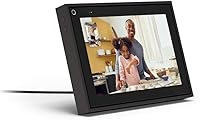
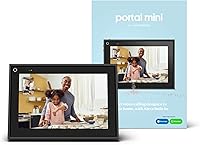
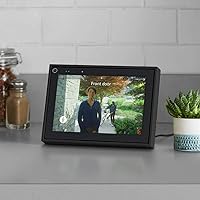
The Facebook Portal Mini 8-inch Smart Display arrived in 2019 as Facebook's answer to a simple question: what if video calling felt as easy as picking up the phone? Compact enough to sit on a kitchen counter or nightstand without demanding attention, this smart video display was designed from the ground up around Messenger and WhatsApp calls. It competes in the same space as the Echo Show 8 and Google Nest Hub, though its focus is narrower and more deliberate. Alexa is built in, adding smart home utility. One important note upfront: Meta has since discontinued the Portal line, which raises real questions about long-term software support.

Features & Benefits

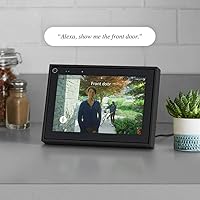
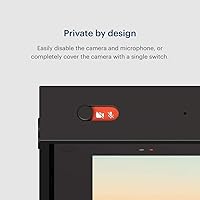
The standout feature people talk about most is the Smart Camera — it automatically pans and zooms to keep whoever is speaking in frame, so you can wander around the kitchen mid-call without disappearing from view. It works surprisingly well. The four-microphone array does a solid job filtering out background noise, whether that is a TV in the next room or kids playing nearby. A hardware privacy switch physically cuts both the camera and microphone at once, which helps address understandable concerns about a Facebook-branded device sitting in your home. There is also an AR Story Time mode that overlays animations for kids, and Alexa handles smart home commands when you are not on a call.

Best For

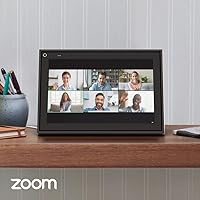
The Portal Mini makes the most sense for families who already rely on Messenger or WhatsApp to stay in touch — think grandparents who struggle with tech, or parents in different cities trying to read bedtime stories to their grandchildren. The compact form factor means it fits naturally in a kitchen or living room without needing a dedicated setup. That said, this smart video display is not the right pick for everyone. If your contacts use Zoom, Google Meet, or FaceTime, you will hit a wall fast. And if you are looking for a full-featured tablet replacement, look elsewhere. It is a purpose-built calling device, and it does that one thing well.

User Feedback

Across owner reviews, the auto-framing camera draws the most praise — people are genuinely impressed by how well it tracks movement without any manual adjustment. Call audio also gets high marks, even in busier households. On the flip side, platform lock-in is the most common complaint: if your family is not on Messenger or WhatsApp, the device loses much of its purpose. Privacy skepticism toward Facebook-branded hardware is another real sticking point for some buyers and worth taking seriously before purchasing. Setup is generally praised as fast and painless. Given that Meta has discontinued the line, future software updates are uncertain, which should factor heavily into any buying decision.

Pros

  • The auto-framing camera tracks movement naturally, keeping everyone in frame without any manual adjustment during calls.
  • Four-microphone array handles noisy home environments well, making voices clear even with background chaos.
  • Hardware privacy switch physically cuts the camera and microphone simultaneously, offering real peace of mind.
  • Setup is fast and beginner-friendly, making it a practical gift for less tech-savvy relatives.
  • Compact footprint fits comfortably on a counter or nightstand without taking over the space.
  • Alexa integration covers smart home control, music, timers, and news beyond just video calls.
  • AR Story Time is a genuinely fun feature for young children during video calls with family.
  • Call encryption is handled automatically, requiring no setup or technical knowledge from the user.

Cons

  • Meta has discontinued the Portal line, meaning long-term software support is uncertain and updates may stop entirely.
  • Platform lock-in is severe — the device only supports Messenger and WhatsApp, nothing else.
  • Anyone outside your contact list not using those two platforms simply cannot be reached through this device.
  • No support for popular services like Zoom, Google Meet, or FaceTime is a hard dealbreaker for many households.
  • Privacy skepticism around Facebook-branded hardware in the home is a legitimate and well-documented concern.
  • The Portal OS is closed and limited, with no meaningful app ecosystem to expand functionality over time.
  • Wi-Fi dependency means any network issues directly disrupt the core use case of the device.
  • Purchasing a discontinued product at current market prices carries real financial risk if support ends soon.

Ratings

Our AI rating system analyzed thousands of verified global owner reviews for the Facebook Portal Mini 8-inch Smart Display, actively filtering out incentivized submissions, duplicate accounts, and bot-generated feedback to surface what real buyers actually experience. The scores below reflect both the genuine strengths and the recurring frustrations that emerge across long-term ownership — nothing is glossed over. Whether the Portal Mini earns a place in your home depends heavily on your household's communication habits, and these ratings are designed to make that call easier.

Camera Tracking
88%
The auto-framing camera is consistently the most praised feature across owner reviews. Families describe it as transformative for group calls — you can move around the kitchen, grab a child, or step across the room, and the camera follows without any manual adjustment. It handles multiple people in the frame with impressive composure.
In very small rooms or when subjects move quickly and erratically, the tracking can briefly lag or over-correct before settling. A small number of users also report the zoom behavior feeling slightly aggressive in tight spaces, cropping the frame more than they would prefer.
Call Audio Quality
84%
Owners in busy households with TVs on, kids playing, or kitchen noise in the background consistently report that their voice comes through clearly on the other end. The four-microphone setup does meaningful work isolating speech, and callers on the receiving end rarely complain about muffled or distant-sounding audio.
In very large open-plan rooms, the microphones can occasionally pick up more ambient noise than expected. A few users also note that the speaker output, while adequate for calls, lacks the depth needed to double as a satisfying music speaker for anything beyond casual background listening.
Ease of Setup
91%
Setup is one of the most universally praised aspects of this smart video display, particularly among buyers who purchased it for elderly relatives. Most report having it connected to Wi-Fi and logged into an account within five to ten minutes, with no technical knowledge required. The on-screen prompts are clear and the process rarely trips people up.
Users who do not have an active Facebook account face a slightly more complicated initial configuration, and linking WhatsApp as the sole platform requires a few extra steps that can confuse less experienced users. There is no way to skip the account linkage step and use the device offline.
Privacy Controls
73%
27%
The hardware privacy switch is a genuinely appreciated feature — buyers who are skeptical about smart home devices feel meaningfully more comfortable knowing the camera and microphone are physically cut, not just muted in software. The visual indicator showing when the switch is active adds an extra layer of reassurance.
Despite the hardware switch, a notable portion of reviewers express persistent discomfort with a Facebook-branded device in their home, citing broader concerns about data collection practices that go beyond the camera and microphone. This reputational trust deficit is a real factor that no hardware feature fully resolves for skeptical buyers.
Platform Compatibility
39%
61%
For households already committed to Messenger or WhatsApp as their primary communication tools, the device works exactly as intended. Calls connect quickly, contacts are easy to reach, and the experience within those two platforms is polished and reliable.
The platform limitation is the single most complained-about aspect across all reviewed feedback. No Zoom, no Google Meet, no FaceTime, and no sign that this will ever change — particularly given Meta's discontinuation of the Portal line. For anyone whose family or colleagues rely on other platforms, this device offers almost no flexibility.
Display Quality
71%
29%
The 8-inch screen is well-suited for video calls at typical counter or desk viewing distances, and brightness levels hold up reasonably well in normally lit rooms. Text is readable, and video call image quality is described as sharp and natural by most owners.
In bright rooms with direct sunlight, glare becomes a noticeable issue and brightness can feel insufficient. The display also does not impress as a media screen — those who try to use it for watching video content find it underwhelming compared to a tablet or dedicated streaming device.
Build & Design
78%
22%
The compact footprint earns consistent praise from owners with limited counter space. At under two pounds, it is easy to reposition around the home, and the clean rectangular silhouette does not look out of place in a kitchen or living room setting.
The build materials feel adequate rather than premium — the plastic casing attracts fingerprints and can feel lightweight in a way that reads as slightly cheap at the original retail price point. The single color option also limits how well it blends into different interior styles.
Smart Home Integration
69%
31%
Alexa works reliably for standard tasks — setting kitchen timers, checking the weather, controlling compatible smart home devices, and playing music from linked streaming accounts. For existing Alexa ecosystem users, having a screen-equipped hub in the kitchen adds genuine convenience.
The Alexa experience here is competent but not differentiated from other Alexa-enabled displays. Users who do not already have a smart home setup get limited additional value from this feature, and the Portal OS does not support non-Amazon assistant ecosystems, which frustrates Google Home users.
Long-Term Software Support
31%
69%
At the time of original purchase, the device received regular firmware updates that improved call quality and added features. For buyers who purchased early, the core experience held up well over the first couple of years of ownership.
Meta officially discontinued the Portal line, and there is no commitment to continued software support. This is a serious concern — features dependent on Meta's backend infrastructure could degrade or disappear without notice, and there is no path to third-party app support or platform expansion. Buying this device now means accepting a shrinking horizon.
Value for Money
47%
53%
At heavily discounted resale or clearance prices, the Portal Mini can represent reasonable value for buyers with a very specific use case — primarily, families already entrenched in the Messenger and WhatsApp ecosystem who want a dedicated calling screen.
At or near original pricing, the value proposition is difficult to defend given the discontinued status and uncertain support timeline. Competing devices like the Echo Show 8 offer broader platform support and active development for comparable or lower prices, making this smart video display a hard sell at full price.
Child-Friendly Features
66%
34%
Story Time with AR effects is a genuinely fun feature for young children — parents report that kids enjoy the animated overlays during calls with grandparents, and it adds an interactive element that keeps children engaged in a way a regular video call does not.
The child-focused features are quite limited beyond Story Time. There is no kid-safe browsing mode, no content filtering, and no dedicated children's app ecosystem. Parents looking for a fuller family-oriented smart display will find the offering narrow compared to dedicated kids tablets.
Caller Experience
82%
18%
People on the receiving end of Portal Mini calls — even those on a regular phone — frequently notice the improved audio and video quality compared to a standard mobile call. The auto-framing means the caller is always visible and well-lit, which makes conversations feel more natural and engaged.
The experience is entirely one-sided in terms of hardware advantages — only the Portal Mini owner benefits from the smart camera and audio processing. Calls to contacts on older phones or poor connections are still subject to those limitations, which can undercut the overall call quality.

Suitable for:

The Facebook Portal Mini 8-inch Smart Display was built for one primary audience: families who want a dedicated, always-ready device for keeping in touch over video. It is particularly well-suited for households where at least one person — a grandparent, a relative living far away, or a less tech-savvy family member — struggles with the friction of opening an app on a phone or laptop just to make a call. If your family already communicates through Messenger or WhatsApp, the Portal Mini slots in naturally as a shared hub in the kitchen or living room. Parents who want to let kids video call relatives without handing over a personal phone will also find it practical. The Alexa integration adds genuine day-to-day utility for smart home users who want a voice-controlled screen without committing to a full tablet.

Not suitable for:

If your household relies on Zoom, Google Meet, FaceTime, or Microsoft Teams for video calls, this smart video display will disappoint you almost immediately — platform support is limited strictly to Messenger and WhatsApp, and that is unlikely to change given Meta has formally discontinued the Portal product line. The discontinuation is a serious consideration: with no new hardware coming and software updates uncertain, buyers are essentially purchasing into a dead-end ecosystem. Privacy-conscious consumers who are uncomfortable with Facebook-branded hardware in their home should also think carefully, as concerns about data practices have followed this device since launch. Those seeking a versatile tablet, a media streaming hub, or broad app support will find Facebook's compact calling device far too narrow in scope for their needs.

Specifications

  • Display Size: The device features an 8-inch touchscreen, suitable for hands-free video calls and casual media viewing.
  • Dimensions: Physical measurements are 8.48 x 0.91 x 5.94 inches, making it one of the more compact smart displays available.
  • Weight: The unit weighs 1.7 pounds, light enough to reposition around the home without effort.
  • Camera: A wide field-of-view camera with automatic pan and zoom tracks movement during calls to keep participants in frame.
  • Microphone: A four-microphone array is used to isolate voices and reduce ambient background noise during calls.
  • Privacy Switch: A dedicated hardware switch physically disconnects both the camera and microphone simultaneously when engaged.
  • Storage: The device includes 16 GB of internal flash storage running the Portal OS.
  • Voice Assistant: Amazon Alexa is built in, enabling voice commands for smart home control, music playback, timers, and information queries.
  • Supported Platforms: Video calling is supported exclusively through Facebook Messenger and WhatsApp accounts.
  • AR Features: Story Time mode overlays animated characters and effects onto the caller's face during interactive storytelling sessions.
  • Connectivity: The device requires a Wi-Fi connection to operate; no cellular or Bluetooth calling capability is available.
  • Operating System: The Portal Mini runs on Portal OS, a closed proprietary system developed by Facebook Technologies.
  • Color Options: The device is available in Black as the primary color option for this model variant.
  • Manufacturer: The Portal Mini was designed and manufactured by Facebook Technologies, LLC, a subsidiary of Meta Platforms.
  • Release Date: The device was first made available for purchase on September 18, 2019.
  • Encryption: All video calls made through the device are encrypted in transit, applying to both Messenger and WhatsApp calls.
  • Power Source: The device is AC-powered and requires a constant connection to a wall outlet; there is no built-in battery for portable use.

Related Reviews
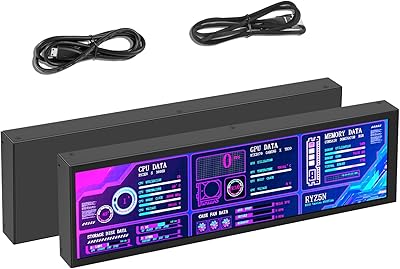
AISHICHEN 8.8-Inch PC Temperature Display
84%
88%
Display Quality
85%
Ease of Setup
91%
Customization Options
79%
Build Quality
84%
Screen Brightness
More
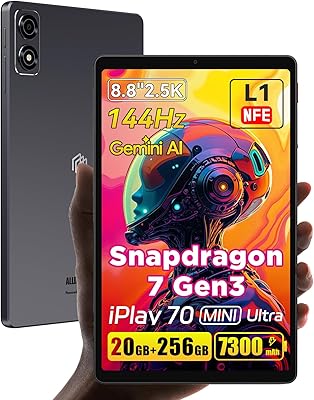
ALLDOCUBE iPlay 70 mini Ultra 8.8-inch Tablet
78%
91%
Display Quality
93%
Performance
86%
Battery Life
88%
Value for Money
61%
Software Experience
More
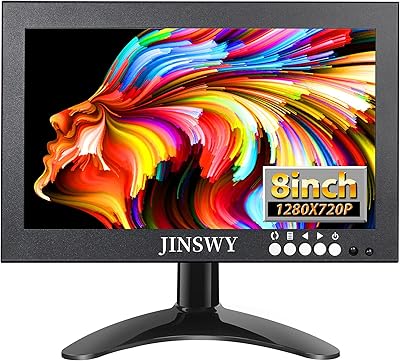
JINSWY JIN-HD82 8″ Mini Security Monitor
75%
83%
Build Quality
78%
Image Clarity
91%
Input Versatility
71%
Brightness & Visibility
86%
Value for Money
More
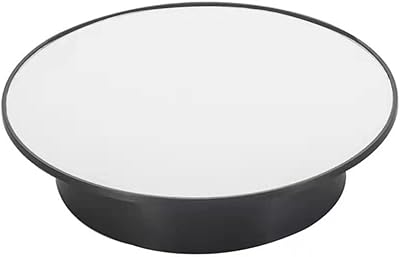
AHBLQD Motorized Rotating Display Stand 8-inch
85%
88%
Rotation Performance
91%
Build Quality
89%
Value for Money
94%
Quiet Operation
68%
Size Versatility
More
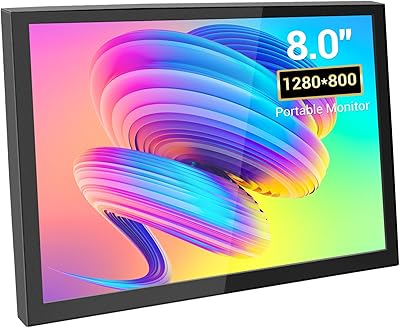
VIEWMEI 8-Inch Portable Touch Screen Monitor
71%
83%
Build Quality
78%
Display Clarity
62%
Touch Responsiveness
88%
Portability
81%
Setup & Compatibility
More
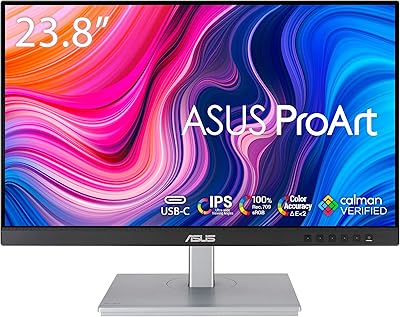
ASUS ProArt Display PA247CV 23.8-inch Monitor
86%
94%
Color Accuracy
89%
Display Quality
91%
Ergonomics and Comfort
87%
Connectivity Options
63%
Brightness in Well-Lit Environments
More
Canvia 24-Inch Smart Digital Art Frame

70%
83%
Display Quality
81%
Build Quality
47%
App Reliability
54%
Setup Experience
51%
Value for Money
More
LG QNED80 Series 55-Inch 4K Mini LED Smart TV
85%
94%
Picture Quality
89%
Gaming Performance
80%
Sound Quality
85%
Ease of Use
88%
Design & Build Quality
More
LG QNED85 65-inch Mini-LED Smart TV
79%
91%
Picture Brightness
88%
Color Accuracy
67%
Contrast & Black Levels
84%
HDR Performance
82%
Gaming Performance
More
LG QNED75 50-Inch Mini-LED Smart TV
78%
83%
Picture Quality
71%
Local Dimming & Contrast
84%
Upscaling Performance
88%
Smart TV Experience
81%
Magic Remote Usability
More

FAQ

No, it does not. The device is limited to Facebook Messenger and WhatsApp for video calling. If your contacts primarily use Zoom, Google Meet, FaceTime, or Microsoft Teams, this smart video display will not meet your needs.

No, they do not. As long as your contact has a Messenger or WhatsApp account on any device — a phone, tablet, or computer — you can call them. The Portal hardware is only required on your end.

It is a real hardware switch. When you flip it, the camera and microphone are physically disconnected at the hardware level, not just muted in software. This offers more meaningful protection than a simple toggle in an app.

Meta officially discontinued the entire Portal product line. While the Facebook Portal Mini 8-inch Smart Display continues to function for existing owners, new software updates and long-term support are uncertain. This is an important factor to weigh before purchasing one at current resale prices.

Setup is generally straightforward. You connect it to Wi-Fi, log into a Facebook or WhatsApp account, and the device is ready to use. Most owners report having it running within a few minutes, which makes it a realistic option as a gift for older relatives.

You can use it with WhatsApp, which does not require a Facebook account. However, core features and the Portal interface are still tied to Facebook's ecosystem, so some initial account setup through Facebook is typically involved during the initial configuration process.

It genuinely works well for most users. The camera pans and zooms smoothly as you move around the room, keeping you in frame without any manual adjustment. It handles multiple people in the frame reasonably well, though rapid movement in very close quarters can sometimes cause a brief lag.

The four-microphone array is specifically tuned to reduce background noise, and real-world feedback confirms it handles noisy environments better than most phones or laptops used for calls. Your voice generally comes through clearly even with ambient household noise present.

Not really. The Portal OS is a closed system with very limited app support outside of calling functions and Alexa. You cannot browse the web freely, install apps, or stream from most services independently. Think of it as a dedicated calling device with some smart home extras, not a general-purpose screen.

That depends entirely on your situation. If you have family members who only use Messenger or WhatsApp and you want a simple, always-on calling device for them, this smart video display still performs its core function well. However, the lack of future software support and the risk of platform changes mean you should factor in that this is a short-to-medium term solution rather than a long-term investment.

Where to Buy