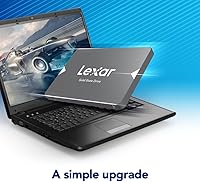
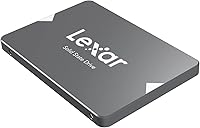
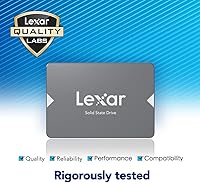
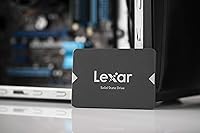
Overview

The Lexar NS100 1TB Internal SSD is one of the more dependable budget SATA upgrades you'll find for an aging laptop or desktop. Lexar has been a recognizable name in consumer storage for years, and this drive targets value-oriented buyers rather than power users chasing peak throughput. At 1TB, it hits a practical sweet spot — enough room to ditch a spinning hard drive entirely without overpaying. That said, this is a SATA III drive, not NVMe, so there's a hard speed ceiling to keep in mind. Nearly 12,000 ratings averaging 4.6 stars suggest it consistently delivers what most people need.

Features & Benefits

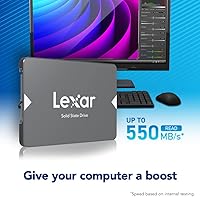
With sequential read speeds reaching up to 550MB/s, this Lexar SSD is noticeably quicker than any mechanical drive you'd be replacing. The 2.5-inch form factor and SATA III interface mean it slots into virtually any laptop or desktop with a standard drive bay — no adapter gymnastics required for most systems. Because there are no moving parts, it handles the bumps and jostles of everyday laptop use without complaint. The 480TBW endurance rating is the most concrete durability figure here; it tells you the drive is built for years of regular use, not just light browsing. A three-year warranty and a featherlight 2.11 oz weight round things out.

Best For

This SATA drive makes the most sense for anyone replacing an aging spinning hard drive in a machine without an M.2 NVMe slot. If your system does support PCIe, it is worth spending a bit more for a meaningful speed difference. But for students and light users, or anyone on a tighter budget who just wants their computer to feel responsive again, the NS100 1TB is a genuinely practical pick. It also works well as a dedicated OS drive in a secondary desktop, or as bulk media storage running alongside a faster primary drive. Budget PC builders often lean on drives like this for exactly that role.

User Feedback

The most consistent thing buyers mention is how dramatically faster their machine boots after swapping out the old hard drive — it is an immediate improvement that wins people over quickly. macOS and Windows users report smooth compatibility with no driver headaches out of the box. Where things get more nuanced: write speeds do not match the headline read figure, which can matter if you move large files often. A smaller group of long-term users has flagged concerns about sustained performance under heavy workloads. Still, with nearly 12,000 ratings at 4.6 stars, the consensus is hard to argue with — for a first-time SSD upgrade, this Lexar SSD earns its reputation.

Pros

  • Boot times drop dramatically after replacing a spinning hard drive — most users notice the difference immediately.
  • The 2.5-inch SATA III form factor is compatible with a huge range of laptops and desktops from the past decade.
  • At 480TBW, the endurance rating gives you a concrete, trustworthy benchmark rather than vague durability claims.
  • Sequential read speeds of up to 550MB/s represent a genuine, everyday-noticeable jump over mechanical storage.
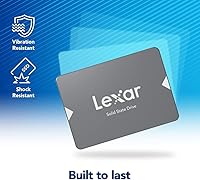
  • No moving parts means the NS100 1TB handles drops and bumps better than any traditional hard drive.
  • Works out of the box on both Windows and macOS with no driver installation or extra configuration needed.
  • The three-year limited warranty offers solid post-purchase protection for a budget-tier drive.
  • At just 2.11 oz, it adds virtually no weight to a laptop after installation.
  • Nearly 12,000 ratings averaging 4.6 stars is a strong real-world confidence signal at this price point.
  • Drop-in replacement installation makes it accessible even for first-time upgraders with minimal technical experience.

Cons

  • Write speeds lag noticeably behind the headline read figure, which matters when copying or saving large files.
  • SATA III has a hard bandwidth ceiling — this drive cannot compete with even entry-level NVMe speeds.
  • A small number of long-term owners have raised questions about performance consistency under sustained heavy workloads.
  • No bundled cloning software is included, so migrating an existing OS requires a separate tool or fresh install.
  • Buyers with M.2 slots available are leaving real performance gains on the table by choosing SATA.
  • The gray plastic casing feels utilitarian — build quality is functional but not premium.
  • No DRAM cache is present, which can affect write performance consistency during larger transfers.
  • Endurance specs are adequate for light use but may give pause to users running write-intensive applications daily.

Ratings

Our scores for the Lexar NS100 1TB Internal SSD are generated by AI after analyzing thousands of verified global buyer reviews, with automated filtering applied to remove spam, bot activity, and incentivized submissions. Each category reflects what real users actually experienced — genuine strengths alongside honest frustrations — so you can make a fully informed buying decision. The ratings are calibrated specifically to what buyers in this product category care about most: real-world speed gains, installation simplicity, everyday reliability, and long-term value.

Value for Money
88%
At this price tier, getting 1TB of SSD storage from a recognizable brand with a three-year warranty is genuinely hard to beat. Buyers upgrading from spinning hard drives consistently report feeling they got far more than they paid for — the performance jump against an HDD makes the cost feel almost trivial in hindsight.
The value calculation shifts meaningfully if your system has an available M.2 PCIe slot, where a few extra dollars buys substantially faster NVMe performance. Some longer-term buyers also note that the absence of a DRAM cache softens write consistency in ways that can feel limiting relative to the price paid.
Read Performance
83%
Hitting close to 550MB/s on sequential reads translates into genuinely faster application launches and snappier file access in everyday use. Users moving from a 100MB/s mechanical drive describe the difference as transformative — loading browsers, opening large folders, and launching apps all feel categorically different after the swap.
The 550MB/s ceiling is a SATA III constraint, not a product-specific achievement, and buyers familiar with NVMe will find the headroom modest. Real-world random read performance — the type that governs how responsive your desktop actually feels during multitasking — is less dramatic than the sequential headline figure suggests.
Write Performance
69%
31%
Sequential write speeds adequate for everyday file saves, photo imports, and software installations cover the needs of most home users and students without any noticeable friction. For light to moderate workloads, real-world write performance is comfortable and consistent enough that the majority of buyers never bump into its limits.
Write speeds fall noticeably short of the read headline, and without a DRAM cache, larger sequential writes show inconsistency under sustained pressure. Users who regularly move large video files, run backup jobs, or work with bulk data have flagged this gap as a genuine frustration that does not fully match initial expectations.
Installation Ease
94%
Drop-in installation is among the most praised aspects across the review base — most buyers complete the full swap in under fifteen minutes using only a screwdriver. Both Windows and macOS recognize the drive immediately with no driver setup, BIOS adjustments, or configuration required in the vast majority of real-world cases.
The drive ships without bundled cloning software, meaning first-time upgraders need to source a migration tool separately before they can preserve their existing OS and data. For buyers uncomfortable doing a fresh OS install, this extra step adds unexpected friction to what is otherwise a smooth, approachable upgrade process.
Boot Time Improvement
87%
Replacing an aging spinning hard drive with this SATA drive is the single most impactful upgrade most users can make to an old machine, and startup speed is where that shows most clearly. Reviewers frequently describe laptops going from minute-long startups to under fifteen seconds — a change they consistently describe as making the machine feel new again.
Boot time gains are most dramatic when upgrading directly from a mechanical HDD; buyers already running an older SATA SSD will experience a far more modest improvement. The ceiling on startup speed is also partly set by the system itself — processor age, RAM speed, and firmware all factor into what this drive can realistically deliver.
Endurance & Longevity
76%
24%
A 480TBW endurance rating is a credible, concrete figure that works out to well over a decade of use for a typical home user writing a few gigabytes of data per day. For students and light-workload buyers, the rated lifespan comfortably exceeds what they will realistically demand from the drive over its useful life.
A notable minority of long-term owners have flagged concerns about sustained performance consistency after extended heavy use, particularly in write-intensive scenarios. The 480TBW figure suits casual use well, but buyers running large backup routines, intensive applications, or heavy daily writes should look at higher-endurance alternatives in this price range.
Everyday Reliability
85%
Across nearly 12,000 ratings averaging 4.6 stars, consistent everyday reliability is one of the clearest and most repeated themes — most users report the drive simply works, and keeps working, without any incident. For typical home and student use patterns, the NS100 1TB performs exactly as advertised over extended periods of regular use.
A minority of users have reported premature failures or sudden drive recognition issues, particularly in units subjected to high-heat environments or unusually intensive workloads. While statistically rare given the sheer volume of reviews, these reports are consistent enough in nature to register as a real, low-probability risk worth acknowledging.
Compatibility
91%
The 2.5-inch SATA III form factor is about as universal as internal storage gets, slotting into virtually every laptop and desktop produced in the last fifteen or more years. Users across a wide range of systems — older ThinkPads, MacBooks, budget desktops, and home theater PCs — report zero compatibility issues straight out of the box.
Buyers with newer systems that only expose M.2 slots will find this drive incompatible without a USB enclosure or adapter, which significantly narrows its use case on modern hardware. Systems capable of faster interfaces also leave meaningful bandwidth untapped regardless of how well the drive performs within its own SATA ceiling.
Thermal Performance
81%
19%
Running cool under typical workloads is a consistent observation from users who monitor temperatures post-installation, with most reporting that the drive barely registers as a heat source under normal daily use. The efficient NAND design and lack of moving components keep heat generation low enough that most systems need no additional thermal management.
Under sustained heavy reads and writes — such as large multi-gigabyte file transfers or intensive backup sessions — temperatures climb more than some casual users expect. In poorly ventilated laptops, a small number of users have noted thermal throttling during prolonged workloads, though this is more a system-airflow issue than a flaw specific to the drive.
Build Quality
72%
28%
Solid-state construction means there are no mechanical parts to wear out or fail from physical impact, giving buyers genuine confidence in the drive's resilience during everyday laptop use. Several users specifically highlight using this drive in older machines that get knocked around regularly, with no impact on performance or data integrity.
The plastic enclosure is utilitarian and noticeably thinner-feeling than competitors at higher price points, including the Samsung 870 EVO. While the casing has no functional impact on performance, a handful of buyers mention that the budget-tier feel of the housing does not inspire the same long-term confidence as a metal-bodied alternative.
Software & Support
61%
39%
Lexar's warranty support process is accessible and reasonably straightforward for buyers who have needed to use it, with no reports of particularly adversarial RMA experiences in the review base. The broad compatibility with free third-party cloning tools like Macrium Reflect also means the absence of bundled software is not a hard blocker for most users.
No migration or drive management software is included in the box, which is a meaningful gap compared to competitors that bundle full-featured toolkits. Buyers looking for native tools to handle drive health monitoring, secure erase functions, or firmware updates will need to source third-party alternatives, adding friction for less technical users.
Warranty Coverage
77%
23%
A three-year limited warranty is solid coverage for a budget-tier drive and provides a meaningful safety net for buyers concerned about long-term reliability. Users who have invoked the warranty report a reasonably smooth claims process without excessive back-and-forth or unexplained rejections.
Three years is standard but no longer exceptional — some competing drives at comparable price points now offer five-year coverage, making Lexar's warranty feel slightly conservative. The policy also excludes data recovery, which is a notable omission if the drive fails unexpectedly while holding irreplaceable files.
Packaging
66%
34%
The drive arrives in a compact retail box that protects it adequately during shipping, and buyers consistently report receiving undamaged units across a high volume of orders. For a budget-tier product, the no-frills unboxing experience is at least honest about what the drive is and who it is for.
Beyond the drive itself, the box includes little of practical value — no mounting screws, no 3.5-inch adapter bracket for desktop bays, and no installation guide beyond minimal printed documentation. Buyers setting up a desktop build who need an adapter bracket will need to source one separately, adding a small but avoidable step.
Noise & Vibration
96%
With no spinning platters or actuator arms, this SATA drive operates in complete silence under every condition — a genuine quality-of-life improvement for users upgrading from a noisy mechanical drive. Laptop users who previously heard their hard drive clicking and seeking during file access describe the silence as one of the most underrated and immediately noticeable benefits of the upgrade.
There is almost nothing meaningful to critique here — the absence of moving parts makes noise and vibration essentially a non-issue by design. The only marginal note is that the plastic enclosure includes no vibration-dampening material, which is irrelevant in practice but occasionally mentioned by users building into older desktop cases prone to resonance.

Suitable for:

The Lexar NS100 1TB Internal SSD is the kind of straightforward, no-fuss upgrade that makes the most sense for people who are still running a mechanical hard drive and want their machine to feel like new without spending a lot. Students on a budget, home users with an aging laptop or desktop, and anyone who has been putting off an upgrade because they assumed it would be complicated will find this drive easy to justify and even easier to install. The 2.5-inch SATA III form factor means it fits into a wide range of systems produced over the last decade, so compatibility is rarely an issue. It also works well as a secondary drive in a desktop build — a solid place to store media, documents, or a secondary OS without tying up a faster NVMe slot. If your primary goal is escaping the slowness of a spinning hard drive and reclaiming normal boot times, this SATA drive delivers exactly that in a reliable, well-reviewed package.

Not suitable for:

Buyers who already have access to an M.2 PCIe slot on their motherboard should seriously consider an NVMe drive before settling on the Lexar NS100 1TB Internal SSD, because the performance gap between SATA and modern NVMe is substantial enough to matter for most workflows. Content creators, developers, video editors, or anyone who regularly moves large files will hit the ceiling of what SATA III can offer at around 550MB/s read — a number that sounds impressive compared to an HDD but falls well short of mid-range NVMe drives. Users planning to run demanding, write-heavy workloads over many years should also take note that long-term sustained performance under heavy use has been a point of concern for a small number of owners. This SATA drive is not designed to be a high-endurance workhorse for professional or prosumer applications. If raw speed and long-term write endurance are priorities, the budget is better spent elsewhere.

Specifications

  • Capacity: The drive provides 1TB of solid-state storage, with approximately 931GB available after formatting overhead.
  • Form Factor: It uses a standard 2.5-inch form factor, fitting directly into the drive bays found in most laptops and desktop computers.
  • Interface: Connectivity is via SATA III (6Gb/s), which is backward-compatible with older SATA II systems at reduced throughput.
  • Read Speed: Sequential read performance reaches up to 550MB/s, measured under optimal, controlled conditions.
  • Write Speed: Sequential write performance for the 1TB variant reaches up to 500MB/s under optimal conditions.
  • Endurance: The drive carries a rated endurance of 480TBW (terabytes written), giving buyers a concrete measure of long-term durability.
  • Dimensions: Physical dimensions measure 4.15 x 6.45 x 0.65 inches (approximately 105 x 164 x 16.5mm).
  • Weight: The unit weighs 2.11 oz (roughly 60g), adding negligible mass to any laptop or desktop build.
  • Flash Type: Storage is based on 3D NAND flash memory, which offers better density and power efficiency than older planar NAND designs.
  • Shock Resistance: With no moving parts, the drive is inherently resistant to damage from everyday shocks, drops, and vibration.
  • Compatible Devices: Rated for use in both desktop computers and laptops equipped with a 2.5-inch SATA drive bay.
  • Installation Type: Designed as an internal drive, it draws power directly from the system and requires no external power adapter.
  • Warranty: Lexar provides a three-year limited manufacturer warranty covering defects in materials and workmanship.
  • Model Number: The full model identifier is LNS100-1TRBNA, which designates the North American 1TB retail variant.
  • Color: The drive ships in a matte gray plastic enclosure with no external indicator lights or moving components.

Related Reviews
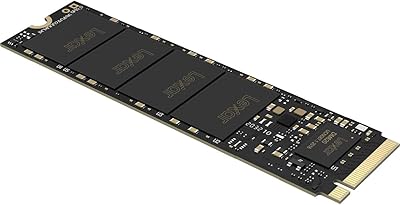
Lexar NM620 SSD 1TB
Lexar NM620 SSD 1TB
89%
95%
Read Performance
93%
Write Performance
91%
Durability & Build Quality
88%
Ease of Installation
90%
Compatibility with Systems
More
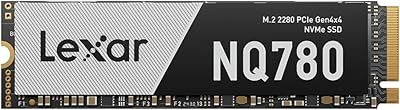
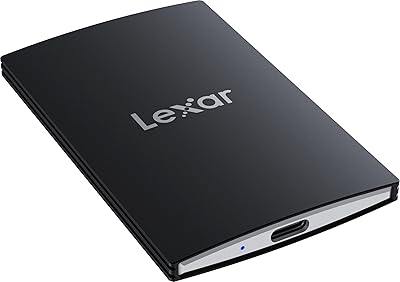
Lexar NQ780 1TB NVMe M.2 SSD
80%
91%
Read Performance
73%
Write Performance
88%
PS5 Compatibility
86%
Value for Money
93%
Installation Ease
More
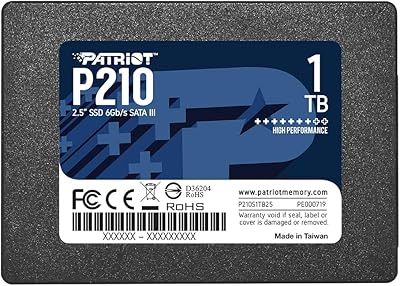
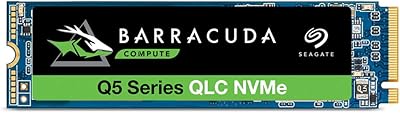
Patriot P210 1TB 2.5″ Internal SSD
83%
91%
Value for Money
83%
Real-World Performance
94%
Installation Ease
92%
Boot Time Improvement
67%
Long-Term Reliability
More
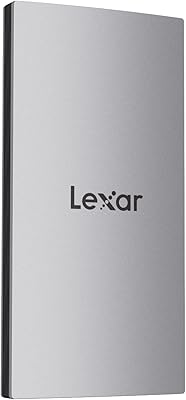
Lexar SL500 1TB Portable SSD
78%
88%
Transfer Speed
83%
Build Quality
93%
Portability
86%
iPhone Compatibility
79%
Gaming Console Use
More
Lexar ES3 1TB External SSD
81%
88%
Transfer Speed
93%
Portability & Form Factor
86%
Build Quality
84%
iPhone 15/16 Compatibility
81%
Value for Money
More
Patriot Memory P220 1TB Internal SATA SSD
78%
93%
Value for Money
74%
Read & Write Performance
94%
Installation Ease
71%
Build Quality
91%
Boot Time Improvement
More
Lexar 1TB Professional NM800 PRO SSD
88%
94%
Performance
93%
Speed (Read/Write)
88%
Ease of Installation
90%
Durability (Shock Resistance)
92%
Compatibility with PS5
More
Lexar SL400 1TB Portable SSD
83%
91%
Transfer Speed
83%
Build Quality
94%
Portability & Form Factor
88%
iPhone Compatibility
86%
Ruggedness & Weather Resistance
More
Seagate BarraCuda Q5 1TB NVMe SSD
81%
88%
Sequential Read Speed
74%
Sequential Write Speed
91%
Value for Money
93%
Ease of Installation
87%
Real-World Boot Performance
More
Lexar 1TB ES5 Magnetic External SSD
86%
92%
Performance
88%
Build Quality & Durability
90%
Ease of Use
94%
Speed (Transfer Rate)
85%
Portability & Size
More

FAQ

Almost certainly yes. The vast majority of laptops built in the last fifteen years use a 2.5-inch SATA drive bay, which is exactly what this drive is designed for. If you are unsure, look up your laptop model number and check its hardware specs, or simply open the drive bay and confirm there is a SATA connector present.

Not really. In most cases, a basic Phillips-head screwdriver is all you need. The NS100 1TB slots in like any standard 2.5-inch SATA drive — no drivers, no complex setup. Plenty of first-time upgraders have done this successfully by following a short video walkthrough for their specific laptop or desktop model.

Your files will not transfer automatically, so you have two choices. You can clone your existing drive before swapping using free tools like Macrium Reflect on Windows or Carbon Copy Cloner on macOS, which copies everything across exactly as it is. Alternatively, you can install a fresh copy of your OS onto the new drive after fitting it — a cleaner start, though more setup work.

For typical daily tasks — web browsing, email, document editing, and general app use — the real-world gap between this SATA drive and a mid-range NVMe is smaller than the spec sheet suggests. Both feel dramatically faster than a hard drive. Where NVMe pulls ahead is in large file transfers and sustained read/write workloads. If you already have an M.2 PCIe slot available on your motherboard, spending a bit more for NVMe is worth it; if you only have a SATA bay, this is a strong option.

No bundled cloning software is included. Free third-party tools handle the job well — Macrium Reflect is the go-to choice on Windows, and Clonezilla works across platforms. Factor in a small amount of extra setup time if you plan to migrate your existing OS rather than starting fresh.

The rated endurance is 480TBW, meaning the drive is rated to handle 480 terabytes of written data before reaching its specified limit. For a typical home user or student writing a few gigabytes per day, that works out to well over a decade of practical use. The three-year warranty adds a formal guarantee on top of that.

Yes, and users on both platforms report smooth, plug-and-play compatibility with no driver installation needed. One thing to note: the drive ships pre-formatted for Windows (NTFS), so macOS users will want to reformat it using Disk Utility before use — a quick, straightforward process.

Yes, you can. Any standard 2.5-inch SATA USB enclosure — widely available for under twenty dollars — will house the drive and let you use it as portable external storage. This is a popular approach for people who want to repurpose the drive after upgrading a laptop, or use it as a backup drive connected via USB.

It depends on what you are running. For storing and loading most titles, especially older games, this SATA drive performs perfectly well and load times are solid. However, newer titles that rely heavily on fast asset streaming — particularly those optimized for NVMe — will benefit from more bandwidth than SATA can provide. As a secondary game library drive it is a great value choice; as the sole drive in a performance gaming build, you can do better.

It works in both. Desktops with an available 2.5-inch SATA bay accept it directly, and if your case only has 3.5-inch bays, an inexpensive mounting adapter bracket does the job. Many desktop builders use this SATA drive as a dedicated OS or secondary storage drive alongside a faster NVMe primary — a practical and cost-effective combination.

Where to Buy

Microless.com
In stock $143.84
Grooves-Inc.com
In stock $163.05
Beach Audio
In stock $179.99
NextWarehouse.com
In stock $199.79
MemoryC.com
In stock $201.95