Overview

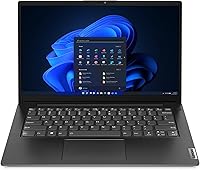
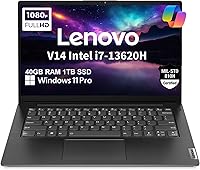
The Lenovo V14 Gen 4 Business Laptop is built for professionals and students who need a dependable daily workhorse — not a gaming rig or creative powerhouse. One important detail upfront: the RAM and SSD in this unit were upgraded by a third-party reseller, not Lenovo directly. That disclosure matters, and buyers deserve to know it before purchasing. At just 3.15 pounds, this mid-range workhorse slides into a bag without complaint. It carries a MIL-SPEC 810H certification, meaning it has been tested against drops, dust, and temperature extremes. Keep expectations realistic though — integrated graphics, no keyboard backlight, and a modest 38Wh battery define its ceiling.
Features & Benefits

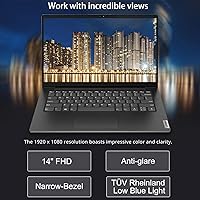
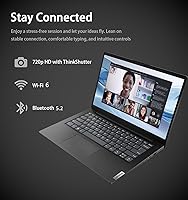
The processor here is Intel's Core i7-13620H — 10 cores, 16 threads, and a turbo ceiling of 4.9 GHz — which handles spreadsheets, coding environments, and video calls running at the same time without breaking a sweat. The 40GB of DDR4 RAM is genuinely generous at this price tier; that headroom means you are not babysitting tabs or closing apps to reclaim memory. The 1TB NVMe SSD keeps boot and load times short. The 14-inch anti-glare panel holds a TÜV Low Blue Light certification, a real comfort feature during long desk sessions. Wi-Fi 6, Ethernet, and a physical webcam shutter complete a connectivity package that suits a real office environment.

Best For

This business laptop fits a specific kind of buyer well. Remote workers and hybrid employees who move between home desks and office conference rooms will appreciate the light carry weight and the solid port lineup — HDMI, Ethernet, and USB-C all in one chassis. Students in programming or data-heavy coursework will find that 40GB of memory removes nearly every bottleneck for academic workloads. Small business owners who need Windows 11 Pro features like BitLocker and remote desktop — without paying a premium brand markup — also land squarely in the target audience. Anyone upgrading from an older machine with limited RAM will feel a noticeable performance jump almost immediately.

User Feedback

Buyers give this mid-range workhorse a 4.1-star average, and the spread of opinions is telling. Most praise the speed and multitasking ability along with the chassis build quality, which feels solid relative to the weight class. The resealed box does catch some buyers off guard — those who missed the upgrade disclosure find it unsettling, even when the hardware performs well. The three-year warranty on the upgraded memory and SSD offers meaningful peace of mind, though Lenovo's own coverage only extends one year on remaining components. Recurring complaints point to the absent keyboard backlight, a display that washes out in bright rooms, and battery life that falls well short of listed estimates under real-world conditions.

Pros

  • The 10-core i7-13620H processor handles demanding multitasking workloads without throttling under normal business use.
  • 40GB of DDR4 RAM is unusually generous at this price tier, leaving plenty of headroom for heavy browser sessions and parallel apps.
  • The 1TB NVMe SSD keeps boot times short and offers ample room for files, software, and local backups.
  • MIL-SPEC 810H certification provides real confidence for buyers who travel frequently or work in less controlled environments.
  • Wi-Fi 6 and a wired Ethernet port together cover both fast wireless and reliable office network connections.
  • The physical webcam privacy shutter is a practical, trust-building feature that many budget laptops still skip.
  • TÜV Rheinland Low Blue Light certification on the display makes long desk sessions noticeably easier on the eyes.
  • Windows 11 Pro includes enterprise-grade security tools and remote desktop support without an additional software purchase.
  • At 3.15 pounds, this mid-range workhorse is light enough to carry daily without adding strain to a bag.
  • The three-year warranty on the upgraded RAM and SSD provides meaningful protection beyond Lenovo's standard coverage.

Cons

  • The resealed box and third-party component upgrades make some buyers uncomfortable, regardless of actual hardware quality.
  • Real-world battery life falls well short of the listed estimate given the small 38Wh cell.
  • The non-backlit keyboard is a genuine daily inconvenience for anyone who works in low-light conditions.
  • The 45% NTSC color gamut makes this display a poor match for any color-sensitive visual or design work.
  • At 250 nits, screen brightness can struggle in well-lit rooms or near windows with direct sunlight.
  • Integrated graphics create a hard limit for GPU-dependent tasks like video rendering or running local AI models.
  • Only one year of manufacturer warranty applies to most components outside the reseller-upgraded RAM and SSD.
  • The 720p webcam delivers acceptable but not impressive video quality for high-visibility video calls or presentations.
  • USB port selection includes an older USB 2.0 port, which will bottleneck any peripheral that needs faster transfer speeds.
  • Buyers who need thin-and-light aesthetics or a premium chassis feel may find the build functional but uninspiring.

Ratings

The Lenovo V14 Gen 4 Business Laptop scores below reflect AI-synthesized analysis of verified global buyer reviews, with spam, bot activity, and incentivized feedback actively filtered out before scoring. Ratings capture both the genuine strengths that keep buyers satisfied and the recurring pain points that surface across thousands of real-world experiences. Nothing has been smoothed over — the highs and the frustrations are both represented here.
Processing Performance
88%
Users consistently report that the i7-13620H handles demanding multitasking without hesitation — running video calls, coding environments, and multiple browser sessions in parallel without noticeable lag. The 10-core architecture gives this mid-range workhorse a processing ceiling that outpaces many competitors at the same price point.
Under sustained heavy loads like long compilation tasks or batch file processing, some users note that the fan ramps up audibly and the chassis gets warm near the keyboard deck. Thermals are manageable but not invisible during extended stress.
RAM & Multitasking
91%
The 40GB DDR4 configuration is a genuine differentiator that buyers frequently call out as the main reason they chose this machine. Students running data analysis tools alongside virtual machines, and professionals keeping dozens of tabs open, report that memory pressure is simply never an issue.
It is worth remembering that the RAM was upgraded by the reseller, not Lenovo, which makes a small subset of buyers uneasy about long-term compatibility guarantees. The three-year reseller warranty softens this concern, but the split coverage model adds a layer of complexity if something goes wrong.
Storage Speed & Capacity
86%
Boot times are fast and application load times are noticeably short, which buyers coming from older HDD or SATA SSD machines appreciate immediately. The full terabyte of space means most users will go months or years before worrying about storage management.
Like the RAM, the SSD is a reseller upgrade rather than a factory Lenovo unit, which gives some technically cautious buyers pause. There are no reported performance issues, but the origin of the component is something buyers should factor into their comfort level.
Build Quality & Durability
79%
21%
The MIL-SPEC 810H certification resonates with buyers who commute daily or travel for work — knowing the chassis has been stress-tested against drops and temperature swings adds real confidence. At 3.15 pounds, the build feels solid without being heavy.
The plastic chassis does not feel premium in hand, and buyers comparing it to business lines from Lenovo's own ThinkPad family or competitors like Dell's Latitude series will notice the difference in material quality. It holds up to normal use well, but does not inspire the same long-term confidence as metal-clad alternatives.
Display Quality
62%
38%
The anti-glare coating is genuinely useful during desk work near windows, and the TÜV Low Blue Light certification gives long-session users some reassurance about eye comfort during full workdays. The 1920x1080 resolution is sharp enough for productivity and video calls.
The 45% NTSC color gamut is a significant limitation — colors look flat and washed out compared to nearly any IPS panel with wider coverage, which matters even for non-creative users watching video content or reviewing photos. At 250 nits, the screen also struggles in brightly lit rooms, and buyers regularly flag this as a disappointment relative to expectations.
Battery Life
48%
52%
For very light, low-brightness use cases — reading documents, writing, or taking notes in a quiet environment — some users manage to stretch past five hours unplugged. The machine charges back up reasonably quickly when plugged in.
The 38Wh battery is a consistent pain point across buyer reviews, with real-world runtime frequently falling in the four-to-six-hour range under typical productivity conditions. Buyers who purchased expecting a full-day unplugged experience were frequently disappointed, and the gap between the advertised estimate and actual performance is one of the most common complaints.
Keyboard & Typing Experience
58%
42%
Key travel and layout are adequate for extended typing sessions, and most buyers find the tactile feedback acceptable for an office-class machine in this price range. The full-size English layout accommodates standard workflows without awkward key repositioning.
The absence of backlighting is the single most cited keyboard complaint, and it is not a minor gripe — users who work in dim environments, on planes, or during evening hours find it a genuine daily frustration. This is a feature increasingly standard even on budget laptops, and its omission here stands out.
Connectivity & Ports
83%
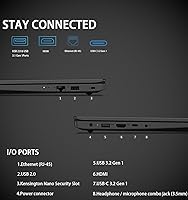
The combination of Wi-Fi 6, Bluetooth 5.2, and a wired Ethernet jack covers virtually every office and home network scenario without dongles. HDMI and USB-C support for dual external monitors is particularly appreciated by users building out a home office setup.
The inclusion of a USB 2.0 port alongside the faster USB-A 3.2 port is a legacy compromise that limits transfer speeds for certain peripherals. Users working with external SSDs or high-speed drives will need to ensure they use the right port, or they will be artificially capped.
Webcam & Privacy
71%
29%
The physical privacy shutter is the standout feature here — buyers in professional settings genuinely value the hardware-level guarantee that the camera is blocked, rather than relying on software. For standard Zoom or Teams calls in a decent-lit room, image quality is workable.
720p resolution is noticeably behind the 1080p webcams now appearing on competing business laptops, and buyers on larger external monitors will find the quality gap more apparent. In lower light conditions, the image degrades faster than most people would hope for a business-focused machine.
Thermal Management
67%
33%
During typical productivity workloads — documents, browser tasks, video calls — the laptop stays quiet and the surface temperature remains comfortable. Most buyers running standard business applications day to day never notice the cooling system at all.
Extended sustained workloads push the fan to a level that some users describe as distracting in quiet office environments. The chassis also builds noticeable warmth near the keyboard area under load, which is not painful but is consistently mentioned in feedback from users pushing the processor harder.
Software & OS Experience
81%
19%
Windows 11 Pro out of the box is a genuine advantage over Home-edition competitors — features like BitLocker, remote desktop, and Group Policy support matter to small business users and IT-managed environments. The Copilot integration adds a functional AI assistant layer without requiring additional subscriptions.
Some users report a mild amount of pre-installed software beyond the core OS, which is fairly typical for this category but can require a cleanup pass on first setup. Nothing severe, but buyers who want a completely clean Windows install may want to budget time for that process.
Value for Money
77%
23%
The combination of a 10-core processor, 40GB of RAM, and a 1TB SSD at this price tier is objectively difficult to match in the market, and buyers who prioritize raw specs per dollar consistently rate this machine as a strong choice. For productivity-focused buyers, the value proposition is real.
The value calculation is complicated by the reseller upgrade model — buyers who factor in the split warranty, the resealed packaging, and the absence of a factory-fresh experience may reasonably decide the premium is not worth it compared to a base-spec machine from a standard retail channel. The deal is good, but it comes with asterisks.
Portability
84%
At 3.15 pounds and under an inch thick, this business laptop fits easily into a standard laptop sleeve or backpack without adding meaningful weight to a daily commute. The compact footprint also makes it comfortable on economy tray tables and small desks.
The charging brick adds bulk to the carry load, and the modest battery means the charger is not optional for full-day trips. Users who want true untethered portability will find the package less convenient than the chassis dimensions alone suggest.
Reseller Trust & Transparency
63%
37%
The reseller does disclose the upgrade process and backs the modified components with a three-year warranty, which is longer coverage than most manufacturer guarantees on entry-level machines. Buyers who read the listing carefully and understand what they are getting tend to feel reassured by this.
The resealed box catches a meaningful number of buyers off guard, and first impressions of receiving what looks like an opened return can damage confidence before the laptop is even powered on. The trust deficit created by that moment is real, even when the hardware itself performs exactly as advertised.

Suitable for:

The Lenovo V14 Gen 4 Business Laptop is a strong fit for professionals and students who spend most of their day in productivity software, browser-heavy workflows, or light development environments. Remote workers and hybrid employees who commute between home and office will find the 3.15-pound chassis easy to carry and the full port lineup — including Ethernet and HDMI — ready for any desk setup. Freelancers and small business owners who need Windows 11 Pro features like BitLocker encryption or remote desktop access, but want to avoid premium-brand pricing, get real value here. Students in data-heavy or coding-intensive programs will benefit most from the generous RAM headroom, which means fewer compromises when running multiple tools at once. Anyone stepping up from an aging mid-range machine will notice an immediate and meaningful improvement in everyday responsiveness.
Not suitable for:

The Lenovo V14 Gen 4 Business Laptop has clear limitations that rule it out for certain buyers, and it is worth being direct about them. Anyone expecting capable gaming or GPU-accelerated creative work — video editing, 3D rendering, machine learning — will hit a hard wall with the integrated Intel UHD graphics; there is no discrete GPU here. Buyers who frequently work in dim environments or on evening shifts will likely find the absence of a backlit keyboard a daily frustration rather than a minor inconvenience. The 38Wh battery is small by modern standards, so users who rely heavily on all-day unplugged use — think travel days or fieldwork — should look elsewhere or carry a charger everywhere. The resealed packaging and third-party RAM and SSD upgrade also make this a poor fit for buyers who insist on a factory-sealed, fully manufacturer-backed unit from box to component.
Specifications

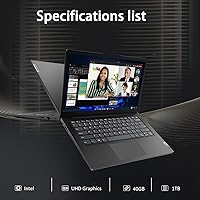
  • Processor: The Intel Core i7-13620H runs 10 cores and 16 threads with a max turbo frequency of 4.9 GHz and 24MB of cache for sustained multitasking performance.
  • RAM: 40GB of DDR4 SDRAM running at 3200 MHz was installed by a third-party reseller as an upgrade from the base Lenovo configuration.
  • Storage: A 1TB PCIe NVMe M.2 SSD, also reseller-upgraded, provides fast read and write speeds with ample capacity for software, files, and media.
  • Display: The 14″ FHD IPS-style panel outputs at 1920x1080 resolution with 250 nits of brightness, an anti-glare coating, and a 45% NTSC color gamut.
  • Display Cert: The screen carries a TÜV Rheinland Low Blue Light certification, which reduces eye strain during extended viewing sessions.
  • Graphics: Intel UHD integrated graphics are included; there is no discrete GPU in this configuration.
  • Operating System: Windows 11 Pro 64-bit ships preinstalled with AI-powered Copilot support for productivity and workflow assistance.
  • Wireless: Intel Wi-Fi 6 (802.11ax) and Bluetooth 5.2 provide fast, low-latency wireless connectivity for modern peripherals and networks.
  • Ports: The port selection includes USB-C 3.2 Gen 1, USB-A 3.2 Gen 1, USB 2.0, HDMI 1.4b, a wired Ethernet jack, and a combo audio jack.
  • Camera: A 720p HD webcam with a physical privacy shutter is built into the display bezel for video calls and conferences.
  • Battery: An integrated 38Wh Li-Polymer battery powers the machine; real-world runtime will vary significantly based on workload and screen brightness.
  • Security: TPM 2.0 is included for hardware-level encryption support, compatible with Windows 11 Pro security features like BitLocker.
  • Durability: The chassis has been tested to MIL-STD-810H standards, covering resistance to drops, dust, humidity, and temperature variation.
  • Keyboard: The keyboard is a full-size English layout without backlighting; there is no option for illuminated keys in this configuration.
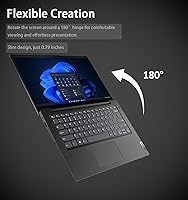
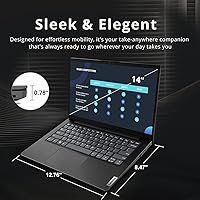
  • Weight: The laptop weighs 3.15 pounds, making it practical for daily commuting or travel without adding significant load to a bag.
  • Dimensions: The chassis measures 12.76 x 8.47 x 0.78 inches, keeping the footprint compact enough for most standard laptop sleeves and backpacks.
  • Warranty: The reseller provides a three-year warranty on the upgraded RAM and SSD; Lenovo's manufacturer warranty covers remaining components for one year.

Related Reviews
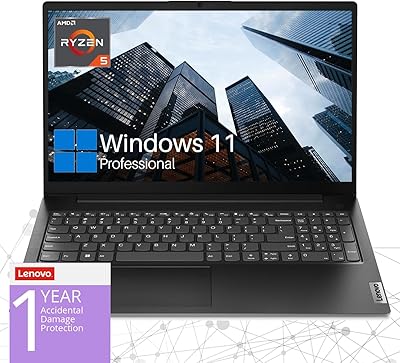
Lenovo V15 Gen 4 15.6″ Business Laptop
70%
83%
Performance & Speed
78%
Value for Money
76%
Build Quality
81%
Keyboard & Input
61%
Display Quality
More
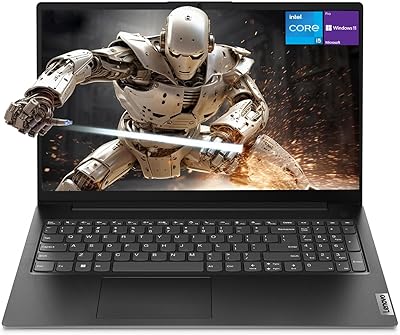
Lenovo V15 Gen 4 Business Laptop, AMD Ryzen 5 5500U, 16GB RAM, 1TB SSD
83%
89%
Value for Money
91%
Performance (Multitasking)
82%
Portability & Weight
74%
Battery Life
85%
Display Quality
More
Lenovo V15 Gen 4 Business Laptop, 15.6″, AMD Ryzen 7 7730U, 40GB RAM, 1TB SSD
83%
91%
Performance
88%
Value for Money
90%
Build Quality and Durability
78%
Battery Life
85%
Display Quality
More
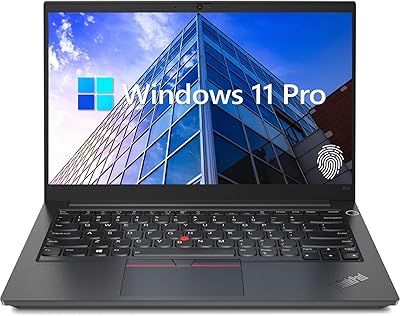
Lenovo ThinkPad E14 Gen 5 Business Laptop, 24GB RAM, 1TB SSD, AMD Ryzen 7 7730U
88%
92%
Performance
88%
Battery Life
90%
Display Quality
94%
Build Quality
84%
Portability
More
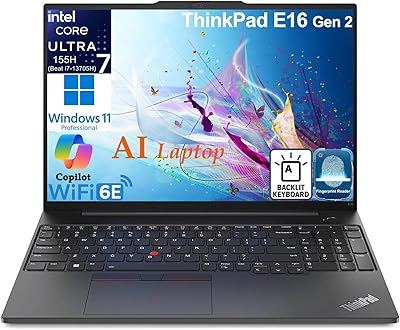
Lenovo ThinkPad E16 Gen 3 Business Laptop, Intel Core Ultra 7, 32GB RAM, 2TB SSD
88%
94%
Overall Performance
96%
Processing Speed
95%
Storage Capacity
89%
Display Quality
75%
Portability
More
Lenovo V15 Business Laptop 32GB RAM 1TB SSD
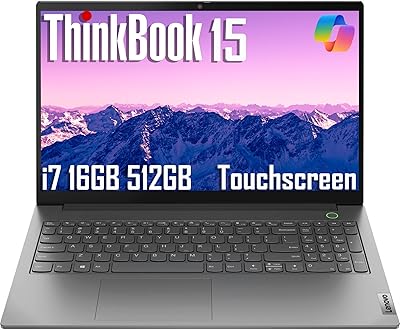
84%
87%
Value for Money
82%
Performance for Everyday Use
91%
Battery Life
88%
Build Quality
85%
Portability
More
Lenovo ThinkBook 15 Gen 4 Business Laptop
77%
88%
Build Quality
84%
Performance
71%
Display Quality
52%
Battery Life
83%
Keyboard & Trackpad
More
Lenovo 300W Gen 3 2-in-1 Laptop
70%
83%
Build Quality
79%
Battery Life
57%
Performance
44%
Storage
78%
Value for Money
More
Lenovo IdeaPad 1 Gen 7 15.6″ Laptop
72%
91%
Value for Money
78%
Multitasking Performance
88%
Storage & Speed
67%
Display Quality
63%
Touchscreen Usability
More
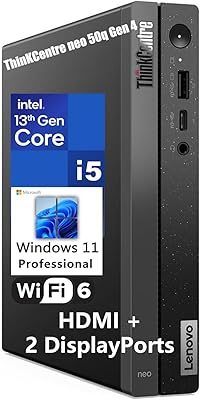
Lenovo ThinkCentre neo 50q Gen 4 Tiny

81%
88%
Performance for Daily Workloads
84%
Thermal Management & Noise
91%
Multi-Monitor Support
86%
Build Quality & Form Factor
73%
Port Selection & Connectivity
More

FAQ

No, the laptop itself is brand new — it has not been previously owned or returned. The reseller opened the original Lenovo packaging specifically to swap out the base-spec RAM and SSD for higher-capacity components, then resealed it. The disclosure is actually a transparency measure, and the upgraded parts carry their own three-year warranty from the reseller.

For most productivity tasks, it means you can run dozens of browser tabs, a video call, a spreadsheet, and a background cloud sync simultaneously without any slowdown. It also gives you enough headroom to run lightweight virtual machines or development environments that would struggle on a standard 8GB or 16GB setup. For everyday office and student work, it is more than you will likely ever need.

Honestly, that depends heavily on how you use it. The 38Wh battery is on the smaller side for a modern laptop, and real-world usage — screen at a reasonable brightness, Wi-Fi active, apps running — will typically land you somewhere between 4 and 6 hours. If you plan to be away from an outlet all day, bringing the charger is the safer move.

Yes. The HDMI port and the USB-C port each support external displays, allowing you to run a dual-monitor setup alongside the built-in screen or use them independently. The USB-C connection supports up to 4K resolution at 60Hz, which is useful if you have a high-resolution external monitor.

It can run older or less demanding games reasonably well — think browser-based games, indie titles, or older releases from several years ago. However, the integrated Intel UHD graphics are not designed for modern 3D gaming, and you should not expect smooth performance in graphically demanding titles. If gaming is even a secondary priority, a laptop with a discrete GPU is a better investment.

The 720p camera is serviceable for standard video conferences on Zoom, Teams, or Google Meet, especially in a well-lit room. It is not going to impress anyone in a broadcast or content creation context, but for regular business calls it gets the job done. The physical privacy shutter is the more notable feature — it physically blocks the lens when you want guaranteed privacy.

The components were already upgraded by the reseller before sale, so you are starting from a strong baseline. Whether additional user upgrades are possible depends on the specific motherboard configuration and slot availability in the V14 Gen 4 chassis. It is worth researching the exact slot configuration or contacting the reseller before assuming further upgrades are straightforward.

For daytime office use or well-lit home environments, most people adjust quickly and it never becomes an issue. But if you frequently work in dim rooms, at night, or in environments where you cannot control the lighting, the absence of backlighting gets genuinely frustrating over time. It is one of the more polarizing omissions in buyer reviews, so weigh it against your actual working conditions.

It means the chassis has been put through a standardized battery of stress tests covering things like drops from a defined height, temperature swings, humidity, dust exposure, and vibration. It does not make the laptop indestructible, but it does mean it has a better chance of surviving the bumps and drops of daily commuting or travel compared to a standard consumer laptop with no such certification.

Lenovo's standard manufacturer warranty covers the original components — display, motherboard, chassis, and so on — for one year from purchase. The reseller separately warranties the upgraded RAM and SSD for three years. That split coverage is worth keeping track of; if you have an issue with the upgraded components specifically, the reseller is your contact, not Lenovo's support line.

Where to Buy