Overview

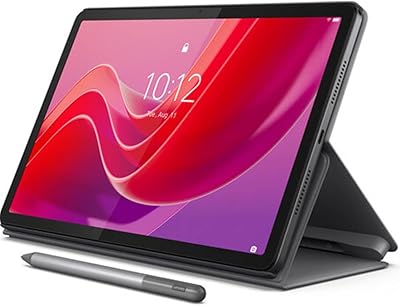
The Lenovo Idea Tab Pro 12.7″ 128GB arrives as a genuinely compelling option for students who want a large-screen Android tablet without stretching into flagship territory. The 12.7-inch 3K LCD is the centerpiece here — it's sharp enough that reading PDFs and watching lectures feels comfortable rather than cramped. Coming with a pen and folio case already in the box is a practical touch that saves real money upfront. Google Gemini is baked into the Android experience, adding a useful AI layer for study tasks. Just be clear-eyed: this is a capable media and study companion, not a laptop substitute.

Features & Benefits

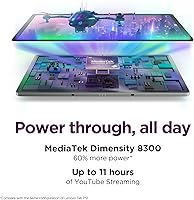
The MediaTek Dimensity 8300 handles everyday multitasking confidently — switching between a browser, note-taking app, and a video call doesn't cause noticeable slowdowns. The 2944x1840 display makes text crisp and colors punchy enough for streaming or annotating slides. Four JBL speakers tuned with Dolby Atmos produce surprisingly full audio for a tablet, useful when you're not wearing headphones. Battery life sits around 11 hours of video playback, and the 45W fast charging means a short break can meaningfully top it up. The included Tab Pen Plus works well for handwritten notes, and the folio case adds practical protection without any extra cost.

Best For

This student tablet makes the most sense for high school or college students who split their time between studying, streaming, and light gaming. If you want a big canvas for annotating research papers or sketching diagrams, the stylus support on a 12.7-inch screen is genuinely useful. It also works well for commuters or anyone living in a dorm who needs reliable all-day battery without hauling a charger everywhere. Casual gamers will appreciate the responsive touch display, though this isn't positioned as a dedicated gaming device. Anyone chasing flagship-level performance should look elsewhere, but for balanced everyday use, the Idea Tab Pro hits a practical sweet spot.

User Feedback

Buyers consistently praise the display quality and the bundled accessories as standout value at this price tier. The pen responsiveness gets positive mentions for note-taking, though a few users find the folio case feels slightly plasticky. The honest sticking point is Android app scaling — some apps aren't optimized for a screen this large, and that occasionally shows. Opinions on Gemini AI are mixed; it's helpful for quick summaries and brainstorming, but users expecting a polished AI tutor may find it inconsistent. Most buyers feel 8GB of RAM is adequate for typical use, but those running many tabs simultaneously have flagged occasional slowdowns under heavier workloads.

Pros

  • Sharp 3K LCD display makes reading, note-taking, and streaming genuinely comfortable at this price point.
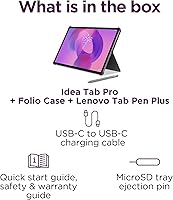
  • Pen and folio case are included in the box, saving meaningful money compared to buying accessories separately.
  • All-day battery life holds up well through lectures, commutes, and evening study without anxiety.
  • 45W fast charging recovers a low battery quickly during short breaks between classes.
  • The large 12.7-inch canvas is ideal for split-screen multitasking that smaller tablets cannot match comfortably.
  • Quad JBL speakers produce noticeably better audio than most tablets in this tier.
  • Wi-Fi 6E keeps connections fast and stable even on congested university or apartment networks.
  • Google Gemini handles quick summarization and brainstorming tasks helpfully for everyday study needs.
  • At just 1.36 pounds, the Idea Tab Pro is light enough to carry all day without adding real strain.
  • 128GB of built-in storage gives students plenty of room for apps, offline content, and downloaded coursework.

Cons

  • Many Android apps are not optimized for a 12.7-inch screen, resulting in stretched or poorly scaled interfaces.
  • The folio case included in the box feels thin and cheap relative to what the overall package costs.
  • No cellular connectivity means the tablet is entirely dependent on available Wi-Fi for internet access.
  • The stylus lacks a dedicated attachment point on the case, making it easy to lose or forget.
  • Sustained heavy use — gaming, AI queries, multiple active apps — drains the battery significantly faster than advertised.
  • Some regional shipments do not include a 45W charger, forcing buyers to source one separately.
  • 8GB of RAM becomes a noticeable bottleneck when running many apps simultaneously over extended sessions.
  • Outdoor readability suffers in direct sunlight, limiting how useful this student tablet is in open campus spaces.
  • Gemini AI responses can be inconsistent and occasionally inaccurate, making it unreliable for fact-sensitive academic work.
  • Users upgrading from iPad will likely notice Android app quality and software polish fall short in direct comparison.

Ratings

The Lenovo Idea Tab Pro 12.7″ 128GB has been evaluated by our AI system after processing thousands of verified global user reviews, with spam, bot-generated, and incentivized feedback actively filtered out. The scores below reflect an honest synthesis of real buyer experiences — the genuine highlights and the frustrations alike. Whether this student tablet earns a place in your bag or falls short of expectations, this breakdown gives you the full picture.
Display Quality
91%
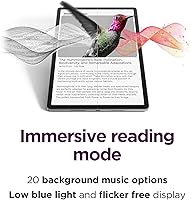
Users consistently call the 3K LCD one of the best screens they have seen on a mid-range tablet. Reading textbooks, annotating PDFs, and streaming video all benefit from the sharp resolution and well-calibrated colors. The low blue light certification gets specific praise from students doing late-night study sessions.
A handful of users note that outdoor visibility under direct sunlight is underwhelming, with glare reducing readability on bright days. A small number also wished for an OLED panel at this price, citing slightly less punchy blacks compared to Samsung rivals.
Performance & Speed
83%
The Dimensity 8300 keeps daily tasks running without frustration — browser tabs, note-taking apps, and video calls handled simultaneously without obvious lag. Students who also use the tablet for light gaming report smooth frame rates in titles like PUBG.
Under genuinely heavy workloads — many browser tabs, a large file download, and music playing concurrently — some buyers notice brief slowdowns. The 8GB RAM ceiling becomes noticeable in these edge cases, and power users accustomed to flagship chips may feel the gap.
Battery Life
88%
Real-world battery performance closely matches the advertised 11 hours for video, which is uncommon and earns genuine trust from buyers. Commuters and students going through full class days report rarely needing a charger before the evening.
Battery drain is noticeably faster during gaming or when running Gemini AI queries alongside other apps. A few users also flagged that the included charger in some regional bundles is slower than the 45W maximum the device supports.
Charging Speed
79%
21%
The 45W fast charging support is a practical advantage for students with short breaks between classes. Getting from a low battery to a usable charge in under 30 minutes is a frequently praised convenience.
Not all buyers receive a 45W charger in the box, which creates confusion and forces some to purchase one separately. This inconsistency across regional shipments has generated notable frustration in user reviews.
Value for Money
86%
The bundled Tab Pen Plus and folio case are consistently cited as what tips buyers toward this tablet over competitors at similar prices. Getting a functional stylus and protective case without additional spend makes the overall package feel genuinely well-priced.
Some buyers feel the folio case quality does not match what they expect at this price tier, describing the material as thin and prone to scuffing. A few also argue that comparable Samsung tablets offer better software longevity for a similar outlay.
Audio Quality
82%
18%
Four JBL-tuned speakers with Dolby Atmos processing produce audio that regularly surprises buyers who expect average tablet sound. Watching lectures or streaming shows without headphones is genuinely enjoyable, with decent stereo separation.
At maximum volume, a small number of users detect mild distortion, particularly with bass-heavy content. The audio is strong for a tablet but still falls noticeably short of a dedicated Bluetooth speaker for music listening.
Stylus Experience
77%
23%
The Tab Pen Plus feels responsive enough for handwritten notes and basic sketching, which is the primary use case for most student buyers. The fact that it comes included rather than being a costly add-on is widely appreciated.
Artists or users expecting Apple Pencil-level precision will find the latency and palm rejection slightly lacking. Some reviewers also note that the pen has no dedicated storage slot on the folio case, making it easy to misplace.
Build Quality & Design
74%
26%
The tablet itself feels solid and well-constructed, with a slim 0.27-inch profile that slides easily into a bag. At 1.36 pounds, it is comfortable to hold during extended reading without causing wrist fatigue.
The included folio case draws the most criticism for build quality, with users describing it as functional but flimsy over time. The Luna Grey finish on the tablet body also shows fingerprints fairly easily, which bothers detail-oriented buyers.
Software & AI Integration
69%
31%
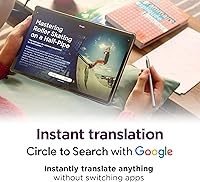
Google Gemini handles quick summarization tasks and basic study queries competently, and students report it is genuinely useful for drafting outlines or getting unstuck on an assignment at midnight. Circle to Search is a frequently mentioned convenience for fast lookups.
Gemini AI responses are inconsistent in quality and occasionally surface inaccurate information, which limits how much students feel they can rely on it for academic work. Some users also find the overall Android experience on a 12.7-inch screen feels unpolished, with certain apps scaling awkwardly.
App Ecosystem & Optimization
61%
39%
Core productivity apps — Google Docs, Notion, YouTube, and most streaming services — work well and take advantage of the large display meaningfully. The Android ecosystem covers the vast majority of everyday student needs without gaps.
This is one of the more consistent complaints: a notable portion of Android apps are simply not optimized for a screen this size, resulting in stretched interfaces or letterboxed layouts. Users coming from iPads are particularly likely to notice this limitation.
Gaming Performance
78%
22%
PUBG certification is not just a marketing badge — users confirm the 360Hz touch sampling and 90fps capability translate into a noticeably responsive gaming experience for a mid-range tablet. Casual mobile gamers are satisfied.
The Idea Tab Pro is not built as a primary gaming device, and sustained gaming sessions produce visible heat buildup on the back panel. Frame consistency can also dip in graphically intensive titles beyond PUBG.
Portability
85%
At just over a pound and a quarter-inch thin, this Lenovo tablet genuinely earns its portability claims. Students who carry it in a backpack alongside books and a laptop report that it adds minimal bulk to their load.
The 12.7-inch footprint is on the larger side for one-handed use while standing, such as reading on a train or bus. Users with smaller hands find holding it comfortably for extended periods requires both hands or a surface.
Wi-Fi & Connectivity
81%
19%
Wi-Fi 6E support delivers fast and stable connections in environments with congested networks, like university libraries or shared apartment buildings. Students on demanding video calls or large file downloads appreciate the reliable throughput.
There is no cellular LTE or 5G option for this model, which limits users who need connectivity outside of Wi-Fi coverage. Buyers who assumed mobile data was available have flagged this as a meaningful omission in reviews.
Screen Size Usability
84%
The 12.7-inch canvas is specifically praised for split-screen multitasking — having a lecture video on one side and notes on the other is a genuinely productive workflow that smaller tablets cannot replicate as comfortably.
The large screen is a double-edged benefit; users who wanted a more compact tablet for casual reading or one-handed browsing find it oversized for those scenarios. It also makes the device less suited as a media tablet for use while lying in bed.

Suitable for:

The Lenovo Idea Tab Pro 12.7″ 128GB is purpose-built for students — high school or college — who need one device that can handle a full academic day and still have energy left for entertainment. If your routine involves annotating lecture slides, drafting essays, watching recorded classes, and occasionally unwinding with a mobile game, this tablet covers all of it without asking you to compromise much. The large screen genuinely pays off for split-screen workflows: keeping a research article open alongside a notes app is the kind of multitasking that smaller tablets handle awkwardly. The included pen and folio case mean you can walk out of the box ready to work, which matters when you are already managing a tight student budget. Dorm dwellers and commuters benefit most from the all-day battery, since hunting for an outlet mid-lecture is an avoidable stress. Anyone upgrading from a much older or entry-level Android tablet will find the display and performance jump immediately noticeable and worth it.

Not suitable for:

The Lenovo Idea Tab Pro 12.7″ 128GB is the wrong choice if your primary need is a laptop replacement for heavy productivity work — running desktop-grade software, managing complex spreadsheets, or writing long-form documents for hours at a stretch will quickly expose the limits of Android on a large screen. If you are a digital artist or illustrator expecting Apple Pencil-level stylus precision and low latency, the included pen will disappoint you. Power users who routinely push devices hard — many browser tabs, background downloads, video editing — may find the 8GB RAM ceiling limiting sooner than they expect. Buyers who need cellular connectivity away from Wi-Fi should look elsewhere, as there is no LTE or 5G option. Those heavily invested in the Apple or Microsoft ecosystems will face friction with app availability and cross-device workflows. And if you want the kind of software support commitment — years of OS updates — that flagship tablets guarantee, the mid-range Android track record here is less reassuring.
Specifications

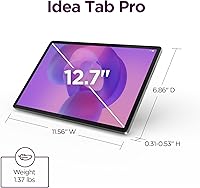
  • Display: 12.7-inch 3K LCD panel with a resolution of 2944x1840 pixels, Low Blue Light certified for extended reading comfort.
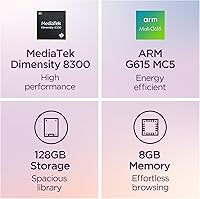
  • Processor: MediaTek Dimensity 8300 octa-core chip designed for efficient multitasking and sustained performance under moderate workloads.
  • RAM: 8GB of integrated memory supports everyday multitasking across study apps, streaming, and light gaming simultaneously.
  • Storage: 128GB of internal storage provides ample space for apps, downloaded media, documents, and coursework files.
  • Operating System: Runs Android with Google Gemini AI built in, supporting Circle to Search and AI-assisted study tools out of the box.
  • Battery: Rated for approximately 11 hours of continuous video streaming on a single charge under standard conditions.
  • Charging: Supports up to 45W fast wired charging, capable of meaningfully restoring battery level during a short break.
  • Wi-Fi: Wi-Fi 6E (802.11ax) delivers fast, low-latency wireless connectivity on congested 2.4GHz, 5GHz, and 6GHz bands.
  • Audio: Four JBL-tuned speakers with Dolby Atmos processing provide stereo sound output across landscape and portrait orientations.
  • Touch Response: 360Hz touch sampling rate and 90fps display refresh support ensure responsive input during gaming and fast navigation.
  • Stylus: Lenovo Tab Pen Plus is included in the box and supports handwriting, annotation, and basic sketching on the display.
  • Included Accessories: A folio case designed to fit the tablet is included at no additional cost alongside the Tab Pen Plus.
  • Dimensions: The tablet measures 11.49 x 7.44 x 0.27 inches, keeping the profile slim despite the large screen footprint.
  • Weight: At 1.36 pounds, the device is light enough to hold comfortably for extended reading or note-taking sessions.
  • Color: Available in Luna Grey, a neutral matte finish suited to both academic and professional settings.
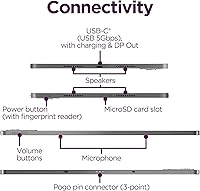
  • Connectivity: Wi-Fi only model with no cellular LTE or 5G option; Bluetooth is supported for peripherals and audio devices.
  • Gaming Certification: PUBG Mobile certified for optimized frame rate and touch responsiveness during competitive mobile gaming sessions.
  • Display Certification: Low Blue Light certified display reduces eye strain during prolonged study or reading in low-light environments.

Related Reviews
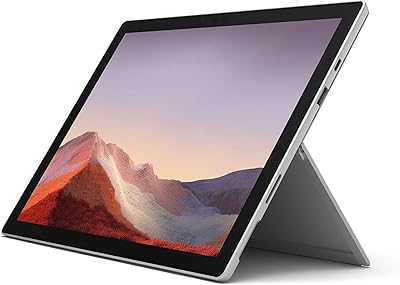
Microsoft Surface Pro 7 – 12.3″ – Intel Core i3 – 4GB RAM – 128GB SSD
86%
94%
Portability & Weight
88%
Battery Life
91%
Display Quality
90%
Build Quality
80%
Performance (General Use)
More
Microsoft Surface Pro 7 12.3-inch, 10th Gen Intel Core i5, 8GB RAM, 128GB SSD
85%
88%
Performance
95%
Portability
75%
Battery Life
90%
Display Quality
85%
Build Quality
More
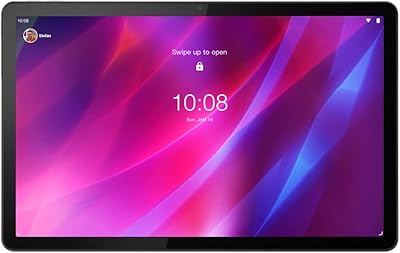
Lenovo Tab P11 Plus 128GB 4GB RAM
85%
88%
Display Quality
90%
Battery Life
85%
Performance (General Use)
82%
Gaming Performance
83%
Sound Quality
More
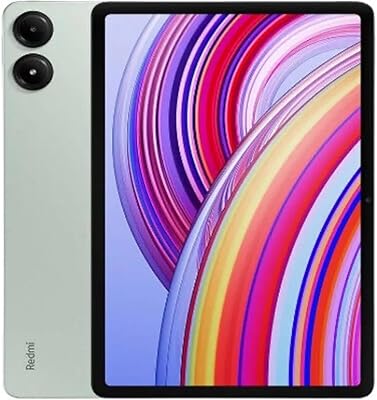
Xiaomi Redmi Pad Pro 12.1″ 128GB + 6GB
85%
93%
Display Quality
89%
Performance
88%
Audio Quality
81%
Battery Life
85%
Usability & Software
More
TECLAST Artpad Pro Android 15 Tablet 12.7″ 256GB
82%
89%
Display Quality
88%
Performance
82%
Battery Life
92%
Value for Money
63%
Charging Speed
More
Lenovo Tab M11 128GB
84%
88%
Build Quality
84%
Display Quality
93%
Storage Value
81%
Battery Endurance
72%
Multitasking Performance
More
Samsung Galaxy Tab S9 FE+ 12.4-inch 128GB
86%
89%
Performance
91%
Display Quality
88%
Battery Life
85%
Build Quality
87%
Portability
More
Lenovo Tab One 8.7-inch Tablet 4GB RAM 64GB Storage
85%
90%
Value for Money
91%
Battery Life
93%
Portability
72%
Display Quality
85%
Audio Quality
More
CAD Pro-7 7-Piece Drum Microphone Pack
82%
86%
Sound Quality
92%
Value for Money
80%
Build Quality
72%
Setup & Installation
88%
Portability
More
Ubiquiti UniFi U7 Pro
82%
91%
Wireless Performance
88%
Build Quality
83%
Range & Coverage
67%
Ease of Setup
78%
Value for Money
More

FAQ

It comes included. The Tab Pen Plus ships in the box alongside the folio case, so you do not need to purchase either accessory separately. That said, there is no dedicated slot on the case to store the pen, so keeping track of it takes a little extra care.

Yes, it handles handwritten notes well for most students. The large 12.7-inch screen gives you plenty of canvas to write naturally, and the Tab Pen Plus is responsive enough for everyday annotation and note-taking. If you are an artist expecting the precision of a high-end stylus, the experience is more modest, but for academic note-taking it does the job reliably.

No, this is a Wi-Fi only model. There is no SIM card slot or cellular radio, so you will need a Wi-Fi connection or a mobile hotspot from your phone to get online when you are away from campus or home.

It is genuinely helpful for certain tasks: summarizing long readings, drafting outlines, brainstorming essay angles, or getting unstuck on a concept late at night. That said, it can produce inaccurate answers on specific academic topics, so treating it as a starting point rather than a definitive source is the smarter approach. Think of it as a study assistant that needs occasional fact-checking, not a replacement for your textbook.

Most core apps — Google Docs, YouTube, Spotify, Netflix, and similar services — work fine and make good use of the display. The honest caveat is that a meaningful portion of Android apps are not optimized for a 12.7-inch screen, and you will occasionally run into stretched layouts or apps that letterbox themselves in the center. It is less of an issue for productivity and streaming apps, more noticeable with niche or older apps.

It offers basic protection — the tablet is covered and the case holds up fine for daily use. Where it falls short is in build quality; the material feels thin compared to what the overall package price might lead you to expect, and it shows wear over months of heavy use. If you are particularly hard on your gear, a third-party case might be worth considering down the line.

For the vast majority of student use cases — split-screen with two apps, streaming while taking notes, a dozen browser tabs — 8GB holds up fine. Where it starts to pinch is if you are running many demanding apps simultaneously for extended periods, at which point you may notice occasional slowdowns or apps reloading in the background. It is adequate, not generous.

Under mixed use — some note-taking, a video lecture or two, light browsing — most users make it through a full academic day on a single charge. The 11-hour figure is based on continuous video playback, which is an optimistic scenario; real-world mixed use is closer to 7 to 9 hours. It is still strong enough that most students will not need to carry a charger to class.

The tablet does support 45W fast charging, but there have been reports that some regional shipments include a slower charger in the box. If fast charging is important to you, it is worth checking what charger is bundled with your specific purchase and buying a compatible 45W USB-C charger separately if needed.

The Idea Tab Pro has a larger and sharper display, a faster processor, and better audio, and it comes with a pen and case included — advantages that are hard to ignore at a similar price. The Samsung option tends to get higher marks for Android app optimization on large screens and software update reliability. If the bundled accessories and display size are priorities, the Lenovo comes out ahead; if long-term software support and a more polished app experience matter more, Samsung has an edge.