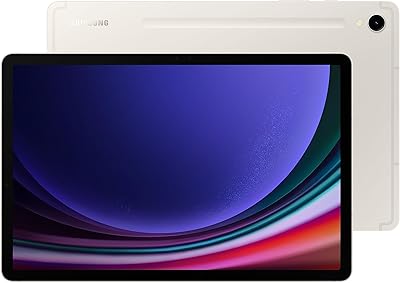
Samsung Galaxy Tab S9 FE+ 12.4″ Tablet
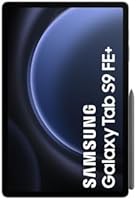
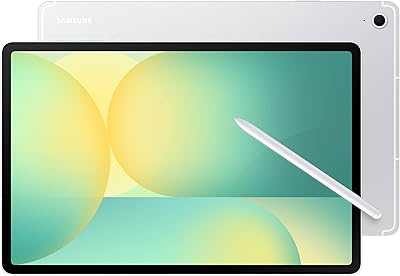
Samsung Galaxy Tab S9 FE+ 12.4″ Tablet — image 1
Samsung Galaxy Tab S9 FE+ 12.4″ Tablet — image 2
Samsung Galaxy Tab S9 FE+ 12.4″ Tablet — image 3
Samsung Galaxy Tab S9 FE+ 12.4″ Tablet — image 4
Samsung Galaxy Tab S9 FE+ 12.4″ Tablet — image 5
74%
26%

Overview

The Samsung Galaxy Tab S9 FE+ 12.4″ Tablet is Samsung's answer to a question a lot of buyers are genuinely asking: can you get a large, capable Android tablet without spending flagship money? That 12.4-inch screen is a real selling point at this price tier — it gives you genuine room to work, sketch, or watch without feeling cramped. The S Pen comes in the box, which saves you a meaningful chunk of change compared to tablets that treat stylus support as an optional add-on. Add IP68 resistance plus all-day battery life, and it starts to look like a practical everyday companion. Just know that some premium trade-offs were made to hit this price point.

Features & Benefits

The display is genuinely one of the standout aspects of the Tab S9 FE+. At over 12 inches of screen real estate with a resolution sharp enough for detailed work, it holds up well for everything from reading documents to watching video. The Vision Booster feature is a practical touch — it noticeably improves outdoor legibility when you are trying to use the tablet in bright sunlight. The 90Hz refresh rate keeps scrolling and navigation feeling fluid, and the blue light reduction makes long reading sessions less fatiguing. Samsung's GPU handles streaming, productivity apps, and casual creative tasks without breaking a sweat. You get 128GB of storage to start, and the included Wi-Fi keeps you connected reliably at home or in the office.

Best For

This mid-range stylus tablet hits a sweet spot for a pretty specific type of buyer. Students who want to take handwritten notes on a spacious screen without lugging around a laptop will find it genuinely useful — the large display paired with the S Pen makes annotating PDFs and sketching diagrams feel natural. Casual digital artists who want to experiment with drawing apps but cannot justify a premium tablet's price will appreciate what's on offer here. It works well as a portable media screen for long commutes or travel, and its IP68 rating makes it a low-anxiety companion for outdoor use. Professionals looking for a lightweight second screen for document review will also find it capable.

User Feedback

People who buy this large-screen Samsung tablet tend to come away satisfied, but the feedback draws a clear picture of who it's really for. The display size and S Pen experience get consistent praise — users repeatedly describe the writing feel as surprisingly natural. Battery longevity also comes up often as a genuine highlight. On the flip side, buyers hoping for snappier performance in resource-heavy apps report some frustration; the chipset is adequate, not quick. The more common complaint centers on the LCD panel — anyone coming from an AMOLED device will notice the color depth isn't quite in the same league. For buyers focused on screen size and stylus value, though, the overall sentiment is solidly positive.

Pros

  • The 12.4-inch display provides a genuinely spacious canvas that smaller mid-range tablets simply cannot match.
  • S Pen is included in the box, saving buyers a real and meaningful additional expense.
  • IP68 certification means water and dust exposure in daily life is not something you need to worry about.
  • Battery life comfortably covers a full day of mixed use without needing a top-up.
  • The 90Hz refresh rate keeps scrolling and navigation feeling smooth for everyday tasks.
  • Vision Booster improves screen legibility in outdoor sunlight, which is a feature many competing tablets skip.
  • At under 1.4 pounds, the Tab S9 FE+ is reasonably easy to hold during extended reading or viewing sessions.
  • Blue light reduction is a thoughtful inclusion for users who spend long hours reading on the screen.
  • 128GB of built-in storage gives you solid room for apps, documents, and media without immediately needing cloud workarounds.
  • The Anthracite colorway and build quality feel considered and durable rather than budget-grade.

Cons

  • The LCD panel lacks the color vibrancy and contrast depth of AMOLED screens found on pricier Galaxy Tab models.
  • Performance can feel noticeably sluggish when running demanding apps or multitasking heavily.
  • No cellular connectivity option means you are fully dependent on Wi-Fi, which limits flexibility on the go.
  • The large footprint makes it less practical to carry casually compared to more compact tablet options.
  • 802.11ac Wi-Fi is functional but does not support the faster Wi-Fi 6 standard available on newer competitors.
  • The 13MP rear camera is adequate for document scanning but underwhelming for any real photography use.
  • Gaming performance on graphically intensive titles is noticeably behind what flagship Android tablets can deliver.
  • The tablet ships with a Fan Edition chipset that will age faster than the processors found in Samsung's flagship S9 lineup.

Ratings

The Samsung Galaxy Tab S9 FE+ 12.4″ Tablet scores reflect a thorough AI analysis of verified global buyer reviews, with spam, bot-generated, and incentivized feedback actively filtered out to ensure accuracy. This mid-range stylus tablet earns genuine praise in several areas while showing real limitations in others, and both sides are reflected transparently in the scores below.

Display Quality
78%
22%
The large 12.4″ screen consistently draws compliments for its sharpness and generous real estate, making it a pleasure for reading, streaming, and working on detailed documents. Users doing extended annotation sessions or watching content on commutes regularly note that the display feels premium for its price tier.
Buyers who have used AMOLED-equipped tablets find the LCD panel noticeably less vivid, with blacks appearing more grey than deep and colors lacking punch in direct comparisons. It is a meaningful step down from what Samsung's own flagship Tab S9 series delivers, and some users feel the difference immediately.
S Pen Experience
88%
The fact that the S Pen ships in the box is genuinely appreciated — users consistently describe the writing feel as natural and low-latency, which makes note-taking and sketching feel fluid rather than like fighting the hardware. Students and digital journalers in particular highlight how quickly it becomes a daily habit.
The S Pen here does not support the same pressure sensitivity levels found in the more advanced Wacom-protocol styluses used on flagship Galaxy Tab models, which professional illustrators occasionally notice in fine linework. It is excellent for general use but not the tool of choice for serious digital art workflows.
Battery Life
86%
All-day use without reaching for a charger is a realistic expectation for most owners — users on long travel days, in back-to-back meetings, or binge-watching on weekend trips consistently report that the battery holds up well through mixed workloads. It is one of the most praised aspects across user feedback globally.
Heavy users running demanding apps or keeping the screen at maximum brightness will see that headline battery figure shrink noticeably. A small number of users also report that the bundled charger in their region is not the fast-charging adapter, which makes top-ups frustratingly slow if you do not already own a compatible brick.
Performance
63%
37%
For the tasks this tablet is designed around — note-taking, document editing, streaming, and casual browsing — the processor handles the workload without complaint. Everyday navigation feels responsive enough that most target users will not find themselves waiting around.
Push it into heavier territory — large app multitasking, high-graphics gaming, or video editing — and the limitations become apparent fairly quickly with noticeable slowdowns. Users who have upgraded from older flagship tablets tend to feel the performance gap most acutely, and it is not a device that will age gracefully for power users.
Build Quality
82%
18%
The tablet feels solid and well-constructed in hand, and the IP68 rating adds real practical confidence for users who move between environments — rain, dusty workshops, kitchen counters. The Anthracite finish holds up well against everyday scratches and fingerprints better than lighter-colored alternatives.
The plastic frame construction, while functional, does not convey the same premium feel as the metal chassis on higher-end models, which some buyers notice when picking it up for the first time. A few users mention the back panel attracts micro-scratches over time without a case.
Value for Money
81%
19%
When buyers factor in the included S Pen, the large display size, and the IP68 protection, the overall package feels well-priced compared to competitors asking similar money for a smaller or stylus-free experience. Students and budget-conscious creatives frequently call it the smartest spend in the Android tablet mid-range.
At full retail price, the value equation tightens considerably, especially when discounted AMOLED alternatives occasionally surface at comparable prices. Buyers who stretch to purchase it expecting near-flagship results rather than mid-range capability can come away feeling the price point was slightly optimistic.
Outdoor Usability
74%
26%
Vision Booster gives the Tab S9 FE+ a genuine advantage over tablets that simply crank brightness without any contrast adaptation — users reading documents on a sunny terrace or following maps outdoors notice a real difference compared to competing LCD screens in the same bracket.
In very harsh direct sunlight, even Vision Booster has its limits, and some users find they still need to seek shade for comfortable extended use. The LCD technology means it cannot match the natural outdoor visibility of AMOLED screens, which retain contrast even at lower brightness levels.
Portability
71%
29%
Despite the large screen, the weight has been trimmed to a point where single-hand holding for reading is manageable for most adults, and it fits comfortably in a standard backpack sleeve. Commuters and students carrying it daily rarely flag the size as a burden.
At 12.4 inches, it is definitively a two-handed device for active use and does not slip casually into a bag the way a compact tablet would. Users who travel light and want a grab-and-go form factor often conclude it requires deliberate packing rather than effortless carry.
Connectivity
61%
39%
802.11ac Wi-Fi is stable and fast enough for most home and office environments, and users relying on it for video calls, cloud syncing, and streaming report no significant complaints during typical use indoors.
The absence of a cellular option is a recurring frustration for users who want standalone connectivity on the go without tethering to a smartphone. The lack of Wi-Fi 6 support also means this tablet will feel dated sooner than competitors that have already adopted the newer standard.
Camera Quality
53%
47%
The rear camera does a competent job at its intended purpose — scanning documents, capturing whiteboard notes, or participating in video calls — which covers the realistic needs of its target audience without issue.
As a photography tool, the 13MP shooter is underwhelming by modern standards, producing images that are soft in anything other than ideal lighting. Users who occasionally want to capture quality photos with their tablet will find themselves disappointed often enough that it becomes a minor but persistent annoyance.
Display Brightness
76%
24%
Indoors and in moderate lighting, the display gets plenty bright enough for comfortable use, and the blue light reduction feature makes late-evening reading noticeably more comfortable over extended sessions. Most everyday users will never feel the need to push brightness to its maximum.
Peak brightness does not quite match what premium tablets in the segment deliver, meaning some users find themselves manually adjusting settings more often than they would like. Side-by-side with a flagship Samsung tablet, the difference in maximum brightness output is visible.
Software & UI
79%
21%
Samsung's One UI is well-optimised for large-screen use, offering genuinely useful split-screen multitasking, good S Pen integration within apps, and a clean overall experience that feels considered rather than a straight port from a phone. Regular software updates keep the experience current.
Pre-installed Samsung and third-party apps add bloat that some users find frustrating to manage, and the Android app ecosystem still has gaps in tablet-optimised applications compared to what iPad users enjoy. A handful of buyers mention that early software builds had occasional stability quirks that required updates to resolve.
Eye Comfort
83%
The combination of the adaptive refresh rate and built-in blue light filtering makes this one of the more comfortable large tablets for sustained reading or studying, with users who spend hours on documents or e-books noting significantly less eye fatigue than on older screens.
The LCD panel cannot achieve true pixel-level blacks, meaning in dark room viewing there is a subtle but persistent backlight glow that sensitive users notice. It is not a dealbreaker for most, but those who read at night with a dark theme will be aware of it.
Audio Quality
67%
33%
Stereo speakers deliver a reasonably wide soundstage for a tablet, and volume output is sufficient for casual media consumption in a quiet room without needing to reach for headphones every time.
Bass response is thin and the speakers compress noticeably at higher volumes, which limits the experience for users who want a rich audio accompaniment to video content. Compared to iPad models in a similar price range, the audio output feels like a secondary consideration in the design.

Suitable for:

The Samsung Galaxy Tab S9 FE+ 12.4″ Tablet is a strong fit for anyone who wants a large, stylus-ready Android tablet without committing to flagship-level pricing. Students are probably the most natural audience — the spacious screen gives you real room to annotate lecture notes, mark up PDFs, and sketch diagrams, all with an S Pen that comes included rather than sold separately. Digital artists and casual illustrators who want to experiment with drawing apps will find the screen size and stylus responsiveness genuinely satisfying for the price. It also works well for media-heavy users who want a big display for streaming, reading, or light editing during travel or commutes. Active and outdoor-oriented users will appreciate the IP68 certification, which means accidental splashes or dusty environments are not a real concern. Professionals looking for a capable document review and annotation tool on the go will find it handles that workload without complaint.

Not suitable for:

Buyers who prioritize raw performance above all else should think carefully before purchasing the Samsung Galaxy Tab S9 FE+ 12.4″ Tablet. The processor is well-matched to everyday tasks and media consumption, but it can feel sluggish when running demanding applications, heavy multitasking, or graphically intensive games — users with those habits will quickly feel its limits. Anyone coming from a Samsung AMOLED device, or comparing this directly to higher-end Galaxy Tab S9 models, will notice a meaningful difference in color depth and contrast — the LCD panel is decent, but it does not deliver the same punchy, vivid image quality. Power users who rely on a tablet as a primary work machine for video editing, complex creative software, or large-scale productivity workflows will likely find the hardware underwhelming over time. If cellular connectivity is important to you, this Wi-Fi-only model is a dealbreaker. And buyers who already own a quality S Pen stylus and want the most compact portable option may find the large footprint inconvenient for daily carry.

Specifications

  • Screen Size: The tablet features a 12.4″ TFT LCD display, offering a wide canvas well-suited for note-taking, media consumption, and creative work.
  • Resolution: The display outputs at 2560×1600 pixels, delivering sharp, detailed visuals across productivity and entertainment use cases.
  • Refresh Rate: An adaptive refresh rate of up to 90Hz ensures smooth scrolling and responsive stylus input during everyday use.
  • Vision Booster: Samsung's Vision Booster technology adjusts contrast and brightness to keep the screen legible in direct sunlight or bright outdoor environments.
  • S Pen: An S Pen stylus is included in the box, matched in color to the tablet and designed for natural handwriting and sketching without added latency.
  • Storage: The tablet ships with 128GB of internal flash storage, providing solid room for apps, documents, photos, and media files.
  • GPU: Graphics processing is handled by a Mali-G78 MP5, which manages everyday tasks, streaming, and light creative applications reliably.
  • Battery Life: Samsung rates battery life at up to 12 hours of mixed use, making it a capable companion for full-day work or travel.
  • Water Resistance: IP68 certification means the tablet can withstand submersion in up to 1.5 meters of fresh water for up to 30 minutes under controlled conditions.
  • Wireless: Connectivity is provided via 802.11ac (Wi-Fi 5) with no cellular option available on this model.
  • Rear Camera: A 13MP rear camera handles document scanning and video calls adequately, though it is not designed as a primary photography tool.
  • Weight: The tablet weighs approximately 1.37 pounds, making it manageable for extended handheld use despite its larger form factor.
  • Operating System: The Tab S9 FE+ runs Android, with Samsung's One UI layered on top for additional productivity and multitasking features.
  • Blue Light: The display includes reduced blue light emission technology to ease eye strain during prolonged reading or viewing sessions.
  • Model Number: The official model identifier for this variant is SM-X610NZAAEUB, which corresponds to the Wi-Fi, 128GB, Anthracite configuration.
  • Color: This variant is finished in Anthracite, a dark grey tone that also matches the included S Pen.
  • Chipset Brand: The processor and GPU are both Samsung-designed silicon, integrated into a single system-on-chip platform.
  • Memory Type: The tablet uses GDDR6 memory architecture to support its graphics and application performance needs.

Related Reviews
Samsung Galaxy Tab S7 FE 64GB Tablet
76%
84%
Display Quality
88%
S Pen Experience
91%
Battery Life
71%
Performance
58%
Storage Value
More
Samsung Galaxy Tab S9+ 12.4-inch 256GB Tablet
78%
96%
Display Quality
91%
S Pen Experience
93%
Performance
84%
Battery Life
92%
Build Quality
More
Samsung Galaxy Tab S10+ 512GB Android Tablet
79%
93%
Display Quality
88%
S Pen Experience
86%
Battery Life
84%
Performance
71%
Galaxy AI Features
More
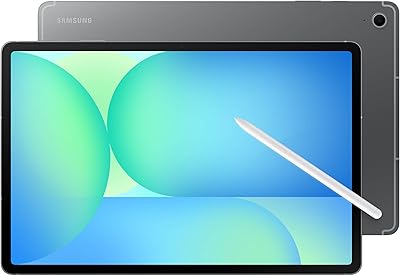
Samsung Galaxy Tab S10+ 256GB Android Tablet
82%
94%
Display Quality
91%
S Pen Performance
88%
Performance & Speed
83%
Battery Life
89%
Build Quality
More
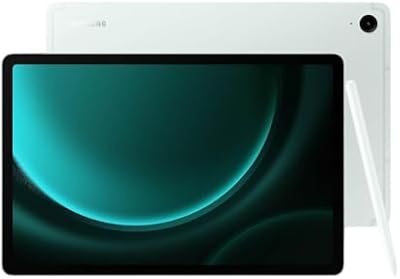
Samsung Galaxy Tab S9 FE 128GB Tablet
78%
88%
Value for Money
76%
Display Quality
91%
Battery Life
53%
Charging Speed
87%
S Pen Experience
More
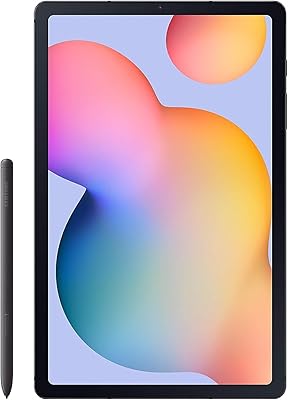
Samsung Galaxy Tab S6 Lite (2024) Tablet
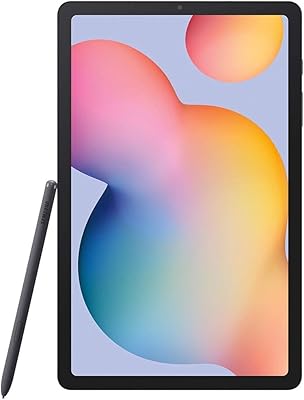
73%
83%
Value for Money
81%
Display Quality
79%
S Pen Experience
63%
Performance & Speed
88%
Battery Life
More
Samsung Galaxy Tab S6 Lite 10.4″ Tablet
72%
83%
Display Quality
88%
S Pen Experience
91%
Battery Life
67%
Performance
84%
Value for Money
More
Samsung Galaxy Tab S10 FE+ 13.1″ Tablet
80%
91%
Display Quality
88%
S Pen Experience
86%
Battery Life
89%
Build Quality
72%
Processor Performance
More
Samsung Galaxy Tab S10 FE 128GB
78%
88%
Display Quality
91%
S Pen Experience
89%
Battery Life
74%
Performance & Processing
86%
Value for Money
More
Samsung Galaxy Tab S9 11” 128GB WiFi
87%
94%
Performance
91%
Display Quality
89%
Battery Life
87%
Build Quality
92%
S Pen Functionality
More

FAQ

Yes, the S Pen is genuinely included in the box at no extra cost. It matches the tablet's Anthracite color and is ready to use right out of the packaging — no separate purchase needed.

It is honestly one of the better options at this price for that use case. The large screen gives you plenty of room to write naturally, and the S Pen handles note-taking apps like Samsung Notes or GoodNotes well. The battery will comfortably cover a full day of classes too.

The main difference you will notice is that the Tab S9 FE+ uses an LCD panel rather than the AMOLED screen found on the standard S9 and S9+. Colors are a little less vivid and blacks are not as deep, but the resolution is still sharp and the screen is perfectly usable for most tasks. If display quality is your top priority, the AMOLED models have the edge.

Better than most tablets at this price, yes. Samsung's Vision Booster feature adjusts the display to improve contrast in bright light, and most users find it readable outdoors. It is not perfect in harsh direct sunlight, but it is noticeably better than tablets that lack this feature.

It means the Samsung Galaxy Tab S9 FE+ 12.4″ Tablet can handle rain, splashes, or an accidental drop in a sink without damage under normal conditions. It is rated for submersion in fresh water up to about 1.5 meters for 30 minutes. That said, it is not designed for swimming or prolonged water exposure, and salt water or chlorinated water can still cause issues.

For most users it is plenty to start. If you primarily use streaming services rather than downloading large video files locally, and you keep documents in cloud storage, 128GB goes a long way. Heavy media downloaders or users with large app libraries may feel the pinch eventually.

Casual gaming is fine — most mobile titles run without issues. If you are hoping to play graphically demanding games at high settings, the processor will show its limits and you may notice dropped frames or warming under load. It was not designed to compete with gaming-focused tablets.

Samsung offers compatible keyboard covers for the Tab S9 FE+ that attach magnetically and add a decent typing experience. It can work well as a light laptop replacement for email, document editing, and browsing, though the Android ecosystem still has some limitations compared to a full desktop OS.

This specific Wi-Fi model does not include a SIM card slot or cellular support. If you need mobile data on the go without relying on your phone as a hotspot, you would need to look at a different variant or a different device entirely.

Using Samsung's 45W fast charging adapter — note that the charger may not be included in the box depending on your region — you can get from near-empty to a usable charge relatively quickly, typically around 90 minutes to a full charge. Using a lower-wattage charger will take noticeably longer.