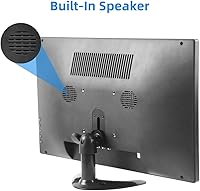
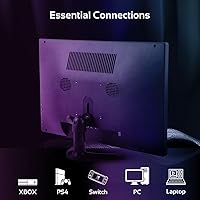
Overview

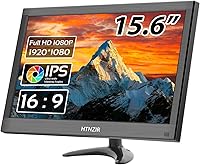
The HTNZIR 15.6-inch FHD IPS Monitor is a budget-oriented display that targets a surprisingly wide range of use cases — from CCTV monitoring to Raspberry Pi projects and everyday desktop work. Made by Shenzhen Kenowa Electronics, the brand isn’t a household name, but the specs are verifiable and reasonable for the cost. At under four pounds, this compact monitor is light enough to reposition without hassle, and it ships with both an adjustable stand and a remote control included — a genuinely useful touch that many displays at this price skip entirely. The 1920x1080 IPS panel at 350cd/m² brightness covers the basics solidly without overpromising.

Features & Benefits

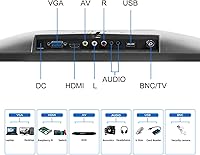
What makes this multi-input display stand out in a crowded budget category is sheer connectivity. You get HDMI, VGA, BNC, AV, and USB inputs on a single screen — which is rare at this price and genuinely useful if you’re running a security camera system alongside a PC or mixing older hardware with newer gear. The IPS panel holds up well at wide angles, with 178° horizontal and vertical viewing, so colors don’t wash out if you’re monitoring from across the room. Response time is 5ms at 60Hz — not a competitive gaming spec, but plenty for casual use. The glossy screen surface makes colors pop in controlled lighting, though it will catch reflections in a sun-lit space.

Best For

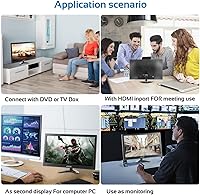
This compact monitor finds its strongest footing with makers and security-minded buyers. Raspberry Pi hobbyists will appreciate the multiple input options and plug-and-play compatibility without needing adapters. For small home CCTV setups, the BNC input alone separates it from typical consumer monitors that force you to use converters. It also works well as a secondary screen for a home office or a simple reference monitor in a recording or streaming setup. The VESA 75 mount means you can fix it to a wall or swing arm with standard hardware. If you need a lightweight, flexible screen that doesn’t demand a premium budget, this multi-input display is a practical, versatile pick.

User Feedback

Buyers who pick up the HTNZIR screen tend to appreciate the input variety most — it’s consistently cited as the main reason they chose it over similarly priced alternatives. The remote control earns quiet appreciation rather than excitement, but people are glad it’s there. On the downside, build quality concerns surface with some regularity; at this price tier, the plastic housing and stand feel functional rather than sturdy. Screen glare in bright rooms is another honest complaint — the glossy panel looks vivid in dim settings but fights back in daylight. Speaker performance gets mixed marks; adequate for notifications or background audio, but not a substitute for real desktop speakers.

Pros

  • BNC input allows direct connection to analog security cameras, a rare feature at this price point.
  • Five input types — HDMI, VGA, BNC, AV, and USB — cover both legacy and modern devices without adapters.
  • IPS panel delivers consistent colors at wide angles, useful for monitoring setups viewed from across the room.
  • Under four pounds and wall-mount ready, this compact monitor is easy to reposition or install anywhere.
  • Comes with both a remote control and an adjustable stand included — useful extras that add real convenience.
  • 1920x1080 resolution on a 15.6-inch screen produces a sharp, clear image for everyday tasks and monitoring.
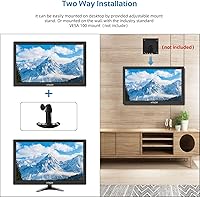
  • VESA 75 compatibility means you can mount it on standard arms or brackets without any modification.
  • At this price tier, the combination of IPS panel and full HD resolution represents solid value for casual use.

Cons

  • Glossy screen coating causes noticeable glare in bright or sunlit rooms.
  • Build quality feels lightweight and plastic-heavy, which may raise durability concerns over extended daily use.
  • 60Hz refresh rate is behind the curve compared to many competing monitors available today.
  • Built-in speakers lack depth and volume, making them insufficient for anything beyond background audio or alerts.
  • The HTNZIR brand has limited market presence, making warranty support and long-term reliability harder to gauge.
  • No color calibration data is provided, so out-of-box accuracy may vary between units.
  • The glossy panel, while vibrant in dim conditions, can make prolonged use tiring in mixed-lighting environments.
  • Remote control feels like an afterthought in terms of build quality, though it functions adequately for basic adjustments.

Ratings

The HTNZIR 15.6-inch FHD IPS Monitor has been evaluated by our AI system after analyzing verified global buyer reviews, with spam, bot-generated, and incentivized feedback actively filtered out. Scores reflect the real-world distribution of praise and frustration across thousands of purchase experiences — no padding, no cherry-picking. Both the genuine strengths and the recurring pain points are represented transparently in every category below.

Value for Money
83%
Buyers consistently express satisfaction when they weigh what they paid against what they received. The combination of an IPS panel, multiple inputs, a remote control, and an adjustable stand at this price tier genuinely surprises people who expected to compromise more heavily.
A small but vocal group feels the build quality does not fully justify even the modest asking price, especially when the plastic housing and stand are factored in. Those who expected durability on par with established brands often walk away feeling the value equation is closer than it first appears.
Input Versatility
91%
This is the most consistently praised aspect across buyer reviews. The ability to connect analog CCTV cameras via BNC, legacy PCs via VGA, and modern devices via HDMI — all on one compact screen — saves users significant money on adapters and converters in real-world monitoring and maker setups.
A few buyers noted that switching inputs using the on-screen menu can feel clunky without the remote, and the USB port functionality is not always clearly documented, leading to occasional confusion about what it actually supports beyond power delivery.
Image Quality
74%
26%
For everyday monitoring, browsing, and secondary display use, the 1080p IPS panel delivers a clear and reasonably vibrant picture. CCTV users and Raspberry Pi hobbyists report that the image is sharp enough to read text and identify detail at typical viewing distances without any obvious color banding.
Color accuracy out of the box is inconsistent between units — some buyers received screens that skewed slightly warm or cool, and there are no factory calibration data provided. Color-critical tasks like photo editing revealed noticeable limitations that the spec sheet alone does not warn you about.
Glare & Screen Surface
51%
49%
In a dim or well-controlled indoor environment, the glossy panel makes colors look punchy and contrast feel more pronounced compared to matte alternatives at this price. Users who set it up in basement workshops or windowless server rooms report very few complaints about the surface.
Buyers in naturally lit offices or rooms with overhead lighting frequently cite glare as a genuine daily frustration. The glossy coating catches reflections from windows and ceiling lights in a way that becomes fatiguing over time, and this issue surfaces repeatedly in negative reviews as something that affected their overall satisfaction significantly.
Build Quality
58%
42%
The monitor is light and slim, which works in its favor for portability and wall mounting. Several buyers who needed a screen they could move between rooms or reposition frequently appreciated that it does not feel unnecessarily bulky or heavy for what it is.
The plastic chassis and stand attract recurring criticism for feeling flimsy, with some buyers reporting flex in the bezel when applying light pressure. At this price tier, expectations are managed, but users who handle the monitor daily report wear and minor cosmetic damage appearing sooner than they would have liked.
Connectivity Setup
79%
21%
Most buyers found the physical setup straightforward, particularly those plugging in via HDMI for the first time. The included stand requires no tools, and the input ports are clearly labeled on the rear panel, making the initial connection process quick even for less technical users.
A handful of buyers reported that the AV and BNC inputs required more trial and error with their specific camera or device configurations than they anticipated. Documentation included in the box is minimal, which can slow down setup for users less familiar with multi-input displays.
Built-in Speakers
47%
53%
For basic notification sounds, background audio while monitoring a security feed, or following a tutorial video, the dual speakers are serviceable. Users who only needed ambient sound rather than genuine audio quality tended to rate them as a welcome inclusion rather than a disappointment.
Anyone expecting usable speaker quality for music, movies, or gaming will be let down — thin audio, limited volume ceiling, and negligible bass are the most common complaints. The majority of buyers who cared about audio replaced or supplemented the built-in speakers within weeks of purchase.
Brightness & Visibility
68%
32%
At 350cd/m², the panel holds up well in typical indoor conditions, and CCTV users monitoring feeds in rooms with standard lighting reported no trouble seeing detail clearly. The brightness level is adequate for the majority of the use cases this screen was designed for.
In brighter environments or when competing with strong ambient light, the brightness ceiling starts to feel limiting — especially combined with the glossy surface. A few buyers working near windows noted that even at maximum brightness, contrast and legibility suffered noticeably during daytime hours.
Remote Control
72%
28%
The inclusion of a remote control is genuinely appreciated, particularly for wall-mounted setups or CCTV stations where walking up to the monitor to adjust settings would be inconvenient. Buyers who use it for security monitoring cite it as a practical daily convenience.
The remote itself feels budget-grade in hand, and a number of buyers noted that it requires fairly precise aiming at the sensor to register commands reliably. It covers the basics, but the overall execution feels like an afterthought rather than a polished accessory.
VESA Mount Compatibility
86%
The VESA 75x75mm pattern is a meaningful practical advantage for anyone planning to wall-mount or use a monitor arm. Buyers in recording setups and home CCTV installations particularly valued the ability to fix the screen in a permanent, clean position without relying on the included stand.
The VESA mount hardware is not included in the box, which catches some buyers off guard. While this is standard practice, it adds a small additional cost that budget-conscious buyers should account for before purchasing.
Raspberry Pi Compatibility
88%
Pi hobbyists consistently report that this multi-input display works without any configuration friction when connected via HDMI. It powers on, detects the Pi automatically in most cases, and handles the typical 1080p output from modern Pi models cleanly — making it a reliable choice for maker projects and DIY computing setups.
A small number of Pi users working with older models or custom OS builds noted minor resolution handshake issues requiring manual config file edits. This is not unique to this screen, but it is worth flagging for users who expect a truly zero-configuration experience in every scenario.
Portability & Weight
81%
19%
At under four pounds, the HTNZIR screen is light enough to carry between rooms, pack for temporary setups, or reposition frequently without it being a chore. Buyers who needed a flexible display for demos, events, or multi-room use rated portability highly as a practical strength.
The lightweight construction, while convenient, does mean the monitor can feel unstable on the included stand when nudged or when used near vibration sources like speakers or HVAC vents. A heavier base or more robust stand feet would improve confidence in everyday desktop use.
CCTV Monitoring Use
85%
For home and small-office security monitoring, this compact monitor hits a practical sweet spot. The BNC input, combined with a clear 1080p IPS panel and compact footprint, makes it one of the more purpose-fit budget options available for analog camera systems that need a dedicated display.
Buyers running multi-camera DVR setups over extended periods noted that the glossy screen becomes tiring during long monitoring sessions in bright control rooms. The lack of a blue-light filter or flicker-free certification is a minor but real concern for anyone staring at it for hours at a time.

Suitable for:

The HTNZIR 15.6-inch FHD IPS Monitor is a strong fit for anyone who needs a compact, multi-purpose screen without spending much. It shines in home CCTV setups where the BNC input lets you connect analog security cameras directly — no converter box required. Raspberry Pi enthusiasts and hardware hobbyists will find the broad input selection genuinely convenient, making it easy to switch between devices without hunting for adapters. It also works well as a secondary or tertiary monitor in a home office, a lightweight reference display in a small recording setup, or a dedicated screen for a streaming rig. Anyone who needs wall-mount flexibility will appreciate the VESA 75 compatibility paired with an included stand — that combination offers real setup versatility for a tight budget.

Not suitable for:

Buyers expecting a polished, premium experience should look elsewhere, and the HTNZIR 15.6-inch FHD IPS Monitor is upfront about what it is: a practical, budget-tier tool. If your workspace gets a lot of direct sunlight or overhead lighting, the glossy panel will frustrate you with glare and reflections that a matte-finish display would handle far better. Competitive or even casual gamers who care about smooth visuals will find the 60Hz refresh rate limiting compared to what is widely available today. Those who rely on color-accurate work — photo editing, video grading, or design — should not depend on an uncalibrated budget IPS for critical decisions. The built-in speakers are functional at best, so if audio quality matters in your setup, plan to add external speakers regardless. And if brand reputation or long-term after-sales support is a priority, the relatively unknown manufacturer behind this screen is a genuine consideration worth weighing.

Specifications

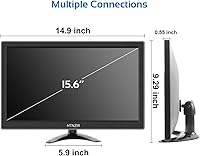
  • Screen Size: The display measures 15.6 inches diagonally, offering a compact footprint suitable for desktop, wall, or arm-mounted setups.
  • Resolution: Native resolution is 1920x1080 pixels (Full HD), delivering a sharp and detailed image for everyday tasks and monitoring use.
  • Panel Type: Uses an IPS (In-Plane Switching) panel, which maintains consistent color accuracy and contrast across wide viewing angles.
  • Aspect Ratio: Standard 16:9 widescreen aspect ratio, compatible with the vast majority of video sources and operating systems without scaling issues.
  • Brightness: Rated at 350cd/m², which is adequate for indoor environments with controlled or moderate ambient lighting.
  • Viewing Angles: Supports 178° horizontal and vertical viewing angles, meaning colors remain stable even when the screen is viewed from the side.
  • Response Time: Rated at 5ms response time, which handles general desktop use and casual video playback without noticeable motion blur.
  • Refresh Rate: Operates at a 60Hz refresh rate, standard for everyday productivity, CCTV monitoring, and non-competitive gaming use.
  • Inputs: Equipped with HDMI, VGA, BNC, AV (composite), and USB ports, allowing connection to a wide range of modern and legacy devices.
  • Audio: Features built-in dual speakers for basic audio output, suitable for notifications, casual media, or background sound without external speakers.
  • VESA Mount: Compatible with the industry-standard VESA 75x75mm mounting pattern, allowing attachment to wall mounts and monitor arms sold separately.
  • Screen Surface: Glossy screen coating enhances color vibrancy and contrast in dim environments but may produce reflections under bright or direct lighting.
  • Dimensions: Physical dimensions are approximately 11.8 x 7.87 x 0.78 inches, keeping the overall footprint compact and easy to fit into tight spaces.
  • Weight: Weighs 3.96 pounds, light enough to reposition frequently or mount without requiring a heavy-duty wall bracket.
  • Stand Included: Ships with an adjustable desktop stand that allows basic tilt adjustment for comfortable viewing in most desk configurations.
  • Remote Control: Includes a handheld remote control for adjusting monitor settings such as input source, brightness, and volume without using on-device buttons.
  • Manufacturer: Designed and manufactured by Shenzhen Kenowa Electronics Co., Ltd., and sold under the HTNZIR brand name.
  • Model Number: Official model identifier is HTNZIR, as listed by the manufacturer for warranty and support reference purposes.

Related Reviews
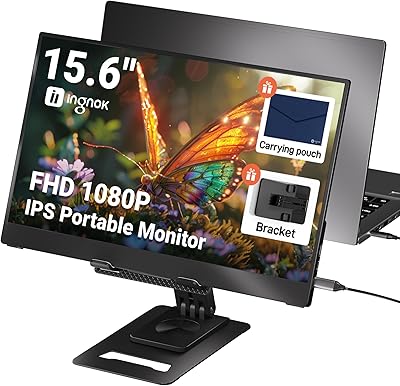
Ingnok YN02D 15.6-inch Portable Monitor
76%
93%
Portability & Form Factor
81%
Display Clarity
62%
Brightness & Visibility
89%
Setup & Plug-and-Play Experience
71%
Color Accuracy
More
VisionOwl Portable Monitor 15.6-inch FHD
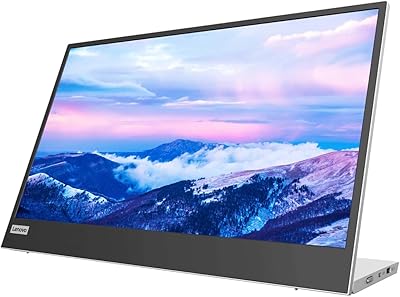
86%
89%
Display Quality
91%
Portability
88%
Ease of Setup
85%
Compatibility
92%
Connectivity Options
More
Lenovo L15 15.6-inch Portable Monitor
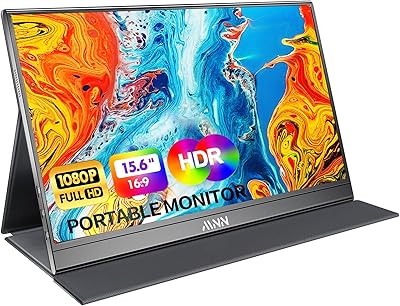
82%
83%
Display Quality
91%
Portability
88%
Stand & Ergonomics
86%
Connectivity
93%
Setup & Ease of Use
More
KOORUI 15.6-inch Portable Monitor 1080P FHD
83%
93%
Portability
89%
Display Quality
88%
Setup Ease
56%
Audio Quality
81%
Battery Life
More
AOC 16T20 Portable Monitor 15.6-inch FHD
85%
92%
Portability & Weight
89%
Display Quality
88%
Ease of Setup
90%
Viewing Angles
85%
Compatibility with Devices
More
MNN 15.6-inch Portable Monitor
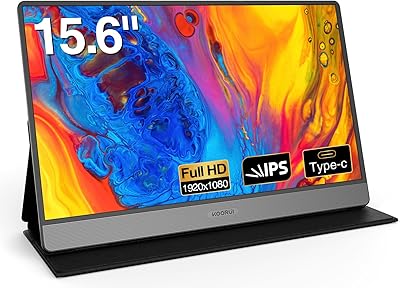
74%
91%
Value for Money
89%
Portability & Weight
74%
Display Quality
61%
Brightness & Visibility
78%
USB-C Connectivity
More
Kado K165W-FP 15.6-Inch Portable Monitor
79%
83%
Display Quality
91%
Portability & Weight
71%
Build Quality
74%
Kickstand Design
86%
Connectivity
More
Yodoit Portable Monitor PTM15 15.6″ FHD IPS Display
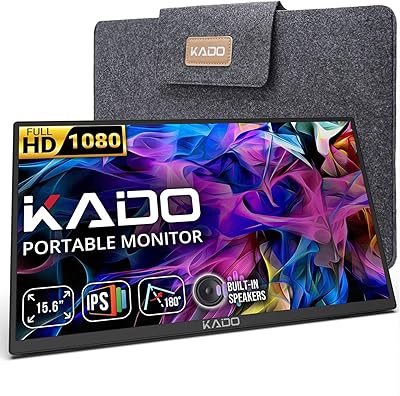
85%
89%
Display Quality
94%
Portability & Design
85%
Connectivity
92%
Ease of Setup
61%
Audio Quality
More
QQH Z12 15.6-inch Portable Monitor

71%
91%
Portability
83%
Build Quality
76%
Display Quality
93%
Setup & Ease of Use
62%
Stand & Viewing Angles
More
Topmonitor P15.6/2.5K 15.6-inch Portable Monitor
77%
91%
Image Sharpness
87%
Color Accuracy
93%
Portability
82%
Connectivity
88%
Value for Money
More

FAQ

Yes, and this is one of its most practical strengths. The BNC input allows you to connect analog security cameras directly without needing a separate converter or DVR output adapter. It is a feature rarely found on budget monitors aimed at general consumers.

It works well with Raspberry Pi boards that output via HDMI, which covers most modern Pi models. Just connect an HDMI cable and power it on — no driver installation is needed. Buyers using it in Pi-based projects consistently report straightforward plug-and-play setup.

It can, depending on your environment. In a room with overhead fluorescent lighting or a window behind you, reflections on the glossy surface become genuinely distracting. If your workspace gets a lot of ambient or direct light, a matte-screen monitor would serve you better. In a dim or controlled-lighting setup, the glossy panel actually makes colors look more vivid.

They are adequate but not impressive. You can hear system alerts, watch a tutorial video, or have background music playing without needing external speakers. Do not expect much in terms of volume or bass depth — for anything beyond casual listening, a small desktop speaker or headphones will be a worthwhile upgrade.

Yes. The rear of the monitor features a VESA 75x75mm mounting pattern, which is compatible with the vast majority of wall mounts and desk arms available. The mount hardware itself is not included in the box, so you will need to purchase a compatible bracket separately.

That depends on what you are connecting. For a modern PC or Raspberry Pi, a standard HDMI cable is all you need. For older computers or certain DVR systems, a VGA cable works. The BNC input is ideal for direct analog camera connections. Cables are not bundled in the box, so check what outputs your device uses before ordering.

It can handle general office tasks, web browsing, and document editing without any trouble. The 1080p IPS panel is clear and readable for everyday productivity. That said, at 15.6 inches it is on the smaller side for an all-day primary display, and color-critical work like photo or video editing may require a calibrated monitor for reliable results.

The stand provides basic desktop support and allows for some tilt adjustment. It is functional and keeps the monitor stable for most setups. However, given the budget nature of this compact monitor, the stand feels lightweight and plastic — it does the job, but do not expect the same sturdiness you would get from a mid-range display stand.

Absolutely. As long as your laptop has an HDMI or VGA output, connecting this multi-input display as a secondary screen is straightforward. It works with Windows and most Linux setups through standard display settings, with no additional software required.

HTNZIR is manufactured by Shenzhen Kenowa Electronics, a lesser-known brand in Western markets. Warranty terms and after-sales support can vary, so it is worth checking the listing or contacting the seller directly before purchasing. If reliable long-term support is a priority for you, that is a real consideration to factor into your decision.